Page 279 of 643

CAUTION!
•Check deployed crossbars frequently and re-
tighten thumb screws as necessary.
•To avoid damage to the roof rack and vehicle, do
not exceed the maximum roof rack load capacity of
150 lbs (68 kg). Always distribute heavy loads as
evenly as possible and secure the load appropri-
ately.
•To prevent damage to the roof of your vehicle, DO
NOT carry any loads on the roof rack without the
crossbars deployed.
•The load should be secured and placed on top of
the crossbars, not directly on the roof. If it is
necessary to place the load on the roof, place a
blanket or other protective layer between the load
and the roof surface.(Continued)
CAUTION! (Continued)
•Long loads which extend over the windshield,
such as wood panels or surfboards, or loads with
large frontal area should be secured to both the
front and rear of the vehicle.
•Travel at reduced speeds and turn corners care-
fully when carrying large or heavy loads on the
roof rack. Wind forces, due to natural causes or
nearby truck traffic, can add sudden upward lift to
a load. This is especially true on large flat loads
and may result in damage to the cargo or your
vehicle.
276 UNDERSTANDING THE FEATURES OF YOUR VEHICLE
ProCarManuals.com
Page 280 of 643
WARNING!
Cargo must be securely tied before driving your
vehicle. Improperly secured loads can fly off the
vehicle, particularly at high speeds, resulting in per-
sonal injury or property damage. Follow the Roof
Rack Cautions when carrying cargo on your roof
rack.
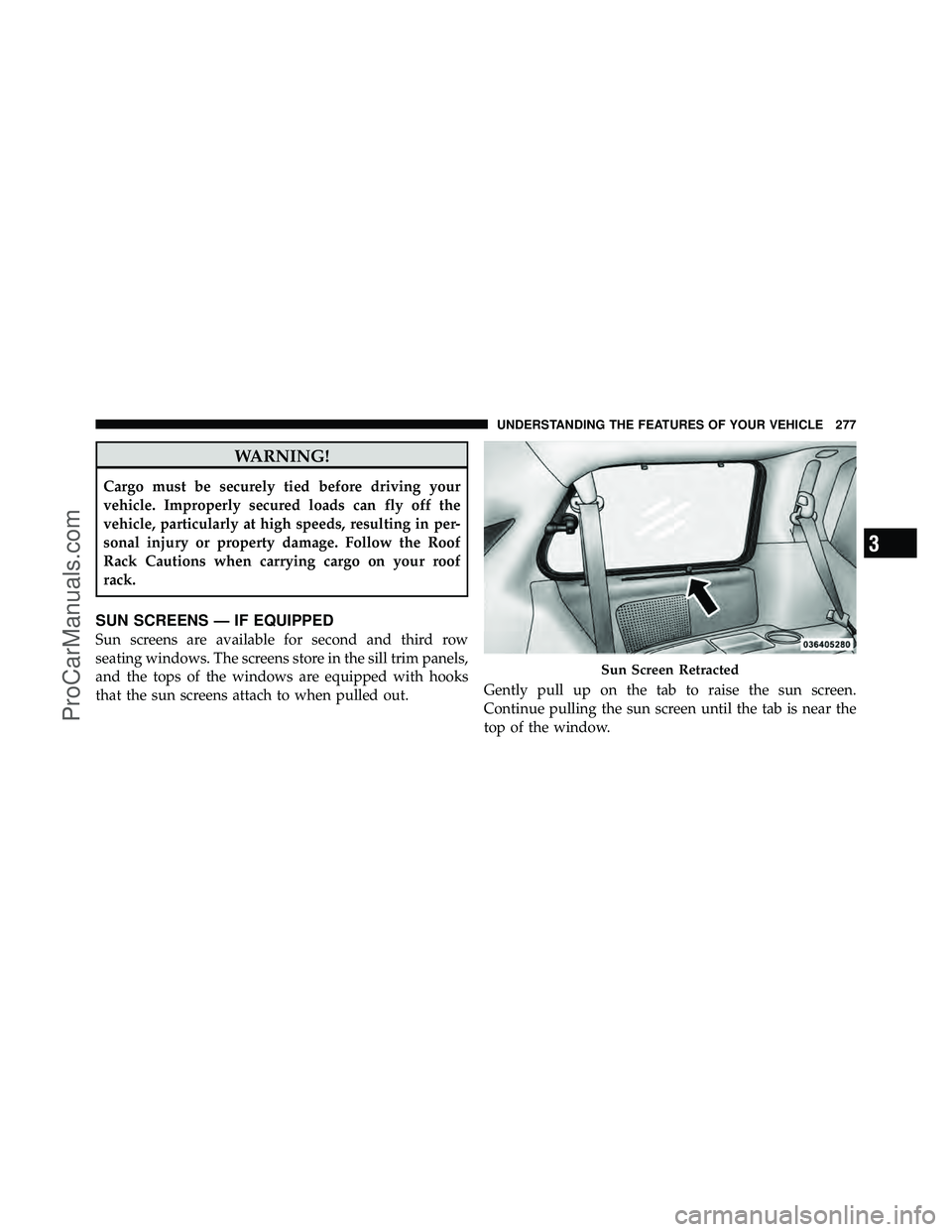
SUN SCREENS — IF EQUIPPED
Sun screens are available for second and third row
seating windows. The screens store in the sill trim panels,
and the tops of the windows are equipped with hooks
that the sun screens attach to when pulled out.Gently pull up on the tab to raise the sun screen.
Continue pulling the sun screen until the tab is near the
top of the window.
Sun Screen Retracted
3
UNDERSTANDING THE FEATURES OF YOUR VEHICLE 277
ProCarManuals.com
Page 282 of 643
UNDERSTANDING YOUR INSTRUMENT PANEL
CONTENTS
�Instrument Panel Features ............... 283
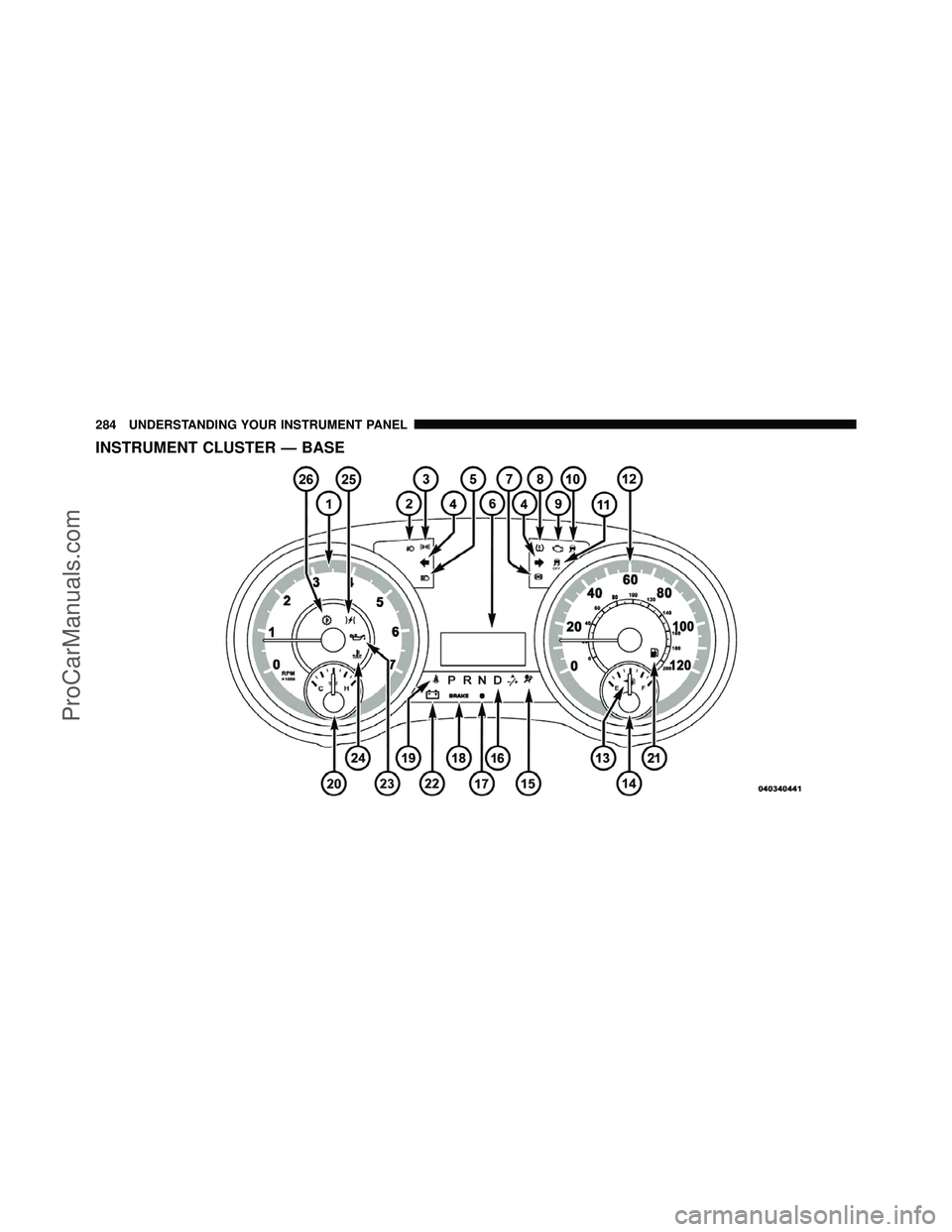
� Instrument Cluster — Base ............... 284
� Instrument Cluster — Premium ........... 285
� Instrument Cluster Descriptions ........... 286
� Electronic Vehicle Information Center
(EVIC) — If Equipped ................... 300
▫ Electronic Vehicle Information Center
(EVIC) Displays ..................... 302
▫ EVIC White Telltale Lights .............. 305
▫ EVIC Amber Telltale Lights ............. 306▫
EVIC Red Telltale Lights ............... 306
▫ Oil Change Required .................. 309
▫ Fuel Economy ...................... 310
▫ Vehicle Speed ....................... 311
▫ Trip Info .......................... 311
▫ TirePSI ........................... 312
▫ Units ............................. 312
▫ Vehicle Info
(Customer Information Features) ......... 312
4
ProCarManuals.com
Page 283 of 643

▫Messages # ......................... 313
▫ Compass / Temperature Display ......... 313
▫ Customer-Programmable Features
(System Setup) ...................... 315
� Media Center 730N/430/430N (RHR/RER/
RBZ/RHB) CD/DVD/HDD/NAV —
If Equipped .......................... 322
▫ Operating Instructions (Voice Command
System) — If Equipped ................ 322
▫ Operating Instructions
(Uconnect™ Phone) — If Equipped ....... 322
� Media Center 130 (Sales Code RES) ......... 322
▫ Operating Instructions — Radio Mode ..... 323
▫ Operation Instructions — CD Mode For CD
And MP3 Audio Play ................. 326 ▫
Notes On Playing MP3 Files ............ 328
▫ Operation Instructions - Auxiliary Mode .... 330
� Media Center 130 With Satellite Radio
(Sales Code RES+RSC) ................... 331
▫ Operating Instructions — Radio Mode ..... 331
▫ Operation Instructions — CD Mode For CD
And MP3 Audio Play ................. 337
▫ Notes On Playing MP3 Files ............ 339
▫ List Button (CD Mode For MP3 Play) ...... 341
▫ Info Button (CD Mode For MP3 Play) ...... 341
▫ Uconnect™ Multimedia (Satellite Radio) —
If Equipped ........................ 342
▫ Operating Instructions
(Uconnect™ Phone) — If Equipped ....... 346
280 UNDERSTANDING YOUR INSTRUMENT PANEL
ProCarManuals.com
Page 284 of 643

�iPod�/USB/MP3 Control — If Equipped ..... 346
▫ Connecting The iPod� Or External USB
Device ............................ 347
▫ Using This Feature ................... 348
▫ Controlling The iPod� Or External USB
Device Using Radio Buttons ............. 348
▫ Play Mode ......................... 349
▫ List Or Browse Mode ................. 350
▫ Bluetooth Streaming Audio (BTSA) ........ 352
� Uconnect™ Multimedia Video Entertainment
System (VES)™ — If Equipped ............ 353
▫ Getting Started ...................... 353
▫ Play Video Games .................... 354 ▫
Listen To An Audio Source On Channel 2
While A Video Is Playing On Channel 1 .... 357
▫ Dual Video Screen ................... 359
▫ Play A DVD Using The Touch-Screen
Radio ............................. 359
▫ Play A DVD Using The VES™ Player
(If Equipped) ....................... 362
▫ Listen To An Audio Source While A Video Is
Playing ........................... 365
▫ Third Row Swivel Screen (If Equipped) ..... 367
▫ Important Notes For Dual Video Screen
System ............................ 368
▫ Remote Control ..................... 368
▫ Remote Control Storage ................ 371
▫ Locking The Remote Control ............ 371
4
UNDERSTANDING YOUR INSTRUMENT PANEL 281
ProCarManuals.com
Page 285 of 643
▫Replacing The Remote Control Batteries .... 372
▫ Headphones Operation ................ 372
▫ Controls ........................... 373
▫ Replacing The Headphone Batteries ....... 374
▫ Unwired� Stereo Headphone Lifetime
Limited Warranty .................... 374
▫ System Information ................... 376
� Steering Wheel Audio Controls —
If Equipped .......................... 390
▫ Radio Operation ..................... 391
▫ CD Player ......................... 391
� CD/DVD Disc Maintenance .............. 392
� Radio Operation And Mobile Phones ....... 392�
Climate Controls ...................... 393
▫ Manual Heating And Air Conditioning
System — If Equipped ................. 393
▫ Rear Manual Climate Control —
If Equipped ........................ 398
▫ Automatic Temperature Control (ATC) — If
Equipped .......................... 400
▫ Summer Operation ................... 411
▫ Winter Operation .................... 411
▫ Vacation/Storage .................... 412
▫ Window Fogging .................... 412
▫ Outside Air Intake ................... 412
▫ Operating Tips ...................... 413
▫ A/C Air Filter ...................... 413
282 UNDERSTANDING YOUR INSTRUMENT PANEL
ProCarManuals.com
Page 286 of 643
INSTRUMENT PANEL FEATURES
1 — Air Vents5 — Upper Glove Compartment 9 — Storage Bin 13 — Hood Release
2 — Instrument Cluster 6 — Lower Glove Compartment 10 — Cup Holders 14 — Dimmer Switch
3 — Shift Lever 7 — Climate Controls 11 — Switch Bank15 — Headlight Switch
4 — Radio 8 — DVD – If Equipped 12 — Ignition Switch
4
UNDERSTANDING YOUR INSTRUMENT PANEL 283
ProCarManuals.com
Page 287 of 643
INSTRUMENT CLUSTER — BASE
284 UNDERSTANDING YOUR INSTRUMENT PANEL
ProCarManuals.com