Page 297 of 643

16. Shift Lever Indicator
The Shift Lever Indicator is self-contained within the
instrument cluster. It displays the gear position of the
automatic transmission.
NOTE:
•You must apply the brakes before shifting from PARK.
•The highest available transmission gear is displayed in
the lower right corner of the Electronic Vehicle Infor-
mation Center (EVIC) whenever the Electronic Range
Select (ERS) feature is active. Use the +/- selector on
the shift lever to activate ERS. Refer to “Automatic
Transmission” in “Starting And Operating” for further
information.
17. Vehicle Security Light — If Equipped This light will flash at a fast rate for approxi-
mately 15 seconds, when the vehicle security
alarm is arming, and then will flash slowly
until the vehicle is disarmed. 18. Brake Warning Light
This light monitors various brake functions,
including brake fluid level and parking brake
application. If the brake light turns on it may
indicate that the parking brake is applied, that
the brake fluid level is low, or that there is a problem with
the anti-lock brake system reservoir.
If the light remains on when the parking brake has been
disengaged, and the fluid level is at the full mark on the
master cylinder reservoir, it indicates a possible brake
hydraulic system malfunction or that a problem with the
Brake Booster has been detected by the Anti-Lock Brake
System (ABS) / Electronic Stability Control (ESC) system.
In this case, the light will remain on until the condition
has been corrected. If the problem is related to the brake
booster, the ABS pump will run when applying the brake
and a brake pedal pulsation may be felt during each stop.
294 UNDERSTANDING YOUR INSTRUMENT PANEL
ProCarManuals.com
Page 303 of 643
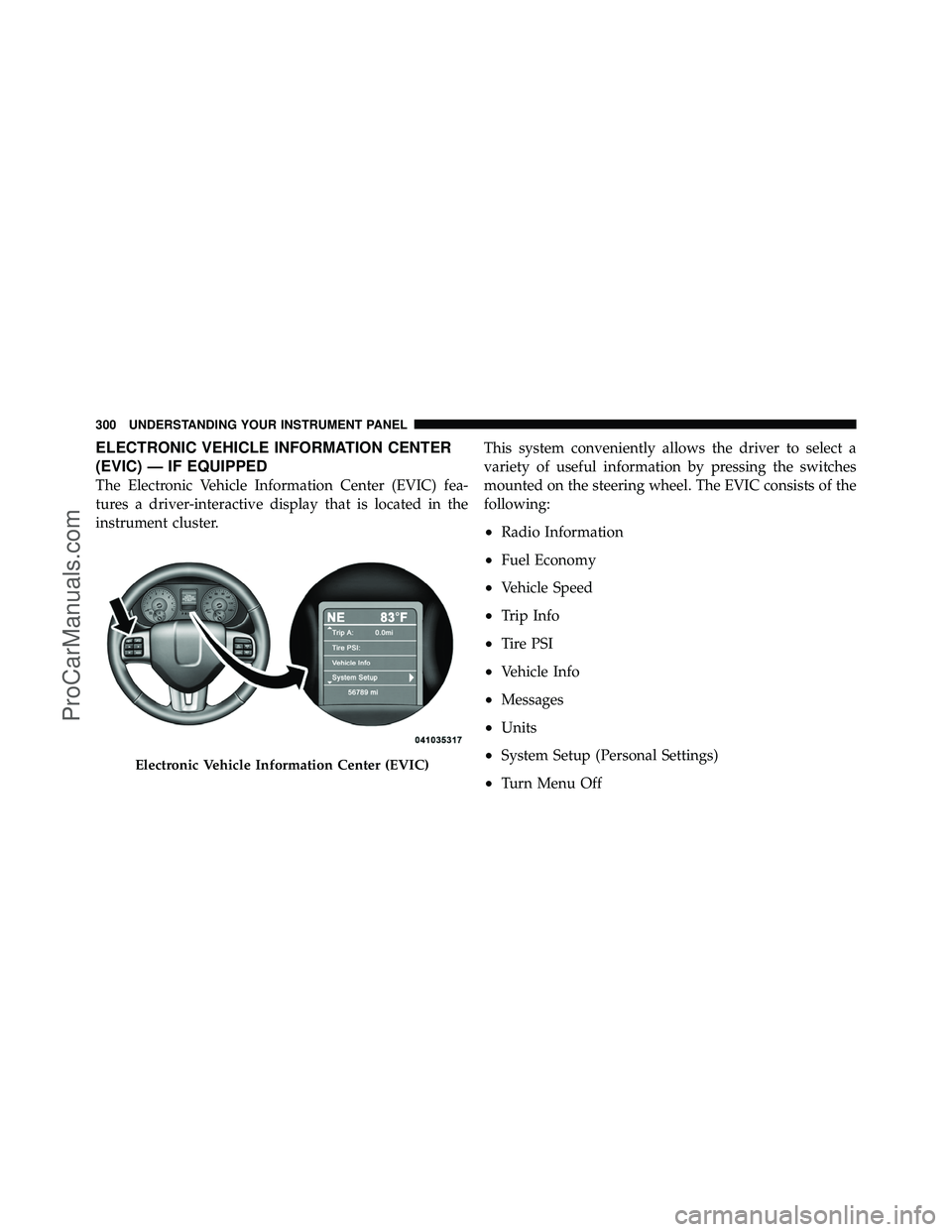
ELECTRONIC VEHICLE INFORMATION CENTER
(EVIC) — IF EQUIPPED
The Electronic Vehicle Information Center (EVIC) fea-
tures a driver-interactive display that is located in the
instrument cluster.This system conveniently allows the driver to select a
variety of useful information by pressing the switches
mounted on the steering wheel. The EVIC consists of the
following:
•Radio Information
•Fuel Economy
•Vehicle Speed
•Trip Info
•Tire PSI
•Vehicle Info
•Messages
•Units
•System Setup (Personal Settings)
•Turn Menu Off
Electronic Vehicle Information Center (EVIC)
300 UNDERSTANDING YOUR INSTRUMENT PANEL
ProCarManuals.com
Page 429 of 643
Six-Speed Automatic Transmission
The shift lever position display (located in the instrument
panel cluster) indicates the transmission gear range. You
must press the brake pedal to move the shift lever out of
the PARK position (Refer to Brake/Transmission Shift
Interlock System in this section). To drive, move the shift
lever from PARK or NEUTRAL to the DRIVE position.
The electronically-controlled transmission provides a
precise shift schedule. The transmission electronics are
self-calibrating; therefore, the first few shifts on a new
vehicle may be somewhat abrupt. This is a normal
condition, and precision shifts will develop within a few
hundred miles (kilometers).Shifting from DRIVE to PARK or REVERSE should be
done only after the accelerator pedal is released and the
vehicle is stopped. Be sure to keep your foot on the brake
pedal when moving the shift lever between these gears.
Shift Lever
426 STARTING AND OPERATING
ProCarManuals.com
Page 430 of 643

The transmission shift lever has only PARK, REVERSE,
NEUTRAL, and DRIVE shift positions. Manual shifts can
be made using the Electronic Range Select (ERS) shift
control (described later in this section). Moving the shift
lever to the left or right (–/ +) while in the DRIVE
position will select the highest available transmission
gear, and will display that gear in the instrument cluster
as 6, 5, 4, 3, 2, 1.
Gear Ranges
DO NOT race the engine when shifting from PARK or
NEUTRAL into another gear range.
PARK
This range supplements the parking brake by locking the
transmission. The engine can be started in this range.
Never attempt to use PARK while the vehicle is in
motion. Apply the parking brake when leaving the
vehicle in this range.When parking on a level surface, you may place the shift
lever in the PARK position first, and then apply the
parking brake.
When parking on a hill, apply the parking brake before
placing the shift lever in PARK, otherwise the load on the
transmission locking mechanism may make it difficult to
move the shift lever out of PARK. As an added precau-
tion, turn the front wheels toward the curb on a downhill
grade, and away from the curb on an uphill grade.
WARNING!
•Never use the PARK position as a substitute for
the parking brake. Always apply the parking
brake fully when parked to guard against vehicle
movement and possible injury or damage.
(Continued)
5
STARTING AND OPERATING 427
ProCarManuals.com
Page 435 of 643

2. Shift the transmission into PARK.
3. Turn the engine OFF.
4. Wait approximately 10 seconds.
5. Restart the engine.
6. Shift into the desired gear range. If the problem is no
longer detected, the transmission will return to normal
operation.
NOTE:Even if the transmission can be reset, we recom-
mend that you visit your authorized dealer at your
earliest possible convenience. Your authorized dealer has
diagnostic equipment to determine if the problem could
recur.
If the transmission cannot be reset, authorized dealer
service is required.Electronic Range Select (ERS) Operation
The Electronic Range Select (ERS) shift control allows the
driver to limit the highest available gear when the shift
lever is in the DRIVE position. For example, if you shift
the transmission into 3 (third gear), the transmission will
never shift above third gear, but will shift down into
second and first gear normally.
You can switch between DRIVE and ERS mode at any
vehicle speed. When the shift lever is in the DRIVE
position, the transmission will operate automatically,
shifting between all available gears. Tapping the shift
lever to the left (-) will activate ERS mode, display the
current gear in the instrument cluster, and maintain that
gear as the top available gear. Once in ERS mode, tapping
the shift lever to the left (-) or right (+) will change the top
available gear.
432 STARTING AND OPERATING
ProCarManuals.com
Page 436 of 643

To exit ERS mode, simply press and hold the shift lever to
the right (+) until “D” is once again displayed in the shift
lever position indicator in the instrument cluster.
WARNING!
Do not downshift for additional engine braking on a
slippery surface. The drive wheels could lose their
grip and the vehicle could skid, causing an accident
or personal injury.
Odometer
Screen Display123456D
Actual Gear(s)
Allowed 1 1-2 1-3 1-4 1-5 1-6 1-6
NOTE: To select the proper gear position for maximum
deceleration (engine braking), tap the shift lever to the
left (-) repeatedly as the vehicle slows. The transmission
will shift to the range from which the vehicle can best be
slowed down.
Overdrive Operation
The automatic transmission includes an electronically
controlled Overdrive (sixth gear). The transmission will
automatically shift into the Overdrive gear if the follow-
ing conditions are present:
•the shift lever is in the DRIVE position,
•the transmission fluid has reached an adequate tem-
perature,
•the engine coolant has reached an adequate tempera-
ture,
•vehicle speed is sufficiently high, and
•the driver is not heavily pressing the accelerator
5
STARTING AND OPERATING 433
ProCarManuals.com
Page 442 of 643
If necessary, add fluid to restore to the proper indicated
level. With a clean cloth, wipe any spilled fluid from all
surfaces. Refer to “Fluids, Lubricants, and Genuine
Parts” in “Maintaining Your Vehicle” for further
information.
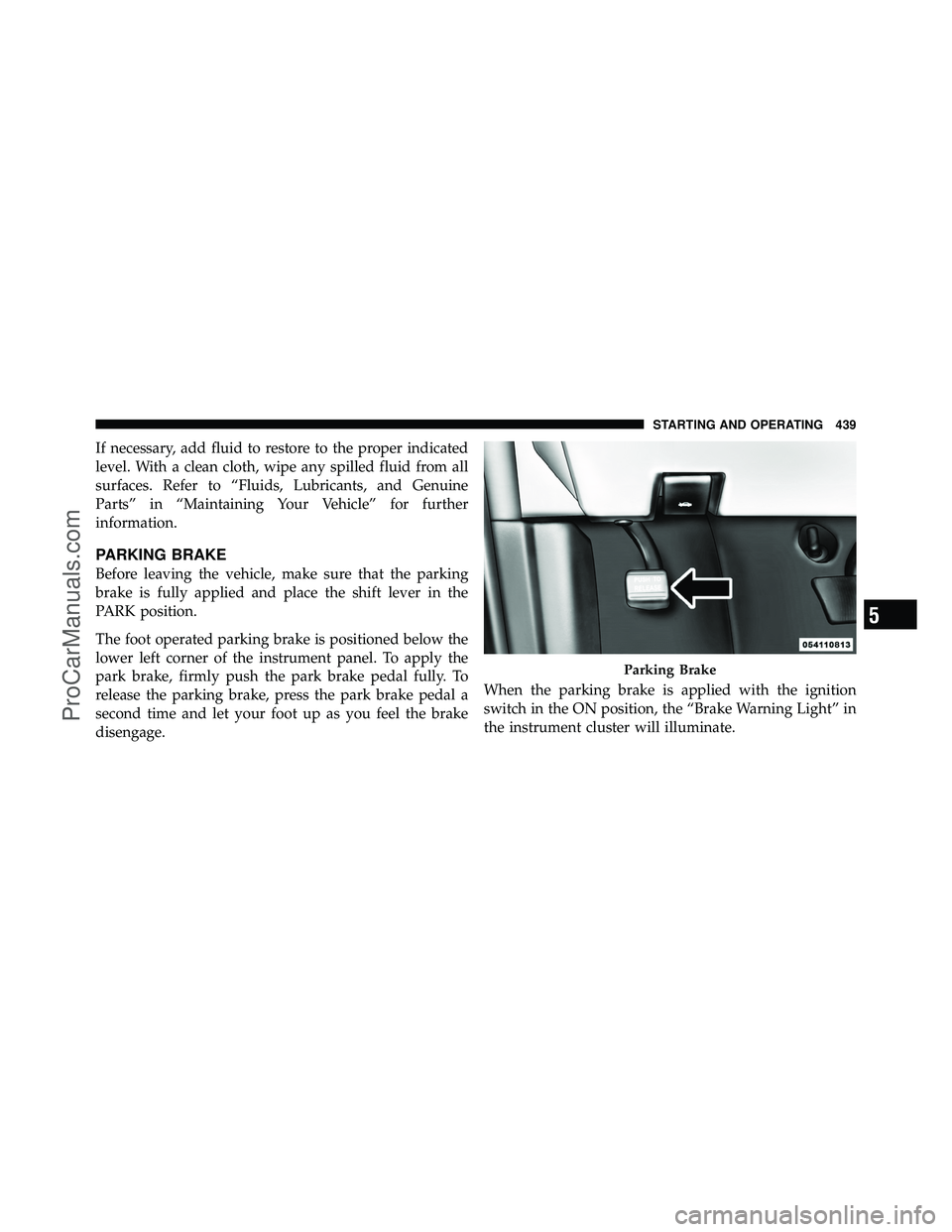
PARKING BRAKE
Before leaving the vehicle, make sure that the parking
brake is fully applied and place the shift lever in the
PARK position.
The foot operated parking brake is positioned below the
lower left corner of the instrument panel. To apply the
park brake, firmly push the park brake pedal fully. To
release the parking brake, press the park brake pedal a
second time and let your foot up as you feel the brake
disengage.When the parking brake is applied with the ignition
switch in the ON position, the “Brake Warning Light” in
the instrument cluster will illuminate.
Parking Brake
5
STARTING AND OPERATING 439
ProCarManuals.com
Page 447 of 643

wheel(s) and engine power is reduced, to provide en-
hanced acceleration and stability. A feature of the TCS
functions similarly to a limited-slip differential, and
controls the wheel spin across a driven axle. If one wheel
on a driven axle is spinning faster than the other, the
system will apply the brake of the spinning wheel. This
will allow more engine torque to be applied to the wheel
that is not spinning. This feature remains active even if
the ESC is in the “Partial Off” mode.
The “ESC Activation/Malfunction Indicator Light” (in
the instrument cluster) will start to flash as soon as the
tires lose traction and the wheels begin to spin. This
indicates that the TCS is active. If the indicator light
flashes during acceleration, ease up on the accelerator
and apply as little throttle as possible. Be sure to adapt
your speed and driving to the prevailing road conditions,
and do not switch off the ESC or TCS.WARNING!
•The TCS cannot prevent the natural laws of phys-
ics from acting on the vehicle, nor can it increase
the traction afforded.
•The TCS cannot prevent collisions, including
those resulting from excessive speed in turns, or
hydroplaning.
•The capabilities of a TCS-equipped vehicle must
never be exploited in a reckless or dangerous
manner, which could jeopardize the user’s safety
or the safety of others.
Brake Assist System (BAS)
The Brake Assist System (BAS) is designed to optimize
the vehicle’s braking capability during emergency brak-
ing maneuvers. The system detects an emergency brak-
ing situation by sensing the rate and amount of brake
application, and then applies optimum pressure to the
444 STARTING AND OPERATING
ProCarManuals.com