Page 192 of 514
▫Personal Settings
(Customer-Programmable Features) ....... 221
� Media Center 230 (REQ) — AM/FM Stereo
Radio And 6–Disc CD/DVD Changer
(MP3/WMA AUX Jack) .................. 224
▫ Operating Instructions - Radio Mode ...... 224
▫ Operation Instructions - (Disc Mode For CD
And MP3/WMA Audio Play, DVD-Video) . . . 232
▫ Notes On Playing MP3/WMA Files ....... 234
▫ List Button
(Disc Mode For MP3/WMA Play) ......... 237
▫ Info Button
(Disc Mode For MP3/WMA Play) ......... 237
▫ Uconnect™ Multimedia (Satellite Radio) —
If Equipped ........................ 239 �
Media Center 730N/430/430N
(RHR/RER/RBZ/RHB) CD/DVD/HDD/NAV
— If Equipped ........................ 243
▫ Operating Instructions (Voice Command
System) — If Equipped ................ 243
▫ Operating Instructions (Uconnect™ Phone)
— If Equipped ...................... 244
� Media Center 130 (Sales Code RES) ......... 244
▫ Operating Instructions — Radio Mode ..... 244
▫ Operation Instructions — CD Mode For CD
And MP3 Audio Play ................. 247
▫ Notes On Playing MP3 Files ............ 249
▫ Operation Instructions - Auxiliary Mode .... 252
190 UNDERSTANDING YOUR INSTRUMENT PANEL
Page 193 of 514

�Media Center 130 With Satellite Radio
(Sales Code RES+RSC) ................... 253
▫ Operating Instructions — Radio Mode ..... 253
▫ Operation Instructions — CD Mode For CD
And MP3 Audio Play ................. 259
▫ Notes On Playing MP3 Files ............ 261
▫ List Button (CD Mode For MP3 Play) ...... 263
▫ Info Button (CD Mode For MP3 Play) ...... 264
▫ Uconnect™ Multimedia (Satellite Radio) —
If Equipped ........................ 265
� iPod�/USB/MP3 Control — If Equipped ..... 269
▫ Connecting The iPod� Or External USB
Device ............................ 270
▫ Using This Feature ................... 270 ▫
Controlling The iPod� Or External USB
Device Using Radio Buttons ............. 271
▫ Play Mode ......................... 271
▫ List Or Browse Mode ................. 273
▫ Bluetooth Streaming Audio (BTSA) ........ 275
� Steering Wheel Audio Controls —
If Equipped .......................... 276
▫ Right-Hand Switch Functions ............ 277
▫ Left-Hand Switch Functions For Radio
Operation .......................... 277
▫ Left-Hand Switch Functions For
Media (i.e., CD) Operation .............. 277
� CD/DVD Disc Maintenance .............. 278
� Radio Operation And Mobile Phones ....... 278
4
UNDERSTANDING YOUR INSTRUMENT PANEL 191
Page 214 of 514
The EVIC consists of the following:
•Compass Heading Display (N, S, E, W, NE, NW, SE,
SW)
•Mileage (Avg/MPG)
•Miles To Empty
•Low Tire Information (Tire Pressure Monitor System
(TPMS) Displays) — if equipped
•Timer
•Units
•System Warnings (Door Ajar, etc.)
•Personal Settings (Customer-Programmable Features)
•Outside Temperature Display (°F or °C)
•Audio Mode Displays – 12 preset Radio Stations or CD
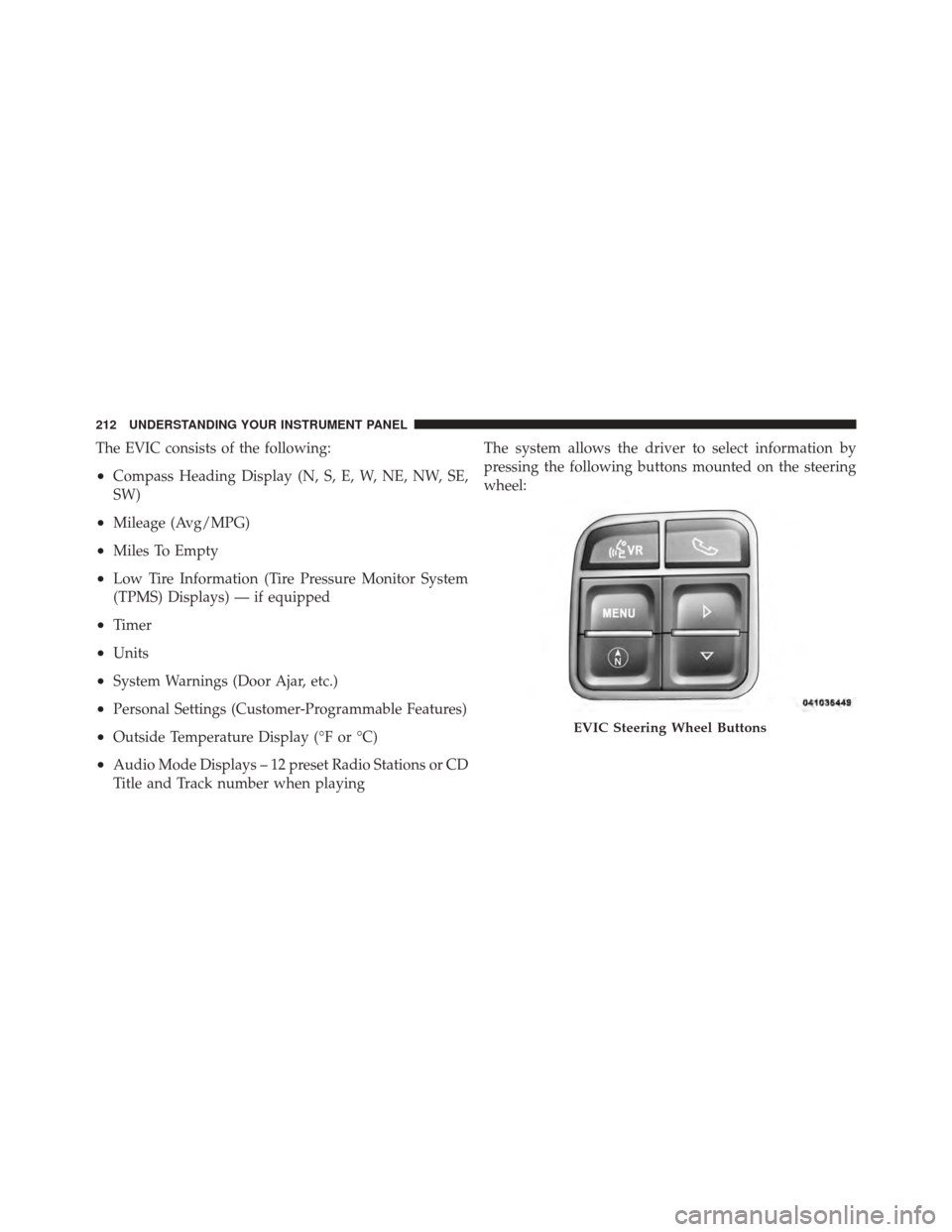
Title and Track number when playingThe system allows the driver to select information by
pressing the following buttons mounted on the steering
wheel:
EVIC Steering Wheel Buttons
212 UNDERSTANDING YOUR INSTRUMENT PANEL
Page 215 of 514

Press and release the MENU button to advance
the display to each of the EVIC Main Menu
features. Upon reaching the last item in the
Main Menu the EVIC will advance to the first
item in the Main Menu with the next MENU
button press and release.
Press and release the DOWN button to advance
the display through the various Trip Functions
or Personal Settings.Press and release the COMPASS button to
display the compass heading, the outside
temperature, and Audio Info (when the ra-
dio is on) screen when the current screen is
not the compass, outside temp, audio info
screen. Press and release the SELECT Button to accept
a selection. The SELECT Button also resets
various Trip Functions.
Electronic Vehicle Information Center (EVIC)
Displays
When the appropriate conditions exist, the EVIC displays
the following messages:
•Turn Signal On (with a continuous warning chime
after one mile traveled)
•Left Front Turn Signal Lamp Out (with a single chime)
•Left Rear Turn Signal Lamp Out (with a single chime)
•Right Front Turn Signal Lamp Out (with a single
chime)
MENU
Button
DOWN Button
COMPASS Button
SELECTButton
4
UNDERSTANDING YOUR INSTRUMENT PANEL 213
Page 217 of 514
Oil Change Required — If Equipped
Your vehicle is equipped with an engine oil change
indicator system. The Oil Change Required message will
flash in the EVIC display for approximately five seconds
after a single chime has sounded to indicate the next
scheduled oil change interval. The engine oil change
indicator system is duty cycle based, which means the
engine oil change interval may fluctuate dependent upon
your personal driving style.
Unless reset, this message will continue to display each
time you turn the ignition switch to the ON/RUN
position. To turn off the message temporarily, press and
release the MENU button. To reset the oil change indica-
tor system (after performing the scheduled maintenance),
perform the following procedure:
1. Turn the ignition switch to the ON position (Do not
start the engine.)2. Fully depress the accelerator pedal slowly three times
within 10 seconds.
3. Turn the ignition switch to the LOCK position.
NOTE:
If the indicator message illuminates when you
start the vehicle, the oil change indicator system did not
reset. If necessary repeat this procedure.
EVIC Main Menu
To step to each main menu feature press and release the
MENU button once for each step. A step from the last
item in the list will cause the first item in the feature list
to be displayed. The following features are in the Main
menu:
•Compass, Outside Temperature, Audio Information (if
radio is on) display
•Average Fuel Economy
•Distance to Empty
4
UNDERSTANDING YOUR INSTRUMENT PANEL 215
Page 218 of 514

•Tire Pressure Status display
•Elapsed Time
•EVIC Units Selection
•System Status
•Personal Settings
NOTE: For features in the EVIC that can be reset
(Average Fuel Economy and Elapsed Time), the EVIC
prompts a reset with a SELECT button graphic and the
word RESET next to it.
When the SELECT button is pressed, the selected feature
will reset and RESET ALL will display next to the
SELECT button graphic. Pressing SELECT a second time
will reset both Average Fuel Economy and Elapsed Time.
After three seconds without pressing SELECT, RESET
ALL will return to RESET and only the selected feature
will have been reset.
Compass Display
The compass heading indicates the direction
the vehicle is facing. Press and release the
compass button to display one of eight
compass headings, the outside temperature,
and audio information (if the radio is on) if
the EVIC display is not already displaying
this screen.
NOTE: The system will display the last known outside
temperature when starting the vehicle and may need to
be driven several minutes before the updated tempera-
ture is displayed. Engine temperature can also affect the
displayed temperature; therefore, temperature readings
are not updated when the vehicle is not moving.
COMPASS
Button
216 UNDERSTANDING YOUR INSTRUMENT PANEL
Page 226 of 514
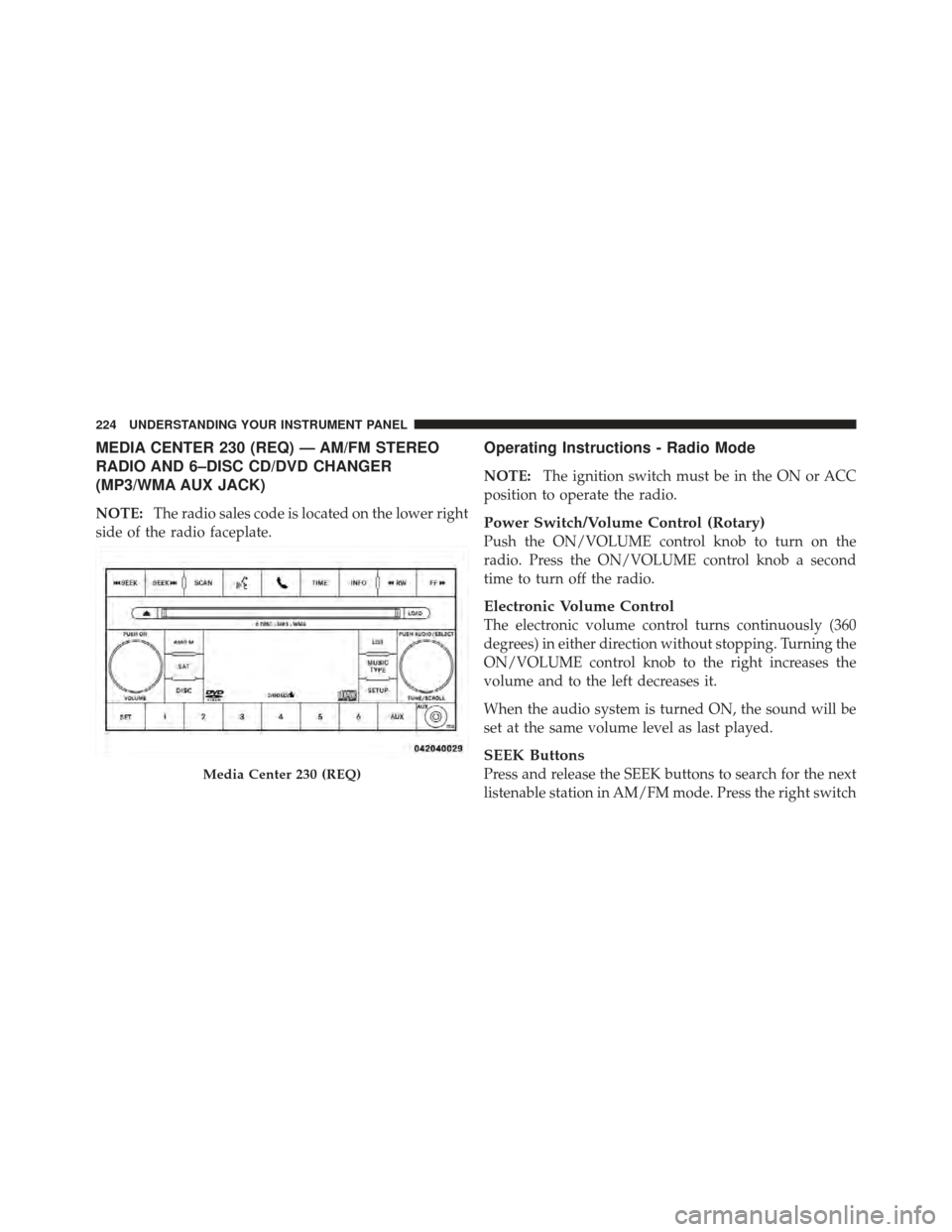
MEDIA CENTER 230 (REQ) — AM/FM STEREO
RADIO AND 6–DISC CD/DVD CHANGER
(MP3/WMA AUX JACK)
NOTE:The radio sales code is located on the lower right
side of the radio faceplate.
Operating Instructions - Radio Mode
NOTE: The ignition switch must be in the ON or ACC
position to operate the radio.
Power Switch/Volume Control (Rotary)
Push the ON/VOLUME control knob to turn on the
radio. Press the ON/VOLUME control knob a second
time to turn off the radio.
Electronic Volume Control
The electronic volume control turns continuously (360
degrees) in either direction without stopping. Turning the
ON/VOLUME control knob to the right increases the
volume and to the left decreases it.
When the audio system is turned ON, the sound will be
set at the same volume level as last played.
SEEK Buttons
Press and release the SEEK buttons to search for the next
listenable station in AM/FM mode. Press the right switchMedia Center 230 (REQ)
224 UNDERSTANDING YOUR INSTRUMENT PANEL
Page 231 of 514
SETUP Button
Pressing the SETUP button allows you to select between
the following items:
NOTE:Turn the TUNE/SCROLL control knob to scroll
through the entries. Push the AUDIO/SELECT button to
select an entry and make changes.
•DVD Enter - When the disc is in DVD Menu mode,
selecting DVD Enter will allow you to play the current
highlighted selection. Use the remote control to scroll
up and down the menu (if equipped).
•DISC Play/Pause - You can toggle between
playing the DVD and pausing the DVD by
pushing the SELECT button (if equipped).
•DVD Play Options - Selecting the DVD Play Options
will display the following:
•Subtitle – Repeatedly pressing SELECT will switch
subtitles to different subtitle languages that are
available on the disc (if equipped).
•Audio Stream – Repeatedly pressing SELECT will
switch to different audio languages (if supported on
the disc) (if equipped).
•Angle – Repeatedly pressing SELECT will change
the viewing angle if supported by the DVD disc (if
equipped).
NOTE:
•The available selections for each of the above entries
varies depending upon the disc.
•These selections can only be made while playing a
DVD.
4
UNDERSTANDING YOUR INSTRUMENT PANEL 229