Page 81 of 140

9
79 Practical information
Fitting audio
equipment
Your vehicle is equipped with cer tain factory-fitted audio equipment:
- roof aerial,
- coaxial aerial cable,
- basic inter ference suppression,
- wirin
g for front speakers,
- two 8-way connectors.
Fitting speakers The factory-fitted equipment allows the fitting of
100 mm diameter speakers on the dashboard.
As accessories, you can fit 165 mm diameter
speakers on the rear shelf.
Making the connections
A1:
-
A2: -A3:-A4:(+) Accessories A5:-A6:
(+ve) Sidelamps
A7:
(+ve) Permanent
A8:Earth
When removin
g the mat on the driver's side, push the seat as far back as possible and
remove the two fixings.
When refitting, position the mat correctly on thepins and clip the fixings. Check that the mat issecured correctly.
To prevent the mat from becoming caught
under the pedals:
- only use mats suited to the fixings already present in the vehicle. It is imperative that
these fixings be used.
- never fit one mat on top of another.
* Accordin
g to version.B1
:B2:
B3:(+) Front right speaker
B4: (-) Front right speaker
B5: (+) Front left speaker
B6:(-) Front left speaker B7:B8:
Mat *
Consult a CITROËN dealer or aqualified workshop before installing audio equipment or speakers in your vehicle.
Page 84 of 140
82Practical information
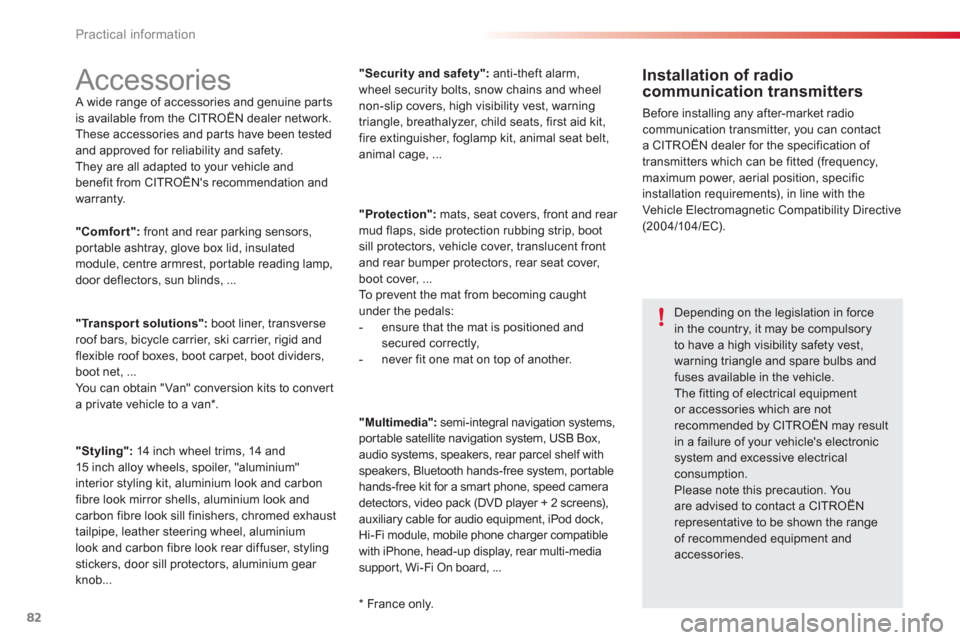
Accessories A wide range of accessories and genuine par ts
is available from the CITROËN dealer network.
These accessories and par ts have been tested
and approved for reliability and safety.
The
y are all adapted to your vehicle and
benefit from CITROËN's recommendation and
warranty.
Installation of radio communication transmitters
Before installing any after-market radiocommunication transmitter, you can contact
a CITROËN dealer for the specification of
transmitters which can be fitted (frequency, maximum power, aerial position, specific
installation requirements), in line with theVehicle Electromagnetic Compatibility Directive (2004/10 4/EC).
*
France only.
"Comfort":front and rear parking sensors,portable ashtray, glove box lid, insulatedmodule, centre armrest, portable reading lamp,
door deflectors, sun blinds, ...
"Transport solutions":boot liner, transverse roof bars, bicycle carrier, ski carrier, rigid and flexible roof boxes, boot carpet, boot dividers,
boot net, ...
Y
ou can obtain "Van" conversion kits to converta private vehicle to a van * .
"Styling":14 inch wheel trims, 14 and15 inch alloy wheels, spoiler, "aluminium"
interior styling kit, aluminium look and carbon
fibre look mirror shells, aluminium look and carbon fibre look sill finishers, chromed exhaust
tailpipe, leather steering wheel, aluminium
look and carbon fibre look rear diffuser, stylingstickers, door sill protectors, aluminium gear
knob... "Securit
y and safety":anti-theft alarm,
wheel security bolts, snow chains and wheelnon-slip covers, high visibility vest, warningtriangle, breathalyzer, child seats, first aid kit,fire extinguisher, foglamp kit, animal seat belt,
animal cage, ...
"Protection"
: mats, seat covers, front and rear
mud flaps, side protection rubbing strip, boot
sill protectors, vehicle cover, translucent front
an
d rear bumper protectors, rear seat cover, boot cover, ...
To prevent the mat from becoming caught under the pedals:
- ensure that the mat is positioned andsecured correctly,
- never fit one mat on top of another.
"Multimedia"
: semi-integral navigation systems,
portable satellite navigation system, USB Box,
audio systems, speakers, rear parcel shelf with
speakers, Bluetooth hands-free system, portable
hands-free kit for a smar t phone, speed camera
detectors, video pack
(DVD player + 2 screens),
auxiliary cable for audio equipment, iPod dock, Hi-Fi module, mobile phone charger compatible
with iPhone, head-up display, rear multi-media
suppor t, Wi-Fi On board, ...
Depending on the legislation in force in the country, it may be compulsoryto have a high visibility safety vest, warning triangle and spare bulbs and fuses available in the vehicle. The fitting of electrical equipmentor accessories which are notrecommended by CITROËN may result
in a failure of your vehicle's electronic system and excessive electrical consumption.Please note this precaution. Youare advised to contact a CITROËN representative to be shown the rangeof recommended equipment andaccessories.
Page 95 of 140
VOLMENUSRC/
LIST
ESC
SEEK +
_
MP3
93
AUDIO SYSTEM / BLUETOOTH
01 First steps
For safety reasons, the driver must only carry out
operations which require prolonged attention while the
vehicle is stationary.
CONTENTS
02 Radio
03 Audio
04 Using the telephone
05 Audio settings
06 Configuration
07 Screen menu map
Frequently asked questions p.
p.
p.
p.
p.
p.
p.
p. 94
95
98
104
11 0
111
11 2
11 3
Page 96 of 140
01
VOLMENUSRC/
LIST
ESC
SEEK +
_
MP3
94
FIRST STEPS
Select the source:
- FM1, FM2, AM, CD, USB, AUX, Streamin
g.
- accept an
incoming call.
Long press:
- open the calls lo
g for the telephone connected.
- or end a call i
f in progress.
Adjust audio settings: sound ambience, treble, bass, loudness, left/right balance.
On / Off.
Abandon the current
operation.
Go up one level (menu or folder).
E
ject CD.
Select a preset radio station.
Radio: long press: preset a
radio station.
Other than radio: see the corresponding sections.
Automatic search for a lower / hi
gher radio
frequency.
Select previous / next CD, USB track.
Navigation in a list.
Press and hold: fast forwards or backwards.
Open the main menu.
Displa
y the list of stationsreceived, the CD/USB tracksor folders.
Lon
g press: update the list of stations received.
V
olume adjustment.
Page 97 of 140
02
95
RADIO
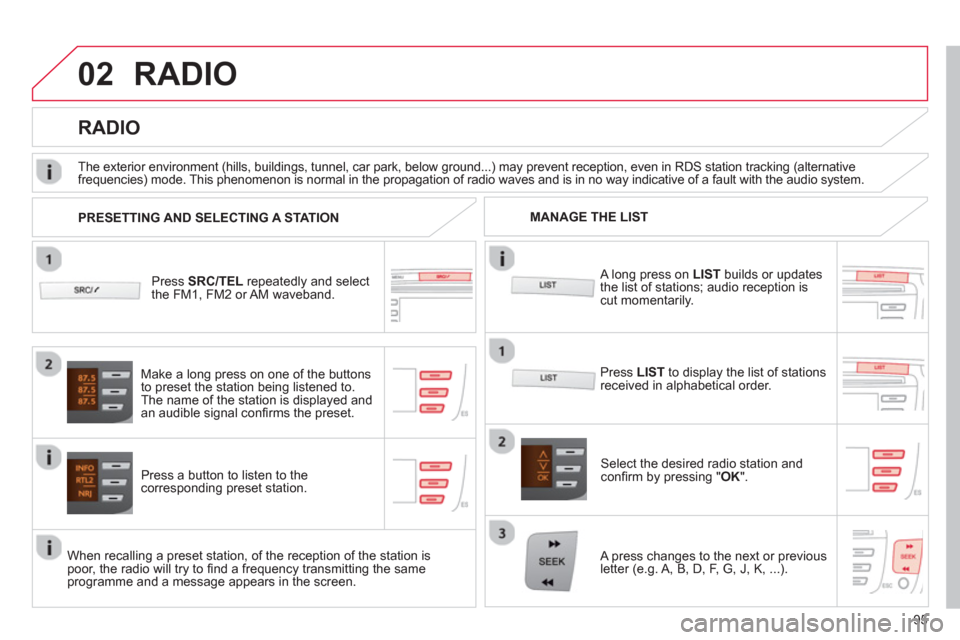
Press SRC/TEL
repeatedly and select
the FM1, FM2 or AM waveband.
Press a button to listen to the corresponding preset station.
Select the desired radio station and confi rm by pressing "OK".
RADIO
Press LIST
to display the list of stations
received in alphabetical order.
The exterior environment
(hills, buildings, tunnel, car park, below ground...) may prevent reception, even in RDS station tracking (alternative
frequencies) mode. This phenomenon is normal in the propagation of radio waves and is in no way indicative of a fault with the audio system.
A long press on LISTbuilds or updates
the list of stations; audio reception iscut momentarily.
Make a lon
g press on one of the buttons
to preset the station being listened to.
The name o
f the station is displayed andan audible signal confi rms the preset.
A press chan
ges to the next or previous
letter (e.g. A, B, D, F, G, J, K, ...). MANAGE THE LIST
PRESETTING AND SELECTING A STATION
When recalling a preset station, of the reception of the station is poor, the radio will try to fi nd a frequency transmitting the same programme and a message appears in the screen.
Page 99 of 140
02
97
RADIO
Radio text is information transmitted by the radio station related to
the current programme or song.
With the radio displayed on the screen, press MENUthen select "Radio".
Select or deselect "TXT"
to activate or
deactivate the display of Radio Text.
DISPLAY RADIO TEXT
RECEIVING TA MESSAGES
The TA (Traffi c Announcement) function gives priority to TA alert messages. To operate, this function needs good reception of a
radio station transmitting this type of message. When a traffi c
report is transmitted, the current audio source (Radio, CD,USB, ...) is interrupted automatically to play the TA message.
Normal playback of the audio source resumes at the end of the
transmission of the message.
Press MENU, select "Radio".
Select or deselect "TA "to activateor deactivate the reception of traffi cmessages.
Page 100 of 140
03
98
AUDIO
AUDIO CD
Insert 12 cm diameter circular compact discs only.
Some anti-piratin
g systems, on original discs or CDs copied using apersonal recorder, may cause faults which are no refl ection on thequality of the original player.
Without pressing the EJECT
button, insert a CD in the player, playbegins automatically.
To pla
y a disc which has already been
inserted, press the SRC/TEL
button several times until CD play is displayed.
Pr
ess one of the buttons to select a
track on the CD.
Pr
ess and hold one of the buttons for fast forward or backward.
PLAYING A CD
Page 101 of 140

03
99
AUDIO
CD, USB
INFORMATION AND ADVICE
On a single disc, the CD player can read up to 255 MP3 fi les spread
over 8 folder levels with a maximum of 192 folders. However, it is
recommended that this be kept to 2 levels so as to limit the time taken
to access and play the CD.
Durin
g play, the folder structure is not observed.
In order to be able to pla
y a recorded CDR or CDRW, when recordingit is preferable to select standards ISO 9660 level 1.2 or Joliet.
If the disc is recorded in another format, it ma
y not be played correctly.
It is recommended that the same recording standard is always usedfor an individual disc, with as low a speed as possible (4x maximum)for optimum sound quality.
In the particular case o
f a multi-session CD, the Joliet standard is
recommended.
Do not connect a hard disk or U
SB device other than audio players to
the USB port. This may cause damage to your installation.
The audio s
ystem will only play fi les with ".mp3", ".wma" and ".wav" on
a CD and can play fi les with ".ogg" extension only on USB.
A high compression rate can adversely affect sound quality.
The pla
ylists accepted on CD, MP3, iPod and USB connection are
types ".m3u" and ".wpl".
The number of fi les reco
gnised is limited to 5 000 in 500 folders on a maximum of 8 levels.


