2012 CHRYSLER TOWN AND COUNTRY AUX
[x] Cancel search: AUXPage 78 of 132
Bluetooth® STREAMING AUDIO
• If equipped with Uconnect™ VoiceCommand, your Bluetooth-equipped
iPod® devices, cell phones or other media
players, may also be able to stream music
to your vehicle's speakers. Your connected
device must be Bluetooth-compatible,
and paired with your Media Center radio
(see Uconnect™ Phone for pairing
instructions). Non-Touch-Screen Radios:
Press the “AUX” button on the radio faceplate until "BT" or “Audio Streaming” is
displayed on the radio screen. Touch-Screen-Radios: Press the “RADIO/MEDIA” or
“MEDIA” hard-key and then touch the “AUX” soft-key tab.
VIDEO ENTERTAINMENT SYSTEM (VES)™
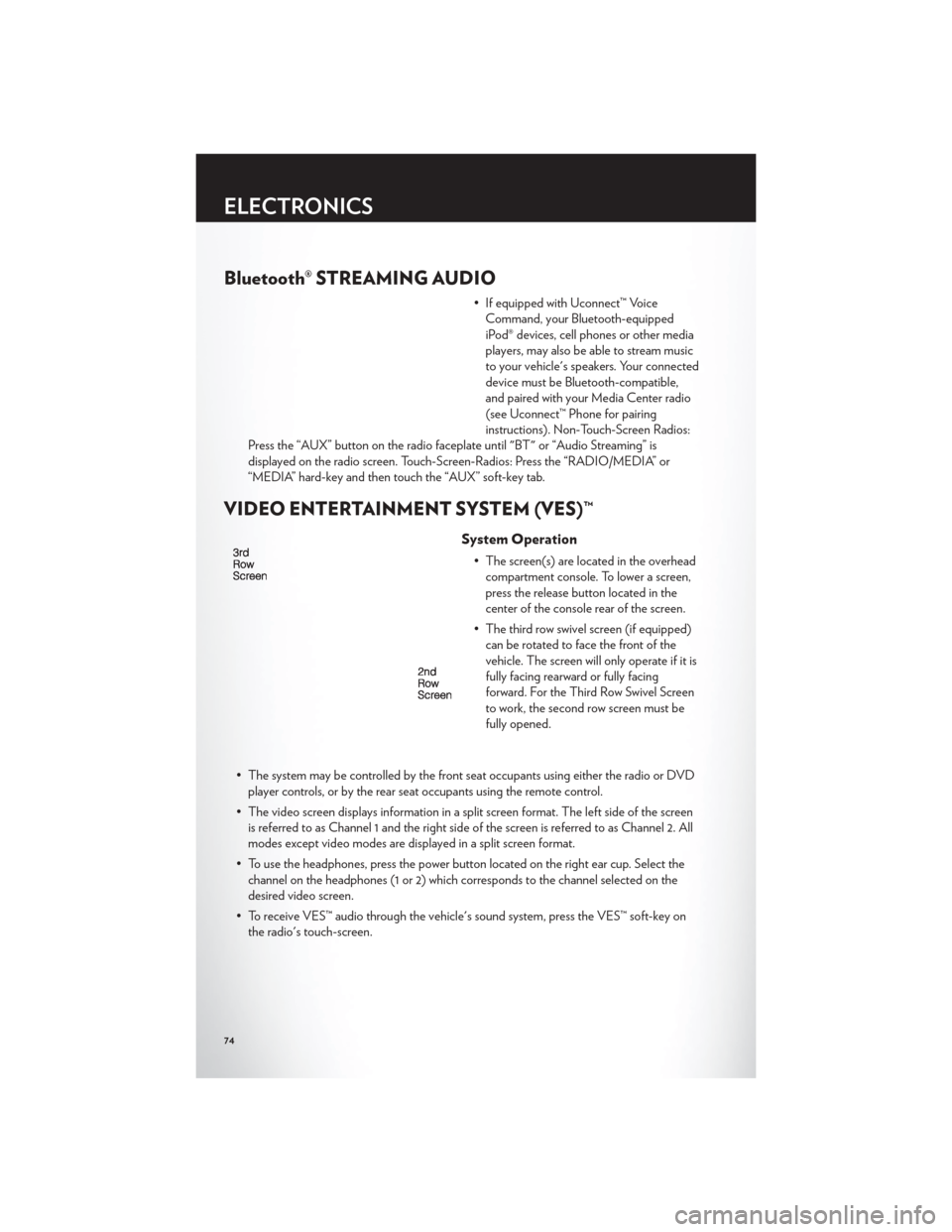
System Operation
• The screen(s) are located in the overhead compartment console. To lower a screen,
press the release button located in the
center of the console rear of the screen.
• The third row swivel screen (if equipped) can be rotated to face the front of the
vehicle. The screen will only operate if it is
fully facing rearward or fully facing
forward. For the Third Row Swivel Screen
to work, the second row screen must be
fully opened.
• The system may be controlled by the front seat occupants using either the radio or DVD player controls, or by the rear seat occupants using the remote control.
• The video screen displays information in a split screen format. The left side of the screen is referred to as Channel 1 and the right side of the screen is referred to as Channel 2. All
modes except video modes are displayed in a split screen format.
• To use the headphones, press the power button located on the right ear cup. Select the channel on the headphones (1 or 2) which corresponds to the channel selected on the
desired video screen.
• To receive VES™ audio through the vehicle's sound system, press the VES™ soft-key on the radio's touch-screen.
ELECTRONICS
74
Page 79 of 132
Operation Of The Touch-Screen Radio/DVD Player
• To view a DVD press the OPEN/CLOSE hard-key on the touch-screen radio and insertthe disc or insert the disc into the optional DVD player. Playback will begin automatically
after the DVD is recognized by the disc drive. If playback does not begin automatically
when the disc is inserted into the DVD player press the PLAY button. If playback does
not begin automatically after the disc is inserted into the touch-screen radio follow these
steps:
• Press the MENU hard-key, then touch the Rear VES™ soft-key. If a chapter list appears on the right side of the screen, touch the HIDE LIST soft-key to display the Rear VES™
control screen.
• Touch the 1 soft key to select an audio channel, then touch the DISC soft-key in the MEDIA column.
Operation Of The Remote Control
• The remote control operates similarly to any DVD remote you may have used before andallows the rear seat passengers to change stations, tracks, discs and audio/video modes.
• The remote control is designed to control either channel by using the selector switch located on the right side of the remote.
• Connect the video game or other external media devises to the AUX jacks following the color coding for the VES™ jacks.
• Pressing the power button will turn the VES™ system ON/OFF.
• Pressing the mode button causes the MODE SELECTION menu to appear on the VES™ screen. Use the remote control arrow buttons to scroll through the available modes,
and then press ENTER to select the desired mode.
Auxiliary Audio/Video Input Jacks
• The AUX jacks are located on the drivers side rear trim panel behind the sliding door.
• Connect the video game or other external media devises to the AUX jacks following thecolor coding for the VES™ jacks.
• Using either the touch-screen radio or remote control, select AUX from the REAR VES™ CONTROL or the MODE SELECTION screen.
• Refer to the Uconnect™ Multimedia – Video Entertainment System (VES)™ section in the vehicle Owner's Manual on the DVD for further details.
ELECTRONICS
75
Page 126 of 132

Airbag ...................15
Alarm, Panic................8
Arming Theft System (Security Alarm) . . . 13
Audio Settings .......42,43,44,46,49,58
Automatic Headlights ...........28
Automatic Temperature Control (ATC) . . 33
Automatic Transmission Fluid Type ...............110
Auxiliary Audio/Video Input Jacks .....75
Axle Fluid .................110
Belts, Seat .................14
Blind Spot Monitoring ...........35
Brake Fluid ................110
Break-In Recommendations,
New Vehicle ................26
Bulb Replacement .............118
Button, Start/Stop Removal .......8,12
Calibration, Compass ...........76
Cargo Compartment Luggage Carrier ............83
Change Oil Indicator ...........89
Changing A Flat Tire ...........91
Child Restraint ...............16
Child Restraint Tether Anchors .......16
Clock Setting ........... 42,44,47,56
Compass Calibration ...........76
Cooling System Coolant Capacity ...........110
Cruise Control (Speed Control) ......29
Cruise Light ................29
Customer Assistance ...........119
Defects, Reporting ............120
Dimmer Control ..............28
Dimmer Switch, Headlight .........28
Disarming, Theft System ..........14
E-85Fuel .................110
Economy (Fuel) Mode ..........30
Electronic Speed Control
(Cruise Control) ..............29
Electronic Vehicle Information Center
(EVIC) ................. 76,77
Electronics Your Vehicle's Sound System ......40Emergency Key
...............8
Emergency, In Case of Freeing Vehicle When Stuck ......105
Jacking ................ 91,96
Overheating ..............90
Engine Break-In Recommendations .......26
Compartment .............109
Oil Selection ..............110
Overheating ..............90
Starting .................12
Stopping ................12
Event Data Recorder ...........106
Exterior Lights ..............118
Flash-To-Pass ...............27
Flexible
Fuel Vehicles ...........110
Fluid Capacities ..............110
Fluids ...................110
Fog Lights .................28
Fold in Floor (Stow `n Go) Seating ....19
Freeing A Stuck Vehicle .........105
Front Heated Seats ............23
Fuel EconomyMode.............30
Specifications .............110
Garage Door Opener (HomeLink®) ....78
Headlights Automatic ...............28
Dimmer Switch .............28
HighBeam ...............27
Heated Mirrors ............ 31,32,34
Heated Seats ...............23
Heated Steering Wheel ..........24
High Beam/Low Beam Select
(Dimmer) Switch .............27
HomeLink® (Garage Door Opener)
Transmitter ................78
Hood Release ...............107
Instrument Cluster .............6
Indicators .................7
Instrument Cluster Warning Lights ....6,86
Intermittent Wipers (Delay Wipers) ....27
Introduction .................2
INDEX
122
Page 127 of 132

Inverter Outlet (115V)...........80
Inverter, Power ..............80
iPod®/USB/MP3 Control .........68
Bluetooth Streaming Audio .......74
Jack Location ...............91
Jack Operation ..............91
Jump Starting ...............101
KeyFob...................8
Key Fob Programmable Features ......77
Keyless Enter-N-Go™ ...........10
Lock/Unlock ............. 11,12
Starting/Stopping ............12
Lane Change Assist ............26
LATCH (Lower Anchors and Tether for
CHildren) .................16
Liftgate, Power ...............8
Lights TurnSignal ...............26
Warning (Instrument Cluster
Description) ...............6
Luggage Rack (Roof Rack) ........83
Maintenance Record ...........112
Maintenance Schedule ..........111
Media Center Radio ..........42,44
Memory Seat ...............18
Mirrors Heated .............. 31,32,34
MOPAR® Accessories ..........121
Navigation ............... 52,61
New Vehicle Break-In Period ........26
Oil Change Indicator ...........89
Oil, Engine Capacity ................110
Outlet Power ..................81
Overheating, Engine ...........90
Panic Alarm .................8
Phone (Pairing) ..............70 Phone (Uconnect)
.............69
Placard, Tire and Loading Information . . . 117
Power Glass Sunroof ..............37
Inverter .................80
LiftGate .................8
Outlet (Auxiliary Electrical Outlet) . . . 81
Seats ..................18
Steering ................110
Preparation for Jacking ..........95
Programmable Electronic Features .....77
Radio Operation ............ 46,55
Rain Sensitive Wiper System ........27
RearCrossPath ..............35
Rear Heated Seats .............23
Recreational Towing ............85
Remote Starting System ..........10
Removal, Start/Stop Button .......8,12
Replacement Bulbs ............118
Reporting Safety Defects .........120
Restraints, Child ..............16
Rocking Vehicle When Stuck .......
105
Roof Rack (Luggage Rack) ........83
Seat Belts .................14
Seats ....................18
Adjustment ...............18
Fold in Floor (Stow `n Go) .......19
Heated .................23
Lumbar Support .............18
Memory.................18
Power ..................18
Stow `n Go (Fold in Floor) .......19
Seek Button ............. 42,43,45
Setting the Clock .........42,44,47,56
Shift Lever Override ...........103
Short Message Service (SMS) .......73
Signals, Turn ................26
SIRIUSTravelLink .............67
SmartBeams ................28
SpareTire .................91
Spark Plugs ................110
Speed Control Accel/Decel ..............29
Cancel .................29
Resume .................29
INDEX
123