Page 387 of 652
press the remote control’s ENTER button to tune to that
station. To jump through the list more quickly, navigate
to the Page Up and Page Down icons on the screen.
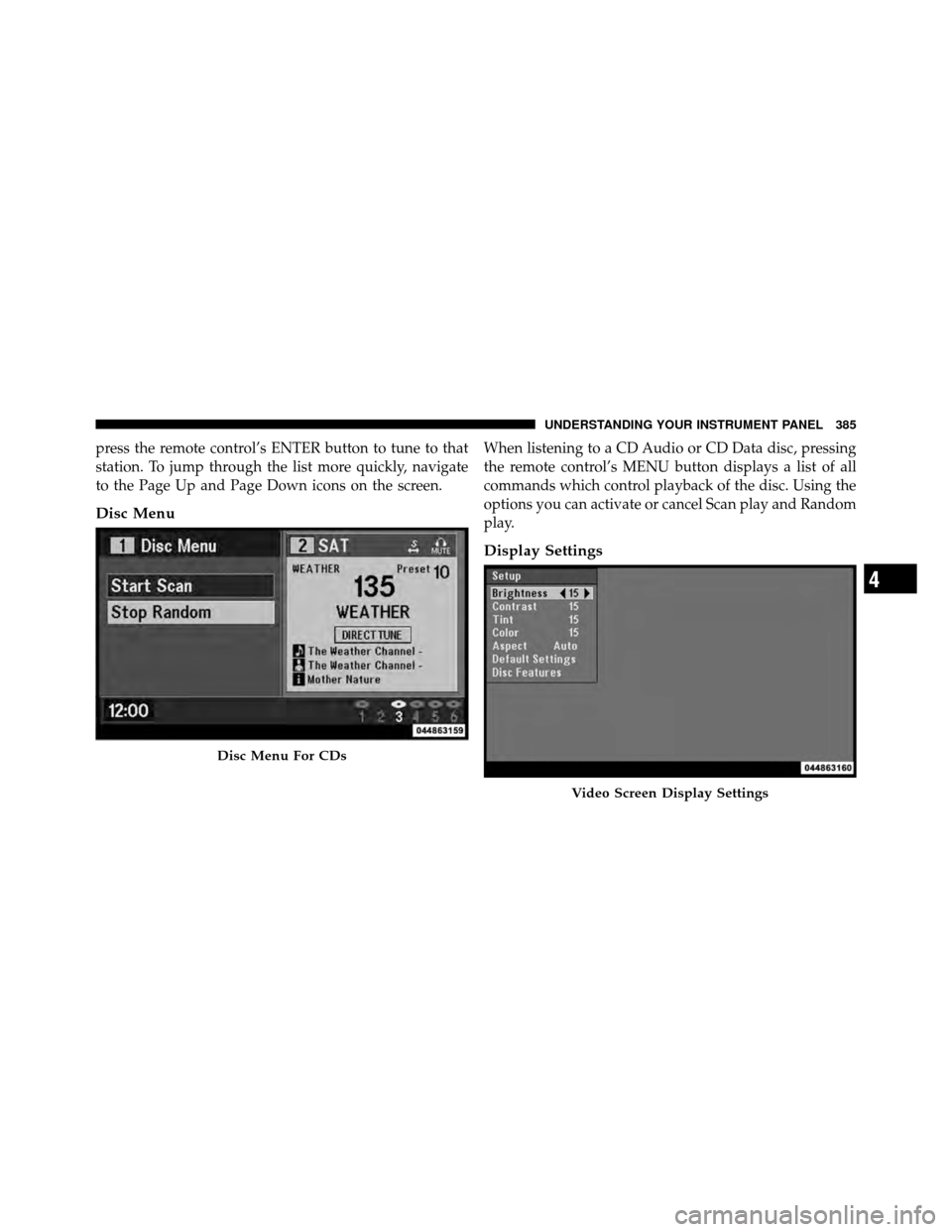
Disc Menu
When listening to a CD Audio or CD Data disc, pressing
the remote control’s MENU button displays a list of all
commands which control playback of the disc. Using the
options you can activate or cancel Scan play and Random
play.
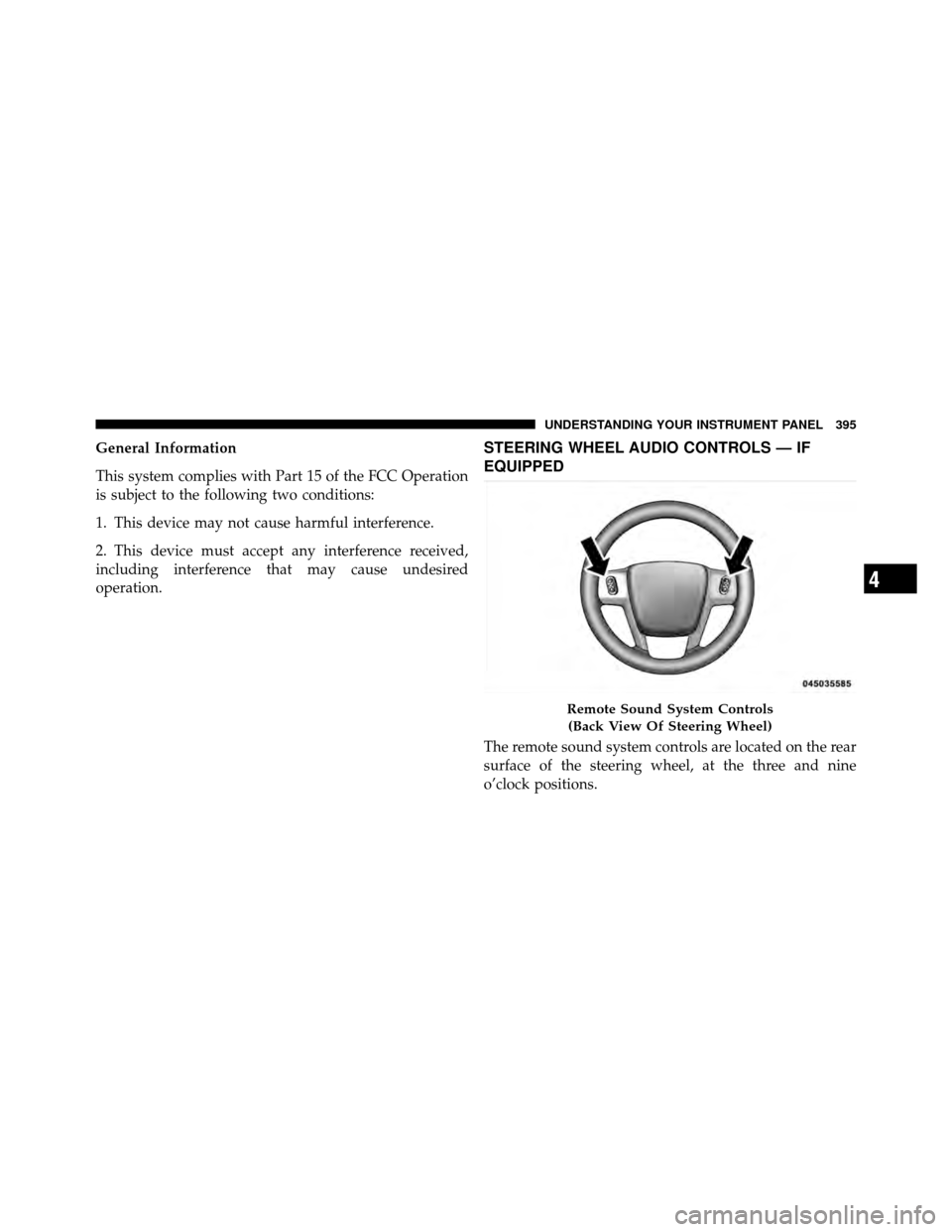
Display Settings
Disc Menu For CDs
Video Screen Display Settings
4
UNDERSTANDING YOUR INSTRUMENT PANEL 385
Page 388 of 652
When watching a video source (DVD Video with the disc
in Play mode, Aux Video, etc.), pressing the remote
control’s SETUP button activates the Display Settings
menu. These settings control the appearance of the video
on the screen. The factory default settings are already set
for optimum viewing, so there is no need to change these
settings under normal circumstances.
To change the settings, press the remote control’s navi-
gation buttons (�,�) to select an item, then press the
remote control’s navigation buttons (�, �) to change the
value for the currently selected item. To reset all values
back to the original settings, select the Default Settings
menu option and press the remote control’s ENTER
button.
Disc Features control the remote DVD player’s (if
equipped) settings of DVD being watched in the remote
player.Listening To Audio With The Screen Closed
To listen to only audio portion of the channel with the
screen closed:
•Set the audio to the desired source and channel.
•Close the video screen.
•To change the current audio mode, press the remote
control’s MODE button. This will automatically select
the next available audio mode without using the Mode
Select menu.
•When the screen is reopened, the video screen will
automatically turn back on and show the appropriate
display menu or media.
If the screen is closed and there is no audio heard, verify
that the headphones are turned on (the ON indicator is
illuminated) and the headphone selector switch is on the
desired channel. If the headphones are turned on, press
386 UNDERSTANDING YOUR INSTRUMENT PANEL
Page 389 of 652
the remote control’s power button to turn audio on. If
audio is still not heard, check that fully charged batteries
are installed in the headphones.
Disc Formats
The VES™ DVD player is capable of playing the follow-
ing types of discs (12 mm or 8 mm diameter):
•DVD-Video discs (MPEG-2 video compression) (see
notes about DVD Region Codes)
•DVD-Audio discs (2 channel audio output only)
•Audio Compact Discs (CDs)
•CD Data discs with MP3 and WMA compressed audio
format files
•Video CDs (MPEG-1 video compression)DVD Region Codes
The VES™ DVD player and many DVD discs are coded
by geographic region. These region codes must match in
order for the disc to play. If the region code for the DVD
disc does not match the region code for the player, the
disc will not play and will be ejected.
DVD Audio Support
When a DVD-Audio disc is inserted in the VES™ DVD
player, the DVD-Audio title on the disc is played by
default (most DVD-Audio discs also have a Video title,
but the Video title is ignored). All multi-channel program
material is automatically mixed down to two channels,
which may result in a lowered apparent volume level. If
you increase the volume level to account for this change
in level, remember to lower the volume before changing
the disc or to another mode.
4
UNDERSTANDING YOUR INSTRUMENT PANEL 387
Page 390 of 652
Recorded Discs
The VES™ DVD player will play CD-R and CD-RW discs
recorded in CD-Audio or Video-CD format, or as a
CD-ROM containing MP3 or WMA files. The player will
also play DVD-Video content recorded to a DVD-R or
DVD-RW disc. DVD-ROM discs (either pressed or re-
corded) are not supported.
If you record a disc using a personal computer, there may
be cases where the VES™ DVD player may not be able to
play some or the entire disc, even if it is recorded in a
compatible format and is playable on other players. To
help avoid playback problems, use the following guide-
lines when recording discs.
•Open sessions are ignored. Only sessions that are
closed are playable.
•For multi-session CDs that contain only multiple CD-
Audio sessions, the player will renumber the tracks so
each track number is unique.
•For CD Data (or CD-ROM) discs, always use the
ISO-9660 (Level 1 or Level 2), Joliet, or Romeo format.
Other formats (such as UDF, HFS, or others) are not
supported.
•The player recognizes a maximum of 512 files and 99
folders per CD-R and CD-RW disc.
•Mixed media recordable DVD formats will only play
the Video_TS portion of the disc.
If you are still having trouble writing a disc that is
playable in the VES™ DVD player, check with the disc
recording software publisher for more information about
burning playable discs.
The recommended method for labeling recordable discs
(CD-R, CD-RW, and DVD-R) is with a permanent marker.
Do not use adhesive labels as they may separate from the
disc, become stuck, and cause permanent damage to the
DVD player.
388 UNDERSTANDING YOUR INSTRUMENT PANEL
Page 391 of 652
Compressed Audio Files (MP3 and WMA)
The DVD player is capable of playing MP3 (MPEG-1
Audio Layer 3) and WMA (Windows Media Audio) files
from a CD Data disc (usually a CD-R or CD-RW).
•The DVD player always uses the file extension to
determine the audio format, so MP3 files must always
end with the extension�.mp3�or�.MP3� and WMA
files must always end with the extension �.wma�or
�.WMA�. To prevent incorrect playback, do not use
these extensions for any other types of files.
•For MP3 files, only version 1 ID3 tag data (such as
artist name, track title, album, etc.) are supported.
•Any file that is copy protected (such as those down-
loaded from many online music stores) will not play.
The DVD player will automatically skip the file and
begin playing the next available file.
•Other compression formats such as AAC, MP3 Pro,
Ogg Vorbis, and ATRAC3 will not play. The DVD
player will automatically skip the file and begin play-
ing the next available file.
•If you are creating your own files, the recommended
fixed bit rate for MP3 files is between 96 and 192Kbps
and the recommended fixed bit rate for WMA files is
between 64 and 192Kbps. Variable bit rates are also
supported. For both formats, the recommended
sample rate is either 44.1kHz or 48kHz.
•To change the current file, use the remote control’s or
DVD player ’s �button to advance to the next file, or
the �button to return to the start of the current or
previous file.
•To change the current directory, use the remote con-
trol’s PROG Up and Down buttons.
4
UNDERSTANDING YOUR INSTRUMENT PANEL 389
Page 397 of 652
General Information
This system complies with Part 15 of the FCC Operation
is subject to the following two conditions:
1. This device may not cause harmful interference.
2. This device must accept any interference received,
including interference that may cause undesired
operation.STEERING WHEEL AUDIO CONTROLS — IF
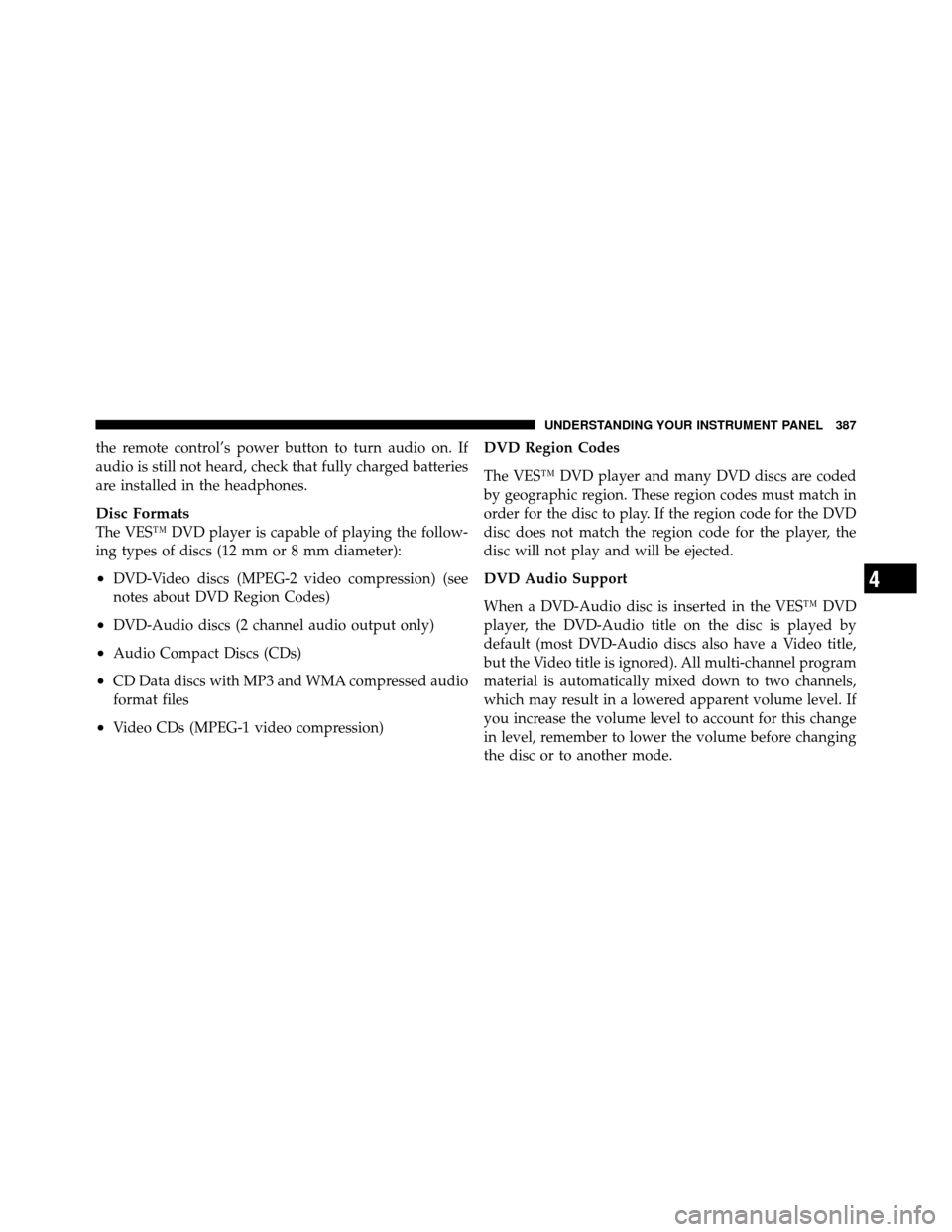
EQUIPPED
The remote sound system controls are located on the rear
surface of the steering wheel, at the three and nine
o’clock positions.
Remote Sound System Controls(Back View Of Steering Wheel)
4
UNDERSTANDING YOUR INSTRUMENT PANEL 395
Page 647 of 652
Sliding Door............................ 46
Slippery Surfaces, Driving On ............... 443
SmartBeams ........................... 209
Snow Chains (Tire Chains) ................. 479
Snow Tires ............................ 480
Spare Tire ....................... 474,475,524
Speed Control (Cruise Control) .............. 217
Speedometer ........................... 297
Starting ............................... 425
Automatic Transmission ................ 425
Cold Weather ....................... 429
Engine Fails to Start .................. 429
Remote ............................ 30
Starting and Operating .................... 425
Starting Procedures ...................... 425
Steering Power .......................... 446,447
Tilt Column ........................ 214
Wheel, Heated ...................... 215 Wheel, Tilt
......................... 214
Steering Wheel Audio Controls .............. 395
Steering Wheel Mounted Sound
System Controls ......................... 395
Storage ............................ 258,593
Storage Bin ............................ 258
Storage, Vehicle ...................... 418,593
Storing Your Vehicle ...................... 593
Stow �n Go (Fold in Floor) Seats ............. 176
Sun Roof .............................. 245
Sunglasses Storage ....................... 233
Sunroof Maintenance ..................... 248
Supplemental Restraint System - Airbag ........ 75
Synthetic Engine Oil ...................... 560
System, Remote Starting .................... 30
Tachometer ............................ 290
Telescoping Steering Column ............... 214
Temperature Control, Automatic (ATC) ........ 406
10
INDEX 645