Page 397 of 652
General Information
This system complies with Part 15 of the FCC Operation
is subject to the following two conditions:
1. This device may not cause harmful interference.
2. This device must accept any interference received,
including interference that may cause undesired
operation.STEERING WHEEL AUDIO CONTROLS — IF
EQUIPPED
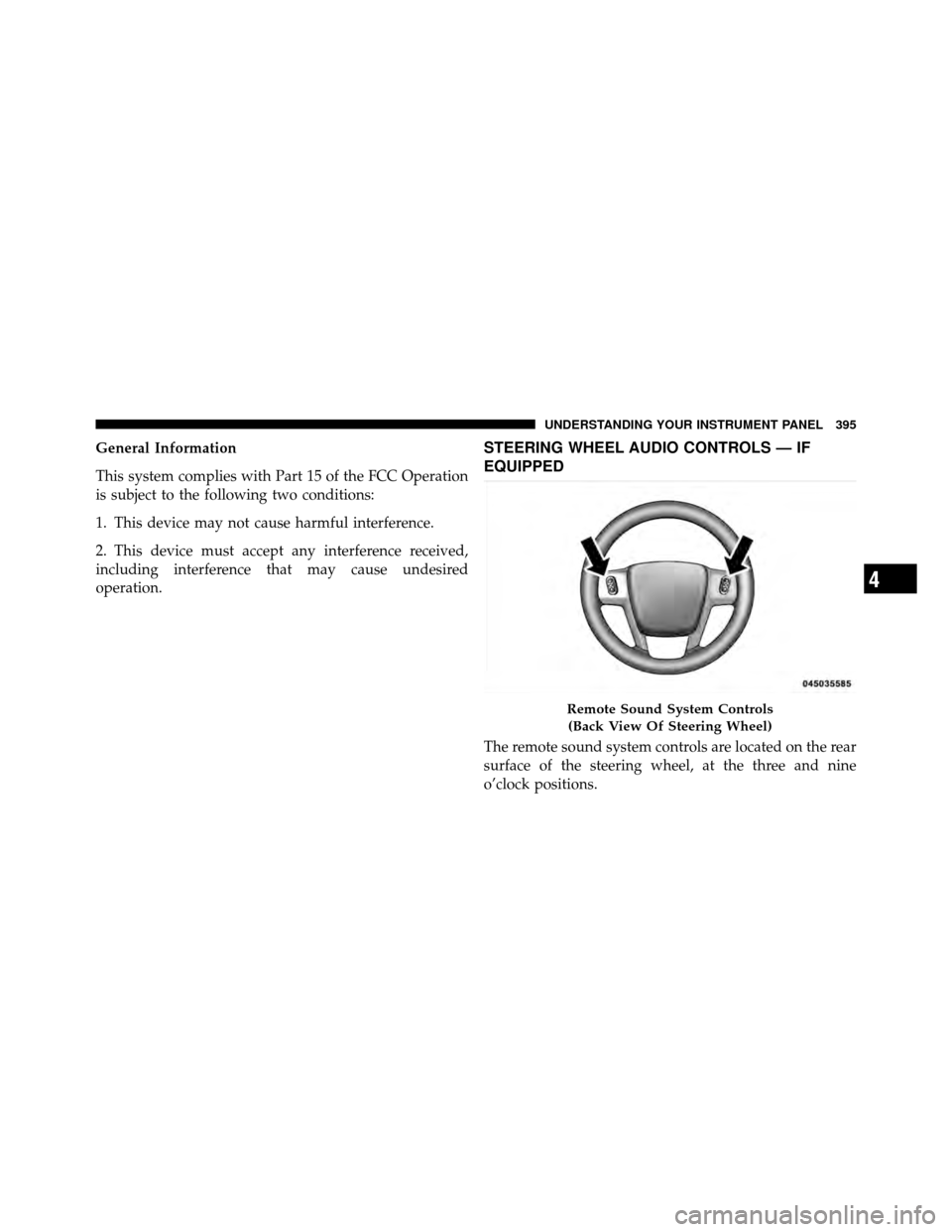
The remote sound system controls are located on the rear
surface of the steering wheel, at the three and nine
o’clock positions.
Remote Sound System Controls(Back View Of Steering Wheel)
4
UNDERSTANDING YOUR INSTRUMENT PANEL 395
Page 424 of 652
�Driving Through Water ................. 444
▫ Flowing/Rising Water ................. 444
▫ Shallow Standing Water ............... 444
� Power Steering ....................... 446
▫ Power Steering Fluid Check ............. 447
� Parking Brake ........................ 447
� Anti-Lock Brake System (ABS) ............ 450
▫ Anti-Lock Brake Warning Light .......... 451
� Electronic Brake Control System ........... 452
▫ Traction Control System (TCS) ........... 452
▫ Brake Assist System (BAS) .............. 453
▫ Electronic Stability Control (ESC) ......... 454
▫ Hill Start Assist (HSA) ................ 457 �
Tire Safety Information ................. 460
▫ Tire Markings ....................... 460
▫ Tire Identification Number (TIN) ......... 464
▫ Tire Terminology And Definitions ......... 465
▫ Tire Loading And Tire Pressure .......... 466
� Tires — General Information ............. 470
▫ Tire Pressure ....................... 470
▫ Tire Inflation Pressures ................ 471
▫ Tire Pressures For High-Speed Operation . . . 472
▫ Radial-Ply Tires ..................... 473
▫ Spare Tire Matching Original Equipped Tire
And Wheel – If Equipped .............. 473
▫ Compact Spare Tire – If Equipped ........ 474
422 STARTING AND OPERATING
Page 438 of 652
When parking on a hill, apply the parking brake before
placing the shift lever in PARK, otherwise the load on the
transmission locking mechanism may make it difficult to
move the shift lever out of PARK. As an added precau-
tion, turn the front wheels toward the curb on a downhill
grade, and away from the curb on an uphill grade.
WARNING!
•Never use the PARK position as a substitute for
the parking brake. Always apply the parking
brake fully when parked to guard against vehicle
movement and possible injury or damage.(Continued)
WARNING! (Continued)
•Your vehicle could move and injure you and others
if it is not completely in PARK. Check by trying to
move the shift lever rearward (with the brake
pedal released) after you have placed it in PARK.
Make sure the transmission is in PARK before
leaving the vehicle.
•It is dangerous to move the shift lever out of PARK
or NEUTRAL if the engine speed is higher than
idle speed. If your foot is not firmly pressing the
brake pedal, the vehicle could accelerate quickly
forward or in reverse. You could lose control of the
vehicle and hit someone or something. Only shift
into gear when the engine is idling normally and
your foot is firmly pressing the brake pedal.(Continued)
436 STARTING AND OPERATING
Page 443 of 652
NOTE:Even if the transmission can be reset, we recom-
mend that you visit your authorized dealer at your earliest
possible convenience. Your authorized dealer has diagnos-
tic equipment to determine if the problem could recur.
If the transmission cannot be reset, authorized dealer
service is required.
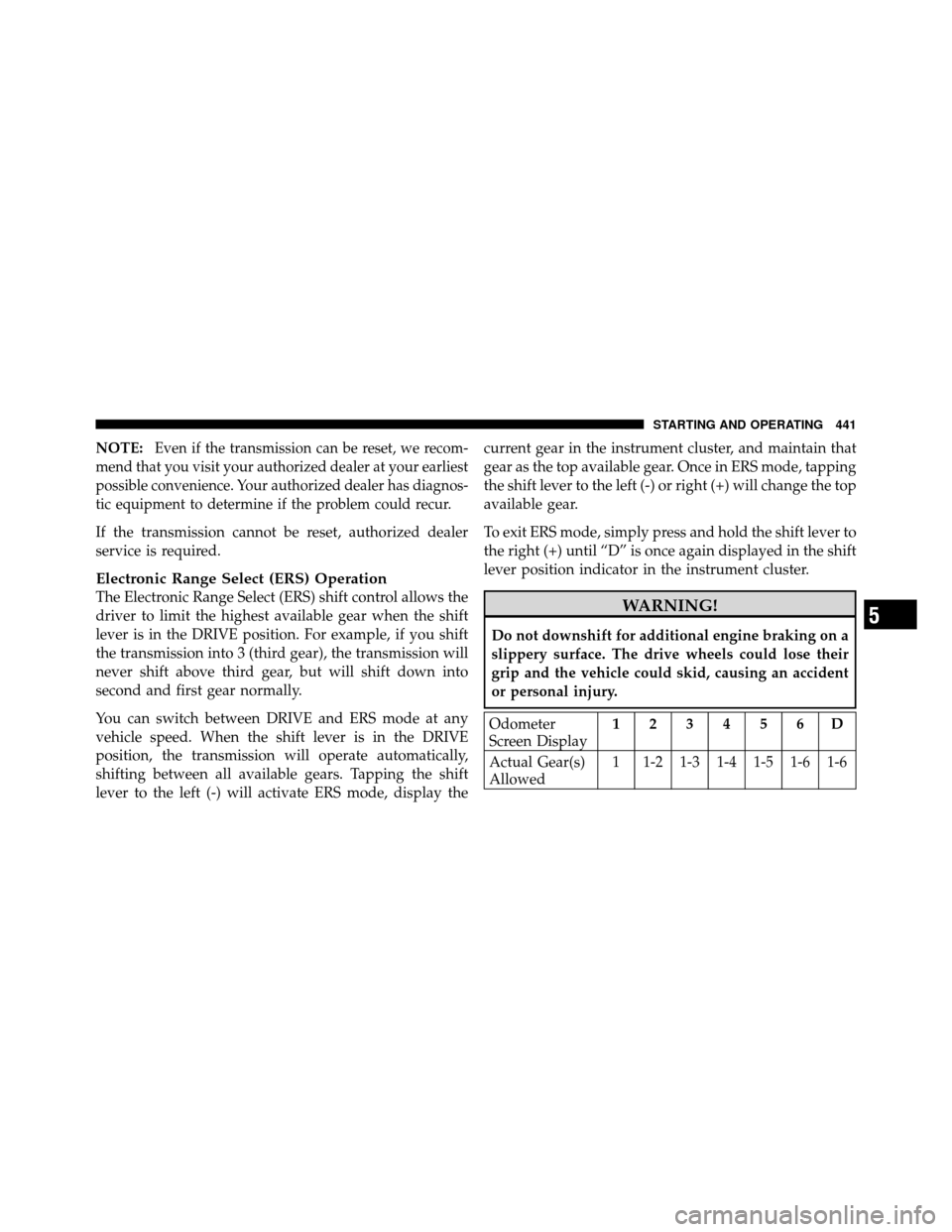
Electronic Range Select (ERS) Operation
The Electronic Range Select (ERS) shift control allows the
driver to limit the highest available gear when the shift
lever is in the DRIVE position. For example, if you shift
the transmission into 3 (third gear), the transmission will
never shift above third gear, but will shift down into
second and first gear normally.
You can switch between DRIVE and ERS mode at any
vehicle speed. When the shift lever is in the DRIVE
position, the transmission will operate automatically,
shifting between all available gears. Tapping the shift
lever to the left (-) will activate ERS mode, display the current gear in the instrument cluster, and maintain that
gear as the top available gear. Once in ERS mode, tapping
the shift lever to the left (-) or right (+) will change the top
available gear.
To exit ERS mode, simply press and hold the shift lever to
the right (+) until “D” is once again displayed in the shift
lever position indicator in the instrument cluster.WARNING!
Do not downshift for additional engine braking on a
slippery surface. The drive wheels could lose their
grip and the vehicle could skid, causing an accident
or personal injury.
Odometer
Screen Display
123456D
Actual Gear(s)
Allowed 1 1-2 1-3 1-4 1-5 1-6 1-6
5
STARTING AND OPERATING 441
Page 445 of 652
DRIVING ON SLIPPERY SURFACES
Acceleration
Rapid acceleration on snow covered, wet, or other slip-
pery surfaces may cause the driving wheels to pull
erratically to the right or left. This phenomenon occurs
when there is a difference in the surface traction under
the front (driving) wheels.
WARNING!
Rapid acceleration on slippery surfaces is dangerous.
Unequal traction can cause sudden pulling of the
front wheels. You could lose control of the vehicle
and possibly have a collision. Accelerate slowly and
carefully whenever there is likely to be poor traction
(ice, snow, wet mud, loose sand, etc.).
Traction
When driving on wet or slushy roads, it is possible for a
layer of water to build up between the tire and road
surface. This is known as hydroplaning and may cause
partial or complete loss of vehicle control and stopping
ability. To reduce this possibility, the following precau-
tions should be observed:
1. Slow down during rainstorms or when roads are
slushy.
2. Slow down if the road has standing water or puddles.
3. Replace the tires when tread wear indicators first
become visible.
4. Keep the tires properly inflated.
5. Maintain sufficient distance between your vehicle and
the vehicle in front of you to avoid a collision in a sudden
stop.
5
STARTING AND OPERATING 443
Page 448 of 652
POWER STEERING
The standard power steering system will give you good
vehicle response and increased ease of maneuverability
in tight spaces. The system will provide mechanical
steering capability if power assist is lost.
If for some reason the power assist is interrupted, it will
still be possible to steer your vehicle. Under these condi-
tions, you will observe a substantial increase in steering
effort, especially at very low vehicle speeds and during
parking maneuvers.
NOTE:
•Increased noise levels at the end of the steering wheel
travel are considered normal and do not indicate that
there is a problem with the power steering system.
•Upon initial start-up in cold weather, the power steer-
ing pump may make noise for a short amount of time.
This is due to the cold, thick fluid in the steering
system. This noise should be considered normal, and it
does not in any way damage the steering system.
WARNING!
Continued operation with reduced power steering
assist could pose a safety risk to yourself and others.
Service should be obtained as soon as possible.
CAUTION!
Prolonged operation of the steering system at the end
of the steering wheel travel will increase the steering
fluid temperature and it should be avoided when
possible. Damage to the power steering pump may
occur.
446 STARTING AND OPERATING
Page 450 of 652
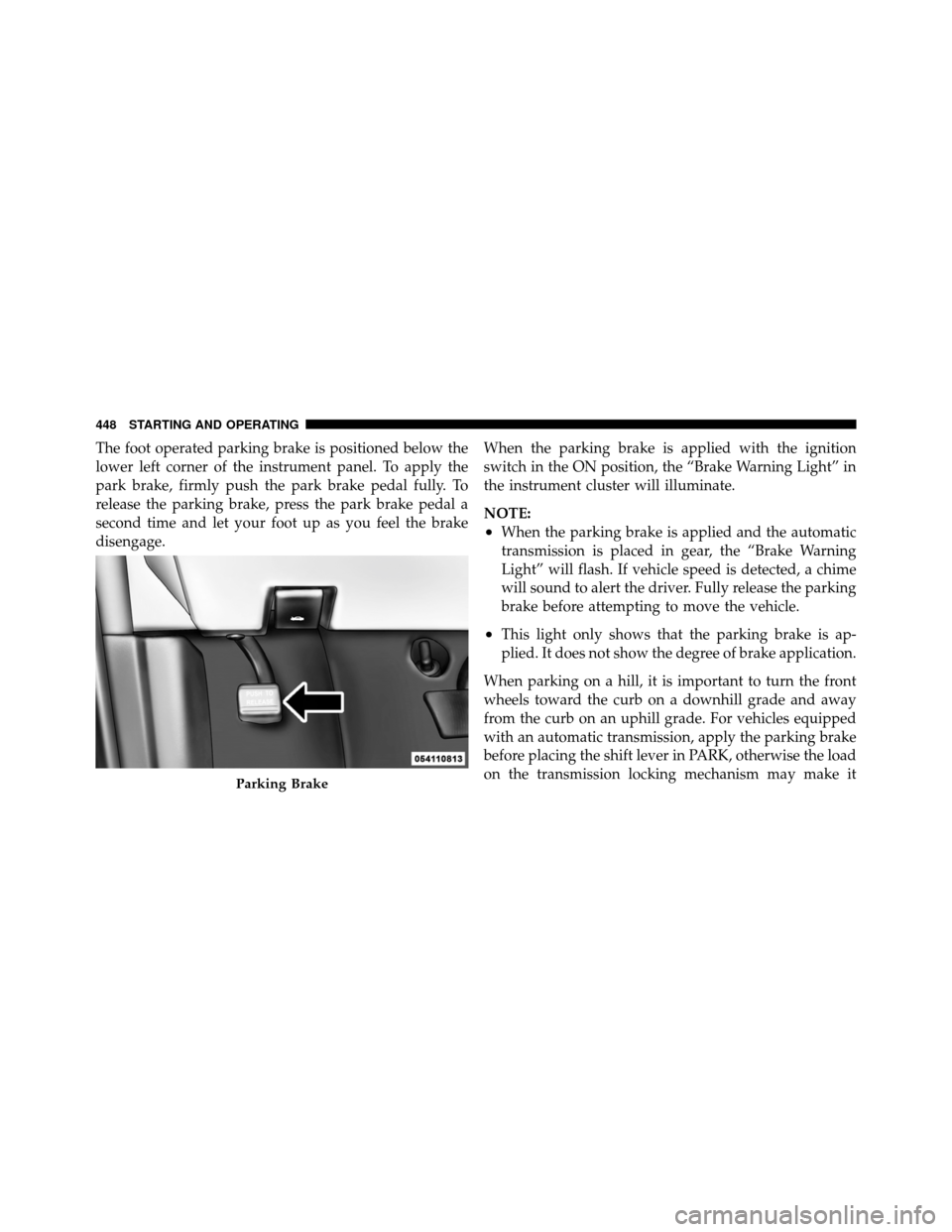
The foot operated parking brake is positioned below the
lower left corner of the instrument panel. To apply the
park brake, firmly push the park brake pedal fully. To
release the parking brake, press the park brake pedal a
second time and let your foot up as you feel the brake
disengage.When the parking brake is applied with the ignition
switch in the ON position, the “Brake Warning Light” in
the instrument cluster will illuminate.
NOTE:
•When the parking brake is applied and the automatic
transmission is placed in gear, the “Brake Warning
Light” will flash. If vehicle speed is detected, a chime
will sound to alert the driver. Fully release the parking
brake before attempting to move the vehicle.
•This light only shows that the parking brake is ap-
plied. It does not show the degree of brake application.
When parking on a hill, it is important to turn the front
wheels toward the curb on a downhill grade and away
from the curb on an uphill grade. For vehicles equipped
with an automatic transmission, apply the parking brake
before placing the shift lever in PARK, otherwise the load
on the transmission locking mechanism may make it
Parking Brake
448 STARTING AND OPERATING
Page 452 of 652
ANTI-LOCK BRAKE SYSTEM (ABS)
The Anti-Lock Brake System (ABS) provides increased
vehicle stability and brake performance under most
braking conditions. The system operates with a separate
computer to modulate hydraulic pressure to prevent
wheel lock-up and help avoid skidding on slippery
surfaces.
ABS is activated during braking under certain road or
stopping conditions. ABS-inducing conditions can in-
clude ice, snow, gravel, bumps, railroad tracks, loose
debris, or panic stops.
You may experience the following when the brake system
goes into anti-lock:
•The ABS motor running (it may continue to run for a
short time after the stop)
•A clicking sound of solenoid valves
•Brake pedal pulsations
•A slight drop or fall away of the brake pedal at the end
of the stop
WARNING!
•The Anti-Lock Brake System contains sophisti-
cated electronic equipment that may be suscep-
tible to interference caused by improperly in-
stalled, or high output radio transmitting
equipment. This interference can cause possible
loss of anti-lock braking capability. Installation of
such equipment should be performed by qualified
professionals.
•Pumping of the Anti-Lock Brakes will diminish
their effectiveness and may lead to a collision.
Pumping makes the stopping distance longer. Just
press firmly on your brake pedal when you need
to slow down or stop.(Continued)
450 STARTING AND OPERATING