Page 118 of 576
You can also use the following VR commands to bring up
the Paired Phone screen from any screen on the radio:
•“Show Paired Phones” or
•“Connect My Phone”
Pair A Bluetooth�Streaming Audio Device
•
Touch the “Player” soft-key to begin,
•Change the Source to Bluetooth�,
•Touch the “Bluetooth�” soft-key,
•Touch the “Add Device” soft-key,
NOTE:If there is no device currently connected with the
system, a pop-up will appear.
•Search for available devices on your Bluetooth�en-
abled audio device. When prompted on the device,
enter the name and PIN shown on the Uconnect
Touch™ screen,
•Uconnect™ Phone will display an in process screen
while the system is connecting,
•When the pairing process has successfully completed,
the system will prompt you to choose whether or not
this is your favorite device. Selecting Yes will make
this device the highest priority. This device will take
precedence over other paired devices within range.
NOTE:For devices which are not made a favorite, the
device priority is determined by the order in which it was
paired. The latest device paired will have the higher
priority.
You can also use the following VR command to bring up
a list of paired audio devices.
•“Show Paired Audio Devices”
116 UNDERSTANDING THE FEATURES OF YOUR VEHICLE
Page 144 of 576
VOICE COMMAND
Uconnect Touch™ 8.4/8.4 Nav
The Uconnect™ Voice Command system al-
lows you to control your AM, FM radio, satel-
lite radio, disc player, SD Card, USB/iPod and
Sirius Travel Link.
NOTE:Take care to speak into the Voice Command
system as calmly and normally as possible. The ability of
the Voice Command system to recognize user voice
commands may be negatively affected by rapid speaking
or a raised voice level.
WARNING!
Any voice commanded system should be used only
in safe driving conditions following local laws. All
attention should be kept on the roadway ahead.
Failure to do so may result in a collision causing
serious injury or death.
When you press the Uconnect™ Voice Command
button, you will hear a beep. The beep is your signal to
give a command.
If no command is spoken the system will say one of two
responses:
•I didn’t understand
•I didn’t get that, etc.,
142 UNDERSTANDING THE FEATURES OF YOUR VEHICLE
Page 147 of 576
Starting Voice Recognition (VR) Session in
Radio/Player Modes
In this mode, you can say the following commands:
NOTE:The commands can be said on any screen when
a call is not active after pushing the Uconnect™ Voice
Command
button.
Disc
To switch to the disc mode, say “Change source to Disc”.
This command can be given in any mode or screen:
•“Track” (#) (to change the track)
3
UNDERSTANDING THE FEATURES OF YOUR VEHICLE 145
Page 155 of 576
NOTE:
1. Only available with Navigation equipped vehicles.
2. You can replace “Player” with “Radio”, “Navigation”,
“Phone”, “Climate”, “More” or “Settings”.
3. Navigation commands only work if equipped with
Navigation.
4. Available Voice Commands are shown in bold face
and shaded grey.
3
UNDERSTANDING THE FEATURES OF YOUR VEHICLE 153
Page 169 of 576
WARNING!
Do not place items over the top of the Active Head
Restraint, such as coats, seat covers or portable DVD
players. These items may interfere with the operation
of the Active Head Restraint in the event of a
collision and could result in serious injury or death.
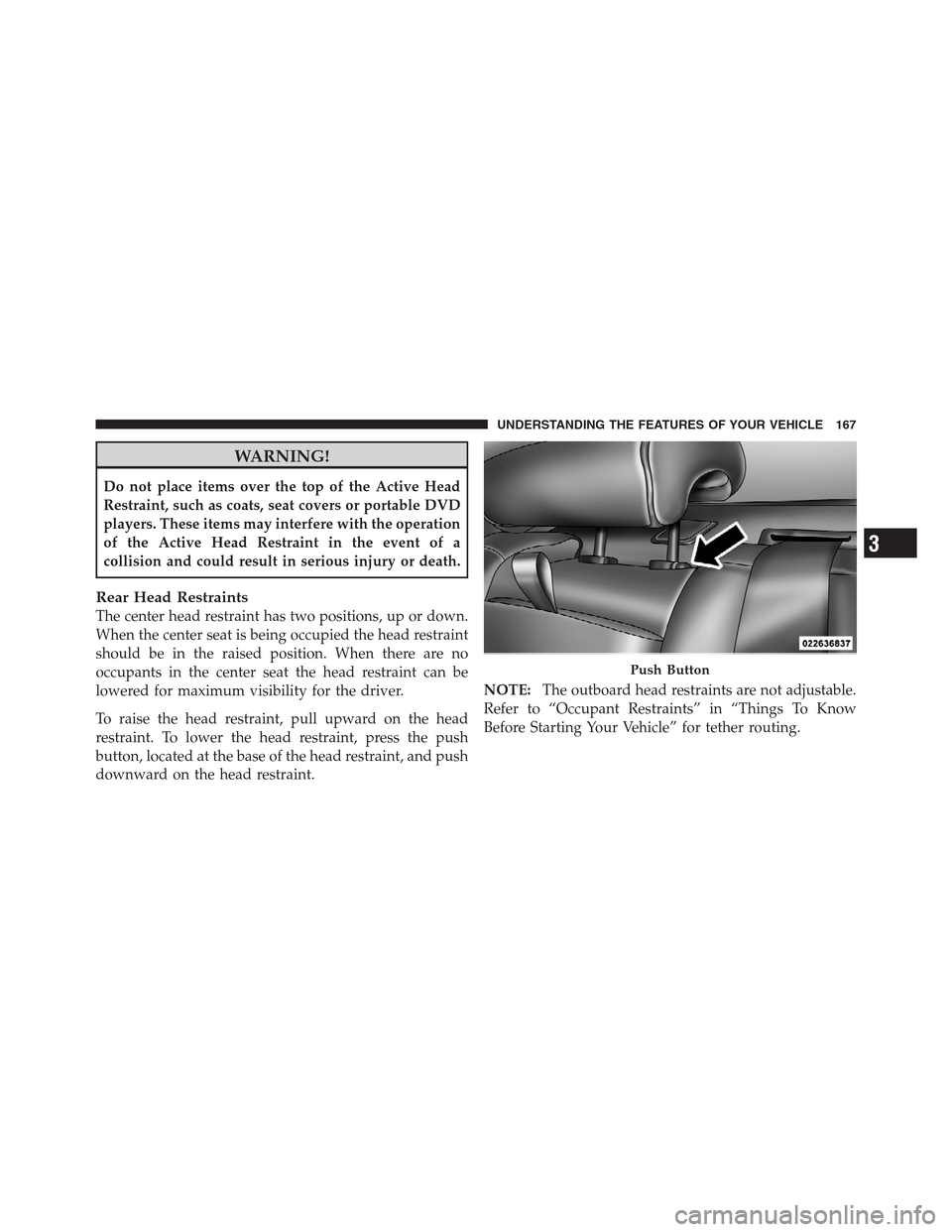
Rear Head Restraints
The center head restraint has two positions, up or down.
When the center seat is being occupied the head restraint
should be in the raised position. When there are no
occupants in the center seat the head restraint can be
lowered for maximum visibility for the driver.
To raise the head restraint, pull upward on the head
restraint. To lower the head restraint, press the push
button, located at the base of the head restraint, and push
downward on the head restraint.NOTE:The outboard head restraints are not adjustable.
Refer to “Occupant Restraints” in “Things To Know
Before Starting Your Vehicle” for tether routing.
Push Button
3
UNDERSTANDING THE FEATURES OF YOUR VEHICLE 167
Page 265 of 576
Two separate storage compartments are also located
underneath the center console armrest.Inside the center console armrest, there is a removable
upper storage tray that can be slid forward/rearward on
rails for access to the lower storage area. This tray has an
integrated coin holder, along with additional area for
small items like an ipod or phone. Below the upper tray,
the lower storage compartment is made for larger items,
like CDs and tissue boxes. In addition, the 12 volt power
outlet, USB and Aux jack are located here.
WARNING!
Do not operate this vehicle with a console compart-
ment lid in the open position. Cellular phones, music
players, and other handheld electronic devices
should be stowed while driving. Use of these devices
while driving can cause an accident due to distrac-
tion, resulting in death or injury.
Center Console
3
UNDERSTANDING THE FEATURES OF YOUR VEHICLE 263
Page 274 of 576

▫Messages #......................... 299
▫Turn Menu Off...................... 299
�Uconnect Touch™ Settings............... 299
▫Hard-Keys......................... 299
▫Soft-Keys.......................... 299
▫Customer Programmable Features —
Uconnect Touch™ 4.3 Settings
(If Equipped)....................... 300
▫Customer Programmable Features —
Uconnect Touch™ System 8.4 Settings
(If Equipped)....................... 313
�Setting The Analog Clock................ 328
�iPod�/USB/MP3 Control — If Equipped..... 328�Harman Kardon�Logic7�High Performance
Multichannel Surround Sound System With
Driver-Selectable Surround (DSS) —
If Equipped.......................... 328
�Steering Wheel Audio Controls............ 330
▫Radio Operation..................... 330
▫CD Player......................... 331
�CD/DVD Disc Maintenance.............. 331
�Radio Operation And Mobile Phones....... 332
�Climate Controls...................... 332
▫General Overview.................... 333
▫Climate Control Functions.............. 339
▫Automatic Temperature Control (ATC)..... 340
▫Operating Tips...................... 341
272 UNDERSTANDING YOUR INSTRUMENT PANEL
Page 333 of 576
The button located in the center of the left-hand control
will tune to the next preset station that you have pro-
grammed in the radio preset pushbutton.
CD Player
Pressing the top of the switch once will go to the next
track on the CD. Pressing the bottom of the switch once
will go to the beginning of the current track, or to the
beginning of the previous track if it is within one second
after the current track begins to play.
If you press the switch up or down twice, it plays the
second track; three times, it will play the third, etc.
The center button on the left side rocker switch has no
function for a single-disc CD player. However, when a
multiple-disc CD player is equipped on the vehicle, the
center button will select the next available CD in the
player.
CD/DVD DISC MAINTENANCE
To keep a CD/DVD in good condition, take the following
precautions:
1. Handle the disc by its edge; avoid touching the
surface.
2. If the disc is stained, clean the surface with a soft cloth,
wiping from center to edge.
3. Do not apply paper or tape to the disc; avoid scratch-
ing the disc.
4. Do not use solvents such as benzene, thinner, cleaners,
or anti-static sprays.
5. Store the disc in its case after playing.
6. Do not expose the disc to direct sunlight.
7. Do not store the disc where temperatures may become
too high.
4
UNDERSTANDING YOUR INSTRUMENT PANEL 331