Page 86 of 576
Safety Checks You Should Make Inside The
Vehicle
Seat Belts
Inspect the belt system periodically, checking for cuts,
frays, and loose parts. Damaged parts must be replaced
immediately. Do not disassemble or modify the system.
Front seat belt assemblies must be replaced after a
collision. Rear seat belt assemblies must be replaced after
a collision if they have been damaged (i.e., bent retractor,
torn webbing, etc.). If there is any question regarding belt
or retractor condition, replace the belt.
Air Bag Warning Light
The light should come on and remain on for four to eight
seconds as a bulb check when the ignition switch is first
turned ON. If the light is not lit during starting, see your
authorized dealer. If the light stays on, flickers, or comes
on while driving, have the system checked by an autho-
rized dealer.
Defroster
Check operation by selecting the defrost mode and place
the blower control on high speed. You should be able to
feel the air directed against the windshield. See your
authorized dealer for service if your defroster is
inoperable.
Floor Mat Safety Information
Always use floor mats designed to fit the footwell of your
vehicle. Use only floor mats that leave the pedal area
unobstructed and that are firmly secured so that they
cannot slip out of position and interfere with the pedals
or impair safe operation of your vehicle in other ways.
WARNING!
Pedals that cannot move freely can cause loss of
vehicle control and increase the risk of serious per-
sonal injury.
(Continued)
84 THINGS TO KNOW BEFORE STARTING YOUR VEHICLE
Page 93 of 576

▫Display Warnings And Maintenance....... 213
▫Precautions While Driving With ACC...... 216
▫General Information.................. 220
▫Normal (Fixed Speed) Cruise Control
Mode............................. 220
▫Forward Collision Warning — If Equipped . . 222
�Parksense�Park Assist — If Equipped...... 225
▫Parksense�Sensors................... 225
▫Parksense�Warning Display............ 226
▫Parksense�Display................... 227
▫Front Park Assist Audible Alerts......... 231
▫Enabling And Disabling Parksense�....... 231
▫Service The Parksense�Park Assist System . . 231▫Cleaning The Parksense�System......... 232
▫Parksense�System Usage Precautions...... 232
�Parkview�Rear Back Up Camera —
If Equipped.......................... 235
▫Turning Parkview�On Or Off —
With Touch Screen Radio............... 236
�Overhead Console..................... 237
▫Front Map/Reading Lights............. 237
▫Sunglass Bin Door................... 238
�Garage Door Opener — If Equipped........ 238
▫Before You Begin Programming
HomeLink�........................ 240
▫Programming A Rolling Code........... 240
▫Programming A Non-Rolling Code........ 242
3
UNDERSTANDING THE FEATURES OF YOUR VEHICLE 91
Page 106 of 576
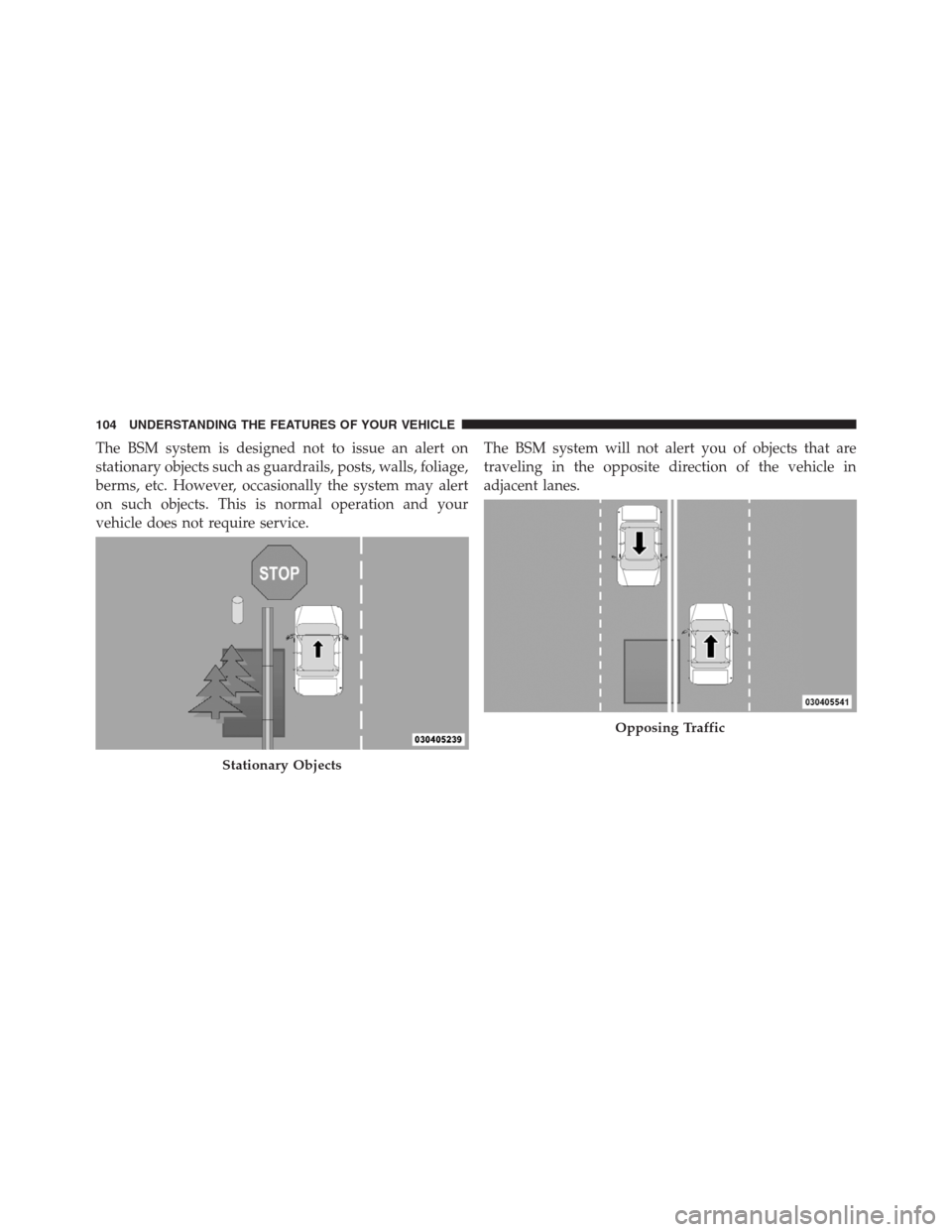
The BSM system is designed not to issue an alert on
stationary objects such as guardrails, posts, walls, foliage,
berms, etc. However, occasionally the system may alert
on such objects. This is normal operation and your
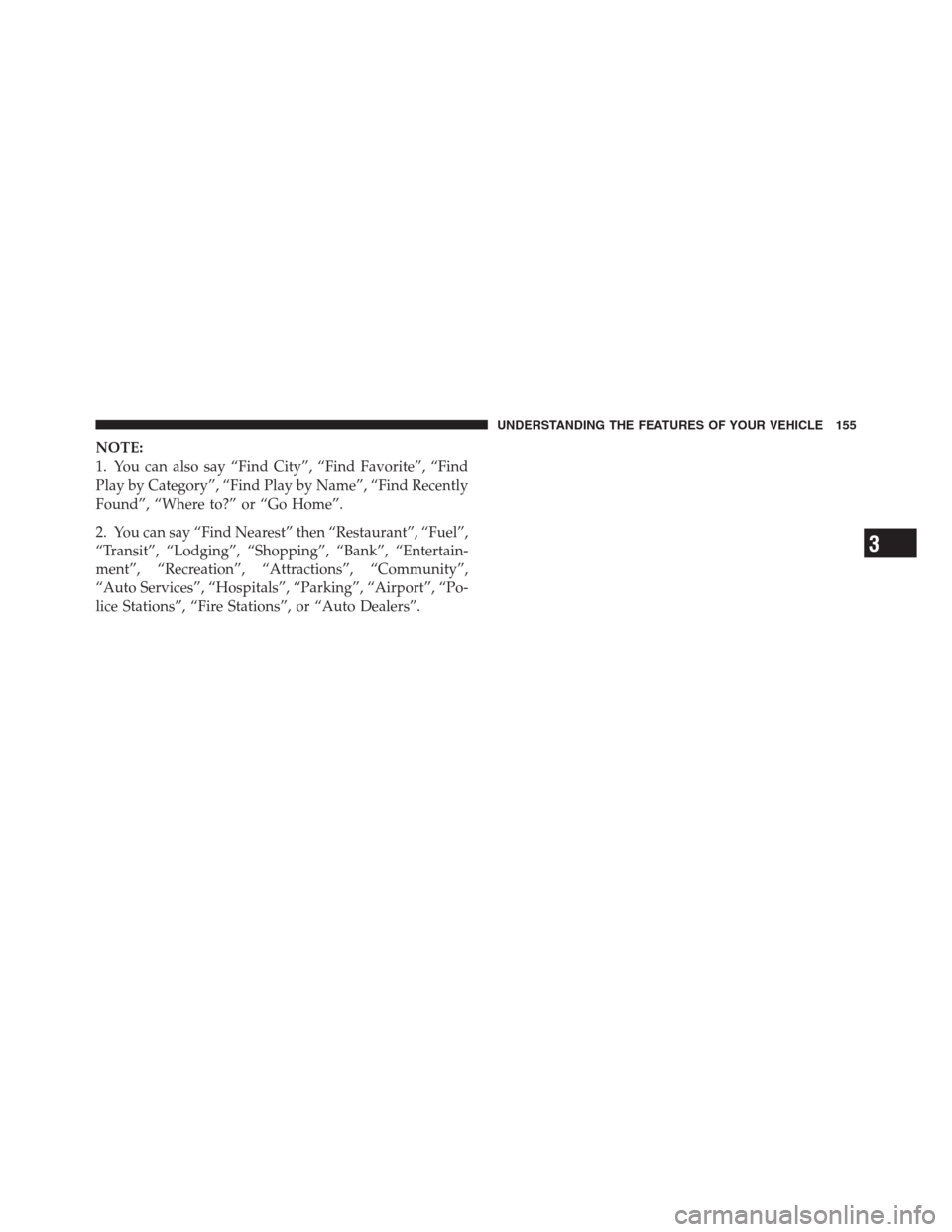
vehicle does not require service.The BSM system will not alert you of objects that are
traveling in the opposite direction of the vehicle in
adjacent lanes.
Stationary Objects
Opposing Traffic
104 UNDERSTANDING THE FEATURES OF YOUR VEHICLE
Page 124 of 576
Phone Call Features
The following features can be accessed through the
Uconnect™ Phone if the feature(s) are available and
supported by Bluetooth�on your mobile service plan.
For example, if your mobile service plan provides three-
way calling, this feature can be accessed through the
Uconnect™ Phone. Check with your mobile service pro-
vider for the features that you have.
Ways To Initiate A Phone Call
Listed below are all the ways you can initiate a phone call
with Uconnect™ Phone.
•Redial
•Dial by touching in the number
•Voice Commands (Dial by Saying a Name, Call by
Saying a Phonebook Name, Redial, or Call Back)
•Favorite Phonebook
•Mobile Phonebook
•Recent Call Log
•SMS Message Viewer
NOTE:All of the above operations except Redial can be
done with 1 call or less active.
Dial By Saying A Number
•
Press thebutton to begin,
•After the “Listening” prompt and the following beep,
say “Dial 248-555-1212”,
•The Uconnect™ Phone will dial the number
248-555-1212.
122 UNDERSTANDING THE FEATURES OF YOUR VEHICLE
Page 129 of 576
If the phone is not reachable and the Uconnect™ Phone is
operational, you may reach the emergency number as
follows:
•Press thebutton to begin.
•After the “Listening” prompt and the following beep,
say “Call Emergency or Dial Emergency” and the
Uconnect™ Phone will instruct the paired mobile
phone to call the emergency number. This feature is
supported in the U.S., Canada, and Mexico.
NOTE:
•The Emergency call may also be initiated by using the
touch-screen.
•The emergency number dialed is based on the country
where the vehicle is purchased (911 for the U.S. and
Canada and 060 for Mexico). The number dialed may
not be applicable with the available mobile service and
area.
•The Uconnect™ Phone does slightly lower your
chances of successfully making a phone call as to that
for the mobile phone directly.
WARNING!
Your phone must be turned on and connected to the
Uconnect™ Phone to allow use of this vehicle feature
in emergency situations, when the mobile phone has
network coverage and stays connected to the
Uconnect™ Phone.
Towing Assistance
If you need towing assistance:
•Press thebutton to begin.
•After the “Listening” prompt and the following beep,
say “Towing Assistance”.
3
UNDERSTANDING THE FEATURES OF YOUR VEHICLE 127
Page 130 of 576
NOTE:
•The towing assistance call may also be initiated by
touch.
•The towing assistance number dialed is based on the
country where the vehicle is purchased (1-800-528-
2069 for the U.S., 1-877-213-4525 for Canada, 55-14-
3454 for Mexico City and 1-800-712-3040 for outside
Mexico City in Mexico). Please refer to the Chrysler
Group LLC 24-Hour “Towing Assistance” coverage
details in the Warranty Information Booklet and on the
24–Hour Towing Assistance Card.
Voice Mail Calling
To learn how to access your voice mail, refer to “Working
with Automated Systems”.
Working With Automated Systems
This method is used in instances where one generally has
to press numbers on the mobile phone keypad while
navigating through an automated telephone system.You can use your Uconnect™ Phone to access a voice
mail system or an automated service, such as a paging
service or automated customer service line. Some ser-
vices require immediate response selection. In some
instances, that may be too quick for use of the
Uconnect™ Phone.
When calling a number with your Uconnect™ Phone that
normally requires you to enter in a touch-tone sequence
on your mobile phone keypad, you can utilize the
touch-screen or press the
button and say the word
“Send” then the sequence you wish to enter. For example,
if required to enter your PIN followed with a pound, (3 7
4 6 #), you can press the
button and say, “Send 3 7
4 6 #”. Saying “Send” followed by a number, or sequence
of numbers, is also to be used for navigating through an
automated customer service center menu structure, and
to leave a number on a pager.
128 UNDERSTANDING THE FEATURES OF YOUR VEHICLE
Page 157 of 576
NOTE:
1. You can also say “Find City”, “Find Favorite”, “Find
Play by Category”, “Find Play by Name”, “Find Recently
Found”, “Where to?” or “Go Home”.
2. You can say “Find Nearest” then “Restaurant”, “Fuel”,
“Transit”, “Lodging”, “Shopping”, “Bank”, “Entertain-
ment”, “Recreation”, “Attractions”, “Community”,
“Auto Services”, “Hospitals”, “Parking”, “Airport”, “Po-
lice Stations”, “Fire Stations”, or “Auto Dealers”.
3
UNDERSTANDING THE FEATURES OF YOUR VEHICLE 155
Page 168 of 576
Active Head Restraints — Front Seats
The front driver and passenger seats are equipped with
Active Head Restraints (AHR). In the event of a rear
impact the AHRs will automatically extend forward
minimizing the gap between the back of the occupants
head and the AHR.
The AHRs will automatically return to their normal
position following a rear impact. If the AHRs do not
return to their normal position see your authorized
dealer immediately.
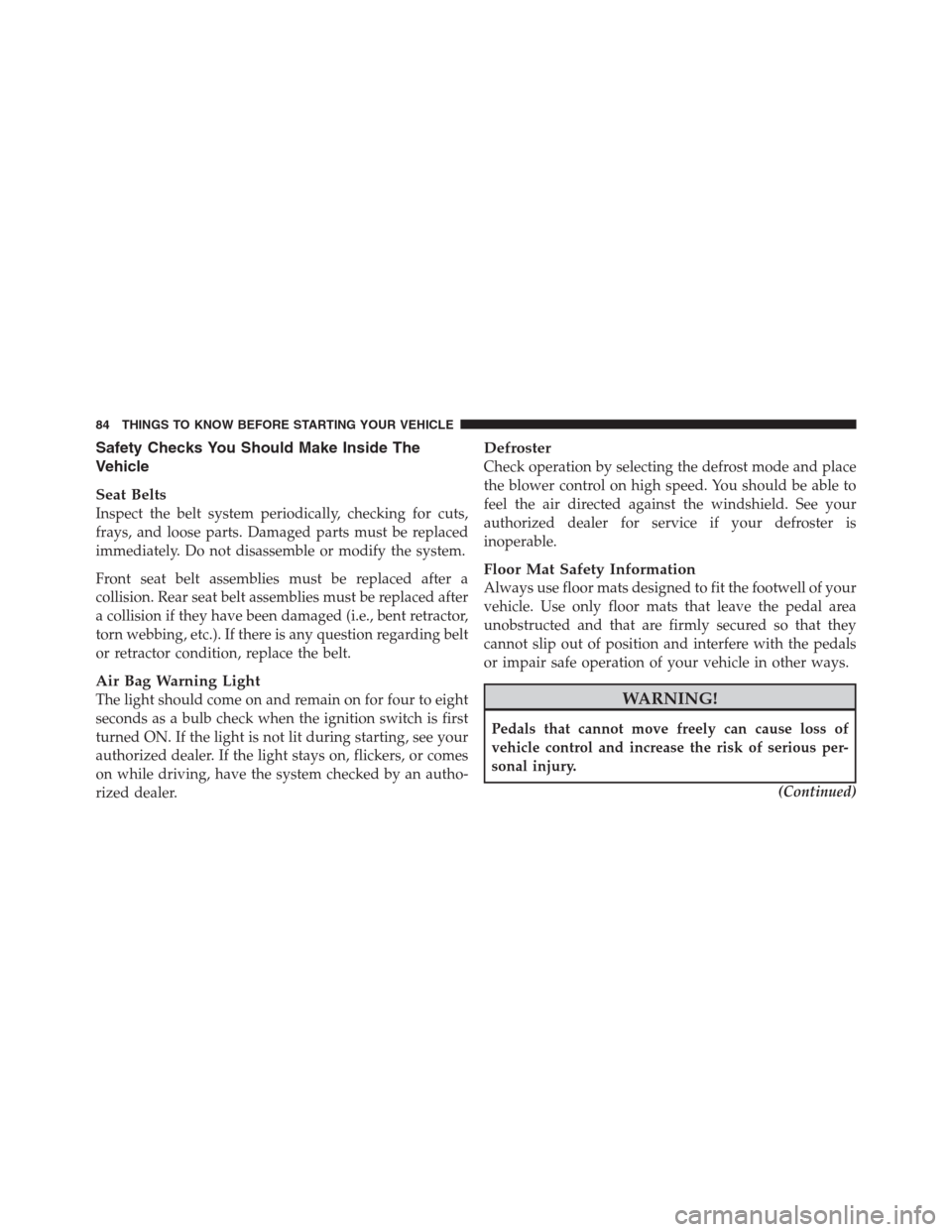
To raise the head restraint, pull upward on the head
restraint. To lower the head restraint, press the push
button, located at the base of the head restraint, and push
downward on the head restraint.NOTE:The head restraints should only be removed by
qualified technicians, for service purposes only. If either
of the head restraints require removal, see your autho-
rized dealer.
Push Button
166 UNDERSTANDING THE FEATURES OF YOUR VEHICLE