Page 95 of 508

▫Fog Lights — If Equipped .............. 153
▫ Daytime Running Lights — If Equipped .... 153
▫ Lights On Reminder .................. 154
▫ Instrument Panel Dimmer .............. 154
▫ Map/Reading/Interior Lights ........... 155
� Windshield Wipers And Washers .......... 156
▫ Intermittent Wiper System .............. 157
▫ Windshield Washers .................. 158
▫ Mist Feature ........................ 159
▫ Headlights With Wipers Feature (Available
With Automatic Headlights Only) ......... 159
� Tilt/Telescoping Steering Column .......... 160�
Electronic Speed Control — If Equipped ..... 161
▫ To Activate ......................... 162
▫ To Set A Desired Speed ................ 162
▫ To Deactivate ....................... 162
▫ To Resume Speed .................... 163
▫ To Vary The Speed Setting .............. 163
▫ To Accelerate For Passing .............. 163
� Garage Door Opener — If Equipped ........ 164
▫ Before You Begin Programming
HomeLink� ........................ 165
▫ Programming A Rolling Code ........... 166
▫ Programming A Non-Rolling Code ........ 168
▫ Canadian/Gate Operator Programming .... 169
3
UNDERSTANDING THE FEATURES OF YOUR VEHICLE 93
Page 118 of 508

Turning Confirmation Prompts ON/OFF
Turning confirmation prompts off will stop the system
from confirming your choices (e.g., the Uconnect™
Phone will not repeat a phone number before you dial it).
•Press thebutton to begin.
•After the “Ready” prompt and the following beep, say
one of the following:
“Setup Confirmation Prompts On”
“Setup Confirmation Prompts Off”
Phone And Network Status Indicators
If available on the radio and/or on a premium display
such as the instrument panel cluster, and supported by
your mobile phone, the Uconnect™ Phone will provide
notification to inform you of your phone and network
status when you are attempting to make a phone call
using Uconnect™ Phone. The status is given for network
signal strength, phone battery strength, etc.
Dialing Using The Mobile Phone Keypad
You can dial a phone number with your mobile phone
keypad and still use the Uconnect™ Phone (while dialing
via the mobile phone keypad, the user must exercise
caution and take precautionary safety measures). By
dialing a number with your paired Bluetooth�mobile
phone, the audio will be played through your vehicle’s
audio system. The Uconnect™ Phone will work the same
as if you dial the number using Voice Command.
NOTE: Certain brands of mobile phones do not send the
dial ring to the Uconnect™ Phone to play it on the vehicle
audio system, so you will not hear it. Under this situa-
tion, after successfully dialing a number the user may feel
that the call did not go through even though the call is in
progress. Once your call is answered, you will hear the
audio.
116 UNDERSTANDING THE FEATURES OF YOUR VEHICLE
Page 139 of 508
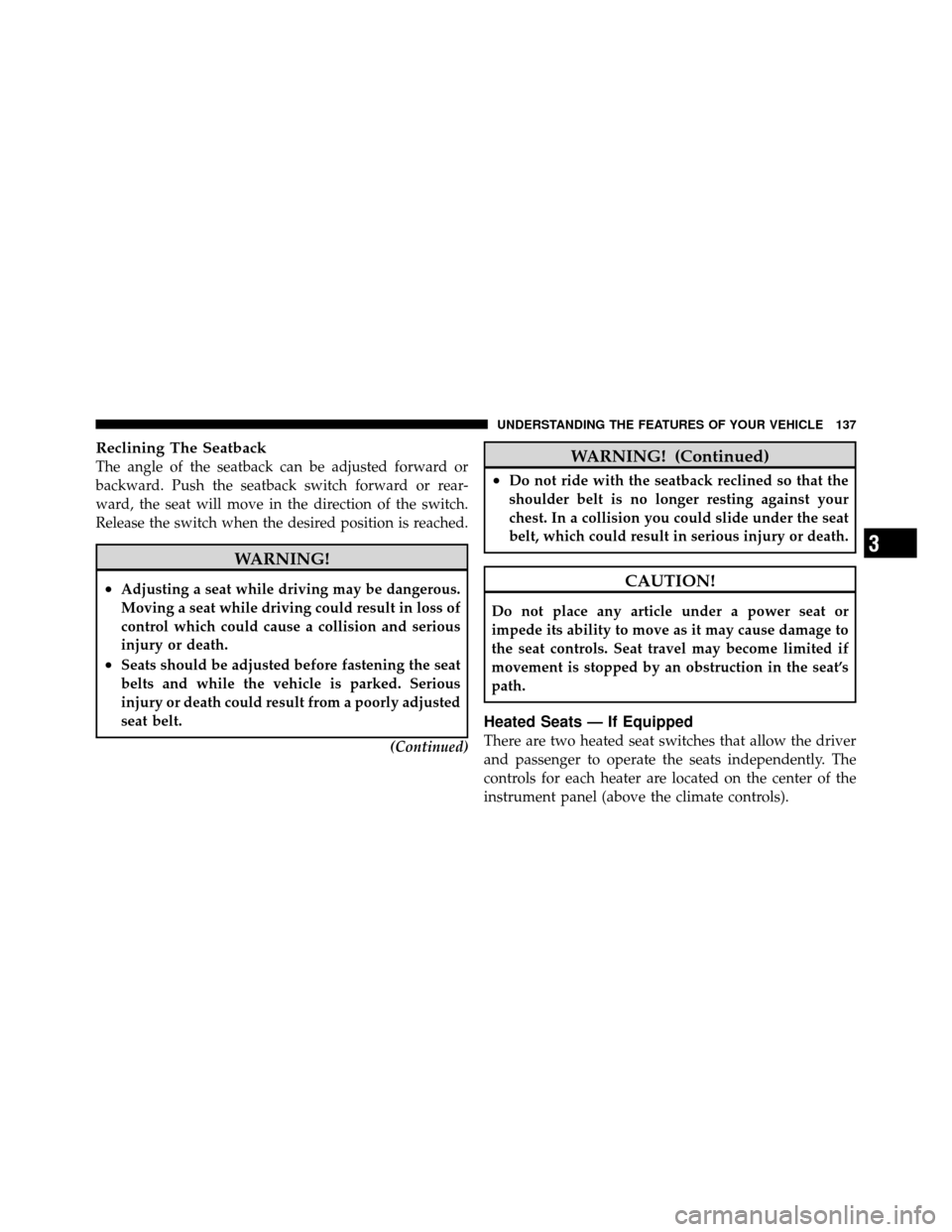
Reclining The Seatback
The angle of the seatback can be adjusted forward or
backward. Push the seatback switch forward or rear-
ward, the seat will move in the direction of the switch.
Release the switch when the desired position is reached.
WARNING!
•Adjusting a seat while driving may be dangerous.
Moving a seat while driving could result in loss of
control which could cause a collision and serious
injury or death.
•Seats should be adjusted before fastening the seat
belts and while the vehicle is parked. Serious
injury or death could result from a poorly adjusted
seat belt.(Continued)
WARNING! (Continued)
•Do not ride with the seatback reclined so that the
shoulder belt is no longer resting against your
chest. In a collision you could slide under the seat
belt, which could result in serious injury or death.
CAUTION!
Do not place any article under a power seat or
impede its ability to move as it may cause damage to
the seat controls. Seat travel may become limited if
movement is stopped by an obstruction in the seat’s
path.
Heated Seats — If Equipped
There are two heated seat switches that allow the driver
and passenger to operate the seats independently. The
controls for each heater are located on the center of the
instrument panel (above the climate controls).
3
UNDERSTANDING THE FEATURES OF YOUR VEHICLE 137
Page 150 of 508
TO OPEN AND CLOSE THE HOOD
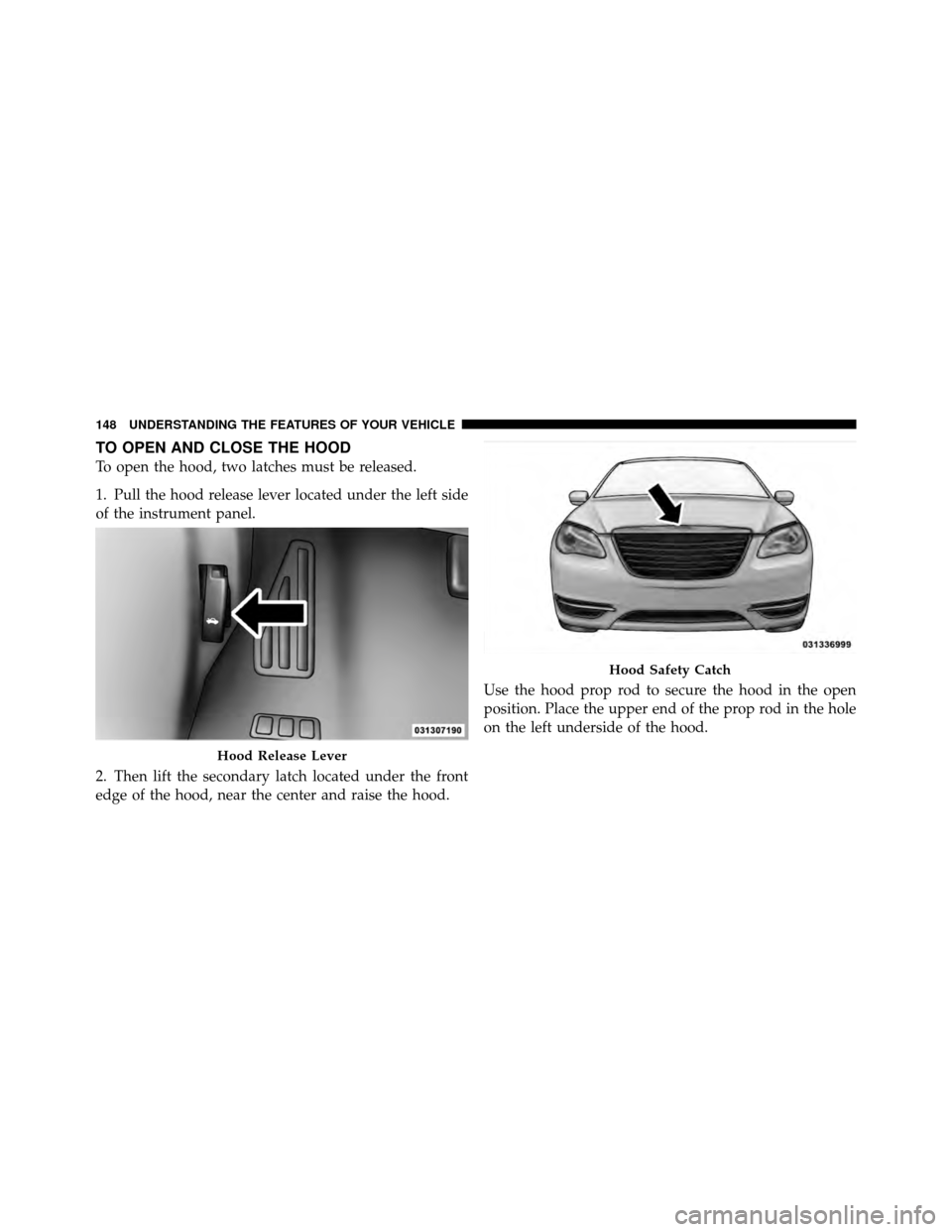
To open the hood, two latches must be released.
1. Pull the hood release lever located under the left side
of the instrument panel.
2. Then lift the secondary latch located under the front
edge of the hood, near the center and raise the hood.Use the hood prop rod to secure the hood in the open
position. Place the upper end of the prop rod in the hole
on the left underside of the hood.
Hood Release Lever
Hood Safety Catch
148 UNDERSTANDING THE FEATURES OF YOUR VEHICLE
Page 152 of 508
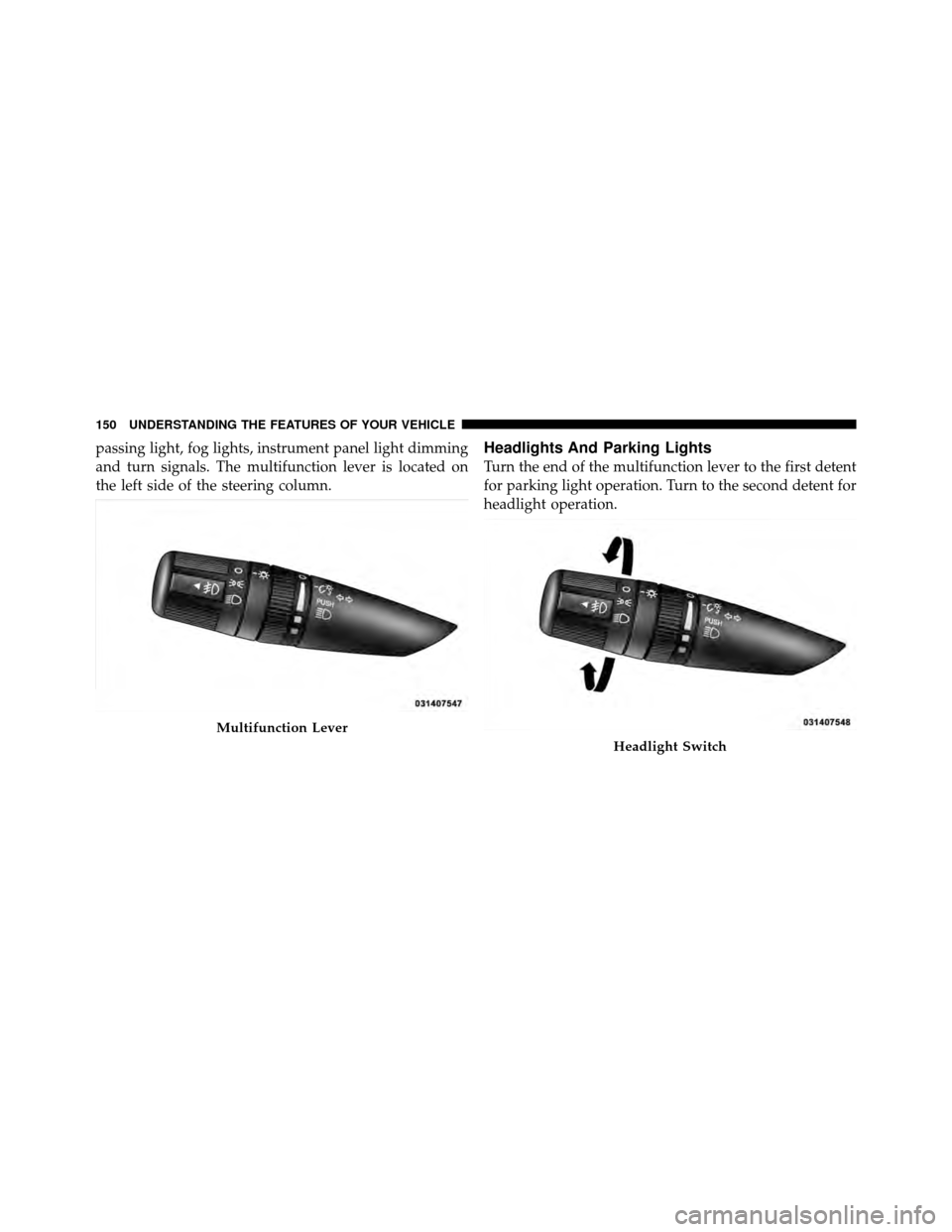
passing light, fog lights, instrument panel light dimming
and turn signals. The multifunction lever is located on
the left side of the steering column.Headlights And Parking Lights
Turn the end of the multifunction lever to the first detent
for parking light operation. Turn to the second detent for
headlight operation.
Multifunction Lever
Headlight Switch
150 UNDERSTANDING THE FEATURES OF YOUR VEHICLE
Page 153 of 508
Automatic Headlights — If Equipped
Turning the end of the multifunction lever to the third
detent (AUTO), will activate the automatic headlight
system.With the engine running and the multifunction lever in
the AUTO position, the headlights will turn on and turn
off based on the surrounding light levels.
Headlight Time Delay
There is also a feature that delays turning off the vehicle
lights for 30, 60 or 90 seconds after the ignition switch is
turned OFF. To activate the headlight delay, the multi-
function lever must be rotated to the off position after the
ignition switch is turned OFF. Only the headlights will
illuminate during this time. Refer to “Electronic Vehicle
Information Center (EVIC)/Customer-Programmable
Features” in “Understanding Your Instrument Panel” for
further information.
Headlight Switch
3
UNDERSTANDING THE FEATURES OF YOUR VEHICLE 151
Page 156 of 508

is running, the headlight switch is off, the parking brake
is released and the shift lever is in any position except
PARK.
NOTE:The Daytime Running Lights will flash when a
turn signal is in operation and return to DRL mode when
the turn signal is not operating.
Lights On Reminder
If the headlights or parking lights are on after the ignition
is turned OFF, a chime will sound to alert the driver
when the driver’s door is opened.
Instrument Panel Dimmer
Rotate the center portion of the lever to the extreme
bottom position to fully dim the instrument panel lights
and prevent the interior lights from illuminating when a
door is opened.
Rotate the center portion of the lever up to increase the
brightness of the instrument panel lights when the park-
ing lights or headlights are on. Rotate the center portion of the lever upward to the next
detent position to brighten the odometer and radio when
the parking lights or headlights are on.
Rotate the center portion of the lever upward to the last
detent to turn on the interior lighting.
Dimmer Control
154 UNDERSTANDING THE FEATURES OF YOUR VEHICLE
Page 178 of 508
For vehicles equipped with the EVIC, the power sunroof
switch will remain active for up to 10 minutes after the
ignition switch is turned OFF. Opening either front door
will cancel this feature. The time is programmable. Refer
to “Electronic Vehicle Information Center (EVIC)/
Personal Settings (Customer-Programmable Features)” in
“Understanding Your Instrument Panel” for further
information.
ELECTRICAL POWER OUTLETS
There are two 12 Volt (13 Amp) electrical power outlets
on this vehicle. Both of the power outlets are protected by
a fuse.
The instrument panel power outlet, located below the
climate control knobs, has power available only when the
ignition is ON. This power outlet will also operate a
conventional cigar lighter unit.NOTE:
To preserve the heating element, do not hold the
lighter in the heating position.
Instrument Panel Power Outlet
176 UNDERSTANDING THE FEATURES OF YOUR VEHICLE