Page 27 of 517

3. Test the feature while outside of the vehicle by press-
ing the LOCK button on the RKE transmitter with the
ignition in the LOCK position and the key removed.
4. Repeat these steps if you want to return this feature to
its previous setting.
NOTE:If there is no key in the ignition switch, pressing
the LOCK button on the RKE transmitter while you are in
the vehicle will activate the Vehicle Security Alarm.
Opening a door with the Vehicle Security Alarm acti-
vated will cause the alarm to sound. Press the UNLOCK
button to deactivate the Vehicle Security Alarm System.
Convertible Top Operation Button — If Equipped
Refer to “Convertible Top Operation” under “Under-
standing The Features Of Your Vehicle” for further
information.
To Unlatch The Trunk
Press the TRUNK button on the RKE transmitter two
times to unlatch the trunk.
Using The Panic Alarm
To turn the Panic Alarm feature on or off, press and hold
the PANIC button on the RKE transmitter for at least one
second and release. When the Panic Alarm is on, the
headlights turn on, the park lights will flash, the horn
will pulse on and off, and the Illuminated Entry system
(if equipped) will turn on.
The Panic Alarm will stay on for three minutes unless
you turn it off by pressing the PANIC button a second
time or if the vehicle speed is 5 mph (8 km/h) or greater.
NOTE: You may need to be close to the vehicle when
using the RKE transmitter to turn off the Panic Alarm due
to the Radio Frequency (RF) noises emitted by the
system.
2
THINGS TO KNOW BEFORE STARTING YOUR VEHICLE 25
Page 30 of 517

How To Use Remote Start
All of the following conditions must be met before the
engine will remote start:
•Shift lever in PARK
•Doors closed
•Hood closed
•Trunk closed
•Hazard switch off
•Brake switch inactive (brake pedal not pressed)
•Ignition key removed from ignition switch
•Battery at an acceptable charge level, and
•RKE PANIC button not pressed
•System not disabled from previous remote start event
•Vehicle theft alarm not active
WARNING!
•Do not start or run an engine in a closed garage or
confined area. Exhaust gas contains Carbon Mon-
oxide (CO) which is odorless and colorless. Car-
bon Monoxide is poisonous and can cause serious
injury or death when inhaled.
•Keep Remote Keyless Entry (RKE) transmitters
away from children. Operation of the Remote Start
System, windows, door locks or other controls
could cause serious injury or death.
Remote Start Abort Message On Electronic Vehicle
Information Center (EVIC) — If Equipped
The following messages will display in the EVIC if the
vehicle fails to remote start or exits remote start prema-
turely:
•Remote Start Aborted — Door Ajar
28 THINGS TO KNOW BEFORE STARTING YOUR VEHICLE
Page 32 of 517
To Exit Remote Start Mode Without Driving The
Vehicle
Press and release the REMOTE START button one time or
allow the engine to run for the entire 15 minute cycle.
NOTE:To avoid unintentional shut downs, the system
will disable the one-time press of the remote start button
for two seconds after receiving a valid remote start
request.
To Exit Remote Start Mode And Drive The Vehicle
Before the end of the 15 minute cycle, press and release
the UNLOCK button on the RKE transmitter to unlock
the doors and disarm the Vehicle Security Alarm (if
equipped). Then insert the key into the ignition switch
and turn the switch to the ON/RUN position.
NOTE: The ignition switch must be in the ON/RUN
position in order to drive the vehicle.
DOOR LOCKS
Manual Door Locks
To lock each door, push the door lock knob on each door
trim panel downward. To unlock each door, pull the
inside door handle.
Manual Lock Knob
30 THINGS TO KNOW BEFORE STARTING YOUR VEHICLE
Page 62 of 517

WARNING! (Continued)
•Do not put anything on or around the air bag
covers or attempt to open them manually. You may
damage the air bags and you could be injured
because the air bags may no longer be functional.
The protective covers for the air bag cushions are
designed to open only when the air bags are
inflating.
•Do not drill, cut or tamper with the knee bolster in
any way.
•Do not mount any accessories to the knee bolster
such as alarm lights, stereos, citizen band radios,
etc.
Supplemental Seat-Mounted Side Air Bags (SAB)
Supplemental Seat-Mounted Side Air Bags (SAB) may
provide enhanced protection to help protect an occupant
during a side impact. The SAB is marked with an air bag
label sewn into the outboard side of the front seats.When the air bag deploys, it opens the seam between the
front and side of the seat’s trim cover. Each air bag
deploys independently; a left side impact deploys the left
air bag only and a right-side impact deploys the right air
bag only.
Supplemental Seat-Mounted Side Air Bag Label
60 THINGS TO KNOW BEFORE STARTING YOUR VEHICLE
Page 179 of 517
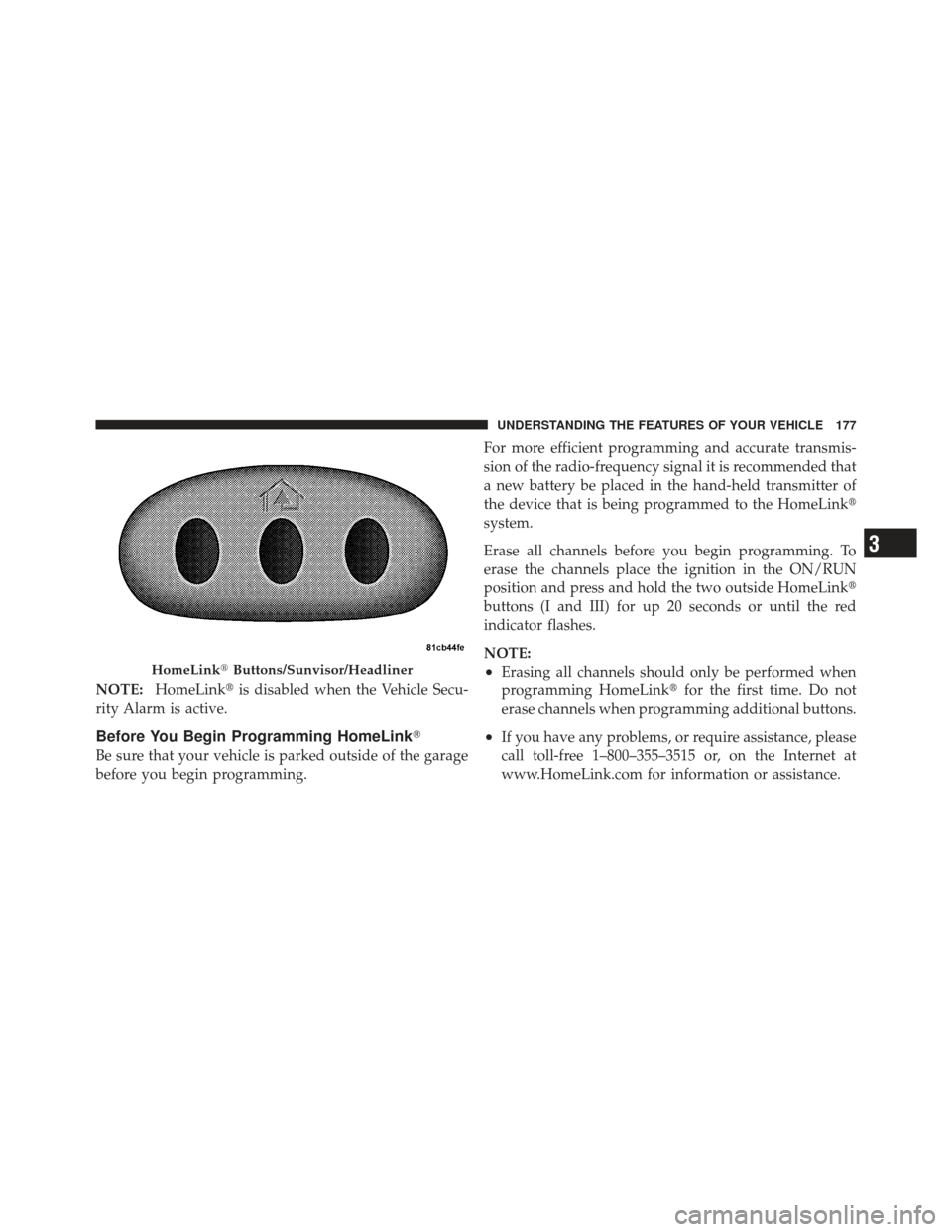
NOTE:HomeLink� is disabled when the Vehicle Secu-
rity Alarm is active.
Before You Begin Programming HomeLink �
Be sure that your vehicle is parked outside of the garage
before you begin programming. For more efficient programming and accurate transmis-
sion of the radio-frequency signal it is recommended that
a new battery be placed in the hand-held transmitter of
the device that is being programmed to the HomeLink
�
system.
Erase all channels before you begin programming. To
erase the channels place the ignition in the ON/RUN
position and press and hold the two outside HomeLink �
buttons (I and III) for up 20 seconds or until the red
indicator flashes.
NOTE:
•Erasing all channels should only be performed when
programming HomeLink� for the first time. Do not
erase channels when programming additional buttons.
•If you have any problems, or require assistance, please
call toll-free 1–800–355–3515 or, on the Internet at
www.HomeLink.com for information or assistance.
HomeLink� Buttons/Sunvisor/Headliner
3
UNDERSTANDING THE FEATURES OF YOUR VEHICLE 177
Page 185 of 517
Security
It is advised to erase all channels before you sell or turn
in your vehicle.
To do this, press and hold the two outside buttons for
20 seconds until the red indicator flashes. Note that all
channels will be erased. Individual channels cannot be
erased.
The HomeLink�Universal Transceiver is disabled when
the Vehicle Security Alarm is active.
Troubleshooting Tips
If you are having trouble programming HomeLink�, here
are some of the most common solutions:
•Replace the battery in the original hand-held transmit-
ter.
•Press the LEARN button on the Garage Door Opener
to complete the training for a Rolling Code.
•Did you unplug the device for programming and
remember to plug it back in?
If you have any problems, or require assistance, please
call toll-free 1–800–355–3515 or, on the Internet at
www.HomeLink.com for information or assistance.
3
UNDERSTANDING THE FEATURES OF YOUR VEHICLE 183
Page 213 of 517

21. Front Fog Light Indicator — If EquippedThis indicator will illuminate when the front fog
lights are on.
22. Vehicle Security Light — If Equipped This light will flash rapidly for approximately
16 seconds when the alarm system is arming.
The light will begin to flash slowly indicating
that the system is armed. The light will stop
flashing when the vehicle is disarmed.
23. Anti-Lock Brake (ABS) Light — If Equipped This light monitors the ABS. This light will
come on when the ignition key is turned to the
ON/RUN position and may stay on for ap-
proximately three seconds.
If the ABS light remains on or comes on during driving,
it indicates that the Anti-Lock portion of the brake system
is not functioning and that service is required, however, the conventional brake system will continue to operate
normally provided that the BRAKE warning light is not
on.
If the ABS light is on, the brake system should be serviced
as soon as possible to restore the benefit of Anti-Lock
Brakes.
The ABS warning light should be checked frequently to
assure that it is operating properly. Turn the ignition key
to the on position, but do not start the vehicle. The light
should come on. If the light does not come on, have the
system inspected by an authorized dealer.
24. Electronic Stability Control (ESC) Activation/
Malfunction Indicator Light — If Equipped
The “ESC Activation/Malfunction Indicator
Light” in the instrument cluster will come on
when the ignition switch is turned to the
ON/RUN position. It should go out with the
4
UNDERSTANDING YOUR INSTRUMENT PANEL 211
Page 496 of 517

About Your Brakes....................... 324
ABS (Anti-Lock Brake System) .............. 326
Accessory Delay, Power .................... 13
Adding Engine Coolant (Antifreeze) .......... 437
Adding Fuel ........................... 372
Adding Washer Fluid ..................... 433
Additives, Fuel ......................... 366
Air Cleaner, Engine (Engine Air Cleaner Filter) . . . 427
Air Conditioner Maintenance ............... 429
Air Conditioning ........................ 285
Air Conditioning Controls ................. 285
Air Conditioning Filter .................298,430
Air Conditioning Refrigerant .............429,430
Air Conditioning System .............285,290,429
Air Conditioning, Operating Tips ............ 299
Air Pressure, Tires ....................... 345
Airbag ................................ 57
Airbag Deployment ....................... 65
Airbag Light ................... 62,63,67,83,203Airbag Maintenance
....................... 66
Airbag, Side ........................ 60,61,64
Airbag, Window (Side Curtain) ............... 61
Alarm System (Security Alarm) ............18,211
Alarm, Panic ............................ 25
Alterations/Modifications, Vehicle ............. 7
Antenna, Satellite Radio ................247,273
Anti-Lock Brake System (ABS) .............. 326
Anti-Lock Warning Light .................. 326
Anti-Theft Security Alarm (Theft Alarm) ........ 18
Antifreeze (Engine Coolant) ..............437,465
Disposal ........................... 439
Appearance Care ........................ 445
Ashtray ............................... 188
Assistance Towing ....................... 128
Auto Down Power Windows ................ 35
Auto Unlock, Doors ....................... 32
Automatic Dimming Mirror ................ 111
Automatic Door Locks ..................... 32
494 INDEX