2012 CHEVROLET SUBURBAN tow bar
[x] Cancel search: tow barPage 157 of 514
Black plate (31,1)Chevrolet Tahoe/Suburban Owner Manual - 2012
Instruments and Controls 5-31
the DIC. Press the vehicle
information button until TRAILER
GAIN and OUTPUT display.
TRAILER GAIN shows the trailer
gain setting. This setting can be
adjusted from 0.0 to 10.0 with
either a trailer connected or
disconnected. To adjust this setting,
see“Integrated Trailer Brake Control
System” underTowing Equipment
on page 9‑75 for more information.
OUTPUT shows the power output to
the trailer anytime a trailer with
electric brakes is connected. Output
is displayed in 0 to 10 bars. Dashes
may appear in the OUTPUT display.
See “Integrated Trailer Brake
Control System” underTowing
Equipment on page 9‑75 for more
information.
Engine Hours
Press the vehicle information button
until ENGINE HOURS displays. This
display shows the total number of
hours the engine has run. Compass Zone Setting
This display allows for setting the
compass zone. See
Compass on
page 5‑6
Compass Recalibration
This display allows for calibrating
the compass. See Compass on
page 5‑6
Blank Display
This display shows no information.
Trip Odometer Reset Stem
Menu Items (With DIC Buttons)
Use the trip odometer reset stem
to view the odometer and trip
odometer. The Language selection
and Engine Hours display can also
be accessed with the trip odometer
reset stem. Odometer
Press the trip odometer reset stem
until ODOMETER displays. This
display shows the distance the
vehicle has been driven in either
kilometers (km) or miles (mi).
Trip Odometer
Press the trip odometer reset
stem until TRIP displays. This
display shows the current distance
traveled in either kilometers (km) or
miles (mi) since the last reset for the
trip odometer.
The trip odometer can be reset to
zero by pressing and holding the trip
odometer reset stem while the trip
odometer is displayed.
The trip odometer has a feature
called the retroactive reset. This can
be used to set the trip odometer to
the number of kilometers (miles)
driven since the ignition was last
turned on. This can be used if the
trip odometer is not reset at the
beginning of the trip.
Page 159 of 514
Black plate (33,1)Chevrolet Tahoe/Suburban Owner Manual - 2012
Instruments and Controls 5-33
4. Once the desired language isdisplayed, release the trip
odometer reset stem to set your
choice.
Trip Odometer
Press the trip odometer reset
stem until TRIP displays. This
display shows the current distance
traveled in either kilometers (km) or
miles (mi) since the last reset for the
trip odometer.
The trip odometer can be reset to
zero by pressing and holding the trip
odometer reset stem while the trip
odometer is displayed.
The trip odometer has a feature
called the retroactive reset. This can
be used to set the trip odometer to
the number of kilometers (miles)
driven since the ignition was last
turned on. This can be used if the
trip odometer is not reset at the
beginning of the trip.
To use the retroactive reset feature,
press and hold the trip odometer
reset stem for at least four seconds. The trip odometer will display the
number of kilometers (km) or
miles (mi) driven since the ignition
was last turned on and the vehicle
was moving. Once the vehicle
begins moving, the trip odometer
will accumulate mileage. For
example, if the vehicle was driven
8 km (5 miles) before it is started
again, and then the retroactive reset
feature is activated, the display will
show 8 km (5 miles). As the vehicle
begins moving, the display will then
increase to 8.2 km (5.1 miles),
8.4 km (5.2 miles), etc.
Transmission Temperature
Press the trip odometer reset stem
until TRANS TEMP displays. This
display shows the temperature of
the automatic transmission fluid in
either degrees Celsius (°C) or
degrees Fahrenheit (°F).
Trailer Gain and Output
On vehicles with the Integrated
Trailer Brake Control (ITBC) system,
the trailer brake display appears in
the DIC. Press the trip odometer
reset stem until TRAILER GAIN and
OUTPUT display.
TRAILER GAIN shows the trailer
gain setting. This setting can be
adjusted from 0.0 to 10.0 with
either a trailer connected or
disconnected. To adjust this setting,
see
“Integrated Trailer Brake Control
System” underTowing Equipment
on page 9‑75 for more information.
OUTPUT shows the power output
to the trailer anytime a trailer with
electric brakes is connected. Output
is displayed in 0 to 10 bars. Dashes
may appear in the OUTPUT display.
See “Integrated Trailer Brake
Control System” underTowing
Equipment on page 9‑75 for more
information.
Page 314 of 514
Black plate (52,1)Chevrolet Tahoe/Suburban Owner Manual - 2012
9-52 Driving and Operating
How the System Works
URPA comes on automatically when
the shift lever is moved into
R (Reverse). A single tone sounds
to indicate the system is working.
URPA operates only at speeds less
than 8 km/h (5 mph).
An obstacle is indicated by
audible beeps. The time between
the beeps gets shorter as the
vehicle approaches the obstacle.
A continuous tone is heard
when the distance is less than
30 cm (12 in).
To be detected, objects must be at
least 25 cm (10 in) off the ground
and below liftgate level. Objects
must also be within 2.5 m (8 ft) from
the rear bumper. This distance may
be less during warmer or humid
weather.
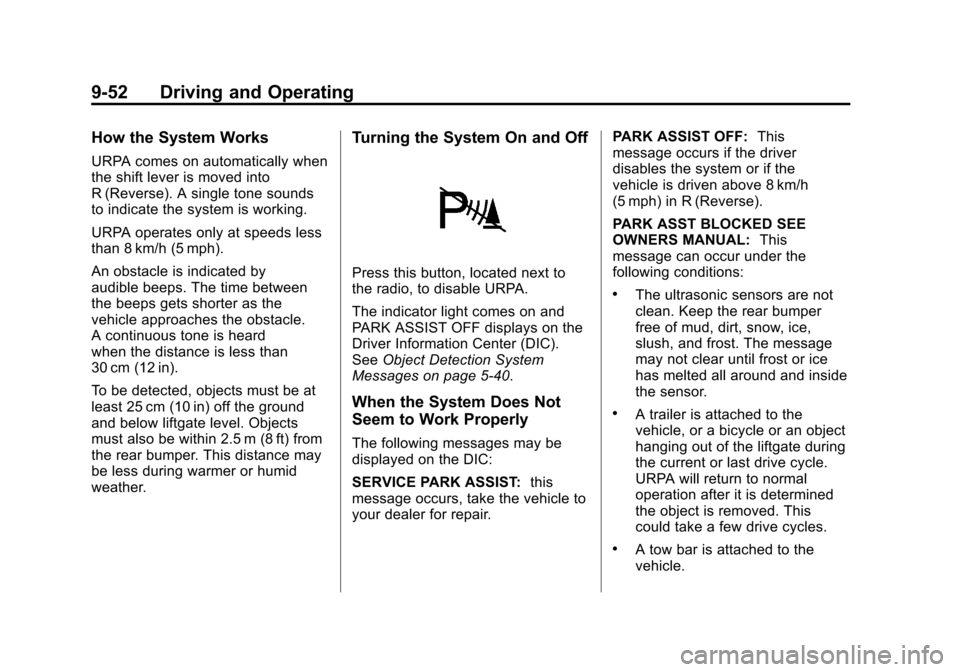
Turning the System On and Off
Press this button, located next to
the radio, to disable URPA.
The indicator light comes on and
PARK ASSIST OFF displays on the
Driver Information Center (DIC).
SeeObject Detection System
Messages on page 5‑40.
When the System Does Not
Seem to Work Properly
The following messages may be
displayed on the DIC:
SERVICE PARK ASSIST: this
message occurs, take the vehicle to
your dealer for repair. PARK ASSIST OFF:
This
message occurs if the driver
disables the system or if the
vehicle is driven above 8 km/h
(5 mph) in R (Reverse).
PARK ASST BLOCKED SEE
OWNERS MANUAL: This
message can occur under the
following conditions:
.The ultrasonic sensors are not
clean. Keep the rear bumper
free of mud, dirt, snow, ice,
slush, and frost. The message
may not clear until frost or ice
has melted all around and inside
the sensor.
.A trailer is attached to the
vehicle, or a bicycle or an object
hanging out of the liftgate during
the current or last drive cycle.
URPA will return to normal
operation after it is determined
the object is removed. This
could take a few drive cycles.
.A tow bar is attached to the
vehicle.
Page 337 of 514
Black plate (75,1)Chevrolet Tahoe/Suburban Owner Manual - 2012
Driving and Operating 9-75
for the trip including the weight of
the trailer tongue. If using a weight
distributing hitch, make sure not to
exceed the RGAWR before applying
the weight distribution spring bars.
Weight of the Trailering
Combination
It is important that the combination
of the tow vehicle and trailer
does not exceed any of its weight
ratings—GCWR, GVWR, RGAWR,
Trailer Weight Rating or Tongue
Weight. The only way to be sure it is
not exceeding any of these ratings
is to weigh the tow vehicle and
trailer combination, fully loaded for
the trip, getting individual weights
for each of these items.
Towing Equipment
Hitches
The correct hitch equipment helps
maintain combination control. Most
small-to-medium trailers can be
towed with a weight carrying hitch
which simply features a coupler
latched to the hitch ball. Larger
trailers may require a weight
distributing hitch that uses spring
bars to distribute the trailer tongue
weight among the two vehicle and
trailer axles. See “Weight of the
Trailer Tongue” inTrailer Towing on
page 9‑70 for rating limits with
various hitch types.
Consider using sway controls
with any trailer. Ask a trailering
professional about sway controls or
refer to the trailer manufacturer's
recommendations and instructions.
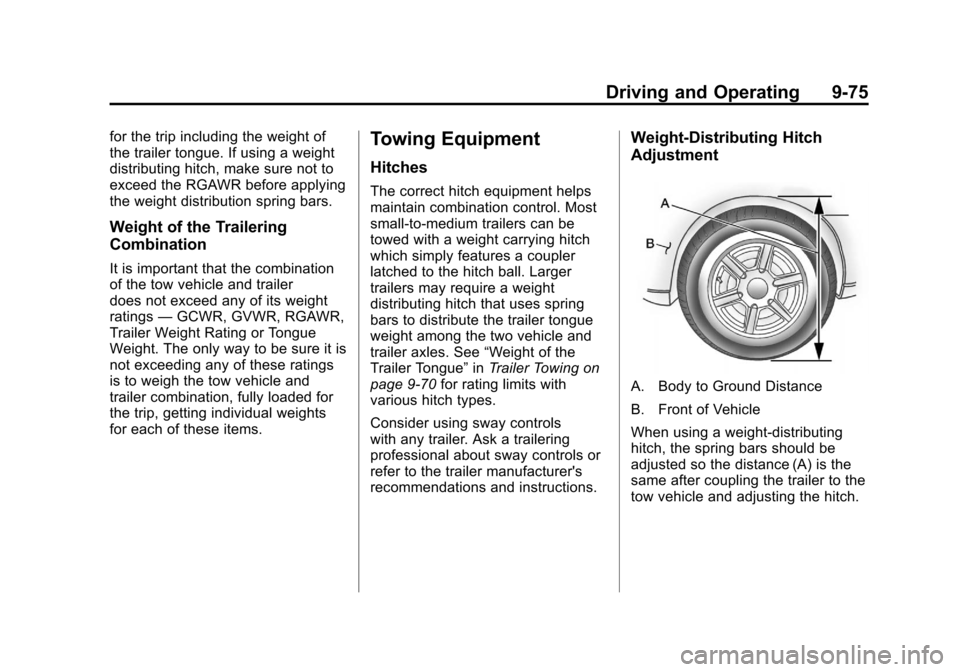
Weight‐Distributing Hitch
Adjustment
A. Body to Ground Distance
B. Front of Vehicle
When using a weight-distributing
hitch, the spring bars should be
adjusted so the distance (A) is the
same after coupling the trailer to the
tow vehicle and adjusting the hitch.
Page 507 of 514

Black plate (7,1)Chevrolet Tahoe/Suburban Owner Manual - 2012
INDEX i-7
Lap Belt . . . . . . . . . . . . . . . . . . . . . . . 3-27
Lap-Shoulder Belt . . . . . . . . . . . . . 3-21
LATCH SystemReplacing Parts after aCrash . . . . . . . . . . . . . . . . . . . . . . . 3-60
LATCH, Lower Anchors and Tethers for Children . . . . . . . . . . 3-53
Level Control Automatic . . . . . . . . . . . . . . . . . . . . . 9-48
Liftgate Carbon Monoxide . . . . . . . . 2-9, 2-10
Light StabiliTrak
®OFF . . . . . . . . . . . . . 5-22
Lighting Entry . . . . . . . . . . . . . . . . . . . . . . . . . . 6-8
Exit . . . . . . . . . . . . . . . . . . . . . . . . . . . . 6-8
Illumination Control . . . . . . . . . . . . 6-7
Lights Airbag Readiness . . . . . . . . . . . . . 5-16
Antilock Brake System(ABS) Warning . . . . . . . . . . . . . . 5-22
Brake System Warning . . . . . . . 5-21
Charging System . . . . . . . . . . . . . 5-18 Lights (cont'd)
Cruise Control . . . . . . . . . . . . . . . . 5-25
Engine Oil Pressure . . . . . . . . . . 5-24
Flash-to-Pass . . . . . . . . . . . . . . . . . . 6-3
Front Fog Lamp . . . . . . . . . . . . . . 5-25
High-Beam On . . . . . . . . . . . . . . . . 5-25
High/Low Beam Changer . . . . . . 6-2
Low Fuel Warning . . . . . . . . . . . . 5-24
Safety Belt Reminders . . . . . . . . 5-15
Security . . . . . . . . . . . . . . . . . . . . . . 5-24
Tire Pressure . . . . . . . . . . . . . . . . . 5-23
Tow/Haul Mode . . . . . . . . . . . . . . . 5-22
Traction Control System
(TCS)/StabiliTrak®. . . . . . . . . . 5-23
Locking Rear Axle . . . . . . . . . . . . . 9-48
Locks Automatic Door . . . . . . . . . . . . . . . . 2-8
Delayed Locking . . . . . . . . . . . . . . . 2-8
Door . . . . . . . . . . . . . . . . . . . . . . . . . . . 2-7
Lockout Protection . . . . . . . . . . . . . 2-8
Power Door . . . . . . . . . . . . . . . . . . . . 2-8
Safety . . . . . . . . . . . . . . . . . . . . . . . . . 2-8
Loss of Control . . . . . . . . . . . . . . . . . 9-5 Low Fuel Warning Light . . . . . . . . 5-24
Lower Anchors and Tethers
for Children (LATCH
System) . . . . . . . . . . . . . . . . . . . . . . 3-53
Lumbar Adjustment . . . . . . . . . . . . . 3-4 Front Seats . . . . . . . . . . . . . . . . . . . . 3-4
M
MaintenanceRecords . . . . . . . . . . . . . . . . . . . . .11-15
Maintenance Schedule Recommended Fluidsand Lubricants . . . . . . . . . . . . .11-12
Transfer Case . . . . . . . . . . 9-36, 9-41
Malfunction Indicator Lamp . . . . 5-18
Manual Mirrors . . . . . . . . . . . . . . . . 2-16
Manual Mode . . . . . . . . . . . . . . . . . . 9-34
Memory Features . . . . . . . . . . . . . . 1-10
Memory Seats . . . . . . . . . . . . . . . . . . 3-7
Messages Airbag System . . . . . . . . . . . . . . . . 5-42
Anti-theft Alarm System . . . . . . . 5-42
Battery Voltage andCharging . . . . . . . . . . . . . . . . . . . . 5-35
Brake System . . . . . . . . . . . . . . . . 5-35
Door Ajar . . . . . . . . . . . . . . . . . . . . . 5-36