2012 CHEVROLET SILVERADO lights
[x] Cancel search: lightsPage 205 of 584
Black plate (1,1)Chevrolet Silverado Owner Manual - 2012
Lighting 6-1
Lighting
Exterior Lighting
Exterior Lamp Controls . . . . . . . . 6-1
Exterior Lamps OffReminder . . . . . . . . . . . . . . . . . . . . 6-3
Headlamp High/Low-Beam Changer . . . . . . . . . . . . . . . . . . . . . 6-3
Flash-to-Pass . . . . . . . . . . . . . . . . . 6-3
Daytime Running Lamps (DRL) . . . . . . . . . . . . . . . . 6-3
Automatic Headlamp System . . . . . . . . . . . . . . . . . . . . . . 6-4
Hazard Warning Flashers . . . . . 6-5
Turn and Lane-Change Signals . . . . . . . . . . . . . . . . . . . . . . 6-6
Fog Lamps . . . . . . . . . . . . . . . . . . . . 6-6
Auxiliary Roof-Mounted Lamp . . . . . . . . . 6-7
Interior Lighting
Instrument Panel IlluminationControl . . . . . . . . . . . . . . . . . . . . . . 6-8
Cargo Lamp . . . . . . . . . . . . . . . . . . 6-8
Dome Lamps . . . . . . . . . . . . . . . . . 6-8
Reading Lamps . . . . . . . . . . . . . . . 6-9
Lighting Features
Entry Lighting . . . . . . . . . . . . . . . . . 6-9
Exit Lighting . . . . . . . . . . . . . . . . . . . 6-9
Battery Load Management . . . . 6-9
Battery Power Protection . . . . 6-10
Exterior Lighting
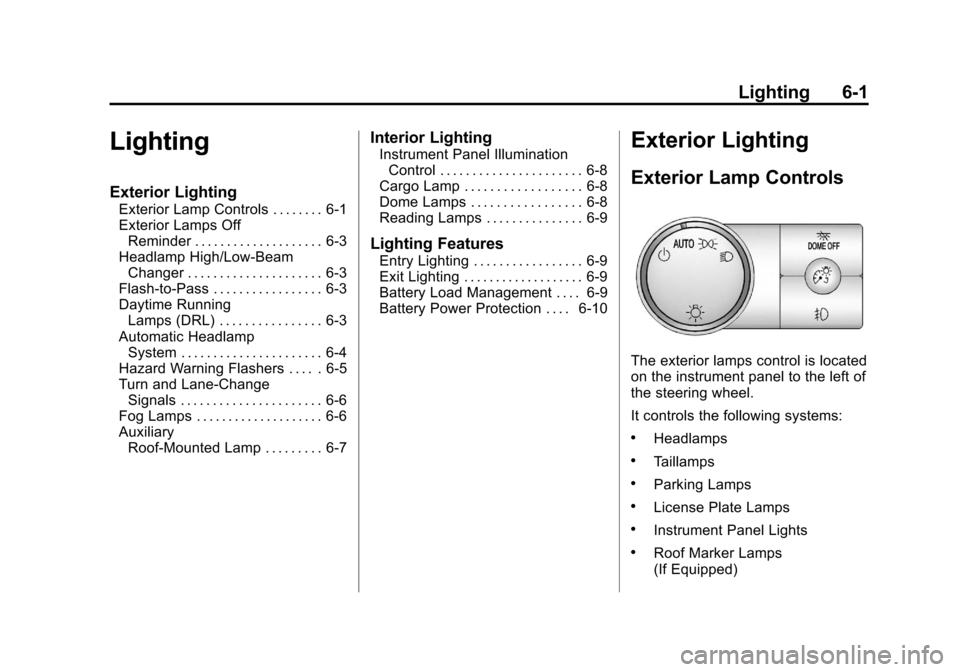
Exterior Lamp Controls
The exterior lamps control is located
on the instrument panel to the left of
the steering wheel.
It controls the following systems:
.Headlamps
.Taillamps
.Parking Lamps
.License Plate Lamps
.Instrument Panel Lights
.Roof Marker Lamps
(If Equipped)
Page 206 of 584
Black plate (2,1)Chevrolet Silverado Owner Manual - 2012
6-2 Lighting
The exterior lamps control has four
positions:
O(Off):Turns off the automatic
headlamps and Daytime Running
Lamps (DRL). Turn the headlamp
control to the off position again to
turn the automatic headlamps or
DRL back on.
For vehicles first sold in Canada,
the off position will only work when
the vehicle is shifted into P (Park).
AUTO (Automatic): Automatically
turns on the headlamps at normal
brightness, together with the
following:
.Parking Lamps
.Instrument Panel Lights
.Taillamps
.License Plate Lamps
.Roof Marker Lamps
(If Equipped) When the vehicle is turned off and
the headlamps are in AUTO, the
headlamps may automatically
remain on for a set time. The time of
the delay can be changed using the
DIC. See
Driver Information Center
(DIC) on page 5‑32
;(Parking Lamps): Turns on
the parking lamps together with the
following:
.Instrument Panel Lights
.Taillamps
.License Plate Lamps
.Roof Marker Lamps
(If Equipped)
2(Headlamps): Turns on the
headlamps together with the
following:
.Parking Lamps
.Instrument Panel Lights
.Taillamps
.License Plate Lamps
.Roof Marker Lamps
(If Equipped)
When the headlamps are turned
on while the vehicle is on, the
headlamps turn off automatically
10 minutes after the ignition is
turned off. When the headlamps are
turned on while the vehicle is off,
the headlamps will stay on for
10 minutes before automatically
turning off to prevent the battery
from being drained. Turn the
headlamp control to off and then
back to the headlamp on position to
make the headlamps stay on for an
additional 10 minutes.
Push the turn signal/multifunction
lever toward the instrument panel to
change the headlamps from low
beam to high beam.
Page 208 of 584
Black plate (4,1)Chevrolet Silverado Owner Manual - 2012
6-4 Lighting
When the DRL system is on,
only the DRL lamps are on.
The taillamps, sidemarker,
instrument panel lights, and other
lamps will not be on.
When it begins to get dark, the
automatic headlamp system
switches from DRL to the
headlamps.
To turn off the DRL lamps, turn
the exterior lamps control to the
OFF position and then release.
For vehicles first sold in Canada,
the transmission must be in the
P (Park) position before the DRL
lamps can be turned off.Automatic Headlamp
System
When it is dark enough outside, the
automatic headlamp system turns
on the headlamps at the normal
brightness, along with the taillamps,
sidemarker, parking lamps, and the
instrument panel lights. The radio
lights will also be dim.
To turn off the automatic headlamp
system, turn the exterior lamps
switch to the off position and then
release it. For vehicles first sold in
Canada, the transmission must be
in the P (Park) position before the
automatic headlamp system can be
turned off.
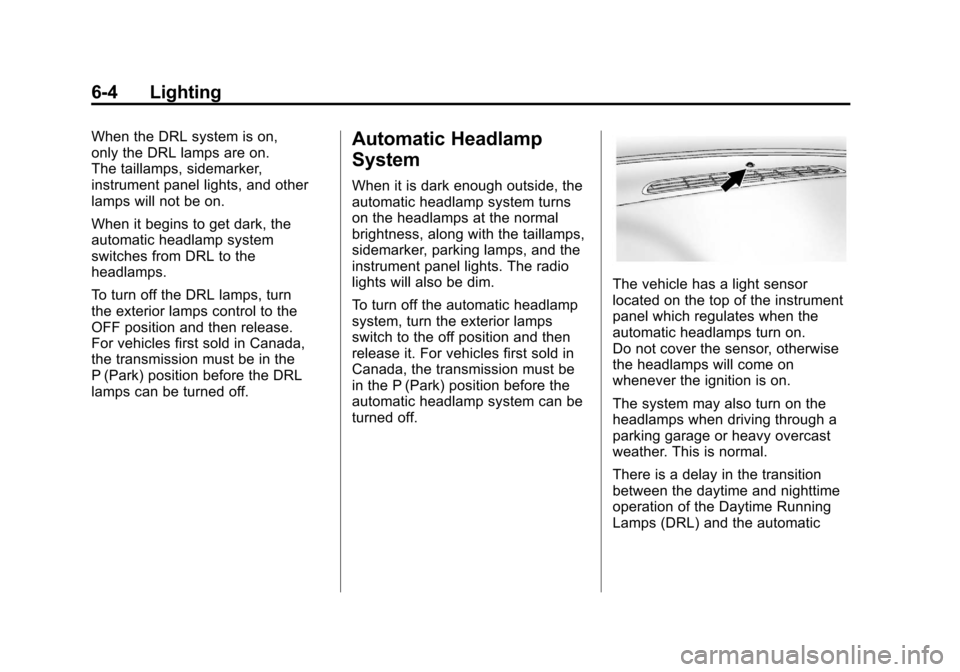
The vehicle has a light sensor
located on the top of the instrument
panel which regulates when the
automatic headlamps turn on.
Do not cover the sensor, otherwise
the headlamps will come on
whenever the ignition is on.
The system may also turn on the
headlamps when driving through a
parking garage or heavy overcast
weather. This is normal.
There is a delay in the transition
between the daytime and nighttime
operation of the Daytime Running
Lamps (DRL) and the automatic
Page 209 of 584
Black plate (5,1)Chevrolet Silverado Owner Manual - 2012
Lighting 6-5
headlamp systems so that driving
under bridges or bright overhead
street lights does not affect the
system. The DRL and automatic
headlamp system are only affected
when the light sensor detects a
change in lighting lasting longer
than the delay.
If the vehicle is started in a dark
garage, the automatic headlamp
system comes on immediately.
Once the vehicle leaves the garage,
it takes approximately one minute
for the automatic headlamp system
to change to DRL if it is bright
enough outside. During that delay,
the instrument panel cluster
may not be as bright as usual.
Make sure the instrument panel
brightness control is in the full bright
position. SeeInstrument Panel
Illumination Control on page 6‑8.
To idle the vehicle with the
automatic headlamp system off,
turn the control to the off position. The headlamps will also stay on
after you exit the vehicle.
This feature can be programmed
using the Driver Information Center
(DIC). See
Vehicle Personalization
(With DIC Buttons) on page 5‑52.
If the vehicle is not equipped
with DIC buttons, exit lighting is
automatic. When it is dark enough
outside, the exterior lamps remain
on for 30 seconds after the ignition
is moved from ON/RUN to
LOCK/OFF.
For vehicles without a radio, the
instrument panel light remains on
for 30 seconds with the driver door
closed. For vehicles with a radio,
the instrument panel light remains
on for 10 minutes with the driver
door closed. See Retained
Accessory Power (RAP) on
page 9‑32.
The regular headlamp system can
be turned on when needed.Hazard Warning Flashers
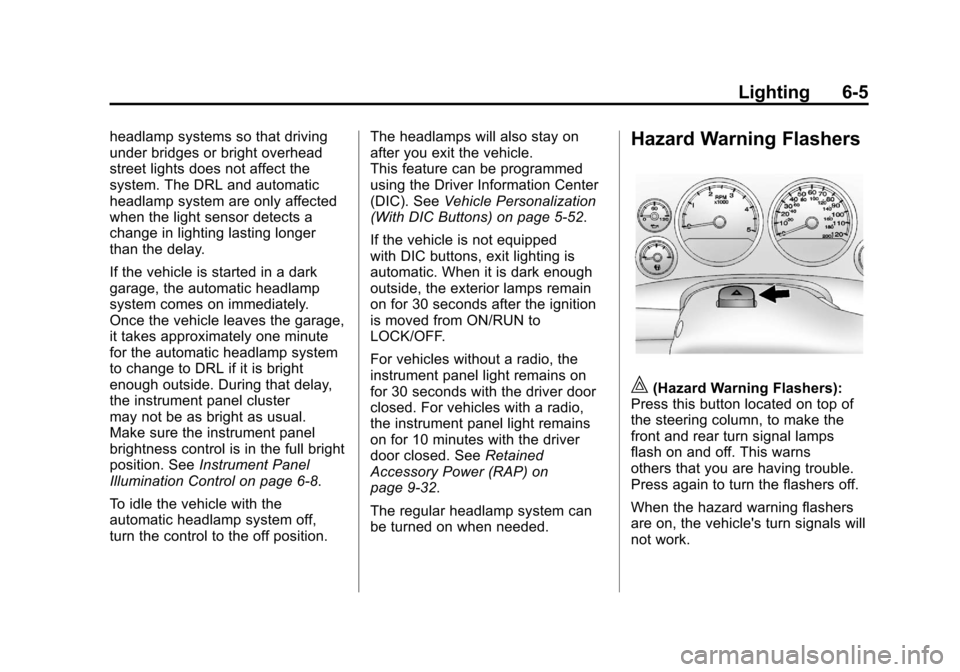
|(Hazard Warning Flashers):
Press this button located on top of
the steering column, to make the
front and rear turn signal lamps
flash on and off. This warns
others that you are having trouble.
Press again to turn the flashers off.
When the hazard warning flashers
are on, the vehicle's turn signals will
not work.
Page 212 of 584
Black plate (8,1)Chevrolet Silverado Owner Manual - 2012
6-8 Lighting
Interior Lighting
Instrument Panel
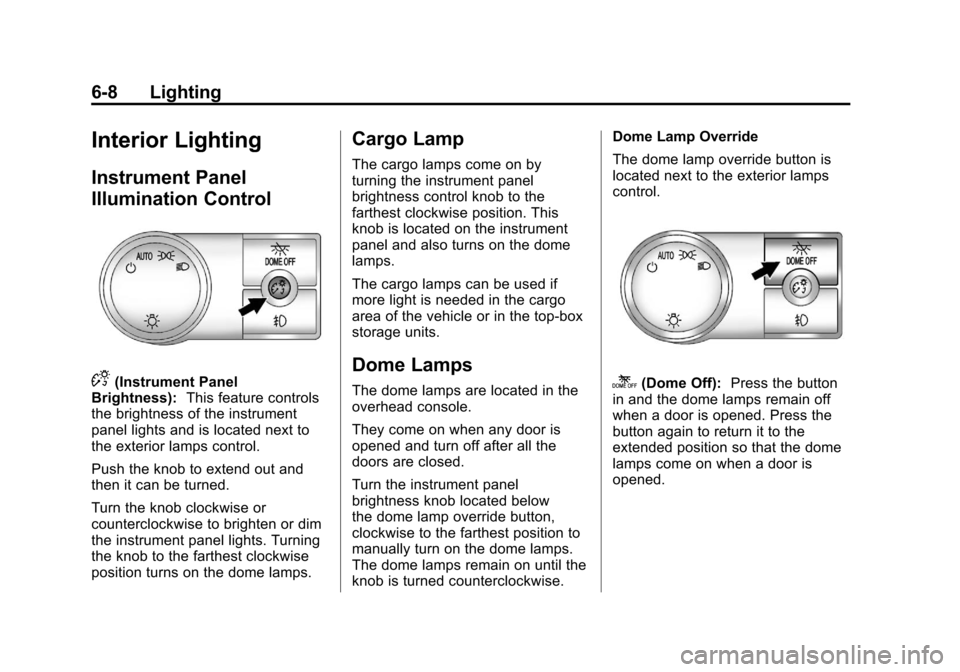
Illumination Control
D(Instrument Panel
Brightness): This feature controls
the brightness of the instrument
panel lights and is located next to
the exterior lamps control.
Push the knob to extend out and
then it can be turned.
Turn the knob clockwise or
counterclockwise to brighten or dim
the instrument panel lights. Turning
the knob to the farthest clockwise
position turns on the dome lamps.
Cargo Lamp
The cargo lamps come on by
turning the instrument panel
brightness control knob to the
farthest clockwise position. This
knob is located on the instrument
panel and also turns on the dome
lamps.
The cargo lamps can be used if
more light is needed in the cargo
area of the vehicle or in the top-box
storage units.
Dome Lamps
The dome lamps are located in the
overhead console.
They come on when any door is
opened and turn off after all the
doors are closed.
Turn the instrument panel
brightness knob located below
the dome lamp override button,
clockwise to the farthest position to
manually turn on the dome lamps.
The dome lamps remain on until the
knob is turned counterclockwise. Dome Lamp Override
The dome lamp override button is
located next to the exterior lamps
control.k(Dome Off):
Press the button
in and the dome lamps remain off
when a door is opened. Press the
button again to return it to the
extended position so that the dome
lamps come on when a door is
opened.
Page 213 of 584
Black plate (9,1)Chevrolet Silverado Owner Manual - 2012
Lighting 6-9
Reading Lamps
For vehicles with reading lamps,
they are located on the overhead
console.
To turn on the reading lamps, press
the button located next to each
lamp. To turn them off, press the
button again.
The vehicle may also have reading
lamps in other locations. To turn the
lamps on or off, press the button
located next to the lamp.
If the vehicle has a DVD Rear Seat
Entertainment (RSE) system, press
the lamp lenses to turn the lamps
on or off.
The lamps are fixed and cannot be
adjusted.
Lighting Features
Entry Lighting
The vehicle has an illuminated
entry feature.
When the doors are opened, the
dome lamps will come on if the
dome override button is in the
extended position. If the dome
override button is pressed in, the
lamps will not come on.
Exit Lighting
The interior lamps come on when
the key is removed from the ignition.
They turn off automatically in
20 seconds. The lights do not come
on if the dome override button is
pressed in.
Battery Load
Management
The vehicle has Electric Power
Management (EPM) that estimates
the battery's temperature and state
of charge. It then adjusts the voltage
for best performance and extended
life of the battery.
When the battery's state of charge
is low, the voltage is raised slightly
to quickly bring the charge back up.
When the state of charge is high,
the voltage is lowered slightly to
prevent overcharging. If the vehicle
has a voltmeter gauge or a voltage
display on the Driver Information
Center (DIC), you may see the
voltage move up or down. This is
normal. If there is a problem,
an alert will be displayed.
Page 314 of 584
Black plate (28,1)Chevrolet Silverado Owner Manual - 2012
9-28 Driving and Operating
If the vehicle must be shut off in an
emergency:
1. Brake using a firm and steadypressure. Do not pump the
brakes repeatedly. This may
deplete power assist, requiring
increased brake pedal force.
2. Shift the vehicle to neutral. This can be done while the
vehicle is moving. After shifting
to neutral, continue to firmly
apply the brakes and steer the
vehicle to a safe location.
3. Come to a complete stop. Shift to P (Park) with an
automatic transmission,
or Neutral with a manual
transmission. Turn the ignition
to LOCK/OFF.
4. Set the parking brake. See Parking Brake on page 9‑60.{WARNING
Turning off the vehicle while
moving may cause loss of power
assist in the brake and steering
systems and disable the airbags.
While driving, only shut the
vehicle off in an emergency.
If the vehicle cannot be pulled
over, and must be shut off while
driving, turn the ignition to
ACC/ACCESSORY.
On vehicles with an automatic
transmission, the shift lever
must be in P (Park) to turn the
ignition switch to LOCK/OFF.
The steering can bind with the
wheels turned off center. If this
happens, move the steering wheel
from right to left while turning the
key to ACC/ACCESSORY. If this
doesn't work, then the vehicle needs
service. Notice:
Using a tool to force the
key to turn in the ignition could
cause damage to the switch or
break the key. Use the correct
key, make sure it is all the way in,
and turn it only with your hand.
If the key cannot be turned by
hand, see your dealer.
B (ACC/ACCESSORY): This
position lets things like the radio
and the windshield wipers operate
while the engine is off. Use this
position if the vehicle must be
pushed or towed.
C (ON/RUN): This position can be
used to operate the electrical
accessories and to display some
instrument panel cluster warning
and indicator lights. This position
can also be used for service and
diagnostics, and to verify the proper
operation of the malfunction
indicator lamp as may be required
for emission inspection purposes.
Page 336 of 584
Black plate (50,1)Chevrolet Silverado Owner Manual - 2012
9-50 Driving and Operating
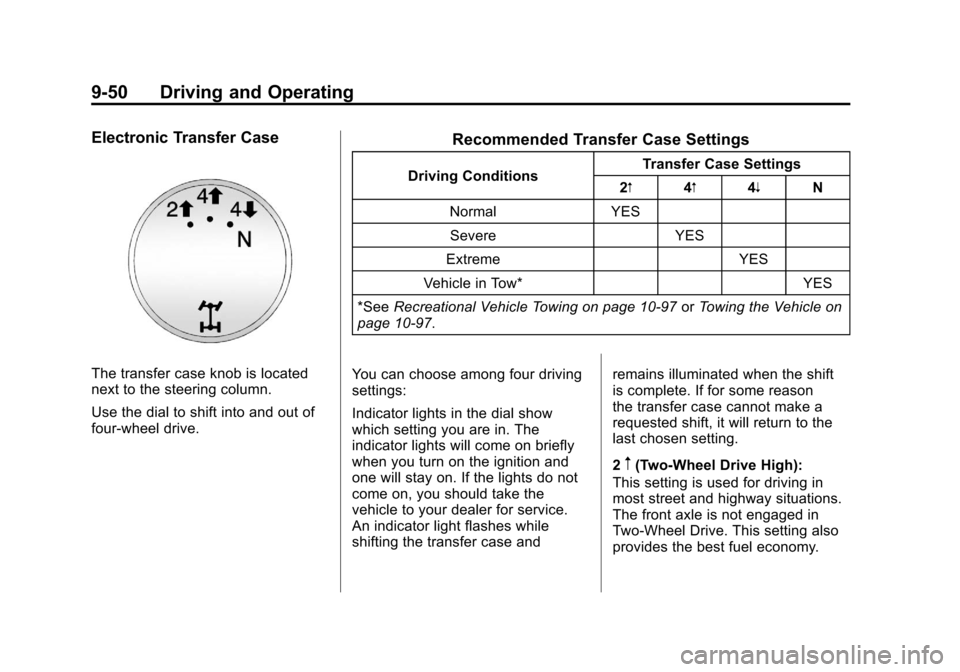
Electronic Transfer Case
The transfer case knob is located
next to the steering column.
Use the dial to shift into and out of
four-wheel drive.
Recommended Transfer Case Settings
Driving ConditionsTransfer Case Settings
2m 4m4n N
Normal YES Severe YES
Extreme YES
Vehicle in Tow* YES
*See Recreational Vehicle Towing on page 10‑97 orTowing the Vehicle on
page 10‑97.
You can choose among four driving
settings:
Indicator lights in the dial show
which setting you are in. The
indicator lights will come on briefly
when you turn on the ignition and
one will stay on. If the lights do not
come on, you should take the
vehicle to your dealer for service.
An indicator light flashes while
shifting the transfer case and remains illuminated when the shift
is complete. If for some reason
the transfer case cannot make a
requested shift, it will return to the
last chosen setting.
2
m(Two-Wheel Drive High):
This setting is used for driving in
most street and highway situations.
The front axle is not engaged in
Two-Wheel Drive. This setting also
provides the best fuel economy.