2012 CHEVROLET SILVERADO instrument cluster
[x] Cancel search: instrument clusterPage 209 of 584
Black plate (5,1)Chevrolet Silverado Owner Manual - 2012
Lighting 6-5
headlamp systems so that driving
under bridges or bright overhead
street lights does not affect the
system. The DRL and automatic
headlamp system are only affected
when the light sensor detects a
change in lighting lasting longer
than the delay.
If the vehicle is started in a dark
garage, the automatic headlamp
system comes on immediately.
Once the vehicle leaves the garage,
it takes approximately one minute
for the automatic headlamp system
to change to DRL if it is bright
enough outside. During that delay,
the instrument panel cluster
may not be as bright as usual.
Make sure the instrument panel
brightness control is in the full bright
position. SeeInstrument Panel
Illumination Control on page 6‑8.
To idle the vehicle with the
automatic headlamp system off,
turn the control to the off position. The headlamps will also stay on
after you exit the vehicle.
This feature can be programmed
using the Driver Information Center
(DIC). See
Vehicle Personalization
(With DIC Buttons) on page 5‑52.
If the vehicle is not equipped
with DIC buttons, exit lighting is
automatic. When it is dark enough
outside, the exterior lamps remain
on for 30 seconds after the ignition
is moved from ON/RUN to
LOCK/OFF.
For vehicles without a radio, the
instrument panel light remains on
for 30 seconds with the driver door
closed. For vehicles with a radio,
the instrument panel light remains
on for 10 minutes with the driver
door closed. See Retained
Accessory Power (RAP) on
page 9‑32.
The regular headlamp system can
be turned on when needed.Hazard Warning Flashers
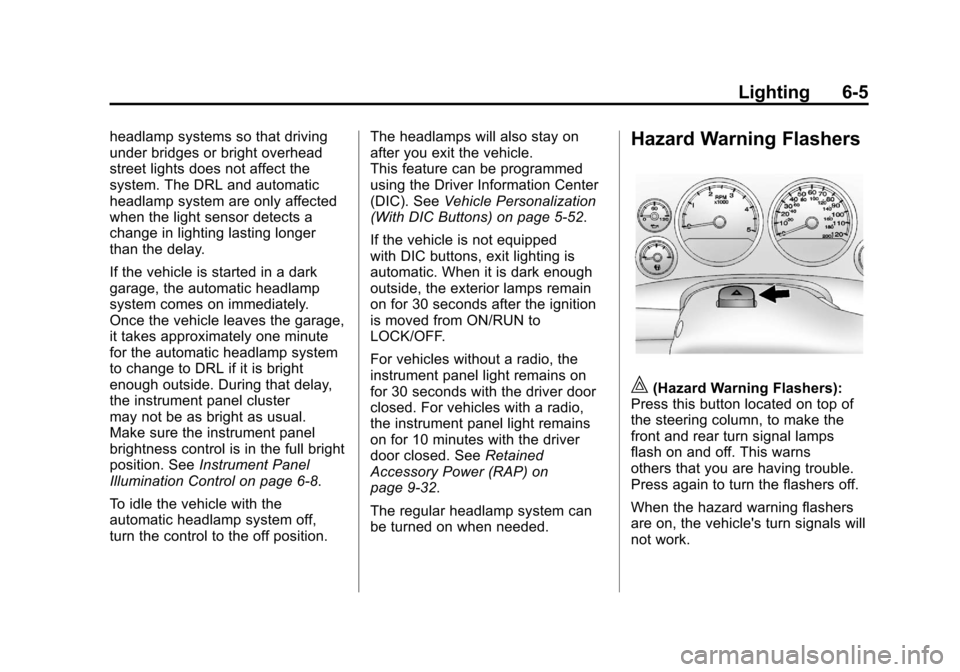
|(Hazard Warning Flashers):
Press this button located on top of
the steering column, to make the
front and rear turn signal lamps
flash on and off. This warns
others that you are having trouble.
Press again to turn the flashers off.
When the hazard warning flashers
are on, the vehicle's turn signals will
not work.
Page 210 of 584

Black plate (6,1)Chevrolet Silverado Owner Manual - 2012
6-6 Lighting
Turn and Lane-Change
Signals
An arrow on the instrument panel
cluster flashes in the direction of the
turn or lane change.
Move the lever all the way up or
down to signal a turn.
Raise or lower the lever for less
than one second until the arrow
starts to flash to signal a lane
change. This causes the turn
signals to automatically flash
three times. It will flash six times
if Tow/Haul Mode is active.Holding the turn signal lever for
more than one second will cause
the turn signals to flash until you
release the lever.
The lever returns to its starting
position whenever it is released.
If after signaling a turn or a lane
change the arrows flash rapidly or
do not come on, a signal bulb could
be burned out.
Have the bulbs replaced. If the bulb
is not burned out, check the fuse.
See
Fuses and Circuit Breakers on
page 10‑47.
Turn Signal On Chime
If the turn signal is left on for more
than 1.2 km (0.75 mi), a chime
sounds at each flash of the turn
signal, if the vehicle has a radio.
The message TURN SIGNAL ON
will also appear in the Driver
Information Center (DIC). To turn
the chime and message off, move
the turn signal lever to the off
position.
Fog Lamps
For vehicles with fog lamps, the
control is located next to the exterior
lamps control on the instrument
panel, to the left of the steering
column.
The ignition must be in the
ON/RUN position for the fog lamps
to come on.
Page 211 of 584
Black plate (7,1)Chevrolet Silverado Owner Manual - 2012
Lighting 6-7
#(Fog Lamps):Press to turn the
fog lamps on or off. A light will come
on in the instrument panel cluster.
When the fog lamps are turned on,
the parking lamps automatically
turn on.
When the headlamps are changed
to high beam, the fog lamps also go
off. When the high-beam headlamps
are turned off, the fog lamps will
come on again.
Some localities have laws that
require the headlamps to be on with
the fog lamps.Auxiliary
Roof-Mounted Lamp
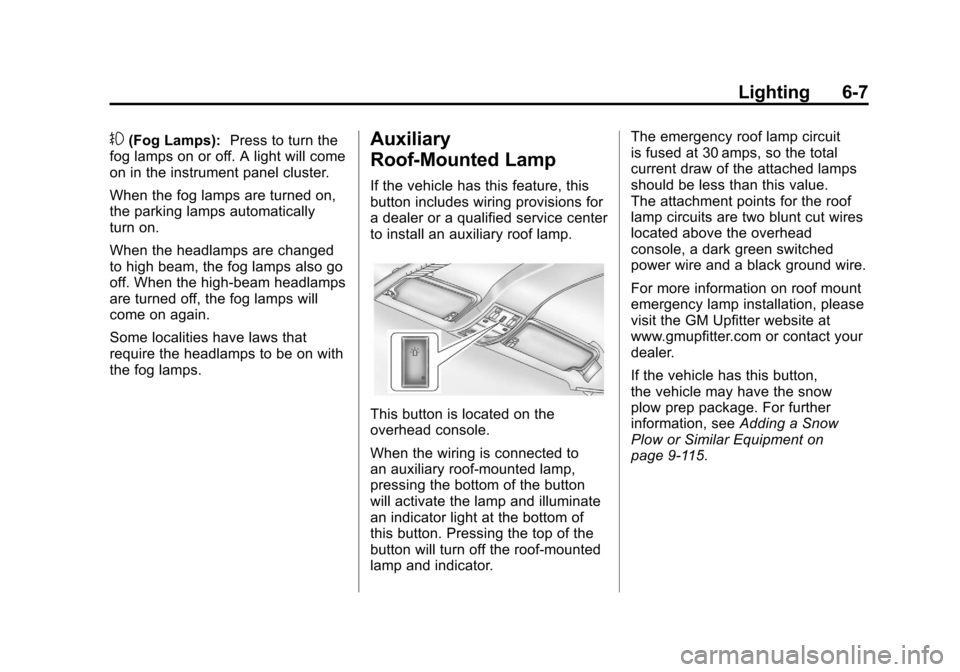
If the vehicle has this feature, this
button includes wiring provisions for
a dealer or a qualified service center
to install an auxiliary roof lamp.
This button is located on the
overhead console.
When the wiring is connected to
an auxiliary roof‐mounted lamp,
pressing the bottom of the button
will activate the lamp and illuminate
an indicator light at the bottom of
this button. Pressing the top of the
button will turn off the roof‐mounted
lamp and indicator. The emergency roof lamp circuit
is fused at 30 amps, so the total
current draw of the attached lamps
should be less than this value.
The attachment points for the roof
lamp circuits are two blunt cut wires
located above the overhead
console, a dark green switched
power wire and a black ground wire.
For more information on roof mount
emergency lamp installation, please
visit the GM Upfitter website at
www.gmupfitter.com or contact your
dealer.
If the vehicle has this button,
the vehicle may have the snow
plow prep package. For further
information, see
Adding a Snow
Plow or Similar Equipment on
page 9‑115.
Page 314 of 584
Black plate (28,1)Chevrolet Silverado Owner Manual - 2012
9-28 Driving and Operating
If the vehicle must be shut off in an
emergency:
1. Brake using a firm and steadypressure. Do not pump the
brakes repeatedly. This may
deplete power assist, requiring
increased brake pedal force.
2. Shift the vehicle to neutral. This can be done while the
vehicle is moving. After shifting
to neutral, continue to firmly
apply the brakes and steer the
vehicle to a safe location.
3. Come to a complete stop. Shift to P (Park) with an
automatic transmission,
or Neutral with a manual
transmission. Turn the ignition
to LOCK/OFF.
4. Set the parking brake. See Parking Brake on page 9‑60.{WARNING
Turning off the vehicle while
moving may cause loss of power
assist in the brake and steering
systems and disable the airbags.
While driving, only shut the
vehicle off in an emergency.
If the vehicle cannot be pulled
over, and must be shut off while
driving, turn the ignition to
ACC/ACCESSORY.
On vehicles with an automatic
transmission, the shift lever
must be in P (Park) to turn the
ignition switch to LOCK/OFF.
The steering can bind with the
wheels turned off center. If this
happens, move the steering wheel
from right to left while turning the
key to ACC/ACCESSORY. If this
doesn't work, then the vehicle needs
service. Notice:
Using a tool to force the
key to turn in the ignition could
cause damage to the switch or
break the key. Use the correct
key, make sure it is all the way in,
and turn it only with your hand.
If the key cannot be turned by
hand, see your dealer.
B (ACC/ACCESSORY): This
position lets things like the radio
and the windshield wipers operate
while the engine is off. Use this
position if the vehicle must be
pushed or towed.
C (ON/RUN): This position can be
used to operate the electrical
accessories and to display some
instrument panel cluster warning
and indicator lights. This position
can also be used for service and
diagnostics, and to verify the proper
operation of the malfunction
indicator lamp as may be required
for emission inspection purposes.
Page 324 of 584
Black plate (38,1)Chevrolet Silverado Owner Manual - 2012
9-38 Driving and Operating
Automatic
Transmission
If the vehicle is a hybrid, see the
hybrid supplement for more
information.
Vehicles with an automatic
transmission have an electronic shift
position indicator within the
instrument panel cluster. This
display comes on when the ignition
key is turned to the ON/RUN
position.
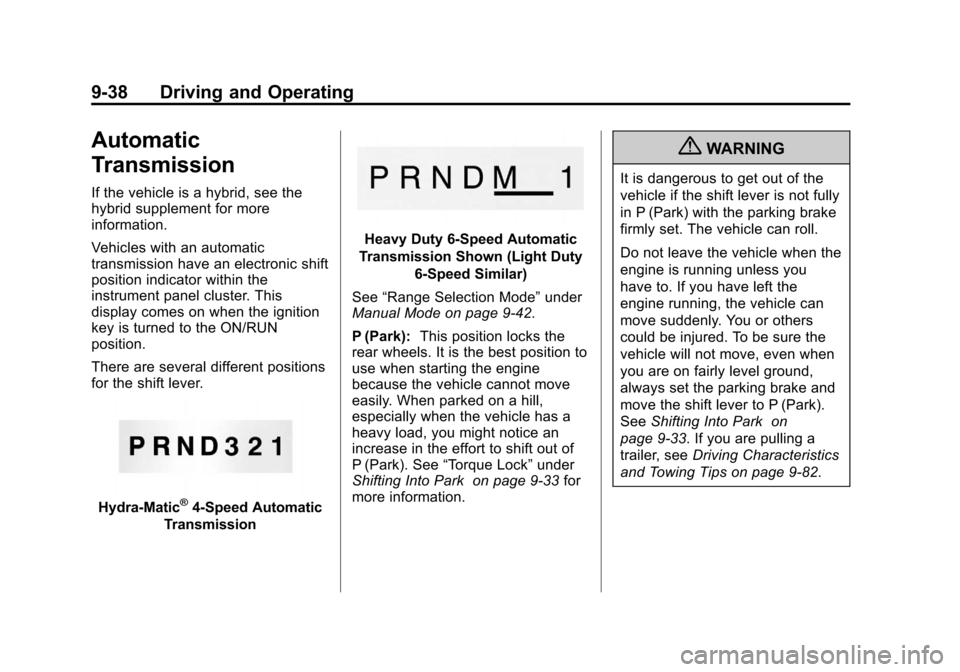
There are several different positions
for the shift lever.
Hydra-Matic®4-Speed Automatic
Transmission
Heavy Duty 6-Speed Automatic
Transmission Shown (Light Duty 6‐Speed Similar)
See “Range Selection Mode” under
Manual Mode on page 9‑42.
P (Park): This position locks the
rear wheels. It is the best position to
use when starting the engine
because the vehicle cannot move
easily. When parked on a hill,
especially when the vehicle has a
heavy load, you might notice an
increase in the effort to shift out of
P (Park). See “Torque Lock” under
Shifting Into Park on page 9‑33 for
more information.
{WARNING
It is dangerous to get out of the
vehicle if the shift lever is not fully
in P (Park) with the parking brake
firmly set. The vehicle can roll.
Do not leave the vehicle when the
engine is running unless you
have to. If you have left the
engine running, the vehicle can
move suddenly. You or others
could be injured. To be sure the
vehicle will not move, even when
you are on fairly level ground,
always set the parking brake and
move the shift lever to P (Park).
See Shifting Into Park on
page 9‑33. If you are pulling a
trailer, see Driving Characteristics
and Towing Tips on page 9‑82.
Page 329 of 584
Black plate (43,1)Chevrolet Silverado Owner Manual - 2012
Driving and Operating 9-43
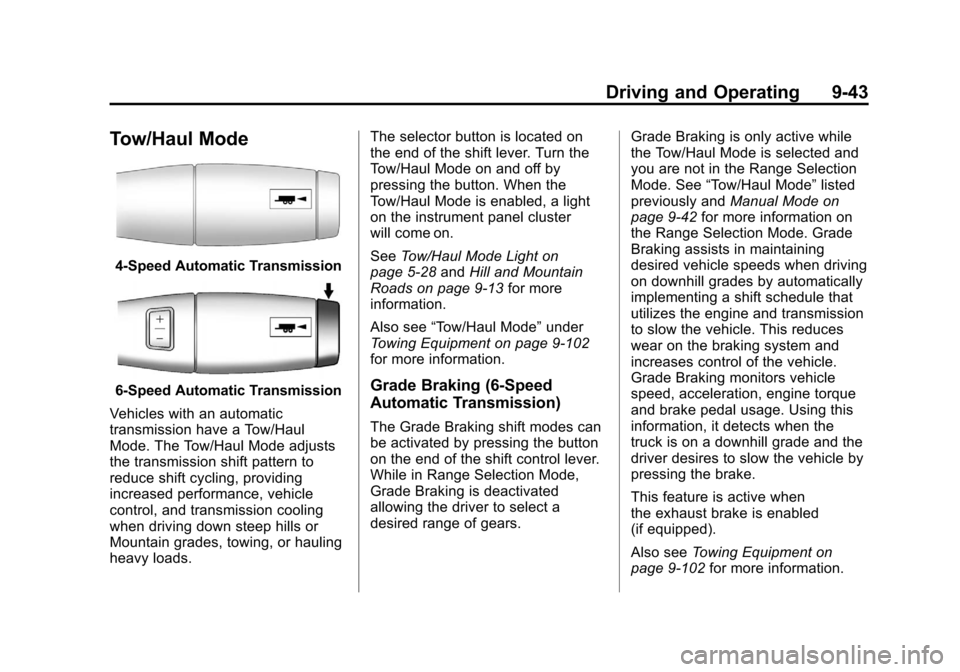
Tow/Haul Mode
4-Speed Automatic Transmission
6-Speed Automatic Transmission
Vehicles with an automatic
transmission have a Tow/Haul
Mode. The Tow/Haul Mode adjusts
the transmission shift pattern to
reduce shift cycling, providing
increased performance, vehicle
control, and transmission cooling
when driving down steep hills or
Mountain grades, towing, or hauling
heavy loads. The selector button is located on
the end of the shift lever. Turn the
Tow/Haul Mode on and off by
pressing the button. When the
Tow/Haul Mode is enabled, a light
on the instrument panel cluster
will come on.
See
Tow/Haul Mode Light on
page 5‑28 andHill and Mountain
Roads on page 9‑13 for more
information.
Also see “Tow/Haul Mode” under
Towing Equipment on page 9‑102
for more information.Grade Braking (6-Speed
Automatic Transmission)
The Grade Braking shift modes can
be activated by pressing the button
on the end of the shift control lever.
While in Range Selection Mode,
Grade Braking is deactivated
allowing the driver to select a
desired range of gears. Grade Braking is only active while
the Tow/Haul Mode is selected and
you are not in the Range Selection
Mode. See
“Tow/Haul Mode” listed
previously and Manual Mode on
page 9‑42 for more information on
the Range Selection Mode. Grade
Braking assists in maintaining
desired vehicle speeds when driving
on downhill grades by automatically
implementing a shift schedule that
utilizes the engine and transmission
to slow the vehicle. This reduces
wear on the braking system and
increases control of the vehicle.
Grade Braking monitors vehicle
speed, acceleration, engine torque
and brake pedal usage. Using this
information, it detects when the
truck is on a downhill grade and the
driver desires to slow the vehicle by
pressing the brake.
This feature is active when
the exhaust brake is enabled
(if equipped).
Also see Towing Equipment on
page 9‑102 for more information.
Page 349 of 584
Black plate (63,1)Chevrolet Silverado Owner Manual - 2012
Driving and Operating 9-63
StabiliTrak is on automatically
whenever the vehicle is started.
To assist with directional control of
the vehicle, the system should
always be left on. Trailer Sway
Control (TSC) is also on
automatically when the vehicle is
started. SeeTrailer Sway Control
(TSC) on page 9‑114 for more
information.
When the vehicle is started and
begins to move, the system
performs several diagnostic checks
to insure there are no problems.
The system may be heard or felt
while it is working. This is normal
and does not mean there is a
problem with the vehicle. The
system should initialize before the
vehicle reaches 32 km/h (20 mph).
In some cases, it may take
approximately 3.2 km (2 mi) of
driving before the system initializes. If cruise control is being used when
StabiliTrak activates, the cruise
control automatically disengages.
The cruise control can be
re-engaged when road conditions
allow. See
Cruise Control on
page 9‑66.
If the system fails to turn on or
activate, the StabiliTrak light along
with a message will be displayed on
the Driver Information Center (DIC).
If a DIC message appears, make
sure the StabiliTrak system has not
been turned off using the Traction
Control System (TCS)/StabiliTrak
button. Then turn the vehicle off,
wait 15 seconds, and then turn it
back on again to reset the system.
If any of the messages still appear
on the DIC, the vehicle should be
taken in for service. For more
information on the DIC messages,
see Ride Control System Messages
on page 5‑47.
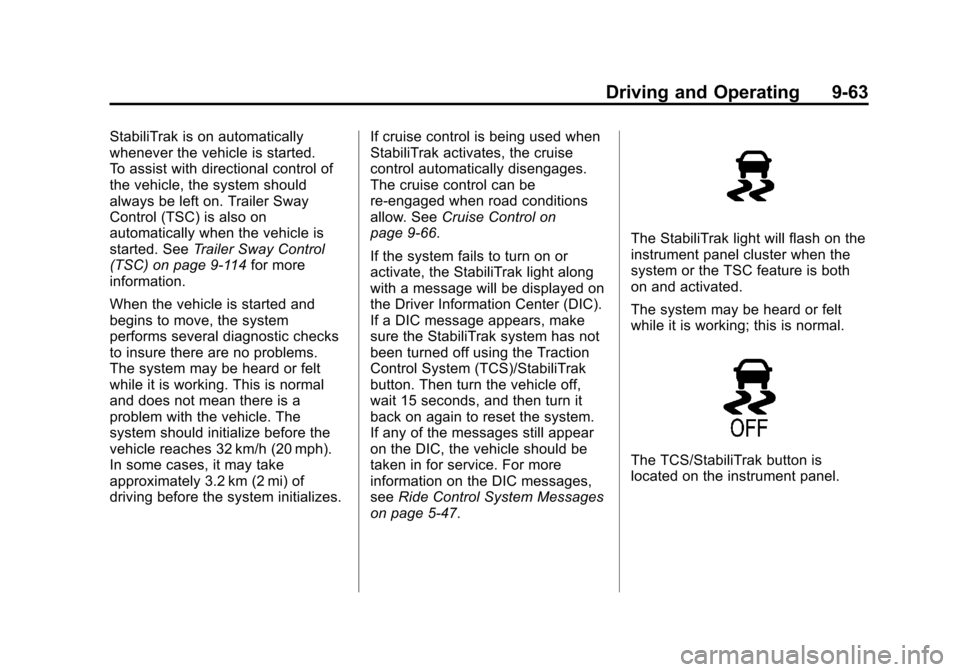
The StabiliTrak light will flash on the
instrument panel cluster when the
system or the TSC feature is both
on and activated.
The system may be heard or felt
while it is working; this is normal.
The TCS/StabiliTrak button is
located on the instrument panel.
Page 353 of 584
Black plate (67,1)Chevrolet Silverado Owner Manual - 2012
Driving and Operating 9-67
Setting Cruise Control
If the cruise button is on when not in
use, it could get bumped and go into
cruise when not desired. Keep the
cruise control switch off when cruise
is not being used.
The cruise control light on the
instrument panel cluster will come
on after the cruise control has been
set to the desired speed.
1. Press
I.
2. Get up to the desired speed.
3. Press the SET− button located
on the steering wheel and
release it.
4. Take your foot off the accelerator. Resuming a Set Speed
If the cruise control is set at a
desired speed and then the brakes
are applied, the cruise control is
disengaged without erasing the set
speed from memory.
Once the vehicle speed reaches
about 40 km/h (25 mph) or more,
press the +RES button on the
steering wheel. The vehicle returns
to the previous set speed and stays
there.
Increasing Speed While Using
Cruise Control
If the cruise control system is
already activated,
.Press and hold the +RES button
on the steering wheel until the
desired speed is reached, then
release it.
.To increase vehicle speed in
small amounts, press the +RES
button. Each time this is done,
the vehicle goes about 1.6 km/h
(1 mph) faster.Reducing Speed While Using
Cruise Control
If the cruise control system is
already activated,
.Press and hold the SET–
button
on the steering wheel until the
desired lower speed is reached,
then release it.
.To slow down in small amounts,
press the SET– button on the
steering wheel briefly. Each time
this is done, the vehicle goes
about 1.6 km/h (1 mph) slower.
Passing Another Vehicle While
Using Cruise Control
Use the accelerator pedal to
increase the vehicle speed.
When you take your foot off the
pedal, the vehicle will slow down
to the previous set cruise speed.