2012 CHEVROLET IMPALA instrument cluster
[x] Cancel search: instrument clusterPage 154 of 374
Black plate (4,1)Chevrolet Impala Owner Manual - 2012
6-4 Lighting
Hazard Warning Flashers
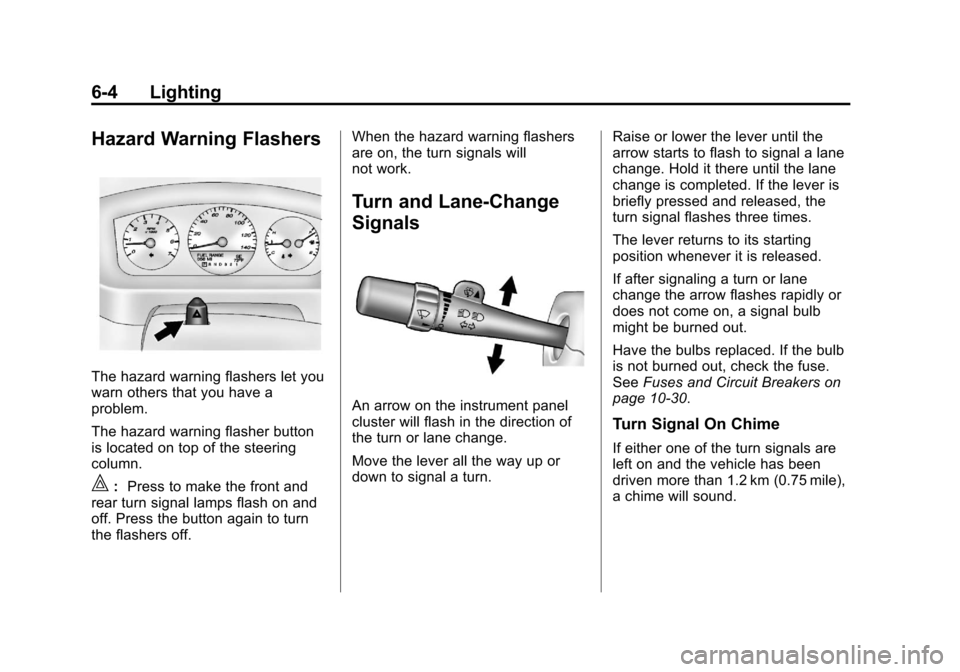
The hazard warning flashers let you
warn others that you have a
problem.
The hazard warning flasher button
is located on top of the steering
column.
|:Press to make the front and
rear turn signal lamps flash on and
off. Press the button again to turn
the flashers off. When the hazard warning flashers
are on, the turn signals will
not work.
Turn and Lane-Change
Signals
An arrow on the instrument panel
cluster will flash in the direction of
the turn or lane change.
Move the lever all the way up or
down to signal a turn.
Raise or lower the lever until the
arrow starts to flash to signal a lane
change. Hold it there until the lane
change is completed. If the lever is
briefly pressed and released, the
turn signal flashes three times.
The lever returns to its starting
position whenever it is released.
If after signaling a turn or lane
change the arrow flashes rapidly or
does not come on, a signal bulb
might be burned out.
Have the bulbs replaced. If the bulb
is not burned out, check the fuse.
See
Fuses and Circuit Breakers on
page 10‑30.
Turn Signal On Chime
If either one of the turn signals are
left on and the vehicle has been
driven more than 1.2 km (0.75 mile),
a chime will sound.
Page 155 of 374
Black plate (5,1)Chevrolet Impala Owner Manual - 2012
Lighting 6-5
Fog Lamps
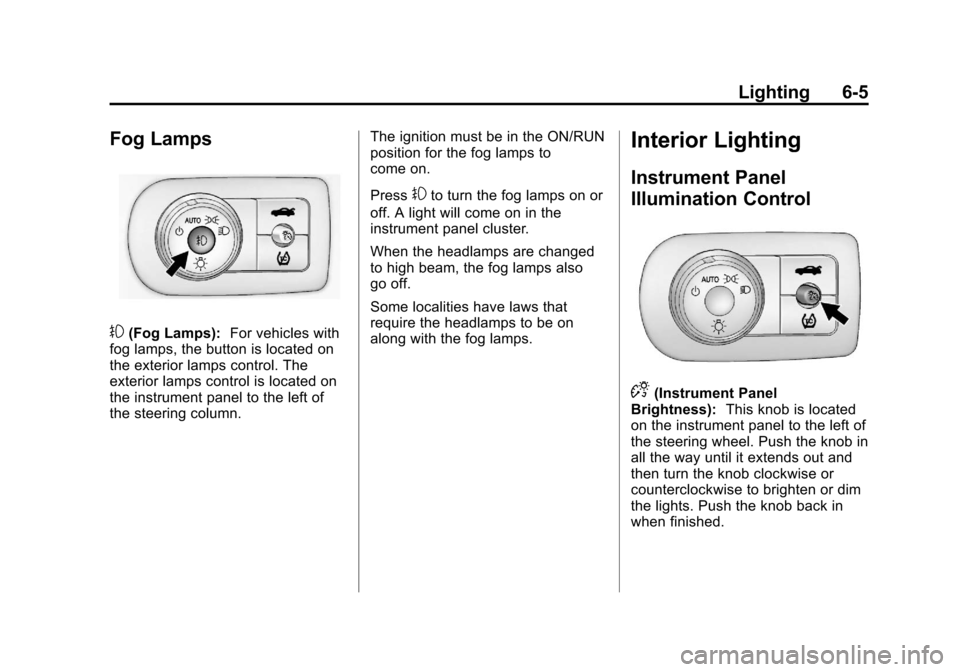
#(Fog Lamps):For vehicles with
fog lamps, the button is located on
the exterior lamps control. The
exterior lamps control is located on
the instrument panel to the left of
the steering column. The ignition must be in the ON/RUN
position for the fog lamps to
come on.
Press
#to turn the fog lamps on or
off. A light will come on in the
instrument panel cluster.
When the headlamps are changed
to high beam, the fog lamps also
go off.
Some localities have laws that
require the headlamps to be on
along with the fog lamps.
Interior Lighting
Instrument Panel
Illumination Control
D(Instrument Panel
Brightness): This knob is located
on the instrument panel to the left of
the steering wheel. Push the knob in
all the way until it extends out and
then turn the knob clockwise or
counterclockwise to brighten or dim
the lights. Push the knob back in
when finished.
Page 210 of 374
Black plate (18,1)Chevrolet Impala Owner Manual - 2012
9-18 Driving and Operating
B (ACC/ACCESSORY):This is the
position in which you can operate
the radio and windshield wipers
while the engine is off. To use ACC/
ACCESSORY, turn the key
clockwise.
C (ON/RUN): This position can be
used to operate the electrical
accessories and to display some
instrument panel cluster warning
and indicator lights. This position
can also be used for service and
diagnostics, and to verify the proper
operation of the malfunction
indicator lamp as may be required
for emission inspection purposes.
The switch stays in this position
when the engine is running.
If you leave the key in the ACC/
ACCESSORY or ON/RUN position
with the engine off, the battery could
be drained. You may not be able to
start the vehicle if the battery is
allowed to drain for an extended
period of time. D (START):
This is the position that
starts the engine. When the engine
starts, release the key. The ignition
switch returns to ON/RUN for
driving.
A warning chime will sound and the
Driver Information Center (DIC) will
display DRIVER DOOR OPEN
when the driver door is opened, the
ignition is in ACC/ACCESSORY or
LOCK/OFF, and the key is in the
ignition. See Door Ajar Messages
on page 5‑30 for more information.
Starting the Engine
Move the shift lever to P (Park) or
N (Neutral). The engine will not start
in any other position. To restart the
engine when the vehicle is already
moving, use N (Neutral) only. Notice:
Do not try to shift to
P (Park) if the vehicle is moving.
If you do, you could damage the
transmission. Shift to P (Park)
only when the vehicle is stopped.
Starting Procedure
1. With your foot off the accelerator pedal, turn the ignition to START.
When the engine starts, let go of
the key. The idle speed will slow
down as the engine warms. Do
not race the engine immediately
after starting it. Operate the
engine and transmission gently
to allow the oil to warm up and
lubricate all moving parts.
The vehicle has a
Computer-Controlled Cranking
System. This feature assists in
starting the engine and protects
components. If the ignition key is
turned to the START position,
and then released when the
engine begins cranking, the
engine will continue cranking for
a few seconds or until the
vehicle starts. If the engine does
Page 218 of 374

Black plate (26,1)Chevrolet Impala Owner Manual - 2012
9-26 Driving and Operating
Automatic
Transmission
The automatic transmission has a
shift lever located on the console
between the seats, or on the
steering column. Gear positions are
indicated on the instrument cluster.
P (Park):This position locks the
front wheels. It is the best position
to use when starting the engine
because the vehicle cannot move
easily.
{WARNING
It is dangerous to get out of the
vehicle if the shift lever is not fully
in P (Park) with the parking brake
firmly set. The vehicle can roll.
Do not leave the vehicle when the
engine is running unless you
have to. If you have left the
engine running, the vehicle can
move suddenly. You or others
could be injured. To be sure the
vehicle will not move, even when
you are on fairly level ground,
always set the parking brake and
move the shift lever to P (Park).
See Shifting Into Park on
page 9‑21. If you are pulling a
trailer, see Driving Characteristics
and Towing Tips on page 9‑43.
Page 220 of 374
Black plate (28,1)Chevrolet Impala Owner Manual - 2012
9-28 Driving and Operating
Downshifting the transmission in
slippery road conditions could result
in skidding, see "Skidding" under
Loss of Control on page 9‑5.
L (Low):This position gives you
access to gear ranges. This
provides more engine braking but
lower fuel economy than D (Drive).
You can use it on very steep hills,
or in deep snow or mud. See the
following text on Manual Mode.Manual Mode
Electronic Range Select
(ERS) Mode
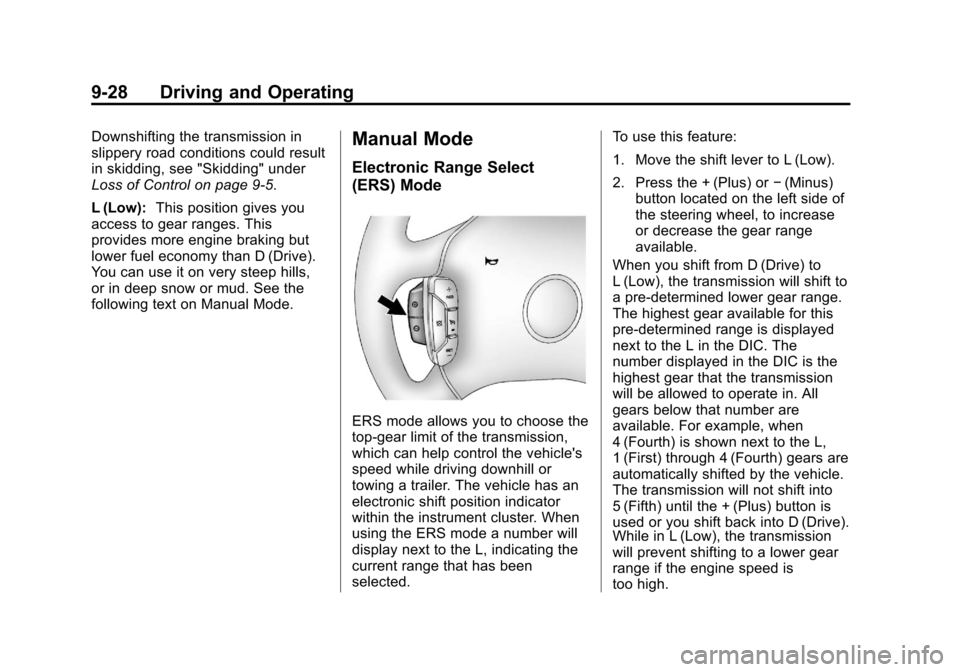
ERS mode allows you to choose the
top-gear limit of the transmission,
which can help control the vehicle's
speed while driving downhill or
towing a trailer. The vehicle has an
electronic shift position indicator
within the instrument cluster. When
using the ERS mode a number will
display next to the L, indicating the
current range that has been
selected. To use this feature:
1. Move the shift lever to L (Low).
2. Press the + (Plus) or
−(Minus)
button located on the left side of
the steering wheel, to increase
or decrease the gear range
available.
When you shift from D (Drive) to
L (Low), the transmission will shift to
a pre-determined lower gear range.
The highest gear available for this
pre-determined range is displayed
next to the L in the DIC. The
number displayed in the DIC is the
highest gear that the transmission
will be allowed to operate in. All
gears below that number are
available. For example, when
4 (Fourth) is shown next to the L,
1 (First) through 4 (Fourth) gears are
automatically shifted by the vehicle.
The transmission will not shift into
5 (Fifth) until the + (Plus) button is
used or you shift back into D (Drive).
While in L (Low), the transmission
will prevent shifting to a lower gear
range if the engine speed is
too high.
Page 222 of 374
Black plate (30,1)Chevrolet Impala Owner Manual - 2012
9-30 Driving and Operating
Parking Brake
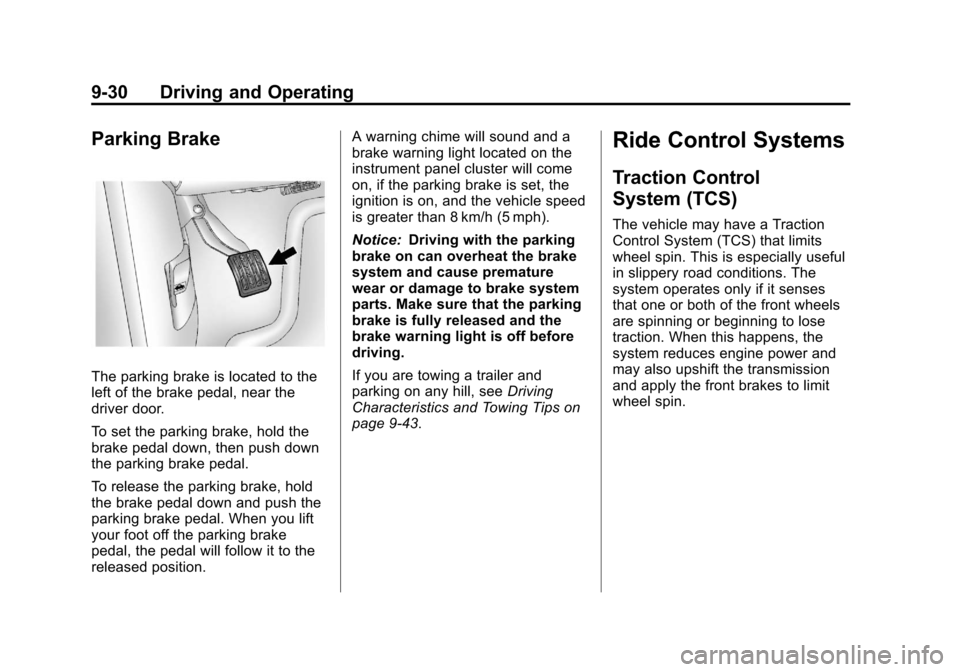
The parking brake is located to the
left of the brake pedal, near the
driver door.
To set the parking brake, hold the
brake pedal down, then push down
the parking brake pedal.
To release the parking brake, hold
the brake pedal down and push the
parking brake pedal. When you lift
your foot off the parking brake
pedal, the pedal will follow it to the
released position.A warning chime will sound and a
brake warning light located on the
instrument panel cluster will come
on, if the parking brake is set, the
ignition is on, and the vehicle speed
is greater than 8 km/h (5 mph).
Notice:
Driving with the parking
brake on can overheat the brake
system and cause premature
wear or damage to brake system
parts. Make sure that the parking
brake is fully released and the
brake warning light is off before
driving.
If you are towing a trailer and
parking on any hill, see Driving
Characteristics and Towing Tips on
page 9‑43.
Ride Control Systems
Traction Control
System (TCS)
The vehicle may have a Traction
Control System (TCS) that limits
wheel spin. This is especially useful
in slippery road conditions. The
system operates only if it senses
that one or both of the front wheels
are spinning or beginning to lose
traction. When this happens, the
system reduces engine power and
may also upshift the transmission
and apply the front brakes to limit
wheel spin.
Page 224 of 374
Black plate (32,1)Chevrolet Impala Owner Manual - 2012
9-32 Driving and Operating
Electronic Stability
Control (ESC)
Your vehicle may have an Electronic
Stability Control (ESC) system
which combines antilock brake,
traction, and stability control
systems and helps the driver
maintain directional control of the
vehicle in most driving conditions.
When you first start your vehicle
and begin to drive away, the system
performs several diagnostic checks
to ensure there are no problems.
You may hear or feel the system
working. This is normal and does
not mean there is a problem with
your vehicle. The system should
initialize before the vehicle reaches
32 km/h (20 mph).If the system fails to turn on or
activate due to a fault, the ESC/TCS
light will be on solid, and the
SERVICE STABILITRAK message
will be displayed. If the system fails
to turn on or activate due to it not
initializing, the DIC will display
STABILITRAK INITIALIZING.
For more information, see
Ride
Control System Messages on
page 5‑33.
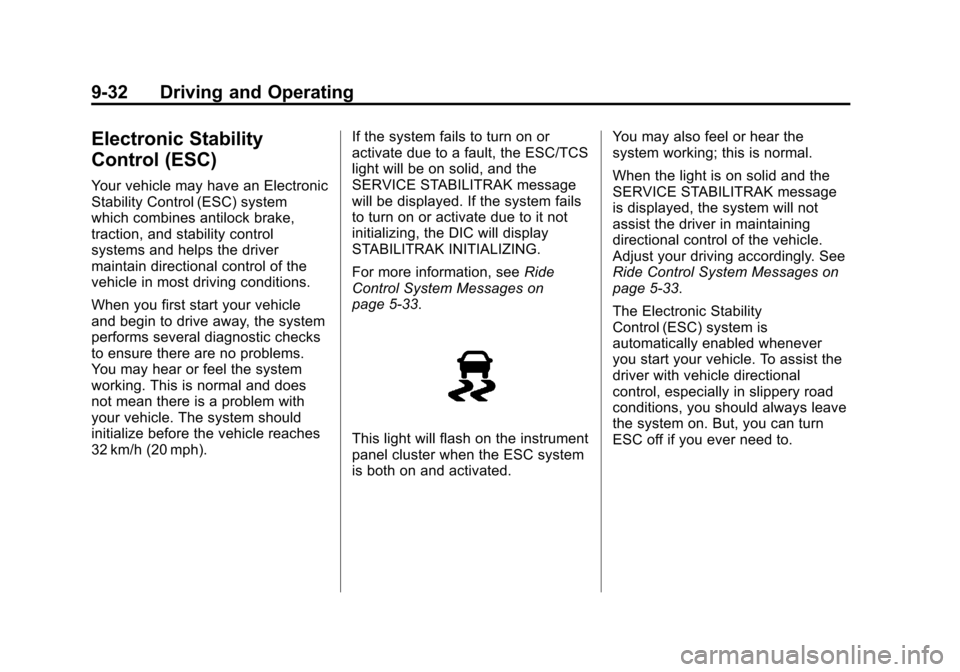
This light will flash on the instrument
panel cluster when the ESC system
is both on and activated. You may also feel or hear the
system working; this is normal.
When the light is on solid and the
SERVICE STABILITRAK message
is displayed, the system will not
assist the driver in maintaining
directional control of the vehicle.
Adjust your driving accordingly. See
Ride Control System Messages on
page 5‑33.
The Electronic Stability
Control (ESC) system is
automatically enabled whenever
you start your vehicle. To assist the
driver with vehicle directional
control, especially in slippery road
conditions, you should always leave
the system on. But, you can turn
ESC off if you ever need to.
Page 226 of 374
Black plate (34,1)Chevrolet Impala Owner Manual - 2012
9-34 Driving and Operating
Cruise Control
With cruise control, you can
maintain a speed of about 40 km/h
(25 mph) or more without keeping
your foot on the accelerator. Cruise
control does not work at speeds
below about 40 km/h (25 mph).
{WARNING
Cruise control can be dangerous
where you cannot drive safely at
a steady speed. So, do not use
the cruise control on winding
roads or in heavy traffic.
Cruise control can be dangerous
on slippery roads. On such roads,
fast changes in tire traction can
cause excessive wheel slip, and
you could lose control. Do not use
cruise control on slippery roads.If your vehicle has the Traction
Control System (TCS) and the
cruise control is on, TCS will begin
to limit wheel spin and the cruise
control automatically turns off . See
Traction Control System (TCS) on
page 9‑30. When road conditions
allow you to safely use it again, the
cruise control can be turned
back on.
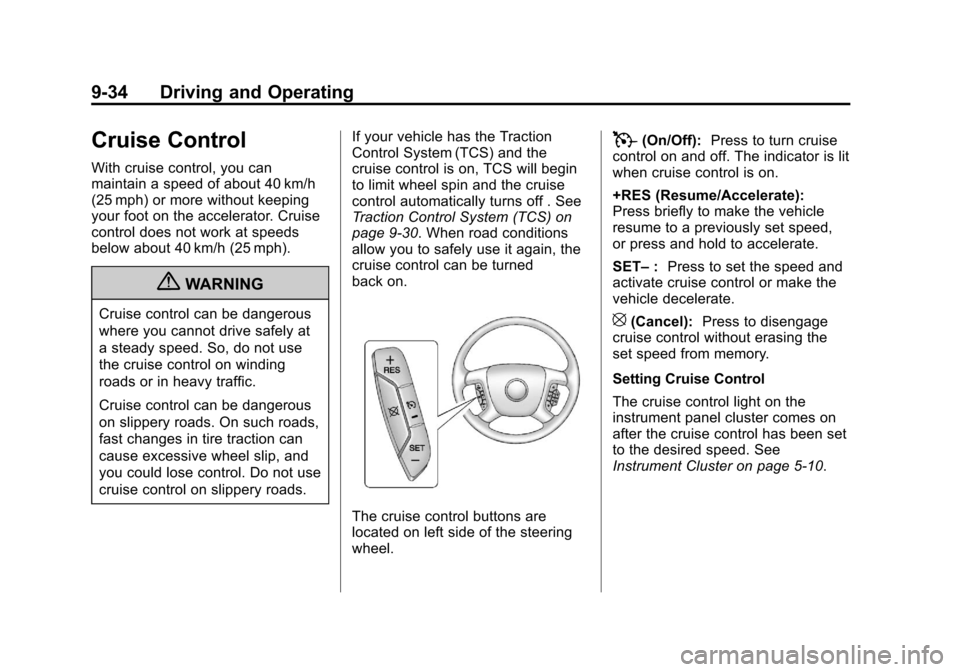
The cruise control buttons are
located on left side of the steering
wheel.
T(On/Off):
Press to turn cruise
control on and off. The indicator is lit
when cruise control is on.
+RES (Resume/Accelerate):
Press briefly to make the vehicle
resume to a previously set speed,
or press and hold to accelerate.
SET– :Press to set the speed and
activate cruise control or make the
vehicle decelerate.
[(Cancel): Press to disengage
cruise control without erasing the
set speed from memory.
Setting Cruise Control
The cruise control light on the
instrument panel cluster comes on
after the cruise control has been set
to the desired speed. See
Instrument Cluster on page 5‑10.