2012 CHEVROLET CRUZE keyless
[x] Cancel search: keylessPage 121 of 400
Black plate (13,1)Chevrolet Cruze Owner Manual - 2012
Instruments and Controls 5-13
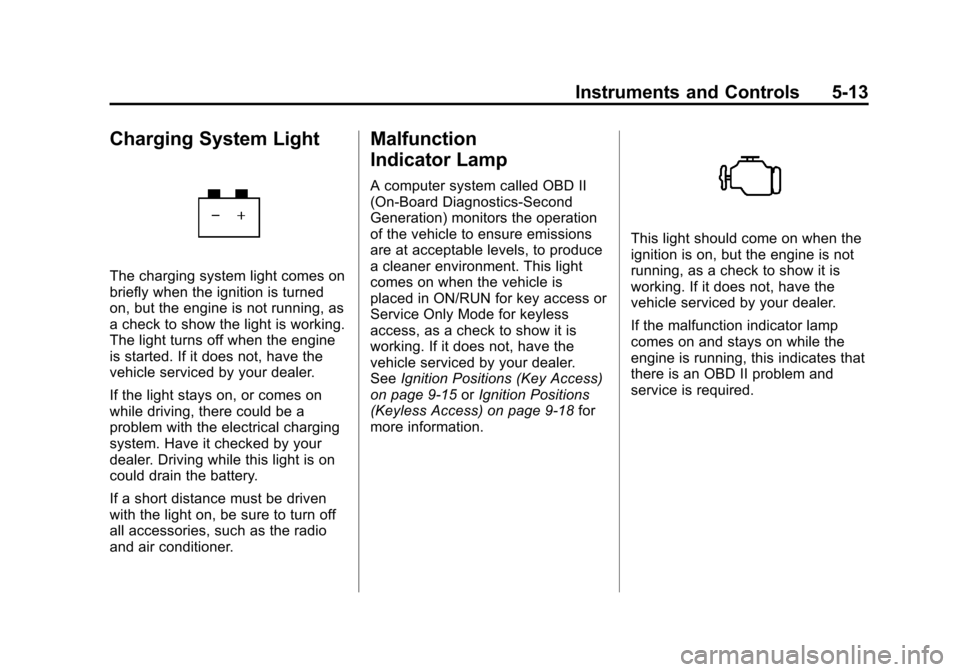
Charging System Light
The charging system light comes on
briefly when the ignition is turned
on, but the engine is not running, as
a check to show the light is working.
The light turns off when the engine
is started. If it does not, have the
vehicle serviced by your dealer.
If the light stays on, or comes on
while driving, there could be a
problem with the electrical charging
system. Have it checked by your
dealer. Driving while this light is on
could drain the battery.
If a short distance must be driven
with the light on, be sure to turn off
all accessories, such as the radio
and air conditioner.
Malfunction
Indicator Lamp
A computer system called OBD II
(On-Board Diagnostics-Second
Generation) monitors the operation
of the vehicle to ensure emissions
are at acceptable levels, to produce
a cleaner environment. This light
comes on when the vehicle is
placed in ON/RUN for key access or
Service Only Mode for keyless
access, as a check to show it is
working. If it does not, have the
vehicle serviced by your dealer.
SeeIgnition Positions (Key Access)
on page 9‑15 orIgnition Positions
(Keyless Access) on page 9‑18 for
more information.
This light should come on when the
ignition is on, but the engine is not
running, as a check to show it is
working. If it does not, have the
vehicle serviced by your dealer.
If the malfunction indicator lamp
comes on and stays on while the
engine is running, this indicates that
there is an OBD II problem and
service is required.
Page 139 of 400
Black plate (31,1)Chevrolet Cruze Owner Manual - 2012
Instruments and Controls 5-31
The performance may be reduced
the next time the vehicle is driven.
The vehicle may be driven at a
reduced speed while this message
is on, but maximum acceleration
and speed may be reduced.
Anytime this message stays on,
the vehicle should be taken to your
dealer for service as soon as
possible.
Fuel System Messages
FUEL LEVEL LOW
This message displays when the
vehicle is low on fuel. Refuel as
soon as possible.
TIGHTEN GAS CAP
This message displays when the
fuel cap is not on tight. Tighten the
fuel cap.
Key and Lock Messages
NO REMOTE DETECTED
This message displays when the
transmitter battery is weak on
vehicles with keyless access. See
“Starting the Vehicle with a Low
Transmitter Battery”underRemote
Keyless Entry (RKE) System
Operation on page 2‑3 for more
information.
REPLACE BATTERY IN
REMOTE KEY
This message displays when the
battery in the Remote Keyless Entry
(RKE) transmitter needs to be
replaced.
Lamp Messages
AUTOMATIC LIGHT
CONTROL ON
This message is displayed when the
automatic light control has been
turned on. See Automatic Headlamp
System on page 6‑3.
AUTOMATIC LIGHT
CONTROL OFF
This message is displayed when the
automatic light control has been
turned off. See Automatic Headlamp
System on page 6‑3.
XXX TURN INDICATOR
FAILURE
When one of the turn signals is out,
this message displays to show
which bulb needs to be replaced.
See Bulb Replacement on
page 10‑29 andReplacement Bulbs
on page 10‑34 for more information
on turn signal bulb replacement.
TURN SIGNAL ON
This message is displayed if the
turn signal has been left on. Turn off
the turn signal.
Page 152 of 400
Black plate (6,1)Chevrolet Cruze Owner Manual - 2012
6-6 Lighting
Lighting Features
Entry Lighting
The headlamps, parking lamps,
taillamps, and most of the interior
lights turn on briefly, when the
Remote Keyless Entry (RKE)
Kis
pressed. After about 30 seconds the
exterior lamps turn off, and then the
dome and remaining interior lights
will dim to off. Entry lighting can be
disabled manually by changing the
ignition out of the OFF position,
or by pressing the RKE
Qbutton.
This feature can be changed.
See Vehicle Personalization on
page 5‑34.
Exit Lighting
The headlamps, taillamps, parking
lamps, back‐up lamps, and license
plate lamps come on at night, or in
areas with limited lighting, when the
key is removed from the ignition.
The dome lamps also come on
when the key is removed from the
ignition. The exterior lamps and
dome lamps remain on after the
door is closed for a set amount of
time, then automatically turn off.
The exterior lamps turn off
immediately by turning the exterior
lamps control off.
The exit lighting feature can
be changed. See Vehicle
Personalization on page 5‑34.
Battery Power Protection
The battery saver feature is
designed to protect the vehicle's
battery.
If some interior lights are left on
and the ignition is turned off, the
battery rundown protection system
automatically turns the lamp off after
some time.
Page 199 of 400
Black plate (1,1)Chevrolet Cruze Owner Manual - 2012
Driving and Operating 9-1
Driving and
Operating
Driving Information
Distracted Driving . . . . . . . . . . . . . 9-2
Defensive Driving . . . . . . . . . . . . . 9-3
Drunk Driving . . . . . . . . . . . . . . . . . 9-3
Control of a Vehicle . . . . . . . . . . . 9-4
Braking . . . . . . . . . . . . . . . . . . . . . . . 9-4
Steering . . . . . . . . . . . . . . . . . . . . . . . 9-4
Off-Road Recovery . . . . . . . . . . . . 9-5
Loss of Control . . . . . . . . . . . . . . . . 9-5
Driving on Wet Roads . . . . . . . . . 9-6
Highway Hypnosis . . . . . . . . . . . . 9-7
Hill and Mountain Roads . . . . . . 9-7
Winter Driving . . . . . . . . . . . . . . . . . 9-8
If the Vehicle Is Stuck . . . . . . . . 9-10
Vehicle Load Limits . . . . . . . . . . 9-10
Starting and Operating
New Vehicle Break-In . . . . . . . . 9-15
Ignition Positions(Key Access) . . . . . . . . . . . . . . . 9-15
Ignition Positions (Keyless Access) . . . . . . . . . . . 9-18 Starting the Engine . . . . . . . . . . 9-20
Engine Heater . . . . . . . . . . . . . . . 9-22
Retained Accessory
Power (RAP) . . . . . . . . . . . . . . . 9-23
Shifting Into Park (Automatic
Transmission) . . . . . . . . . . . . . . 9-24
Shifting out of Park . . . . . . . . . . 9-25
Parking . . . . . . . . . . . . . . . . . . . . . . 9-27
Parking over Things That Burn . . . . . . . . . . . . . . . . . . 9-27
Engine Exhaust
Engine Exhaust . . . . . . . . . . . . . . 9-27
Running the Vehicle WhileParked . . . . . . . . . . . . . . . . . . . . . 9-28
Automatic Transmission
Automatic Transmission . . . . . 9-29
Manual Mode . . . . . . . . . . . . . . . . 9-31
Manual Transmission
Manual Transmission . . . . . . . . 9-33
Brakes
Antilock BrakeSystem (ABS) . . . . . . . . . . . . . . 9-35
Parking Brake . . . . . . . . . . . . . . . 9-36
Brake Assist . . . . . . . . . . . . . . . . . 9-36
Ride Control Systems
Traction Control System (TCS) . . . . . . . . . . . . . . 9-37
StabiliTrak
®System . . . . . . . . . 9-38
Cruise Control
Cruise Control . . . . . . . . . . . . . . . 9-40
Object Detection Systems
Ultrasonic Parking Assist . . . . 9-42
Fuel
Fuel . . . . . . . . . . . . . . . . . . . . . . . . . 9-44
Recommended Fuel . . . . . . . . . 9-44
Gasoline Specifications (U.S. and Canada Only) . . . . . . . . . . 9-44
California Fuel Requirements . . . . . . . . . . . . . . 9-45
Fuels in Foreign Countries . . . 9-45
Fuel Additives . . . . . . . . . . . . . . . 9-45
Filling the Tank . . . . . . . . . . . . . . 9-46
Filling a Portable Fuel Container . . . . . . . . . . . . . . . . . . . 9-48
Page 216 of 400
Black plate (18,1)Chevrolet Cruze Owner Manual - 2012
9-18 Driving and Operating
Ignition Positions
(Keyless Access)
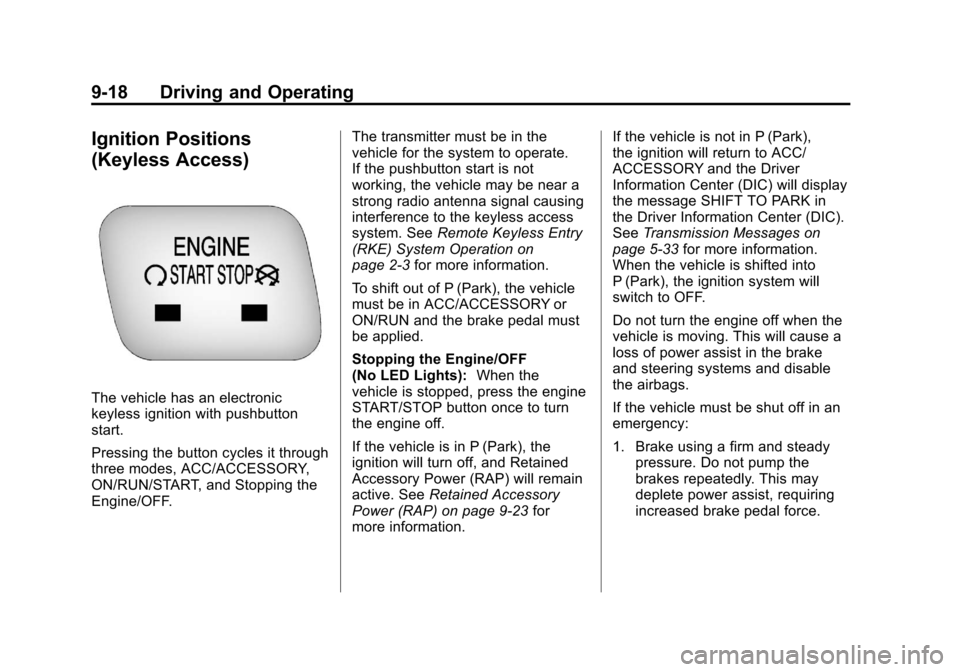
The vehicle has an electronic
keyless ignition with pushbutton
start.
Pressing the button cycles it through
three modes, ACC/ACCESSORY,
ON/RUN/START, and Stopping the
Engine/OFF.The transmitter must be in the
vehicle for the system to operate.
If the pushbutton start is not
working, the vehicle may be near a
strong radio antenna signal causing
interference to the keyless access
system. See
Remote Keyless Entry
(RKE) System Operation on
page 2‑3 for more information.
To shift out of P (Park), the vehicle
must be in ACC/ACCESSORY or
ON/RUN and the brake pedal must
be applied.
Stopping the Engine/OFF
(No LED Lights): When the
vehicle is stopped, press the engine
START/STOP button once to turn
the engine off.
If the vehicle is in P (Park), the
ignition will turn off, and Retained
Accessory Power (RAP) will remain
active. See Retained Accessory
Power (RAP) on page 9‑23 for
more information. If the vehicle is not in P (Park),
the ignition will return to ACC/
ACCESSORY and the Driver
Information Center (DIC) will display
the message SHIFT TO PARK in
the Driver Information Center (DIC).
See
Transmission Messages on
page 5‑33 for more information.
When the vehicle is shifted into
P (Park), the ignition system will
switch to OFF.
Do not turn the engine off when the
vehicle is moving. This will cause a
loss of power assist in the brake
and steering systems and disable
the airbags.
If the vehicle must be shut off in an
emergency:
1. Brake using a firm and steady pressure. Do not pump the
brakes repeatedly. This may
deplete power assist, requiring
increased brake pedal force.
Page 219 of 400
Black plate (21,1)Chevrolet Cruze Owner Manual - 2012
Driving and Operating 9-21
components. If the ignition key is
turned to the START position,
and then released when the
engine begins cranking, the
engine will continue cranking
for a few seconds or until the
vehicle starts. If the engine does
not start and the key is held in
START for many seconds,
cranking stops after 15 seconds
to prevent cranking motor
damage. To prevent gear
damage, this system also
prevents cranking if the engine
is already running. Engine
cranking can be stopped by
turning the ignition switch to
ACC/ACCESSORY or
LOCK/OFF.
Notice: Cranking the engine for
long periods of time, by returning
the key to the START position
immediately after cranking has
ended, can overheat and damage
the cranking motor, and drain the
battery. Wait at least 15 seconds
between each try, to let the
cranking motor cool down. 2. If the engine does not start after
five to 10 seconds, especially
in very cold weather (below 0°F
or−18°C), it could be flooded
with too much gasoline.
Push the accelerator pedal all
the way to the floor and hold it
there as you hold the key in
START for a maximum of
15 seconds. Wait at least
15 seconds between each try, to
allow the cranking motor to cool.
When the engine starts, let go of
the key and accelerator. If the
vehicle starts briefly but then
stops again, repeat the
procedure. This clears the extra
gasoline from the engine. Do not
race the engine immediately
after starting it. Operate the
engine and transmission gently
until the oil warms up and
lubricates all moving parts. Starting Procedure
(Keyless Access)
1. If the vehicle has the keyless
access system, the transmitter
must be in the vehicle. Put your
foot on the brake pedal and
push the START/STOP button.
When the engine begins
cranking, let go of the button.
The idle speed will go down as
your engine gets warm. Do not
race the engine immediately
after starting it. Operate the
engine and transmission gently
to allow the oil to warm up and
lubricate all moving parts.
If the transmitter is not in the
vehicle or something is
interfering with the transmitter,
the Driver Information Center
(DIC) will display NO REMOTE
DETECTED. See Driver
Information Center (DIC) on
page 5‑23 for more information.
Page 220 of 400
Black plate (22,1)Chevrolet Cruze Owner Manual - 2012
9-22 Driving and Operating
If the battery in the keyless
access transmitter needs
replacing, the DIC displays
REPLACE BATTERY IN
REMOTE KEY. The vehicle can
still be driven. See“Starting the
Vehicle with a Low Transmitter
Battery” inRemote Keyless
Entry (RKE) System Operation
on page 2‑3 for more
information.
The vehicle has a
Computer-Controlled Cranking
System. This feature assists in
starting the engine and protects
components. If the START
button is pressed, and then
released when the engine
begins cranking, the engine will
continue cranking for a few
seconds or until the vehicle
starts. If the engine does not
start and the button is pressed
for many seconds, cranking will
be stopped after 15 seconds to
prevent cranking motor damage. To prevent gear damage, this
system also prevents cranking if
the engine is already running.
Engine cranking can be stopped
by pressing the START button a
second time.
Notice: Cranking the engine for
long periods of time, by returning
the key to the START position
immediately after cranking has
ended, can overheat and damage
the cranking motor, and drain the
battery. Wait at least 15 seconds
between each try, to let the
cranking motor cool down.
2. If the engine does not start after five to 10 seconds, especially in
very cold weather (below −18°C
or 0°F), it could be flooded with
too much gasoline. Try pushing
the accelerator pedal all the way
to the floor and holding it there
as you hold the key in START,
or press the START button, for
up to a maximum of 15 seconds. Wait at least 15 seconds
between each try, to allow the
cranking motor to cool down.
When the engine starts, let go of
the key or button, and the
accelerator. If the vehicle starts
briefly but then stops again, do
the same thing. This clears the
extra gasoline from the engine.
Do not race the engine
immediately after starting it.
Operate the engine and
transmission gently until the oil
warms up and lubricates all
moving parts.
Engine Heater
The engine heater, if available, can
help in cold weather conditions at or
below
−18°C (0°F) for easier starting
and better fuel economy during
engine warm-up. Plug in the heater
at least four hours before starting
the vehicle. An internal thermostat
in the plug end of the cord will
prevent engine heater operation at
temperatures above −18°C (0°F).
Page 257 of 400
Black plate (3,1)Chevrolet Cruze Owner Manual - 2012
Vehicle Care 10-3
California Proposition
65 Warning
Most motor vehicles, including this
one, contain and/or emit chemicals
known to the State of California to
cause cancer and birth defects or
other reproductive harm. Engine
exhaust, many parts and systems,
many fluids, and some component
wear by-products contain and/or
emit these chemicals.
California Perchlorate
Materials Requirements
Certain types of automotive
applications, such as airbag
initiators, seat belt pretensioners,
and lithium batteries contained in
Remote Keyless Entry transmitters,
may contain perchlorate materials.
Special handling may be necessary.
For additional information, see
www.dtsc.ca.gov/hazardouswaste/
perchlorate.
Accessories and
Modifications
Adding non‐dealer accessories or
making modifications to the vehicle
can affect vehicle performance and
safety, including such things as
airbags, braking, stability, ride and
handling, emissions systems,
aerodynamics, durability, and
electronic systems like antilock
brakes, traction control, and stability
control. These accessories or
modifications could even cause
malfunction or damage not covered
by the vehicle warranty.
Damage to vehicle components
resulting from modifications or the
installation or use of non‐GM
certified parts, including control
module or software modifications, is
not covered under the terms of the
vehicle warranty and may affect
remaining warranty coverage for
affected parts.GM Accessories are designed to
complement and function with other
systems on the vehicle. See your
dealer to accessorize the vehicle
using genuine GM Accessories
installed by a dealer technician.
Also, see
Adding Equipment to the
Airbag-Equipped Vehicle on
page 3‑31.