2012 CHEVROLET CORVETTE C6 air condition
[x] Cancel search: air conditionPage 133 of 432
Black plate (19,1)Chevrolet Corvette Owner Manual - 2012
Instruments and Controls 5-19
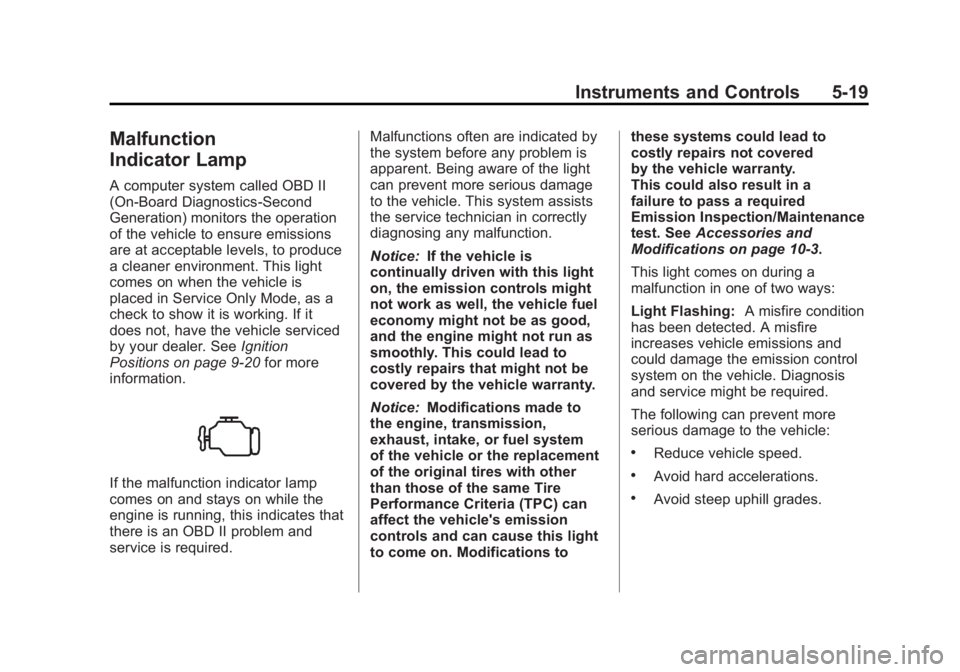
Malfunction
Indicator Lamp
A computer system called OBD II
(On-Board Diagnostics-Second
Generation) monitors the operation
of the vehicle to ensure emissions
are at acceptable levels, to produce
a cleaner environment. This light
comes on when the vehicle is
placed in Service Only Mode, as a
check to show it is working. If it
does not, have the vehicle serviced
by your dealer. SeeIgnition
Positions on page 9‑20 for more
information.
If the malfunction indicator lamp
comes on and stays on while the
engine is running, this indicates that
there is an OBD II problem and
service is required. Malfunctions often are indicated by
the system before any problem is
apparent. Being aware of the light
can prevent more serious damage
to the vehicle. This system assists
the service technician in correctly
diagnosing any malfunction.
Notice:
If the vehicle is
continually driven with this light
on, the emission controls might
not work as well, the vehicle fuel
economy might not be as good,
and the engine might not run as
smoothly. This could lead to
costly repairs that might not be
covered by the vehicle warranty.
Notice: Modifications made to
the engine, transmission,
exhaust, intake, or fuel system
of the vehicle or the replacement
of the original tires with other
than those of the same Tire
Performance Criteria (TPC) can
affect the vehicle's emission
controls and can cause this light
to come on. Modifications to these systems could lead to
costly repairs not covered
by the vehicle warranty.
This could also result in a
failure to pass a required
Emission Inspection/Maintenance
test. See
Accessories and
Modifications on page 10‑3.
This light comes on during a
malfunction in one of two ways:
Light Flashing: A misfire condition
has been detected. A misfire
increases vehicle emissions and
could damage the emission control
system on the vehicle. Diagnosis
and service might be required.
The following can prevent more
serious damage to the vehicle:
.Reduce vehicle speed.
.Avoid hard accelerations.
.Avoid steep uphill grades.
Page 150 of 432

Black plate (36,1)Chevrolet Corvette Owner Manual - 2012
5-36 Instruments and Controls
SERVICE CHARGING SYSTEM
If this message displays while you
are driving, there may be a problem
with the electrical charging system.
It could mean that there is a loose
or broken drive belt or that there is
another electrical problem. Have the
vehicle checked right away by your
dealer. Driving while this message is
on could drain the battery.
If you must drive a short distance
with the message on, be certain to
turn off the vehicle's accessories,
such as the radio and air
conditioner.
Multiple chimes sound when this
message is displayed.
To acknowledge the message, press
the RESET button. The message
reappears every 10 minutes until
this condition changes.
Brake System Messages
ABS (Antilock Brake System)
ACTIVE
This message displays when the
Antilock Brake System (ABS) is
adjusting brake pressure to help
avoid a braking skid.
Slippery road conditions may exist if
this message is displayed, so adjust
your driving accordingly. The
message stays on for a few
seconds after the system stops
adjusting brake pressure. See
Antilock Brake System (ABS) on
page 9‑35for more information.
CHANGE BRAKE PADS
On vehicles with electronic brake
pad wear sensors, this message will
be displayed when the pads are
worn. See your dealer for service.
CHECK BRAKE FLUID
This message displays, a sound
will be heard, and the brake
system warning light on the
instrument panel cluster turns on
if the ignition is on to inform the
driver that the brake fluid level is
low. SeeBrake System Warning
Light on page 5‑21. Have the brake
system serviced by your dealer as
soon as possible. See Brakes on
page 10‑34.
SERVICE ANTILOCK BRAKES
If this message displays while you
are driving, stop as soon as
possible and turn the ignition off.
Then start the engine again to reset
the system. If the message stays
on, or comes back on again while
you are driving, the vehicle is in
need of service. See your dealer.
If the antilock brake system (ABS)
warning light is on and the regular
brake system warning light is not
on, you still have brakes, but do not
Page 154 of 432

Black plate (40,1)Chevrolet Corvette Owner Manual - 2012
5-40 Instruments and Controls
ENGINE PROTECTION
REDUCE ENGINE RPM
This message displays if the engine
oil temperature exceeds 160°C
(320°F). Check the engine coolant
temperature and engine oil level.
If the engine is too hot, seeEngine
Overheating on page 10‑30.
The vehicle may need service, so
see your dealer.
You can monitor the oil temperature
with the gauges button on the DIC.
See Driver Information Center (DIC)
on page 5‑26.
Multiple chimes sound when
this message is displayed. This
message remains displayed and
active until the issue is resolved.
HOT ENGINE AIR
CONDITIONING OFF
This message displays when the
engine coolant becomes hotter than
the normal operating temperature. To avoid added strain on a hot
engine, the air conditioning
compressor is automatically turned
off. When the coolant temperature
returns to normal, the A/C operation
automatically resumes. You can
continue to drive the vehicle. If this
message continues to appear, have
the system repaired by your dealer
as soon as possible to avoid
compressor damage.
Engine Oil Messages
CHANGE ENGINE OIL
This message displays when the
life of the engine oil has expired.
See
Maintenance Schedule on
page 11‑3. After an oil change, the
engine oil life system must be reset.
See “Engine Oil Life” underDriver
Information Center (DIC) on
page 5‑26. Also, see Engine Oil on
page 10‑14 andEngine Oil Life
System on page 10‑19 for more
information.
CHECK OIL LEVEL
On some vehicles, this message
displays and two chimes sound if
the oil level in the vehicle is low.
Once the vehicle senses a change
in the engine oil level, the light
remains off.
If this message appears after
starting the engine, the engine oil
level may be too low. You may need
to add oil. See Engine Overheating
on page 10‑30.
To acknowledge the message, press
the RESET button. The message
reappears every 10 minutes until
this condition changes.
LOW OIL PRESSURE
This message displays if low oil
pressure levels occur. If this
message appears while the engine
is running, stop the engine and do
not operate it until the cause of low
oil pressure is corrected. Severe
damage to the engine can result.
Page 155 of 432

Black plate (41,1)Chevrolet Corvette Owner Manual - 2012
Instruments and Controls 5-41
A sound will be heard when this
message is displayed. SeeEngine
Oil on page 10‑14.
Engine Power Messages
ENGINE DRAG CONTROL
ACTIVE
This message displays when engine
drag control is active. When driving
in a lower gear in rainy, snowy,
or icy conditions and then letting up
on the accelerator or downshifting,
the rear wheels may begin to slip
and this message displays.
This message stays on for a few
seconds following the engine drag
control event.
REDUCED ENGINE POWER
If this message displays and the
check engine light comes on, a
noticeable reduction in the vehicle's
performance may occur. If the
REDUCED ENGINE POWER
message is displayed, but there is
no reduction in performance, proceed to your destination.
The performance may be reduced
the next time the vehicle is driven.
The vehicle may be driven at a
reduced speed while the REDUCED
ENGINE POWER message is
displayed, but acceleration and
speed may be reduced. Anytime the
check engine light stays on, the
vehicle should be taken to your
dealer as soon as possible for
diagnosis and repair. See
Malfunction Indicator Lamp on
page 5‑19
for more information.
Multiple chimes sound when this
message is displayed.
To acknowledge the message, press
the RESET button. The message
reappears every five minutes until
this condition changes.
If the REDUCED ENGINE
POWER message is displayed in
combination with the COOLANT
OVER TEMPERATURE message,
see Engine Overheating on
page 10‑30.
Fuel System Messages
CHECK GAS CAP
This message displays if the fuel
cap has not been fully tightened.
Check the fuel cap to make sure
that it is on properly. Once
tightened, it takes at least one
overnight park to reset or clear this
message. If both the CHECK GAS
CAP message and the malfunction
indicator lamp in the instrument
panel cluster are on, you may need
to see your dealer for service.
See Malfunction Indicator Lamp on
page 5‑19 for more information.
LOW FUEL
This message displays when the
fuel tank is less than 10 percent
full and the display is turned off.
A sound will be heard when this
message is displayed. Refill the fuel
tank as soon as possible. See Fuel
Gauge on page 5‑12.
Page 156 of 432

Black plate (42,1)Chevrolet Corvette Owner Manual - 2012
5-42 Instruments and Controls
SERVICE FUEL SYSTEM
This message displays if the
Powertrain Control Module (PCM)
has detected a problem within the
fuel system. Have the vehicle
serviced by your dealer. This
message also displays when the
cluster is not getting fuel information
from the PCM.
Key and Lock Messages
FOB AUTOLEARN WAIT
XX MINUTES
See“Matching Transmitter(s) to
Your Vehicle” underRemote
Keyless Entry (RKE) System
Operation on page 2‑3.
FOB BATTERY LOW
See “Battery Replacement” under
Remote Keyless Entry (RKE)
System Operation on page 2‑3.
KNOWN FOB
See “Matching Transmitter(s) to
Your Vehicle” underRemote
Keyless Entry (RKE) System
Operation on page 2‑3.
MAXIMUM NUMBER OF FOBS
LEARNED
See “Matching Transmitter(s) to
Your Vehicle” underRemote
Keyless Entry (RKE) System
Operation on page 2‑3.
NO FOBS DETECTED
This message displays if the vehicle
does not detect the presence of a
Remote Keyless Entry (RKE)
transmitter when you have
attempted to start the vehicle or
a vehicle door has just closed.
The following conditions may cause
this message to appear.
.Driver-added equipment plugged
into the accessory power outlet
on the center console is causing interference. Examples of these
devices are cell phones and cell
phone chargers, two-way radios,
power inverters, or similar items.
Try moving the RKE transmitter
away from these devices when
starting the vehicle. In addition,
PDA devices and remote garage
and gate openers may also
generate Electromagnetic
Interference (EMI) that may
interfere with the RKE
transmitter. Do not carry the
RKE transmitter in the same
pocket or bag as these devices.
.The vehicle is experiencing
Electromagnetic Interference
(EMI). Some locations, such as
airports, automatic toll booths,
and some gas stations have EMI
fields which may interfere with
the RKE transmitter.
Page 161 of 432

Black plate (47,1)Chevrolet Corvette Owner Manual - 2012
Instruments and Controls 5-47
INOPERATIVE, and MAXIMUM
SPEED 129 km/h (80 MPH) will
display together. SeeSelective Ride
Control on page 9‑43 for more
information.
SERVICE TRACTION SYSTEM
If this message displays when you
are driving, there is a problem with
the Traction Control System (TCS)
and the vehicle is in need of
service. See your dealer. When this
message is displayed, the system
will not limit wheel spin. Adjust your
driving accordingly.
The traction control system (TCS)
warning light on the instrument
panel cluster will also turn on and a
sound will be heard.
When this message is displayed,
the computer controlled systems will
not assist the driver in controlling
the vehicle. Have the system
repaired by your dealer as soon
as possible. Adjust your driving
accordingly. See Traction Control
System (TCS) on page 9‑36 for
more information. To acknowledge the message,
press the RESET button.
SHOCKS INOPERATIVE
This message displays when a
malfunction is present in the
Selective Ride Control system
which is causing the shocks to
be in their full soft mode. This is a
warning to the driver that the vehicle
handling may be affected. Have the
vehicle serviced by your dealer as
soon as possible.
To acknowledge the message, press
the RESET button . The message
reappears every 10 minutes until
this condition changes.
TRACTION SYSTEM ACTIVE
This message displays when the
Traction Control System (TCS) is
limiting wheel spin. Slippery road
conditions may exist if this message
is displayed, so adjust your driving
accordingly. The message stays on
for a few seconds after the TCS
stops limiting wheel spin. See
Traction Control System (TCS) on
page 9‑36
for more information.
TRACTION SYSTEM AND
ACTIVE HANDLING –OFF
This message displays, the
instrument panel cluster light turns
on, and a sound will be heard when
the Traction Control System (TCS)
and Active Handling System are
turned off by pressing the Active
Handling System button on the
center console for five seconds.
The Antilock Brake System (ABS)
remains on with the TCS and Active
Handling System off. Adjust your
driving accordingly. See Traction
Control System (TCS) on page 9‑36
and Active Handling System on
page 9‑38 for more information.
To acknowledge this message,
press the RESET button.
Page 163 of 432

Black plate (49,1)Chevrolet Corvette Owner Manual - 2012
Instruments and Controls 5-49
This message is an additional
reminder to the safety belt reminder
light in the instrument panel cluster.
SeeSafety Belt Reminders on
page 5‑17 for more information.
Anti-theft Alarm System
Messages
INTRUSION SENSOR OFF
This message may display when the
anti-theft alarm has been disarmed.
INTRUSION SENSOR ON
This message may display when the
anti-theft alarm has been armed.
Service Vehicle Messages
SERVICE AIR CONDITIONING
This message displays when the
electronic sensors that control the
air conditioning and heating
systems are no longer working. Have the climate control system
serviced by your dealer if you
notice a drop in heating and air
conditioning efficiency.
SERVICE ELECTRICAL
SYSTEM
This message displays if an
electrical problem has occurred
within the Powertrain Control
Module (PCM). Have the vehicle
serviced by your dealer.
SERVICE VEHICLE SOON
This message displays and a sound
will be heard when there may be an
electrical or another system problem
with the vehicle. Have your vehicle
checked by your dealer if this
message keeps appearing.
Starting the Vehicle
Messages
PRESS BRAKE TO START
ENGINE (Automatic
Transmission Only)
This message displays if you try to
start the engine by pressing the
keyless ignition start button without
having the brake pressed. The
brake needs to be pressed when
starting the engine. See
Ignition
Positions on page 9‑20 for more
information.
Tire Messages
HIGH TIRE PRESSURE
This message may be displayed
when one or more of the tires is
overinflated. This message
also displays LEFT FRONT,
RIGHT FRONT, LEFT REAR,
or RIGHT REAR to indicate
which tire is affected.
Page 164 of 432

Black plate (50,1)Chevrolet Corvette Owner Manual - 2012
5-50 Instruments and Controls
You can receive more than one tire
pressure message at a time.
To read other messages that may
have been sent at the same time,
press the RESET button . If a tire
pressure message appears on the
DIC, stop as soon as you can.
Have the tire pressures checked
and set to those shown on the
Tire and Loading Information label.
SeeRun-Flat Tires on page 10‑56,
Vehicle Load Limits on page 9‑14,
Tire Pressure on page 10‑62, and
Tire Pressure Monitor System on
page 10‑64. The DIC also shows
the tire pressure values. See Driver
Information Center (DIC) on
page 5‑26.
To acknowledge the message,
press the RESET button.
A message reappears every
10 minutes until the condition is
corrected.LOW TIRE PRESSURE or
TIRE LOW ADD AIR TO TIRE
{WARNING
When the LOW TIRE
PRESSURE or TIRE FLAT
message is displayed on the
Driver Information Center, your
vehicle's handling capabilities
will be reduced during severe
maneuvers. The active handling
system will be affected. See
Active Handling System on
page 9‑38. If you drive too fast,
you could lose control of your
vehicle. You or others could be
injured. Do not drive over 90 km/h
(55 mph) when the LOW TIRE
PRESSURE or TIRE FLAT
message is displayed. Drive
cautiously and check your tire
pressures as soon as you can. This message displays when one or
more of the tires is underinflated.
This message also displays LEFT
FRONT, RIGHT FRONT, LEFT
REAR, or RIGHT REAR to indicate
which tire is affected. Multiple
chimes sound and the tire pressure
light on the instrument panel cluster
turns on when this message is
displayed. See
Tire Pressure Light
on page 5‑24. You can receive more
than one tire pressure message at a
time. To read other messages that
may have been sent at the same
time, press the RESET button. If a
tire pressure message appears on
the DIC, stop as soon as you can.
Have the tire pressures checked
and set to those shown on the Tire
and Loading Information label.
See Run-Flat Tires on page 10‑56,
Vehicle Load Limits on page 9‑14,
Tire Pressure on page 10‑62, and
Tire Pressure Monitor System on
page 10‑64. The DIC also shows