2012 BUICK LACROSSE park assist
[x] Cancel search: park assistPage 296 of 512
Black plate (22,1)Buick LaCrosse Owner Manual - 2012
9-22 Driving and Operating
Starting the Engine
Move the shift lever to P (Park) or
N (Neutral). The engine will not start
in any other position. To restart the
engine when the vehicle is already
moving, use N (Neutral) only.
Notice:Do not try to shift to
P (Park) if the vehicle is moving.
If you do, you could damage the
transmission. Shift to P (Park)
only when the vehicle is stopped.
Notice: The engine is designed to
work with the electronics in the
vehicle. If you add electrical parts
or accessories, you could change
the way the engine operates.
Before adding electrical
equipment, check with your
dealer. If you do not, the engine
might not perform properly. Any
resulting damage would not be
covered by the vehicle warranty. Starting Procedure (Key Access)
1. With your foot off the accelerator
pedal, turn the ignition key to
START. When the engine starts,
let go of the ignition.
The idle speed will go down as
your engine gets warm. Do not
race the engine immediately
after starting it. Operate the
engine and transmission gently
to allow the oil to warm up and
lubricate all moving parts.
The vehicle has a
Computer-Controlled Cranking
System. This feature assists in
starting the engine and protects
components. If the ignition key is
turned to the START position,
and then released when the
engine begins cranking, the
engine will continue cranking for
a few seconds or until the
vehicle starts. If the engine does
not start and the key is held in
START for many seconds,
cranking will be stopped after
15 seconds to prevent cranking motor damage. To prevent gear
damage, this system also
prevents cranking if the engine
is already running. Engine
cranking can be stopped by
turning the ignition switch to
ACC/ACCESSORY or
LOCK/OFF.
Notice: Cranking the engine for
long periods of time, by returning
the key to the START position
immediately after cranking has
ended, can overheat and damage
the cranking motor, and drain the
battery. Wait at least 15 seconds
between each try, to let the
cranking motor cool down.
2. If the engine does not start after five to 10 seconds, especially in
very cold weather (below −18°C
or 0°F), it could be flooded with
too much gasoline. Try pushing
the accelerator pedal all the way
to the floor and holding it there
as you hold the key in START,
or press the START button, for
up to a maximum of 15 seconds.
Wait at least 15 seconds
Page 298 of 512
Black plate (24,1)Buick LaCrosse Owner Manual - 2012
9-24 Driving and Operating
2. If the engine does not start afterfive to 10 seconds, especially in
very cold weather (below −18°C
or 0°F), it could be flooded with
too much gasoline. Try pushing
the accelerator pedal all the way
to the floor and holding it there
as you hold the key in START,
or press the START button, for
up to a maximum of 15 seconds.
Wait at least 15 seconds
between each try, to allow the
cranking motor to cool down.
When the engine starts, let go of
the key or button, and the
accelerator. If the vehicle starts
briefly but then stops again, do
the same thing. This clears the
extra gasoline from the engine.
Do not race the engine
immediately after starting it.
Operate the engine and
transmission gently until the oil
warms up and lubricates all
moving parts.eAssist Automatic Engine
Start/Stop
{WARNING
Exiting the vehicle, without first
shifting into P (Park), may cause
the vehicle to move, you or others
may be injured. Because the
vehicle has the automatic engine
start/stop feature, the vehicle's
engine might seem to be shut off;
however, once the brake pedal is
released, the engine will start up
again.
Shift to P (Park) and turn the
ignition to LOCK/OFF, before
exiting the vehicle.
Vehicles with eAssist have an
automatic engine start/stop feature.
After the engine is started and has
reached operating temperature, the
auto stop feature may cause the
engine to turn off when the brakes
are applied and the vehicle comes
to a complete stop. The vehicle may remain in auto stop for up to
two minutes. When the brake is
released or the accelerator pedal
applied, the engine will start. The
engine will continue to run until the
next auto stop.
AUTO STOP on the tachometer
signifies that the engine is in auto
stop mode. See
Tachometer on
page 5‑12 for more information.
When the vehicle is turned off, the
tachometer will move to OFF. If the
driver door is opened while in auto
stop mode, a chime will sound.
To restart the engine during auto
stop, release the brake pedal or
press the accelerator pedal. The
engine starts immediately. The
vehicle continues to run until the
next stop.
There are several conditions which
may prevent an auto stop or cause
an auto start.
Page 303 of 512
Black plate (29,1)Buick LaCrosse Owner Manual - 2012
Driving and Operating 9-29
Shifting out of Park
Automatic Transmission
Shift Lock
The vehicle has an automatic
transmission shift lock control
system. The shift lock control
system is designed to:
.Prevent ignition key removal
unless the shift lever is in
P (Park).
.Prevent movement of the shift
lever out of P (Park), unless the
ignition is in ON/RUN and the
brake pedal is applied.
The shift lock is always functional
except in the case of an uncharged
or low voltage (less than 9‐volt)
battery.
If the vehicle has an uncharged
battery or a battery with low voltage,
try charging or jump starting the
battery. See Jump Starting
(On-board with eAssist Only) on
page 10‑94 orJump Starting (with
or without eAssist) on page 10‑95. If the shift lever cannot be moved
out of P (Park):
1. Apply and maintain the regular
brakes.
2. Turn the ignition to the ON/RUN position. See Ignition Positions
(Key Access) on page 9‑18 or
Ignition Positions (Keyless
Access) on page 9‑20 for more
information.
3. Let up on the shift lever and make sure the shift lever is
pushed all the way into P (Park).
4. Press the shift lever button.
5. Move the shift lever into the desired gear.
If you still cannot move the shift
lever from P (Park), consult your
dealer or a professional towing
service.
Parking over Things
That Burn
{WARNING
Things that can burn could touch
hot exhaust parts under the
vehicle and ignite. Do not park
over papers, leaves, dry grass,
or other things that can burn.
Page 318 of 512

Black plate (44,1)Buick LaCrosse Owner Manual - 2012
9-44 Driving and Operating
Passing Another Vehicle While
Using Cruise Control
Use the accelerator pedal to
increase the vehicle's speed. When
you take your foot off the pedal, the
vehicle will slow down to the
previous set cruise control speed.
Using Cruise Control on Hills
How well the cruise control works
on hills depends upon the vehicle's
speed, load, and the steepness of
the hills. When going up steep hills,
you might have to step on the
accelerator pedal to maintain the
vehicle's speed. When going
downhill, you might have to brake or
shift to a lower gear to maintain the
vehicle's speed. When the brakes
are applied the cruise control
shuts off.Ending Cruise Control
There are three ways to end cruise
control:
.To disengage cruise control,
step lightly on the brake pedal;
when cruise control disengages,
the indicator light will not be lit.
.Press*on the steering wheel.
.To turn off the cruise control,
press
1on the steering wheel.
Erasing Speed Memory
The cruise control set speed is
erased from memory by pressing
1
or if the ignition is turned off.
Object Detection
Systems
Ultrasonic Parking Assist
If available, the Ultrasonic Rear
Parking Assist (URPA) system
assists the driver with parking and
avoiding objects while in
R (Reverse). URPA operates at
speeds less than 8 km/h (5 mph).
The sensors on the rear bumper
detect objects up to 2.5 m (8 ft)
behind the vehicle, and at least
20 cm (8 in) off the ground.
Page 319 of 512
Black plate (45,1)Buick LaCrosse Owner Manual - 2012
Driving and Operating 9-45
{WARNING
The URPA system does not
detect pedestrians, bicyclists,
animals, or any other objects
located below the bumper or that
are too close or too far from the
vehicle. To prevent injury, death,
or vehicle damage, even with
URPA, always check behind the
vehicle and check all mirrors
before backing.
How the System Works
URPA comes on automatically when
the shift lever is moved into
R (Reverse). A single tone sounds
to indicate the system is working.
URPA operates only at speeds less
than 8 km/h (5 mph).An obstacle is indicated by audible
beeps. The interval between the
beeps becomes shorter as the
vehicle gets closer to the obstacle.
When the distance is less than
30 cm (12 in) the beeping is a
continuous tone for five seconds.
To be detected, objects must be at
least 20 cm (8 in) off the ground and
below trunk level. Objects must also
be within 2.5 m (8 ft) from the rear
bumper. The distance at which
objects can be detected may be
less during warmer or humid
weather.
Turning the System On and Off
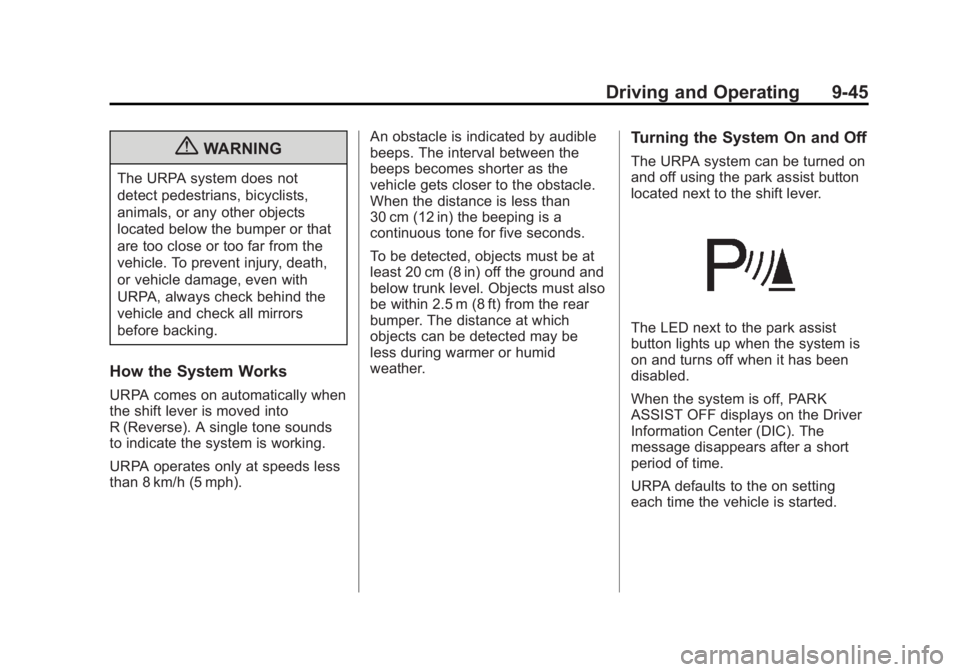
The URPA system can be turned on
and off using the park assist button
located next to the shift lever.
The LED next to the park assist
button lights up when the system is
on and turns off when it has been
disabled.
When the system is off, PARK
ASSIST OFF displays on the Driver
Information Center (DIC). The
message disappears after a short
period of time.
URPA defaults to the on setting
each time the vehicle is started.
Page 320 of 512

Black plate (46,1)Buick LaCrosse Owner Manual - 2012
9-46 Driving and Operating
When the System Does Not
Seem to Work Properly
The following messages may be
displayed on the DIC:
SERVICE PARK ASSIST:If this
message occurs, take the vehicle to
your dealer to repair the system.
PARK ASSIST OFF: If the URPA
system does not activate due to a
temporary condition, this message
displays on the DIC. This can occur
under the following conditions:
.The driver has disabled the
system.
.The ultrasonic sensors are not
clean. Keep the vehicle's rear
bumper free of mud, dirt, snow,
ice, and slush. For cleaning
instructions, see Exterior Care
on page 10‑102.
.The park assist sensors are
covered by frost or ice. Frost or
ice can form around and behind
the sensors and may not always
be seen; this can occur after
washing the vehicle in cold
weather. The message may not
clear until the frost or ice has
melted.
.An object was hanging out of the
trunk during the last drive cycle.
Once the object is removed,
URPA will return to normal
operation.
.The bumper is damaged. Take
the vehicle to your dealer to
repair the system.
.Other conditions, such as
vibrations from a jackhammer or
the compression of air brakes on
a very large truck, are affecting
system performance.
Side Blind Zone
Alert (SBZA)
The vehicle may have a Side Blind
Zone Alert (SBZA) system. Read
this entire section before using the
system.
{WARNING
SBZA does not detect vehicles
rapidly approaching outside of the
side blind zones, pedestrians,
bicyclists, or animals. Failure to
use proper care when changing
lanes may result in injury, death,
or vehicle damage. Always check
for other vehicles and use the
turn signals when changing lanes.
Page 323 of 512
Black plate (49,1)Buick LaCrosse Owner Manual - 2012
Driving and Operating 9-49
Rear Vision
Camera (RVC)
This vehicle may have an RVC
system. Read this entire section
before using it.
The RVC system can assist the
driver when backing up by
displaying a view of the area behind
the vehicle.
{WARNING
The RVC system does not display
pedestrians, bicyclists, animals,
or any other object located
outside the camera's field of view,
below the bumper, or under the
vehicle.
Do not back the vehicle using
only the RVC screen or by using
the screen during longer, higher
speed backing maneuvers,
or where there could be(Continued)
WARNING (Continued)
cross-traffic. Perceived distances
may be different from actual
distances.
Failure to use proper care before
backing may result in injury,
death, or vehicle damage. Always
check before backing by checking
behind and around the vehicle.
An image appears on the navigation
screen with the message Check
Surroundings for Safety when the
vehicle is shifted into R (Reverse).
The navigation screen goes to the
previous screen after approximately
10 seconds once the vehicle is
shifted out of R (Reverse). To cancel the delay, do one of the
following:.Press a hard key on the
navigation system.
.Shift into P (Park).
.Reach a vehicle speed of
8 km/h (5 mph).
Turning the Rear Vision Camera
System On or Off
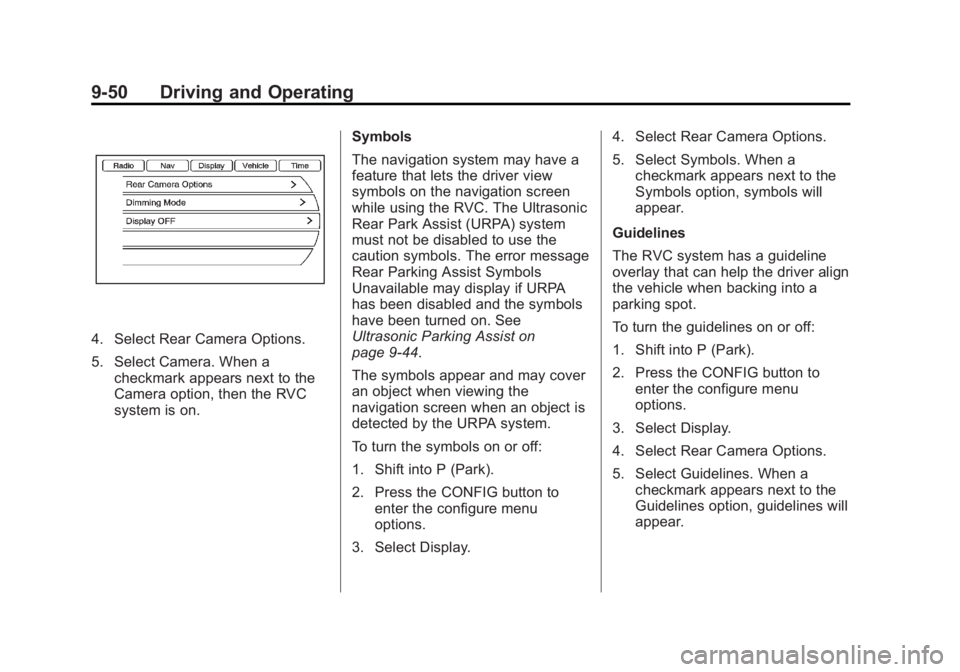
To turn the RVC system on or off:
1. Shift into P (Park).
2. Press the CONFIG button to enter the configure menu
options.
3. Select Display.
Page 324 of 512
Black plate (50,1)Buick LaCrosse Owner Manual - 2012
9-50 Driving and Operating
4. Select Rear Camera Options.
5. Select Camera. When acheckmark appears next to the
Camera option, then the RVC
system is on. Symbols
The navigation system may have a
feature that lets the driver view
symbols on the navigation screen
while using the RVC. The Ultrasonic
Rear Park Assist (URPA) system
must not be disabled to use the
caution symbols. The error message
Rear Parking Assist Symbols
Unavailable may display if URPA
has been disabled and the symbols
have been turned on. See
Ultrasonic Parking Assist on
page 9‑44.
The symbols appear and may cover
an object when viewing the
navigation screen when an object is
detected by the URPA system.
To turn the symbols on or off:
1. Shift into P (Park).
2. Press the CONFIG button to
enter the configure menu
options.
3. Select Display. 4. Select Rear Camera Options.
5. Select Symbols. When a
checkmark appears next to the
Symbols option, symbols will
appear.
Guidelines
The RVC system has a guideline
overlay that can help the driver align
the vehicle when backing into a
parking spot.
To turn the guidelines on or off:
1. Shift into P (Park).
2. Press the CONFIG button to enter the configure menu
options.
3. Select Display.
4. Select Rear Camera Options.
5. Select Guidelines. When a checkmark appears next to the
Guidelines option, guidelines will
appear.