2012 BMW ACTIVEHYBRID 5 child seat
[x] Cancel search: child seatPage 53 of 319
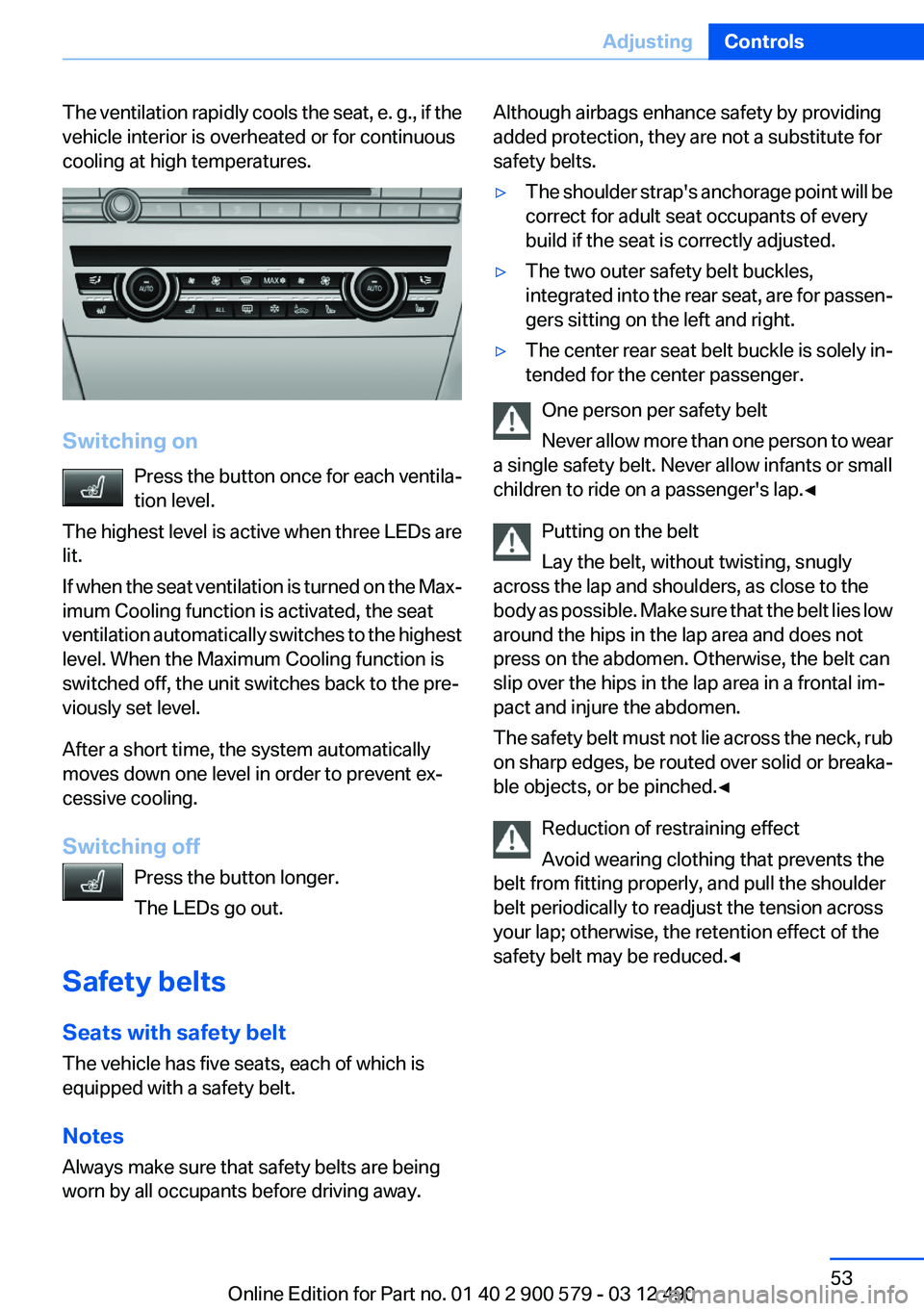
The ventilation rapidly cools the seat, e. g., if the
vehicle interior is overheated or for continuous
cooling at high temperatures.
Switching on
Press the button once for each ventila‐
tion level.
The highest level is active when three LEDs are
lit.
If when the seat ventilation is turned on the Max‐
imum Cooling function is activated, the seat
ventilation automatically switches to the highest
level. When the Maximum Cooling function is
switched off, the unit switches back to the pre‐
viously set level.
After a short time, the system automatically
moves down one level in order to prevent ex‐
cessive cooling.
Switching off Press the button longer.
The LEDs go out.
Safety belts
Seats with safety belt
The vehicle has five seats, each of which is
equipped with a safety belt.
Notes
Always make sure that safety belts are being
worn by all occupants before driving away.
Although airbags enhance safety by providing
added protection, they are not a substitute for
safety belts.▷The shoulder strap's anchorage point will be
correct for adult seat occupants of every
build if the seat is correctly adjusted.▷The two outer safety belt buckles,
integrated into the rear seat, are for passen‐
gers sitting on the left and right.▷The center rear seat belt buckle is solely in‐
tended for the center passenger.
One person per safety belt
Never allow more than one person to wear
a single safety belt. Never allow infants or small
children to ride on a passenger's lap.◀
Putting on the belt
Lay the belt, without twisting, snugly
across the lap and shoulders, as close to the
body as possible. Make sure that the belt lies low
around the hips in the lap area and does not
press on the abdomen. Otherwise, the belt can
slip over the hips in the lap area in a frontal im‐
pact and injure the abdomen.
The safety belt must not lie across the neck, rub
on sharp edges, be routed over solid or breaka‐
ble objects, or be pinched.◀
Reduction of restraining effect
Avoid wearing clothing that prevents the
belt from fitting properly, and pull the shoulder
belt periodically to readjust the tension across
your lap; otherwise, the retention effect of the
safety belt may be reduced.◀
Seite 53AdjustingControls53
Online Edition for Part no. 01 40 2 900 579 - 03 12 490
Page 60 of 319
Transporting children safelyVehicle equipment
All standard, country-specific and optional
equipment that is offered in the model series is
described in this chapter. Therefore, equipment
is also described that is not available in a vehicle,
e. g., because of the selected optional equip‐
ment or country variant. This also applies for
safety-related functions and systems.
The right place for children
Note Children in the vehicle
Do not leave children unattended in the
vehicle; otherwise, they could endanger them‐
selves and other persons, e.g., by opening the
doors.◀
Children should always be in the rear
Accident research shows that the safest place
for children is in the back seat.
Transporting children in the rear
Only transport children younger than
13 years of age or shorter than 5 ft/150 cm in the
rear in child restraint fixing systems provided in
accordance with the age, weight and size of the
child; otherwise, there is an increased risk of in‐
jury in an accident.
Children 13 years of age or older must wear a
safety belt as soon as a suitable child restraint
fixing system can no longer be used, due to their
age, weight and size.◀
Children on the front passenger seat
Should it ever be necessary to use a child re‐
straint fixing system in the front passenger seat,
make sure that the front, knee and side airbags
on the front passenger side are deactivated. Au‐tomatic deactivation of front passenger airbags,
refer to page 96.
Deactivating the front passenger airbags
If a child restraint fixing system is used in
the front passenger seat, the front passenger
airbags must be deactivated; otherwise, there is
an increased risk of injury to the child when the
airbags are triggered, even with a child restraint
fixing system.◀
Installing child restraint fixing
systems
Before mounting
If the rear seat backrests are adjustable:
Before mounting child restraint fixing systems,
return all of the rear seat backrests to the basic
position.
Notes Manufacturer's information for child re‐
straint fixing systems
To select, mount and use child restraint fixing
systems, observe the information provided by
the system manufacturer; otherwise, the pro‐
tective effect can be impaired.◀
On the front passenger seat
Deactivating airbags
After installing a child restraint fixing system in
the front passenger seat, make sure that the
front, knee and side airbags on the front pas‐
senger side are deactivated.
Deactivate the front passenger airbags auto‐
matically, refer to page 96.Seite 60ControlsTransporting children safely60
Online Edition for Part no. 01 40 2 900 579 - 03 12 490
Page 61 of 319
Deactivating the front passenger airbags
If a child restraint fixing system is used in
the front passenger seat, the front passenger
airbags must be deactivated; otherwise, there is
an increased risk of injury to the child when the
airbags are triggered, even with a child restraint
fixing system.◀
Seat position and height
Before installing a child restraint fixing system,
move the front passenger seat as far back as
possible and bring it up to medium height to ob‐
tain the best possible position for the belt and to
offer optimal protection in the event of an acci‐
dent.
Do not change the seat position and height after
this.
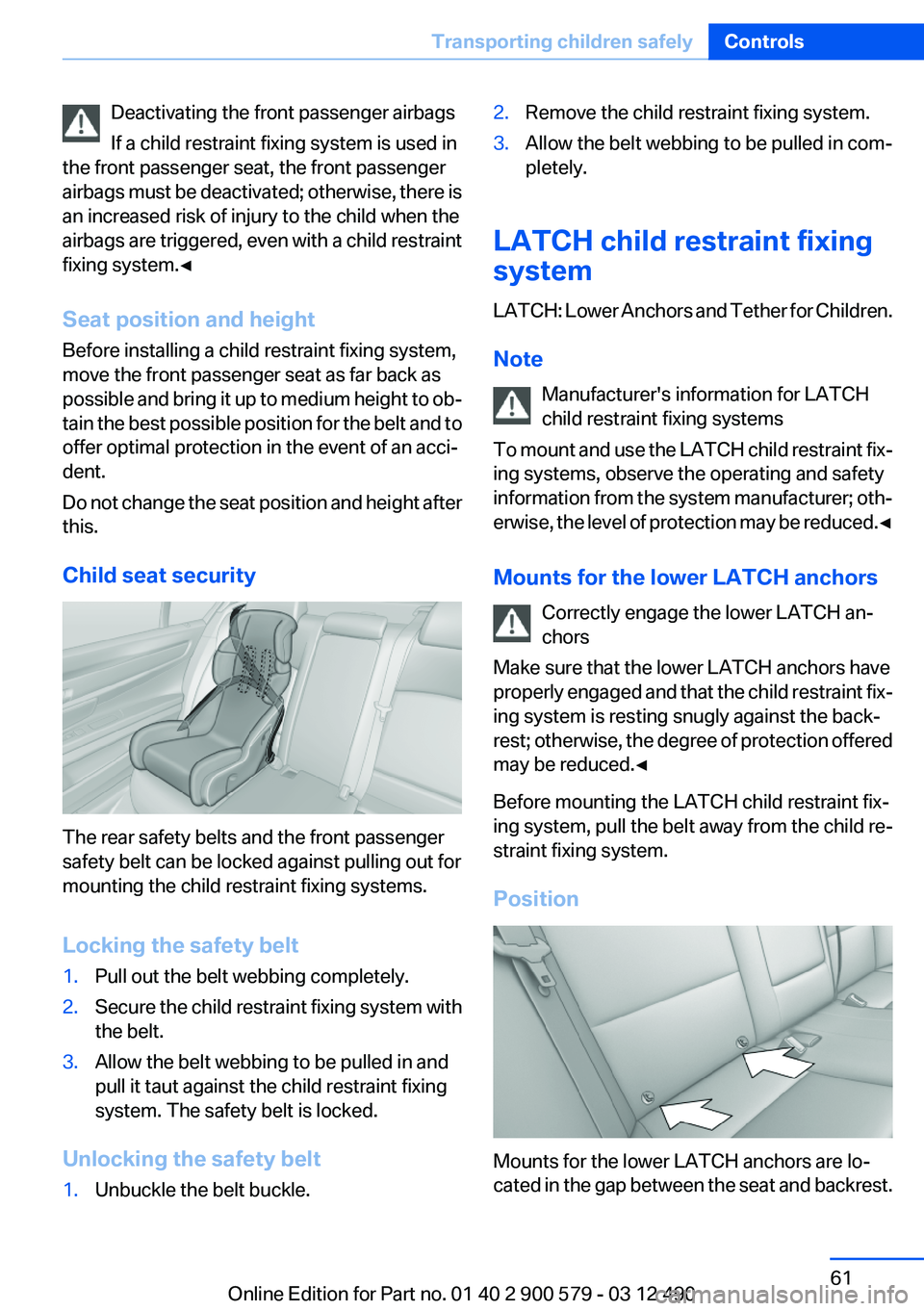
Child seat security
The rear safety belts and the front passenger
safety belt can be locked against pulling out for
mounting the child restraint fixing systems.
Locking the safety belt
1.Pull out the belt webbing completely.2.Secure the child restraint fixing system with
the belt.3.Allow the belt webbing to be pulled in and
pull it taut against the child restraint fixing
system. The safety belt is locked.
Unlocking the safety belt
1.Unbuckle the belt buckle.2.Remove the child restraint fixing system.3.Allow the belt webbing to be pulled in com‐
pletely.
LATCH child restraint fixing
system
LATCH: Lower Anchors and Tether for Children.
Note Manufacturer's information for LATCH
child restraint fixing systems
To mount and use the LATCH child restraint fix‐
ing systems, observe the operating and safety
information from the system manufacturer; oth‐
erwise, the level of protection may be reduced. ◀
Mounts for the lower LATCH anchors Correctly engage the lower LATCH an‐
chors
Make sure that the lower LATCH anchors have
properly engaged and that the child restraint fix‐
ing system is resting snugly against the back‐
rest; otherwise, the degree of protection offered
may be reduced.◀
Before mounting the LATCH child restraint fix‐
ing system, pull the belt away from the child re‐
straint fixing system.
Position
Mounts for the lower LATCH anchors are lo‐
cated in the gap between the seat and backrest.
Seite 61Transporting children safelyControls61
Online Edition for Part no. 01 40 2 900 579 - 03 12 490
Page 62 of 319
Mounting LATCH child restraint fixing
systems1.Mount the child restraint fixing system; refer
to the operating instructions of the system.2.Ensure that both LATCH anchors are prop‐
erly connected.
Child restraint fixing systems with a
tether strap
Mounting points
Depending on the vehicle equipment, there are
two outer or three mounting points for child re‐
straint fixing systems with a tether strap.
LATCH mounting eyes
Only use the mounting eyes for the upper
LATCH retaining strap to secure child restraint
fixing systems; otherwise, the mounting eyes
could be damaged.◀
Retaining strap guide Retaining strap
Make sure the upper retaining strap does
not run over sharp edges and is not twisted as it
passes to the top anchor. Otherwise, the strap
will not properly secure the child restraint fixing
system in the event of an accident.◀
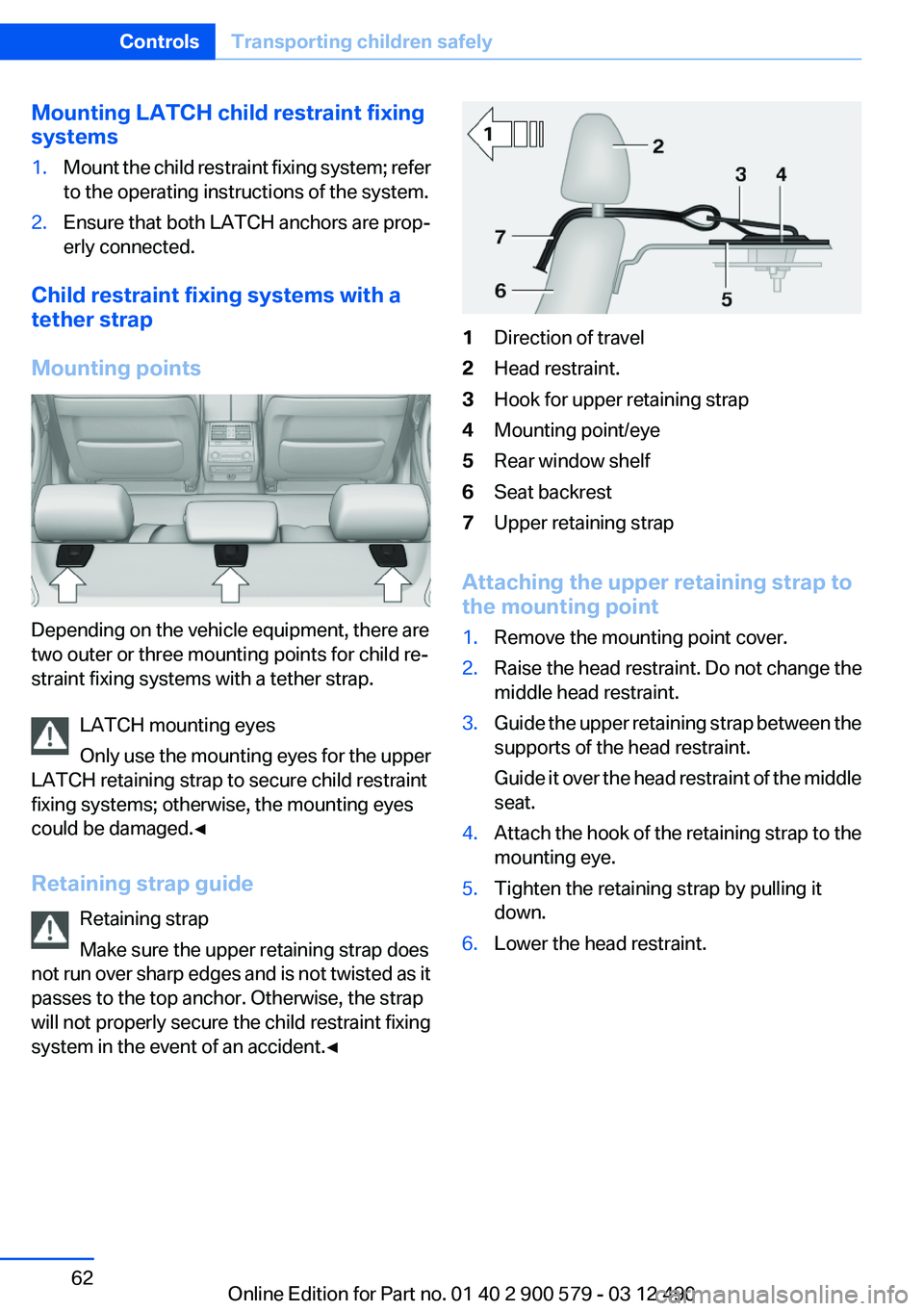
1Direction of travel2Head restraint.3Hook for upper retaining strap4Mounting point/eye5Rear window shelf6Seat backrest7Upper retaining strap
Attaching the upper retaining strap to
the mounting point
1.Remove the mounting point cover.2.Raise the head restraint. Do not change the
middle head restraint.3.Guide the upper retaining strap between the
supports of the head restraint.
Guide it over the head restraint of the middle
seat.4.Attach the hook of the retaining strap to the
mounting eye.5.Tighten the retaining strap by pulling it
down.6.Lower the head restraint.Seite 62ControlsTransporting children safely62
Online Edition for Part no. 01 40 2 900 579 - 03 12 490
Page 96 of 319
When there is a malfunction, have the air‐
bag system checked immediately
When there is a malfunction, have the airbag
system checked immediately; otherwise, there
is a risk that the system does not function as ex‐
pected in the event of an accident despite cor‐
responding severity of the accident.◀
Automatic deactivation of the front
passenger airbags
The system determines whether the front pas‐
senger seat is occupied by measuring the re‐
sistance of the human body.
The front, knee, and side airbag on the front
passenger side are activated or deactivated ac‐
cordingly.
Leave feet in the footwell
Make sure that the front passenger keeps
his or her feet in the footwell; otherwise, the front
passenger airbags may not function properly.◀
Child restraint fixing system in the front
passenger seat
Before transporting a child on the front passen‐
ger seat, see the safety notes and instructions
under Children on the front passenger seat.◀
Malfunction of the automatic
deactivation system
When transporting older children and adults, the
front passenger airbags may be deactivated in
certain sitting positions. In this case, the indica‐
tor lamp for the front passenger airbags lights
up.
In this case, change the sitting position so that
the front passenger airbags are activated and
the indicator lamp goes out.
If it is not possible to activate the airbags, have
the person sit in the rear.
To make sure that the occupied seat cushion
can be evaluated correctly▷Do not attach covers, cushions, ball mats or
other items to the front passenger seat un‐less they are specifically recommended by
the manufacturer of your vehicle.▷Do not place any electronic devices on the
passenger seat if a child restraint system is
to be installed on it.▷Do not place objects under the seat that
could press against the seat from below.
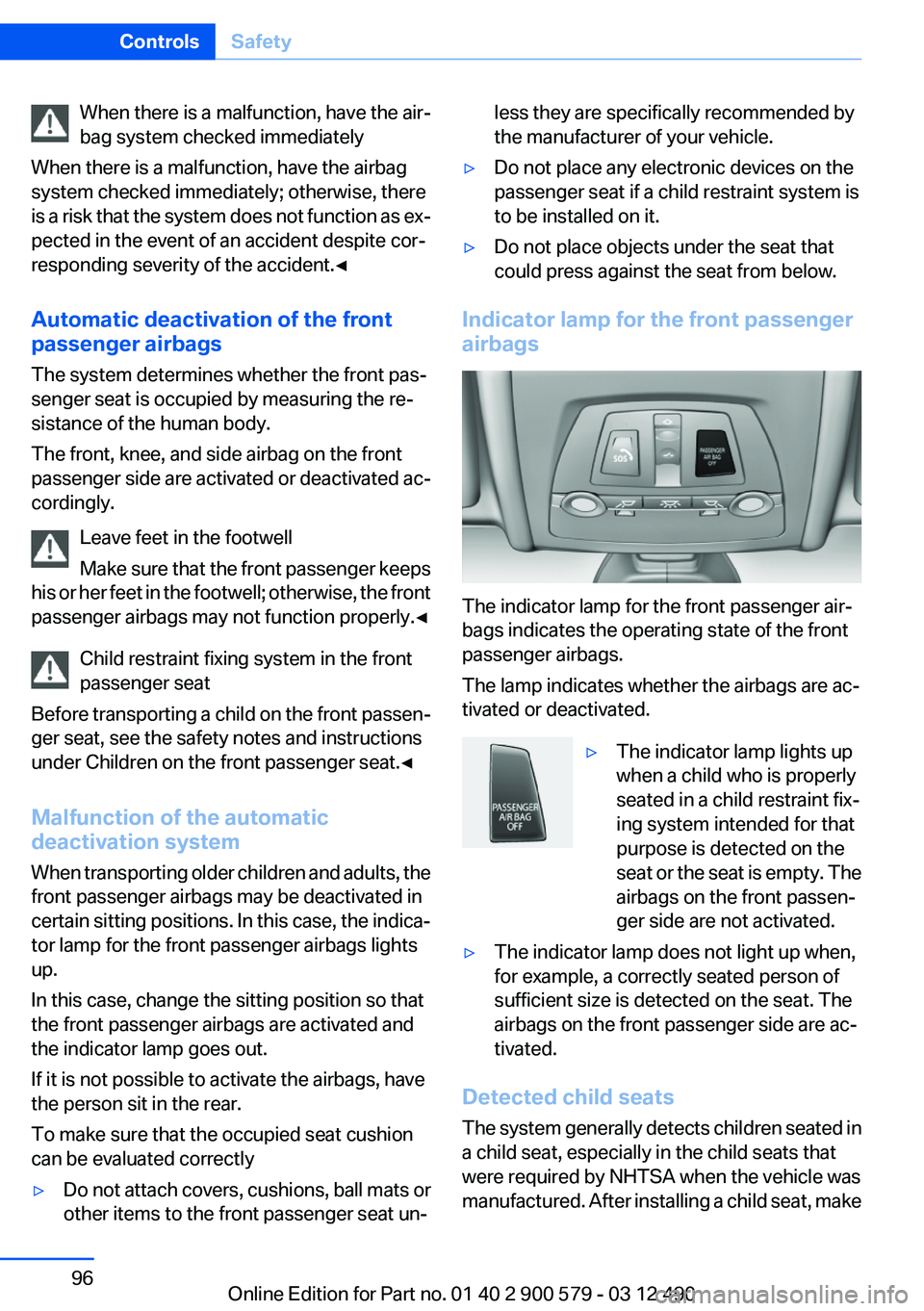
Indicator lamp for the front passenger
airbags
The indicator lamp for the front passenger air‐
bags indicates the operating state of the front
passenger airbags.
The lamp indicates whether the airbags are ac‐
tivated or deactivated.
▷The indicator lamp lights up
when a child who is properly
seated in a child restraint fix‐
ing system intended for that
purpose is detected on the
seat or the seat is empty. The
airbags on the front passen‐
ger side are not activated.▷The indicator lamp does not light up when,
for example, a correctly seated person of
sufficient size is detected on the seat. The
airbags on the front passenger side are ac‐
tivated.
Detected child seats
The system generally detects children seated in
a child seat, especially in the child seats that
were required by NHTSA when the vehicle was
manufactured. After installing a child seat, make
Seite 96ControlsSafety96
Online Edition for Part no. 01 40 2 900 579 - 03 12 490
Page 97 of 319

sure that the indicator lamp for the front pas‐
senger airbags lights up. This indicates that the
child seat has been detected and the front pas‐
senger airbags are not activated.
Strength of the driver's and front
passenger airbag
The strength with which the driver's and front
passenger airbags are triggered depends on the
position of the driver's and front passenger
seats.
To maintain the accuracy of this function over
the long-term, calibrate the front seats when a
corresponding message appears on the Control
Display.
Calibrating the front seats
A corresponding message appears on the Con‐
trol Display.1.Move the respective seat forward all the
way.2.Move the respective seat forward again. It
moves forward briefly.3.Readjust the seat to the desired position.
The calibration procedure is completed when
the message on the Control Display disappears.
If the message continues to be displayed, repeat
the calibration.
If the message does not disappear after a repeat
calibration, have the system checked as soon as
possible.
Unobstructed area of movement
Ensure that the area of movement of the
seats is unobstructed to avoid personal injury or
damage to objects.◀
Tire Pressure Monitor TPM
The concept
The tire inflation pressure is measured in the
four mounted tires. The system notifies you if
there is a significant loss of pressure in one or
more tires.
Functional requirements
The system must have been reset when the in‐
flation pressure was correct; otherwise, reliable
signaling of a flat tire is not ensured. Always use
wheels with TPM electronics to ensure that the
system will operate properly. Reset the system
after each correction of the tire inflation pres‐
sure and after every tire or wheel change.
System limits Sudden tire damage
Sudden serious tire damage caused by
external influences cannot be indicated in ad‐
vance.◀
The system does not operate correctly if it has
not been reset. For example, a flat tire may be
indicated despite correct tire inflation pres‐
sures.
The system is inactive and cannot indicate a flat
tire:▷For a mounted wheel without TPM electron‐
ics.▷When the TPM is disturbed by other sys‐
tems or devices with the same radio fre‐
quency.
Status display
The current status of the Tire Pressure Monitor
TPM can be displayed on the Control Display,
e.g., whether or not the TPM is active.
1."Vehicle Info"2."Vehicle status"3. "Tire Pressure Monitor - TPM"
The status is displayed.
Status display
The tire and system status is indicated by the
color of the tires.
Seite 97SafetyControls97
Online Edition for Part no. 01 40 2 900 579 - 03 12 490
Page 309 of 319

Bar for tow-starting/tow‐ing 286
Bass 186
Battery replacement, auxiliary air conditioning remote con‐
trol 138
Battery replacement, remote control for parked-car heat‐
ing/ventilation 140
Battery replacement, remote control, rear entertain‐
ment 218
Battery replacement, vehicle battery 281
Battery replacement, vehicle remote control 32
Battery, vehicle 281
Belts, safety belts 53
Beverage holder, cu‐ pholder 148
Blinds, sun protection 46
Bluetooth audio 212
Bluetooth connection, activat‐ ing/deactivating 227
BMW ActiveHybrid 27
BMW Assist 249
BMW Homepage 6
BMW Internet page 6
BMW Live 252
BMW Maintenance Sys‐ tem 273
BMW Search 251
Bottle holder, refer to Cu‐ pholder 148
Brake assistant 107
Brake discs, breaking in 154
Brake force display 105
Brake lamps, brake force dis‐ play 105
Brake lamps, bulb replace‐ ment 280
Brake lights, adaptive 105
Brake pads, breaking in 154
Braking, notes 157
Breakdown assis‐ tance 283, 284 Breaking in 154
Brightness of Control Dis‐ play 87
Bulb replacement 275
Bulb replacement, front 276
Bulb replacement, rear 279
Bulbs and lamps 275
Button, Start/Stop 64
Bypassing, refer to Jump- starting 284
C
Calendar 243
California Proposition 65 Warning 7
Camera, backup camera 118
Camera, care 292
Camera, Side View 121
Camera, Top View 120
Can holder, refer to Cu‐ pholder 148
Car battery 281
Car care products 290
Care, displays 292
Care, vehicle 290
Cargo 158
Cargo area lid 39
Cargo area, storage compart‐ ments 149
Cargo straps, securing cargo 159
Car key, refer to Remote con‐ trol 32
Carpet, care 291
Car wash 289
Catalytic converter, refer to Hot exhaust system 156
CBS Condition Based Serv‐ ice 273
CD/DVD 196
CD/DVD player, rear 217
CDs, storing 203
Cell phone 226
Center armrest 147
Center console 14 Central locking system 35
Central screen, refer to Control Display 16
Changes, technical, refer to Safety 7
Changing parts 275
Changing wheels 281
Changing wheels/tires 265
CHARGE, energy recovery 68
Charge indicator, high-voltage battery 81
Check Control 77
Children, seating position 60
Children, transporting safely 60
Child restraint fixing sys‐ tem 60
Child restraint fixing system LATCH 61
Child restraint fixing systems, mounting 60
Child safety locks 63
Child seat, mounting 60
Child seats 60
Chrome parts, care 291
Cigarette lighter 143
Cleaning, displays 292
Climate control 130
Climate control wind‐ shield 156
Clock 80
Closing/opening from in‐ side 39
Closing/opening via door lock 38
Closing/opening with remote control 36
Clothes hooks 149
Combination switch, refer to Turn signals 70
Combination switch, refer to Wiper system 71
Combustion engine, start‐ ing 66
COMFORT+ program, Driving Experience Switch 110 Seite 309Everything from A to ZReference309
Online Edition for Part no. 01 40 2 900 579 - 03 12 490
Page 313 of 319

Light-emitting diodes,LEDs 276
Lighter, front 143
Lighter, rear 144
Lighting 89
Lighting via remote control 37
Light switch 89
Load 158
Loading 158
Lock, door 38
Locking/unlocking from in‐ side 39
Locking/unlocking via door lock 38
Locking/unlocking with re‐ mote control 36
Locking, automatic 39
Locking, central 35
Locking via trunk lid 40
Lock, power window 46
Locks, doors, and win‐ dows 63
Low beams 89
Low beams, automatic, refer to High-beam Assistant 91
Lower back support 51
Luggage rack, refer to Roof- mounted luggage rack 159
Lumbar support 51
M
Maintenance 273
Maintenance require‐ ments 273
Maintenance, service require‐ ments 82
Maintenance system, BMW 273
Malfunction displays, refer to Check Control 77
Manual air distribution 131
Manual air volume 131
Manual brake, refer to Parking brake 68 Manual mode, transmis‐
sion 74
Manual operation, backup camera 117
Manual operation, door lock 39
Manual operation, exterior mir‐ rors 58
Manual operation, fuel filler flap 258
Manual operation, Park Dis‐ tance Control PDC 115
Manual operation, Side View 121
Manual operation, Top View 119
Map, destination entry 171
Map in split screen 178
Map view 176
Marking on approved tires 266
Marking, run-flat tires 267
Massage seat, front 51
Master key, refer to Remote control 32
Maximum cooling 131
Maximum speed, winter tires 266
Measure, units of 87
Medical kit 284
Memory for seat, mirrors, steering wheel 56
Menu in instrument cluster 83
Menus, operating, iDrive 16
Menus, refer to iDrive operat‐ ing concept 17
Message list, traffic bulle‐ tins 178
Messages 241
Messages, refer to Check Control 77
Microfilter 133
Minimum tread, tires 265
Mirror 57
Mirror memory 56 Mobile communication devi‐
ces in the vehicle 156
Mobile phone 226
Mode, ECO PRO 162
Modifications, technical, refer to Safety 7
Moisture in headlamp 276
Monitor, refer to Control Dis‐ play 16
Mounting of child restraint fix‐ ing systems 60
MP3 player 208
Multifunction steering wheel, buttons 12
Multimedia 196
Music collection 203
Music search 205
Music, storing 203
N
Navigation 166
Navigation data 181
Neck restraints, front, refer to Head restraints 54
Neck restraints, rear, refer to Head restraints 55
New wheels and tires 265
Night Vision with pedestrian detection 125
Notes 244
Nylon rope for tow-starting/ towing 286
O
OBD Onboard Diagnos‐ tics 274
Obstacle marking, backup camera 118
Odometer 80
Office 238
Oil 270
Oil, adding 270
Oil additives 271
Oil change 271 Seite 313Everything from A to ZReference313
Online Edition for Part no. 01 40 2 900 579 - 03 12 490