2012 BMW 528I XDRIVE SEDAN emergency start
[x] Cancel search: emergency startPage 31 of 335
4.Insert a battery of the same type with the
positive side facing upwards.5.Press the cover closed.
Take the used battery to a recycling cen‐
ter or to your service center.
New remote controls
You can obtain new remote controls from your
service center.
Loss of the remote controls
Lost remote controls can be blocked by your
service center.
Emergency detection of remote control
It is possible to switch on the ignition or start the
engine in situations such as the following:
▷Interference of radio transmission to remote
control by external sources.▷Discharged battery in the remote control.
A Check Control message is displayed if an at‐
tempt is made to switch on the ignition or start
the engine.
Starting the engine in case of
emergency detection of remote control
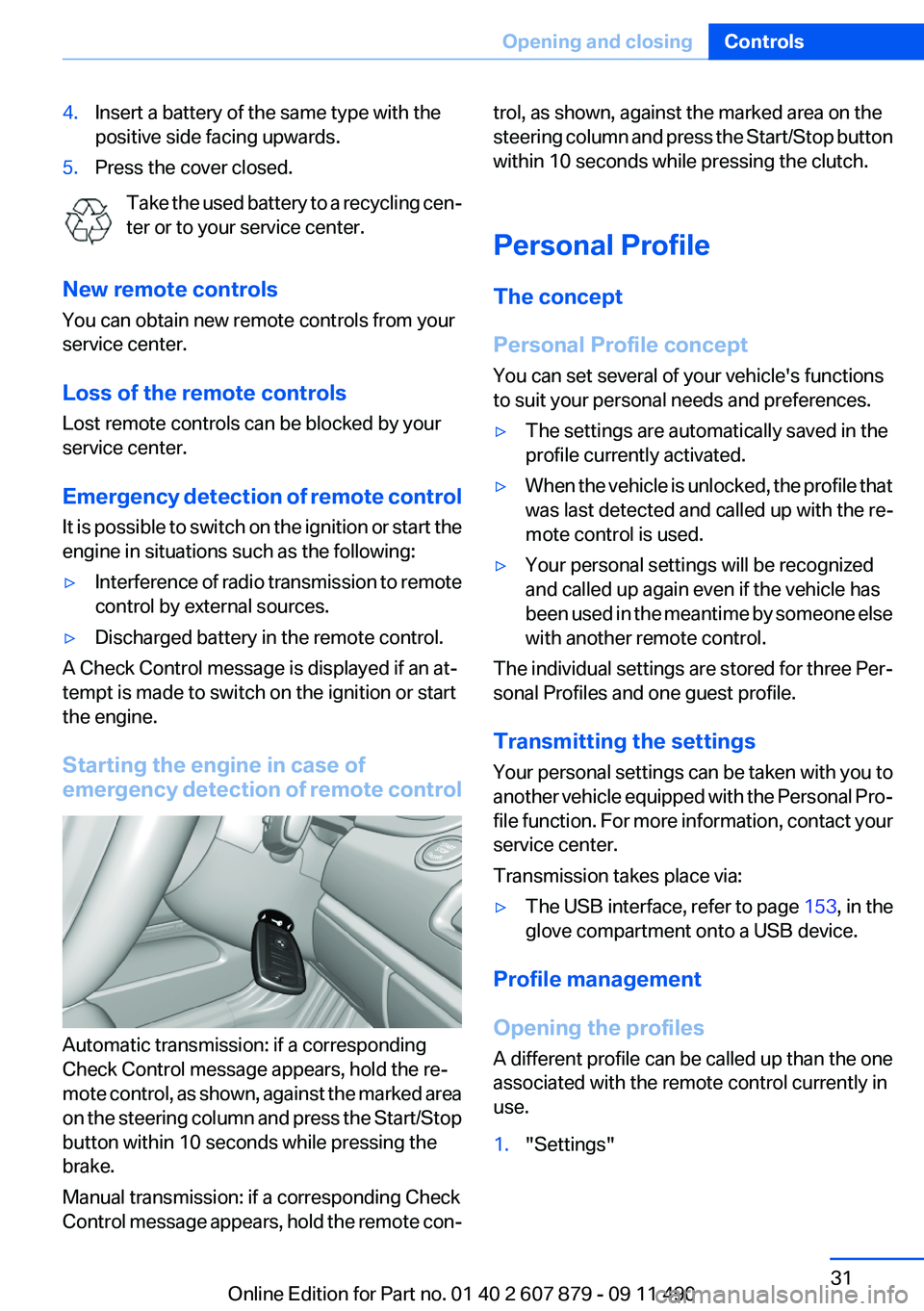
Automatic transmission: if a corresponding
Check Control message appears, hold the re‐
mote control, as shown, against the marked area
on the steering column and press the Start/Stop
button within 10 seconds while pressing the
brake.
Manual transmission: if a corresponding Check
Control message appears, hold the remote con‐
trol, as shown, against the marked area on the
steering column and press the Start/Stop button
within 10 seconds while pressing the clutch.
Personal Profile
The concept
Personal Profile concept
You can set several of your vehicle's functions
to suit your personal needs and preferences.▷The settings are automatically saved in the
profile currently activated.▷When the vehicle is unlocked, the profile that
was last detected and called up with the re‐
mote control is used.▷Your personal settings will be recognized
and called up again even if the vehicle has
been used in the meantime by someone else
with another remote control.
The individual settings are stored for three Per‐
sonal Profiles and one guest profile.
Transmitting the settings
Your personal settings can be taken with you to
another vehicle equipped with the Personal Pro‐
file function. For more information, contact your
service center.
Transmission takes place via:
▷The USB interface , refer to page 153, in the
glove compartment onto a USB device.
Profile management
Opening the profiles
A different profile can be called up than the one
associated with the remote control currently in
use.
1."Settings"Seite 31Opening and closingControls31
Online Edition for Part no. 01 40 2 607 879 - 09 11 490
Page 40 of 335
Locking separately
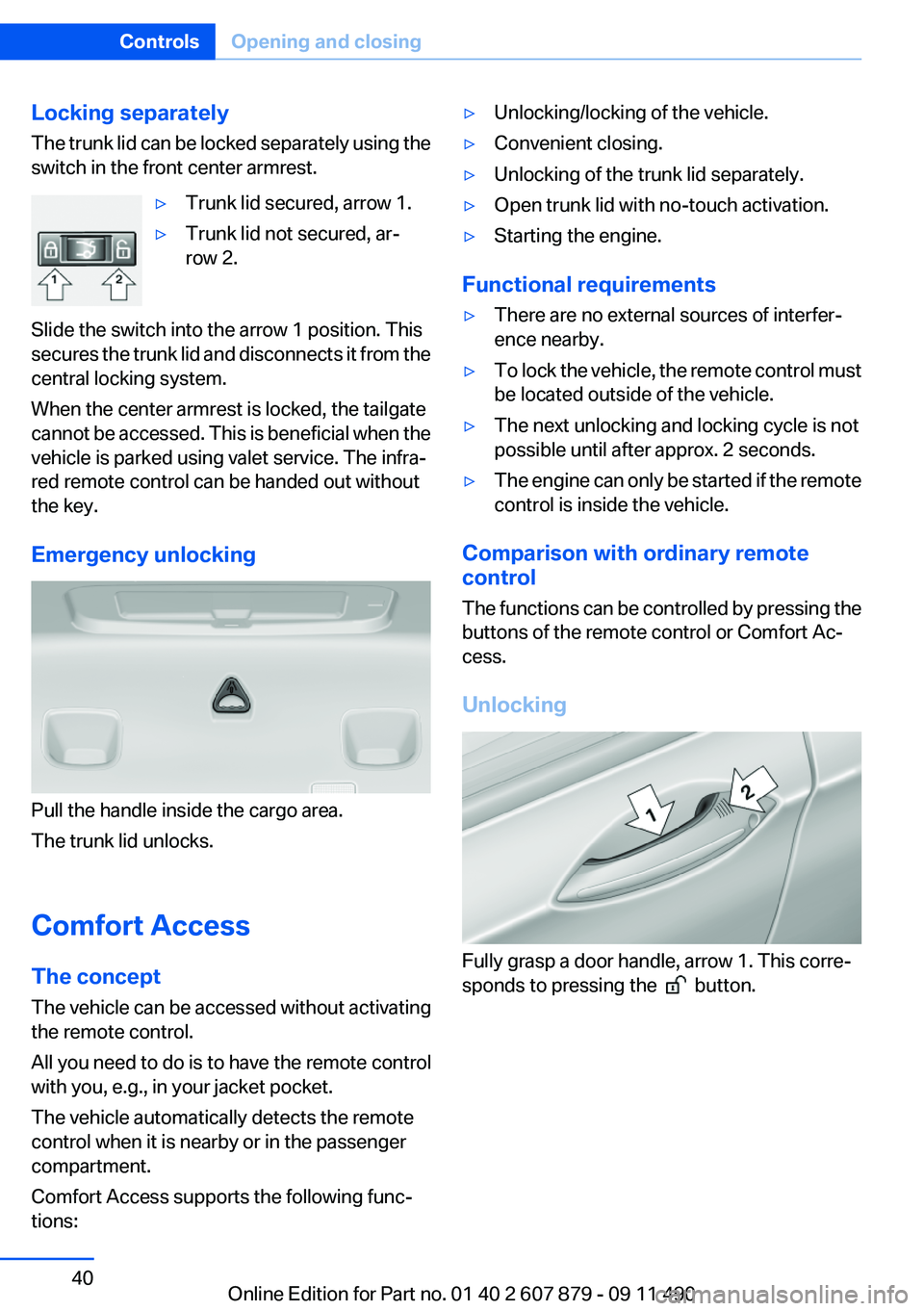
The trunk lid can be locked separately using the
switch in the front center armrest.▷Trunk lid secured, arrow 1.▷Trunk lid not secured, ar‐
row 2.
Slide the switch into the arrow 1 position. This
secures the trunk lid and disconnects it from the
central locking system.
When the center armrest is locked, the tailgate
cannot be accessed. This is beneficial when the
vehicle is parked using valet service. The infra‐
red remote control can be handed out without
the key.
Emergency unlocking
Pull the handle inside the cargo area.
The trunk lid unlocks.
Comfort Access
The concept
The vehicle can be accessed without activating
the remote control.
All you need to do is to have the remote control
with you, e.g., in your jacket pocket.
The vehicle automatically detects the remote
control when it is nearby or in the passenger
compartment.
Comfort Access supports the following func‐
tions:
▷Unlocking/locking of the vehicle.▷Convenient closing.▷Unlocking of the trunk lid separately.▷Open trunk lid with no-touch activation.▷Starting the engine.
Functional requirements
▷There are no external sources of interfer‐
ence nearby.▷To lock the vehicle, the remote control must
be located outside of the vehicle.▷The next unlocking and locking cycle is not
possible until after approx. 2 seconds.▷The engine can only be started if the remote
control is inside the vehicle.
Comparison with ordinary remote
control
The functions can be controlled by pressing the
buttons of the remote control or Comfort Ac‐
cess.
Unlocking
Fully grasp a door handle, arrow 1. This corre‐
sponds to pressing the
button.
Seite 40ControlsOpening and closing40
Online Edition for Part no. 01 40 2 607 879 - 09 11 490
Page 42 of 335
Alarm system
The concept
The vehicle alarm system responds to:▷Opening of a door, the hood or the trunk lid.▷Movements in the vehicle.▷Changes in the vehicle tilt, e.g., during at‐
tempts to steal a wheel or when towing the
car.▷Interruptions in battery voltage.
The alarm system briefly indicates tampering:
▷By sounding an acoustic alarm.▷By switching on the hazard warning system.▷By flashing the high beams.
Arming and disarming the alarm
system
General information
When you lock or unlock the vehicle, either with
the remote control, Comfort Access or at the
door lock the alarm system is armed or disarmed
at the same time.
Door lock and armed alarm system
Unlocking via the door lock will trigger the alarm
on some country-specific versions.
In order to terminate this alarm, unlock vehicle
with the remote control or switch on the ignition,
if necessary, by emergency detection of the re‐
mote control.
Trunk lid and armed alarm system
The trunk lid can be opened using the remote
control, even if the alarm system is armed.
Press the button on the remote control
for approx. 1 second.
After the trunk lid is closed, it is locked and
monitored again by the alarm system. The haz‐
ard warning system flashes once.
In some vehicle equipment variants, the trunk lid
can only be opened using the remote control if
the vehicle was unlocked first.
Panic mode Press the button on the remote control
for at least 3 seconds.
Switching off the alarm▷Unlock the vehicle using the remote control.▷With Comfort Access: if you are carrying the
remote control with you, pull on the door
handle.
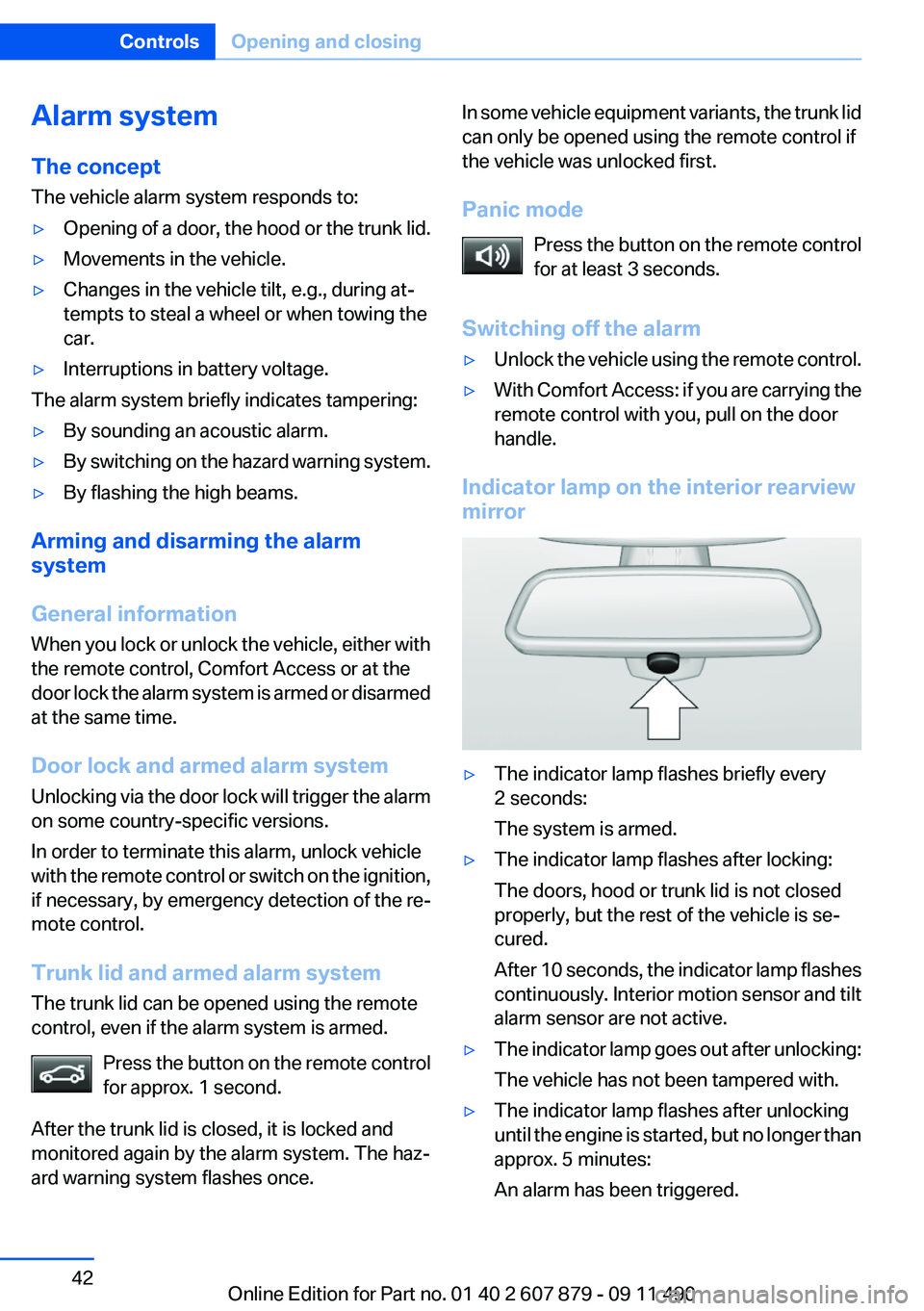
Indicator lamp on the interior rearview
mirror
▷The indicator lamp flashes briefly every
2 seconds:
The system is armed.▷The indicator lamp flashes after locking:
The doors, hood or trunk lid is not closed
properly, but the rest of the vehicle is se‐
cured.
After 10 seconds, the indicator lamp flashes
continuously. Interior motion sensor and tilt
alarm sensor are not active.▷The indicator lamp goes out after unlocking:
The vehicle has not been tampered with.▷The indicator lamp flashes after unlocking
until the engine is started, but no longer than
approx. 5 minutes:
An alarm has been triggered.Seite 42ControlsOpening and closing42
Online Edition for Part no. 01 40 2 607 879 - 09 11 490
Page 299 of 335
Assist Response Center contacts you and
takes further steps to help you.
Even if you are unable to respond, the BMW
Assist Response Center can take further
steps to help you under certain circumstan‐
ces.
For this purpose, data that are used to de‐
termine the necessary rescue measures,
such as the current position of the vehicle if
it can be established, are transmitted to the
BMW Assist Response Center.▷If the LED is flashing but the BMW Assist
Response Center cannot be heard on the
hands-free system, the hands-free system
may be malfunctioning. However, the BMW
Assist Response Center may still be able to
hear you.
Initiating an Emergency Request
automatically
Under certain conditions, an Emergency Re‐
quest is automatically initiated immediately after
a severe accident. Automatic Collision Notifica‐
tion is not affected by pressing the SOS button.
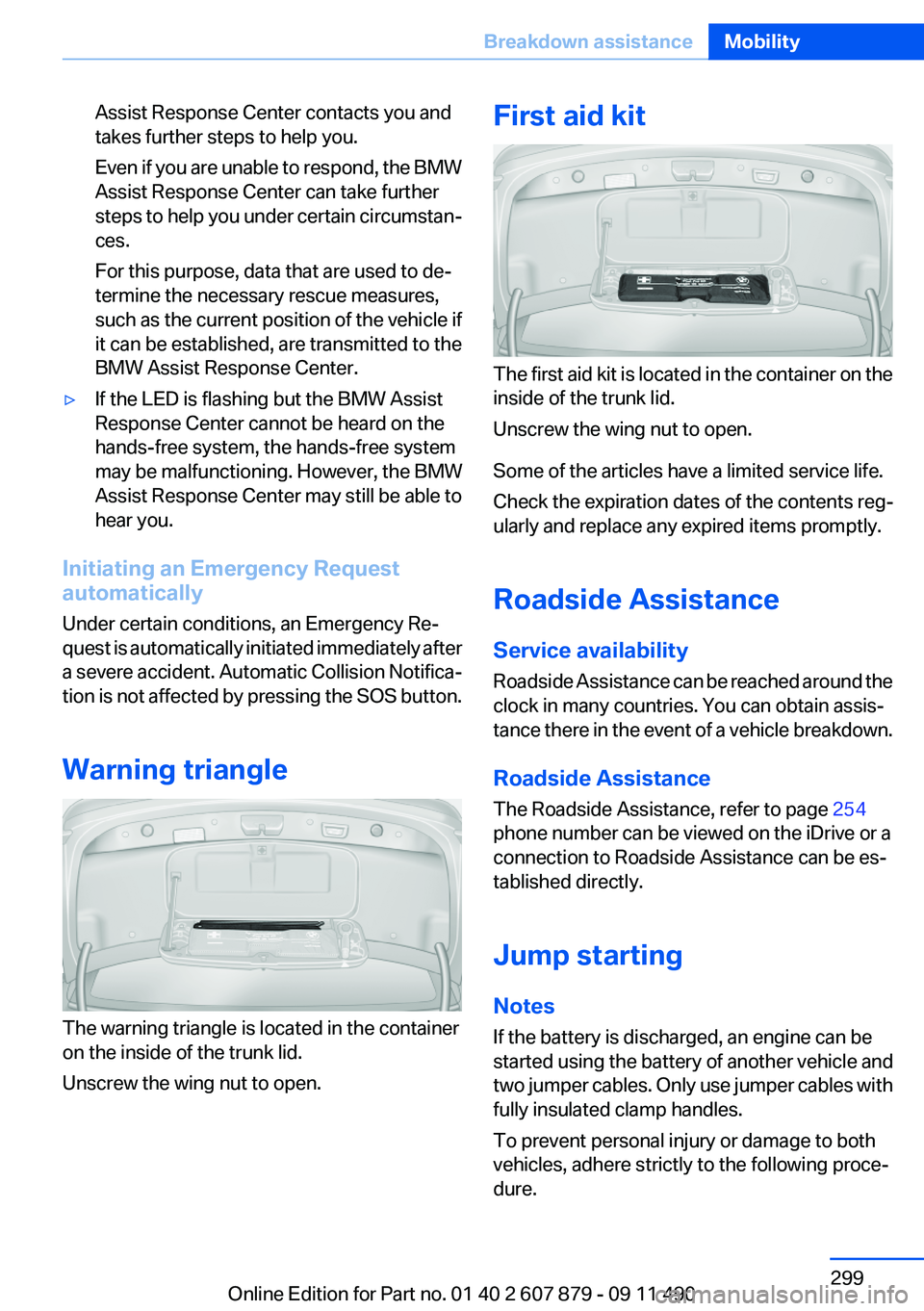
Warning triangle
The warning triangle is located in the container
on the inside of the trunk lid.
Unscrew the wing nut to open.
First aid kit
The first aid kit is located in the container on the
inside of the trunk lid.
Unscrew the wing nut to open.
Some of the articles have a limited service life.
Check the expiration dates of the contents reg‐
ularly and replace any expired items promptly.
Roadside Assistance
Service availability
Roadside Assistance can be reached around the
clock in many countries. You can obtain assis‐
tance there in the event of a vehicle breakdown.
Roadside Assistance
The Roadside Assistance, refer to page 254
phone number can be viewed on the iDrive or a
connection to Roadside Assistance can be es‐
tablished directly.
Jump starting
Notes
If the battery is discharged, an engine can be
started using the battery of another vehicle and
two jumper cables. Only use jumper cables with
fully insulated clamp handles.
To prevent personal injury or damage to both
vehicles, adhere strictly to the following proce‐
dure.
Seite 299Breakdown assistanceMobility299
Online Edition for Part no. 01 40 2 607 879 - 09 11 490
Page 326 of 335
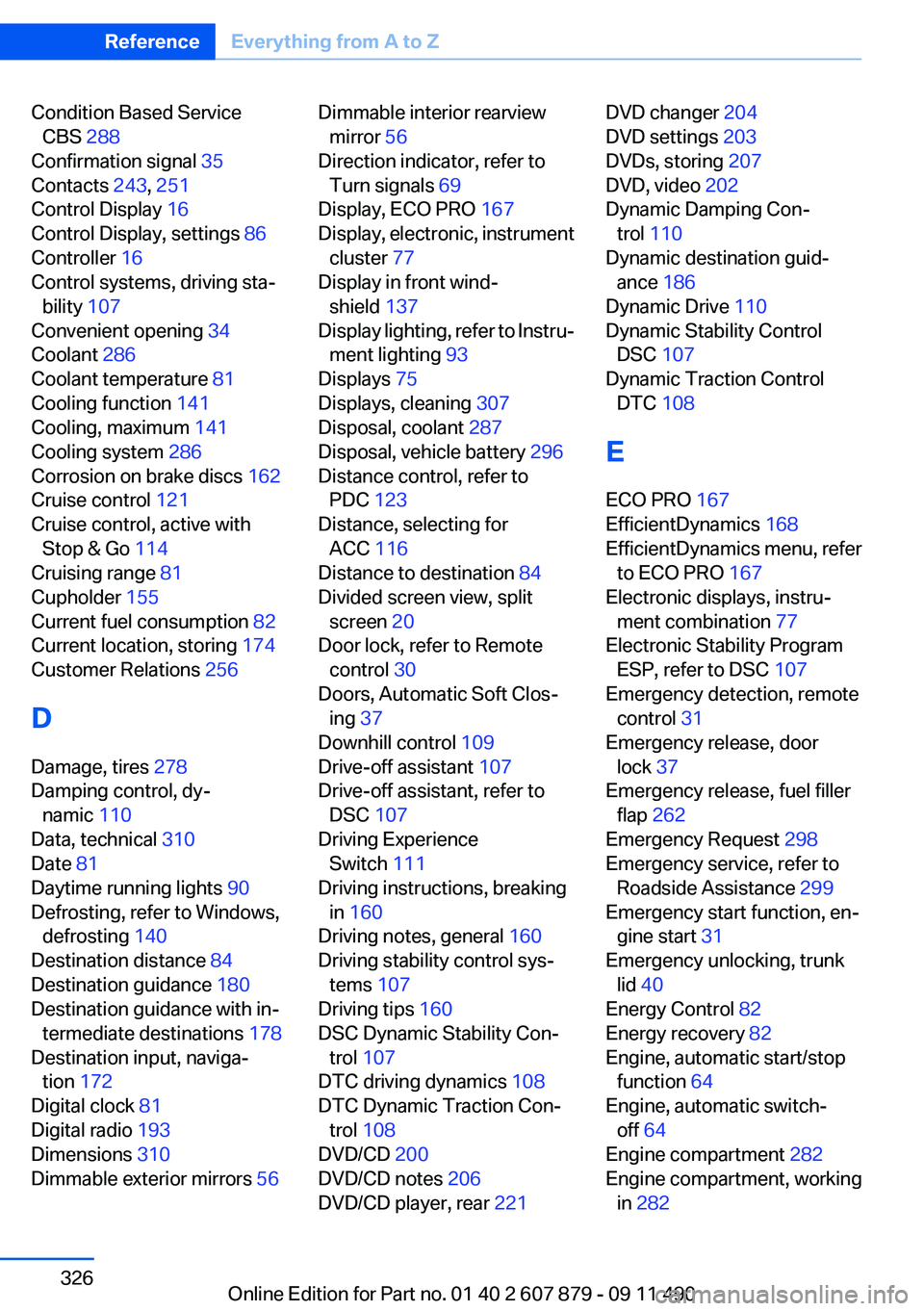
Condition Based ServiceCBS 288
Confirmation signal 35
Contacts 243, 251
Control Display 16
Control Display, settings 86
Controller 16
Control systems, driving sta‐ bility 107
Convenient opening 34
Coolant 286
Coolant temperature 81
Cooling function 141
Cooling, maximum 141
Cooling system 286
Corrosion on brake discs 162
Cruise control 121
Cruise control, active with Stop & Go 114
Cruising range 81
Cupholder 155
Current fuel consumption 82
Current location, storing 174
Customer Relations 256
D
Damage, tires 278
Damping control, dy‐ namic 110
Data, technical 310
Date 81
Daytime running lights 90
Defrosting, refer to Windows, defrosting 140
Destination distance 84
Destination guidance 180
Destination guidance with in‐ termediate destinations 178
Destination input, naviga‐ tion 172
Digital clock 81
Digital radio 193
Dimensions 310
Dimmable exterior mirrors 56 Dimmable interior rearview
mirror 56
Direction indicator, refer to Turn signals 69
Display, ECO PRO 167
Display, electronic, instrument cluster 77
Display in front wind‐ shield 137
Display lighting, refer to Instru‐ ment lighting 93
Displays 75
Displays, cleaning 307
Disposal, coolant 287
Disposal, vehicle battery 296
Distance control, refer to PDC 123
Distance, selecting for ACC 116
Distance to destination 84
Divided screen view, split screen 20
Door lock, refer to Remote control 30
Doors, Automatic Soft Clos‐ ing 37
Downhill control 109
Drive-off assistant 107
Drive-off assistant, refer to DSC 107
Driving Experience Switch 111
Driving instructions, breaking in 160
Driving notes, general 160
Driving stability control sys‐ tems 107
Driving tips 160
DSC Dynamic Stability Con‐ trol 107
DTC driving dynamics 108
DTC Dynamic Traction Con‐ trol 108
DVD/CD 200
DVD/CD notes 206
DVD/CD player, rear 221 DVD changer 204
DVD settings 203
DVDs, storing 207
DVD, video 202
Dynamic Damping Con‐ trol 110
Dynamic destination guid‐ ance 186
Dynamic Drive 110
Dynamic Stability Control DSC 107
Dynamic Traction Control DTC 108
E
ECO PRO 167
EfficientDynamics 168
EfficientDynamics menu, refer to ECO PRO 167
Electronic displays, instru‐ ment combination 77
Electronic Stability Program ESP, refer to DSC 107
Emergency detection, remote control 31
Emergency release, door lock 37
Emergency release, fuel filler flap 262
Emergency Request 298
Emergency service, refer to Roadside Assistance 299
Emergency start function, en‐ gine start 31
Emergency unlocking, trunk lid 40
Energy Control 82
Energy recovery 82
Engine, automatic start/stop function 64
Engine, automatic switch- off 64
Engine compartment 282
Engine compartment, working in 282 Seite 326ReferenceEverything from A to Z326
Online Edition for Part no. 01 40 2 607 879 - 09 11 490
Page 332 of 335
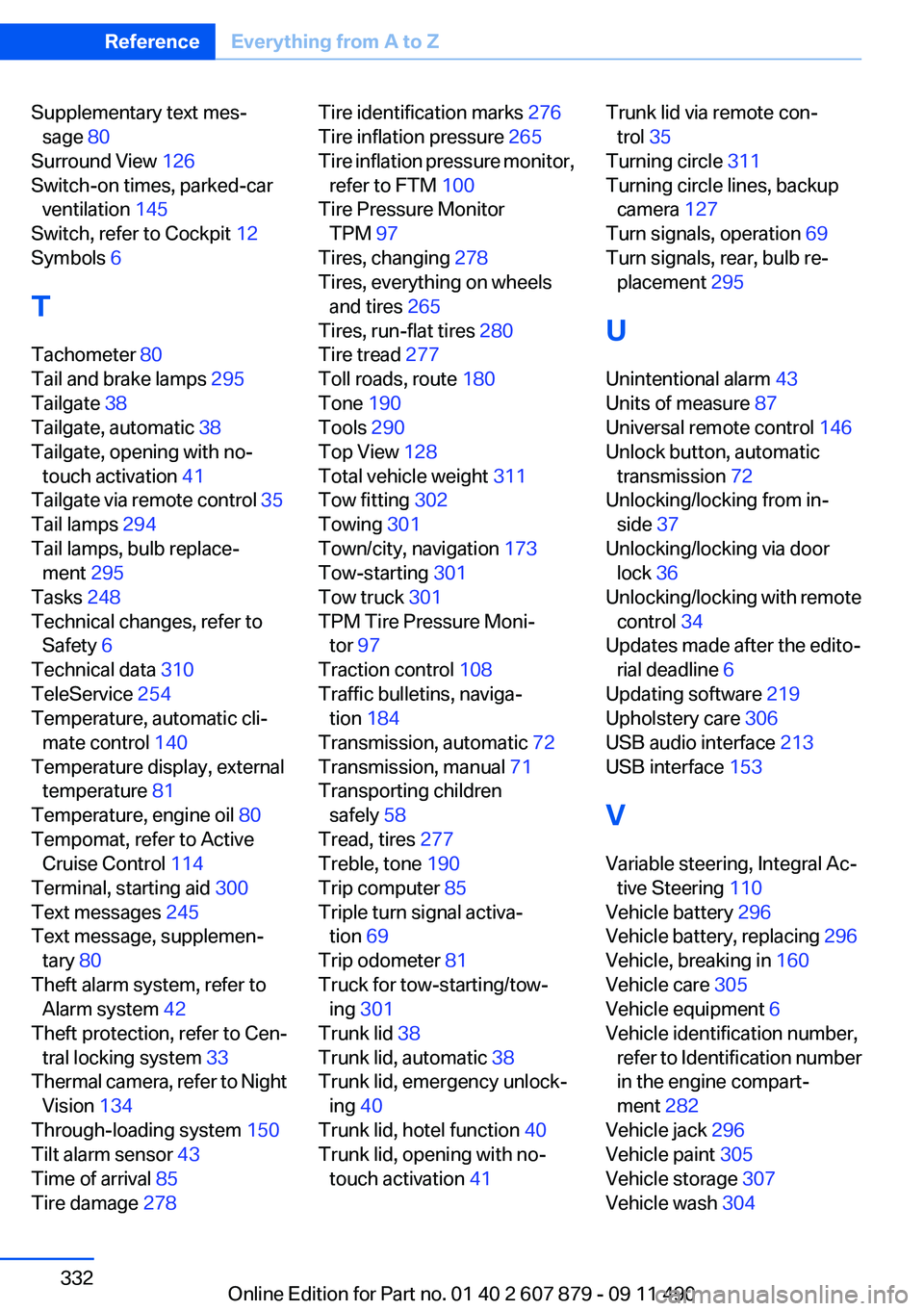
Supplementary text mes‐sage 80
Surround View 126
Switch-on times, parked-car ventilation 145
Switch, refer to Cockpit 12
Symbols 6
T
Tachometer 80
Tail and brake lamps 295
Tailgate 38
Tailgate, automatic 38
Tailgate, opening with no- touch activation 41
Tailgate via remote control 35
Tail lamps 294
Tail lamps, bulb replace‐ ment 295
Tasks 248
Technical changes, refer to Safety 6
Technical data 310
TeleService 254
Temperature, automatic cli‐ mate control 140
Temperature display, external temperature 81
Temperature, engine oil 80
Tempomat, refer to Active Cruise Control 114
Terminal, starting aid 300
Text messages 245
Text message, supplemen‐ tary 80
Theft alarm system, refer to Alarm system 42
Theft protection, refer to Cen‐ tral locking system 33
Thermal camera, refer to Night Vision 134
Through-loading system 150
Tilt alarm sensor 43
Time of arrival 85
Tire damage 278 Tire identification marks 276
Tire inflation pressure 265
Tire inflation pressure monitor, refer to FTM 100
Tire Pressure Monitor TPM 97
Tires, changing 278
Tires, everything on wheels and tires 265
Tires, run-flat tires 280
Tire tread 277
Toll roads, route 180
Tone 190
Tools 290
Top View 128
Total vehicle weight 311
Tow fitting 302
Towing 301
Town/city, navigation 173
Tow-starting 301
Tow truck 301
TPM Tire Pressure Moni‐ tor 97
Traction control 108
Traffic bulletins, naviga‐ tion 184
Transmission, automatic 72
Transmission, manual 71
Transporting children safely 58
Tread, tires 277
Treble, tone 190
Trip computer 85
Triple turn signal activa‐ tion 69
Trip odometer 81
Truck for tow-starting/tow‐ ing 301
Trunk lid 38
Trunk lid, automatic 38
Trunk lid, emergency unlock‐ ing 40
Trunk lid, hotel function 40
Trunk lid, opening with no- touch activation 41 Trunk lid via remote con‐
trol 35
Turning circle 311
Turning circle lines, backup camera 127
Turn signals, operation 69
Turn signals, rear, bulb re‐ placement 295
U
Unintentional alarm 43
Units of measure 87
Universal remote control 146
Unlock button, automatic transmission 72
Unlocking/locking from in‐ side 37
Unlocking/locking via door lock 36
Unlocking/locking with remote control 34
Updates made after the edito‐ rial deadline 6
Updating software 219
Upholstery care 306
USB audio interface 213
USB interface 153
V
Variable steering, Integral Ac‐ tive Steering 110
Vehicle battery 296
Vehicle battery, replacing 296
Vehicle, breaking in 160
Vehicle care 305
Vehicle equipment 6
Vehicle identification number, refer to Identification number
in the engine compart‐
ment 282
Vehicle jack 296
Vehicle paint 305
Vehicle storage 307
Vehicle wash 304 Seite 332ReferenceEverything from A to Z332
Online Edition for Part no. 01 40 2 607 879 - 09 11 490