notes? Reduce the data volume of the con‐
tact.▷Is the mobile phone connected as an audio
source or additional telephone? The mobile
phone must be connected as a telephone.
The phone connection quality is poor.
▷The strength of the Bluetooth signal on the
mobile phone can be adjusted, depending
on the mobile phone.▷Insert the mobile phone into the snap-in
adapter or place it in the area of the center
console.▷Adjust the volume of the microphone and
loudspeakers separately.
If all points in this list have been checked and the
required function is still not available, contact
the hotline or service center.
Controls
Adjusting the volume
Turn the knob until the desired volume is se‐
lected. The setting is stored for the remote con‐
trol currently in use.
The vehicle automatically adjusts the volume of
the microphone on the telephone and the vol‐
ume of the called party. Depending on the mo‐
bile phone, the volumes may need to be ad‐
justed. The settings can only be created during
a call and must be adjusted separately for each
telephone. The settings are deleted when the
telephone is unpaired.
1."Settings"2."Tone"3."Volume settings"4.Select the desired setting: "Microphone" or
"Loudspeak."5.To adjust: turn the controller.6.To store: press the controller.Incoming call
Receiving calls
If the number of the caller is stored in the phone
book and is transmitted by the network, the
name of the contact is displayed. Otherwise,
only the phone number is displayed.
If more than one phone number is assigned to a
contact, only the name of the contact is dis‐
played.
For calls on the additional telephone, the num‐
ber is only displayed if it is transmitted by the
network.
An incoming call to the additional telephone is
automatically rejected if there is an active call on
the other telephone.
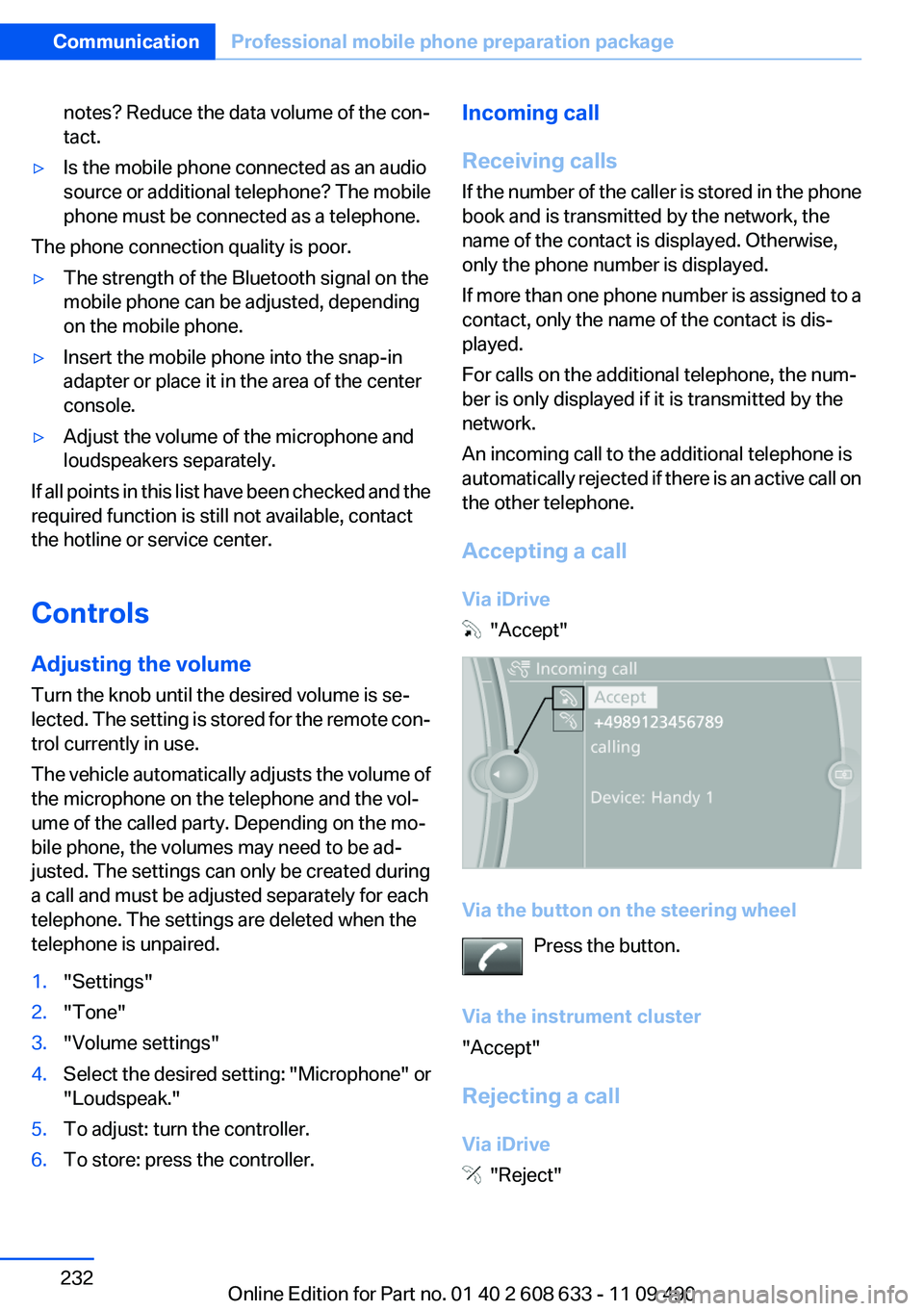
Accepting a call
Via iDrive
"Accept"
Via the button on the steering wheel Press the button.
Via the instrument cluster
"Accept"
Rejecting a call
Via iDrive
"Reject"
Seite 232CommunicationProfessional mobile phone preparation package232
Online Edition for Part no. 01 40 2 608 633 - 11 09 490
Breakdown assistanceVehicle equipment
All standard, country-specific and optional
equipment that is offered in the model series is
described in this chapter. Therefore, equipment
is also described that is not available in a vehicle,
e. g., because of the selected optional equip‐
ment or country variant. This also applies for
safety-related functions and systems.
Hazard warning flashers
The button is located in the center console.
Emergency Request
Requirements
▷Equipment version with full preparation
package mobile phone.
An Emergency Request can be made, even
if no mobile phones are paired with the ve‐
hicle.▷BMW Assist is activated.▷The radio ready state is switched on.▷The BMW Assist system is logged in to a
wireless communications network sup‐
ported by BMW Assist.▷The Assist system is functional.
Only press the SOS button in an emergency.
Emergency Request not guaranteed
For technical reasons, the Emergency Re‐
quest cannot be guaranteed under unfavorable
conditions.◀
Service contract▷After your contract with BMW Assist has ex‐
pired, the BMW Assist system can be deac‐
tivated by the service center without you
having to visit a workshop.
After deactivation, an Emergency Request
is no longer possible.▷Under certain circumstances, the system
can be reactivated by a service center after
you sign a new contract.
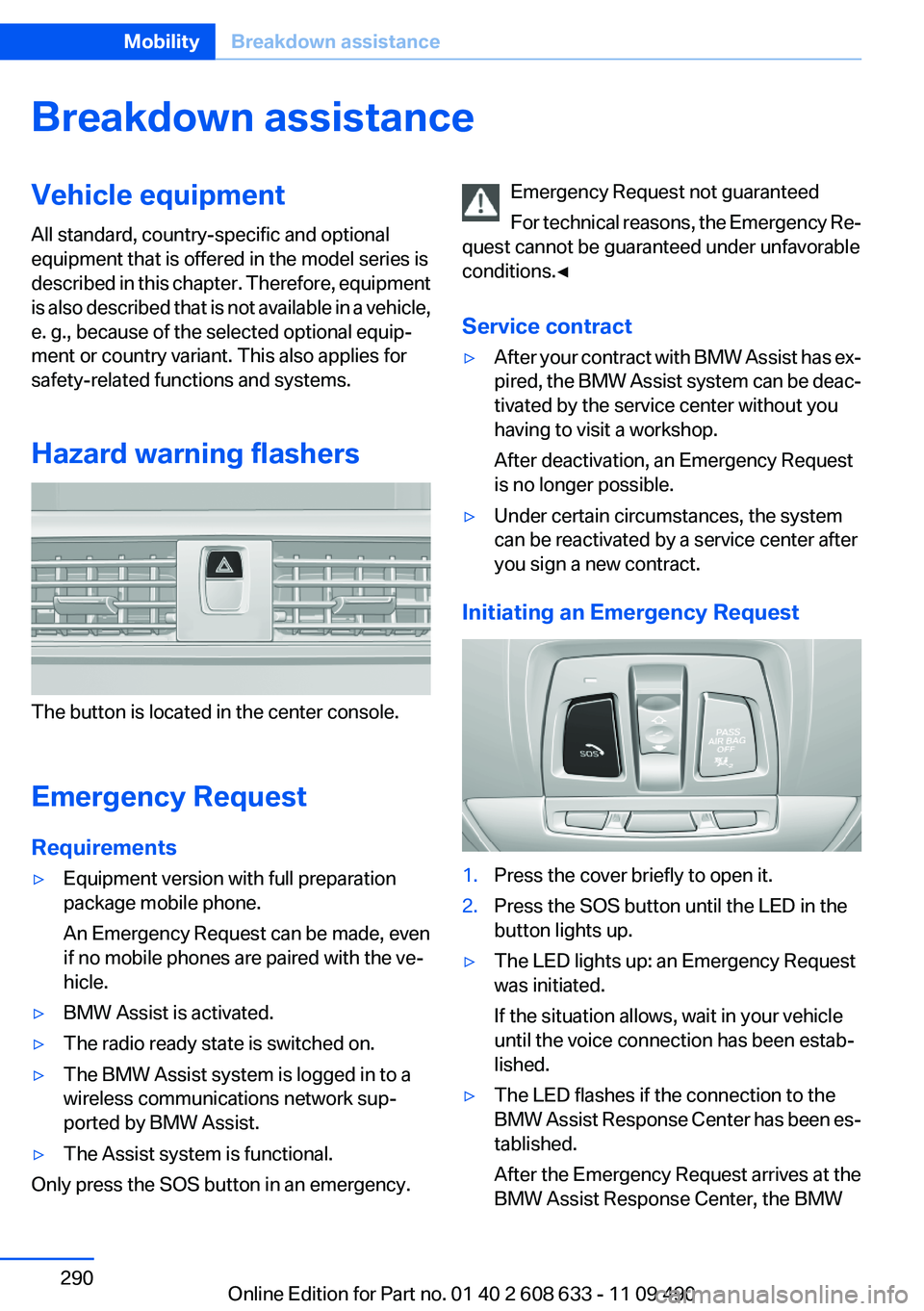
Initiating an Emergency Request
1.Press the cover briefly to open it.2.Press the SOS button until the LED in the
button lights up.▷The LED lights up: an Emergency Request
was initiated.
If the situation allows, wait in your vehicle
until the voice connection has been estab‐
lished.▷The LED flashes if the connection to the
BMW Assist Response Center has been es‐
tablished.
After the Emergency Request arrives at the
BMW Assist Response Center, the BMWSeite 290MobilityBreakdown assistance290
Online Edition for Part no. 01 40 2 608 633 - 11 09 490
Blinds, sun protection 43
Bluetooth audio 213
Bluetooth connection, activat‐ ing/deactivating 222, 229
BMW Assist 250
BMW Homepage 6
BMW Internet page 6
BMW Maintenance Sys‐ tem 277
BMW Search 252
Bottle holder, refer to Cu‐ pholder 150
Brake assistant 104
Brake discs, breaking in 156
Brake force display 102
Brake lamps, brake force dis‐ play 102
Brake lights, adaptive 102
Brake pads, breaking in 156
Braking, notes 157
Breakdown assis‐ tance 290, 291
Breaking in 156
Brightness of Control Dis‐ play 85
Bulb replacement 279
Bulb replacement, front 280
Bulb replacement, halogen headlamps 280
Bulb replacement, rear 285
Bulb replacement, xenon headlamps 283
Bulbs and lamps 279
Button, RES 111
Button, Start/Stop 59
Bypassing, refer to starting aid 291
C
Calendar 243
California Proposition 65 Warning 7
Camera, backup camera 125
Camera, care 299
Camera, Side View 128 Camera, Top View 127
Can holder, refer to Cu‐ pholder 150
Car battery 287
Car care products 297
Care, displays 299
Care, vehicle 297
Cargo 159
Cargo area, enlarging 146
Cargo area lid 37
Cargo area, storage compart‐ ments 151
Cargo straps, securing cargo 160
Car key, refer to Remote con‐ trol 30
Carpet, care 298
Car wash 296
Catalytic converter, refer to Hot exhaust system 156
CBS Condition Based Serv‐ ice 277
CD/DVD 198
CDs, storing 205
Cell phone 220, 228
Center armrest 149
Center console 14
Central locking system 33
Central screen, refer to Control Display 16
Changes, technical, refer to Safety 6
Changing parts 279
Changing wheels 287
Changing wheels/tires 269
Check Control 73
Children, seating position 55
Children, transporting safely 55
Child restraint fixing sys‐ tem 55
Child restraint fixing system LATCH 56
Child restraint fixing systems, mounting 55
Child safety locks 58 Child seat, mounting 55
Child seats 55
Chrome parts, care 298
Cigarette lighter 145
Cleaning, displays 299
Climate control 134, 136
Clock 76
Closing/opening from in‐ side 37
Closing/opening via door lock 36
Closing/opening with remote control 34
Clothes hooks 151
Collision warning 115, 117
Combination switch, refer to Turn signals 64
Combination switch, refer to Wiper system 65
Comfort Access 38
COMFORT program, Dynamic Driving Control 107
Compartments in the doors 149
Compass 143
Computer 81
Concierge service 251
Condensation on win‐ dows 138
Condensation under the vehi‐ cle 158
Condition Based Service CBS 277
Confirmation signal 35
Contacts 239, 0
Control Display 16
Control Display, settings 83
Controller 16, 17
Control systems, driving sta‐ bility 104
Convenient opening 34
Coolant 276
Coolant temperature 76
Cooling function 135, 137
Cooling, maximum 137
Cooling system 276 Seite 315Everything from A to ZReference315
Online Edition for Part no. 01 40 2 608 633 - 11 09 490