2012 BMW 328I SEDAN refueling
[x] Cancel search: refuelingPage 5 of 325
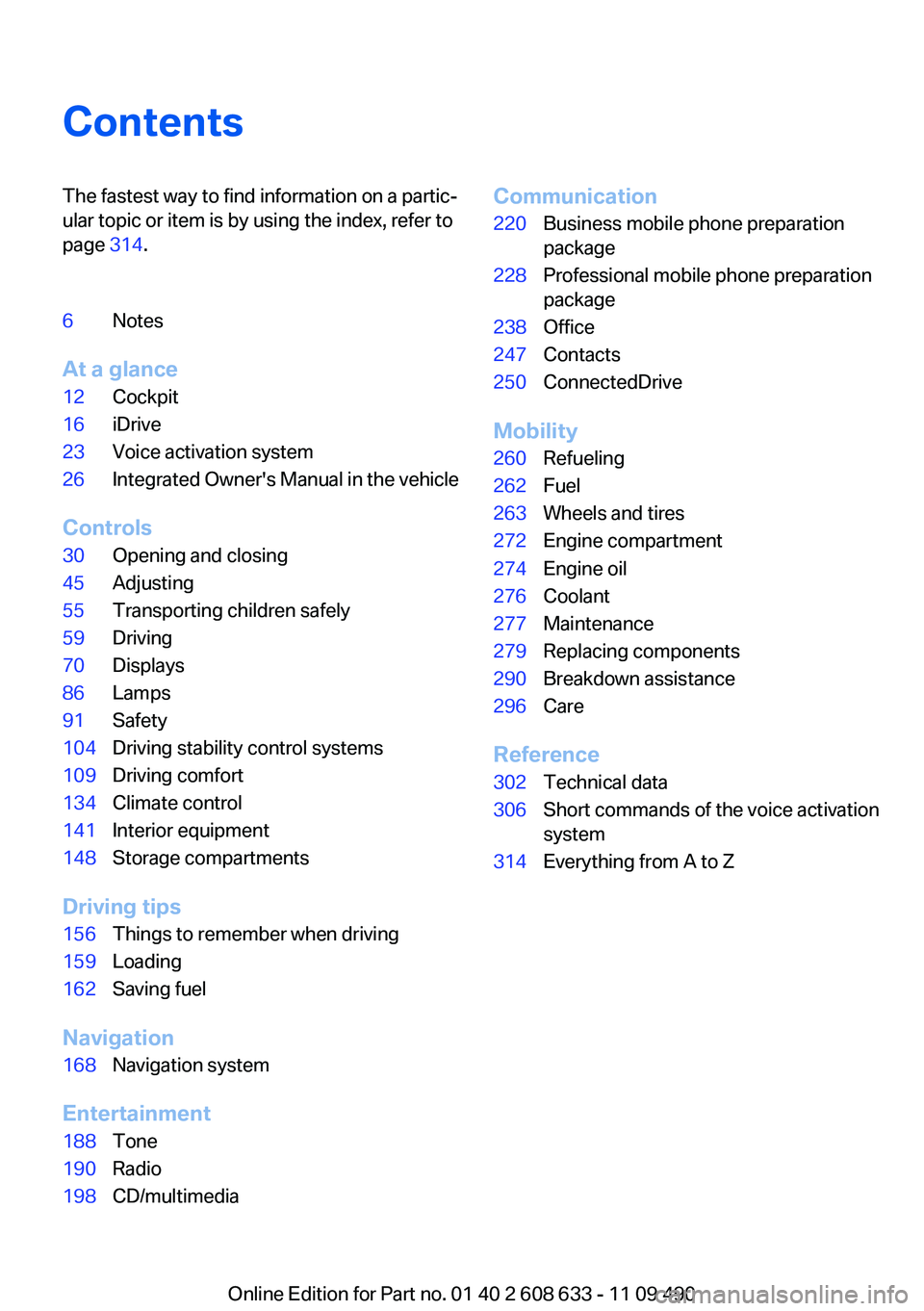
ContentsThe fastest way to find information on a partic‐
ular topic or item is by using the index, refer to
page 314.6Notes
At a glance
12Cockpit16iDrive23Voice activation system26Integrated Owner's Manual in the vehicle
Controls
30Opening and closing45Adjusting55Transporting children safely59Driving70Displays86Lamps91Safety104Driving stability control systems109Driving comfort134Climate control141Interior equipment148Storage compartments
Driving tips
156Things to remember when driving159Loading162Saving fuel
Navigation
168Navigation system
Entertainment
188Tone190Radio198CD/multimediaCommunication220Business mobile phone preparation
package228Professional mobile phone preparation
package238Office247Contacts250ConnectedDrive
Mobility
260Refueling262Fuel263Wheels and tires272Engine compartment274Engine oil276Coolant277Maintenance279Replacing components290Breakdown assistance296Care
Reference
302Technical data306Short commands of the voice activation
system314Everything from A to Z
Online Edition for Part no. 01 40 2 608 633 - 11 09 490
Page 75 of 325
Supplementary text messages
Addition information, such as on the cause of a
fault or the required action, can be called up via
Check Control.
The supplementary text of urgent messages is
displayed on the Control Display automatically.
Symbols
Depending on the Check Control message, the
following functions can be selected.▷ "Owner's Manual"
Display additional information about the
Check Control message in the integrated
owner's manual.▷ "Service request"
Contact the service partner.▷ "Roadside Assistance"
Contact Roadside Assistance.
Hiding Check Control messages
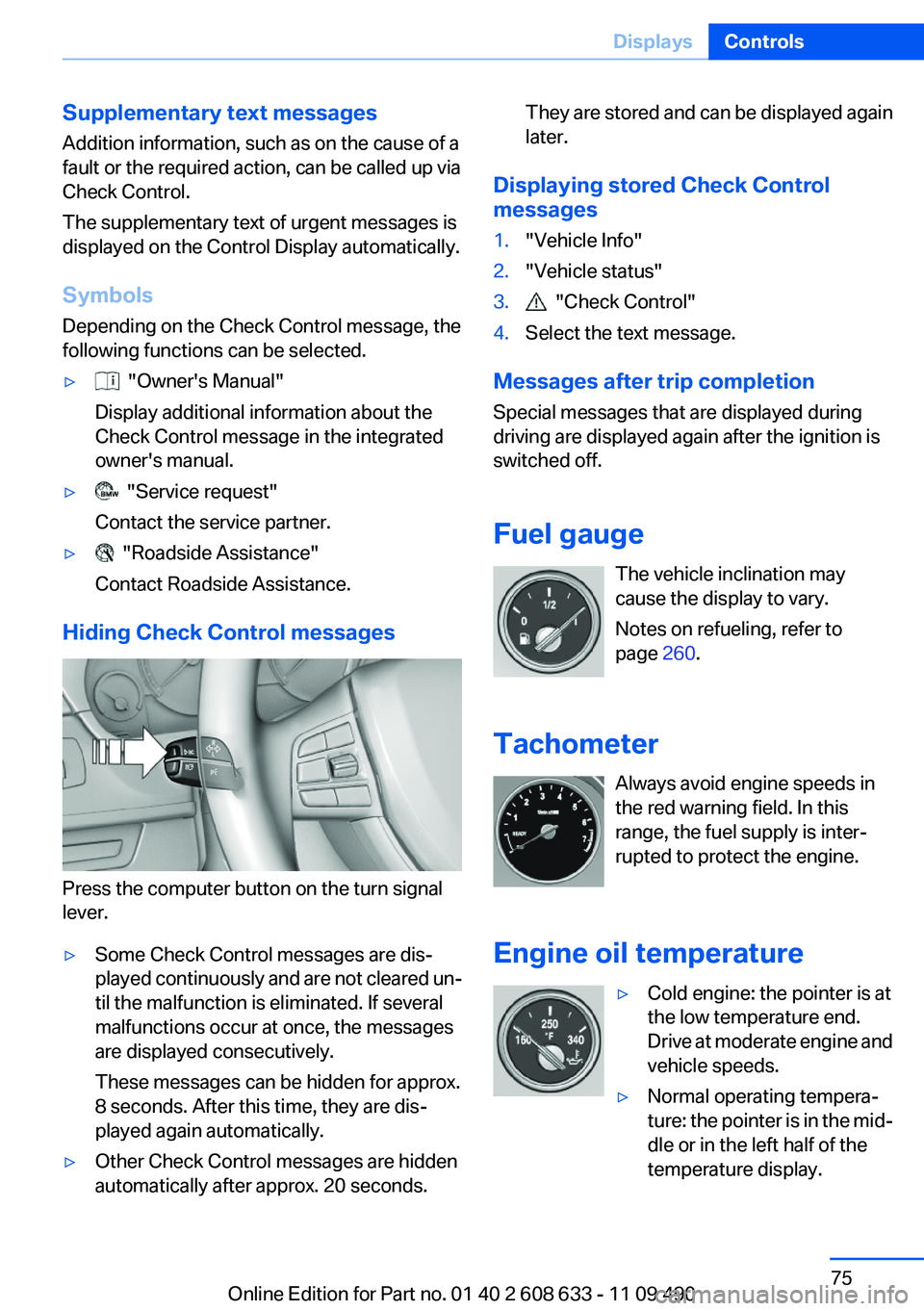
Press the computer button on the turn signal
lever.
▷Some Check Control messages are dis‐
played continuously and are not cleared un‐
til the malfunction is eliminated. If several
malfunctions occur at once, the messages
are displayed consecutively.
These messages can be hidden for approx.
8 seconds. After this time, they are dis‐
played again automatically.▷Other Check Control messages are hidden
automatically after approx. 20 seconds.They are stored and can be displayed again
later.
Displaying stored Check Control
messages
1."Vehicle Info"2."Vehicle status"3. "Check Control"4.Select the text message.
Messages after trip completion
Special messages that are displayed during
driving are displayed again after the ignition is
switched off.
Fuel gauge The vehicle inclination may
cause the display to vary.
Notes on refueling, refer to
page 260.
Tachometer Always avoid engine speeds in
the red warning field. In this
range, the fuel supply is inter‐
rupted to protect the engine.
Engine oil temperature
▷Cold engine: the pointer is at
the low temperature end.
Drive at moderate engine and
vehicle speeds.▷Normal operating tempera‐
ture: the pointer is in the mid‐
dle or in the left half of the
temperature display.Seite 75DisplaysControls75
Online Edition for Part no. 01 40 2 608 633 - 11 09 490
Page 260 of 325
RefuelingVehicle equipment
All standard, country-specific and optional
equipment that is offered in the model series is
described in this chapter. Therefore, equipment
is also described that is not available in a vehicle,
e. g., because of the selected optional equip‐
ment or country variant. This also applies for
safety-related functions and systems.
General information Refuel promptly
Refuel below a range of 30 miles/50 km;
otherwise, engine functions are not ensured and
damage may occur.◀
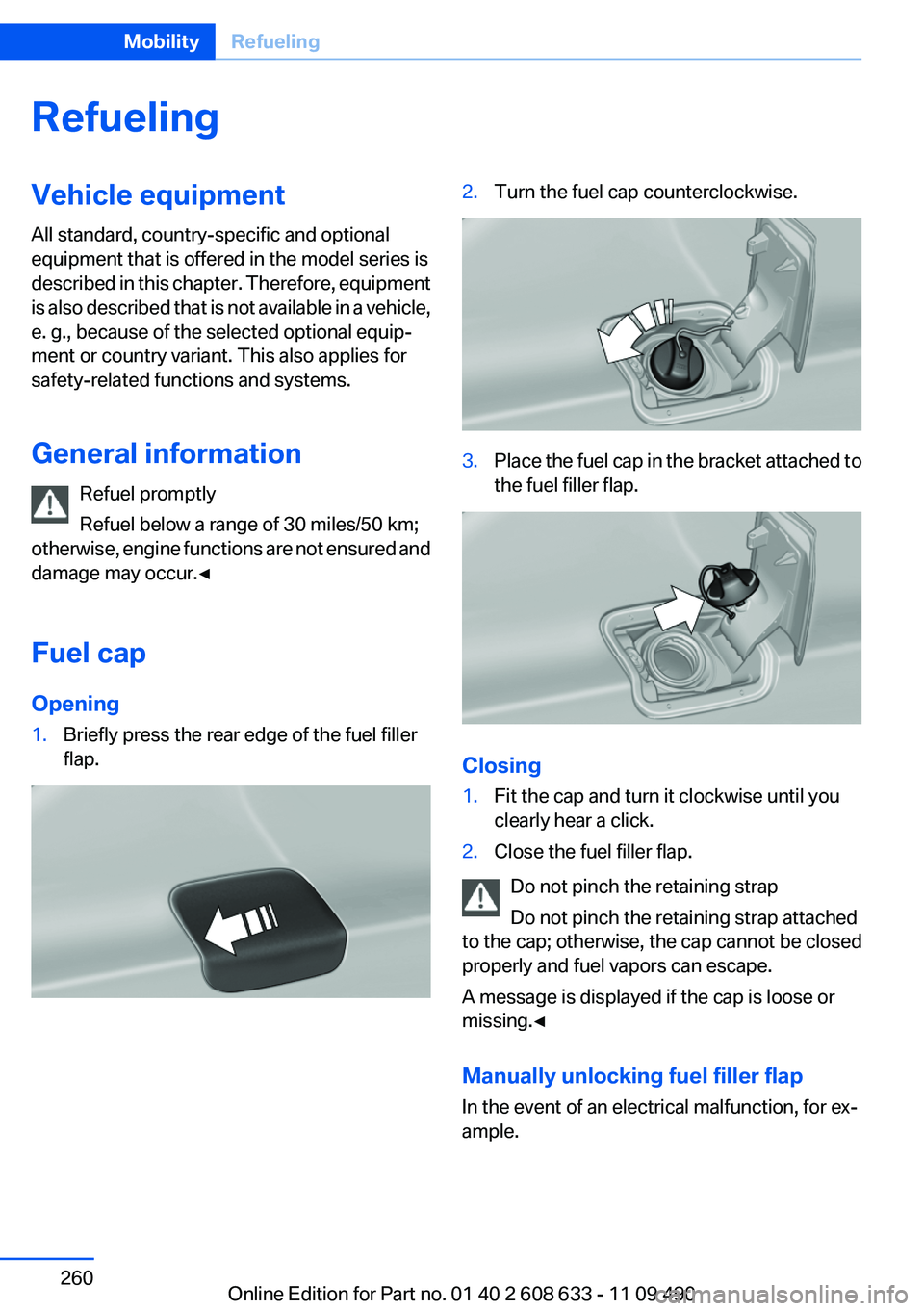
Fuel cap
Opening1.Briefly press the rear edge of the fuel filler
flap.2.Turn the fuel cap counterclockwise.3.Place the fuel cap in the bracket attached to
the fuel filler flap.
Closing
1.Fit the cap and turn it clockwise until you
clearly hear a click.2.Close the fuel filler flap.
Do not pinch the retaining strap
Do not pinch the retaining strap attached
to the cap; otherwise, the cap cannot be closed
properly and fuel vapors can escape.
A message is displayed if the cap is loose or
missing.◀
Manually unlocking fuel filler flap
In the event of an electrical malfunction, for ex‐
ample.
Seite 260MobilityRefueling260
Online Edition for Part no. 01 40 2 608 633 - 11 09 490
Page 261 of 325
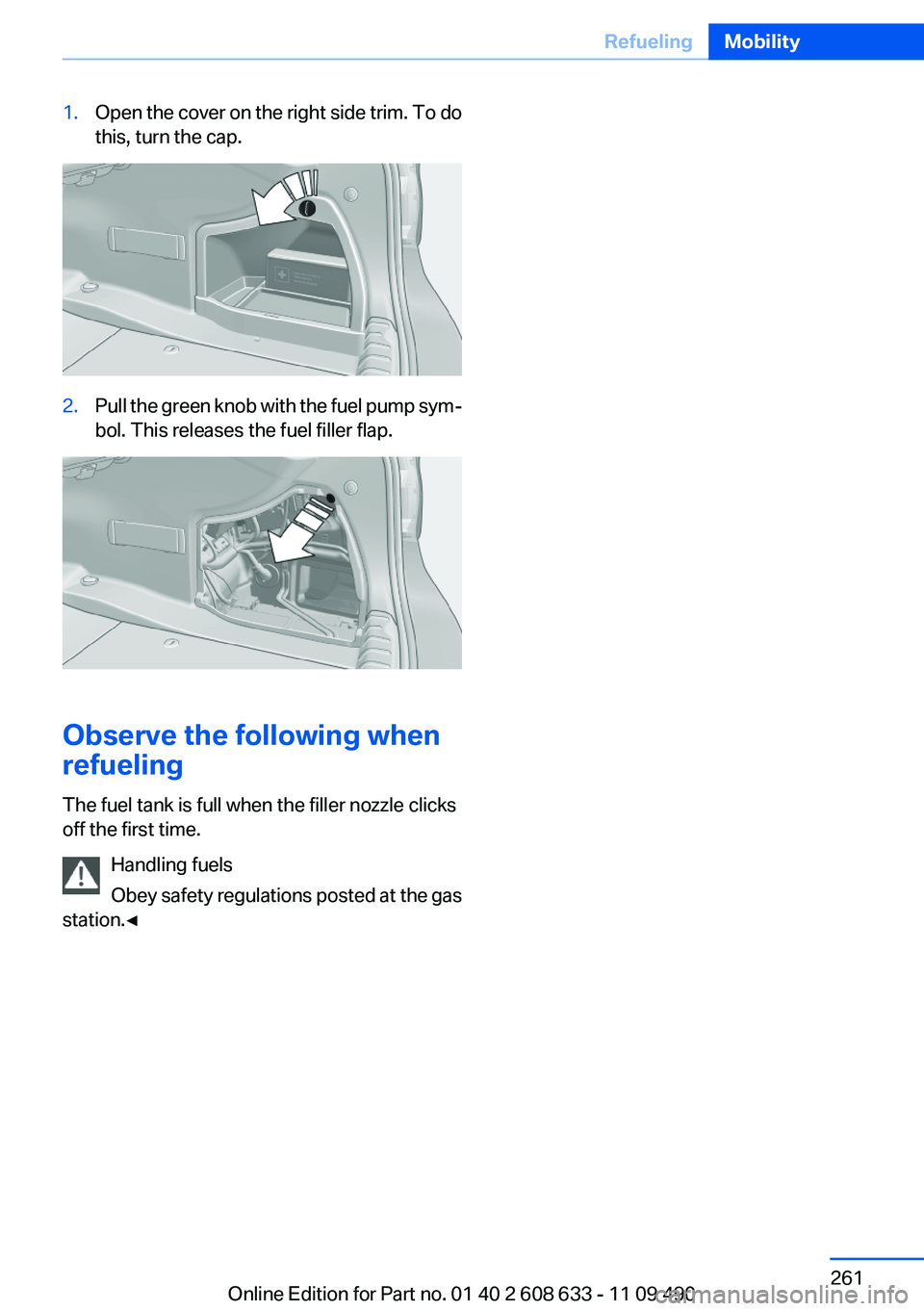
1.Open the cover on the right side trim. To do
this, turn the cap.2.Pull the green knob with the fuel pump sym‐
bol. This releases the fuel filler flap.
Observe the following when
refueling
The fuel tank is full when the filler nozzle clicks
off the first time.
Handling fuels
Obey safety regulations posted at the gas
station.◀
Seite 261RefuelingMobility261
Online Edition for Part no. 01 40 2 608 633 - 11 09 490
Page 274 of 325
Engine oilVehicle equipment
All standard, country-specific and optional
equipment that is offered in the model series is
described in this chapter. Therefore, equipment
is also described that is not available in a vehicle,
e. g., because of the selected optional equip‐
ment or country variant. This also applies for
safety-related functions and systems.
General information
The engine oil consumption is dependent on the
driving style and driving conditions.
Therefore, regularly check the engine oil level
after refueling.
Check oil level
The concept
The oil level is monitored electronically during
driving and shown on the Control Display.
If the oil level reaches the minimum level, a
check control message is displayed.
Displaying the oil level1."Vehicle Info"2."Vehicle status"3. "Engine oil level"
Possible messages
▷"Engine oil level OK"▷"Engine oil at minimum. Add 1 quart of
engine oil!"
Within the next 125 miles/200 km, a maxi‐
mum of 1 US quart/liter oil.▷"Engine oil level below minimum. Add 1
quart!"
Immediately add 1 US quart/liter of oil.Detailed measurement
Requirements:▷Vehicle is on a level road and the engine is
running at operating temperature.▷Manual transmission: Shift lever in neutral
position clutch and gas pedal not de‐
pressed.▷Automatic transmission: Selector lever in
transmission position N or P and gas pedal
not depressed.
In order to perform a detailed measurement of
the engine oil level:
1."Vehicle Info"2."Vehicle status"3. "Measure engine oil level"4."Start measurement"
The oil level is checked and displayed via a scale.
During the detailed measurement, the idle
speed is increased somewhat.
Duration: approx. 1 minute.
Adding engine oil
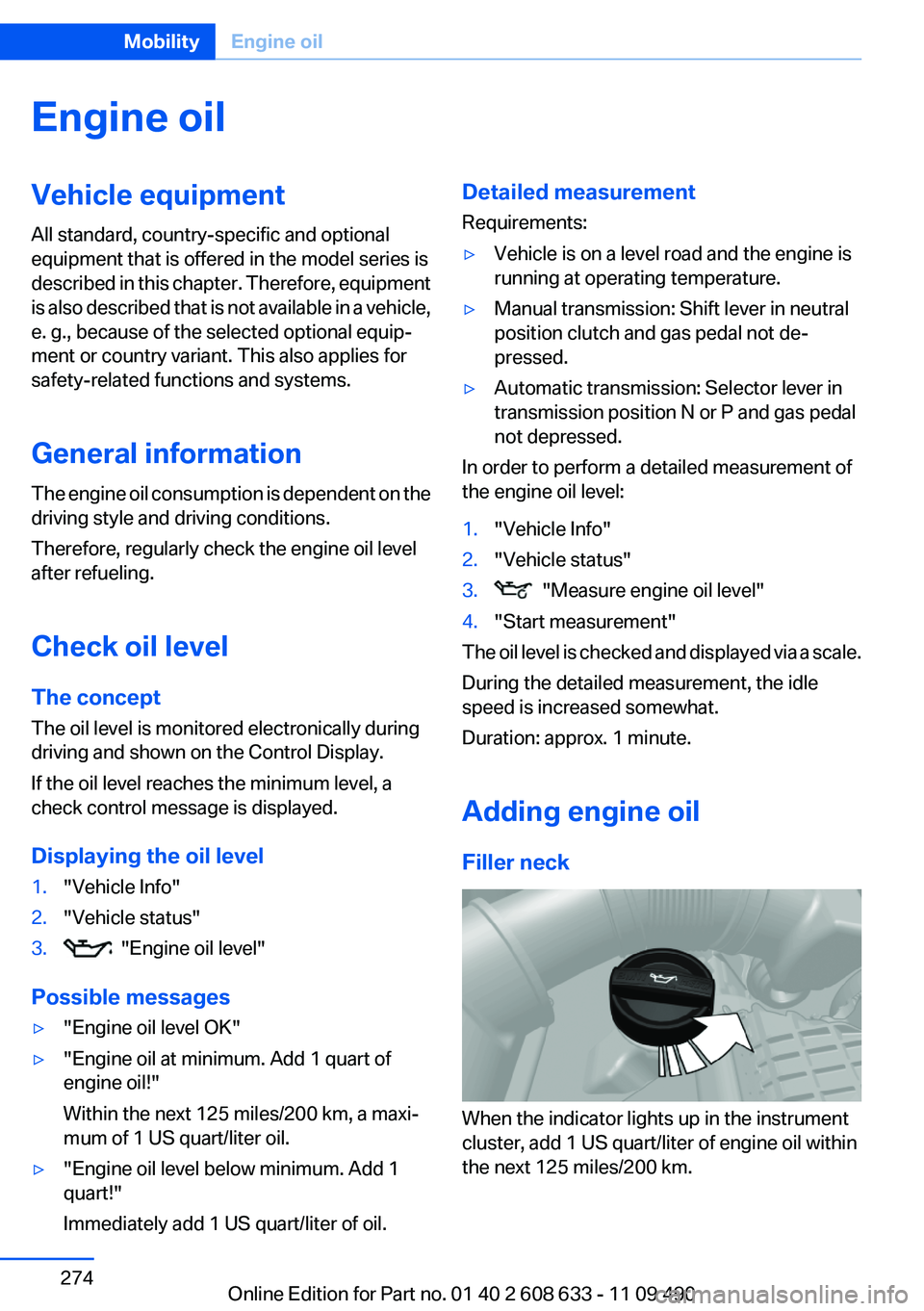
Filler neck
When the indicator lights up in the instrument
cluster, add 1 US quart/liter of engine oil within
the next 125 miles/200 km.
Seite 274MobilityEngine oil274
Online Edition for Part no. 01 40 2 608 633 - 11 09 490
Page 320 of 325
Parking lamps 86
Passenger side mirror, tilting downward 52
Pathway lines, backup cam‐ era 124
PDC Park Distance Con‐ trol 121
Permissible axle load 304
Personal information 238
Personal Profile 31
Pinch protection system, glass sunroof 43
Pinch protection system, win‐ dows 42
Plastic, care 298
PlugIn 255
Position, storing 170
Postal code, entering in navi‐ gation 169
Power failure 288
Power output, engine 303
Power sunroof, glass 43
Power windows 41
Pressure, tire air pres‐ sure 263
Pressure warning FTM, tires 97
Profile, refer to Personal Pro‐ file 31
Programmable memory but‐ tons, iDrive 21
Protective function, glass sun‐ roof 43
Protective function, win‐ dows 42
Push-and-turn switch, refer to Controller 16, 17
R
Radiator fluid 276
Radio 190, 198
Radio-operated key, refer to Remote control 30
Radio ready state 60
Radio stations buttons 197 Rain sensor 65
Random 199
Random playback 199
RDS 191
Reading out loud 245
Rear lamps 285
Rear socket 146
Rearview mirror 52
Rear window de‐ froster 135, 138
Recirculated-air filter 139
Recirculated air filter 136
Recirculated-air mode 135, 138
Recommended tire brands 270
Refueling 260
Remaining range 76
Reminders 245
Remote control/key 30
Remote control, malfunc‐ tion 36
Remote control, universal 141
Replacement fuse 288
Replacing parts 279
Replacing wheels/tires 269
Reporting safety defects 8
RES button 111
Reserve warning, refer to Range 76
Resetting, Tire Pressure Mon‐ itor TPM 95
Retaining straps, securing cargo 160
Retreaded tires 270
Roadside Assistance 251
Roadside parking lamps 87
Roller sunblinds 43
Roof load capacity 304
Roof-mounted luggage rack 160
Rope for tow-starting/tow‐ ing 294
Route 177
Route criteria, route 176
Route, displaying 177 Routes, avoiding 176
Route section, bypassing 177
RPM, engine 303
RSC Run Flat System Compo‐ nent, refer to Run-flat
tires 271
Rubber components, care 298
Run-flat tires 271
S
Safe braking 157
Safety 6
Safety belt reminder 49
Safety belts 48
Safety belts, care 298
Safety Package, refer to Active Protection 102
Safety switch, windows 42
Safety systems, airbags 91
Satellite radio 192
Saving fuel 162
Scale, changing during navi‐ gation 179
Screen, refer to Control Dis‐ play 16
Screwdriver 279
Screw thread for tow fit‐ ting 294
Search, refer to BMW Search 252
Seat and mirror memory 51
Seat belts, refer to Safety belts 48
Seat heating, front 47
Seat heating, rear 48
Seating position for chil‐ dren 55
Seats 45
Selection list in instrument cluster 80
Selector lever, automatic transmission 67
Sensors, care 299
Service and warranty 7 Seite 320ReferenceEverything from A to Z320
Online Edition for Part no. 01 40 2 608 633 - 11 09 490