2011 TOYOTA VERSO S wheel
[x] Cancel search: wheelPage 370 of 664
3705-5. Using the driving support systems
• Vehicle speed is approximately 50
km/h (32 mph) or more.
• Width of traffic lane is approximately 3
m (9.8 ft.) or more.
• No system malfunctions are detected.
(P.371)
●Lane centering function
This function operates when all of the
following conditions are met.
• LTA is turned on.
• Setting for “Steering Assist” and “Lane
Center” in the screen of the multi-
information display are set to “ON”.
(P.179)
• This function recognizes white (yel-
low) lane lines or the position of a pre-
ceding vehicle (except when the
preceding vehicle is small, such as a
motorcycle).
• The dynamic radar cruise control with
full-speed range is operating in vehi-
cle-to-vehicle distance control mode.
• Width of traffic lane is approximately 3
to 4 m (10 to 13 ft.).
• Turn signal lever is not operated.
• Vehicle is not being driven around a
sharp curve.
• No system malfunctions are detected.
(P.371)
• Vehicle does not accelerate or decel-
erate by a fixed amount or more.
• Steering wheel is not operated with a
steering force level suitable for chang-
ing lanes.
• ABS, VSC, TRC and PCS are not
operating.
• TRC or VSC is not turned off.
• Hands off steering wheel warning is
not displayed. (P.370)
• The vehicle is being driven in the cen-
ter of a lane.
• Steering assist function is not operat-
ing.
■Temporary cancelation of functions
●When operation conditions are no lon-
ger met, a function may be temporar-
ily canceled. However, when the
operation conditions are met again,
operation of the function is automati-
cally restored. (P.369)
●If the operation conditions (P.369)
are no longer met while the lane cen-
tering function is operating, the steer-
ing wheel may vibrate and the buzzer
may sound to indicate that the func-
tion has been temporarily canceled.
However, if the “Alert” customization
setting is set to “Steering wheel vibra-
tion”, the system will notify the driver
by vibrating the steering wheel instead
of sounding the buzzer.
■Steering assist function/lane cen-
tering function
●Depending on the vehicle speed, lane
departure situation, road conditions,
etc., the driver may not feel the func-
tion is operating or the function may
not operate at all.
●The steering control of the function is
overridden by the driver’s steering
wheel operation.
●Do not attempt to test the operation of
the steering assist function.
■Lane departure alert function
●The warning buzzer may be difficult to
hear due to external noise, audio play-
back, etc. Also, it may be difficult to
feel steering wheel vibrations due to
the road conditions, etc.
●If the edge of the course* is not clear
or straight, the lane departure alert
function may not operate.
●Vehicles with BSM: It may not be pos-
sible for the system to determine if
there is a danger of a collision with a
vehicle in an adjacent lane.
●Do not attempt to test the operation of
the lane departure alert function.
*: Boundary between asphalt and the
side of the road, such as grass, soil,
or a curb
■Hands off steering wheel warning
In the following situations, a warning
message urging the driver to hold the
steering wheel and the symbol shown in
the illustration are displayed on the
multi-information display to warn the
Page 371 of 664

371
5 5-5. Using the driving support systems
Driving
driver. The warning stops when the sys-
tem determines that the driver holds the
steering wheel. Always keep your hands
on the steering wheel when using this
system, regardless of warnings.
●When the system determines that the
driver is driving without holding the
steering wheel while the system is
operating
If the driver continues to keep their
hands off of the steering wheel, the
buzzer sounds, the driver is warned and
the function is temporarily canceled.
This warning also operates in the same
way when the driver continuously oper-
ates the steering wheel only a small
amount.
The buzzer also sounds even if the alert
type is set to “Steering wheel vibration”.
●When the system determines that the
vehicle may not turn and instead
depart from its lane while driving
around a curve
Depending on the vehicle condition and
road conditions, the warning may not
operate. Also, if the system determines
that the vehicle is driving around a
curve, warnings will occur earlier than
during straight-lane driving.
●When the system determines that the
driver is driving without holding the
steering wheel while the steering
wheel assist of the steering assist
function is operating.
If the driver continues to keep their
hands off of the steering wheel and the
steering wheel assist is operating, the
buzzer sounds and the driver is warned. Each time the buzzer sounds, the con-
tinuing time of the buzzer becomes lon-
ger.
The buzzer also sounds even if the alert
type is set to “Steering wheel vibration”.
■Vehicle sway warning function
When the system determines that the
vehicle is swaying while the vehicle
sway warning function is operating, a
buzzer sounds and a warning message
urging the driver to rest and the symbol
shown in the illustration are simultane-
ously displayed on the multi-information
display.
Depending on the vehicle and road con-
ditions, the warning may not operate.
■Warning message
If the following warning message is dis-
played on the multi-information display
and the LTA indicator illuminates in
orange, follow the appropriate trouble-
shooting procedure. Also, if a different
warning message is displayed, follow
the instructions displayed on the screen.
●“LTA Malfunction Visit Your Dealer”
The system may not be operating prop-
erly. Have the vehicle inspected by any
authorized Toyota retailer or Toyota
authorized repairer, or any reliable
repairer.
●“LTA Unavailable”
The system is temporarily canceled due
to a malfunction in a sensor other than
the front camera. Turn the LTA system
off, wait for a little while, and then turn
the LTA system back on.
●“LTA Unavailable at Current Speed”
Page 372 of 664
3725-5. Using the driving support systems
The function cannot be used as the
vehicle speed exceeds the LTA opera-
tion range. Drive slower.
■Customization
Function settings can be changed.
( P.186)
*: If equipped
RSA (Road Sign Assist)*
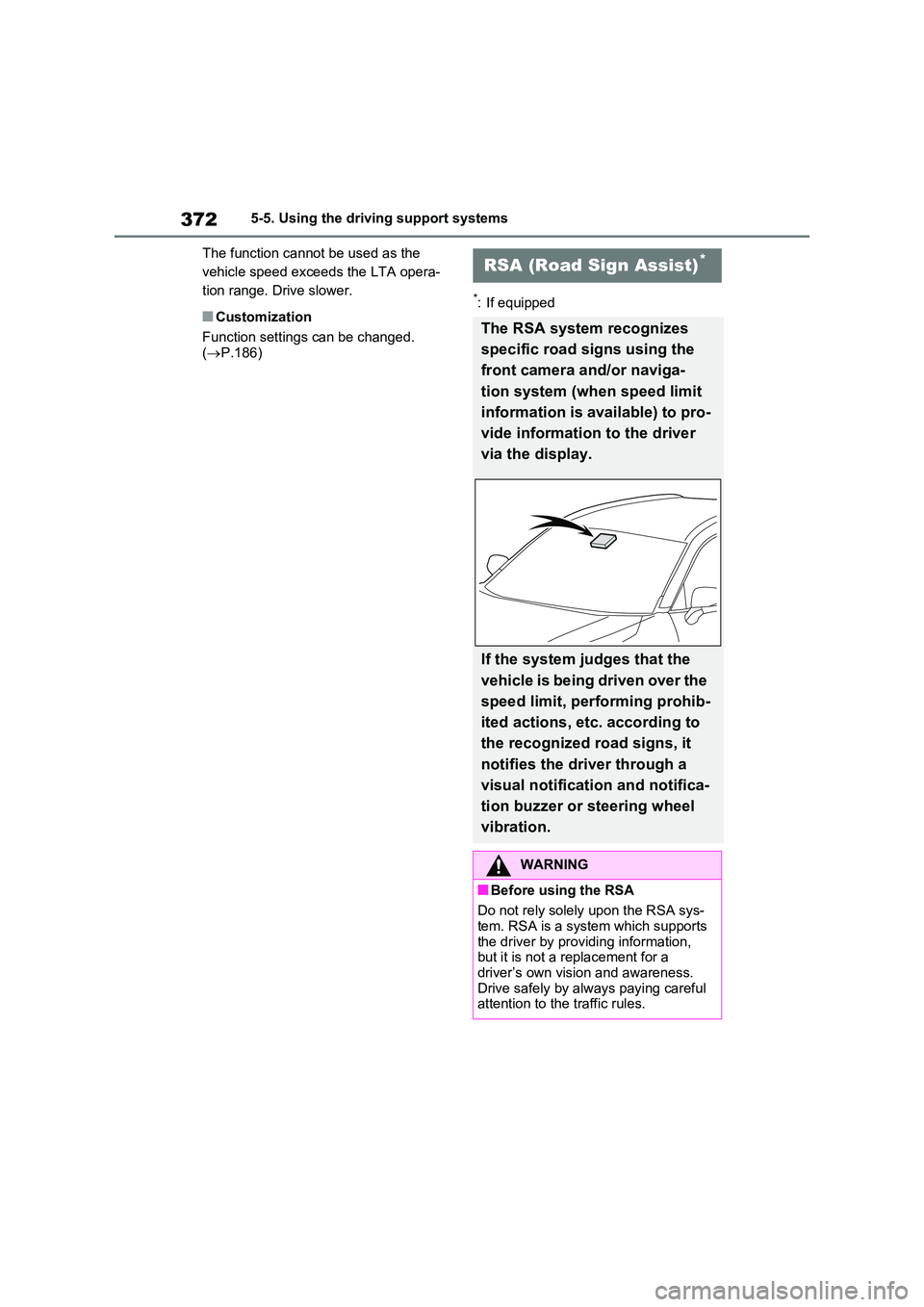
The RSA system recognizes
specific road signs using the
front camera and/or naviga-
tion system (when speed limit
information is available) to pro-
vide information to the driver
via the display.
If the system judges that the
vehicle is being driven over the
speed limit, performing prohib-
ited actions, etc. according to
the recognized road signs, it
notifies the driver through a
visual notification and notifica-
tion buzzer or steering wheel
vibration.
WARNING
■Before using the RSA
Do not rely solely upon the RSA sys- tem. RSA is a system which supports
the driver by providing information, but it is not a replacement for a driver’s own vision and awareness.
Drive safely by always paying careful attention to the traffic rules.
Page 375 of 664

375
5 5-5. Using the driving support systems
Driving
system will notify the driver.
When the vehicle speed exceeds
the speed notification threshold
of the speed limit sign displayed,
the sign display will be empha-
sized and a buzzer will sound.
When the RSA system recog-
nizes a no-entry sign and detects
that the vehicle has entered a
no-entry area based on the map
information of the navigation sys-
tem, the no-entry sign flashes
and a buzzer will sound. (For
vehicles with navigation system)
If it is detected that your vehicle
is overtaking when a no overtak-
ing sign is displayed on the multi-
information display, the dis-
played sign will flash and a steer-
ing wheel will vibrate.
Depending on the situation, traffic
environment (traffic direction,
speed unit) may be detected incor-
rectly and a notification function
may not operate properly.
■Setting procedure
P.186
■Automatic turn-off of RSA sign dis-
play
One or more signs automatically turn off
in the following situations.
●No sign has been recognized for a
certain distance.
●The road changes due to a left or right
turn, etc.
■Conditions in which the function
may not operate or detect correctly
In the following situations, RSA does not
operate normally and may not recognize signs, display the incorrect sign, etc.
However, this does not indicate a mal-
function.
●The front camera is misaligned due to
a strong impact being applied to the
sensor, etc.
●Dirt, snow, stickers, etc. are on the
windshield near the front camera.
●In inclement weather such as heavy
rain, fog, snow or sand storms.
●Light from an oncoming vehicle, the
sun, etc. enters the front camera.
●The sign is dirty, faded, tilted or bent.
●The contrast of electronic sign is low.
●All or part of the sign is hidden by the
leaves of a tree, a pole, etc.
●The sign is only visible to the front
camera for a short amount of time.
●The driving scene (turning, lane
change, etc.) is judged incorrectly.
●If a sign not appropriate for the cur-
rently traveled lane, but the sign exists
directly after a freeway branches, or in
an adjacent lane just before merging.
●Stickers are attached to the rear of the
preceding vehicle.
●A sign resembling a system compati-
ble sign is recognized.
●Side road speed signs may be
detected and displayed (if positioned
in sight of the front camera) while the
vehicle is traveling on the main road.
●Roundabout exit road speed signs
may be detected and displayed (if
positioned in sight of the front camera)
while traveling on a roundabout.
●The front of the vehicle is raised or
lowered due to the carried load.
●The surrounding brightness is not suf-
ficient or changes suddenly.
●When a sign intended for trucks, etc.
is recognized.
●The vehicle is driven in a country with
a different direction of traffic.
●The navigation system map data is
Page 380 of 664
3805-5. Using the driving support systems
When a vehicle is detected running ahead of you, the system automatically deceler-
ates your vehicle. When a greater reduction in vehicle speed is necessary, the sys-
tem applies the brakes (the stop lights will come on at this time). The system will
respond to changes in the speed of the vehicle ahead in order to maintain the vehi-
cle-to-vehicle distance set by the driver. Approach warning warns you when the sys-
tem cannot decelerate sufficiently to prevent your vehicle from closing in on the
vehicle ahead.
When the vehicle ahead of you stops, your vehicle will also stop (vehicle is stopped
by system control). After the vehicle ahead starts off, pressing the “+RES” switch or
depressing the accelerator pedal (start-off operation) will resume follow-up cruising.
If the start-off operation is not performed, system control continues to keep your
vehicle stopped.
When the turn signal lever is operated and your vehicle moves to an overtaking lane
while driving at 50 mph (80 km/h) or more, the vehicle will accelerate to help to over-
take a passing vehicle.
The system’s identification of what is an overtaking lane may be determined solely
based on the location of the steering wheel in the vehicle (left side driver position
versus right side driver position.) If the vehicle is driven to a region where the over-
taking lane is on a different side from where the vehicle is normally driven, the vehi-
cle may accelerate when the turn signal lever is operated in the opposite direction to
the overtaking lane (e.g., if the driver normally operates the vehicle in a region
where the overtaking lane is to the right but then drives to a region where the over-
taking lane is to the left, the vehicle may accelerate when the right turn signal is acti-
vated).
Example of acceleration
When there are no longer any preceding vehicles driving slower than the
set speed
The system accelerates until the set speed is reached. The system then returns to
constant speed cruising.
1Press the cruise control main
switch to activate the cruise con-
trol.
Dynamic radar cruise control indicator
will come on and a message will be dis-
played on the multi-information display.
Press the switch again to deactivate the
cruise control.If the cruise control main switch is
pressed and held for 1.5 seconds or
more, the system turns on in constant
C
Setting the vehicle speed
(vehicle-to-vehicle distance
control mode)
Page 387 of 664

387
5 5-5. Using the driving support systems
Driving
●Preceding vehicle has an extremely
high ground clearance
■Conditions under which the vehi-
cle-to-vehicle distance control
mode may not function correctly
In the case of the following conditions,
operate the brake pedal (or accelerator
pedal, depending on the situation) as
necessary.
As the sensor may not be able to cor-
rectly detect vehicles ahead, the system
may not operate properly.
●When the road curves or when the
lanes are narrow
●When steering wheel operation or
your position in the lane is unstable
●When the vehicle ahead of you decel-
erates suddenly
●When driving on a road surrounded by
a structure, such as in a tunnel or on a
bridge
●While the vehicle speed is decreasing
to the set speed after the vehicle
accelerates by depressing the accel-
erator pedal
Page 436 of 664
4365-5. Using the driving support systems
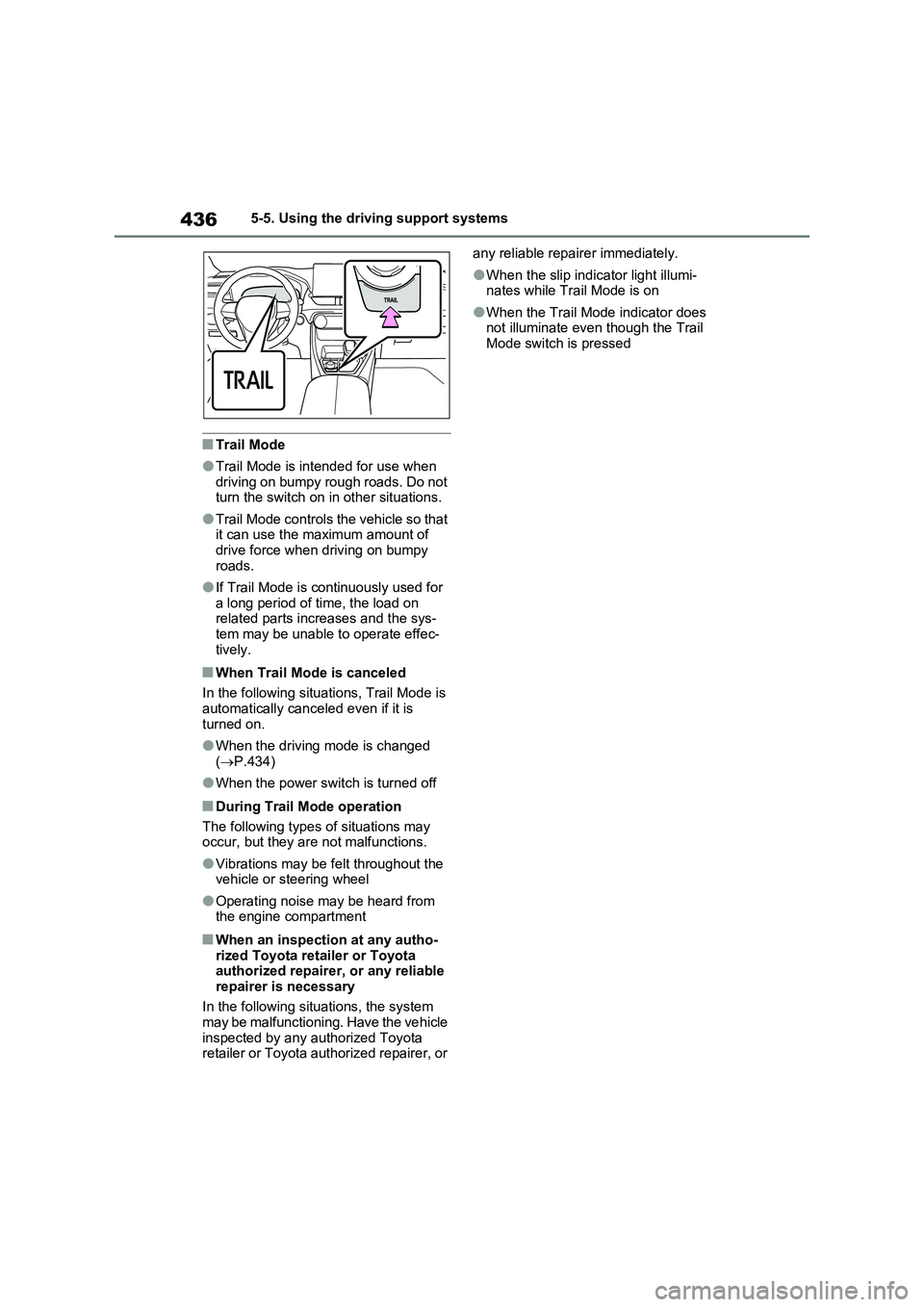
■Trail Mode
●Trail Mode is intended for use when
driving on bumpy rough roads. Do not
turn the switch on in other situations.
●Trail Mode controls the vehicle so that
it can use the maximum amount of
drive force when driving on bumpy
roads.
●If Trail Mode is continuously used for
a long period of time, the load on
related parts increases and the sys-
tem may be unable to operate effec-
tively.
■When Trail Mode is canceled
In the following situations, Trail Mode is
automatically canceled even if it is
turned on.
●When the driving mode is changed
(P.434)
●When the power switch is turned off
■During Trail Mode operation
The following types of situations may
occur, but they are not malfunctions.
●Vibrations may be felt throughout the
vehicle or steering wheel
●Operating noise may be heard from
the engine compartment
■When an inspection at any autho-
rized Toyota retailer or Toyota
authorized repairer, or any reliable
repairer is necessary
In the following situations, the system
may be malfunctioning. Have the vehicle
inspected by any authorized Toyota
retailer or Toyota authorized repairer, or any reliable repairer immediately.
●When the slip indicator light illumi-
nates while Trail Mode is on
●When the Trail Mode indicator does
not illuminate even though the Trail
Mode switch is pressed
Page 438 of 664
4385-5. Using the driving support systems
■ECB (Electronically Con-
trolled Brake System)
The electronically controlled sys-
tem generates braking force corre-
sponding to the brake operation
■ABS (Anti-lock Brake System)
Helps to prevent wheel lock when
the brakes are applied suddenly, or
if the brakes are applied while driv-
ing on a slippery road surface
■Brake assist
Generates an increased level of
braking force after the brake pedal
is depressed when the system
detects a panic stop situation
■VSC (Vehicle Stability Control)
Helps the driver to control skidding
when swerving suddenly or turning
on slippery road surfaces.
■VSC+ (Vehicle Stability Con-
trol+)
Provides cooperative control of the
ABS, TRC, VSC and EPS.
Helps to maintain directional stabil-
ity when swerving on slippery road
surfaces by controlling steering per-
formance.
■Trailer Sway Control
Helps the driver to control trailer
sway by selectively applying brake
pressure for individual wheels and
reducing driving torque when trailer
sway is detected.
■TRC (Traction Control)
Helps to maintain drive power and
prevent the drive wheels from spin-
ning when starting the vehicle or
accelerating on slippery roads
■Active Cornering Assist (ACA)
Helps to prevent the vehicle from
drifting to the outer side by perform-
ing inner wheel brake control when
attempting to accelerate while turn-
ing
■Hill-start assist control
Helps to reduce the backward
movement of the vehicle when
starting on an uphill
■EPS (Electric Power Steering)
Employs an electric motor to
reduce the amount of effort needed
to turn the steering wheel
Driving assist systems
To keep driving safety and per-
formance, the following sys-
tems operate automatically in
response to various driving sit-
uations. Be aware, however,
that these systems are supple-
mentary and should not be
relied upon too heavily when
operating the vehicle.
Summary of the driving
assist systems