Page 291 of 732
Interior and exteriorfeatures3
291
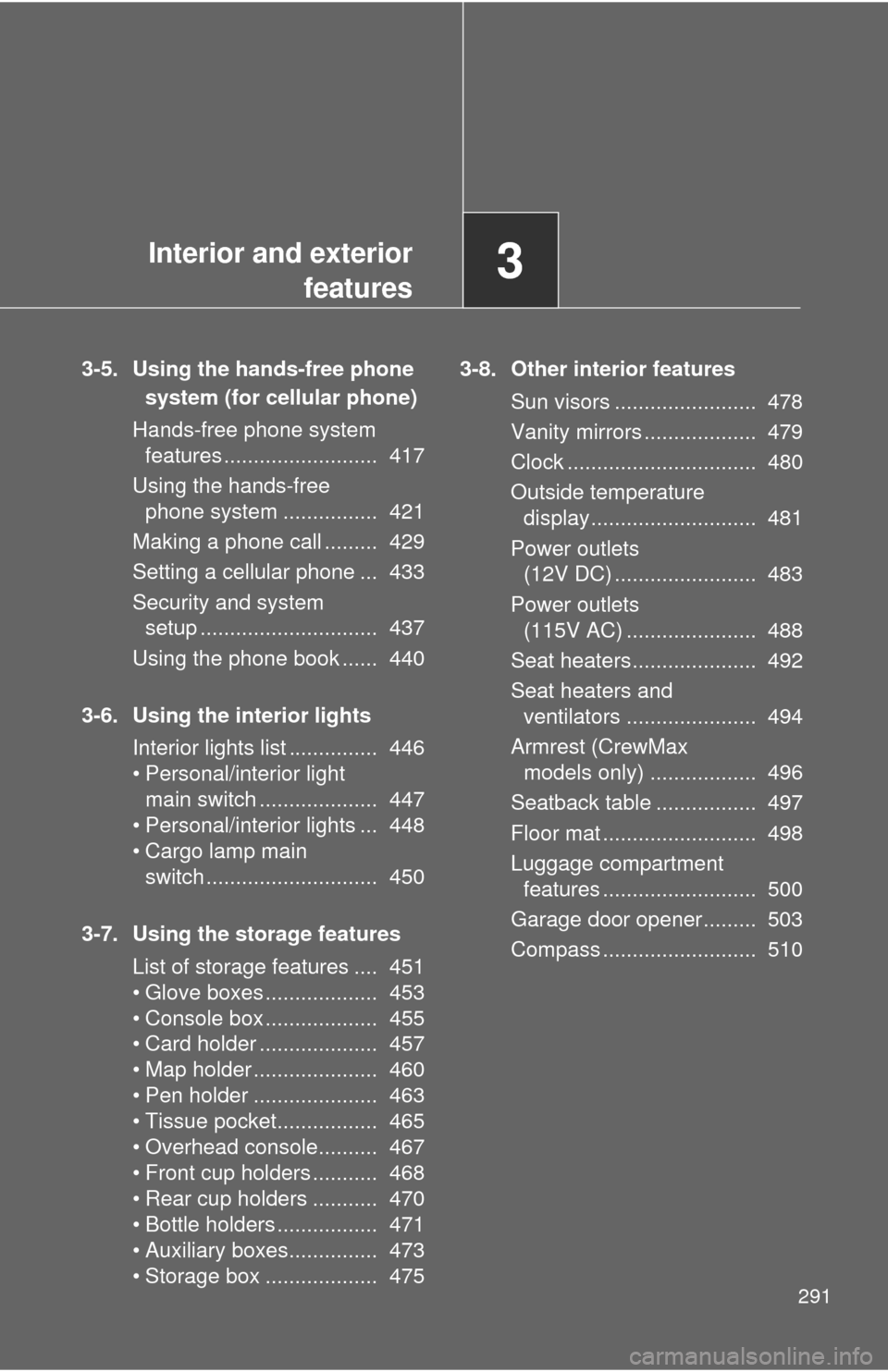
3-5. Using the hands-free phone
system (for cellular phone)
Hands-free phone system features .......................... 417
Using the hands-free phone system ................ 421
Making a phone call ......... 429
Setting a cellular phone ... 433
Security and system setup .............................. 437
Using the phone book ...... 440
3-6. Using the interior lights Interior lights list ............... 446
• Personal/interior light main switch .................... 447
• Personal/interior lights ... 448
• Cargo lamp main switch ............................. 450
3-7. Using the storage features List of storage features .... 451
• Glove boxes ................... 453
• Console box ................... 455
• Card holder .................... 457
• Map holder ..................... 460
• Pen holder ..................... 463
• Tissue pocket................. 465
• Overhead console.......... 467
• Front cup holders ........... 468
• Rear cup holders ........... 470
• Bottle holders ................. 471
• Auxiliary boxes............... 473
• Storage box ................... 475 3-8. Other interior features
Sun visors ........................ 478
Vanity mirrors ................... 479
Clock ................................ 480
Outside temperature display............................ 481
Power outlets (12V DC) ........................ 483
Power outlets (115V AC) ...................... 488
Seat heaters..................... 492
Seat heaters and ventilators ...................... 494
Armrest (CrewMax models only) .................. 496
Seatback table ................. 497
Floor mat .......................... 498
Luggage compartment features .......................... 500
Garage door opener......... 503
Compass .......................... 510
Page 324 of 732
324 3-2. Using the audio system
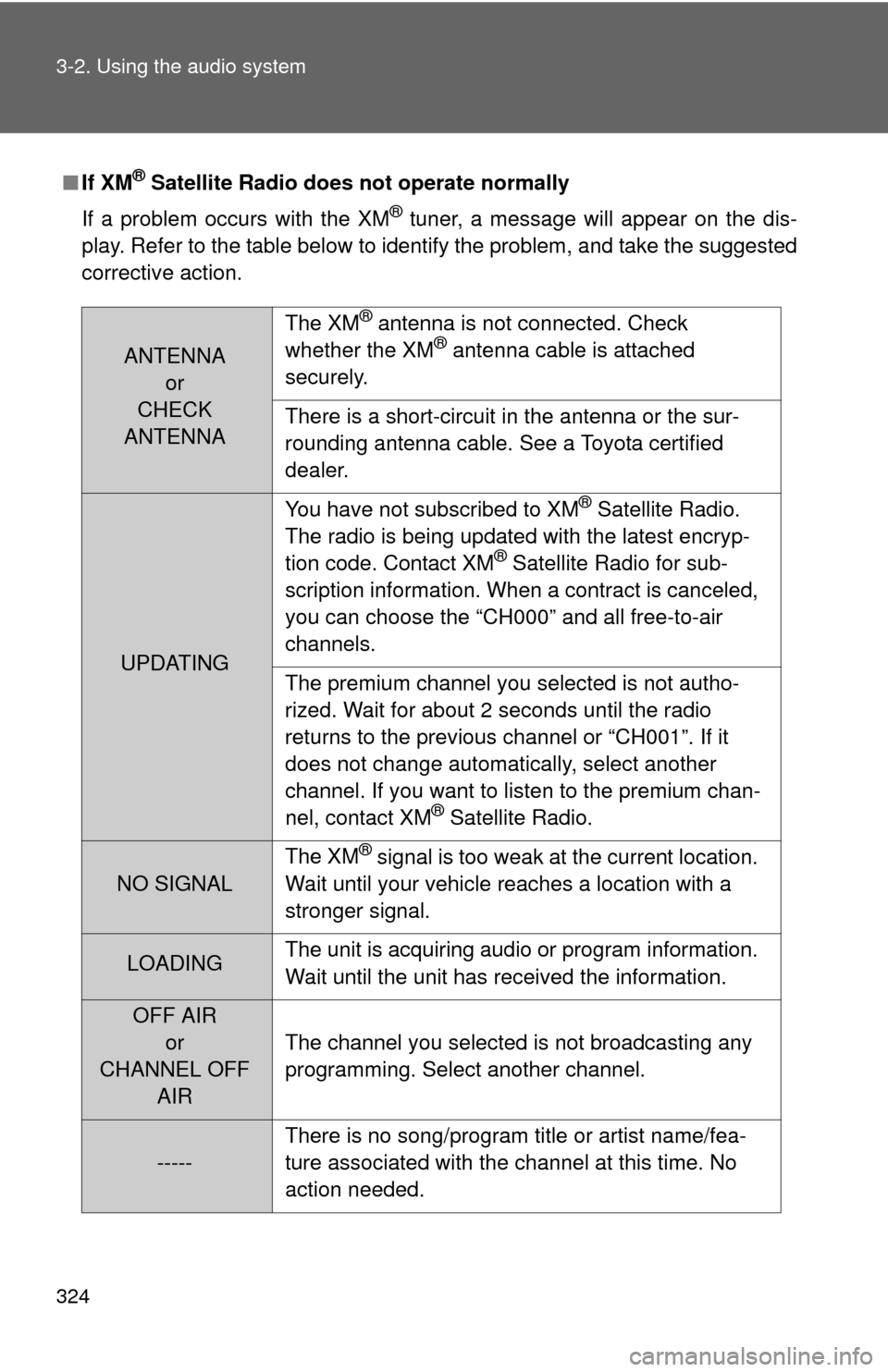
■If XM® Satellite Radio does not operate normally
If a problem occurs with the XM
® tuner, a message will appear on the dis-
play. Refer to the table below to identify the problem, and take the suggested
corrective action.
ANTENNA or
CHECK
ANTENNA The XM
® antenna is not connected. Check
whether the XM® antenna cable is attached
securely.
There is a short-circuit in the antenna or the sur-
rounding antenna cable. See a Toyota certified
dealer.
UPDATING You have not subscribed to XM
® Satellite Radio.
The radio is being updated with the latest encryp-
tion code. Contact XM
® Satellite Radio for sub-
scription information. When a contract is canceled,
you can choose the “CH000” and all free-to-air
channels.
The premium channel you selected is not autho-
rized. Wait for about 2 seconds until the radio
returns to the previous channel or “CH001”. If it
does not change automatically, select another
channel. If you want to listen to the premium chan-
nel, contact XM
® Satellite Radio.
NO SIGNAL The XM
® signal is too weak at the current location.
Wait until your vehicle reaches a location with a
stronger signal.
LOADING The unit is acquiring audio or program information.
Wait until the unit has received the information.
OFF AIR
or
CHANNEL OFF AIR The channel you selected is not broadcasting any
programming. Select another channel.
-----
There is no song/program title or artist name/fea-
ture associated with the channel at this time. No
action needed.
Page 418 of 732
418 3-5. Using the hands-free phone system (for cellular phone)
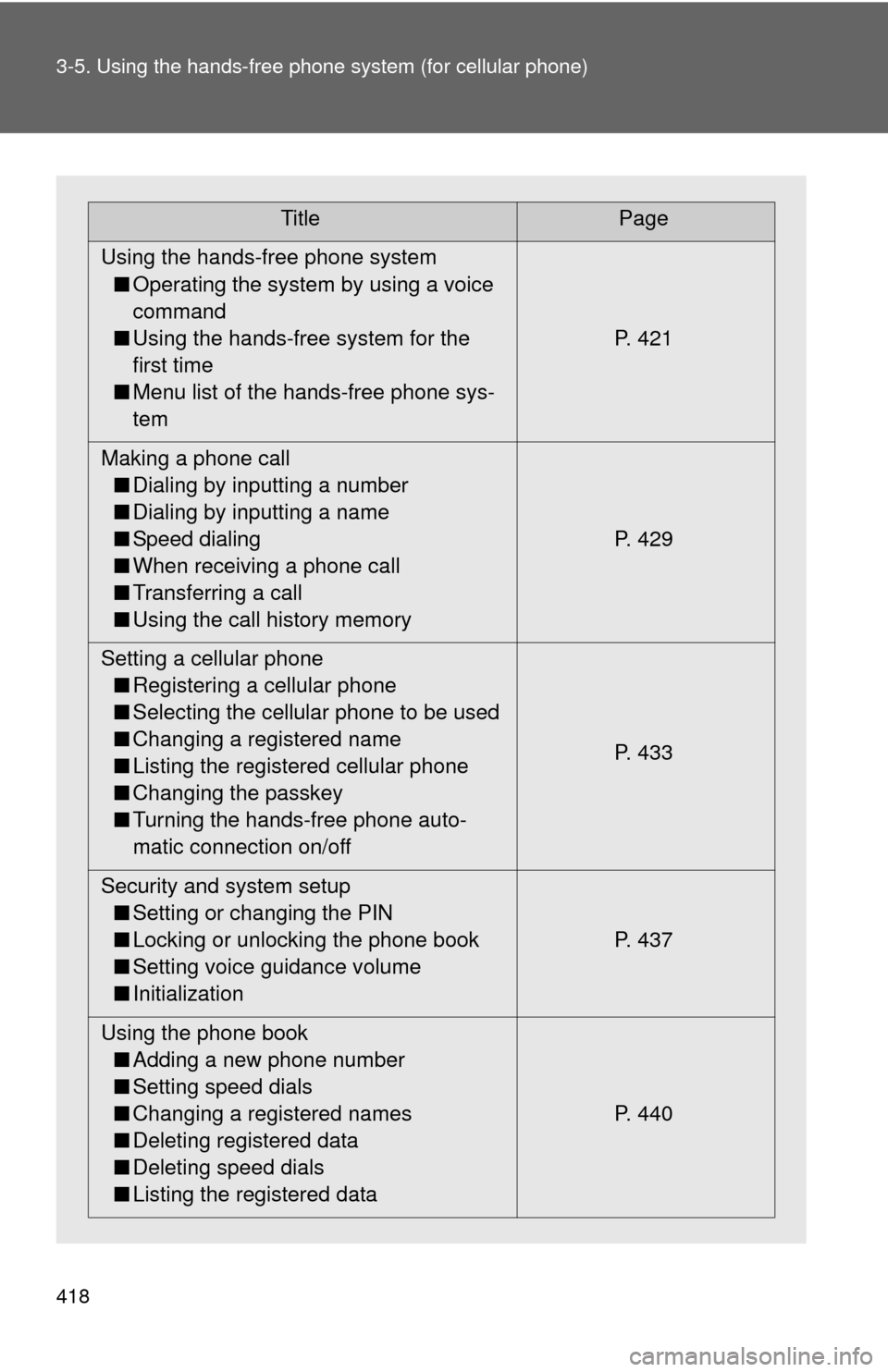
TitlePage
Using the hands-free phone system ■ Operating the system by using a voice
command
■ Using the hands-free system for the
first time
■ Menu list of the hands-free phone sys-
tem P. 421
Making a phone call ■ Dialing by inputting a number
■ Dialing by inputting a name
■ Speed dialing
■ When receiving a phone call
■ Transferring a call
■ Using the call history memory P. 429
Setting a cellular phone ■ Registering a cellular phone
■ Selecting the cellular phone to be used
■ Changing a registered name
■ Listing the registered cellular phone
■ Changing the passkey
■ Turning the hands-free phone auto-
matic connection on/off P. 433
Security and system setup ■ Setting or changing the PIN
■ Locking or unlocking the phone book
■ Setting voice guidance volume
■ Initialization P. 437
Using the phone book ■ Adding a new phone number
■ Setting speed dials
■ Changing a registered names
■ Deleting registered data
■ Deleting speed dials
■ Listing the registered data P. 440
Page 426 of 732
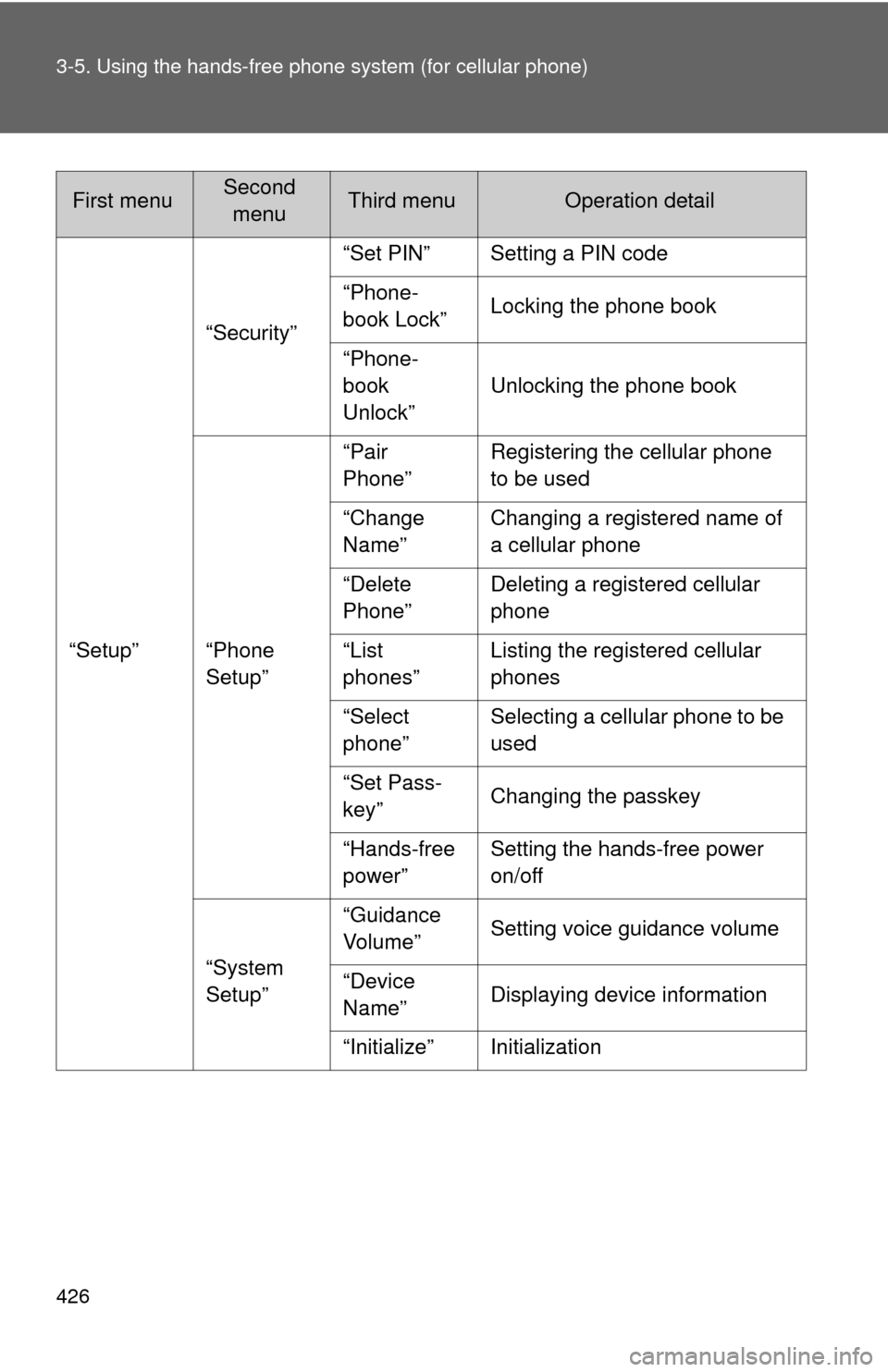
426 3-5. Using the hands-free phone system (for cellular phone)
“Setup”“Security”
“Set PIN” Setting a PIN code
“Phone-
book Lock”
Locking the phone book
“Phone-
book
Unlock” Unlocking the phone book
“Phone
Setup” “Pair
Phone”
Registering the cellular phone
to be used
“Change
Name” Changing a registered name of
a cellular phone
“Delete
Phone” Deleting a registered cellular
phone
“List
phones” Listing the registered cellular
phones
“Select
phone” Selecting a cellular phone to be
used
“Set Pass-
key” Changing the passkey
“Hands-free
power” Setting the hands-free power
on/off
“System
Setup” “Guidance
Vo l u m e ”
Setting voice guidance volume
“Device
Name” Displaying device information
“Initialize” Initialization
First menuSecond menuThird menuOperation detail
Page 437 of 732
437
3-5. Using the hands-free phone system (for cellular phone)
3
Interior and exterior features
Security and system setup
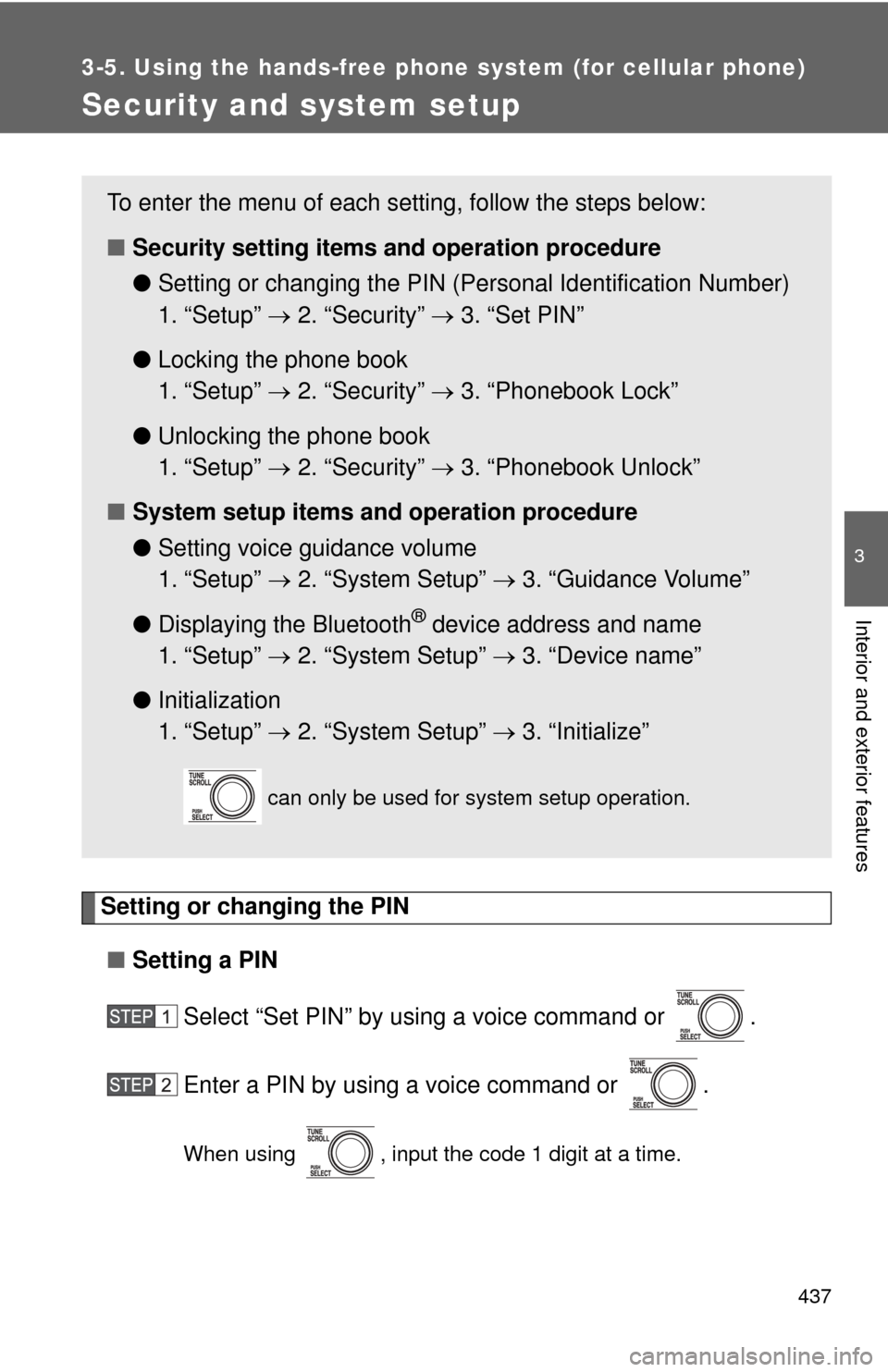
Setting or changing the PIN■ Setting a PIN
Select “Set PIN” by using a voice command or .
Enter a PIN by using a voice command or .
When using , input the code 1 digit at a time.
To enter the menu of each setting, follow the steps below:
■Security setting items and operation procedure
● Setting or changing t he PIN (Personal Identification Number)
1. “Setup” 2. “Security” 3. “Set PIN”
● Locking the phone book
1. “Setup” 2. “Security” 3. “Phonebook Lock”
● Unlocking the phone book
1. “Setup” 2. “Security” 3. “Phonebook Unlock”
■ System setup items and operation procedure
●Setting voice guidance volume
1. “Setup” 2. “System Setup” 3. “Guidance Volume”
● Displaying the Bluetooth
® device address and name
1. “Setup” 2. “System Setup” 3. “Device name”
● Initialization
1. “Setup” 2. “System Setup” 3. “Initialize”
can only be used for system setup operation.
Page 439 of 732
439
3-5. Using the hand
s-free phone system (for cellular phone)
3
Interior and exterior features
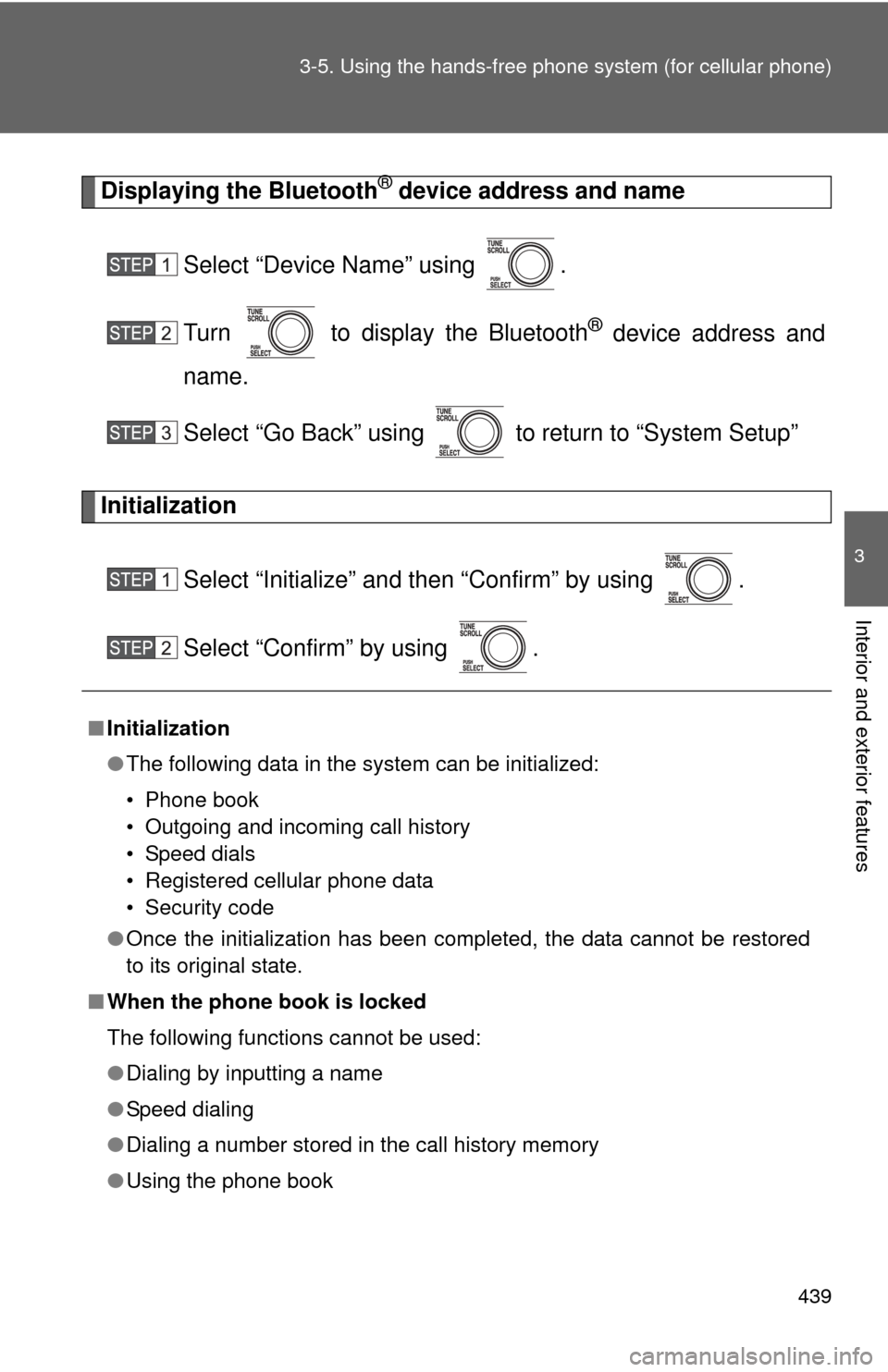
Displaying the Bluetooth® device address and name
Select “Device Name” using .
Turn to display the Bluetooth
® device address and
name.
Select “Go Back” using to return to “System Setup”
Initialization
Select “Initialize” and then “Confirm” by using .
Select “Confirm” by using .
■Initialization
●The following data in the system can be initialized:
• Phone book
• Outgoing and incoming call history
• Speed dials
• Registered cellular phone data
• Security code
● Once the initialization has been completed, the data cannot be restored
to its original state.
■ When the phone book is locked
The following functions cannot be used:
●Dialing by inputting a name
● Speed dialing
● Dialing a number stored in the call history memory
● Using the phone book
Page 489 of 732
489
3-8. Other interior features
3
Interior and exterior features
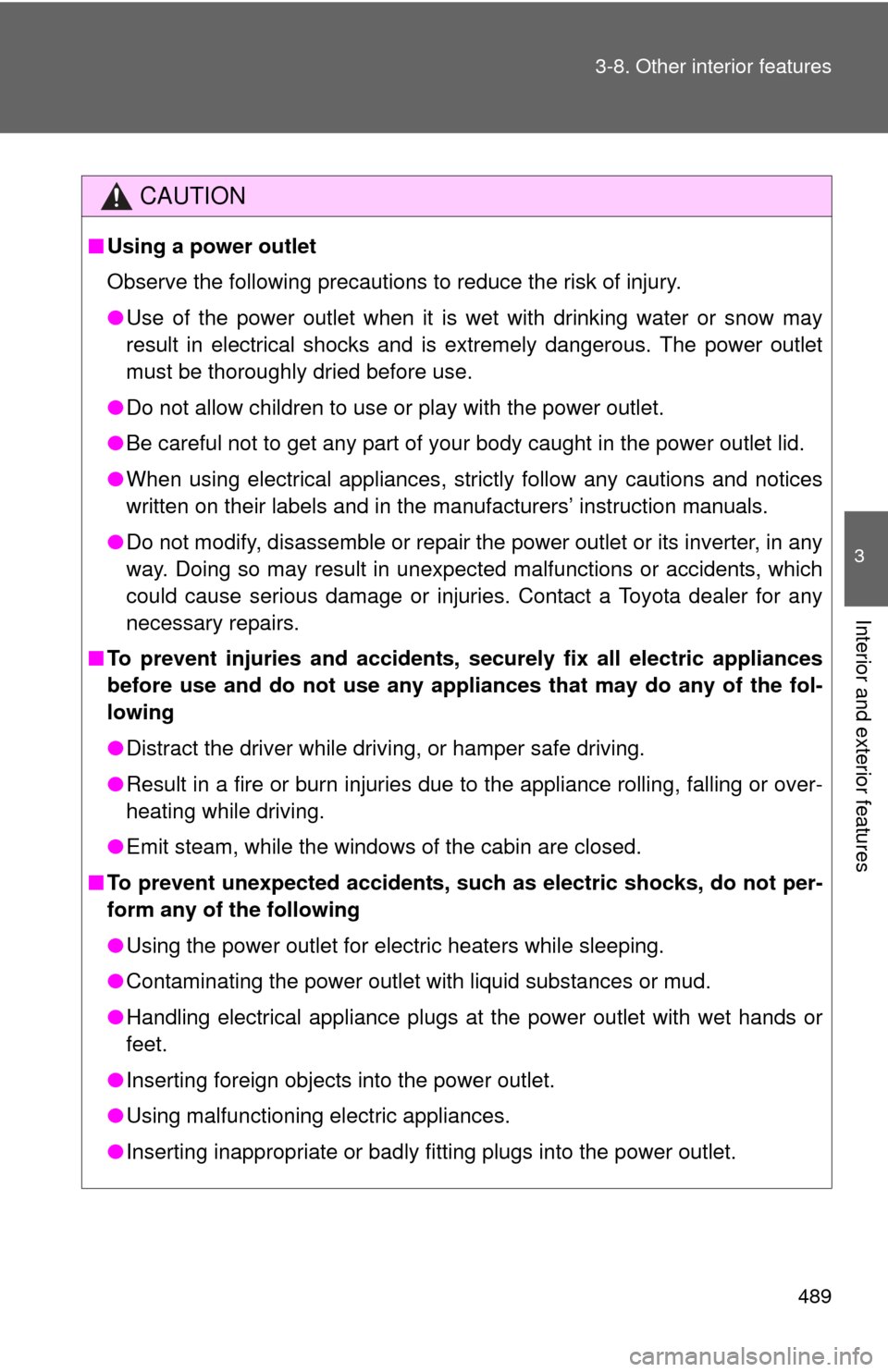
CAUTION
■
Using a power outlet
Observe the following precautions to reduce the risk of injury.
●Use of the power outlet when it is wet with drinking water or snow may
result in electrical shocks and is extremely dangerous. The power outlet
must be thoroughly dried before use.
● Do not allow children to use or play with the power outlet.
● Be careful not to get any part of your body caught in the power outlet lid.
● When using electrical appliances, strictly follow any cautions and notices
written on their labels and in the manufacturers’ instruction manuals.
● Do not modify, disassemble or repair the power outlet or its inverter, in any
way. Doing so may result in unexpected malfunctions or accidents, which
could cause serious damage or injuries. Contact a Toyota dealer for any
necessary repairs.
■ To prevent injuries and accidents, secu rely fix all electric appliances
before use and do not use any app liances that may do any of the fol-
lowing
● Distract the driver while driving, or hamper safe driving.
● Result in a fire or burn injuries due to the appliance rolling, falling or over-
heating while driving.
● Emit steam, while the windows of the cabin are closed.
■ To prevent unexpected accidents, such as electric shocks, do not per-
form any of the following
●Using the power outlet for electric heaters while sleeping.
● Contaminating the power outlet with liquid substances or mud.
● Handling electrical appliance plugs at the power outlet with wet hands or
feet.
● Inserting foreign objects into the power outlet.
● Using malfunctioning electric appliances.
● Inserting inappropriate or badly fitting plugs into the power outlet.
Page 490 of 732
490 3-8. Other interior features
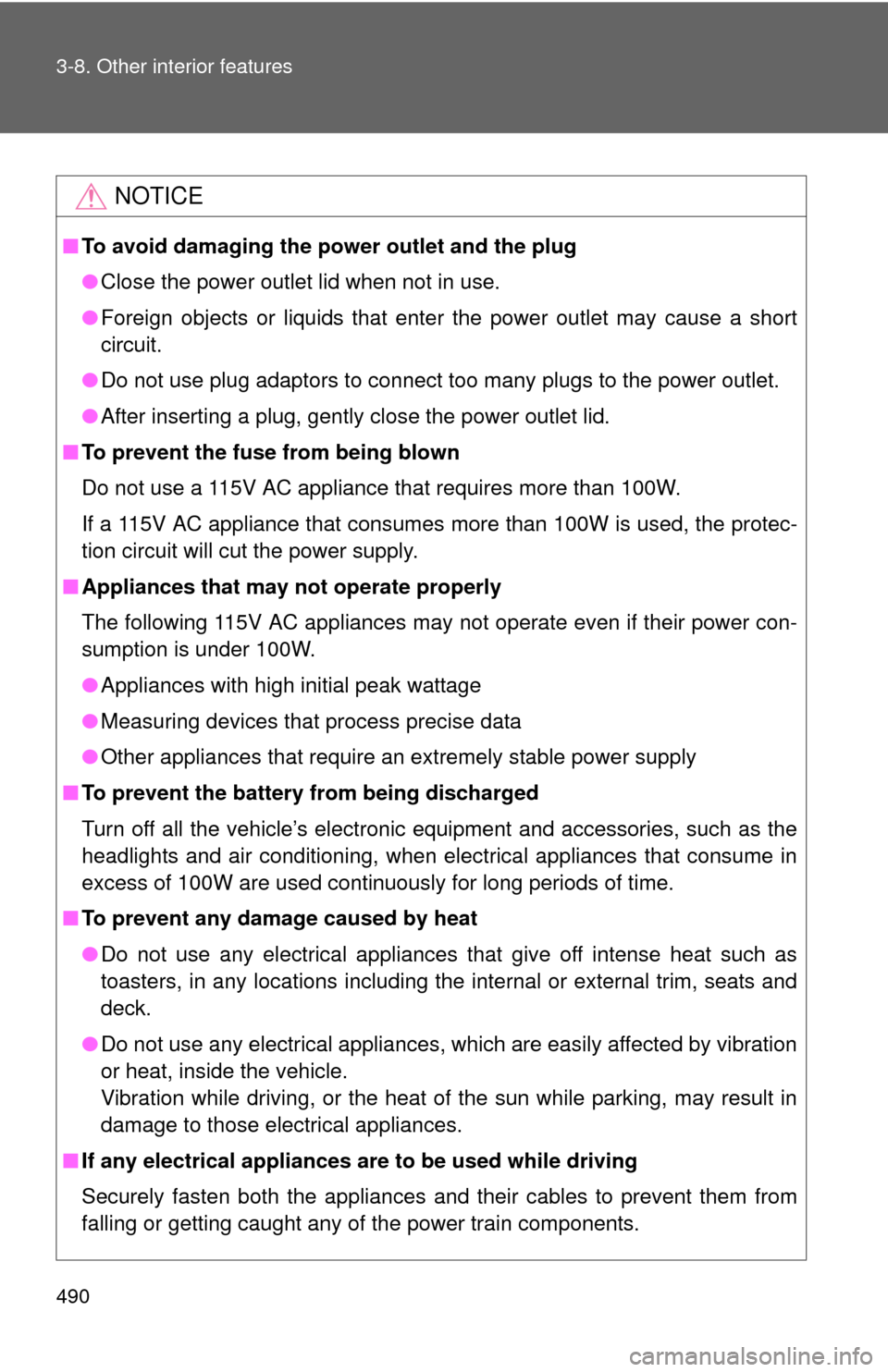
NOTICE
■To avoid damaging the power outlet and the plug
●Close the power outlet lid when not in use.
● Foreign objects or liquids that enter the power outlet may cause a short
circuit.
● Do not use plug adaptors to connect too many plugs to the power outlet.
● After inserting a plug, gently close the power outlet lid.
■ To prevent the fuse from being blown
Do not use a 115V AC appliance that requires more than 100W.
If a 115V AC appliance that consumes more than 100W is used, the protec-
tion circuit will cut the power supply.
■ Appliances that may not operate properly
The following 115V AC appliances may not operate even if their power con-
sumption is under 100W.
●Appliances with high initial peak wattage
● Measuring devices that process precise data
● Other appliances that require an extremely stable power supply
■ To prevent the battery from being discharged
Turn off all the vehicle’s electronic equipment and accessories, such as the
headlights and air conditioning, when elec trical appliances that consume in
excess of 100W are used continuously for long periods of time.
■ To prevent any damage caused by heat
●Do not use any electrical appliances that give off intense heat such as
toasters, in any locations including the internal or external trim, seats and
deck.
● Do not use any electrical appliances, which are easily affected by vibration
or heat, inside the vehicle.
Vibration while driving, or the heat of the sun while parking, may result in
damage to those electrical appliances.
■ If any electrical appliances are to be used while driving
Securely fasten both the appliances and their cables to prevent them from
falling or getting caught any of the power train components.