Page 301 of 732
301
3-1. Using the air conditioning system and defogger
3
Interior and exterior features
Manual air conditioning system
Adjusting the settings■ Adjusting the temperature setting
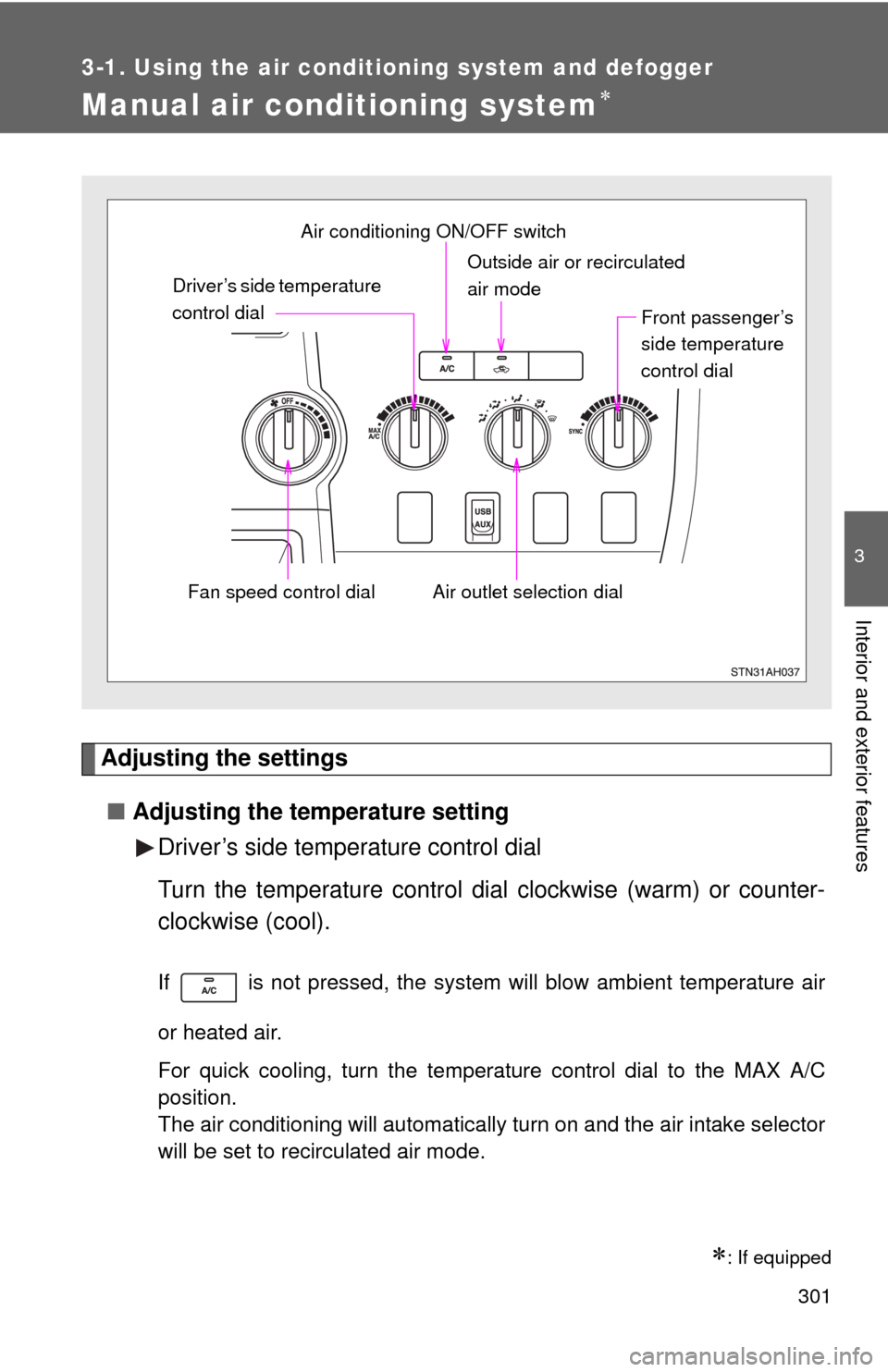
Driver’s side temperature control dial
Turn the temperature control dial clockwise (warm) or counter-
clockwise (cool).
If is not pressed, the system will blow ambient temperature air
or heated air.
For quick cooling, turn the temperature control dial to the MAX A/C
position.
The air conditioning will automatically turn on and the air intake selector
will be set to recirculated air mode.
: If equipped
Outside air or recirculated
air mode
Air outlet selection dial
Air conditioning ON/OFF switch
Driver’s side temperature
control dial
Fan speed control dial
Front passenger’s
side temperature
control dial
Page 302 of 732
302 3-1. Using the air conditioning system and defogger
Front passenger’s side temperature control dial
Turn the temperature control dial clockwise (warm) or counter-
clockwise (cool).
● Individual mode
When the front passenger’s side temperature control dial in a posi-
tion other than the SYNC position, the temperature for the driver and
front passenger seats can be adjusted separately.
●Simultaneous mode
When the front passenger’s side temperature control dial in SYNC
position, turn the driver’s side temperature control dial can be used
to adjust the temperature for driver and front passenger seats.
■Adjusting the fan speed
Turn the fan speed control dial clockwise (increase) or counter-
clockwise (decrease).
Set the dial to OFF to turn the fan off.
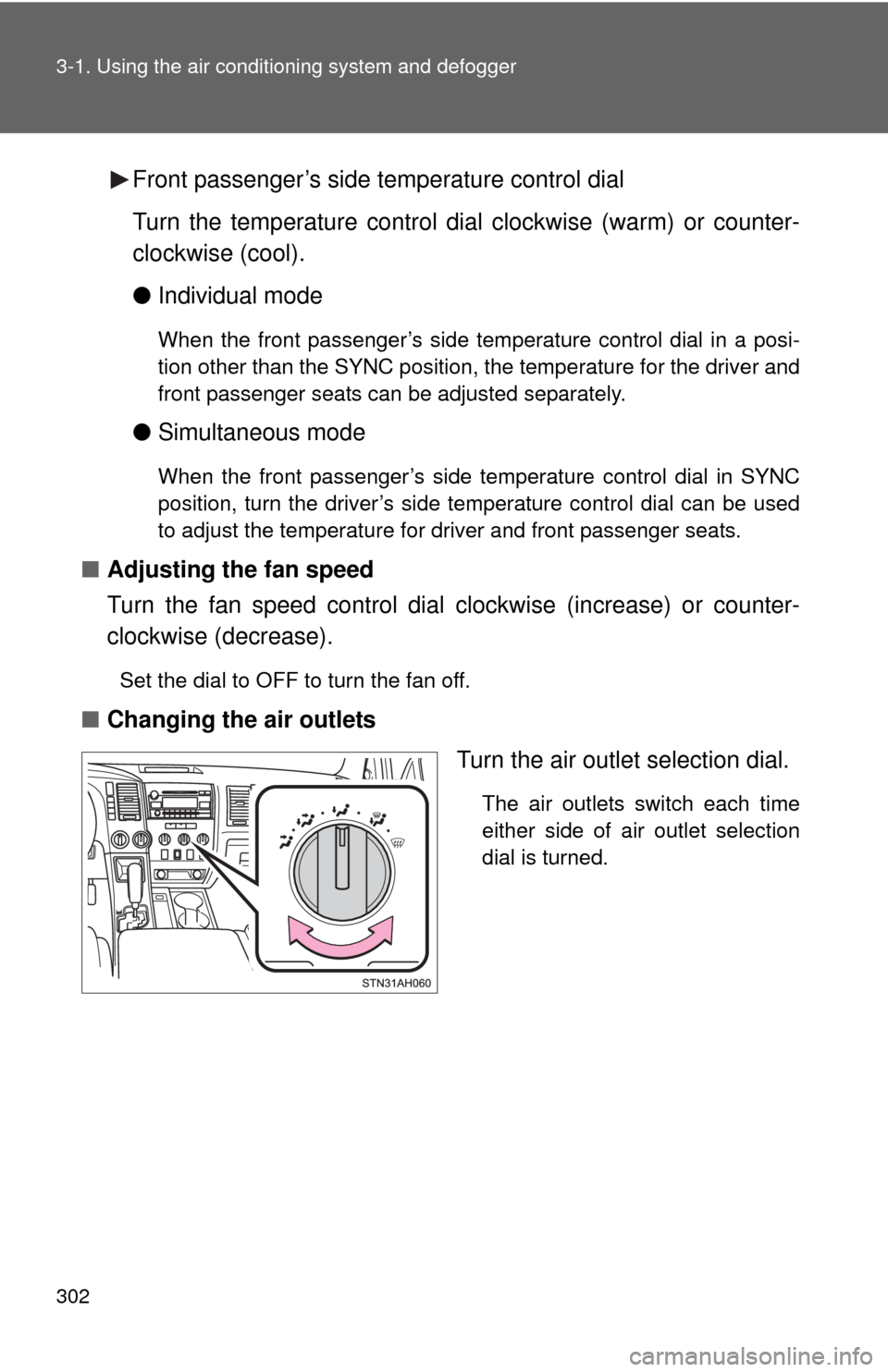
■ Changing the air outlets
Turn the air outlet selection dial.
The air outlets switch each time
either side of air outlet selection
dial is turned.
Page 438 of 732
438 3-5. Using the hands-free phone system (for cellular phone)
■Changing the PIN
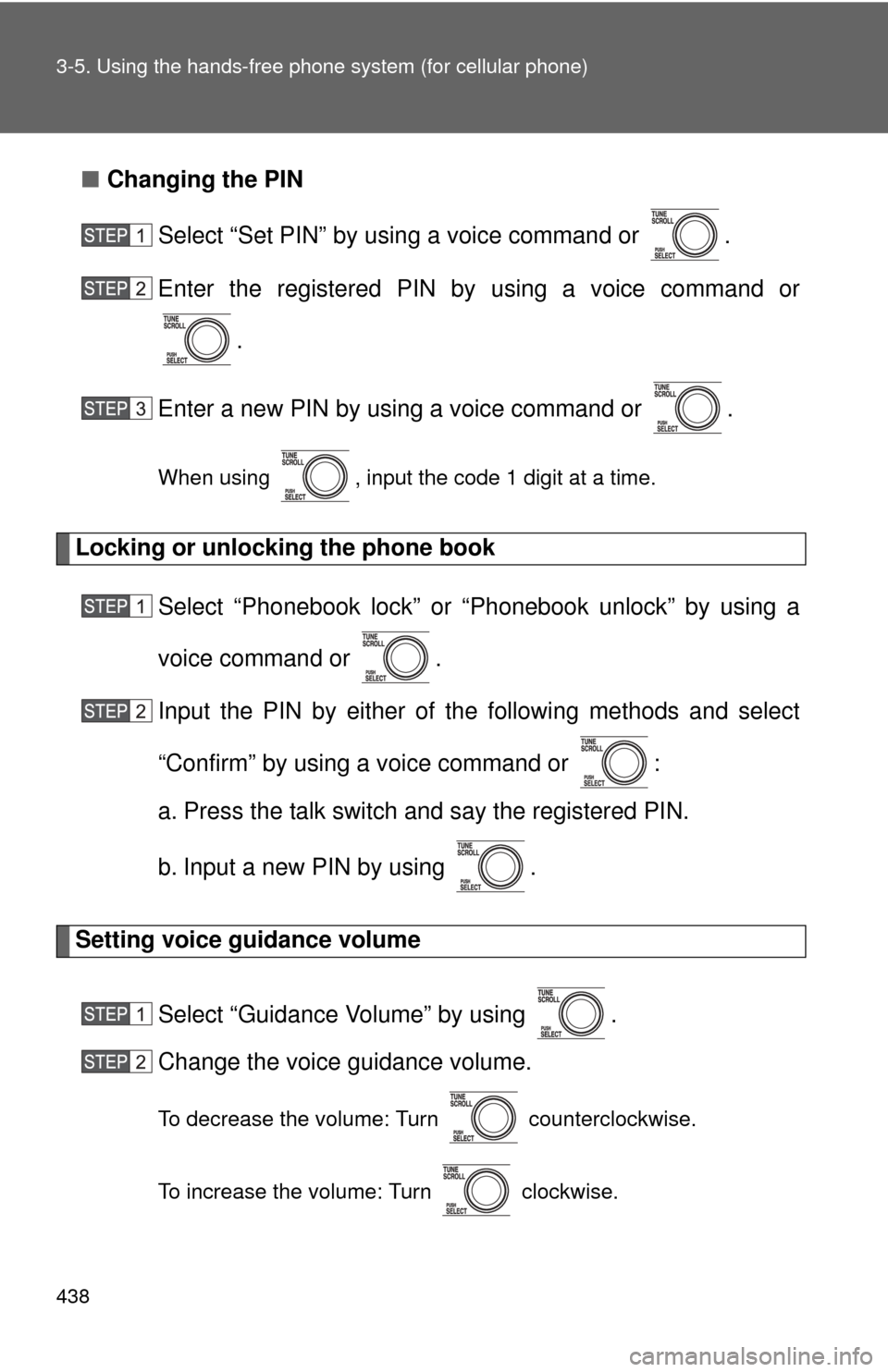
Select “Set PIN” by using a voice command or .
Enter the registered PIN by using a voice command or
.
Enter a new PIN by using a voice command or .
When using , input the code 1 digit at a time.
Locking or unlocking the phone book Select “Phonebook lock” or “Phonebook unlock” by using a
voice command or .
Input the PIN by either of the following methods and select
“Confirm” by using a voice command or :
a. Press the talk switch and say the registered PIN.
b. Input a new PIN by using .
Setting voice guidance volume
Select “Guidance Volume” by using .
Change the voice guidance volume.
To decrease the volume: Turn counterclockwise.
To increase the volume: Turn clockwise.
Page 476 of 732
476 3-7. Using the storage features
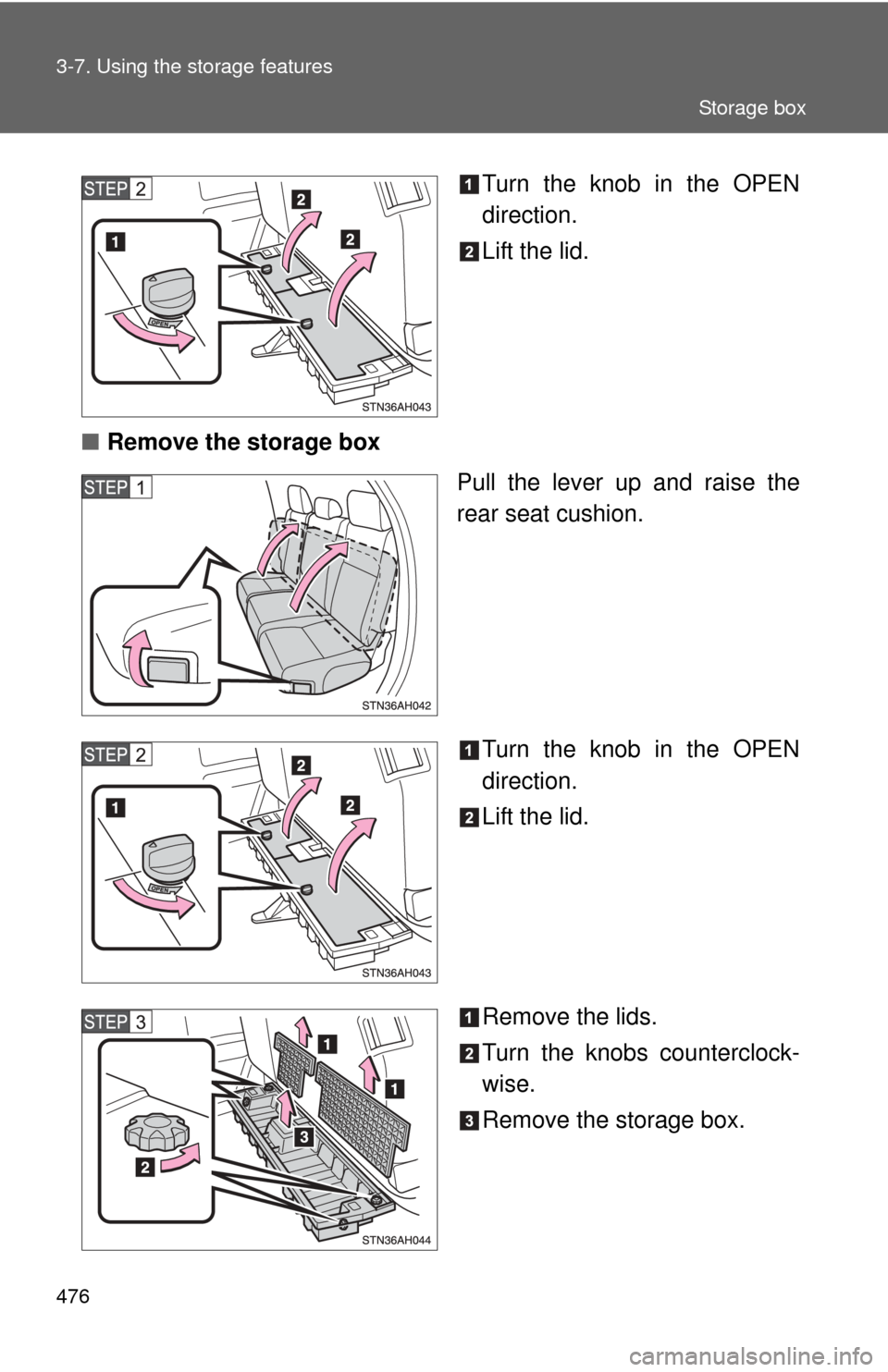
Turn the knob in the OPEN
direction.
Lift the lid.
■ Remove the storage box
Pull the lever up and raise the
rear seat cushion.
Turn the knob in the OPEN
direction.
Lift the lid.
Remove the lids.
Turn the knobs counterclock-
wise.
Remove the storage box.
Storage box
Page 480 of 732
480
3-8. Other interior features
Clock
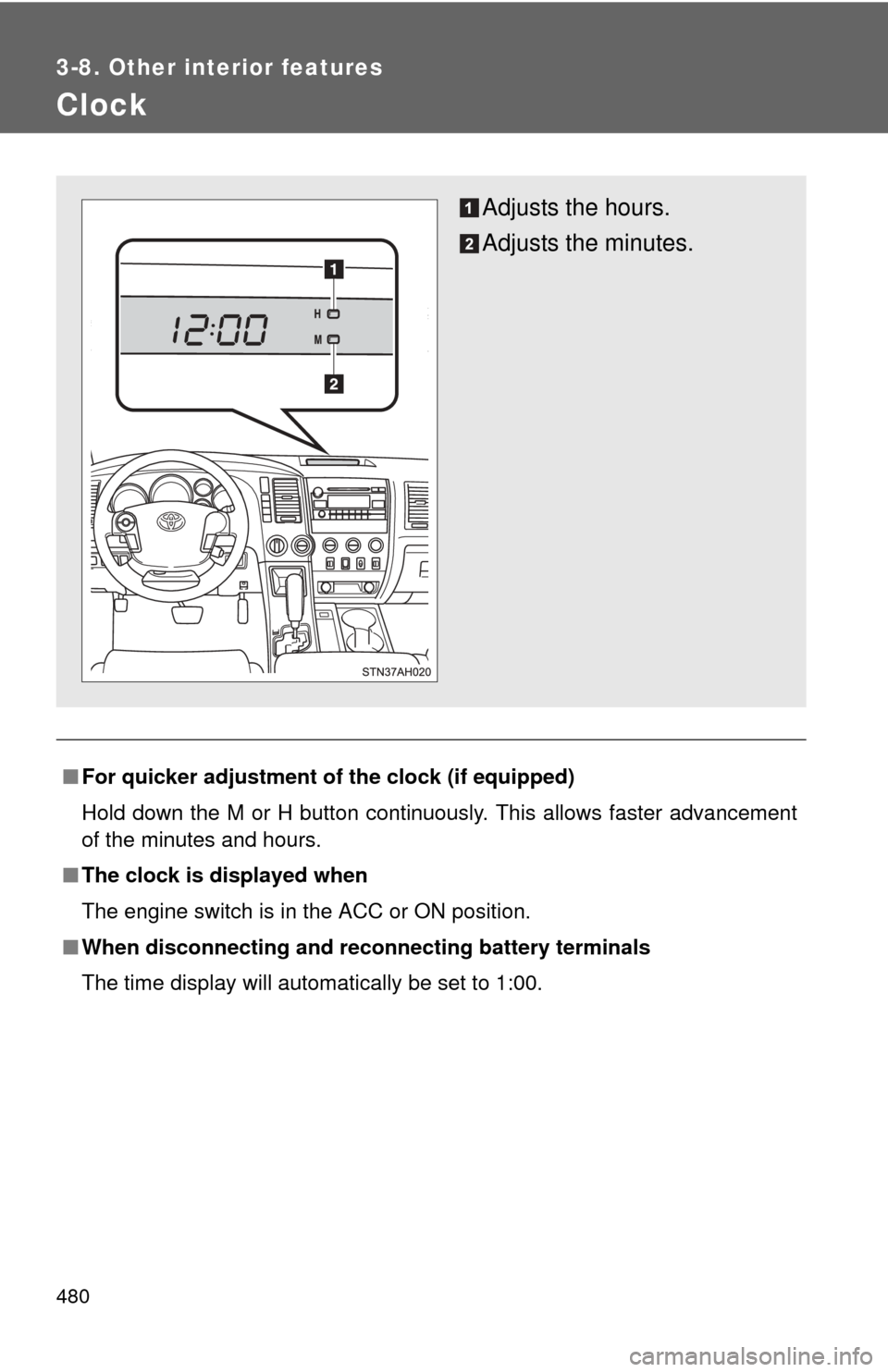
■For quicker adjustment of the clock (if equipped)
Hold down the M or H button continuously. This allows faster advancement
of the minutes and hours.
■ The clock is displayed when
The engine switch is in the ACC or ON position.
■ When disconnecting and reco nnecting battery terminals
The time display will automatically be set to 1:00.
Adjusts the hours.
Adjusts the minutes.
Page 537 of 732
537
4-3. Do-it-yourself maintenance
4
Maintenance and care
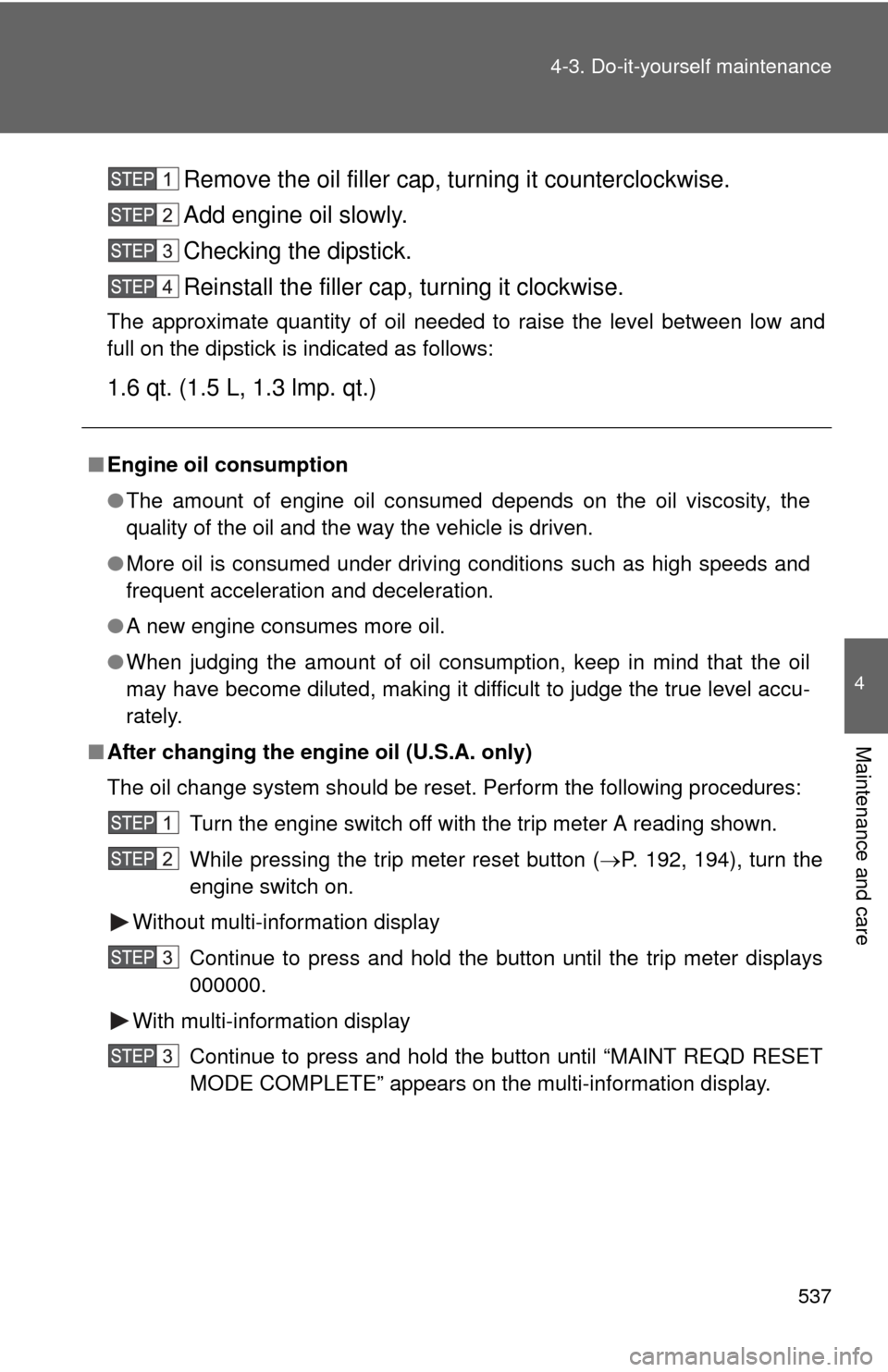
Remove the oil filler cap, turning it counterclockwise.
Add engine oil slowly.
Checking the dipstick.
Reinstall the filler cap, turning it clockwise.
The approximate quantity of oil needed to raise the level between low and
full on the dipstick is indicated as follows:
1.6 qt. (1.5 L,
1.3 lmp. qt.)
■Engine oil consumption
●The amount of engine oil consumed depends on the oil viscosity, the
quality of the oil and the way the vehicle is driven.
● More oil is consumed under driving conditions such as high speeds and
frequent acceleration and deceleration.
● A new engine consumes more oil.
● When judging the amount of oil consumption, keep in mind that the oil
may have become diluted, making it difficult to judge the true level accu-
rately.
■ After changing the engine oil (U.S.A. only)
The oil change system should be reset. Perform the following procedures:
Turn the engine switch off with the trip meter A reading shown.
While pressing the trip meter reset button ( P. 192, 194), turn the
engine switch on.
Without multi-information display
Continue to press and hold the button until the trip meter displays
000000.
With multi-information display Continue to press and hold the button until “MAINT REQD RESET
MODE COMPLETE” appears on the multi-information display.
Page 542 of 732
542 4-3. Do-it-yourself maintenance
Power steering fluid■ Fluid level
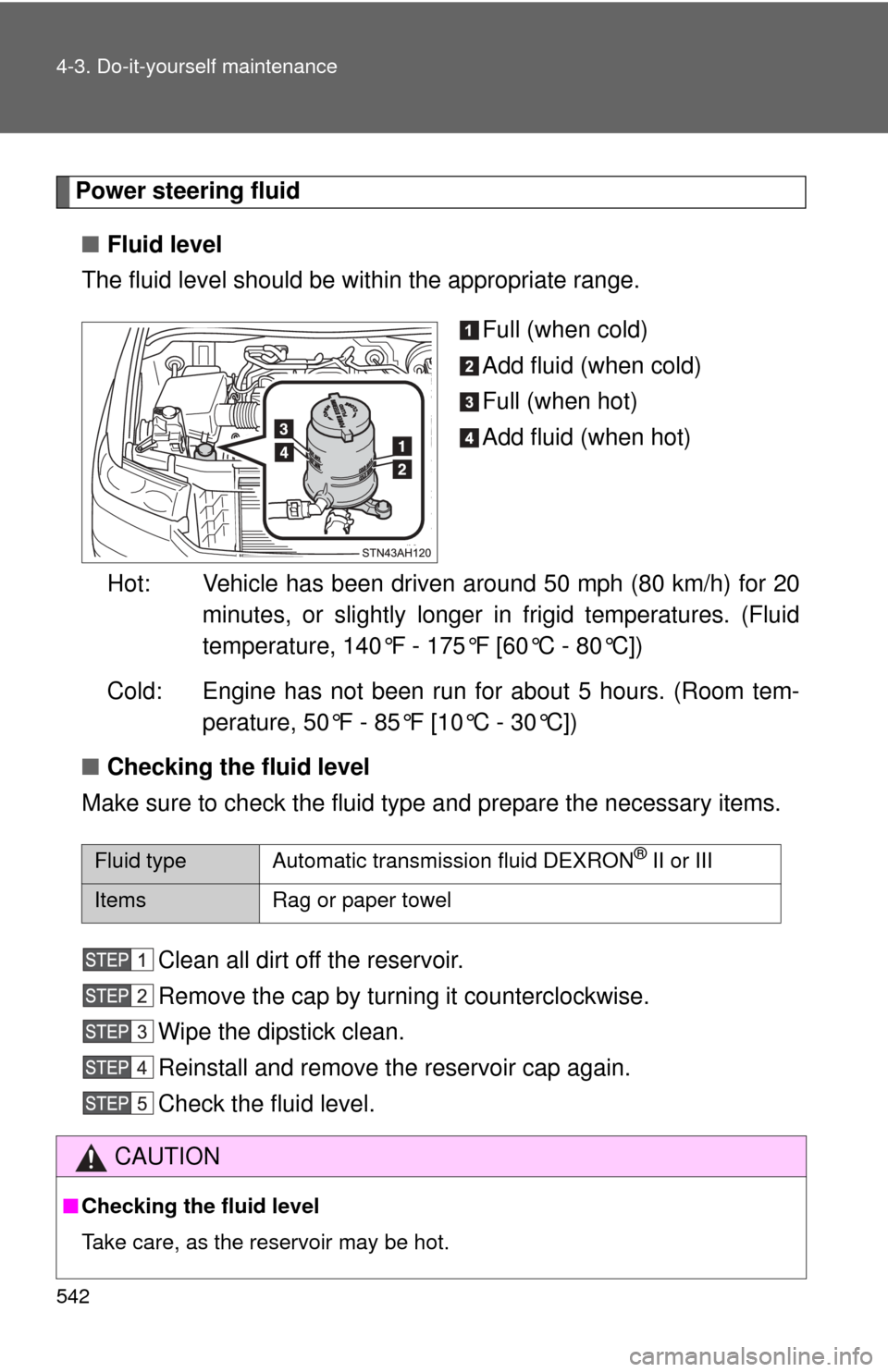
The fluid level should be within the appropriate range.
Full (when cold)
Add fluid (when cold)
Full (when hot)
Add fluid (when hot)
Hot: Vehicle has been driven around 50 mph (80 km/h) for 20 minutes, or slightly longer in frigid temperatures. (Fluid
temperature, 140°F - 175°F [60°C - 80°C])
Cold: Engine has not been run for about 5 hours. (Room tem- perature, 50°F - 85°F [10°C - 30°C])
■ Checking the fluid level
Make sure to check the fluid type and prepare the necessary items.
Clean all dirt off the reservoir.
Remove the cap by turning it counterclockwise.
Wipe the dipstick clean.
Reinstall and remove the reservoir cap again.
Check the fluid level.
Fluid type Automatic transmission fluid DEXRON® II or III
Items Rag or paper towel
CAUTION
■Checking the fluid level
Take care, as the reservoir may be hot.
Page 578 of 732
578 4-3. Do-it-yourself maintenance
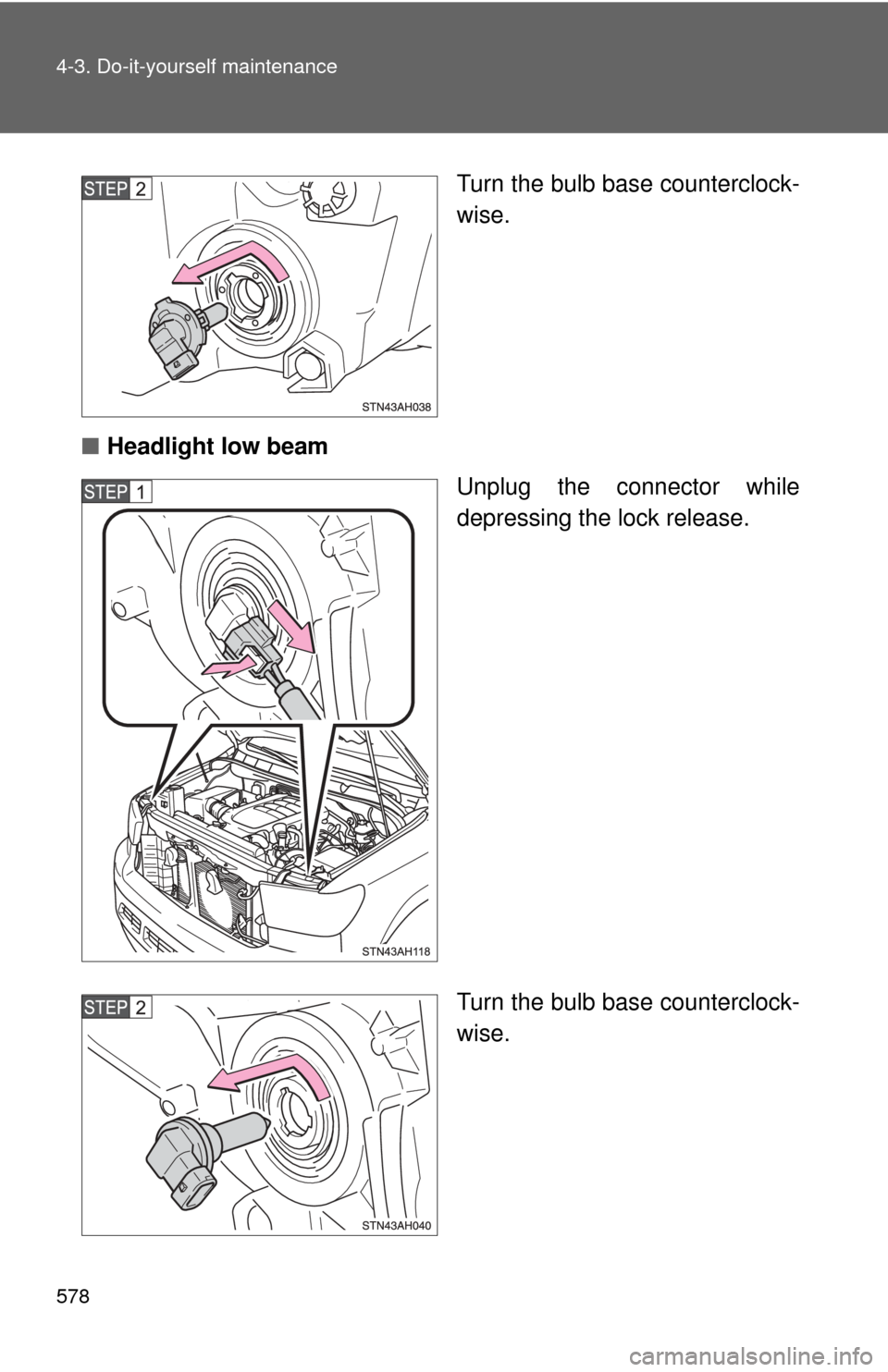
Turn the bulb base counterclock-
wise.
■ Headlight low beam
Unplug the connector while
depressing the lock release.
Turn the bulb base counterclock-
wise.