2011 TOYOTA LAND CRUISER key
[x] Cancel search: keyPage 2 of 608

TABLE OF CONTENTSIndex
2
L/C200_U (OM60F74U)
1-1. Key informationKeys ..................................... 24
1-2. Opening, closing and locking
the doors
Smart key system................. 26
Wireless remote control ....... 39
Side doors ............................ 41
Back door ............................. 46
1-3. Adjustable components
(seats, mirrors, steering
wheel)
Front seats ........................... 51
Rear seats ............................ 53
Driving position memory system ................................ 62
Head restraints ..................... 66
Seat belts ............................. 70
Steering wheel ..................... 79
Inside rear view mirror.......... 81
Outside rear view mirrors ..... 83
1-4. Opening a nd closing the
windo ws and moon roof
Power windows .................... 86
Moon roof ............................. 90
1-5. Refueling Opening the fuel tank cap .... 93 1-6. Theft deterrent system
Engine immobilizer system ................................ 97
Alarm .................................... 99
1-7. Safety information Correct driving posture ....... 103
SRS airbags ....................... 105
Front passenger occupant classification system ......... 120
Child restraint systems ....... 126
Installing child restraints ..... 130
2-1. Driving procedures Driving the vehicle .............. 144
Engine (ignition) switch....... 154
Automatic transmission ...... 158
Turn signal lever ................. 163
Parking brake ..................... 164
Horn .................................... 165
2-2. Instrument cluster Gauges and meters ............ 166
Indicators and warning lights ................................. 169
Multi-information display ..... 172
2-3. Operating the li ghts and
wipers
Headlight switch ................. 176
Fog light switch ................... 179
Windshield wipers and washer .............................. 180
1Before driving
2When driving
Page 4 of 608

TABLE OF CONTENTSIndex
4
L/C200_U (OM60F74U)
3-5. Using the interior lightsInterior lights list ................. 379
• Interior lights .................... 380
• Personal lights ................. 381
3-6. Using the storage features List of storage features....... 382
• Glove box ......................... 383
• Console box ..................... 384
• Overhead console ............ 385
• Cup holders...................... 386
• Bottle holders ................... 387
• Card holders .................... 389
• Auxiliary box..................... 389
3-7. Other interior features Cool box ............................. 390
Sun visors .......................... 392
Vanity mirror ....................... 393
Clock .................................. 394
Outside temperature display .............................. 395
Ashtrays ............................. 396
Cigarette lighter .................. 398
Power outlets ..................... 399
Seat heaters ....................... 401
Armrest............................... 403
Floor mats .......................... 404
Luggage compartment features ............................ 406
Garage door opener ........... 408
Safety Connect................... 415 4-1. Maintenance and care
Cleaning and protecting the vehicle exterior ........... 424
Cleaning and protecting the vehicle interior ............ 427
4-2. Maintenance Maintenance requirements .................... 430
General maintenance ......... 432
Emission inspection and maintenance (I/M)
programs .......................... 435
4-3. Do-it-yourself maintenance Do-it-yourself service precautions ....................... 436
Hood ................................... 439
Engine compartment .......... 440
Tires.................................... 455
Tire inflation pressure ......... 464
Wheels................................ 468
Air conditioning filter ........... 470
Electronic key battery ......... 473
Checking and replacing fuses ................................. 476
Light bulbs .......................... 489
4Maintenance and care
Page 5 of 608
1
2
3
4
5
6
7
5
L/C200_U (OM60F74U)
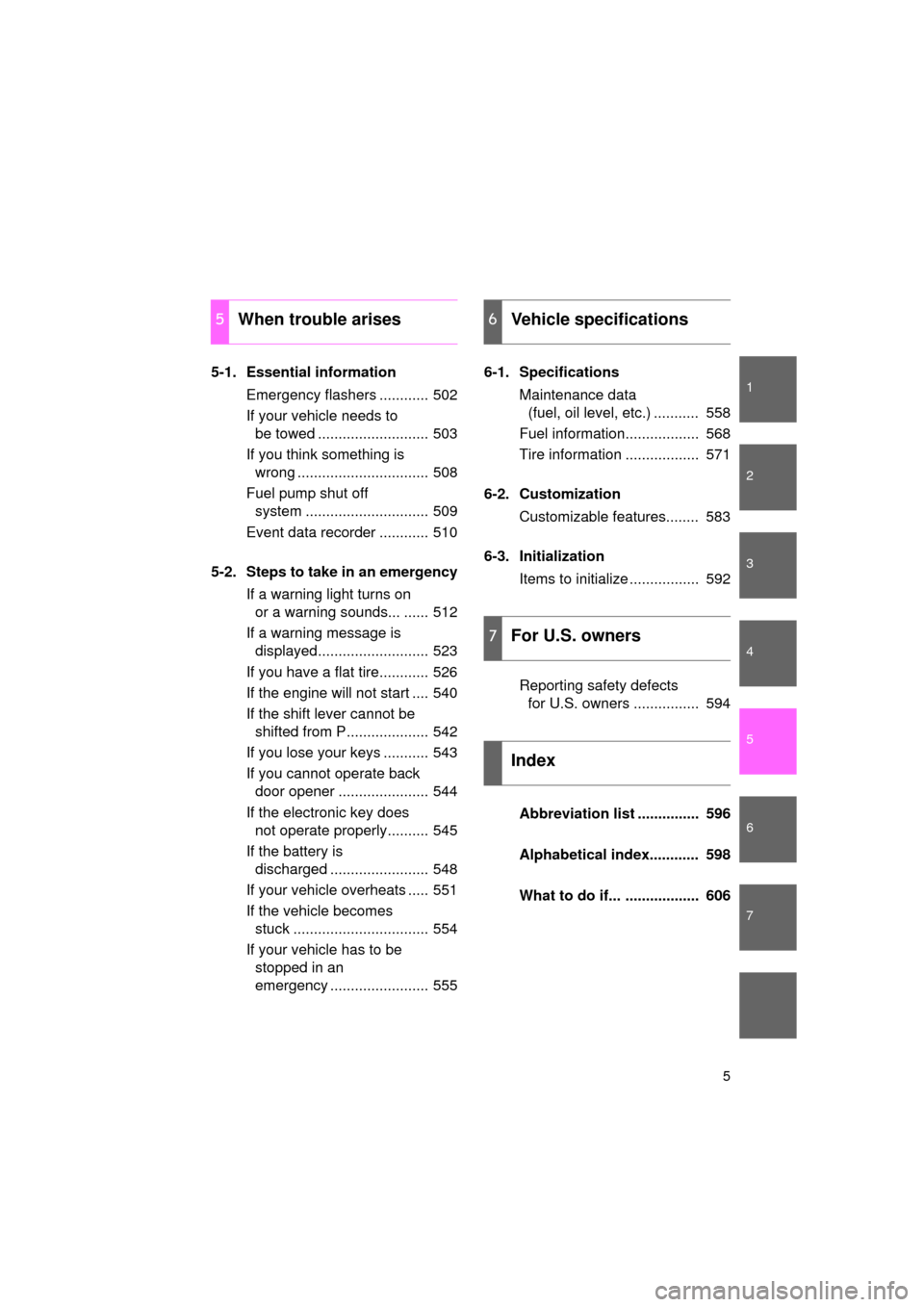
5-1. Essential informationEmergency flashers ............ 502
If your vehicle needs to be towed ........................... 503
If you think something is wrong ................................ 508
Fuel pump shut off system .............................. 509
Event data recorder ............ 510
5-2. Steps to take in an emergency If a warning light turns on or a warning sounds... ...... 512
If a warning message is displayed........................... 523
If you have a flat tire............ 526
If the engine will not start .... 540
If the shift lever cannot be shifted from P.................... 542
If you lose your keys ........... 543
If you cannot operate back door opener ...................... 544
If the electronic key does not operate properly.......... 545
If the battery is discharged ........................ 548
If your vehicle overheats ..... 551
If the vehicle becomes stuck ................................. 554
If your vehicle has to be stopped in an
emergency ........................ 555 6-1. Specifications
Maintenance data (fuel, oil level, etc.) ........... 558
Fuel information.................. 568
Tire information .................. 571
6-2. Customization Customizable features........ 583
6-3. Initialization Items to initialize ................. 592
Reporting safety defects for U.S. owners ................ 594
Abbreviation list ............... 596
Alphabetical index............ 598
What to do if... .................. 606
5When trouble arises6Vehicle specifications
7For U.S. owners
Index
Page 20 of 608

20
L/C200_U (OM60F74U)
CAUTION
■General precautions while driving
Driving under the influence: Never drive your vehicle when under the influ-
ence of alcohol or drugs that have impaired your ability to operate your vehi-
cle. Alcohol and certain drugs delay reaction time, impair judgment and
reduce coordination, which could lead to an accident that could result in
death or serious injury.
Defensive driving: Always drive defensively. Anticipate mistakes that other
drivers or pedestrians might make and be ready to avoid accidents.
Driver distraction: Always give your full attention to driving. Anything that dis-
tracts the driver, such as adjusting controls, talking on a cellular phone or
reading can result in a collision with resulting death or serious injury to you,
your occupants or others.
■ General precaution regarding children’s safety
Never leave children unattended in the vehicle, and never allow children to
have or use the key.
Children may be able to start the vehicle or shift the vehicle into neutral.
There is also a danger that children may injure themselves by playing with
the cigarette lighter, the windows, the moon roof, or other features of the
vehicle. In addition, heat build-up or extremely cold temperatures inside the
vehicle can be fatal to children.
Page 23 of 608
Before driving1
23
L/C200_U (OM60F74U)
1-1. Key informationKeys ................................... 24
1-2. Opening, closing and locking the doors
Smart key system .............. 26
Wireless remote control ..... 39
Side doors .......................... 41
Back door ........................... 46
1-3. Adjustable components (seats, mirrors, steering
wheel)
Front seats ......................... 51
Rear seats.......................... 53
Driving position memory system ............................. 62
Head restraints................... 66
Seat belts ........................... 70
Steering wheel ................... 79
Inside rear view mirror ....... 81
Outside rear view mirrors ... 83 1-4. Opening and closing the
windows and moon roof
Power windows .................. 86
Moon roof ........................... 90
1-5. Refueling Opening the fuel tank cap ................................... 93
1-6. Theft deterrent system Engine immobilizer system ............................. 97
Alarm.................................. 99
1-7. Safety information Correct driving posture..... 103
SRS airbags ..................... 105
Front passenger occupant classification system ...... 120
Child restraint systems..... 126
Installing child restraints ........................ 130
Page 24 of 608
24
L/C200_U (OM60F74U)
1-1. Key information
Keys
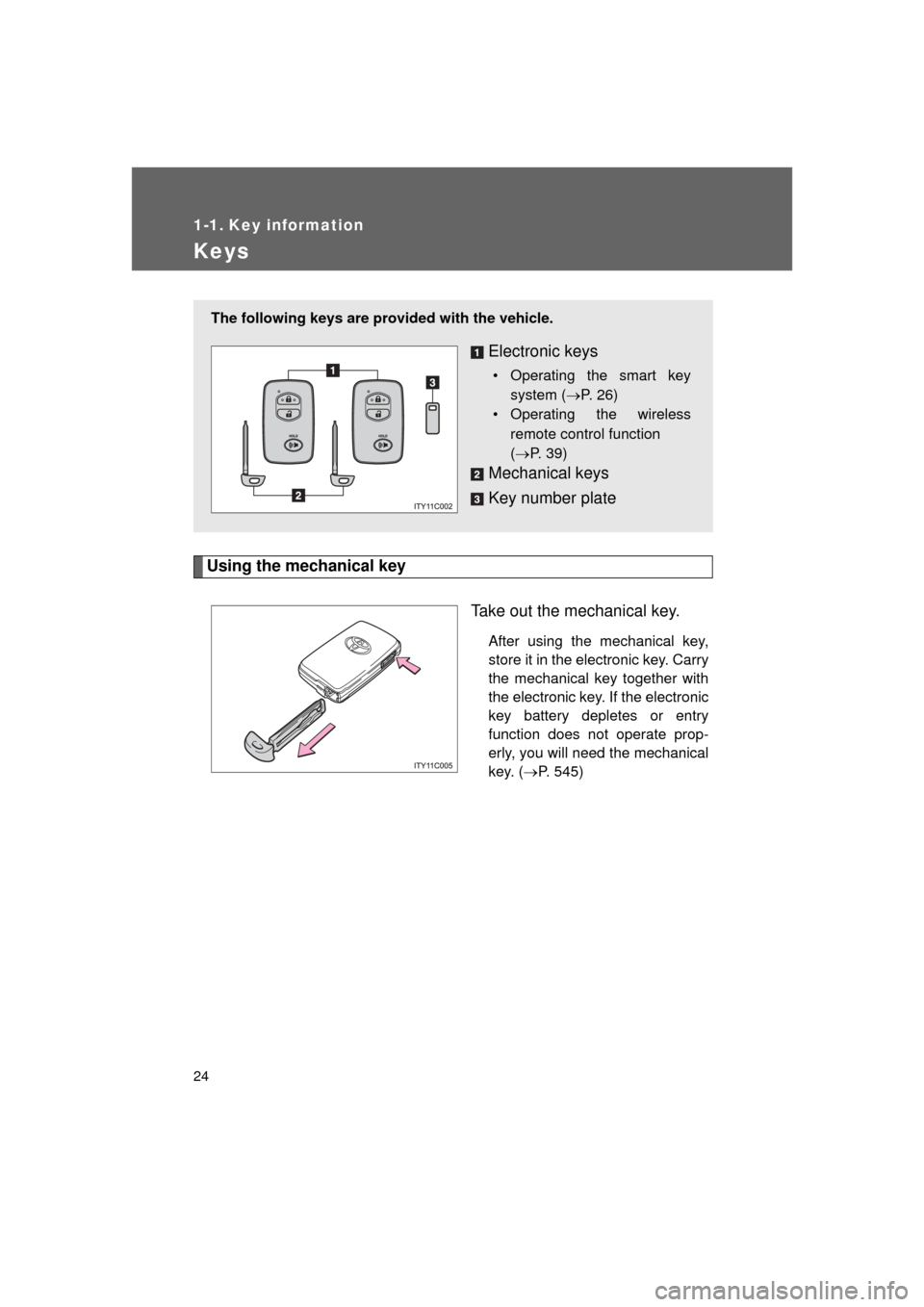
Using the mechanical keyTake out the mechanical key.
After using the mechanical key,
store it in the electronic key. Carry
the mechanical key together with
the electronic key. If the electronic
key battery depletes or entry
function does not operate prop-
erly, you will need the mechanical
key. (P. 545)
The following keys are prov ided with the vehicle.
Electronic keys
• Operating the smart key
system ( P. 26)
• Operating the wireless
remote control function
(P. 39)
Mechanical keys
Key number plate
Page 25 of 608
25
1-1. Key information
1
Before driving
L/C200_U (OM60F74U)
■
When required to leave the vehicle’s key with a parking attendant
Lock the glove box as circumstances demand. (P. 383)
Remove the mechanical key for your own use and provide the attendant with
the electronic key only.
■ Key number plate
Keep the plate in a safe place such as your wallet, not in the vehicle. In the
event that a key is lost, a new key can be made at your Toyota dealer using
the key number plate. ( P. 543)
■ When riding in an aircraft
When bringing an electronic key onto an aircraft, make sure you do not
press any buttons on the electronic key while inside the aircraft cabin. If you
are carrying an electronic key in your bag etc., ensure that the buttons are
not likely to be pressed accidentally. Pressing a button may cause the elec-
tronic key to emit radio waves that could interfere with the operation of the
aircraft.
NOTICE
■ To prevent key damage
● Do not subject the keys to strong shocks, expose them to high tempera-
tures by placing them in direct sunlight, or get them wet.
● Do not expose the keys to electromagnetic materials or attach any mate-
rial that blocks electromagnetic waves to the key surface.
● Do not disassemble the electronic key.
Page 26 of 608
26
L/C200_U (OM60F74U)
1-2. Opening, closing and locking the doors
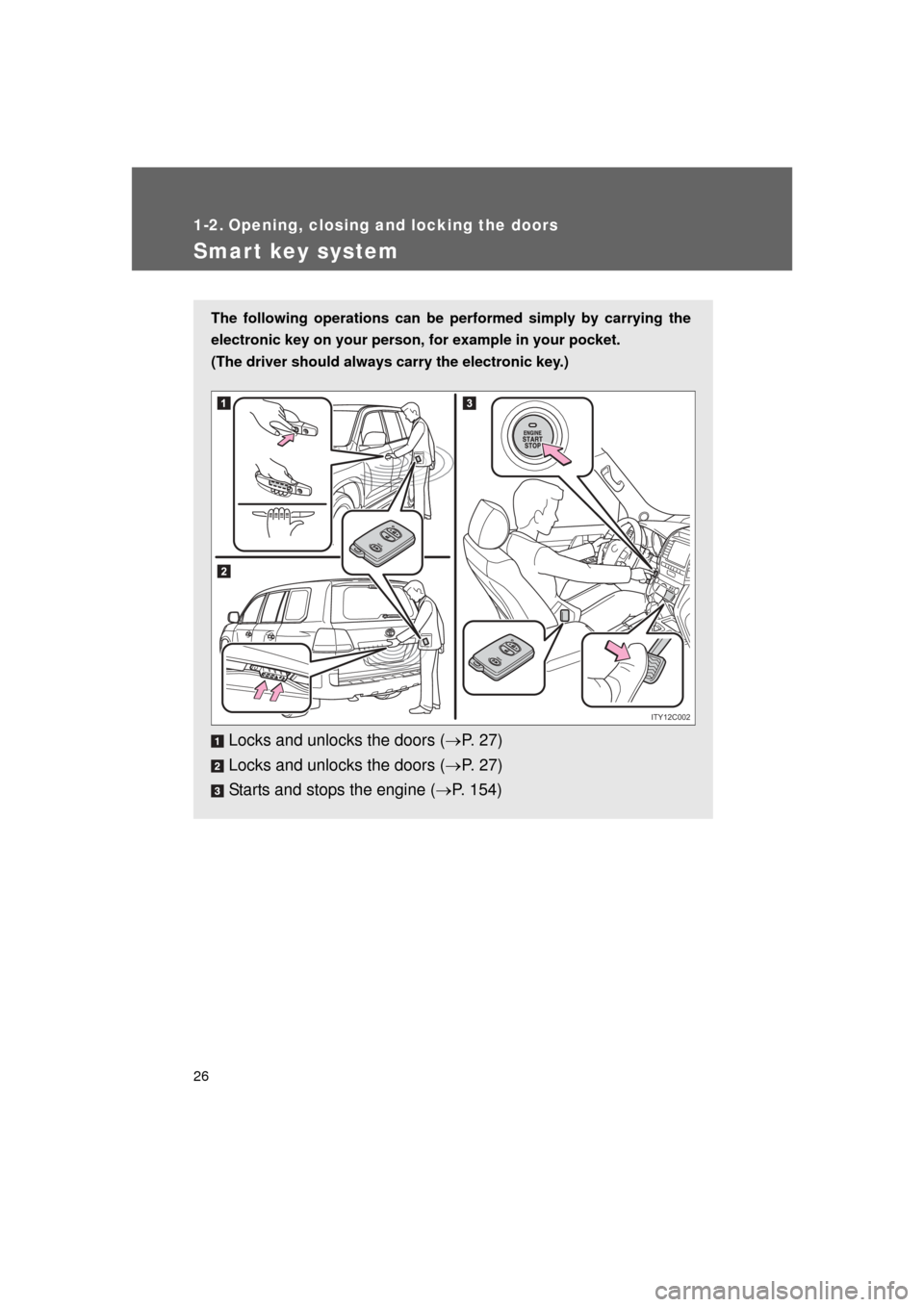
Smart key system
The following operations can be performed simply by carrying the
electronic key on your person, for example in your pocket.
(The driver should always carry the electronic key.)
Locks and unlocks the doors ( P. 2 7 )
Locks and unlocks the doors ( P. 2 7 )
Starts and stops the engine ( P. 154)
ITY12C002