Page 245 of 608

245
2-5. Driving information
2
When driving
L/C200_U (OM60F74U)
●
Avoid jerky starts or sudden acceleration.
● Avoid jerky steering and sharp turns, and slow down before mak-
ing a turn.
● Note that when making a turn, th e trailer wheels will be closer than
the vehicle wheels to the inside of the turn. Compensate by making
a wider than normal turning radius.
● Slow down before making a turn, in crosswinds, on wet or slippery
surfaces, etc.
Increasing vehicle speed can destabilize the trailer.
● Take care when passing other vehicles. Passing requires consider-
able distance. After passing a vehicle, do not forget the length of
your trailer, and be sure you hav e plenty of room before changing
lanes.
● To maintain engine braking efficiency, when using engine braking,
do not put the transmission in “D”.
Transmission shift range position must be in “5” in the “S” mode.
● Instability happens more frequently when descending steep or long
downhill grades. Before descending, slow down and downshift. Do
not make sudden downshifts while descending steep or long down-
hill grades.
● Avoid holding the brake pedal down too long or applying the
brakes too frequently. This could cause the brakes to overheat and
result in reduced braking efficiency.
● Due to the added load of the trailer, your vehicle’s engine may
overheat on hot days (at temperatures over 85°F [30°C]) when
driving up a long or steep grade. If the engine coolant temperature
gauge indicates overheating, immedi ately turn off the air condition-
ing (if in use), pull your vehicle off the road and stop in a safe spot.
( P. 551)
Page 246 of 608
246 2-5. Driving information
L/C200_U (OM60F74U)●
Always place wheel blocks under both the vehicle’s and the
trailer’s wheels when parking. Ap ply the parking brake firmly, and
put the transmission in “P”. Avoid parking on a slope, but if
unavoidable, do so only after performing the following:
Apply the brakes and keep them applied.
Have someone place wheel blo cks under both the vehicle’s
and trailer’s wheels.
When the wheel blocks are in place, release the brakes slowly
until the blocks absorb the load.
Apply the parking brake firmly.
Shift into “P” and turn off the engine.
● When restarting after parking on a slope:
With the transmission in “P”, st art the engine. Be sure to keep
the brake pedal pressed.
Shift into “D” or “R” (if reversing).
Release the parking brake and brake pedal, and slowly pull or
back away from the wheel blocks. Stop and apply the brakes.
Have someone retrieve the blocks.
STEP1
STEP2
STEP3
STEP4
STEP5
STEP1
STEP2
STEP3
STEP4
Page 265 of 608
265
3-1. Using the air conditioning system
and defogger
3
Interior features
L/C200_U (OM60F74U)
■Air conditioning odors
● During use, various odors from inside and outside the vehicle may enter
into and accumulate in the air conditioning system. This may then cause
odor to be emitted from the vents.
● To reduce potential odors from occurring:
• It is recommended that the air conditioning system be set to outside air
mode prior to turning the vehicle off.
• The start timing of the blower may be delayed for a short period of time immediately after the air conditioning system is started in automatic
mode.
■ Customization that can be co nfigured at Toyota dealer
Settings (e.g. A/C Auto switch operation) can be changed.
(Customizable features P. 583)
CAUTION
■To prevent the windshield from fogging up
Do not use during cool air operation in extremely humid weather.
The difference between the temperature of the outside air and that of the
windshield can cause the outer surface of the windshield to fog up, blocking
your vision.
NOTICE
■To prevent battery discharge
Do not leave the air conditioning system on longer than necessary when the
engine is stopped.
Page 270 of 608
270
3-1. Using the air conditioning system and defogger
L/C200_U (OM60F74U)
Rear window and outside rear view mirror defoggers
■The rear window and outside rear vi ew mirror defoggers can be oper-
ated when
The “ENGINE START STOP” switch is in IGNITION ON mode.
CAUTION
■ When the outside rear view mirror defoggers are on
Do not touch the rear view mirror surfaces, as they can become very hot and
burn you.
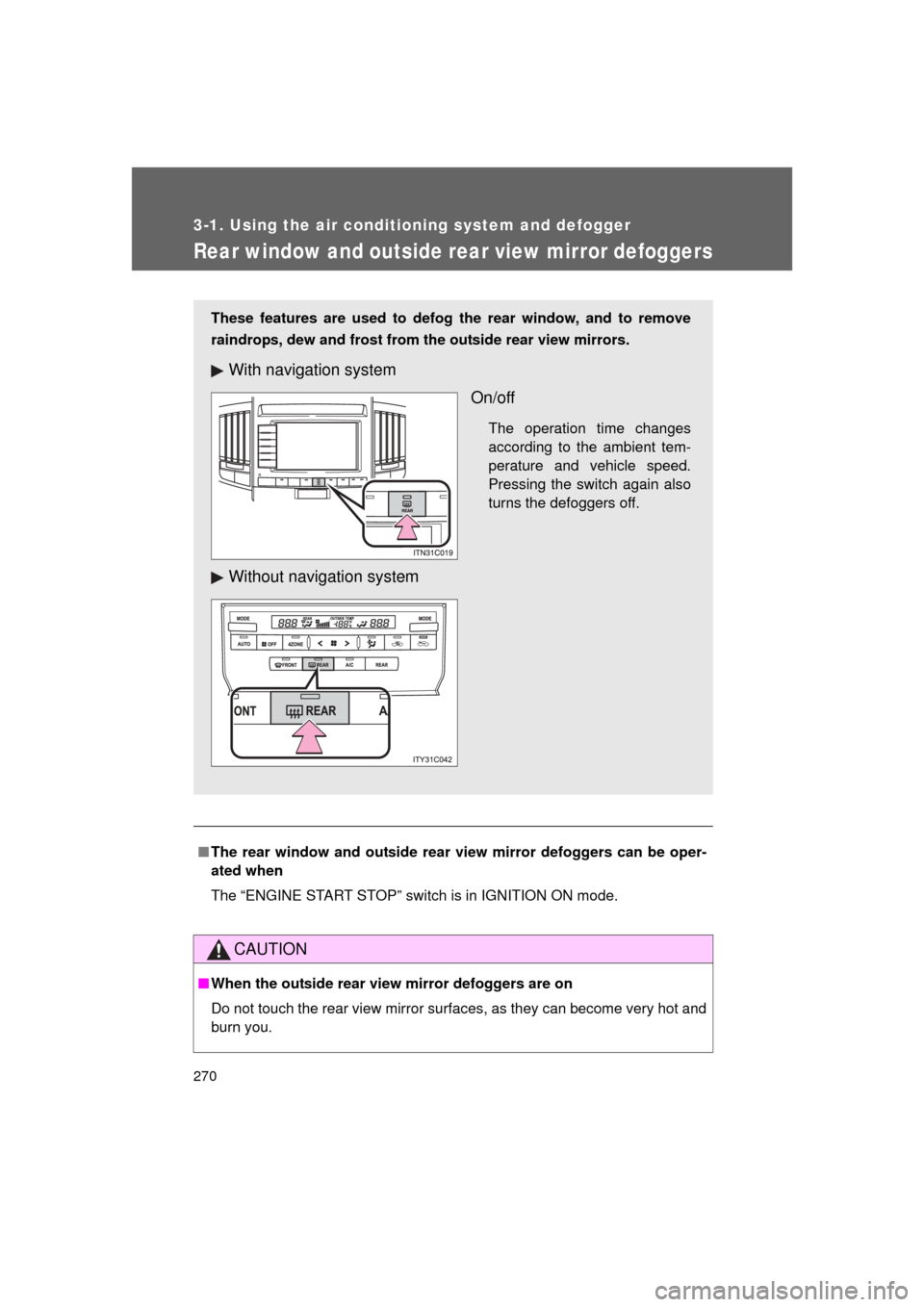
These features are used to defog the rear window, and to remove
raindrops, dew and frost from the outside rear view mirrors.
With navigation system
On/off
The operation time changes
according to the ambient tem-
perature and vehicle speed.
Pressing the switch again also
turns the defoggers off.
Without navigation system
Page 271 of 608
271
3-1. Using the air conditioning system and defogger
3
Interior features
L/C200_U (OM60F74U)
Windshield wiper de-icer
: If equipped
■The windshield wiper de-icer can be operated when
The “ENGINE START STOP” switch is in IGNITION ON mode.
CAUTION
■When the windshield wiper de-icer is on
Do not touch the glass at the lower part of the windshield or to the side of the
front pillars as the surfaces can become very hot and burn you.
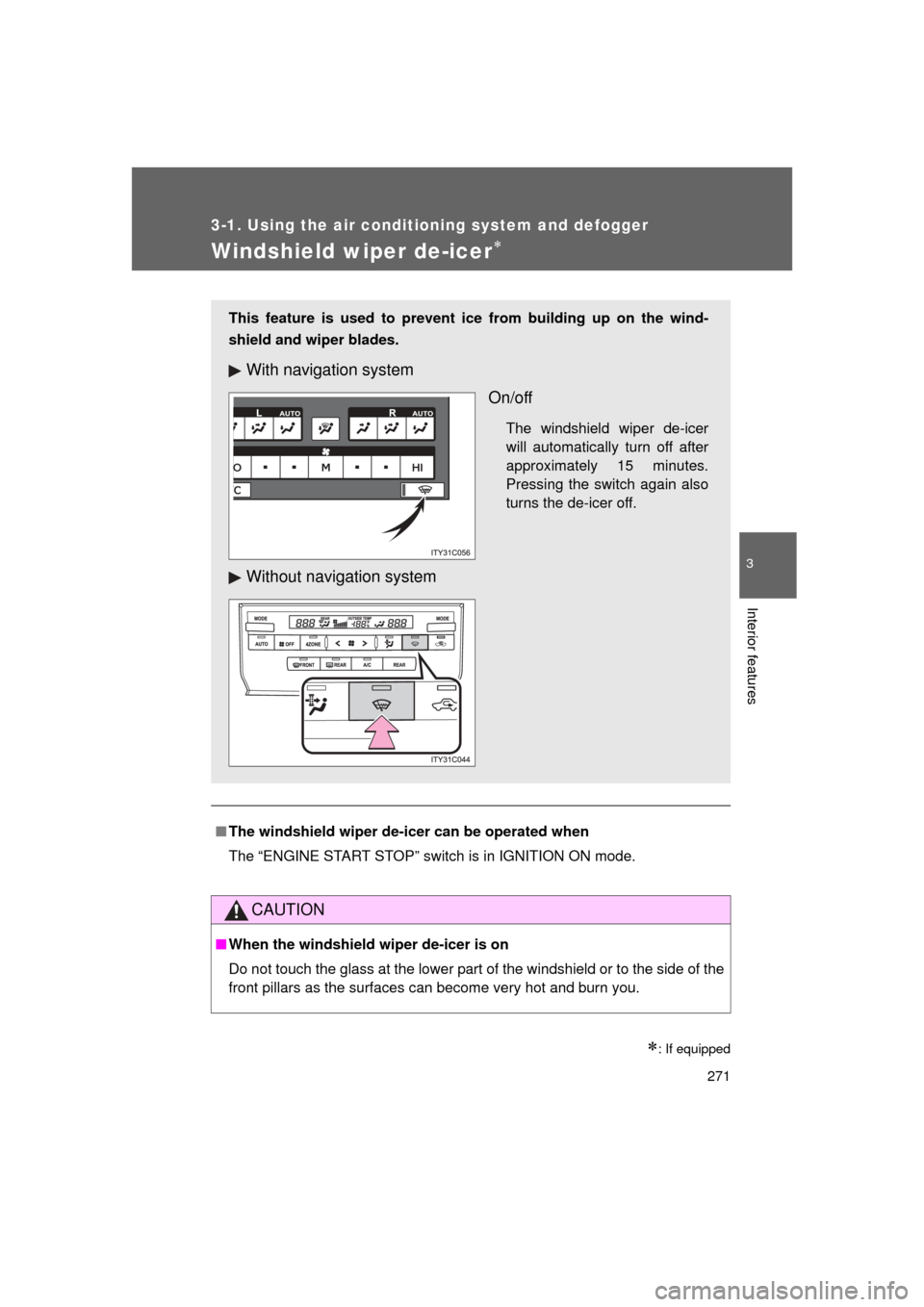
This feature is used to prevent ice from building up on the wind-
shield and wiper blades.
With navigation system
On/off
The windshield wiper de-icer
will automatically turn off after
approximately 15 minutes.
Pressing the switch again also
turns the de-icer off.
Without navigation system
Page 336 of 608
336 3-3. Using the Bluetooth
® audio system
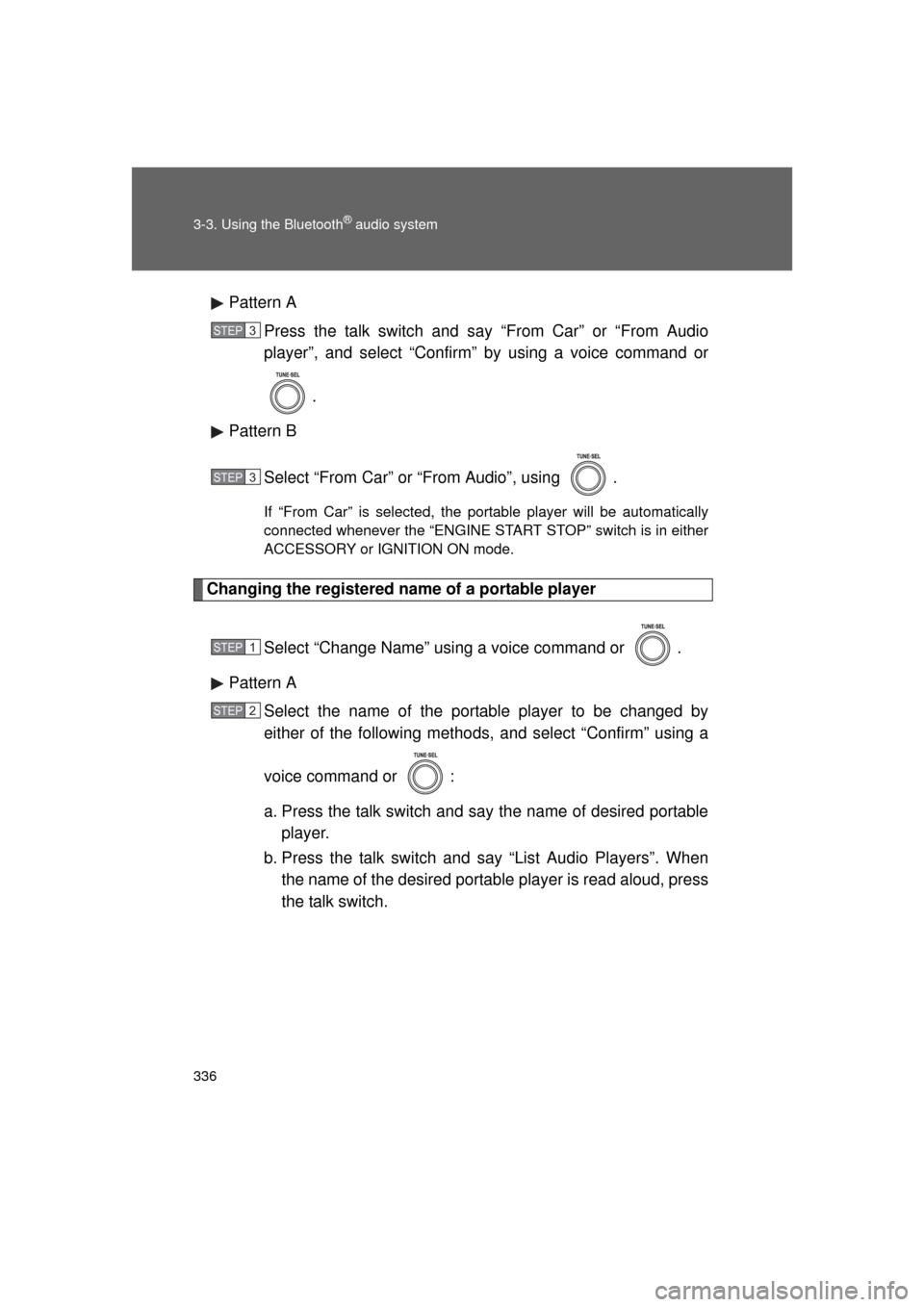
L/C200_U (OM60F74U)Pattern A
Press the talk switch and say “From Car” or “From Audio
player”, and select “Confirm” by using a voice command or
.
Pattern B
Select “From Car” or “From Audio”, using .
If “From Car” is selected, the portable player will be automatically
connected whenever the “ENGINE START STOP” switch is in either
ACCESSORY or IGNITION ON mode.
Changing the registered name of a portable player
Select “Change Name” using a voice command or .
Pattern A Select the name of the portable player to be changed by
either of the following methods, and select “Confirm” using a
voice command or :
a. Press the talk switch and say the name of desired portableplayer.
b. Press the talk switch and say “List Audio Players”. When
the name of the desired portable player is read aloud, press
the talk switch.
STEP3
STEP3
STEP1
STEP2
Page 379 of 608
379
3
Interior features
L/C200_U (OM60F74U)
3-5. Using the interior lights
Interior lights list
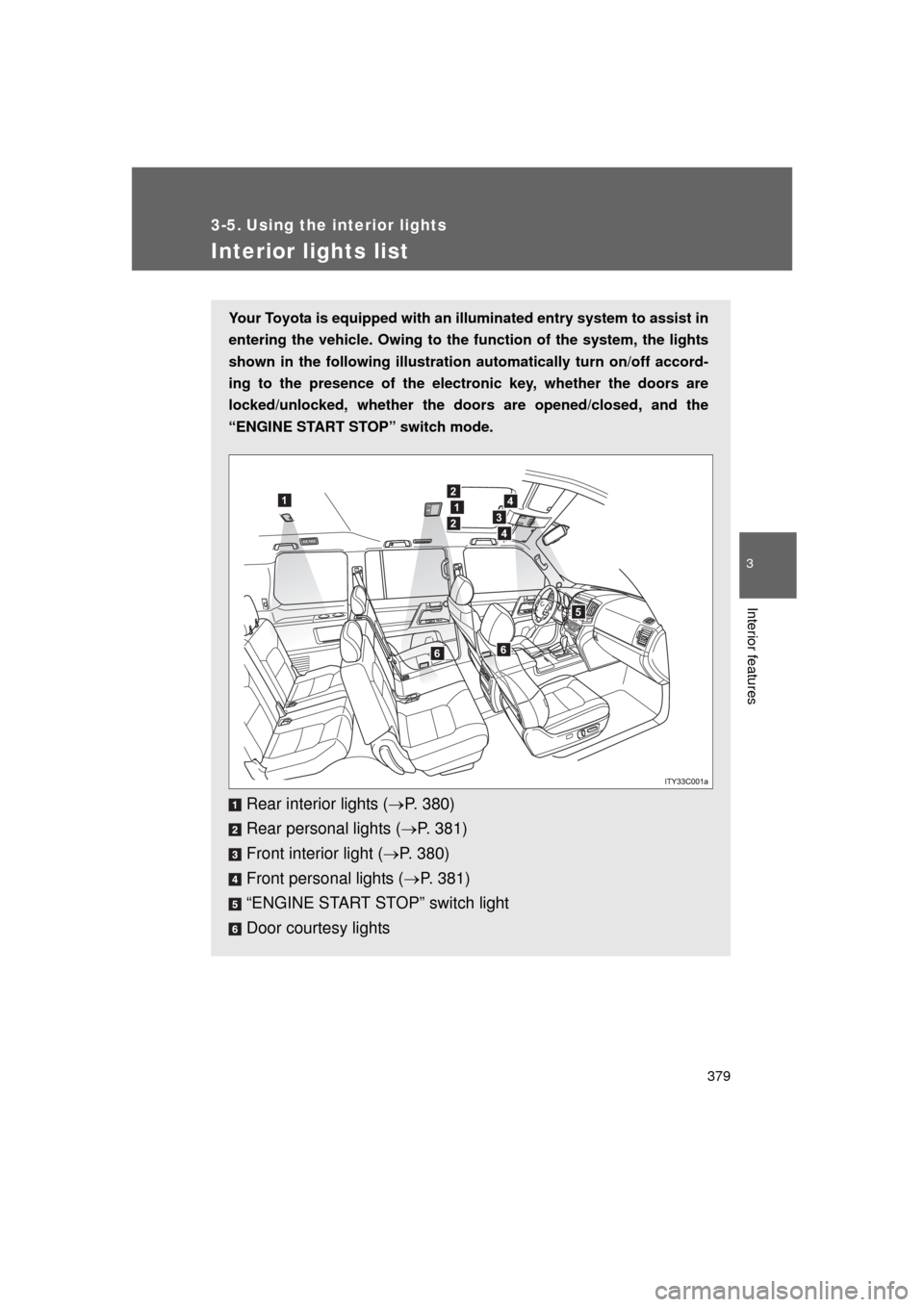
Your Toyota is equipped with an illuminated entry system to assist in
entering the vehicle. Owing to the function of the system, the lights
shown in the following illustration automatically turn on/off accord-
ing to the presence of the electr onic key, whether the doors are
locked/unlocked, whether the door s are opened/closed, and the
“ENGINE START STOP” switch mode.
Rear interior lights ( P. 380)
Rear personal lights ( P. 381)
Front interior light ( P. 380)
Front personal lights ( P. 381)
“ENGINE START STOP” switch light
Door courtesy lights
12
1
2
4
3
4
5
66
Page 380 of 608
380 3-5. Using the interior lights
L/C200_U (OM60F74U)
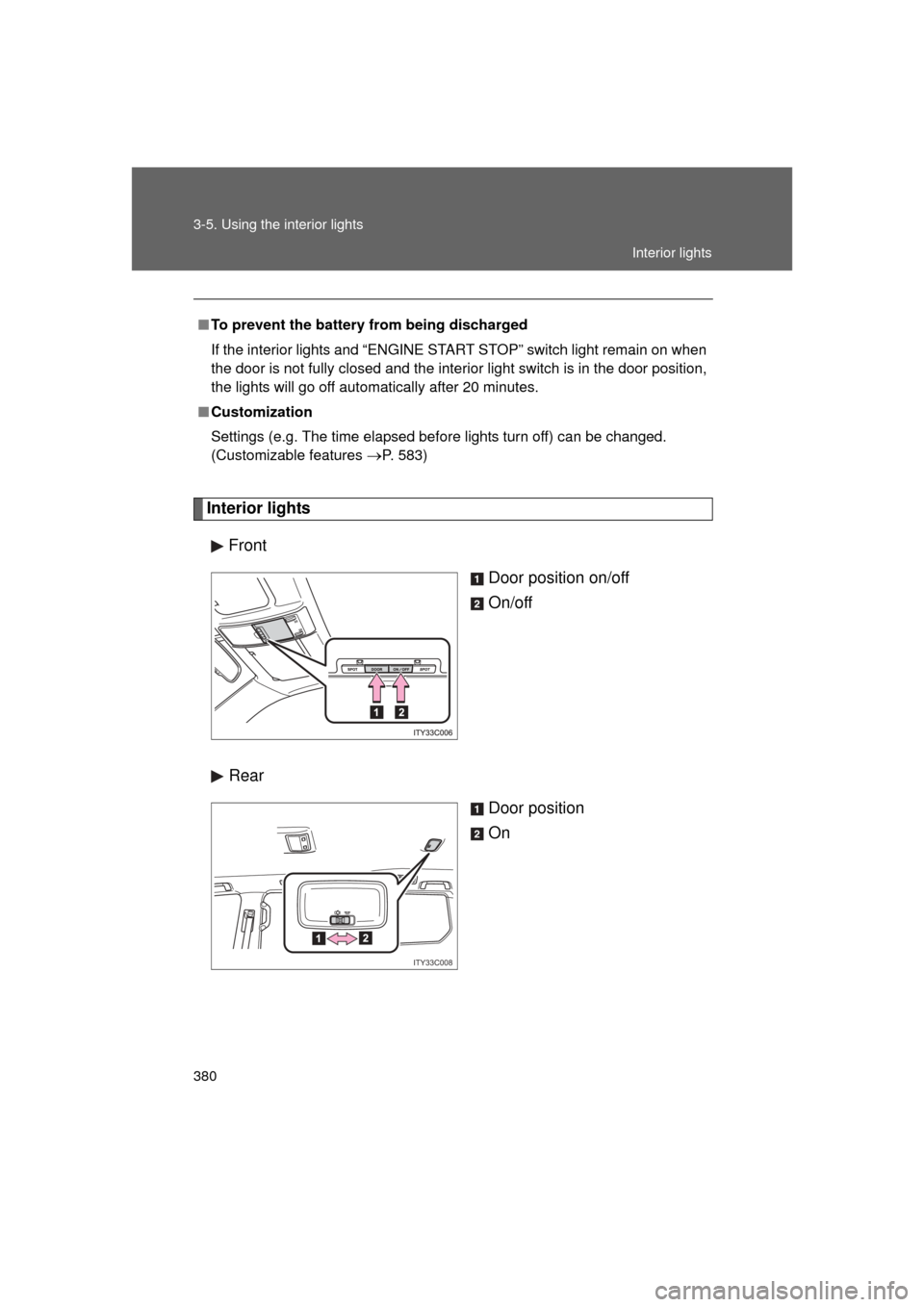
Interior lightsFront Door position on/off
On/off
Rear Door position
On
■To prevent the battery from being discharged
If the interior lights and “ENGINE START STOP” switch light remain on when
the door is not fully closed and the interior light switch is in the door position,
the lights will go off automatically after 20 minutes.
■ Customization
Settings (e.g. The time elapsed before lights turn off) can be changed.
(Customizable features
P. 583)
ITY33C008
Interior lights