Page 3 of 508

1
2
3
4
5
6
7
3
2-4. Using other driving systems
Cruise control ...................... 161
Driving assist systems ........ 165
2-5. Driving information Cargo and luggage ............. 169
Vehicle load limits ............... 172
Winter driving tips ............... 173
Trailer towing ...................... 177
Dinghy towing ..................... 178
3-1. Using the air conditioning system and defogger
Automatic air conditioning system .............................. 182
Rear window and outside rear view
mirror defoggers ............... 191
3-2. Using the audio system Audio system types ............. 192
Using the radio .................... 195
Using the CD player ............ 202
Playing MP3 and WMA discs.................................. 210
Operating an iPod ............... 218
Operating a USB memory ............................. 225
Optimal use of the audio system .............................. 232
Using the AUX port ............. 237
Using the steering wheel audio switches .................. 239 3-3. Using the Bluetooth®
audio system
Bluetooth
® audio system .... 242
Using the Bluetooth®
audio system .................... 245
Operating a Bluetooth
®
enabled portable player.... 250
Setting up a Bluetooth
®
enabled portable player.... 252
Bluetooth
® audio system
setup ................................ 257
3-4. Using the hands-free phone system
(for cellular phone)
Hands-free phone system (for cellular phone)
features ............................ 258
Using the hands-free phone system
(for cellular phone) ........... 262
Making a phone call ........... 270
Setting a cellular phone ...... 274
Security and system setup ................................ 279
Using the phone book ........ 283
3-5. Using the interior lights Interior lights list ................. 291
• Interior light ...................... 292
• Personal lights.................. 293
3-6. Using the storage features List of storage features ....... 294
• Glove box ......................... 295
• Console box ..................... 295
• Cup holders ...................... 297
• Auxiliary boxes ................. 298
3Interior features
Page 15 of 508
15
C
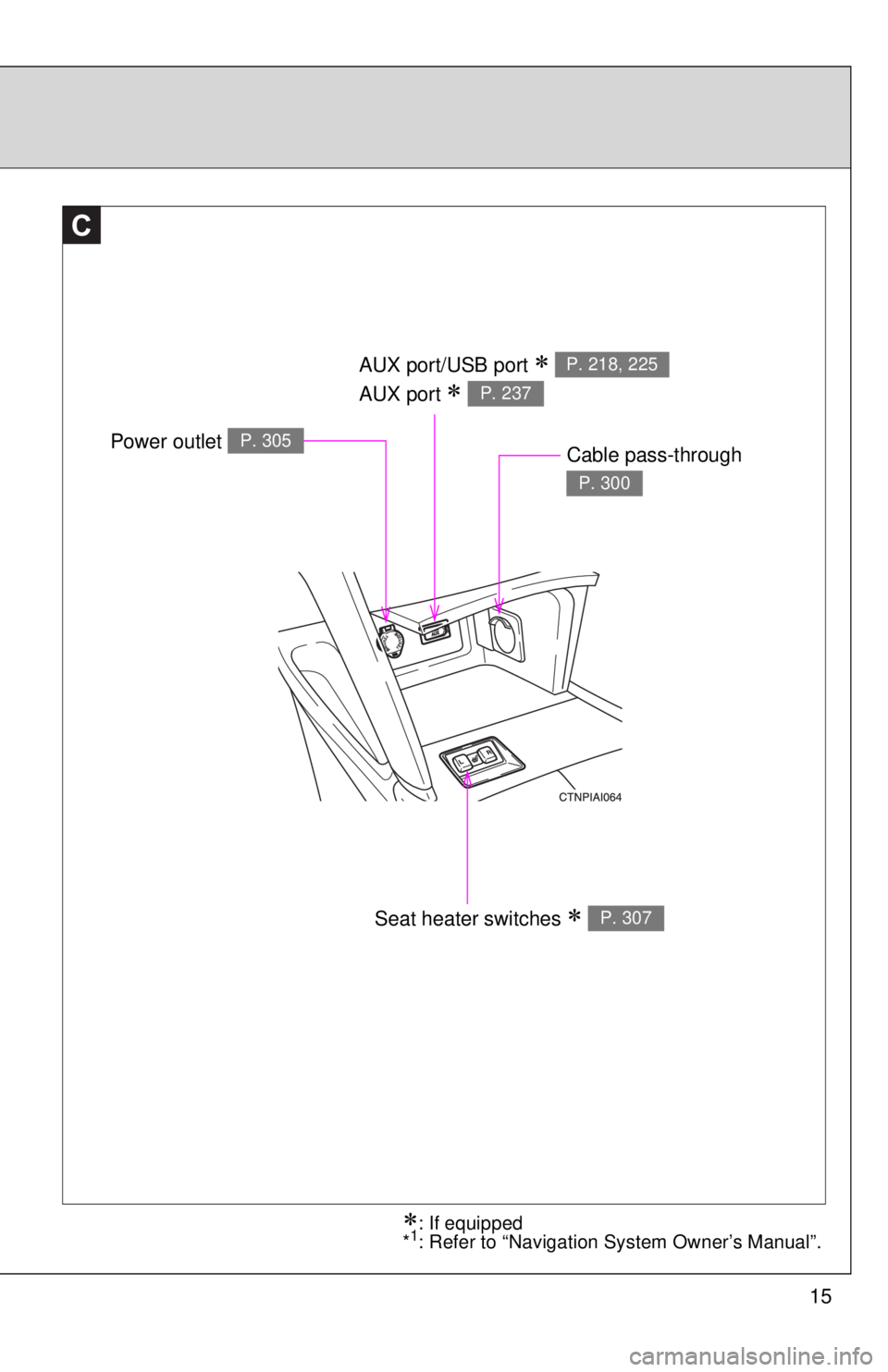
AUX port/USB port
AUX port
P. 218, 225
P. 237
Seat heater switches P. 307
Power outlet P. 305Cable pass-through
P. 300
: If equipped
*1: Refer to “Navigation System Owner’s Manual”.
Page 180 of 508
180
3-1. Using the air conditioning system and defogger
Automatic air conditioning system ....... 182
Rear window and outside rear view
mirror defoggers ............ 191
3-2. Using the audio system Audio system types .......... 192
Using the radio ................. 195
Using the CD player ......... 202
Playing MP3 and WMA discs............................... 210
Operating an iPod ............ 218
Operating a USB memory .......................... 225
Optimal use of the audio system.................. 232
Using the AUX port .......... 237
Using the steering wheel audio switches ..... 239
Interior features3
Page 193 of 508
193
3-2. Using the audio system
3
Interior featuresLanguage settings (type B only)
The language used for all voice guidance, voice recognition and mes-
sages may be changed.
Press .
Press that corresponds to “MORE”.
Press that corresponds to “LANG”.
Press that corresponds to the desired language.
For vehicles sold in the U.S.A.
“ENG” (English) or “ESP” (Spanish)
For vehicles sold in Canada
“ENG” (English) or “FRAN” (French)
TitlePage
Using the radioP. 195
Using the CD playerP. 202
Playing MP3 and WMA discsP. 210
Operating an iPodP. 218
Operating a USB memoryP. 225
Optimal use of the audio systemP. 232
Using the AUX portP. 237
Using the steering wheel audio switchesP. 239
STEP1
STEP2
STEP3
STEP4
Page 223 of 508

223
3-2. Using the audio system
3
Interior features
■
Error messages
“IPOD ERROR”: This indicates a problem in the iPod, inside the
USB box or the connection between them.
“NO SONGS”: This indicates that there is no music data in the iPod.
“UPDATE YOUR IPOD”: This indicates that the version of the iPod is not compatible.
■ Compatible models
Depending on differences between models or software version etc., some
models listed above might be incompatible with this system.
iPod 4th generation and earlier models are not compatible with this system.
iPhone, iPod mini, iPod shuffle and iPod photo are not compatible with this
system.
Items related to standards and limitations are as follows:
●Maximum number of lists in device: 9999
● Maximum number of songs in device: 65,025
● Maximum number of songs per list: 65,025
ModelGenerationSoftware version
iPod 5th generation Ver. 1.2.0 or higher
iPod nano 1st generation Ver. 1.3.0 or higher 2nd generation Ver. 1.1.2 or higher
3rd generation Ver. 1.0.0 or higher
iPod touch 1st generation Ver. 1.1.0 or higher
iPod classic 1st generation Ver. 1.0.0 or higher
Page 225 of 508
225
3-2. Using the audio system
3
Interior features
Operating a USB memor y
Connecting a USB memory enables you to enjoy music from the
vehicle speakers.
■Connecting a USB memory
Open the cover and connect a
USB memory.
Turn on the power of the USB
memory if it is not turned on.
Press .
■ Control panel
STEP1
STEP2
Selector buttons
Fast-
forwarding
and reversing
Vo lu m e
Power
Playback/pause Searching
playback
Displaying text messages
Selector knob
Selecting
a folder
and files
Playback
: If equipped
Page 227 of 508
227
3-2. Using the audio system
3
Interior features
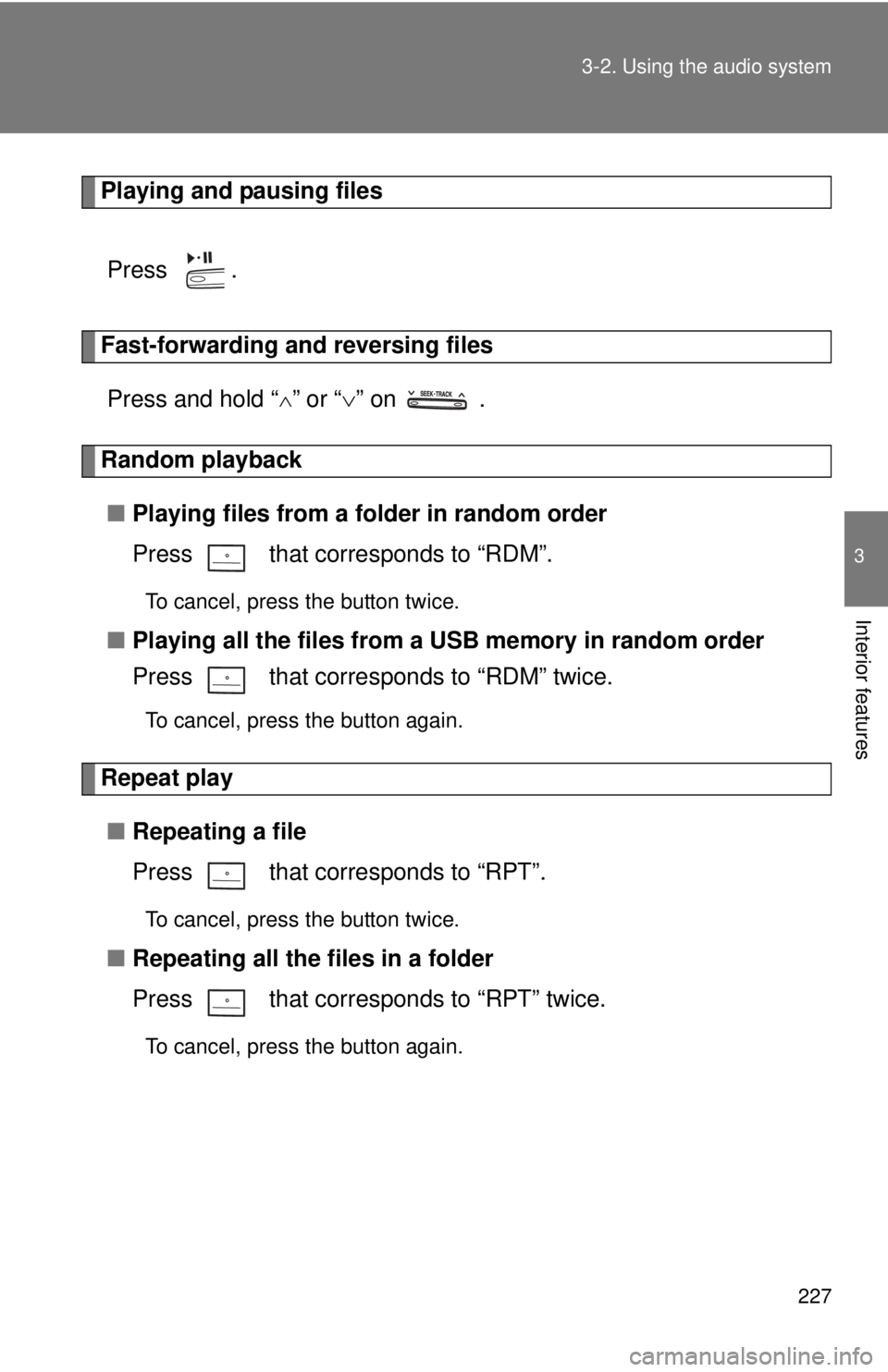
Playing and pausing files
Press .
Fast-forwarding and reversing filesPress and hold “
” or “ ” on .
Random playback
■ Playing files from a folder in random order
Press that corresponds to “RDM”.
To cancel, press the button twice.
■Playing all the files from a USB memory in random order
Press that corresponds to “RDM” twice.
To cancel, press the button again.
Repeat play
■ Repeating a file
Press that corresponds to “RPT”.
To cancel, press the button twice.
■Repeating all the files in a folder
Press that corresponds to “RPT” twice.
To cancel, press the button again.
Page 228 of 508
228 3-2. Using the audio system
Switching the displayPress the .
Each time is pressed, the display changes in the following order:
Track title Track title/Artist name Track title/Album name Track
title/Elapsed time
■ USB memory functions
Depending on the USB memory that is connected to the system, certain
functions may not be available. Disconnecting the device and reconnecting it
once again may resolve some malfunctions.
■ Cable pass-through
P. 300
■ Error messages
“USB ERROR”: This indicates a problem in the USB memory or its connec-
tion.
“NO MUSIC”: This indicates that no MP3/WMA files are included in the USB memory.