453 3-2. Using the audio system
3
Interior features
AVENSIS_EE (OM20B44E)
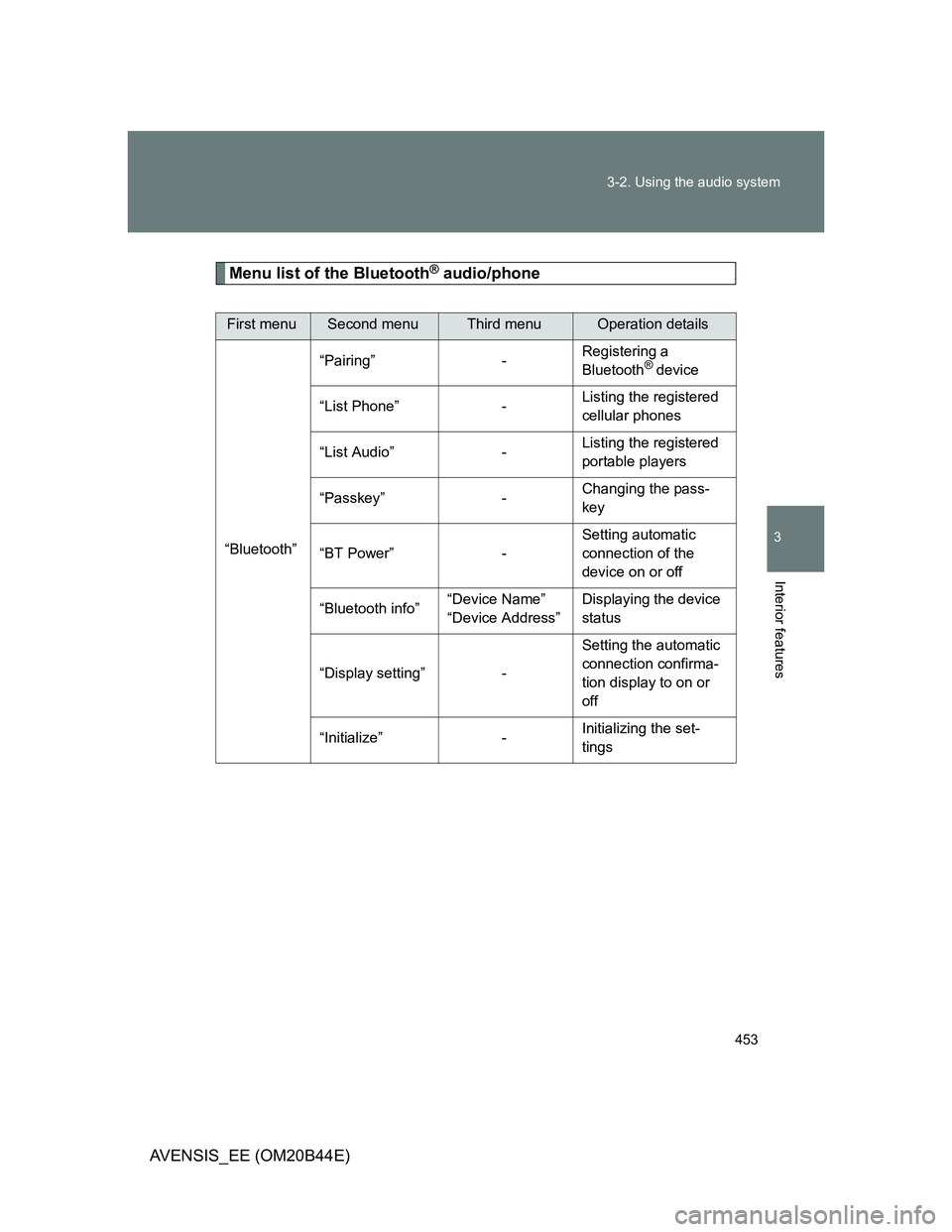
Menu list of the Bluetooth® audio/phone
First menuSecond menuThird menuOperation details
“Bluetooth”“Pairing” -Registering a
Bluetooth
® device
“List Phone” -Listing the registered
cellular phones
“List Audio” -Listing the registered
portable players
“Passkey” -Changing the pass-
key
“BT Power” -Setting automatic
connection of the
device on or off
“Bluetooth info”“Device Name”
“Device Address”Displaying the device
status
“Display setting” -Setting the automatic
connection confirma-
tion display to on or
off
“Initialize” -Initializing the set-
tings
465
3-2. Using the audio system
3
Interior features
AVENSIS_EE (OM20B44E)
Using the “SET UP” menu (“Bluetooth” menu)
: If equipped
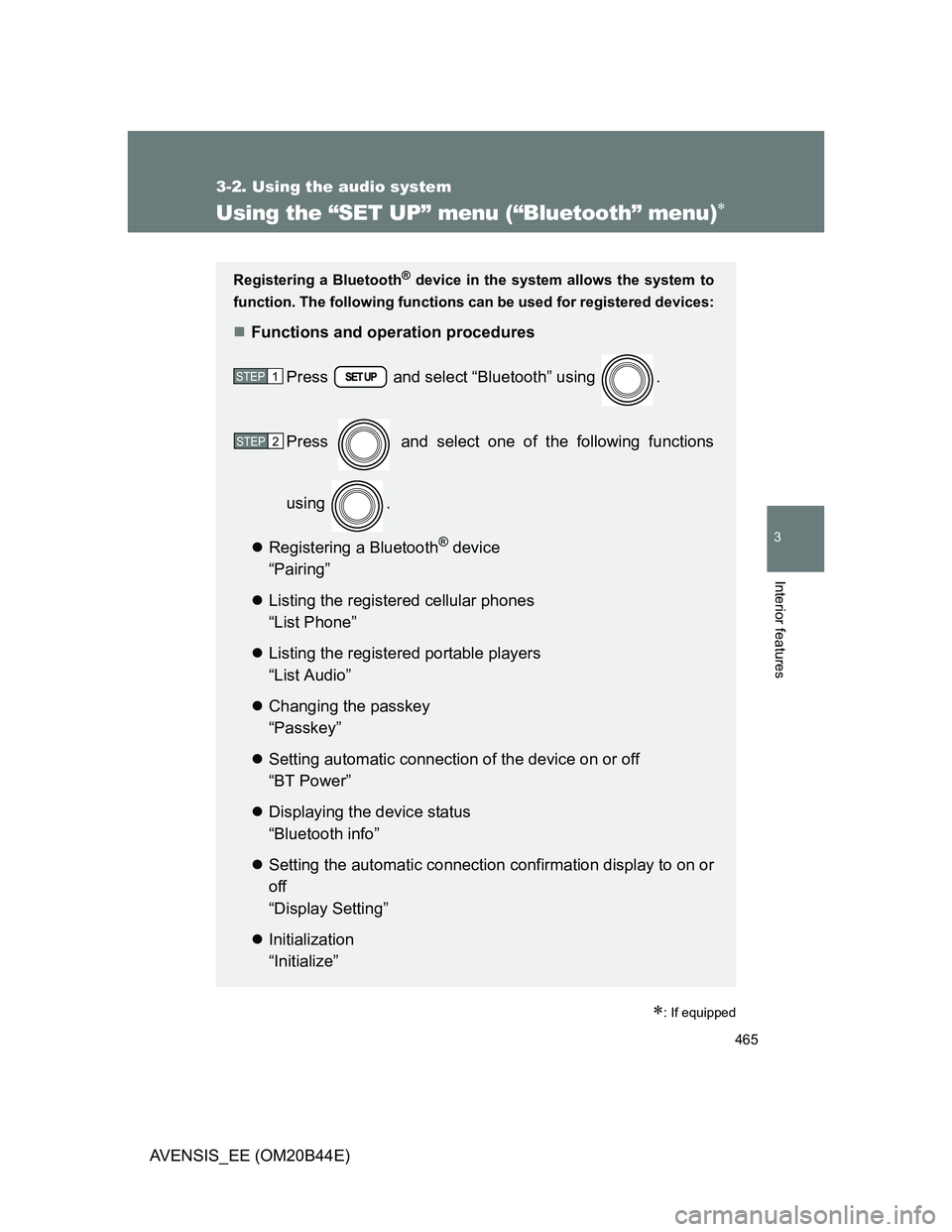
Registering a Bluetooth® device in the system allows the system to
function. The following functions can be used for registered devices:
Functions and operation procedures
Press and select “Bluetooth” using .
Press and select one of the following functions
using .
Registering a Bluetooth
® device
“Pairing”
Listing the registered cellular phones
“List Phone”
Listing the registered portable players
“List Audio”
Changing the passkey
“Passkey”
Setting automatic connection of the device on or off
“BT Power”
Displaying the device status
“Bluetooth info”
Setting the automatic connection confirmation display to on or
off
“Display Setting”
Initialization
“Initialize”
STEP1
STEP2