Page 4 of 772
TABLE OF CONTENTSIndex
4
AVENSIS_EE (OM20B44E)
3-1. Using the air conditioning
system and defogger
Automatic air conditioning
system .............................. 360
Manual air conditioning
system .............................. 370
Power heater ...................... 378
Rear window and outside
rear view mirror
defoggers.......................... 381
Windshield wiper
de-icer............................... 3823-2. Using the audio system
Audio system types ............ 383
Using the radio ................... 391
Using the CD player ........... 398
Playing back MP3 and
WMA discs ....................... 406
Operating an iPod .............. 416
Operating a USB
memory ............................ 426
Optimal use of the audio
system.............................. 436
Using the AUX port ............ 438
Using the steering wheel
audio switches ................. 439
Bluetooth
® audio/phone ..... 442
Using the Bluetooth®
audio/phone ..................... 449
Operating a Bluetooth
®
enabled portable
player ............................... 455
Making a phone call ........... 459
Using the “SET UP” menu
(“Bluetooth” menu) ........... 465
Using the “SET UP” menu
(“TEL” menu).................... 471
3-3. Using the interior lights
Interior lights list ................. 478
• Personal/interior light
main switch ...................... 479
• Personal/interior lights ..... 479
• Personal lights ................. 480
3Interior features
Page 12 of 772
12
AVENSIS_EE (OM20B44E)
Power outlet P. 493
Pictorial indexInterior
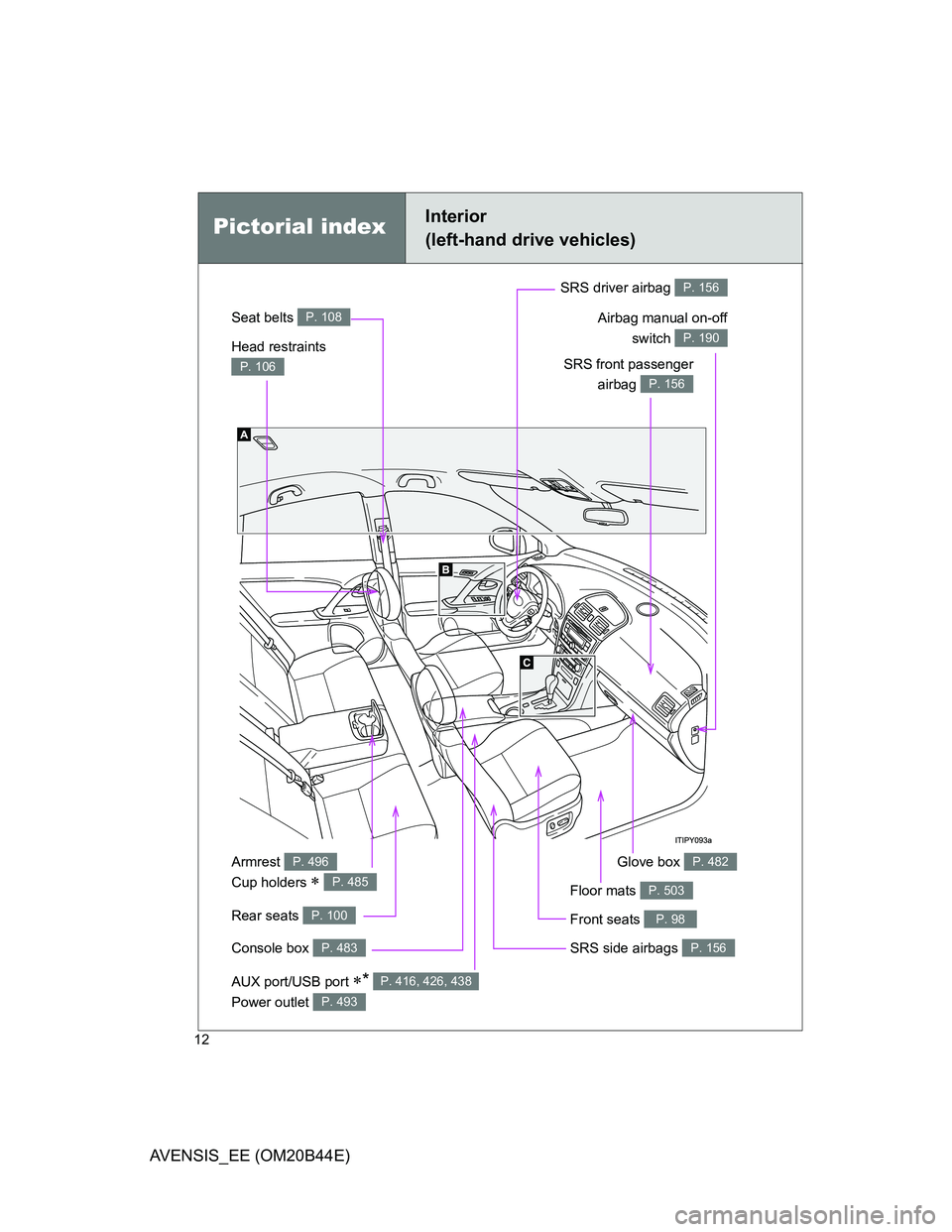
(left-hand drive vehicles)
Seat belts P. 108
SRS front passenger
airbag
P. 156
SRS driver airbag P. 156
Head restraints
P. 106
Console box P. 483
Armrest
Cup holders
P. 496
P. 485
Front seats P. 98
SRS side airbags P. 156
Glove box P. 482
Rear seats P. 100
Floor mats P. 503
Airbag manual on-off
switch
P. 190
AUX port/USB port * P. 416, 426, 438
Page 20 of 772
20
AVENSIS_EE (OM20B44E)
Pictorial indexInterior
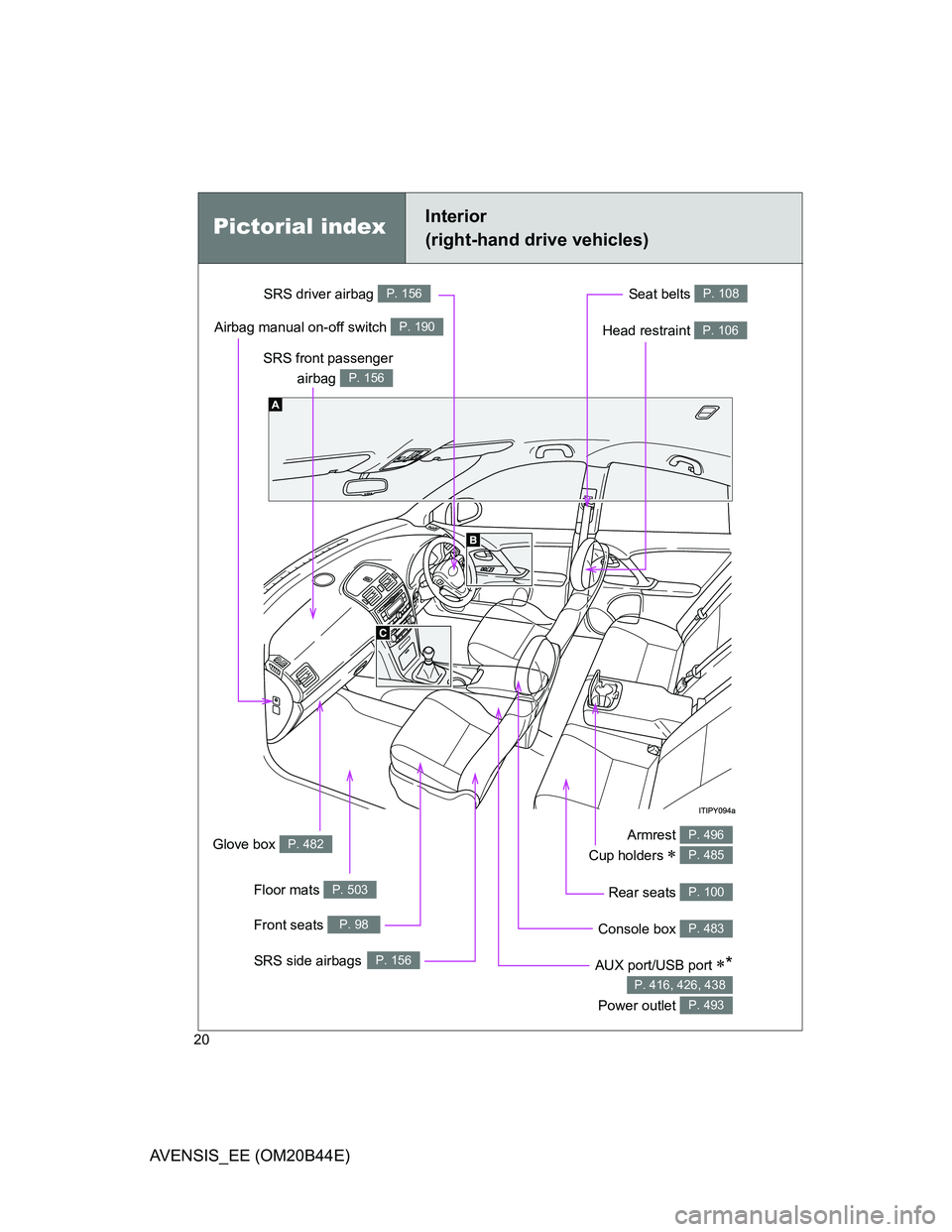
(right-hand drive vehicles)
Seat belts P. 108
SRS front passenger
airbag
P. 156
SRS driver airbag P. 156
Head restraint P. 106
Armrest
Cup holders
P. 496
P. 485
Front seats P. 98
SRS side airbagsP. 156
Glove box P. 482
Airbag manual on-off switch P. 190
Floor mats P. 503
Console box P. 483
Rear seats P. 100
AUX port/USB port *
Power outlet
P. 416, 426, 438
P. 493
Page 359 of 772
3Interior features
359
AVENSIS_EE (OM20B44E)
3-2. Using the audio system
Audio system types .......... 383
Using the radio ................. 391
Using the CD player ......... 398
Playing back MP3
and WMA discs............... 406
Operating an iPod............. 416
Operating a USB
memory........................... 426
Optimal use of the
audio system .................. 436
Using the AUX port ........... 438
Using the steering
wheel audio switches...... 439
Bluetooth
® audio/phone.... 442
Using the Bluetooth®
audio/phone .................... 449
Operating a Bluetooth
®
enabled portable
player .............................. 455
Making a phone call.......... 459
Using the “SET UP” menu
(“Bluetooth” menu).......... 465
Using the “SET UP”
menu (“TEL” menu) ........ 471
3-3. Using the interior lights
Interior lights list................ 478
• Personal/interior light
main switch ..................... 479
• Personal/interior lights .... 479
• Personal lights ................ 4803-4. Using the storage features
List of storage features ..... 481
• Glove box ....................... 482
• Console box.................... 483
• Overhead console .......... 484
• Cup holders .................... 485
• Bottle holders.................. 486
• Coin box ......................... 488
3-5. Other interior features
Sun visors ......................... 489
Vanity mirror ..................... 490
Ashtray.............................. 491
Cigarette lighter ................ 492
Power outlet ...................... 493
Seat heaters ..................... 494
Armrest ............................. 496
Trunk/luggage
compartment storage
extension ........................ 497
Panoramic roof shade
(wagon)........................... 498
Rear sunshade
(sedan) ........................... 501
Rear side sunshades
(sedan) ........................... 502
Floor mats ......................... 503
Trunk features (sedan) ..... 505
Luggage compartment
features (wagon)............. 507
Page 383 of 772
383
3
Interior features
AVENSIS_EE (OM20B44E)
3-2. Using the audio system
Audio system types
: If equipped
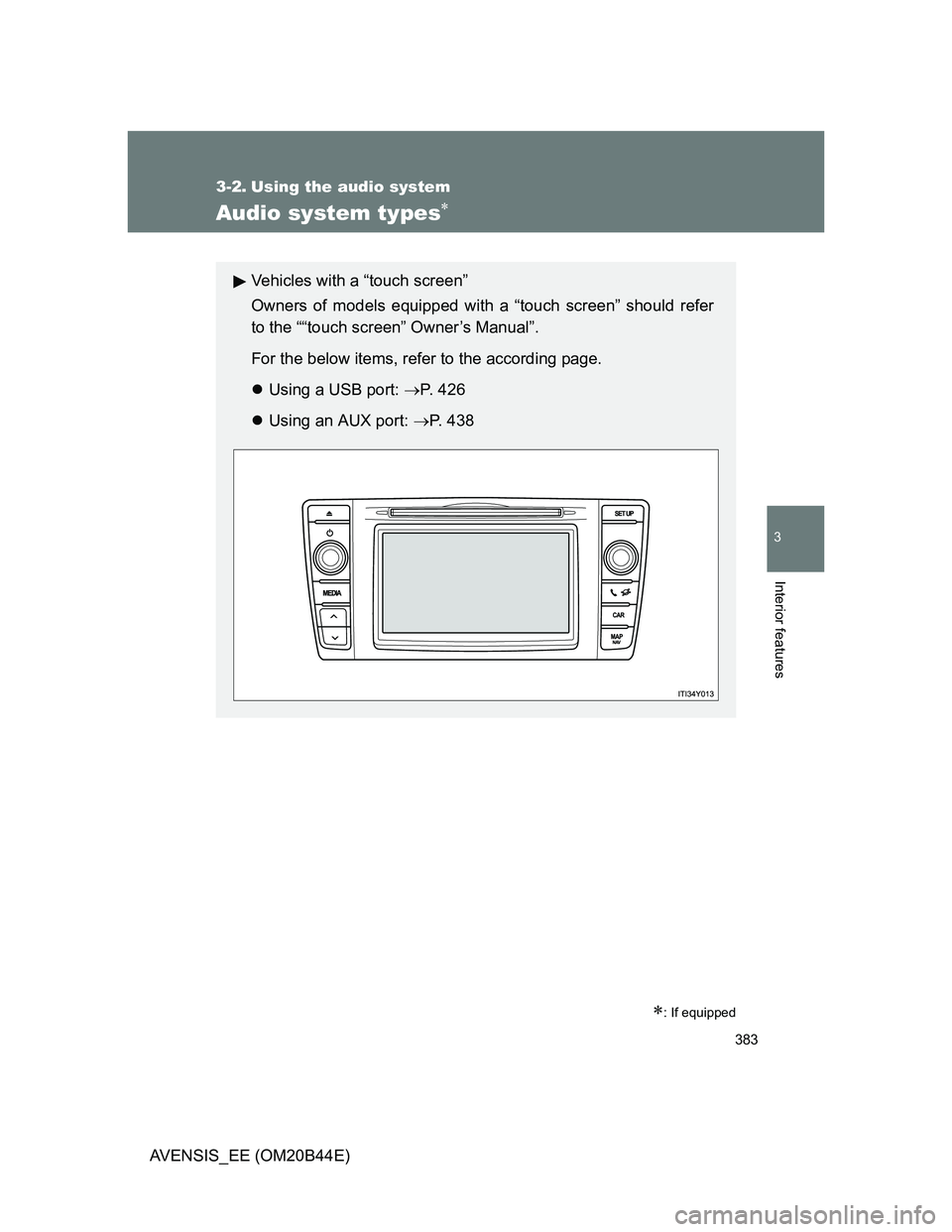
Vehicles with a “touch screen”
Owners of models equipped with a “touch screen” should refer
to the ““touch screen” Owner’s Manual”.
For the below items, refer to the according page.
Using a USB port: P. 426
Using an AUX port: P. 4 3 8
Page 386 of 772
386 3-2. Using the audio system
AVENSIS_EE (OM20B44E)
Using cellular phones
Interference may be heard through the audio system’s speakers if a cellular
phone is being used inside or close to the vehicle while the audio system is
operating.
TitlePage
Using the radioP. 391
Using the CD playerP. 398
Playing back MP3 and WMA discsP. 406
Operating an iPodP. 416
Operating a USB memoryP. 426
Optimal use of the audio systemP. 436
Using the AUX portP. 438
Using the steering wheel audio switchesP. 439
Page 426 of 772
426
3-2. Using the audio system
AVENSIS_EE (OM20B44E)
Operating a USB memor y
: If equipped
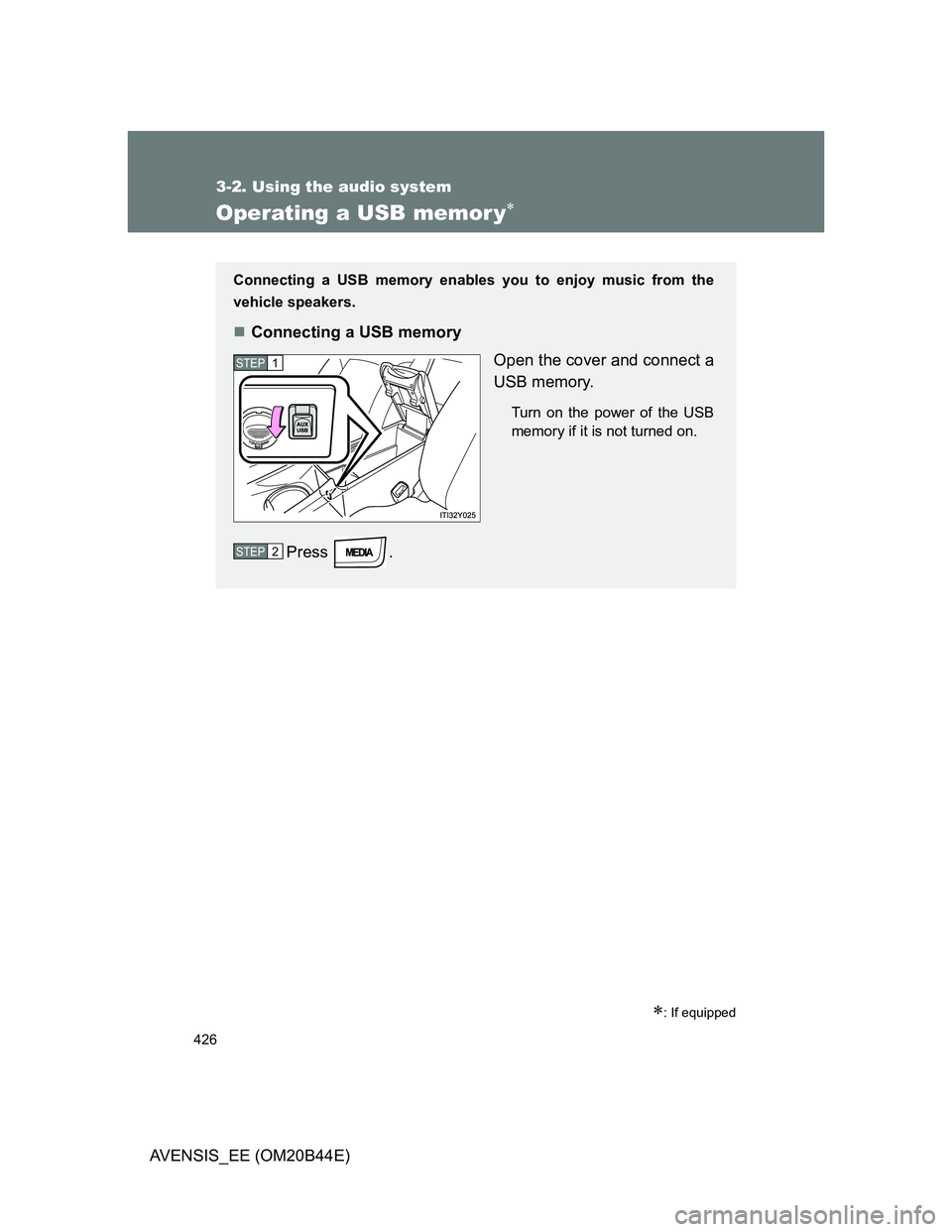
Connecting a USB memory enables you to enjoy music from the
vehicle speakers.
Connecting a USB memory
Open the cover and connect a
USB memory.
Turn on the power of the USB
memory if it is not turned on.
Press .
STEP1
STEP2
Page 431 of 772
431 3-2. Using the audio system
3
Interior features
AVENSIS_EE (OM20B44E)
Switching the display
Press (type A and B) or (type C).
Track title, Artist name and Album title (MP3 only) are shown on the dis-
play.
To return to the previous display, press (type A and B) or
[BACK] (type C).
USB memory functions
Depending on the USB memory that is connected to the system, the
device itself may not be operable and certain functions may not be avail-
able.
If the device is inoperable or a function is unavailable due to a malfunc-
tion (as opposed to a system specification), disconnecting the device and
reconnecting it once again may resolve the problem.
If the USB memory still does not begin operation after being discon-
nected and reconnected, format the memory.
Display
P. 402
Error messages
“ERROR”: This indicates a problem in the USB memory or its connection.
“NO MUSIC”: This indicates that no MP3/WMA files are included in the USB
memory.