Page 126 of 280
124Seats and storage compartments
Cigarette lighter*
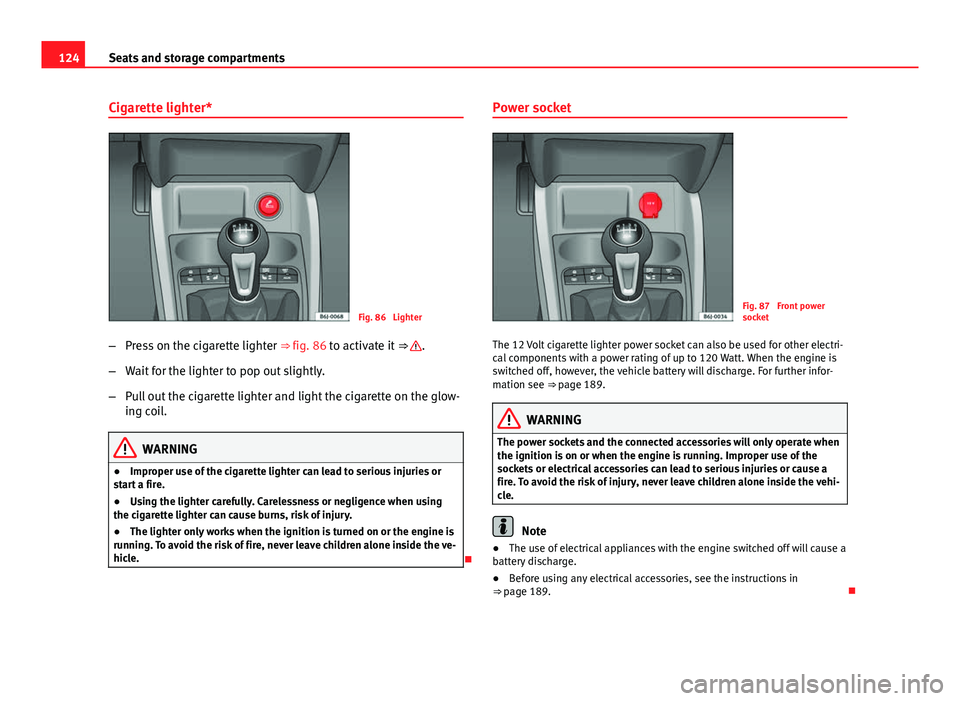
Fig. 86 Lighter
– Press on the cigarette lighter ⇒ fig. 86 to activate it ⇒
.
– Wait for the lighter to pop out slightly.
– Pull out the cigarette lighter and light the cigarette on the glow-
ing coil.
WARNING
● Improper use of the cigarette lighter can lead to serious injuries or
start a fire.
● Using the lighter carefully. Carelessness or negligence when using
the cigarette lighter can cause burns, risk of injury.
● The lighter only works when the ignition is turned on or the engine is
running. To avoid the risk of fire, never leave children alone inside the ve-
hicle.
Power socket
Fig. 87 Front power
socket
The 12 Volt cigarette lighter power socket can also be used for other electri-
cal components with a power rating of up to 120 Watt. When the engine is
switched off, however, the vehicle battery will discharge. For further infor-
mation see ⇒ page 189.
WARNING
The power sockets and the connected accessories will only operate when
the ignition is on or when the engine is running. Improper use of the
sockets or electrical accessories can lead to serious injuries or cause a
fire. To avoid the risk of injury, never leave children alone inside the vehi-
cle.
Note
● The use of electrical appliances with the engine switched off will cause a
battery discharge.
● Before using any electrical accessories, see the instructions in
⇒ page 189.
Page 128 of 280
126Seats and storage compartments
AUX/USB input connection*
Fig. 90 AUX/USB* input
connection (depending
on the equipment)
For information concerning the use of this equipment, please see the Radio
handbook. First-aid kit, warning triangle, fire
extinguisher
Warning triangle*
Fig. 91 Housing for the
emergency warning trian-
gle in the luggage com-
partment.
The warning triangle is under the storage compartment which is located un-
der the luggage compartment floor.
Note
● The warning triangle is not part of the vehicle's standard equipment.
Page 130 of 280
128Seats and storage compartments
–Position heavy items as far forward as possible ⇒ fig. 93.
– Secure the load with a luggage net* or with non-elastic straps
secured to the fastening rings ⇒ page 128.
WARNING
● Unsecured objects in the luggage compartment can suddenly shift
and cause changes in the handling of the vehicle.
● In an accident or a sudden manoeuvre, loose objects in the passenger
compartment can be flung forward and might injure vehicle occupants.
● Always keep all objects in the luggage compartment and use appro-
priate grips to secure them, particularly in the case of heavy objects.
● When you transport heavy objects, always bear in mind that a change
of the centre of gravity can also cause changes in vehicle handling.
● Please refer to the notes on ⇒ page 7.
CAUTION
Make sure that no hard objects chafe against the wires of the heating ele-
ment in the rear window and damage them.
Note
The tyre pressure must be adjusted according to the load. When necessary
check the tyre pressures on the label located on the inside fuel tank flap
⇒ page 216. Fastening rings*
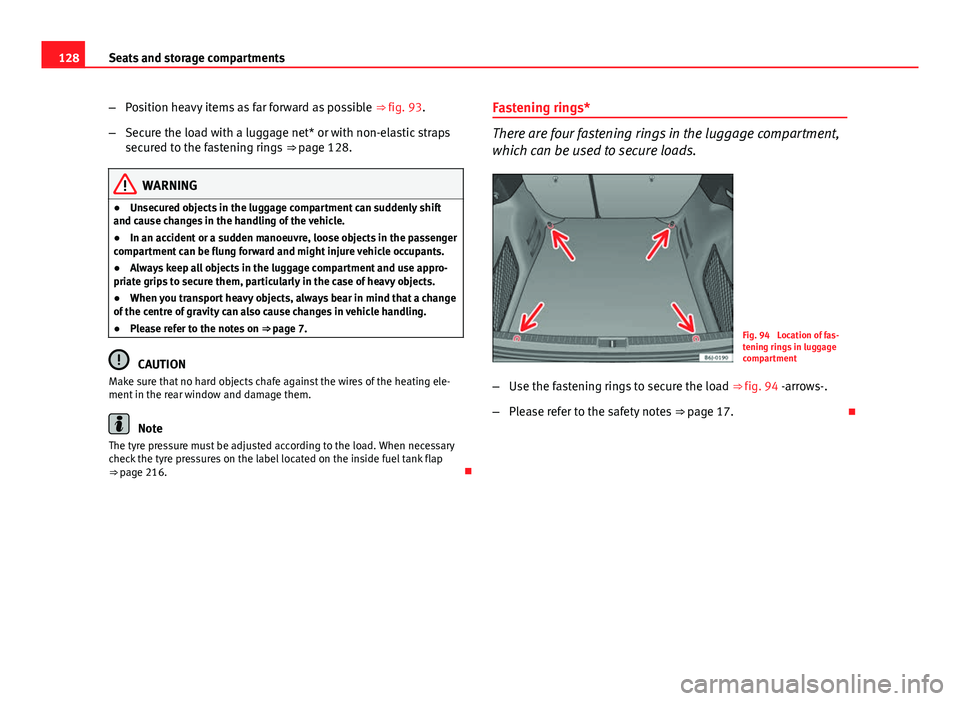
There are four fastening rings in the luggage compartment,
which can be used to secure loads.
Fig. 94 Location of fas-
tening rings in luggage
compartment
– Use the fastening rings to secure the load ⇒ fig. 94 -arrows-.
– Please refer to the safety notes ⇒ page 17.
Page 131 of 280

129
Seats and storage compartments
Luggage net*
The luggage net can be used to secure and retain light items
in the luggage compartment.
Fig. 95 Stretched lug-
gage net
Luggage net
– Secure the luggage net to the four fastening rings -arrows-
⇒ fig. 95.
The luggage net can be attached to the fastening rings in the bottom of the
luggage compartment panel.
WARNING
The luggage net should only be used to hold objects weighing up to 5 kg.
Heavier objects cannot be safely secured (risk of injury).
Rear shelf
Fig. 96 Rear shelf
Removing the shelf
– Unhook the loops ⇒ fig. 96 B
from housings A
–
With the half open position, pull the shelf upwards.
WARNING
Do not place heavy or hard objects on the rear shelf, because they will
endanger the vehicle occupants in case of sudden braking.
CAUTION
● Before closing the tailgate, ensure that the rear shelf is correctly fitted.
● An overloaded luggage compartment could mean that the rear shelf is
not correctly seated and it may be bent or damaged.
● If the luggage compartment is overloaded, remove the tray.
Safety FirstOperating InstructionsPractical TipsTechnical Specifications
Page 132 of 280
130Seats and storage compartments
Note
● Ensure that, when placing items of clothing on the luggage compart-
ment cover, rear visibility is not reduced.
Rear shelf with storage compartment*
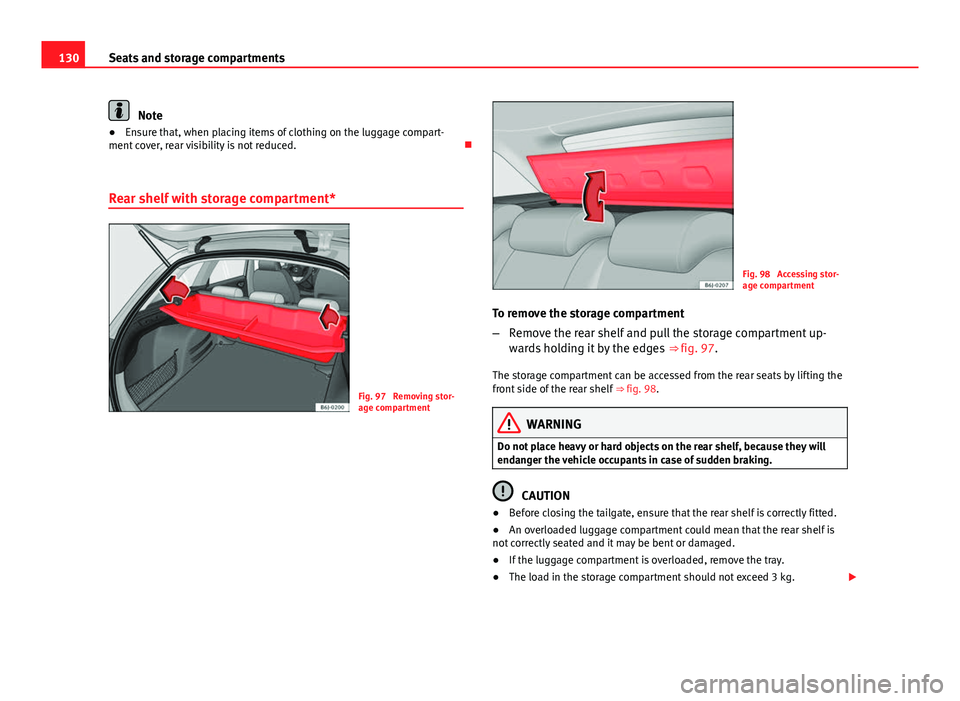
Fig. 97 Removing stor-
age compartment
Fig. 98 Accessing stor-
age compartment
To remove the storage compartment
– Remove the rear shelf and pull the storage compartment up-
wards holding it by the edges ⇒ fig. 97.
The storage compartment can be accessed from the rear seats by lifting the
front side of the rear shelf ⇒ fig. 98.
WARNING
Do not place heavy or hard objects on the rear shelf, because they will
endanger the vehicle occupants in case of sudden braking.
CAUTION
● Before closing the tailgate, ensure that the rear shelf is correctly fitted.
● An overloaded luggage compartment could mean that the rear shelf is
not correctly seated and it may be bent or damaged.
● If the luggage compartment is overloaded, remove the tray.
● The load in the storage compartment should not exceed 3 kg.
Page 134 of 280

132Air conditioning
Air conditioning
Heating
Controls
Fig. 99 Heating controls
on the dash panel
– Using the controls A
and C and with the switch B ⇒ fig. 99
you can adjust the temperature, the air distribution and the
blower speed.
– Press the button D
to switch air recirculation mode on or off.
When the function is activated, a warning light on the button is
turned on.
Temperature
Switch A
adjusts temperature. The required temperature inside the vehicle
cannot be lower than the ambient temperature. Maximum heat output, which is needed to defrost the windows quickly, is only available when the
engine has reached its operating temperature.
Blower
The air flow can be set at four speeds with switch
B
. The blower should al-
ways be set at the lowest speed when driving slowly.
Air distribution
Control C
for setting the flow of air in the required direction.
– Air distribution towards the windscreen in order to demist. For safety
reasons, it is not recommended to switch air recirculation on.
– Air distribution to the upper body
– Air distribution to footwell
– Air distribution to the windscreen and the footwell.
Air recirculation mode
Air recirculation mode D
on (a lamp lights up in red) prevents strong
odours from the outside air from entering in the vehicle, for example when
passing through a tunnel or in a traffic jam ⇒
.
When the outside temperature is low, air recirculation mode improves heat-
ing performance by heating air from the interior instead of cold air from the
outside.
Page 135 of 280

133
Air conditioning
WARNING
● For your safety, the windows should never be fogged up or covered
with snow or ice. This is essential to ensure good visibility. Please famili-
arise yourself with the correct operation of the heating and ventilation
system, including the demist/defrost functions for the windows.
● In air recirculation mode, no cold air from the outside enters the vehi-
cle interior. The windows can quickly fog over if the heating is switched
off. Therefore, never leave the air recirculation mode switched on for a
long time (risk of accident).
Note
● Please consider the general notes ⇒ page 140.
Vehicle ventilation or heating
Fig. 100 Heating con-
trols on the dash panel Ventilating the passenger compartment
–
Turn the temperature selector A
⇒ fig. 100 anti-clockwise.
– Turn blower switch B
to any of the head settings 1 -4.
– Set the airflow to the desired direction using air distribution
control C
.
– Open the relevant air outlets.
Interior heating
– Turn the temperature selector A
⇒ fig. 100 clockwise to select
the desired temperature.
– Turn blower switch B
to any of the head settings 1-4.
– Set the airflow to the desired direction using air distribution
control C
.
– Open the relevant air outlets.
Defrosting the windscreen
– Turn the temperature selector A
⇒ fig. 100 clockwise to reach
the maximum temperature.
– Turn the blower switch B
to setting 4.
– Turn air distribution control to
.
– Close outlet 3
.
– Open and turn outlet 4
towards side windows
Keeping the windscreen and the side windows demisted
– Turn the temperature selector A
⇒ fig. 100 to the heating area.
Safety FirstOperating InstructionsPractical TipsTechnical Specifications
Page 137 of 280

135
Air conditioning
Air distribution C
Switch on symbolMain air output through outlets:
1,2
5
1, 2, 5
3, 4
Outlets 3 and 4 can be closed or opened separately and the air flow di-
rected as required.
Air conditioning* Controls
Fig. 102 Air condition-
ing controls on the dash
panel The air conditioning system only works when the engine is running
and the fan is switched on.
–
Using the controls ⇒ fig. 102 A
and C and with the switch Byou can adjust the temperature, the air distribution and the
blower speed.
– To switch a function on or off, press the appropriate button D
or E. When the function is activated, a red warning light on the
button is turned on.
– To demist the wind screens:
– Turn air distribution to
– Turn the fan control to one of the two levels depending on the
speed required.
– Rotate the temperature control to the desired level of comfort.
– Close outlets 3
–
Open and turn outlets 4 towards side windows
Temperature selector ⇒ page 136
Blower control. There are four speed settings for the blower. At low
speed, it is recommended to set the blower to a minimum of 1 to im-
prove the intake of fresh air.
Air distribution control ⇒ page 136
Air recirculation button
⇒ page 137
AC button – Switch on air conditioning ⇒ page 136
A
B
CDE
Safety FirstOperating InstructionsPractical TipsTechnical Specifications
