2011 Seat Exeo instrument panel
[x] Cancel search: instrument panelPage 63 of 313

61
Cockpit
Rev counter
The rev counter indicates the number of engine revolutions
per minute.
Fig. 39 Detailed view of
the instrument panel:
Rev counter
You should select a lower gear if the engine speed drops below 1500 rpm.
The start of the red zone on the dial indicates the maximum engine speed
which may be used when the engine is warm and after it has been run in
properly. Before reaching this zone, a higher gear must be selected or your
foot must be removed from the accelerator.
CAUTION
The rev counter needle ⇒ fig. 39 must only reach the red zone for a short
period, otherwise the engine could be damaged. The start of the red zone
on the dial is different for some engine versions.
For the sake of the environment
Changing up into higher gears sooner following the recommended gear in-
dications ⇒ fig. 50 will help you to reduce fuel consumption, emissions and
also engine noise. Digital clock and date
Your vehicle is equipped with a quartz clock.
Fig. 40 Detailed view of
the instrument panel:
Digital clock
The time and date are set using the +
and - buttons.
Setting the hour
– Press the MODE
button. The hour display will start to flash.
– Use the +
and - buttons to set the hour.
Setting the minutes
– Keep pressing the MODE
button until the minutes display flash-
es.
– Use the +
and - buttons to set the minutes.
Safety FirstOperating InstructionsPractical TipsTechnical Specifications
Page 64 of 313

62Cockpit
Setting the date
–Keep pressing the MODE
button until the date display (day)
flashes.
– Use the +
and - buttons to set the day.
– Keep pressing the MODE
button until the month display flashes.
– Use the +
and - buttons to set the month.
– Keep pressing the MODE
button until the year display flashes.
– Use the +
and - buttons to set the year.
Deactivating the date display
– Keep pressing the MODE
button until the complete date display
flashes.
– Use the -
button to disable the date display.
Activating the date display
– Keep pressing the MODE
button until the complete date display
flashes.
– Use the +
button to enable the date display.
When the display stops flashing, this means the setting you are performing
is completed and the time and date have been successfully stored.
When the ignition is switched off, the odometer and the digital clock with
date display can be switched on for a few seconds by pressing the CHECK
button ⇒ fig. 37 8
. Instrument lighting
The brightness of the instrument lighting can be adjusted as
required.
Fig. 41 Instrument panel
lighting
– Press the "+" button to increase the brightness of the instru-
ment lighting.
– Press the "-" button to reduce the brightness of the instrument
lighting.
The instrument lighting (dials and needles), the centre console illumination
and the illumination of the displays are regulated by a photodiode incorpo-
rated in the instrument panel, depending on the outside light.
Page 65 of 313

63
Cockpit
Speedometer with odometer
The speedometer indicates the speed of the vehicle and the
distance travelled.
Fig. 42 Detailed view of
the instrument panel:
Odometer
The distance is normally stated in kilometres (km). On some models, how-
ever, the odometer will show “miles”.
Lower odometer
The lower odometer records the vehicle's total mileage.
Upper odometer (trip recorder)
The upper odometer shows the distance that has been travelled since the
trip recorder was last reset. It is used to measure short trips. The last digit of
the trip recorder indicates distances of 100 metres or tenths of a mile. The
upper odometer can be reset to zero by pressing the reset button ⇒ fig. 42.
Fault display
If there is a fault in the instrument panel, the letters DEF will appear perma-
nently in the trip recorder display. Please have the fault repaired as soon as
possible. Electronic immobiliser
The vehicle key data is consulted when the ignition is switched on.
If an uncoded key is used, the message
SAFE will appear in the trip recorder
display. The vehicle can no longer be started if that happens.
Fuel reserve
The display only works when the ignition is switched on.
When the needle reaches the reserve zone, the symbol lights up in the
instrument panel display ⇒ page 80. At this point there are still about 8 to
10 litres of fuel left in the tank. This is your reminder to fill up soon.
You can consult the tank capacity of your vehicle in the ⇒ page 299, Di-
mensions and capacities section.
CAUTION
Never run the tank completely dry. If there is an irregular fuel supply, misfir-
ing can occur. This means that fuel could reach the exhaust system without
burning. This may lead to the catalytic converter reheating and being dam-
aged.
Safety FirstOperating InstructionsPractical TipsTechnical Specifications
Page 66 of 313

64Cockpit
CHECK button
Fig. 43 Detailed view of
the instrument panel:
CHECK button
The CHECK
button has the following functions:
Activating the digital clock and the odometer
When the ignition is switched off, the odometer and the digital clock with
date display can be enabled for a few seconds by pressing the CHECK
but-
ton ⇒ fig. 43.
Starting check procedure (auto-check control)
The auto-check control ⇒ page 75 checks important components and ve-
hicle systems. These background checks are run constantly, as long as the
ignition is switched on.
You can start the “check procedure” manually by pressing the CHECK
button
with the ignition switched on. This function check can be started with the
engine either stationary or running, but not at road speeds above 5 km/h.
Calling up driver messages
If a Priority 1 symbol flashes in the display ⇒ page 75, or if the bulb moni-
tor detects a failure of one of the lights ⇒ page 82, the relevant driver in- formation can be called up again by briefly pressing the
CHECK
button. For
example:
Switch off engine, check oil level
The message will disappear from the display after about 5 seconds.
Setting the speed warning
You can press the CHECK
button to set speed limit warning 1
⇒ page 83,
Setting speed limit warning 1 while the vehicle is moving . Speed limit warn-
ing 2* ⇒ page 84, Setting speed limit warning 2 can only be set when the
ignition is switched off .
Page 67 of 313

65
Cockpit
Warning and indicator lamps General description
The warning and indicator lamps indicate a number of dif-
ferent functions and possible faults.
Fig. 44 Instrument panel with warning and indicator lamps
Exhaust emission control system⇒ page 66
Airbag system⇒ page 66
Tyre pressure too low⇒ page 66
Cruise speed (Cruise control)⇒ page 67
Trailer turn signals⇒ page 67
Anti-lock brake system (ABS)⇒ page 67
Seat belt warning⇒ page 68
Left turn signals⇒ page 68
Electronic Stability Programme (ESP)⇒ page 68
Alternator⇒ page 69
Main beam headlights⇒ page 69
Engine management (alternative to )⇒ page 69
Glow plug system (alternative to )⇒ page 69
Fault in brake system / handbrake is ap-
plied⇒ page 70
Right turn signals⇒ page 68
Note
A number of functions are monitored by the auto-check control
⇒ page 75. If a malfunction should occur, this will be shown by the dis-
play in the instrument panel either with a red symbol (priority 1 - danger) or
a yellow symbol (priority 2 - warning).
Safety FirstOperating InstructionsPractical TipsTechnical Specifications
Page 69 of 313

67
Cockpit
The yellow warning lamp remains on if the system is faulty or if
the pressure is too low in at least one tyre. In the event of a system
fault, the letters TPMS are displayed in the centre of the instrument
panel ⇒ fig. 45. If the tyre pressure drops rapidly, message A
⇒ fig. 46 will be shown on the central display of the instrument
panel. If the pressure loss is more gradual, message B ⇒ fig. 46
will be shown on the central display of the instrument panel. This
message does not show the tyre affected. Should any of these
warnings be displayed:
– Stop the vehicle.
– Check the tyres. Although the warning corresponds to just one
tyre, you should also check the others.
– Correct the tyre pressure ⇒ page 236.
For more detailed information on the tyre pressure monitoring system,
please refer to ⇒ page 235.
Cruise speed (Cruise control)*
The indicator lamp on the instrument panel lights up when the cruise
control system is operating.
Trailer turn signals*
This turn signal lamp flashes when the turn signals are op-
erating while towing a caravan or trailer. The turn signal lamp flashes when the turn signals are operated if a trail-
er is correctly coupled to the vehicle. Where a turn signal bulb does not work, either on the trailer or on the tow-
ing vehicle, the turn signal bulb will not flash.
Anti-lock brake system (ABS)
The warning lamp monitors the ABS and the integrated elec-
tronic differential lock (EDL).
The warning lamp lights up for a few seconds when the ignition is switch-
ed on and while the engine is being started. The lamp goes out again after
the system has run through an automatic test sequence.
There is a fault in the ABS if:
● The warning lamp does not light up when the ignition is switched on
● The warning lamp does not go out again after a few seconds
● The warning lamp lights up when the vehicle is moving
The vehicle can still brake in the normal way (except that the ABS control
function is out of action). Please take the vehicle to a qualified workshop as
soon as possible. For further information on the ABS, see ⇒ page 185.
If a malfunction should occur in the ABS, the ESP warning lamp will also
light up.
Entire brake system fault
If the ABS warning lamp lights up together with the brake warning lamp
⇒ page 70 (with the handbrake released), this indicates not only a
fault in the ABS function, but probably also a malfunction in the main brake
system ⇒
.
The symbol will light up on the instrument panel if there if a fault in the
brake system. Please refer to ⇒ page 77.
Safety FirstOperating InstructionsPractical TipsTechnical Specifications
Page 71 of 313

69
Cockpit
then on again. After this the warning lamp should go out to show that the
system is fully functional.
The warning lamp will light up when the ignition is switched on if the bat-
tery has been disconnected and then reconnected. It should go out again
after driving a short distance if the steering wheel is turned slightly.
For further information on the ESP, see ⇒ page 186.
Alternator
The warning lamp signals a fault in the alternator or in the
vehicle's electrical system.
The warning lamp lights up when the ignition is switched on. It should switch off after the engine has started.
If the warning lamp lights up when you are driving, you can normally
continue as far as the nearest qualified workshop. However, given that the
battery will be running down, any electrical consumption not absolutely vi-
tal should be switched off.
CAUTION
If the coolant warning lamp in the instrument panel lights up as well as
the alternator waning lamp while driving ⇒ page 78, stop the vehicle im-
mediately and switch off the engine. In this case the coolant pump is no
longer working, and there is a risk of engine damage.
Main beam headlights
The indicator lamp
lights up when the main beams are on or when the
headlight flasher is operated. For further information on the main beam headlights, see ⇒
page 122.
Engine management
This warning lamp monitors the engine management sys-
tem for petrol engines.
The warning lamp (Electronic Power Control) lights up while the function
is being checked.
Note
If the warning lamp lights up while the vehicle is moving, this indicates a
fault in the engine management system. The vehicle must be taken immedi-
ately to a qualified workshop to have the engine serviced.
Glow plug system
The indicator lamp lights up while the glow plugs are pre-
heating.
The indicator lamp lights up while the glow plugs are preheating. When
the indicator lamp goes out the engine should be started straight away.
When the engine is warm, or at outside temperatures above +8 °C, the
warning lamp will only light up very briefly.
Safety FirstOperating InstructionsPractical TipsTechnical Specifications
Page 73 of 313
71
Cockpit
Driver information system
General notes
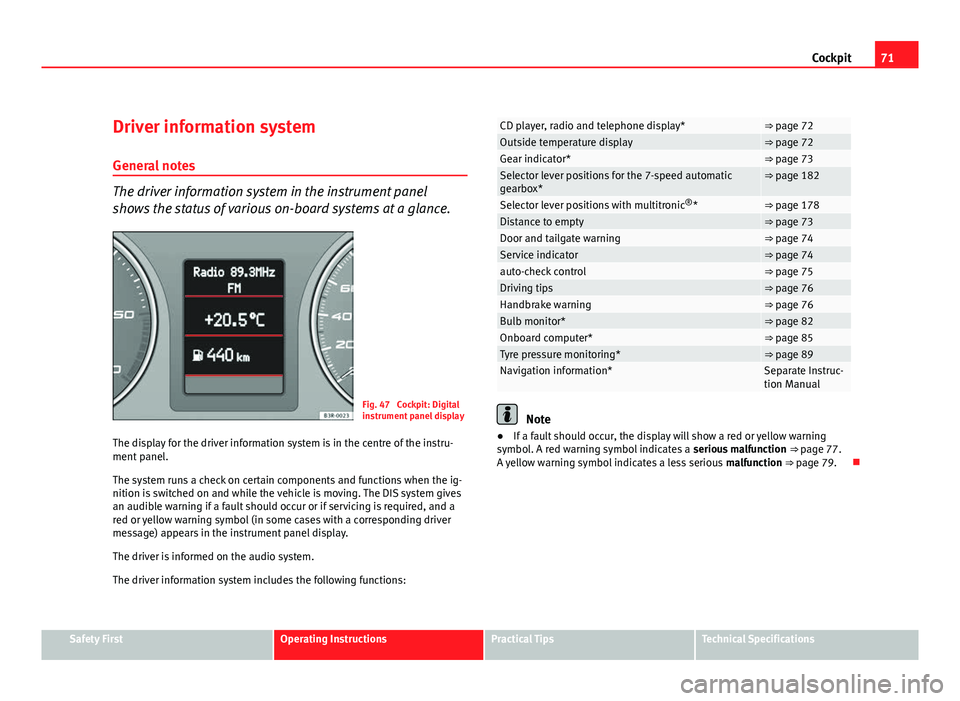
The driver information system in the instrument panel
shows the status of various on-board systems at a glance.
Fig. 47 Cockpit: Digital
instrument panel display
The display for the driver information system is in the centre of the instru-
ment panel.
The system runs a check on certain components and functions when the ig-
nition is switched on and while the vehicle is moving. The DIS system gives
an audible warning if a fault should occur or if servicing is required, and a
red or yellow warning symbol (in some cases with a corresponding driver
message) appears in the instrument panel display.
The driver is informed on the audio system.
The driver information system includes the following functions:
CD player, radio and telephone display*⇒ page 72Outside temperature display⇒ page 72Gear indicator*⇒ page 73Selector lever positions for the 7-speed automatic
gearbox*⇒ page 182
Selector lever positions with multitronic ®
*⇒ page 178Distance to empty⇒ page 73Door and tailgate warning⇒ page 74Service indicator⇒ page 74auto-check control⇒ page 75Driving tips⇒ page 76Handbrake warning⇒ page 76Bulb monitor*⇒ page 82Onboard computer*⇒ page 85Tyre pressure monitoring*⇒ page 89Navigation information*Separate Instruc-
tion Manual
Note
● If a fault should occur, the display will show a red or yellow warning
symbol. A red warning symbol indicates a serious malfunction ⇒ page 77.
A yellow warning symbol indicates a less serious malfunction ⇒ page 79.
Safety FirstOperating InstructionsPractical TipsTechnical Specifications