2011 PEUGEOT 207 service
[x] Cancel search: servicePage 158 of 248
9
i
i
PRACTICAL INFORMATION
156
TOWING THE VEHICLE
Procedure for having your vehicle towed
or for towing another vehicle using a re-
movable towing eye.
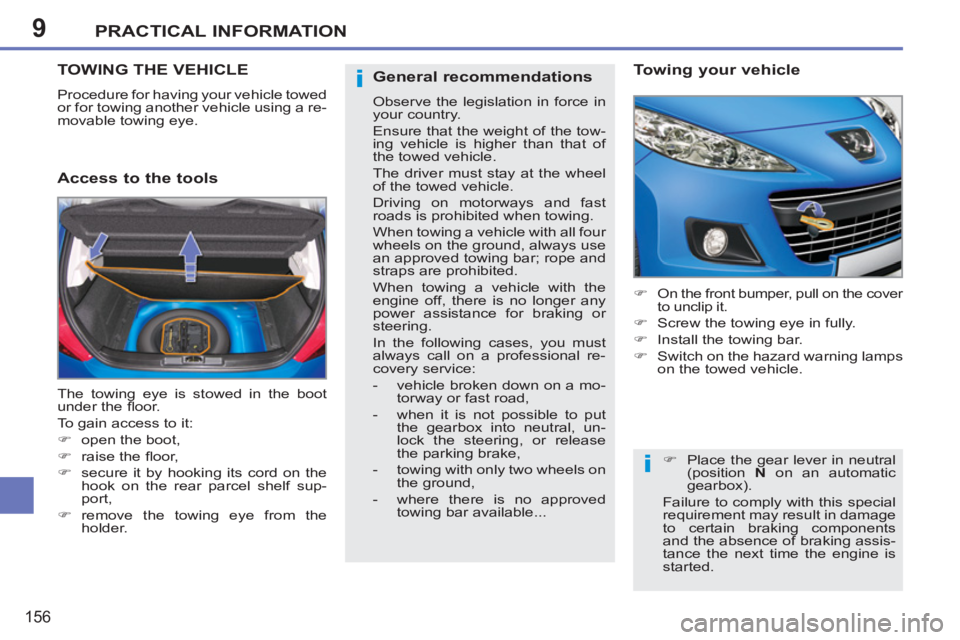
Access to the tools
Towing your vehicle
)
On the front bumper, pull on the cover
to unclip it.
)
Screw the towing eye in fully.
)
Install the towing bar.
)
Switch on the hazard warning lamps
on the towed vehicle.
The towing eye is stowed in the boot
under the fl oor.
To gain access to it:
)
open the boot,
)
raise the fl oor,
)
secure it by hooking its cord on the
hook on the rear parcel shelf sup-
port,
)
remove the towing eye from the
holder.
)
Place the gear lever in neutral
(position N
on an automatic
gearbox).
Failure to comply with this special
requirement may result in damage
to certain braking components
and the absence of braking assis-
tance the next time the engine is
started.
General recommendations
Observe the legislation in force in
your country.
Ensure that the weight of the tow-
ing vehicle is higher than that of
the towed vehicle.
The driver must stay at the wheel
of the towed vehicle.
Driving on motorways and fast
roads is prohibited when towing.
When towing a vehicle with all four
wheels on the ground, always use
an approved towing bar; rope and
straps are prohibited.
When towing a vehicle with the
engine off, there is no longer any
power assistance for braking or
steering.
In the following cases, you must
always call on a professional re-
covery service:
- vehicle broken down on a mo-
torway or fast road,
- when it is not possible to put
the gearbox into neutral, un-
lock the steering, or release
the parking brake,
- towing with only two wheels on
the ground,
- where there is no approved
towing bar available...
Page 180 of 248

178
EMERGENCY OR ASSISTANCE CALL
If an impact is detected by the airbag ECU, andindependently of the deployment of any airbags, anemergency call is made automatically.
Pressing this button again immediately cancels the request. The green LED goes off.
A press
(at any time) of more than 8 seconds on this button, cancels the
request.
When the ignition is switched on, the green
LED comes on for 3 seconds indicating that
the system is operating correctly. Pressin
g this button again immediately cancels the request.
The cancellation is confi rmed b
y a voice message.
Press this button for more than 2 seconds to request
assistance if the vehicle breaks down.
A voice message confi rms that the call has been made *
.
OPERATION OF THE SYSTEM
The green LED remains on (without fl ashing) when communication is established. It goes off at the end of communication.
This call is dealt with b
y the PEUGEOT Emergency team which receiveslocating information from the vehicle and can send a detailed alert to theappropriate emergency services. In countries in which the team is not
operational, or when the locating service has been expressly declined,
the call is dealt with directly by the emergency services (11 2) without the
vehicle location.
In an emergency, press this button
for more than 2 seconds.
Flashing of the green LED and a voice message confi rm that the call has been made to the PEUGEOT Emergency team * .
*
These services are sub
ject to conditions and availability.
Consult a PEUGEOT dealer.
If the oran
ge LED fl ashes: there is a system
fault.
If the oran
ge LED is on continuously: the backup battery must be replaced.
In either case, contact a PEU
GEOT.
I
f you purchased your vehicle outside the PEUGEOT dealer network,
we invite you to have a dealer check the confi guration of these services
and, if desired, modifi ed to suit your wishes. In a multi-lingual country,confi guration is possible in the offi cial national language of your choice.
For technical reasons, particularl
y to improve the quality of PEUGEOTCONNECT services to customers, the manufacturer reserves the right tocarry out updates to the vehicle's on-board telematic system.
Page 192 of 248
190
04
8
6
7
4
3
5
2
1
NAVIGATION - GUIDANCE
SEARCHING FOR POINTS OF INTEREST
(POI)
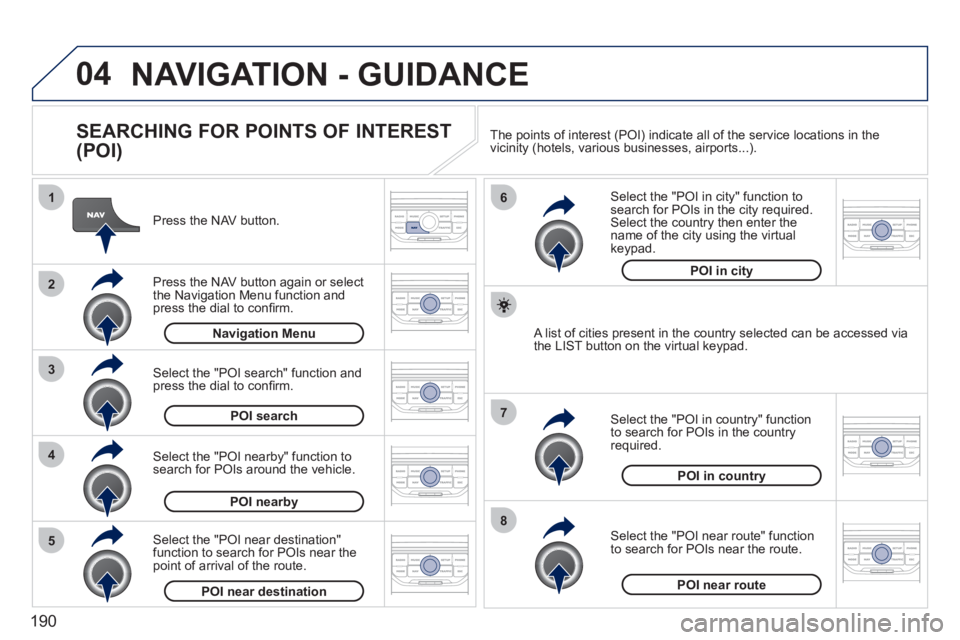
Press the NAV button.
Press the NAV button again or select
the Navigation Menu function and press the dial to confi rm.
Select the "POI nearby" function to search for POIs around the vehicle.
Select the "POI search" function and press the dial to confi rm. Navigation Menu
POI search
POI nearby
Select the "POI in city" function tosearch for POIs in the city required.Select the country then enter the name of the city using the virtual
keypad.
Select the "POI near route" function
to search for POIs near the route.
Select the "P
OI in country" function
to search for POIs in the country
required.
Select the "POI near destination"function to search for POIs near thepoint of arrival of the route.
POI near destinationPOI near route
POI in country
POI in city
A list of cities present in the country selected can be accessed via
the LIST button on the virtual keypad. The points o
f interest (POI) indicate all of the service locations in the
vicinity (hotels, various businesses, airports...).
Page 201 of 248
199
08
1
2
3
4
BLUETOOTH TELEPHONE
*
The services available depend on the network, the SIM card and thecompatibility of the Bluetooth telephone used. Check the telephone
manual and with your network provider for details of the servicesavailable to you.
PAIRING A TELEPHONE
FIRST CONNECTION
For reasons of safety and because they require prolonged attentionon the part of the driver, the operations for pairing the Bluetooth mobile telephone to the hands-free system of the Peugeot ConnectNavigation must be carried out with the vehicle stationary. Theignition must be on.
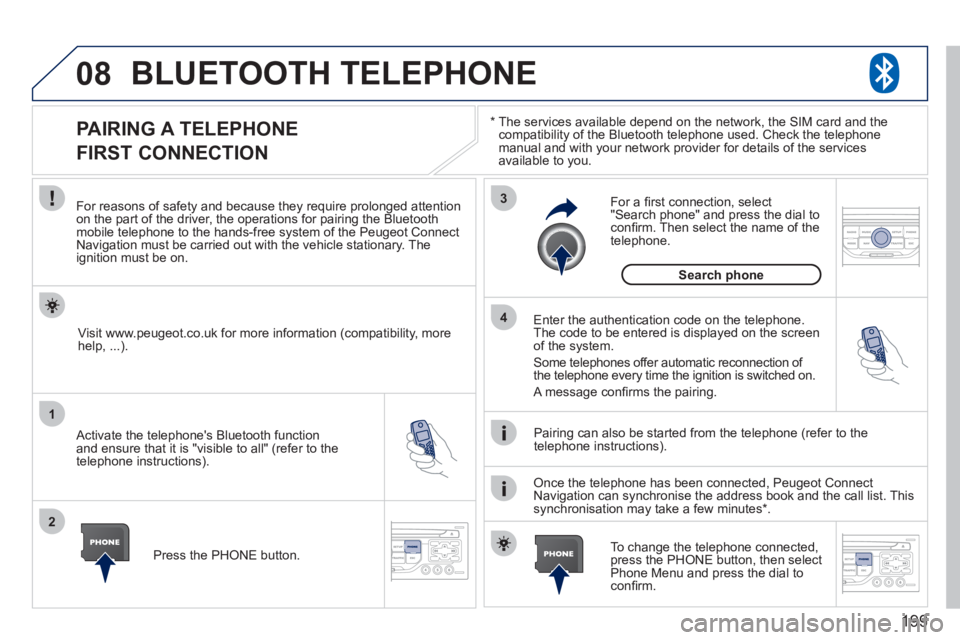
Activate the telephone's Bluetooth
function
and ensure that it is "visible to all" (refer to the
telephone instructions). Enter the authentication code on the tele
phone.
The code to be entered is displayed on the screen
of the system.
Some telephones offer automatic reconnection o
f
the telephone every time the ignition is switched on.
A messa
ge confi rms the pairing.
To change the telephone connected, press the PHONE button, then select Phone Menu and press the dial toconfi rm.
Once the telephone has been connected, Peugeot Connect
Navigation can synchronise the address book and the call list. This
synchronisation may take a few minutes * . Pairin
g can also be started from the telephone (refer to the
telephone instructions). Visit www.peu
geot.co.uk for more information (compatibility, more
help, ...).
Press the PH
ONE button.
For a
fi rst connection, select"Search phone" and press the dial to confi rm. Then select the name of thetelephone.
Search
phone
Page 202 of 248
200
08
1
2
2
1
*
The services available depend on the network, the SIM card and the compatibility of the Bluetooth telephone used. Check the telephone manual and with your network provider for details of the services
available to you.
BLUETOOTH TELEPHONE
CONNECTING A TELEPHONE
For reasons of safety and because they require prolonged attention
on the part of the driver, the operations for pairing the Bluetooth
mobile telephone to the hands-free system of the Peugeot Connect
Navigation must be carried out with the vehicle stationary. The
ignition must be on.
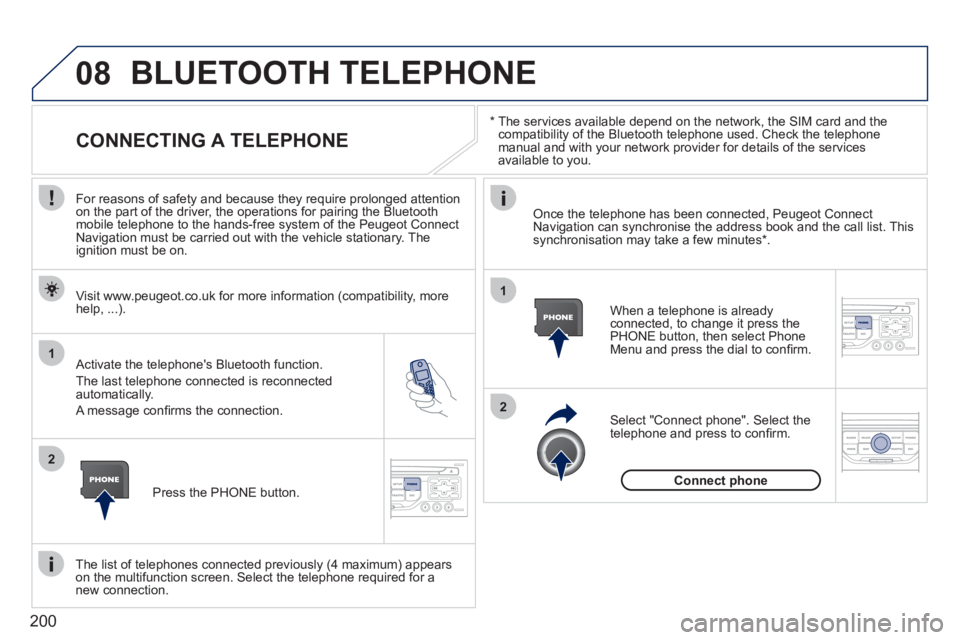
Activate the tele
phone's Bluetooth function.
The last telephone connected is reconnected
automatically.
A messa
ge confi rms the connection. When a telephone is alread
yconnected, to change it press the
PHONE button, then select PhoneMenu and press the dial to confi rm.
Once the telephone has been connected, Peugeot Connect Navigation can synchronise the address book and the call list. This synchronisation may take a few minutes *
.
The list o
f telephones connected previously (4 maximum) appearson the multifunction screen. Select the telephone required for a
new connection. Visit www.peu
geot.co.uk for more information (compatibility, more
help, ...).
Press the PH
ONE button.Select "Connect
phone". Select the
telephone and press to confi rm.
Connect
phone
Page 225 of 248

223
06
1
2
3
4
5
6
7
8
9
10
BLUETOOTH
For safety reasons and because they require prolonged attentionon the part of the driver, the operations for pairing of the Bluetooth mobile telephone with the Bluetooth hands-free system of your
audio equipment must be carried out with the vehicle stationary
and the ignition on.
Press the MENU button.
A window is displa
yed with "Searching...".
Activate the telephone's Bluetooth
function.
In the menu, select:
- Bluetooth telephone
function -
Audio
- Bluetooth con
fi guration
- P
erform a Bluetooth search
The services o
ffered depend on the network, the SIM card and thecompatibility of the Bluetooth equipment used.
Consult your telephone's manual and your operator to fi nd out which services are available to you. A list of mobile telephones which offer the best range of
services is available from the network. Consult a PEUGEOT dealer.
BLUETOOTH TELEPHONE SCREEN C
The TELEPH
ONE menu permits access to the following functions
in particular: Directory * , Call list, Pairing management.
The fi rst 4 telephones reco
gnised are displayed in this window.
A virtual keypad is displayed on thescreen: enter a code with at least 4 digits.
Confi rm by pressing OK.
"Pairin
g of Name_telephone successful" appears on the screen.
Select the telephone to be connected from the list.
Only one
telephone can be connected at a time.
A messa
ge is displayed on the screen of the telephone chosen: to accept the pairing, enter the same code on
the telephone, then confi rm by pressing OK.
The automatic connection authorised is onl
y active after the
telephone has been confi gured.
The directory and the call list can be accessed a
fter thesynchronisation period.
PAIRING A TELEPHONE
The pairin
g can also be initiated from the telephone.
(AVAILABILITY DEPENDS ON MODEL AND VERSION)
*
If
your telephone is fully compatible.
If pairin
g fails, the number of attempts is not limited.
Page 244 of 248

242
ALPHABETICAL INDEX
Navigation.......................................185Number plate lamps ...............144,146
Oil change ......................................128Oil filter...........................................r130Oil level .....................................30,128Opening the bonnet ........................124Opening the boot........................76,77Opening the doors............................74
Radio......................................195, 217Rear foglamps..................82,144, 146Rear head restraints.........................54Rear parcel shelf..............................f64Rear quarter panel windows............73
Paint colour code............................175Panoramic sunroof...........................f78Parking brake .........................112, 130Parking sensors ..............................121Particle emission filter....................r130Passenger compartment filter........r130Petrol engine ............................80, 126PEUGEOT CONNECT ASSISTA NCE..............................178Peugeot Connect
Navigation.....................40, 182, 204PEUGEOT CONNECT SOS ..........178Peugeot Connect Sound...........35,37,155,214,215,228, 230Peugeot Connect USB.....................60Player, CD MP3 ......................197, 219Priming the fuel system..................125Protecting children.....90,93,94,96-99Puncture.........................................132
Rear screen (demisting).....................................49Rear seats..................................54,56Rear view mirror...............................r58Recharging the battery ...................153Reduction of electrical load ............155Refitting a wheel .............................137Reinitialising the electric
windows.........................................72Reinitialising the remote control............................................70Remote control...........................68,71Removing a wheel ..........................137Removing the mat ............................60Repair kit, puncture ........................132Replacing bulbs..............142,144,146Replacing fuses ..............................148Replacing the air filter....................r130Replacing the oil filter.....................r130Replacing the particleemission filter..............................r130Replacing the passenger compartment filter.......................r130Replacing wiper blades ..................155Resetting the service indicator.........................................r29Resetting the trip recorder................r32Rev counter......................................r19Reversing lamps.....................144,146Roof bars ........................................159Roof blind.........................................78Routine checks ...............................130Routine maintenance .......................17Running out of fuel (Diesel) ........................................125
Main beam ................................82,142Manual gearbox ..............112,113,130Map reading lamps...........................89Markings, identification ...................175Mat....................................................60Menu, main.....................................216Mini fuel level....................................79Misfuel prevention............................81Monitoring .........................................19Monochrome screen.......216,228,230Motorway function(direction indicators) ....................101Mountings for ISOFIX seats .............96MP3 CD..................................197,219Multifunction screen (with audio equipment) ......35,37,40Multifunction screen (without audio equipment) .............33Music media players.......................196
M
N
O
P
R
Opening the fuel filler flap ................79Opening the panoramicsunroof blind..................................78Operation indicator lamps ..........20, 22
Page 245 of 248

243
ALPHABETICAL INDEX
Safety for children ..........................100Satellite navigation system.............185Screen, colour 16/9 ..........40,182,204Screen, multifunction(with audio equipment)......35,37,40Screen, multifunction(without audio equipment) .............33Screen menu map..........204,228,230Screenwash......................................87Screenwash fluid level....................128Seat adjustment...............................52Seat belts...............................105,107Serial number, vehicle....................175Service indicator.........................r28,29Servicing...............................17,28,29Setting the clock.............................202Short-cut menus.....................183,184Sidelamps.................82, 142,144,146Side repeater..................................r142Spare wheel ...................................137Speed limiter..................................r117Speedometer....................................r19Stability control (ESP)....................104Starting the vehicle...................70,114Steering mounted controls.............215Stopping the vehicle .................70,114Storage.......................................61,62Storage box......................................65Storage net.......................................65Stowing rings....................................65Sun visor..........................................r59Synchronising the remote control.....70Systems, ASR and ESP .................104
Table of weights......................162, 170Tables of engines...................162, 170Tables of fuses...............................148Tank, fuel....................................79, 81Technical data ........................162, 170Telephone ...............................199, 200Temperature adjustment .............47, 50Temperature controlfor heated seats ............................52Temporary tyre repair kit................132Third brake lamp....................144, 146Ticket holder.....................................r61Time ..................................33,225, 226TMC (Traffic info) ............................193To l l/car park cards ............................59Tools...............................................137Total distance recorder.....................r32Towbar............................................r157Towed loads...........................162, 170To w i ng another vehicle...................156Traction control (ASR) ....................104
Traffic information (TA) ...194,195, 218Traffic information (TMC) ........193, 194Trip computer.............................r42, 43Trip distance recorder......................r32Tyre pressures ................................175Tyres .................................................17
Weights...................................162,170Wheelbrace....................................137Window controls...............................72Windscreen zones for toll/car park cards...............................59Wipers........................................86,88
Ventilation .............................17,45,46Visual and audible parkingsensors........................................121
S
W
T
U
Unlocking ..........................................68Unlocking from the inside .................75USB (Peugeot Connect) ................. 220USB port...................................60, 220
V