Page 197 of 350
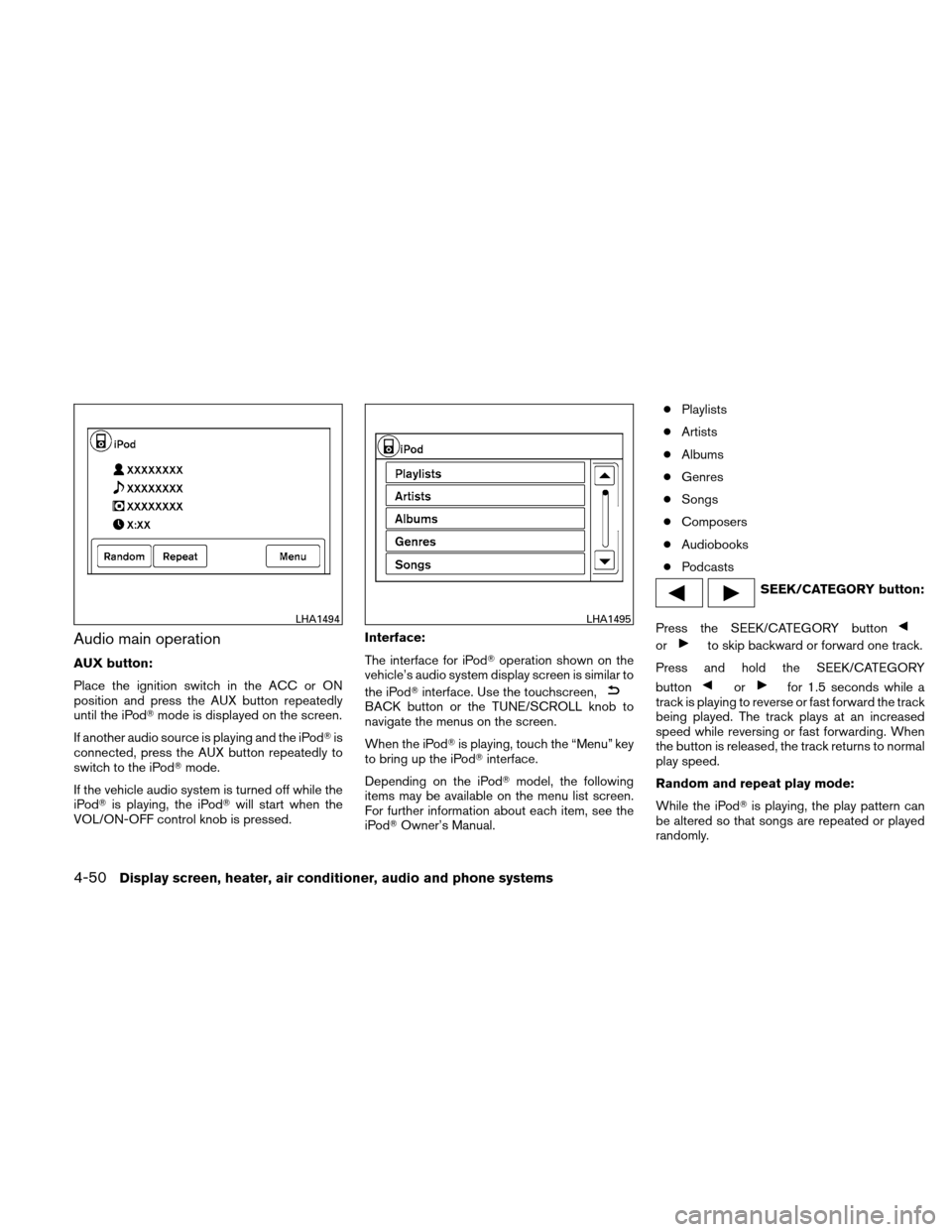
Audio main operation
AUX button:
Place the ignition switch in the ACC or ON
position and press the AUX button repeatedly
until the iPod�mode is displayed on the screen.
If another audio source is playing and the iPod� is
connected, press the AUX button repeatedly to
switch to the iPod� mode.
If the vehicle audio system is turned off while the
iPod� is playing, the iPod� will start when the
VOL/ON-OFF control knob is pressed. Interface:
The interface for iPod�
operation shown on the
vehicle’s audio system display screen is similar to
the iPod� interface. Use the touchscreen,
BACK button or the TUNE/SCROLL knob to
navigate the menus on the screen.
When the iPod� is playing, touch the “Menu” key
to bring up the iPod� interface.
Depending on the iPod� model, the following
items may be available on the menu list screen.
For further information about each item, see the
iPod� Owner’s Manual. ●
Playlists
● Artists
● Albums
● Genres
● Songs
● Composers
● Audiobooks
● Podcasts
SEEK/CATEGORY button:
Press the SEEK/CATEGORY button
orto skip backward or forward one track.
Press and hold the SEEK/CATEGORY
button
orfor 1.5 seconds while a
track is playing to reverse or fast forward the track
being played. The track plays at an increased
speed while reversing or fast forwarding. When
the button is released, the track returns to normal
play speed.
Random and repeat play mode:
While the iPod� is playing, the play pattern can
be altered so that songs are repeated or played
randomly.
LHA1494LHA1495
4-50Display screen, heater, air conditioner, audio and phone systems
Page 198 of 350
Random:
Touch the “Random” key to apply a random play
pattern to the iPod�. When the random mode is
active, the
icon is displayed to the left of
the song title or album name to denote which
random pattern is applied. To cancel Random
mode, touch the “Random” key until no
icon is displayed.
Repeat:
Touch the “Repeat” key to apply a repeat play
pattern to the iPod�. When the repeat mode is
active, the
icon is displayed to the left of
the song title or album name to denote which
repeat pattern is applied. To cancel Repeat
mode, touch the “Repeat” key until no
icon
is displayed.USB INTERFACE (if so equipped)
Connecting a device to the USB input
jack
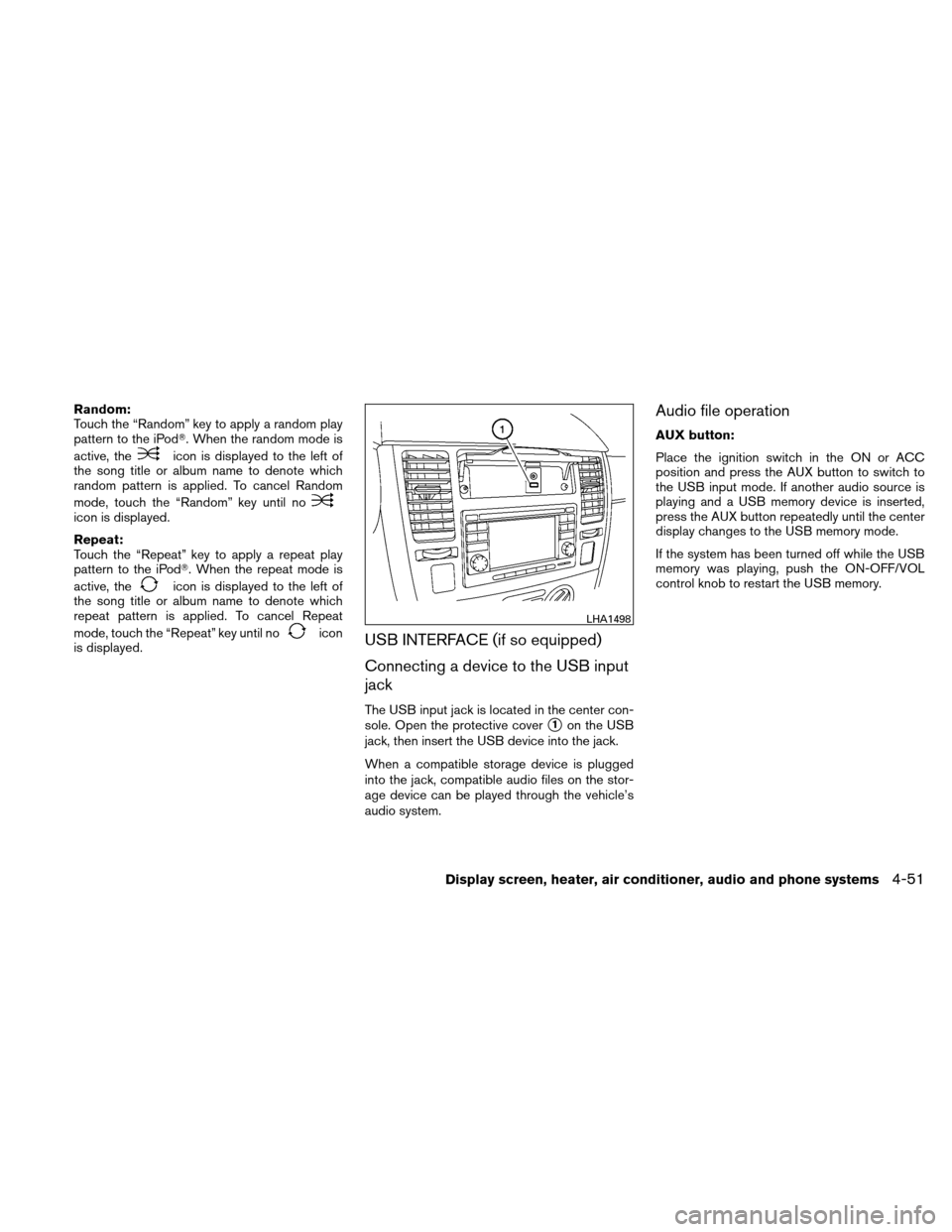
The USB input jack is located in the center con-
sole. Open the protective cover
�1on the USB
jack, then insert the USB device into the jack.
When a compatible storage device is plugged
into the jack, compatible audio files on the stor-
age device can be played through the vehicle’s
audio system.
Audio file operation
AUX button:
Place the ignition switch in the ON or ACC
position and press the AUX button to switch to
the USB input mode. If another audio source is
playing and a USB memory device is inserted,
press the AUX button repeatedly until the center
display changes to the USB memory mode.
If the system has been turned off while the USB
memory was playing, push the ON-OFF/VOL
control knob to restart the USB memory.
LHA1498
Display screen, heater, air conditioner, audio and phone systems4-51
Page 201 of 350
POWER on switch
With the ignition switch in the ACC or ON posi-
tion, push the POWER switch to turn the audio
system on.
SOURCE select switch (models
without Navigation System)
Push the SOURCE select switch to change the
mode in the following sequence: PRESET A→
PRESET B →PRESET C →PRESET A.
With a CD inserted and an auxiliary device
plugged in, push the SOURCE select switch to
change the mode in the following sequence: CD
→ AUX →PRESET A →PRESET B →PRESET
C → CD.
While in one of the preset radio station banks (A,
B or C) , use the tuning switch
orto
select one of the preset radio stations (1–6) .
SOURCE select switch (models with
Navigation System)
Push the SOURCE select switch to change the
audio mode in the following sequence: AM/FM →
XM →CD* →USB/AUX* →AM/FM.
* These modes are only available when compat-
ible media storage is inserted into the device.
Volume control switch
Push the volume control switch to increase or
decrease the volume.
Tuning
Memory change (radio):
While in one of the preset radio station banks (A,
B or C) , push the tuning switch
orfor less than 1.5 seconds to change to the next
preset station in memory.
Seek tuning (radio):
Push the tuning switch
orfor more
than 1.5 seconds to seek the next or previous
radio station.
Next/Previous track (CD):
Push the tuning switch
orfor less
than 1.5 seconds to return to the beginning of the
present track or skip to the next track. Push
several times to skip back or skip through tracks.
Change disc (CD) (if so equipped):
Push the tuning switch
orfor more
than 1.5 seconds to change the playing disc up
or down.
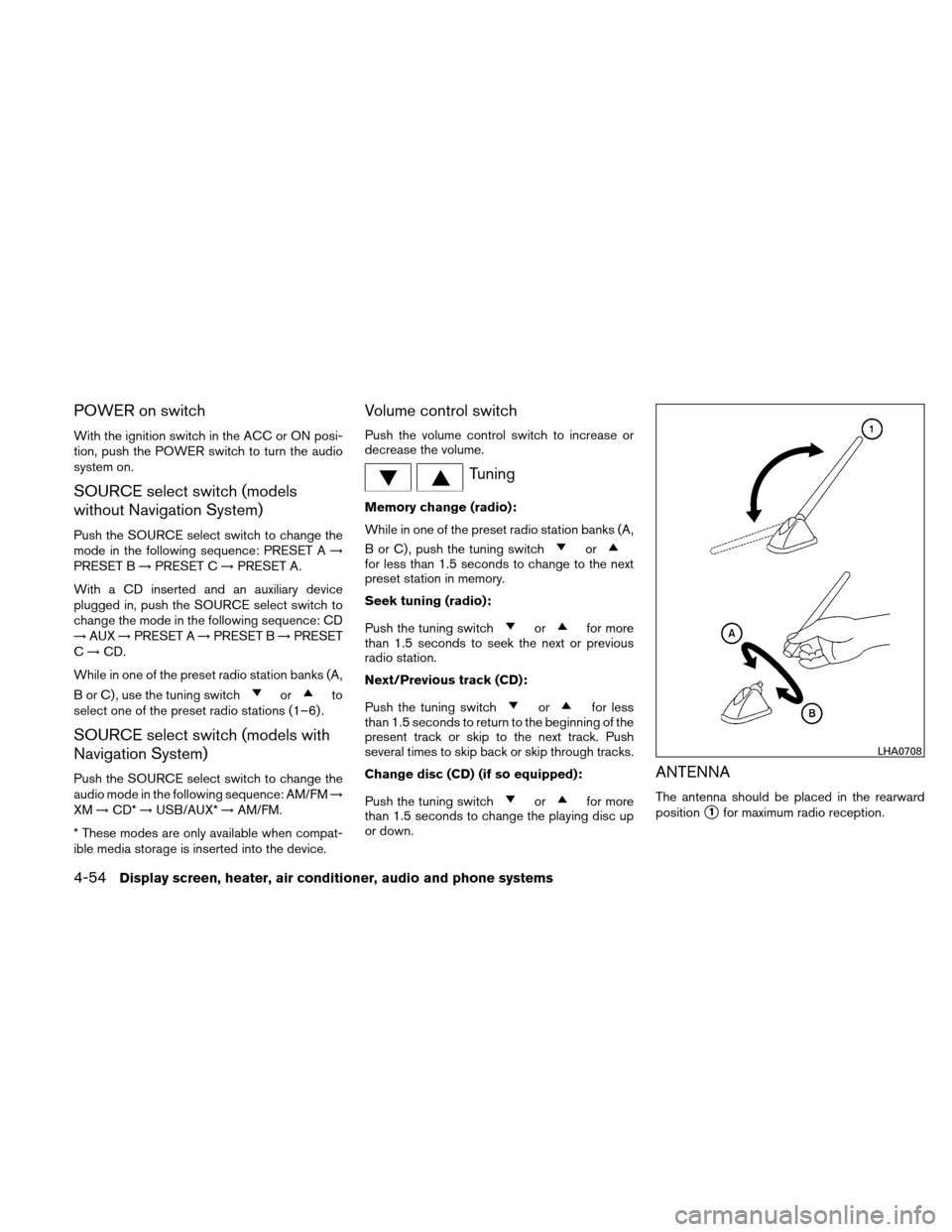
ANTENNA
The antenna should be placed in the rearward
position
�1for maximum radio reception.
LHA0708
4-54Display screen, heater, air conditioner, audio and phone systems
Page 342 of 350
10 Index
A
ABS (Anti-lock Braking System) ........5-30
Air bag (See supplemental restraint
system) .....................1-41
Air bag system Front (See supplemental front impact
air bag system) ...............1-48
Side and curtain (See supplemental
side air bag and curtain side-impact
air bag system) ...............1-52
Air bag warning labels .............1-55
Air bag warning light ...........1-55, 2-12
Air cleaner housing filter ............8-21
Air conditioner Air conditioner operation ..........4-12
Air conditioner service ...........4-17
Air conditioner specification label .....9-12
Air conditioner system refrigerant and
oil recommendations .............9-7
Heater and air conditioner controls .....4-9
Servicing air conditioner ..........4-17
Air flow charts ..................4-13
Alarm system
(See vehicle security system) .........2-16
Anchor point locations .............1-27
Antenna .....................4-54
Anti-lock brake warning light ..........2-8
Anti-lock Braking System (ABS) ........5-30
Armrests .....................1-5
Audible reminders ...............2-15
Audio system ..................4-17 Compact Disc (CD) changer
.......4-34
Compact disc (CD) player . .4-28, 4-39, 4-44
FM/AM radio with compact disc
(CD) player .................4-37
FM-AM radio with compact disc
(CD)
player ....................4-26
FM/AM/SAT radio with compact disc
(CD) changer ................4-30
FM/AM/SAT radio with compact disc
(CD) player .................4-41
Audio System iPod� Player .............4-47, 4-49
Audio system Radio ....................4-17
Steering wheel audio control switch . . .4-53
USB interface ................4-51
Automatic Automatic power window switch .....2-32
Automatic transmission
fluid (ATF) . . . .8-14
Driving with automatic transmission . . . .5-14
Automatic door locks ..............3-6
AUX jack .................4-40, 4-46
B
Battery ......................8-17
Charge warning light .............2-9
Before starting the engine ...........5-12
Belt (See drive belt) ..............8-19
Block heater Engine ....................5-34 Bluetooth�
hands-free phone system .....4-56
Booster seats ..................1-38
Brake Anti-lock Braking System (ABS) ......5-30
Brake fluid ..................8-15
Brake light (See stop light) .........8-32
Brake system ................5-29
Brake warning light ..............2-8
Brake wear indicators ........2-15, 8-23
Parking brake operation ..........5-24
Self-adjusting brakes ............8-23
Brakes ......................8-23
Break-in schedule ...............5-27
Brightness/contrast button ...........4-8
Brightness control Instrument panel ..............2-22
Bulb check/instrument panel ..........2-8
Bulb replacement ................8-32
C
Capacities and recommended
fuel/lubricants ...................9-2
Cargo cover ...................2-29
Cargo (See vehicle loading information) . . .9-13
Car phone or CB radio .............4-55
CD care and cleaning .............4-53
CD changer (See audio system) .......4-34
CD player (See audio system) . .4-28, 4-39, 4-44
Child restraints .......1-21, 1-21, 1-22, 1-24
Precautions on child
restraints ........1-22,
1-29,
1-33, 1-38