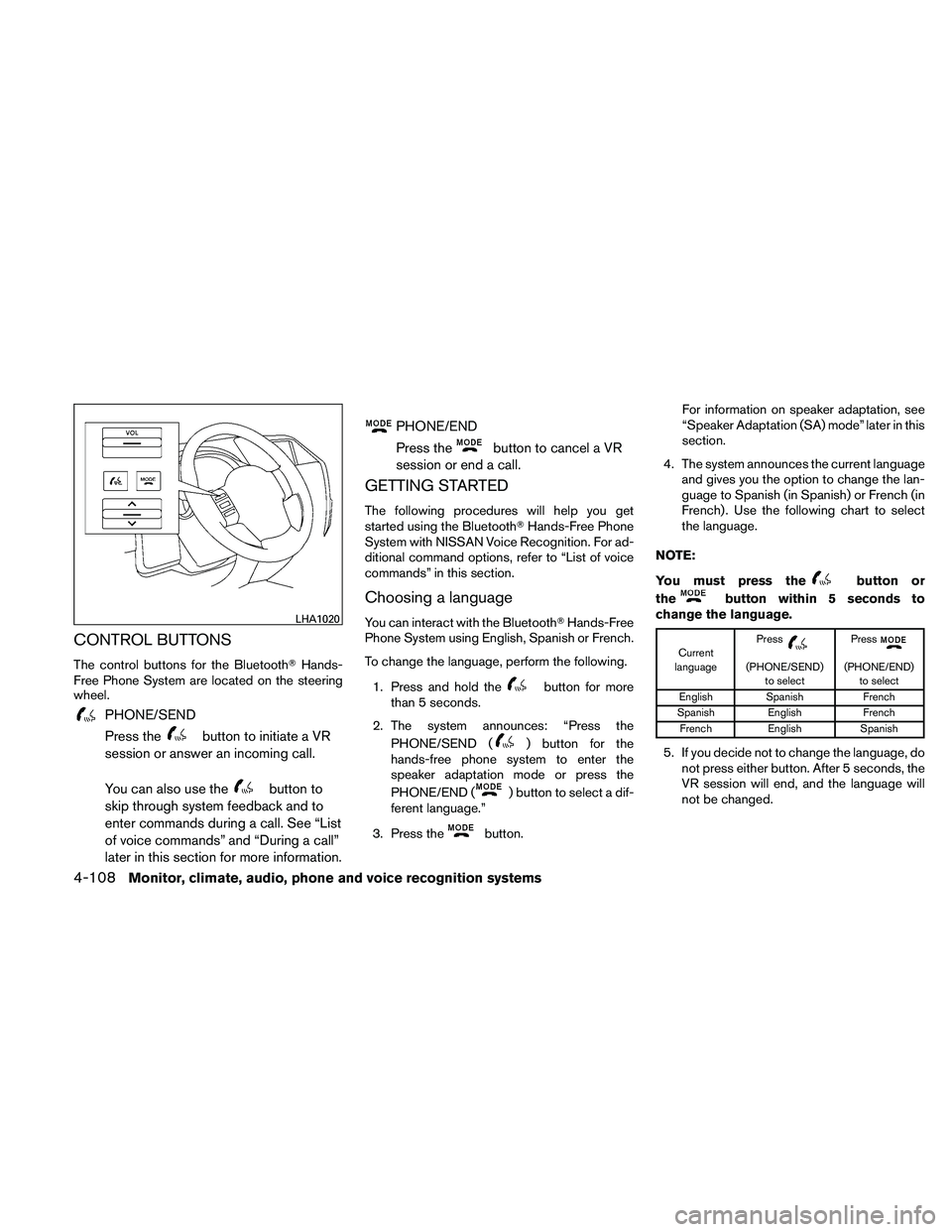
CONTROL BUTTONS
The control buttons for the Bluetooth�Hands-
Free Phone System are located on the steering
wheel.
PHONE/SEND
Press the
button to initiate a VR
session or answer an incoming call.
You can also use the
button to
skip through system feedback and to
enter commands during a call. See “List
of voice commands” and “During a call”
later in this section for more information.
PHONE/END
Press the
button to cancel a VR
session or end a call.
GETTING STARTED
The following procedures will help you get
started using the Bluetooth� Hands-Free Phone
System with NISSAN Voice Recognition. For ad-
ditional command options, refer to “List of voice
commands” in this section.
Choosing a language
You can interact with the Bluetooth� Hands-Free
Phone System using English, Spanish or French.
To change the language, perform the following.
1. Press and hold the
button for more
than 5 seconds.
2. The system announces: “Press the PHONE/SEND (
) button for the
hands-free phone system to enter the
speaker adaptation mode or press the
PHONE/END (
) button to select a dif-
ferent language.”
3. Press the
button. For information on speaker adaptation, see
“Speaker Adaptation (SA) mode” later in this
section.
4. The system announces the current language and gives you the option to change the lan-
guage to Spanish (in Spanish) or French (in
French) . Use the following chart to select
the language.
NOTE:
You must press the
button or
the
button within 5 seconds to
change the language.
Current
language Press(PHONE/SEND)
to select Press(PHONE/END)
to select
English Spanish French
Spanish English French
French English Spanish
5. If you decide not to change the language, do
not press either button. After 5 seconds, the
VR session will end, and the language will
not be changed.
LHA1020
4-108Monitor, climate, audio, phone and voice recognition systems
4. Close the lid securely as illustrated�C�D.
5. Operate the buttons to check the operation.
See a NISSAN dealer if you need assistance for
replacement.
FCC Notice:
Changes or modifications not expressly ap-
proved by the party responsible for compli-
ance could void the user’s authority to op-
erate the equipment.
This device complies with Part 15 of the
FCC Rules and RSS-210 of Industry
Canada. Operation is subject to the following two
conditions: (1) This device may not cause
harmful interference, and (2) this device
must accept any interference received, in-
cluding interference that may cause unde-
sired operation of the device.
HEADLIGHTS
The headlight is a semi-sealed beam type which
uses a replaceable headlight (halogen) bulb. A
bulb can be replaced from inside the engine
compartment without removing the headlight as-
sembly.
CAUTION
●
High pressure halogen gas is sealed
inside the halogen bulb. The bulb may
break if the glass envelope is scratched
or the bulb is dropped.
● When handling the bulb, do not touch
the glass envelope.
● DO NOT TOUCH THE BULB WITH BARE
HANDS.
● Use the same number and wattage as
shown in the chart.
● Do not leave the bulb out of the head-
light reflector for a long period of time
as dust, moisture and smoke may enter
the headlight body and affect the per-
formance of the headlight.
● Aiming is not necessary after replacing
the bulb. When aiming adjustment is
necessary, contact a NISSAN dealer.
WDI0535
LIGHTS
Maintenance and do-it-yourself8-31
C
Capacities and recommended
fuel/lubricants ...................9-2
Cargo light ....................2-50
Cargo (See vehicle loading information) . . . .9-13
Car phone or CB radio ............4-103
CD care and cleaning ..............4-83
CD changer (See audio system) ........4-62
CD player (See audio system) ......4-56, 4-70
Check tire press ..................2-5
Child restraints .......1-24, 1-25, 1-26, 1-28
Precautions on child
restraints .........1-26, 1-33, 1-37, 1-41
Top tether strap anchor point locations . .1-30
Child restraint with top tether strap .......1-30
Child safety rear door lock ............3-7
Chimes, audible reminders ...........2-22
Cleaning exterior and interior ...........7-2
Clock ................4-55, 4-60, 4-68
(models with navigation system) . . .4-13, 4-28
Clock set .................4-13, 4-28
C.M.V.S.S. certification label ..........9-11
Cold weather driving ..............5-39
Compact disc (CD) player ........4-56, 4-70
CompactFlash (CF) player ...........4-72
Console box ...................2-37
Control panel buttons ..............4-18
Brightness/contrast button ......4-18, 4-33
Enter button ...............4-4, 4-18
Setting button .............4-11, 4-27
Startup screen ................4-21
Without navigation system ..........4-4
Controls Audio controls (steering wheel) .......4-85Heater and air conditioner
controls
................4-37, 4-44
Rear audio controls .............4-86
Rear seat air conditioner ..........4-46
Coolant Capacities and recommended
fuel/lubricants .................9-2
Changing
engine coolant ...........8-9
Checking engine coolant level ........8-9
Engine coolant temperature gauge .....2-6
Corrosion protection ...............7-5
Cruise control ..................5-20
Cup holders ...................2-39
Curtain side-impact and rollover air bag . . . .1-56
D
Daytime running light system (Canada only) . .2-30
Defroster switch Rear window and outside mirror defroster
switch .....................2-27
Digital video disc DVD ..............4-88
Dimensions and weights .............9-9
Dimmer switch for instrument panel ......2-31
Display controls
(see control panel buttons) ........4-4, 4-18
Distance to empty .............4-7, 4-22
Door locks .....................3-5
Door open warning light .............2-16
Drive belt .....................8-18
Drive positioner, Automatic ...........3-31
Driving Cold weather driving ............5-39
Driving with automatic transmission . . . .5-14
Precautions when starting and driving . . . .5-2 E
Economy - fuel ..................5-22
Emission control information label .......9-12
Emission control system warranty .......9-28
Engine Before starting the engine ..........5-13
Block heater .................5-41
Capacities and recommended
fuel/lubricants .................9-2
Changing engine coolant ...........8-9
Changing engine oil .............8-11
Changing engine oil filter ..........8-12
Checking engine coolant level ........8-9
Checking engine oil level ..........8-10
Engine compartment check locations . . . .8-6
Engine coolant temperature gauge .....2-6
Engine
cooling system ............8-8
Engine oil ...................8-10
Engine oil and oil filter recommendation . . .9-6
Engine oil pressure warning light ......2-16
Engine oil viscosity ..............9-6
Engine serial number ............9-11
Engine specifications .............9-8
Starting the engine .............5-13
Engine oil pressure gauge ............2-8
Enter button .................4-4, 4-18
Event data recorders ..............9-30
Exhaust gas (Carbon monoxide) .........5-2
Eyeglass case ..................2-38
10-2