Page 135 of 489
GLOVE BOX
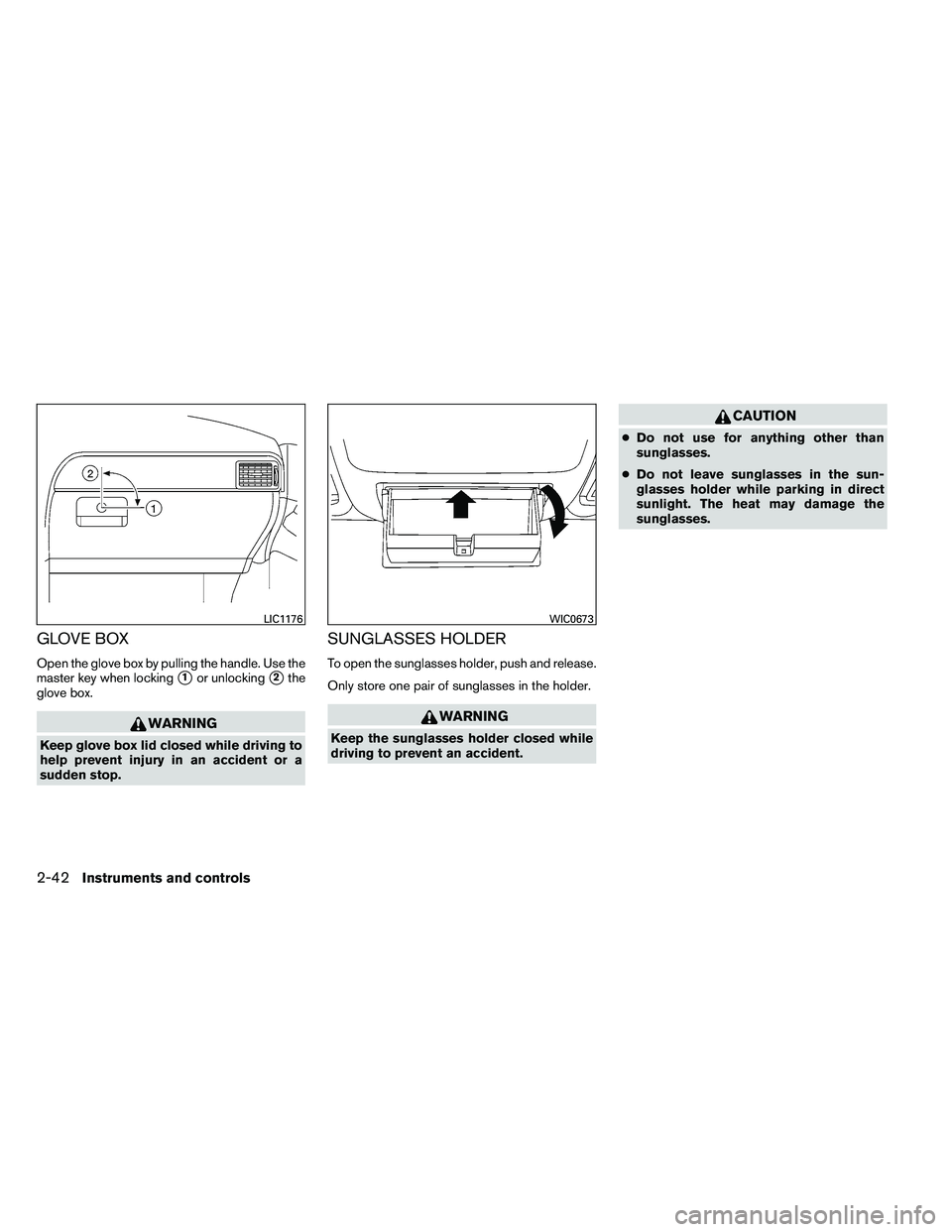
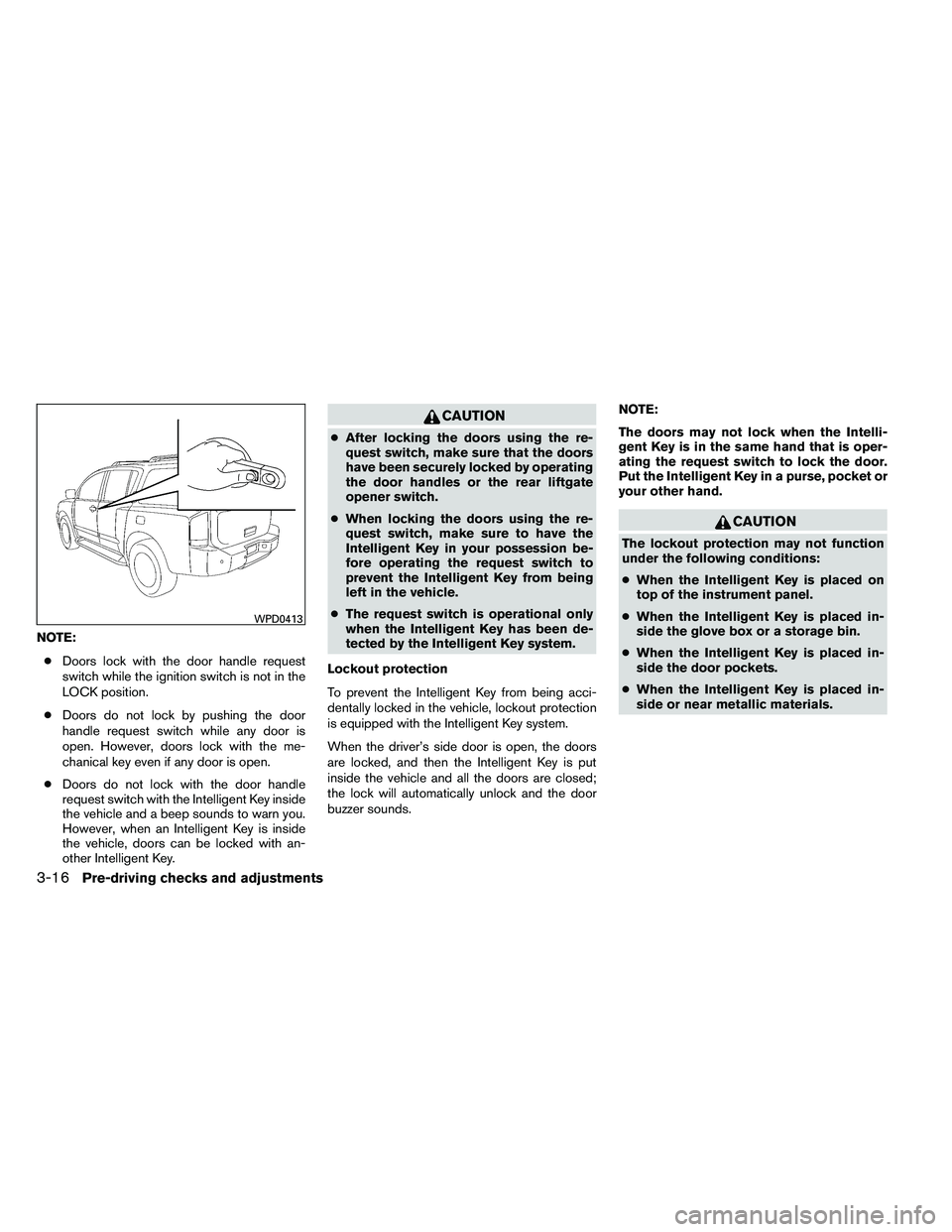
Open the glove box by pulling the handle. Use the
master key when locking
�1or unlocking�2the
glove box.
Page 140 of 489
2ND ROW CENTER CONSOLE (if so
equipped)
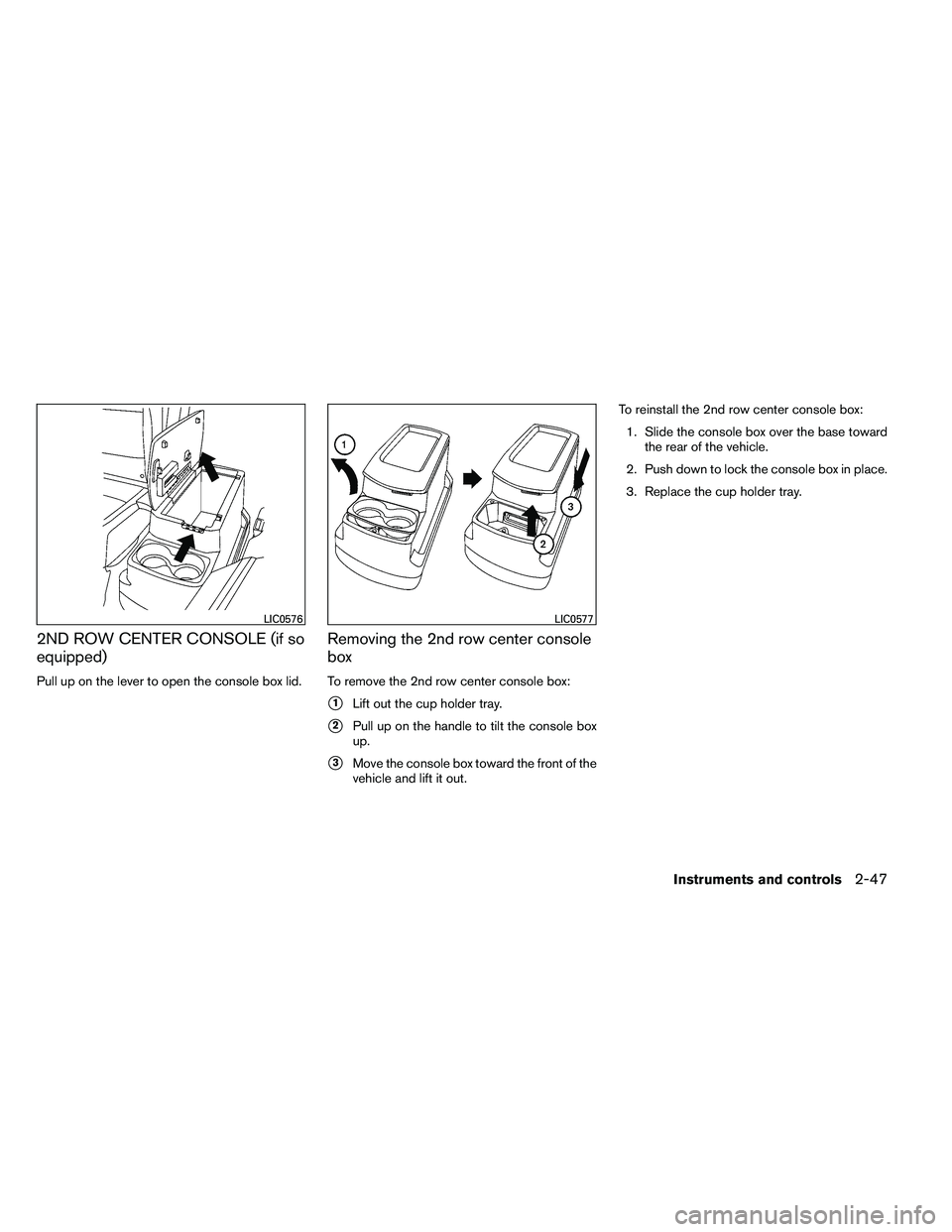
Pull up on the lever to open the console box lid.
Removing the 2nd row center console
box
To remove the 2nd row center console box:
�1Lift out the cup holder tray.
�2Pull up on the handle to tilt the console box
up.
�3Move the console box toward the front of the
vehicle and lift it out. To reinstall the 2nd row center console box:
1. Slide the console box over the base toward the rear of the vehicle.
2. Push down to lock the console box in place.
3. Replace the cup holder tray.
Page 147 of 489
POWER VENT WINDOWS (if so
equipped)
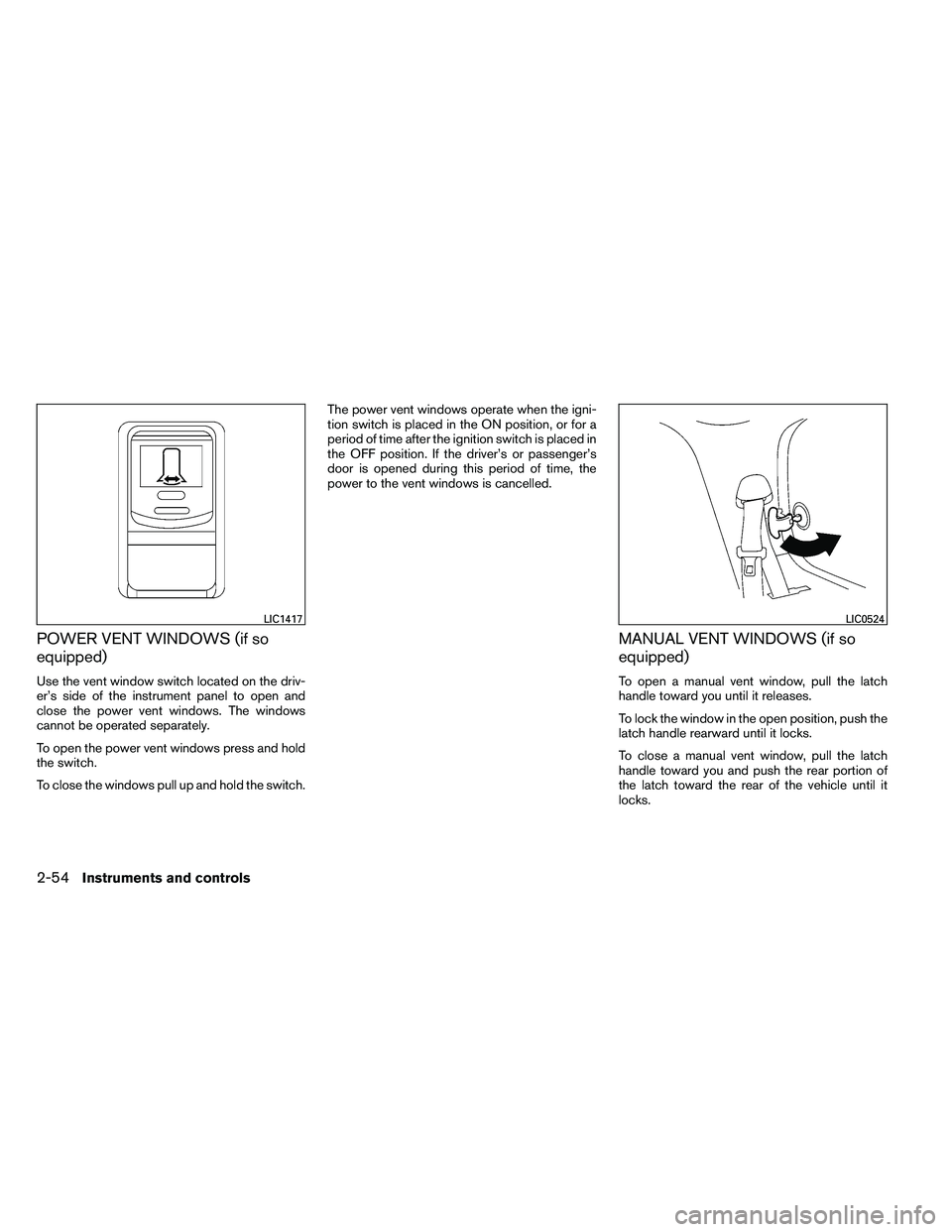
Use the vent window switch located on the driv-
er’s side of the instrument panel to open and
close the power vent windows. The windows
cannot be operated separately.
To open the power vent windows press and hold
the switch.
To close the windows pull up and hold the switch.The power vent windows operate when the igni-
tion switch is placed in the ON position, or for a
period of time after the ignition switch is placed in
the OFF position. If the driver’s or passenger’s
door is opened during this period of time, the
power to the vent windows is cancelled.
MANUAL VENT WINDOWS (if so
equipped)
To open a manual vent window, pull the latch
handle toward you until it releases.
To lock the window in the open position, push the
latch handle rearward until it locks.
To close a manual vent window, pull the latch
handle toward you and push the rear portion of
the latch toward the rear of the vehicle until it
locks.
Page 160 of 489
When the doors are locked using one of the
following methods, the doors can not be opened
using the inside or outside door handles. The
doors must be unlocked to open the doors.
Page 169 of 489
OPERATING RANGE
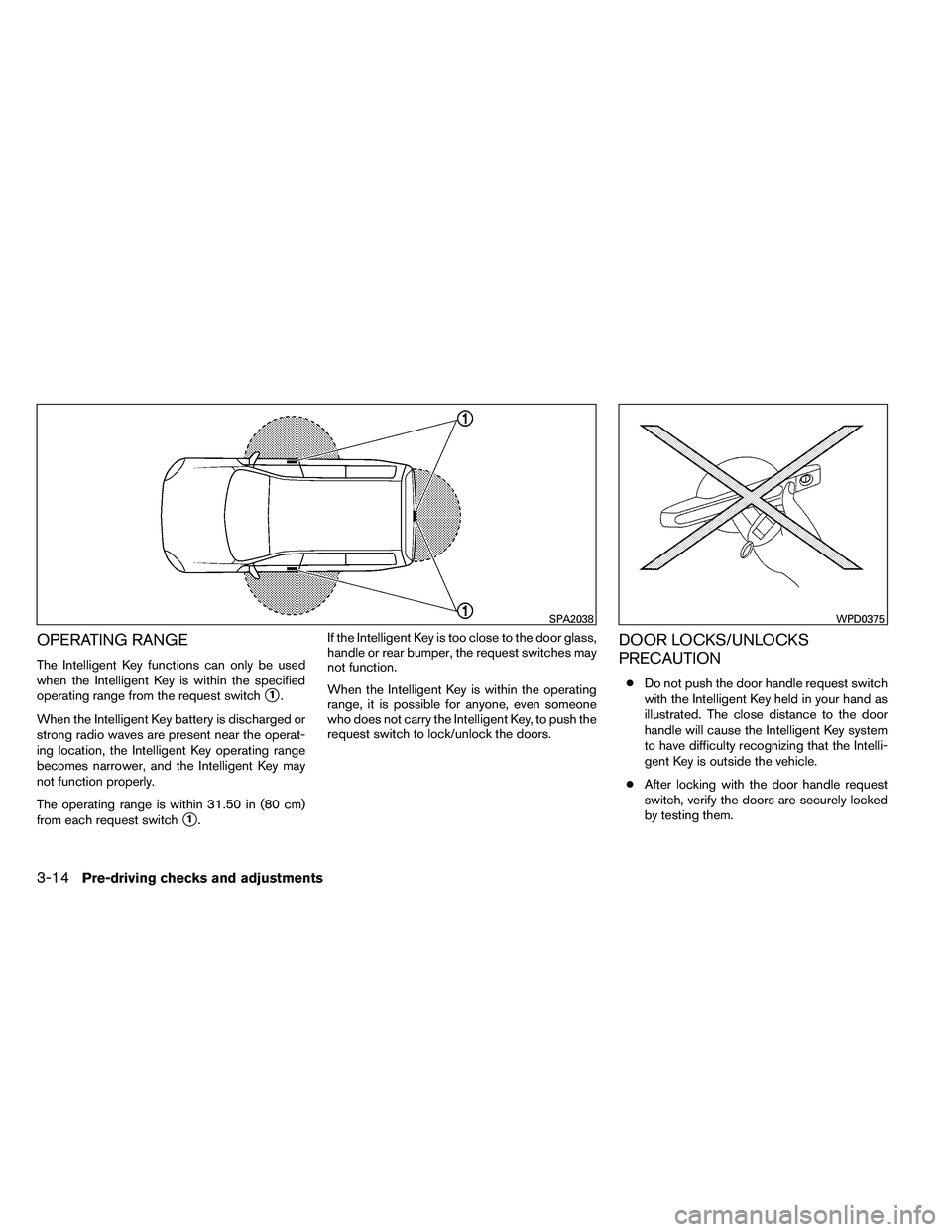
The Intelligent Key functions can only be used
when the Intelligent Key is within the specified
operating range from the request switch
�1.
When the Intelligent Key battery is discharged or
strong radio waves are present near the operat-
ing location, the Intelligent Key operating range
becomes narrower, and the Intelligent Key may
not function properly.
The operating range is within 31.50 in (80 cm)
from each request switch
�1. If the Intelligent Key is too close to the door glass,
handle or rear bumper, the request switches may
not function.
When the Intelligent Key is within the operating
range, it is possible for anyone, even someone
who does not carry the Intelligent Key, to push the
request switch to lock/unlock the doors.
DOOR LOCKS/UNLOCKS
PRECAUTION
●
Do not push the door handle request switch
with the Intelligent Key held in your hand as
illustrated. The close distance to the door
handle will cause the Intelligent Key system
to have difficulty recognizing that the Intelli-
gent Key is outside the vehicle.
● After locking with the door handle request
switch, verify the doors are securely locked
by testing them.
Page 170 of 489
●To prevent the Intelligent Key from being left
inside the vehicle, make sure you carry the
Intelligent Key with you and then lock the
doors.
● Do not pull the door handle before pushing
the door handle request switch. The door
will be unlocked but will not open. Release
the door handle once and pull it again to
open the door.
NISSAN INTELLIGENT KEY™
OPERATION
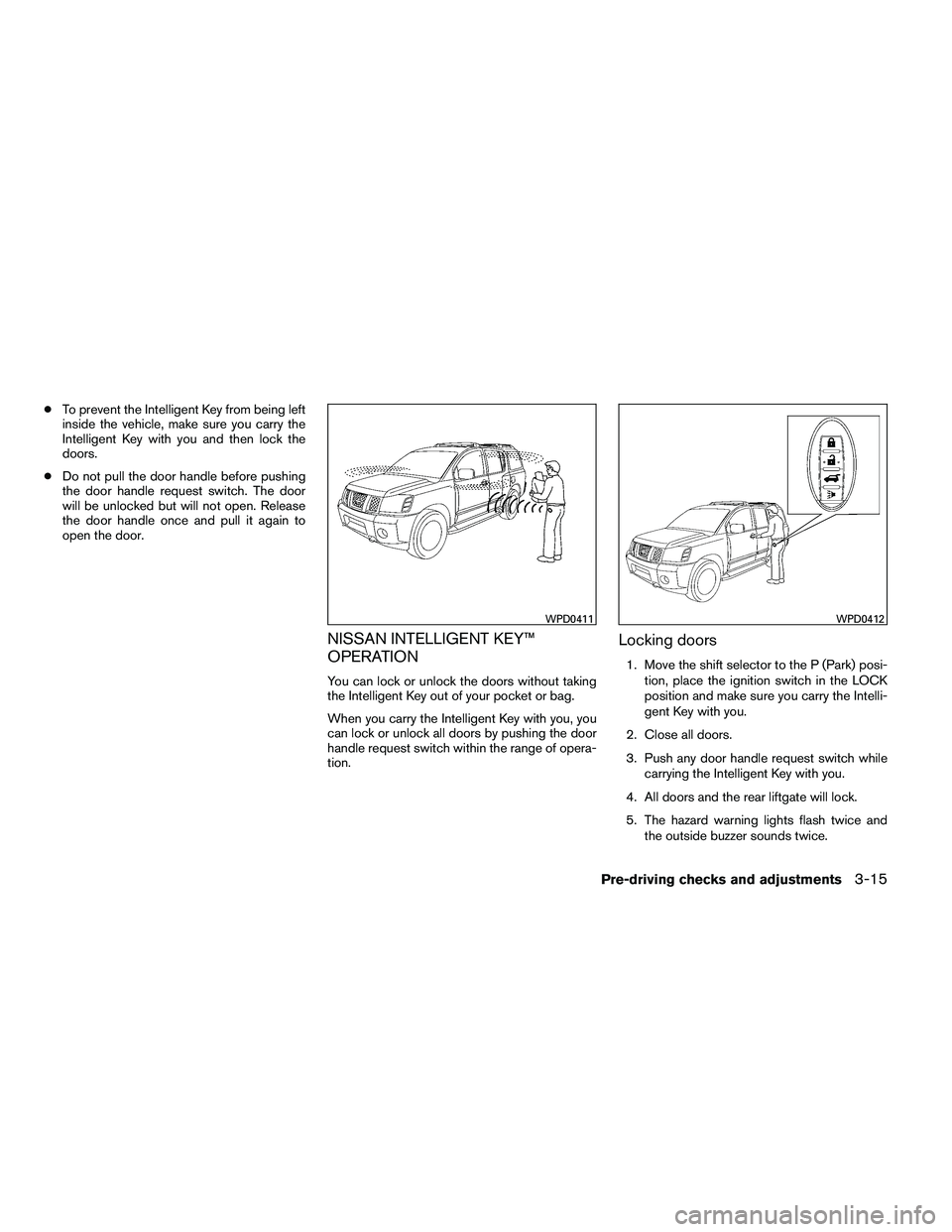
You can lock or unlock the doors without taking
the Intelligent Key out of your pocket or bag.
When you carry the Intelligent Key with you, you
can lock or unlock all doors by pushing the door
handle request switch within the range of opera-
tion.
Locking doors
1. Move the shift selector to the P (Park) posi-
tion, place the ignition switch in the LOCK
position and make sure you carry the Intelli-
gent Key with you.
2. Close all doors.
3. Push any door handle request switch while carrying the Intelligent Key with you.
4. All doors and the rear liftgate will lock.
5. The hazard warning lights flash twice and the outside buzzer sounds twice.
Page 171 of 489
NOTE:● Doors lock with the door handle request
switch while the ignition switch is not in the
LOCK position.
● Doors do not lock by pushing the door
handle request switch while any door is
open. However, doors lock with the me-
chanical key even if any door is open.
● Doors do not lock with the door handle
request switch with the Intelligent Key inside
the vehicle and a beep sounds to warn you.
However, when an Intelligent Key is inside
the vehicle, doors can be locked with an-
other Intelligent Key.
Page 172 of 489
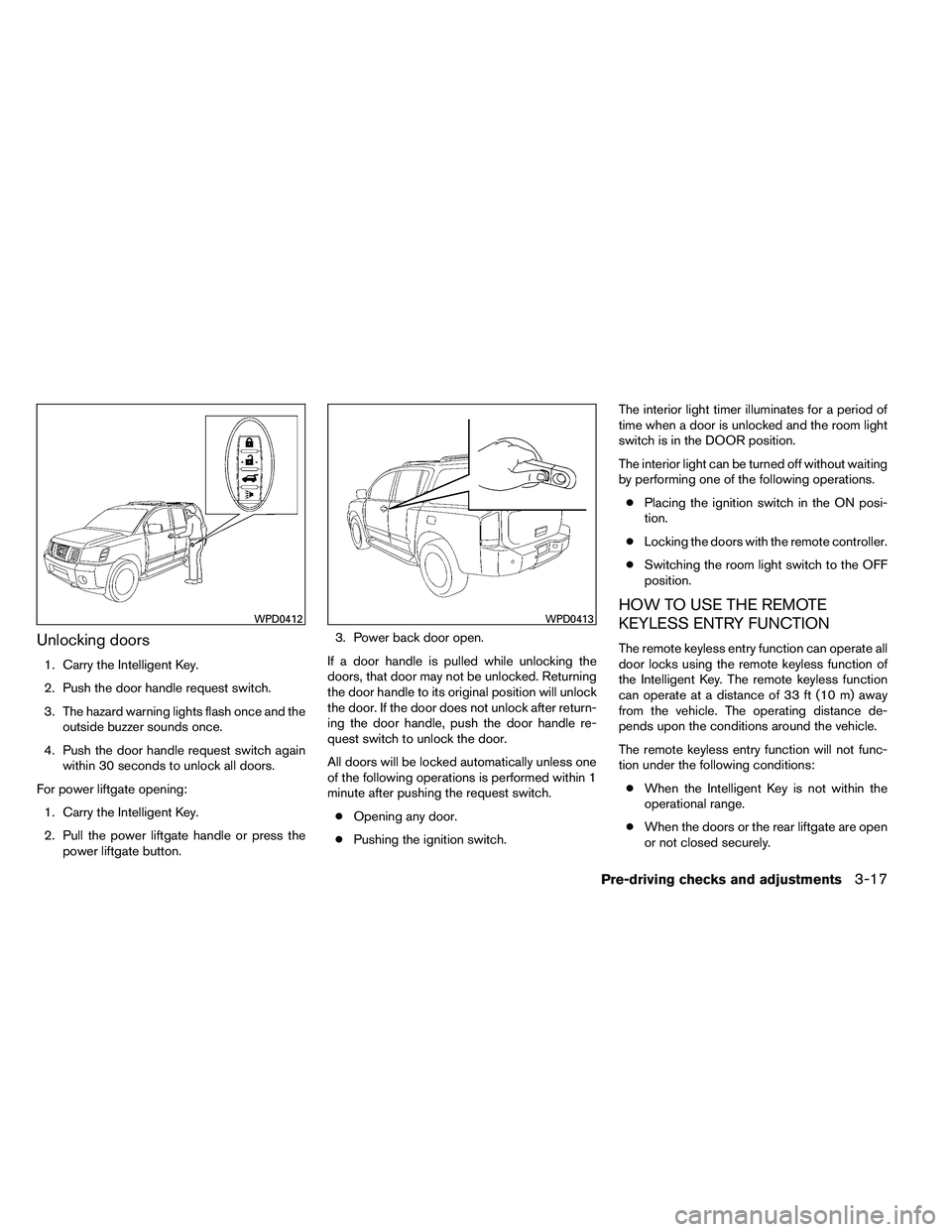
Unlocking doors
1. Carry the Intelligent Key.
2. Push the door handle request switch.
3. The hazard warning lights flash once and theoutside buzzer sounds once.
4. Push the door handle request switch again within 30 seconds to unlock all doors.
For power liftgate opening: 1. Carry the Intelligent Key.
2. Pull the power liftgate handle or press the power liftgate button. 3. Power back door open.
If a door handle is pulled while unlocking the
doors, that door may not be unlocked. Returning
the door handle to its original position will unlock
the door. If the door does not unlock after return-
ing the door handle, push the door handle re-
quest switch to unlock the door.
All doors will be locked automatically unless one
of the following operations is performed within 1
minute after pushing the request switch. ● Opening any door.
● Pushing the ignition switch. The interior light timer illuminates for a period of
time when a door is unlocked and the room light
switch is in the DOOR position.
The interior light can be turned off without waiting
by performing one of the following operations.
● Placing the ignition switch in the ON posi-
tion.
● Locking the doors with the remote controller.
● Switching the room light switch to the OFF
position.
HOW TO USE THE REMOTE
KEYLESS ENTRY FUNCTION
The remote keyless entry function can operate all
door locks using the remote keyless function of
the Intelligent Key. The remote keyless function
can operate at a distance of 33 ft (10 m) away
from the vehicle. The operating distance de-
pends upon the conditions around the vehicle.
The remote keyless entry function will not func-
tion under the following conditions:
● When the Intelligent Key is not within the
operational range.
● When the doors or the rear liftgate are open
or not closed securely.