Page 33 of 422
FRONT POWER SEAT ADJUSTMENT
(if so equipped for driver’s seat)
Operating tips
●The power seat motor has an auto-reset
overload protection circuit. If the motor
stops during operation, wait 30 seconds,
then reactivate the switch.
● Do not operate the power seat switch for a
long period of time when the Hybrid System
is not in the READY mode. This will dis-
charge the vehicle battery.
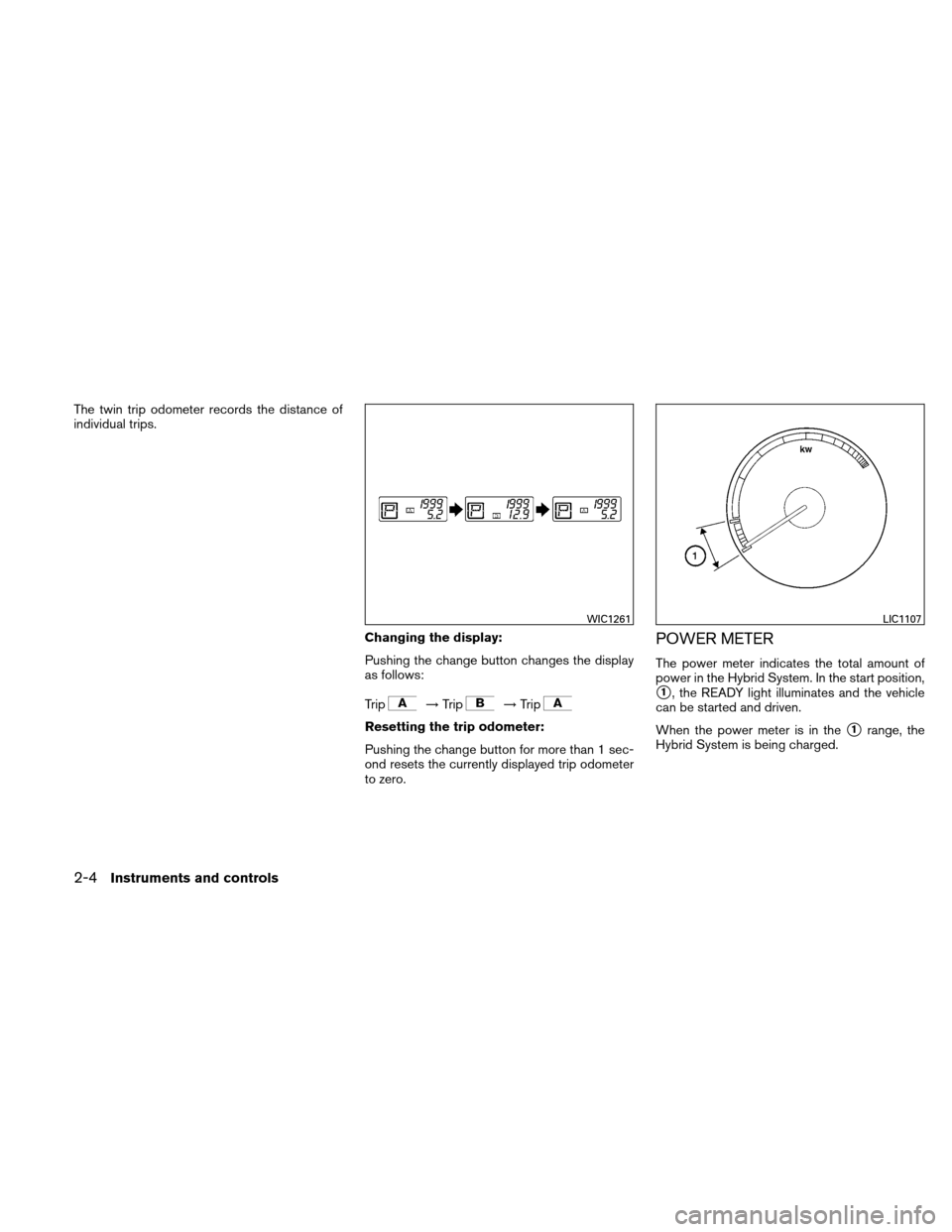
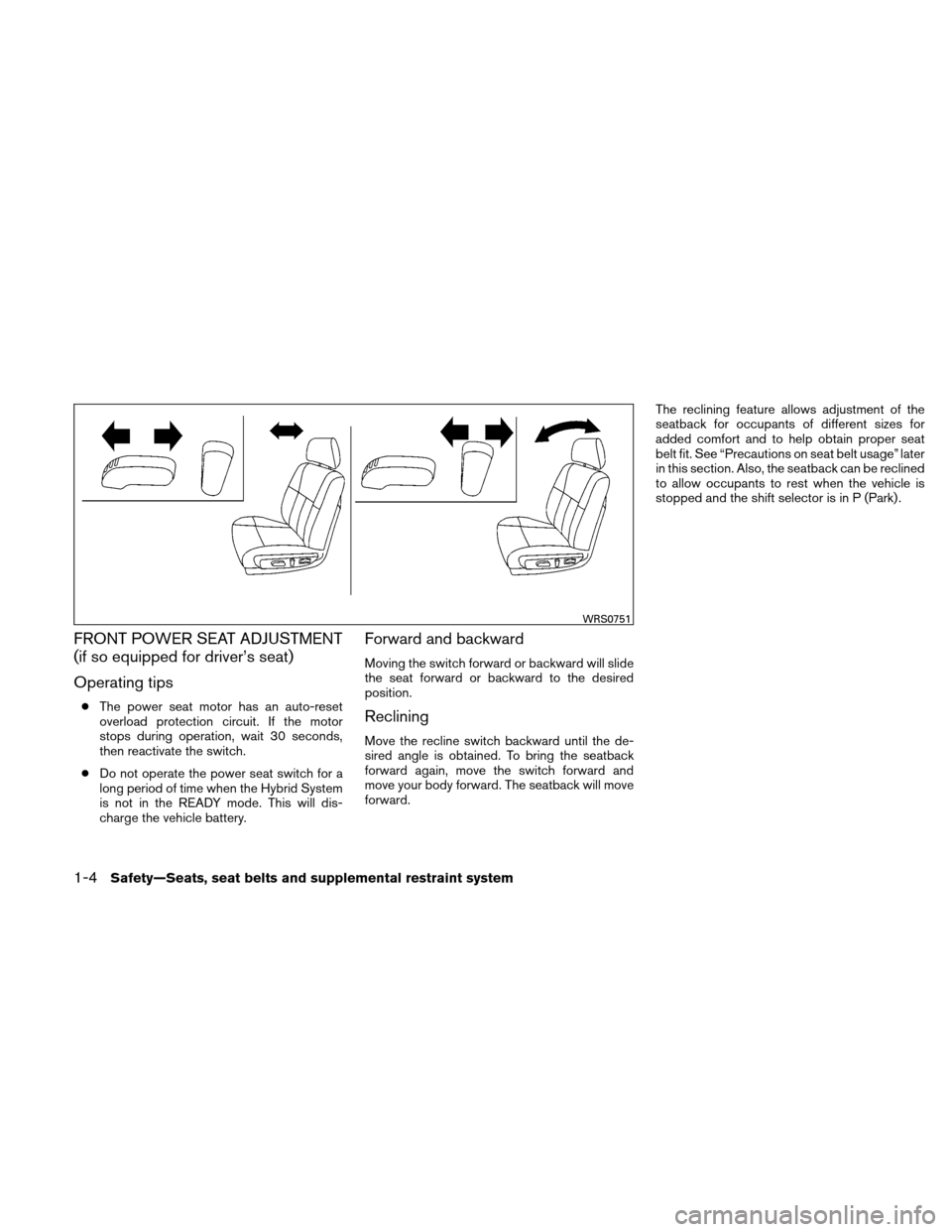
Forward and backward
Moving the switch forward or backward will slide
the seat forward or backward to the desired
position.
Reclining
Move the recline switch backward until the de-
sired angle is obtained. To bring the seatback
forward again, move the switch forward and
move your body forward. The seatback will move
forward. The reclining feature allows adjustment of the
seatback for occupants of different sizes for
added comfort and to help obtain proper seat
belt fit. See “Precautions on seat belt usage” later
in this section. Also, the seatback can be reclined
to allow occupants to rest when the vehicle is
stopped and the shift selector is in P (Park) .
WRS0751
1-4Safety—Seats, seat belts and supplemental restraint system
Page 85 of 422
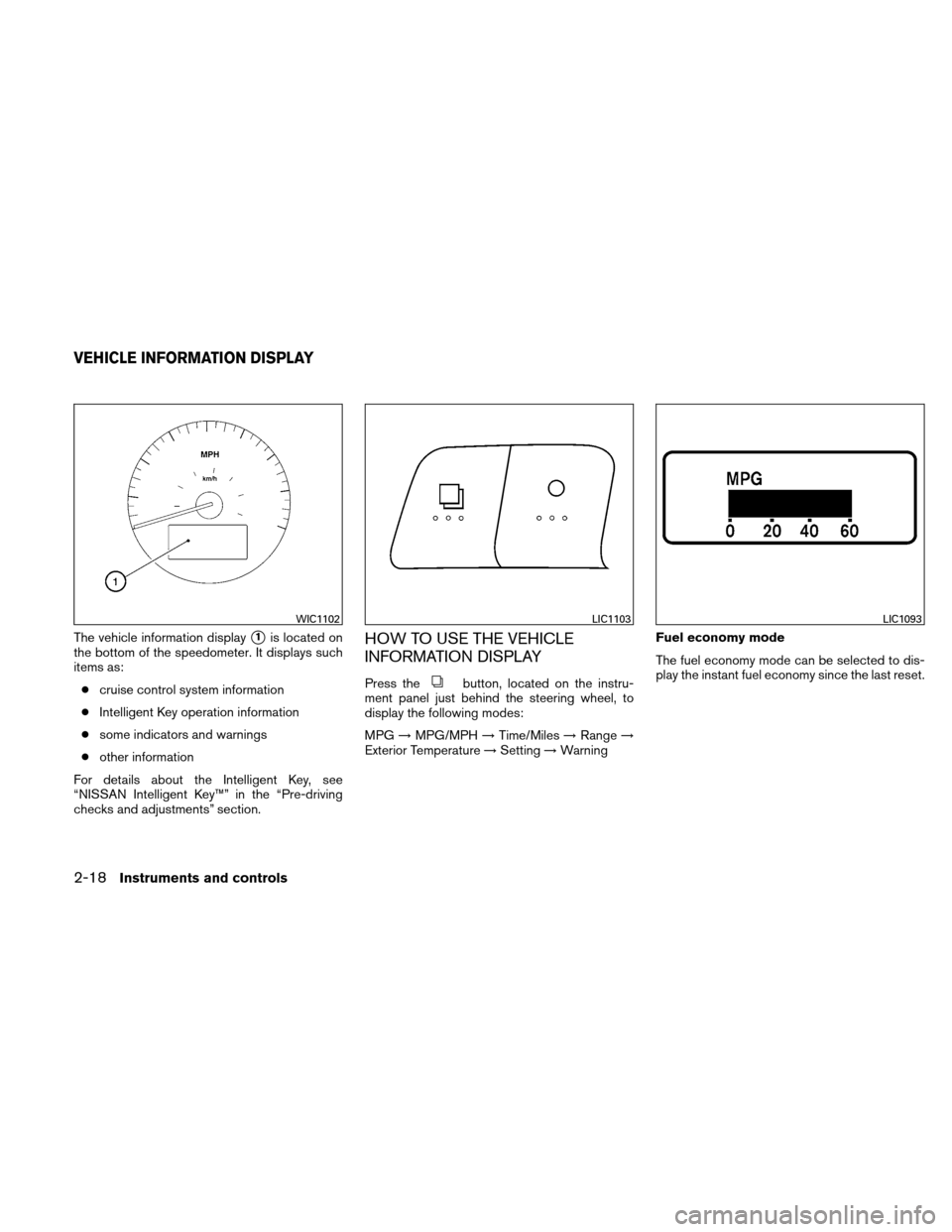
The twin trip odometer records the distance of
individual trips.Changing the display:
Pushing the change button changes the display
as follows:
Trip
→Trip→Trip
Resetting the trip odometer:
Pushing the change button for more than 1 sec-
ond resets the currently displayed trip odometer
to zero.
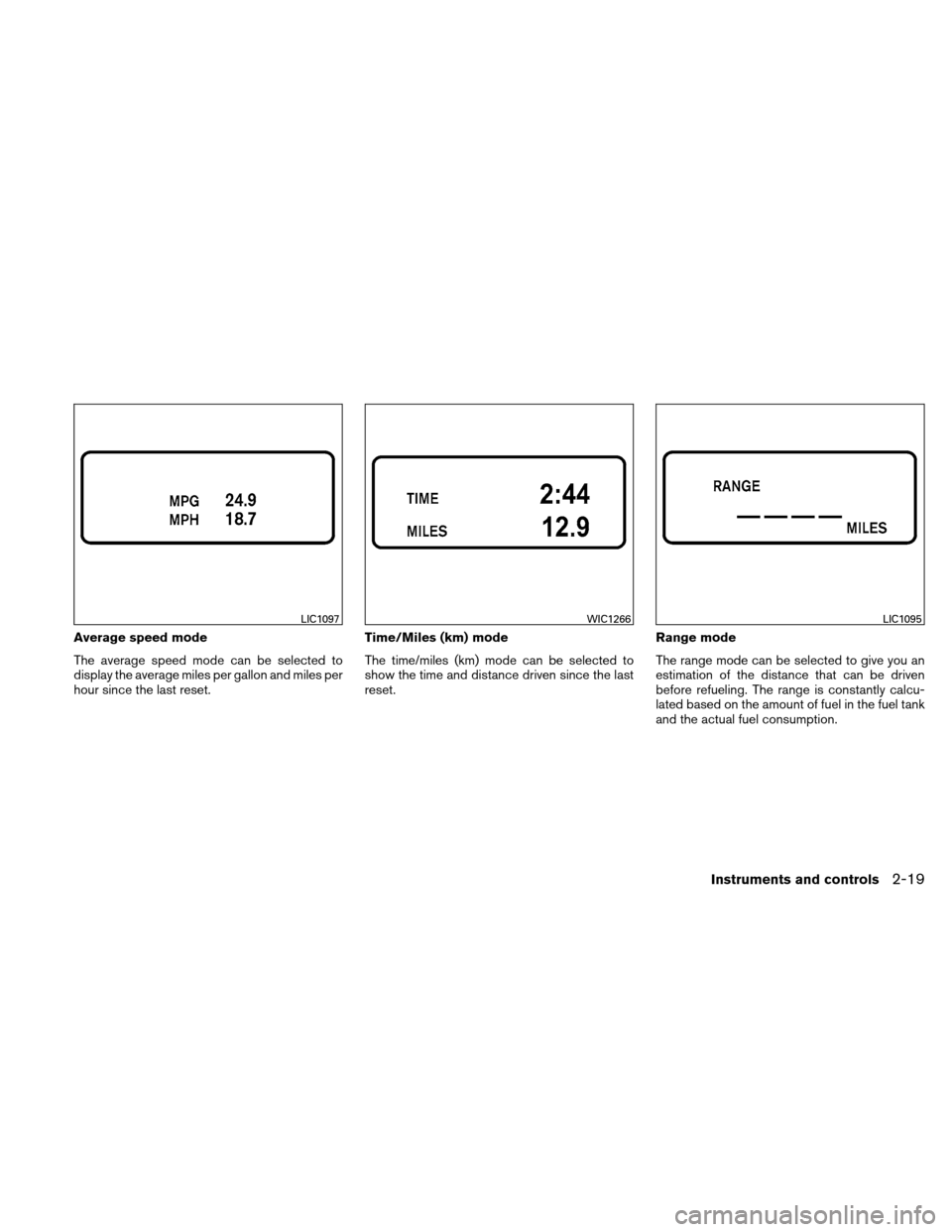
POWER METER
The power meter indicates the total amount of
power in the Hybrid System. In the start position,
�1, the READY light illuminates and the vehicle
can be started and driven.
When the power meter is in the
�1range, the
Hybrid System is being charged.
WIC1261LIC1107
2-4Instruments and controls
Page 95 of 422
TPMS malfunction:
If the TPMS is not functioning properly, the low
tire pressure warning light will flash for approxi-
mately 1 minute when the ignition switch is
placed in the ON position. The light will remain on
after the 1 minute. The CHECK TIRE PRES-
SURE warning is not displayed if the low tire
pressure warning light illuminates to indicate a
TPMS malfunction. Have the system checked by
a NISSAN dealer.
For additional information, see “Tire Pressure
Monitoring System (TPMS)” in the “Starting and
driving” section and “Tire pressure” in the “Main-
tenance and do-it-yourself” section.
WARNING
●If the light does not illuminate with the
ignition switch placed in the ON posi-
tion, have the vehicle checked by a
NISSAN dealer as soon as possible.
● If the light illuminates while driving,
avoid sudden steering maneuvers or
abrupt braking, reduce vehicle speed,
pull off the road to a safe location and
stop the vehicle as soon as possible.
Driving with under-inflated tires may permanently damage the tires and in-
crease the likelihood of tire failure. Se-
rious vehicle damage could occur and
may lead to an accident and could re-
sult in serious personal injury. Check
the tire pressure for all four tires. Adjust
the tire pressure to the recommended
COLD tire pressure shown on the Tire
and Loading Information label located
in the driver’s door opening to turn the
low tire pressure warning light OFF. If
the light still comes on while driving
after adjusting the tire pressure, a tire
may be flat. If you have a flat tire, re-
place it with a spare tire as soon as
possible.
● When a spare tire is mounted or a wheel
is replaced the TPMS will not function
and the low tire pressure warning light
will flash for approximately 1 minute.
The light will remain on after 1 minute.
Contact your NISSAN dealer as soon as
possible for tire replacement and/or
system resetting.
● Replacing tires with those not originally
specified by NISSAN could affect the
proper operation of the TPMS.
CAUTION
● The TPMS is not a substitute for the
regular tire pressure check. Be sure to
check the tire pressure regularly.
● If the vehicle is being driven at speeds
of less than 16 MPH (25 km/h) , the
TPMS may not operate correctly.
● Be sure to install the specified size of
tires to the 4 wheels correctly.
Master warning light
This light comes on when various vehicle infor-
mation display warnings appear.
Seat belt warning light and
chime
The light and chime remind you to fasten your
seat belts. The light illuminates whenever the
ignition switch is placed in the ON or START
position and remains illuminated until the driver’s
seat belt is fastened. At the same time, the chime
sounds for about 6 seconds unless the driver’s
seat belt is securely fastened.
The seat belt warning light may also illuminate if
the front passenger’s seat belt is not fastened
when the front passenger’s seat is occupied. For
7 seconds after the ignition switch is placed in
2-14Instruments and controls
Page 99 of 422
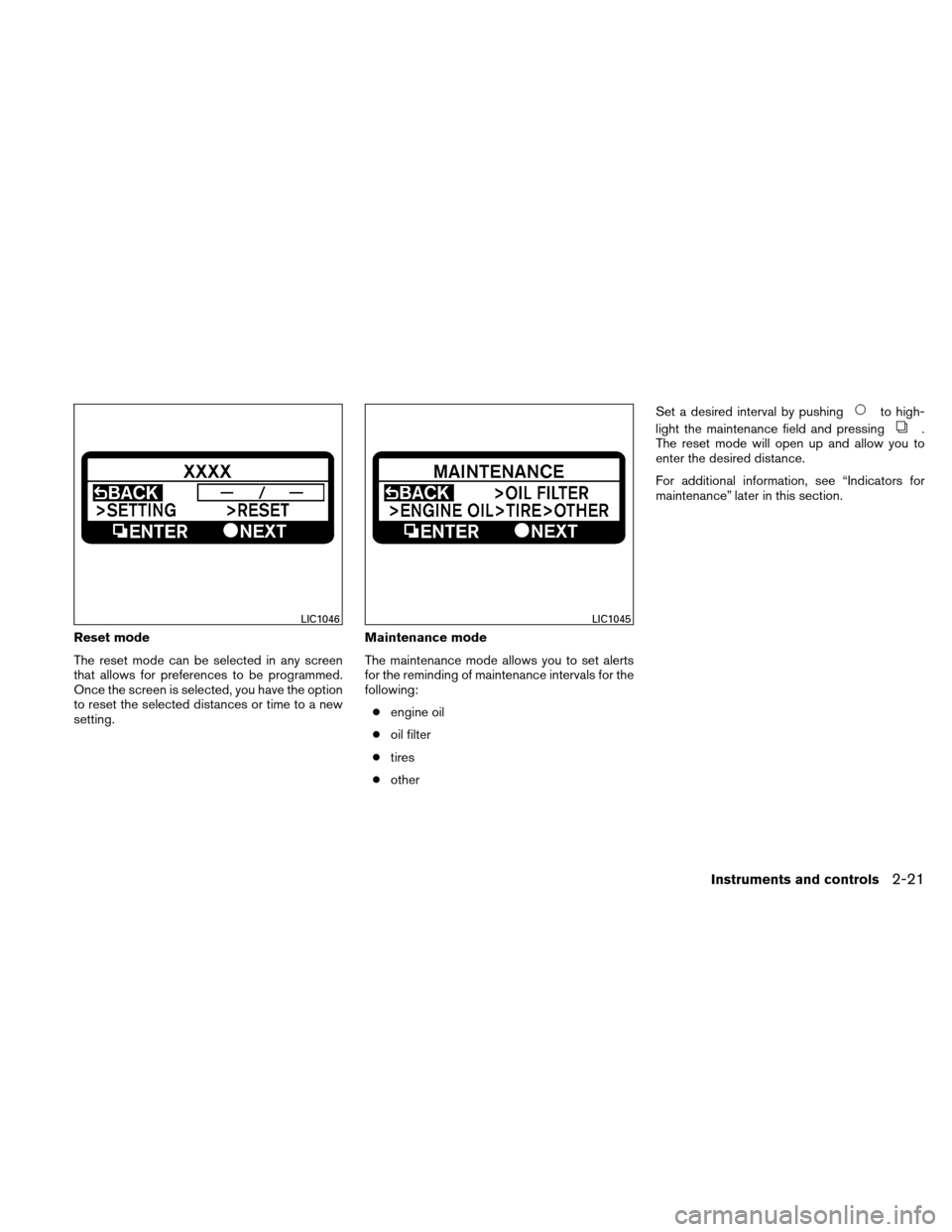
The vehicle information display�1is located on
the bottom of the speedometer. It displays such
items as:
● cruise control system information
● Intelligent Key operation information
● some indicators and warnings
● other information
For details about the Intelligent Key, see
“NISSAN Intelligent Key™” in the “Pre-driving
checks and adjustments” section.HOW TO USE THE VEHICLE
INFORMATION DISPLAY
Press thebutton, located on the instru-
ment panel just behind the steering wheel, to
display the following modes:
MPG →MPG/MPH →Time/Miles →Range →
Exterior Temperature →Setting →Warning Fuel economy mode
The fuel economy mode can be selected to dis-
play the instant fuel economy since the last reset.
WIC1102LIC1103LIC1093
VEHICLE INFORMATION DISPLAY
2-18Instruments and controls
Page 100 of 422
Average speed mode
The average speed mode can be selected to
display the average miles per gallon and miles per
hour since the last reset.Time/Miles (km) mode
The time/miles (km) mode can be selected to
show the time and distance driven since the last
reset.Range mode
The range mode can be selected to give you an
estimation of the distance that can be driven
before refueling. The range is constantly calcu-
lated based on the amount of fuel in the fuel tank
and the actual fuel consumption.
LIC1097WIC1266LIC1095
Instruments and controls2-19
Page 102 of 422
Reset mode
The reset mode can be selected in any screen
that allows for preferences to be programmed.
Once the screen is selected, you have the option
to reset the selected distances or time to a new
setting.Maintenance mode
The maintenance mode allows you to set alerts
for the reminding of maintenance intervals for the
following:
● engine oil
● oil filter
● tires
● other Set a desired interval by pushing
to high-
light the maintenance field and pressing
.
The reset mode will open up and allow you to
enter the desired distance.
For additional information, see “Indicators for
maintenance” later in this section.
LIC1046LIC1045
Instruments and controls2-21
Page 104 of 422
Indicators for maintenance
1. Engine oil replacement indicatorThis indicator appears when the customer
set distance comes for changing the engine
oil. You can set or reset the distance for
changing the engine oil. See “Maintenance
mode” earlier in this section.
2. Oil filter replacement indicator This indicator appears when the customer
set distance comes for replacing the oil filter.
You can set or reset the distance for replac-
ing the oil filter. See “Maintenance mode”
earlier in this section.
3. Tire replacement indicator This indicator appears when the customer
set distance comes for replacing tires. You
can set or reset the distance for replacing
tires. See “Maintenance mode” earlier in this
section.
WARNING
The tire replacement indicator is not a
substitute for regular tire checks, includ-
ing tire pressure checks. See “Changing
Wheels and Tires” in “Maintenance & Do-
It-Yourself” section. Many factors includ-
ing tire inflation, alignment, driving habits
and road conditions affect tire wear and
when tires should be replaced. Setting the
tire replacement indicator for a certain
driving distance does not mean your tires
will last that long. Use the tire replace-
ment indicator as a guide only and always
perform regular tire checks. Failure to per-
form regular tire checks, including tire
pressure checks could result in tire fail-
ure. Serious vehicle damage could occur
and may lead to a collision, which could
result in serious personal injury or death. 4. “OTHER” indicator
This indicator appears when the customer
set distance comes for checking or replac-
ing maintenance items other than the engine
oil, oil filter and tires. Other maintenance
items can include such things as air filter or
tire rotation. You can set or reset the dis-
tance for checking or replacing the items.
See “Maintenance mode” earlier in this sec-
tion. For scheduled maintenance items and
intervals, see your “NISSAN Service and
Maintenance Guide.”
Instruments and controls2-23
Page 112 of 422
CAUTION
Use the headlights with the Hybrid System
running to avoid discharging the vehicle
battery.
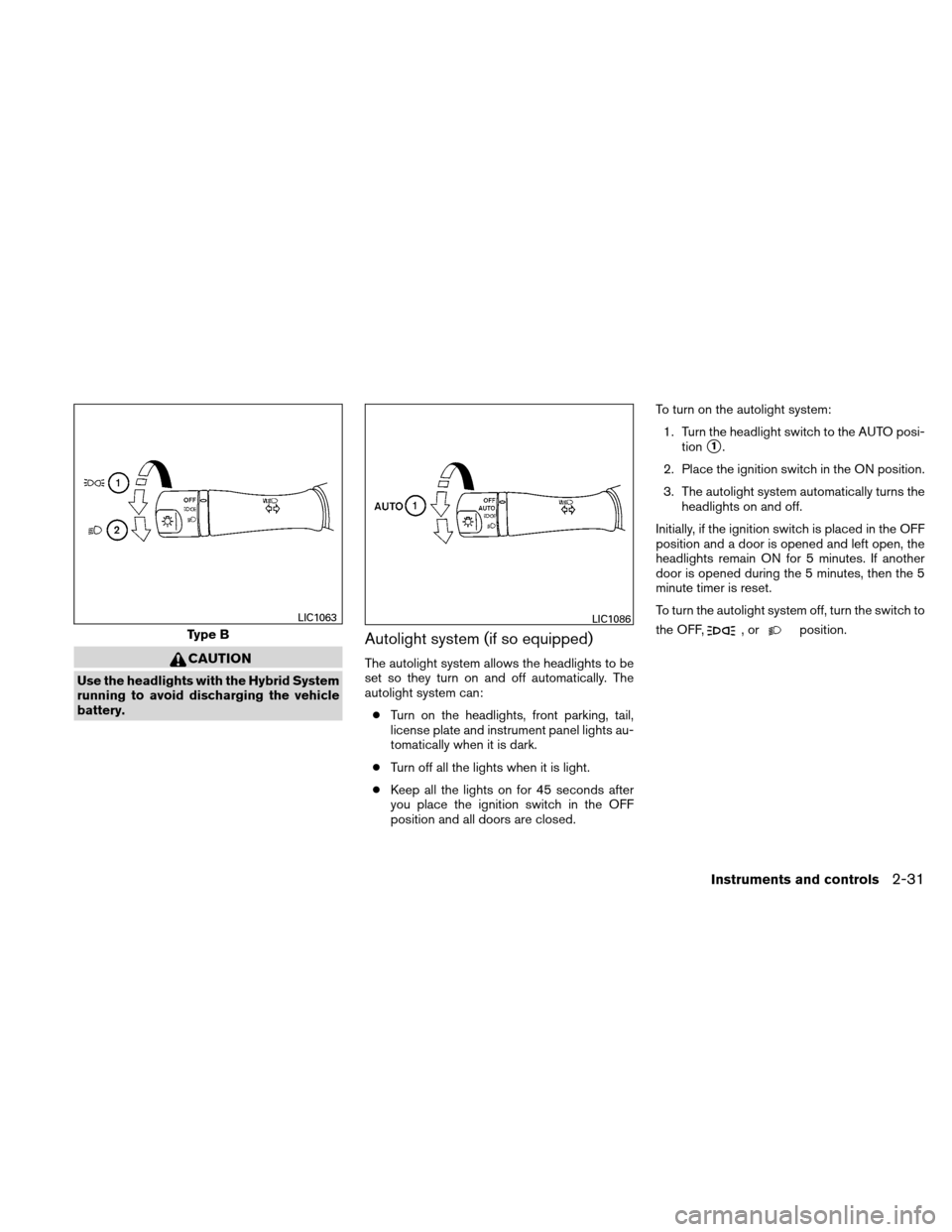
Autolight system (if so equipped)
The autolight system allows the headlights to be
set so they turn on and off automatically. The
autolight system can:● Turn on the headlights, front parking, tail,
license plate and instrument panel lights au-
tomatically when it is dark.
● Turn off all the lights when it is light.
● Keep all the lights on for 45 seconds after
you place the ignition switch in the OFF
position and all doors are closed. To turn on the autolight system:
1. Turn the headlight switch to the AUTO posi- tion
�1.
2. Place the ignition switch in the ON position.
3. The autolight system automatically turns the headlights on and off.
Initially, if the ignition switch is placed in the OFF
position and a door is opened and left open, the
headlights remain ON for 5 minutes. If another
door is opened during the 5 minutes, then the 5
minute timer is reset.
To turn the autolight system off, turn the switch to
the OFF,
,orposition.Type B
LIC1063LIC1086
Instruments and controls2-31