2011 NISSAN ALTIMA HYBRID maintenance reset
[x] Cancel search: maintenance resetPage 102 of 422
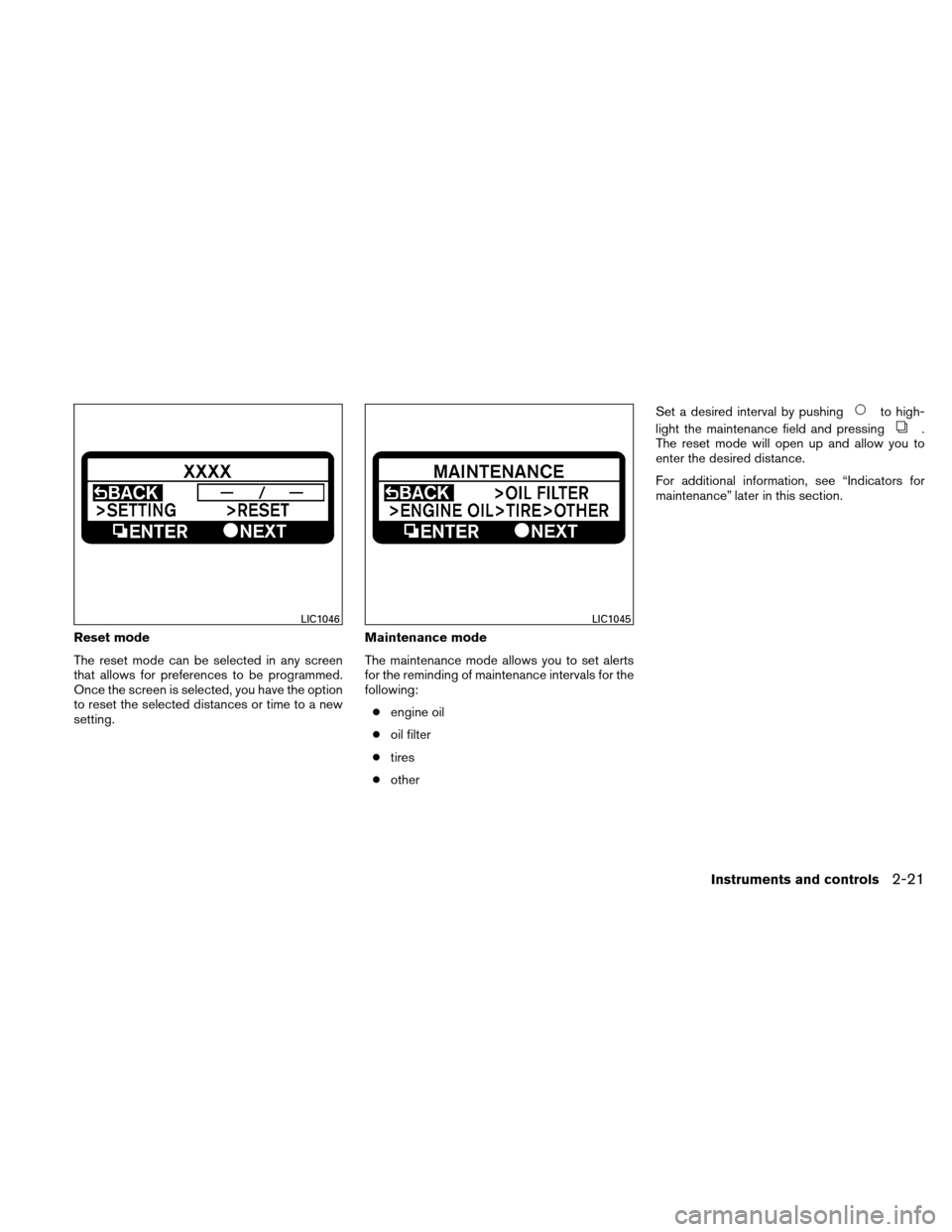
Reset mode
The reset mode can be selected in any screen
that allows for preferences to be programmed.
Once the screen is selected, you have the option
to reset the selected distances or time to a new
setting.Maintenance mode
The maintenance mode allows you to set alerts
for the reminding of maintenance intervals for the
following:
● engine oil
● oil filter
● tires
● other Set a desired interval by pushing
to high-
light the maintenance field and pressing
.
The reset mode will open up and allow you to
enter the desired distance.
For additional information, see “Indicators for
maintenance” later in this section.
LIC1046LIC1045
Instruments and controls2-21
Page 104 of 422
Indicators for maintenance
1. Engine oil replacement indicatorThis indicator appears when the customer
set distance comes for changing the engine
oil. You can set or reset the distance for
changing the engine oil. See “Maintenance
mode” earlier in this section.
2. Oil filter replacement indicator This indicator appears when the customer
set distance comes for replacing the oil filter.
You can set or reset the distance for replac-
ing the oil filter. See “Maintenance mode”
earlier in this section.
3. Tire replacement indicator This indicator appears when the customer
set distance comes for replacing tires. You
can set or reset the distance for replacing
tires. See “Maintenance mode” earlier in this
section.
WARNING
The tire replacement indicator is not a
substitute for regular tire checks, includ-
ing tire pressure checks. See “Changing
Wheels and Tires” in “Maintenance & Do-
It-Yourself” section. Many factors includ-
ing tire inflation, alignment, driving habits
and road conditions affect tire wear and
when tires should be replaced. Setting the
tire replacement indicator for a certain
driving distance does not mean your tires
will last that long. Use the tire replace-
ment indicator as a guide only and always
perform regular tire checks. Failure to per-
form regular tire checks, including tire
pressure checks could result in tire fail-
ure. Serious vehicle damage could occur
and may lead to a collision, which could
result in serious personal injury or death. 4. “OTHER” indicator
This indicator appears when the customer
set distance comes for checking or replac-
ing maintenance items other than the engine
oil, oil filter and tires. Other maintenance
items can include such things as air filter or
tire rotation. You can set or reset the dis-
tance for checking or replacing the items.
See “Maintenance mode” earlier in this sec-
tion. For scheduled maintenance items and
intervals, see your “NISSAN Service and
Maintenance Guide.”
Instruments and controls2-23
Page 382 of 422
●The original tires have built-in
tread wear indicators. When the
wear indicators are visible, the
tire(s) should be replaced.
● Tires degrade with age and use.
Have tires, including the spare,
over 6 years old checked by a
qualified technician because
some tire damage may not be ob-
vious. Replace the tires as neces-
sary to prevent tire failure and
possible personal injury.
● Improper service of the spare tire
may result in serious personal in-
jury. If it is necessary to repair the
spare tire, contact a NISSAN
dealer.
● For additional information re-
garding tires, refer to “Important
Tire Safety Information” (US) or
“Tire Safety Information”
(Canada) in the Warranty Infor-
mation Booklet.Replacing wheels and tires
When replacing a tire, use the same size, tread
design, speed rating and load carrying capacity
as originally equipped. Recommended types and
sizes are shown in “Wheels and tires” in the
“Technical and consumer information” section of
this manual.
WARNING
● The use of tires other than those recom-
mended or the mixed use of tires of
different brands, construction (bias,
bias-belted or radial) , or tread patterns
can adversely affect the ride, braking,
handling, VDC system, ground clear-
ance, body-to-tire clearance, tire chain
clearance, speedometer calibration,
headlight aim and bumper height.
Some of these effects may lead to acci-
dents and could result in serious per-
sonal injury.
● If your vehicle was originally equipped
with 4 tires that were the same size and
you are only replacing 2 of the 4 tires ,
install the new tires on the rear axle.
Placing new tires on the front axle may
cause loss of vehicle control in some
driving conditions and cause an acci-
dent and personal injury. ●
If the wheels are changed for any rea-
son, always replace with wheels which
have the same off-set dimension.
Wheels of a different off-set could
cause premature tire wear, degrade ve-
hicle handling characteristics, affect
the VDC system and/or interference
with the brake discs/drums. Such inter-
ference can lead to decreased braking
efficiency and/or early brake pad/shoe
wear. Refer to “Wheels and tires” in the
“Technical and consumer information”
section of this manual for wheel off-set
dimensions.
● When a spare tire is mounted or a wheel
is replaced, the TPMS will not function
and the low tire pressure warning light
will flash for approximately 1 minute.
The light will remain on after 1 minute.
Contact your NISSAN dealer as soon as
possible for tire replacement and/or
system resetting.
● Replacing tires with those not originally
specified by NISSAN could affect the
proper operation of the TPMS.
Maintenance and do-it-yourself8-41
Page 410 of 422
You may notify NISSAN by contacting our
Consumer Affairs Department, toll-free, at
1-800-NISSAN-1.
For Canada
If you believe that your vehicle has a de-
fect which could cause a crash or could
cause injury or death, you should immedi-
ately inform Transport Canada in addition
to notifying NISSAN.
If Transport Canada receives complaints,
it may open an investigation, and if it finds
that a safety defect exists in a group of
vehicles, it may request that NISSAN con-
duct a recall campaign. However, Trans-
port Canada cannot become involved in
individual problems between you, your
dealer, or NISSAN.
You may contact Transport Canada’s De-
fect Investigations and Recalls Division
toll free at 1-800-333-0510. You may
also report safety defects online at:
https://wwwapps.tc.gc.ca/Saf-Sec-
Sur/7/PCDB-BDPP/Index.aspx.Additional information concerning motor
vehicle safety may be obtained from
Transport Canada’s Road Safety Informa-
tion Centre at 1-800-333-0371 or online
at www.tc.gc.ca/roadsafety.
To notify NISSAN of any safety concerns
please contact our Consumer Information
Centre toll free at 1-800-387-0122.Always check with local I/M testing requirements
for Hybrid vehicles before taking your vehicle for
testing.
The vehicle is set to the “ready condition” when it
is driven through certain driving patterns. Usually,
the ready condition can be obtained by ordinary
usage of the vehicle.
If a powertrain system component is repaired or
the 12-volt battery is disconnected, the vehicle
may be reset to a “not ready” condition. Before
taking the I/M test, check the vehicle’s
inspection/maintenance test readiness condi-
tion. Place the ignition switch in the ON position
without starting the engine. If the Malfunction
Indicator Light (MIL) comes on steady for 20
seconds and then blinks for 10 seconds , the I/M
test condition is “not ready”. If the MIL does not
blink after 20 seconds, the I/M test condition is
“ready.” If your vehicle does not pass an I/M test
the Malfunction Indicator Light (MIL) may not
come on. Contact a NISSAN dealer to prepare
the vehicle for re-testing.
READINESS FOR INSPECTION/
MAINTENANCE (I/M) TEST
Technical and consumer information9-25