Page 246 of 446
Stopping playback:
The system stops playing when:● Another mode (radio, CD, USB, Bluetooth�
Audio or AUX) is selected.
● The audio system is turned off.
● The ignition switch is placed in the OFF
position.
Seeking button:
Press the
side of the seeking button while
a track is playing to return to the beginning of the
current track. Press the
side of the seeking
button while a track is playing to skip to the
beginning of the next track.
If you press and hold the
side of the seek-
ing button or the
side of the seeking button
for more than approximately 1.5 seconds; the
track will play while rewinding or fast forwarding.
When the
side of the seeking button or
the
side of the seeking button is released,
the track will return to the normal playing speed. TUNE/FOLDER knob:
The TUNE/FOLDER knob skips from album to
album unless it is playing “All Songs” from the
Music Library menu. When playing “All Songs”,
the TUNE/FOLDER knob changes the track in-
stead of the album. The upper right corner of the
screen indicates if the TUNE/FOLDER knob is
changing by track or album.
Music Box menu
There are some options available during play-
back. Select the “Menu” key, then select one of
the following that are displayed on the screen, if
necessary. Refer to the following information for
each item:● Now Playing
Lists the tracks stored in the Music Box
system. Touch the name of the track to begin
playing that track.
● Music Library
Lists the songs in the Music Library. Tracks
can be searched by Album, Artist or Genre.
LHA1284
Monitor, climate, audio, phone and voice recognition systems4-79
Page 247 of 446
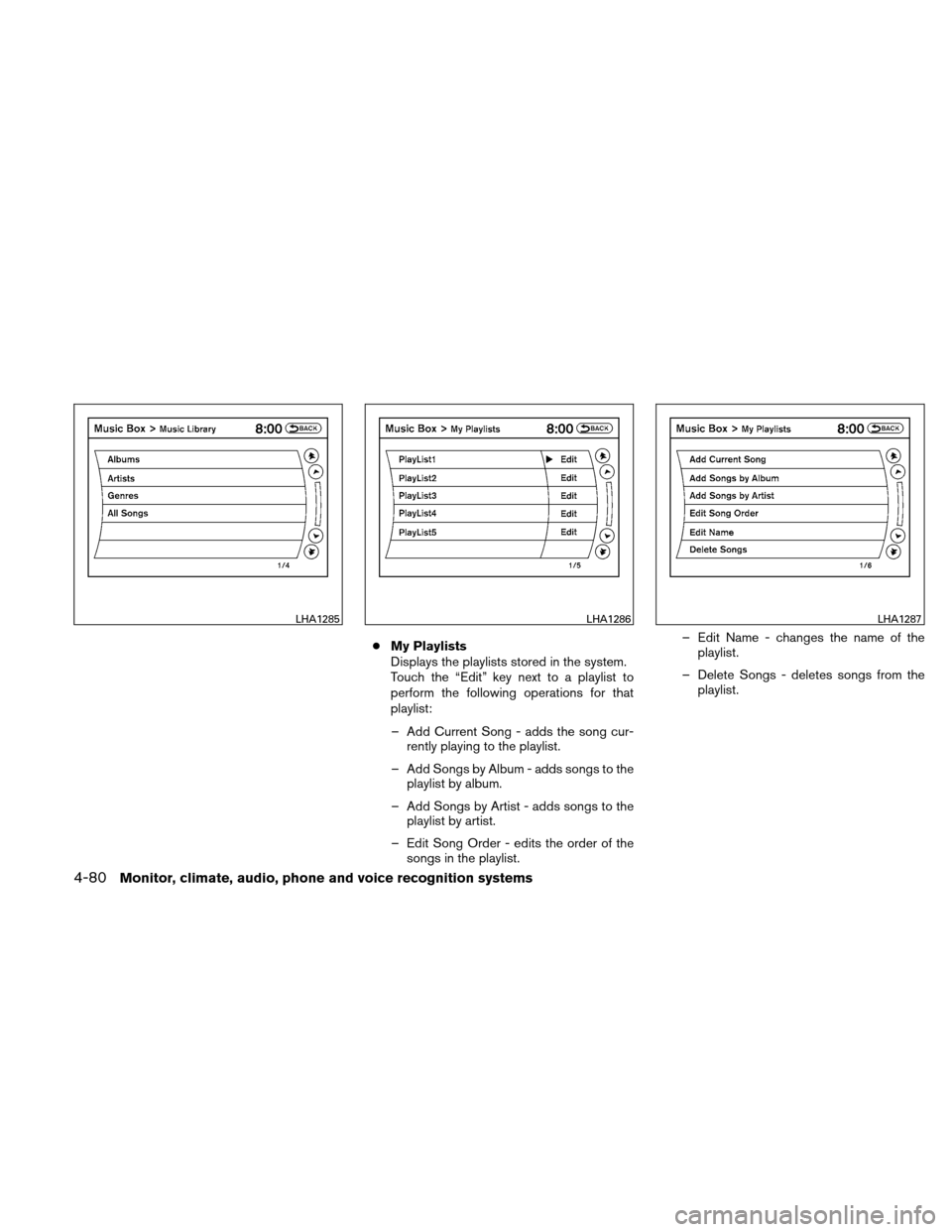
●My Playlists
Displays the playlists stored in the system.
Touch the “Edit” key next to a playlist to
perform the following operations for that
playlist:
– Add Current Song - adds the song cur- rently playing to the playlist.
– Add Songs by Album - adds songs to the playlist by album.
– Add Songs by Artist - adds songs to the playlist by artist.
– Edit Song Order - edits the order of the songs in the playlist. – Edit Name - changes the name of the
playlist.
– Delete Songs - deletes songs from the playlist.
LHA1285LHA1286LHA1287
4-80Monitor, climate, audio, phone and voice recognition systems
Page 249 of 446
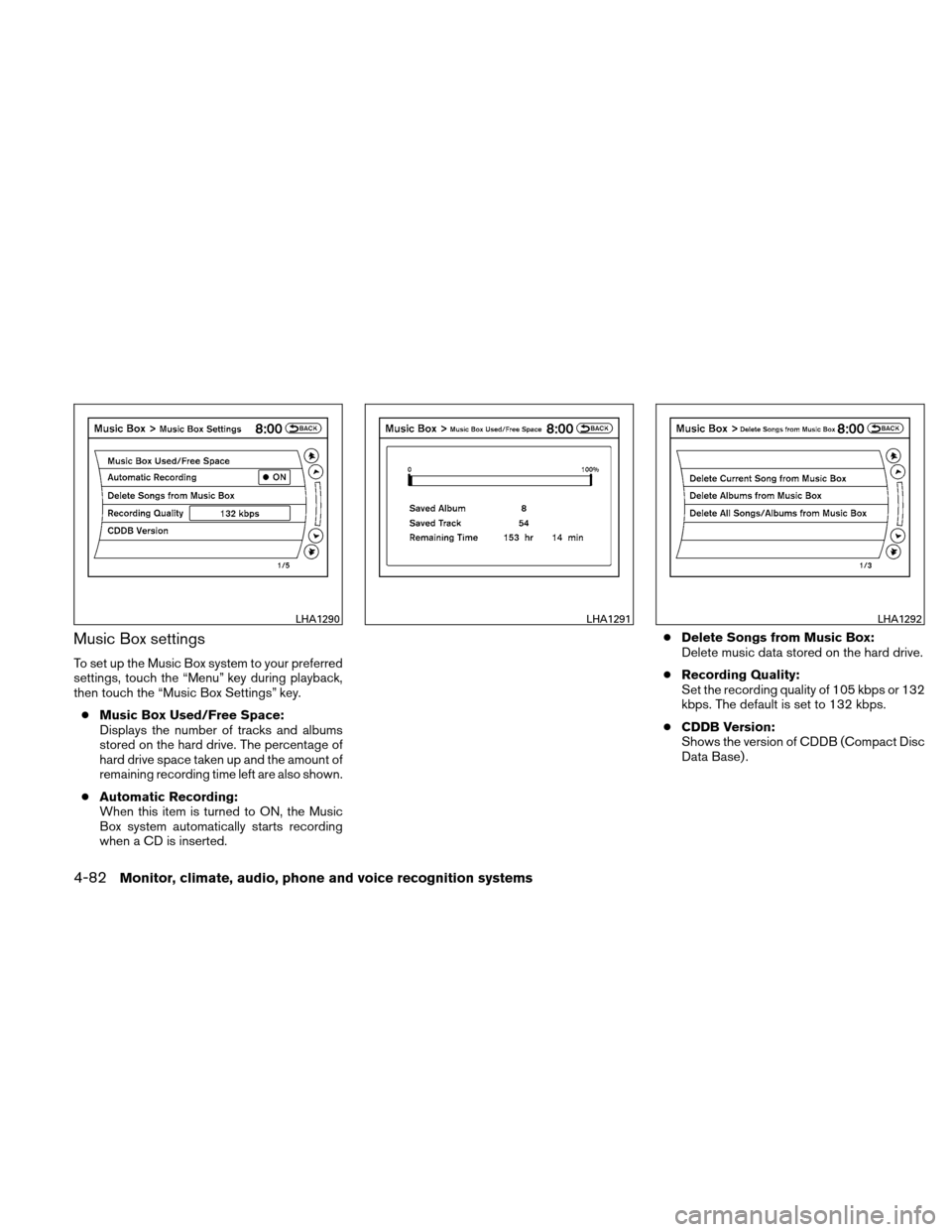
Music Box settings
To set up the Music Box system to your preferred
settings, touch the “Menu” key during playback,
then touch the “Music Box Settings” key.● Music Box Used/Free Space:
Displays the number of tracks and albums
stored on the hard drive. The percentage of
hard drive space taken up and the amount of
remaining recording time left are also shown.
● Automatic Recording:
When this item is turned to ON, the Music
Box system automatically starts recording
when a CD is inserted. ●
Delete Songs from Music Box:
Delete music data stored on the hard drive.
● Recording Quality:
Set the recording quality of 105 kbps or 132
kbps. The default is set to 132 kbps.
● CDDB Version:
Shows the version of CDDB (Compact Disc
Data Base) .
LHA1290LHA1291LHA1292
4-82Monitor, climate, audio, phone and voice recognition systems
Page 252 of 446
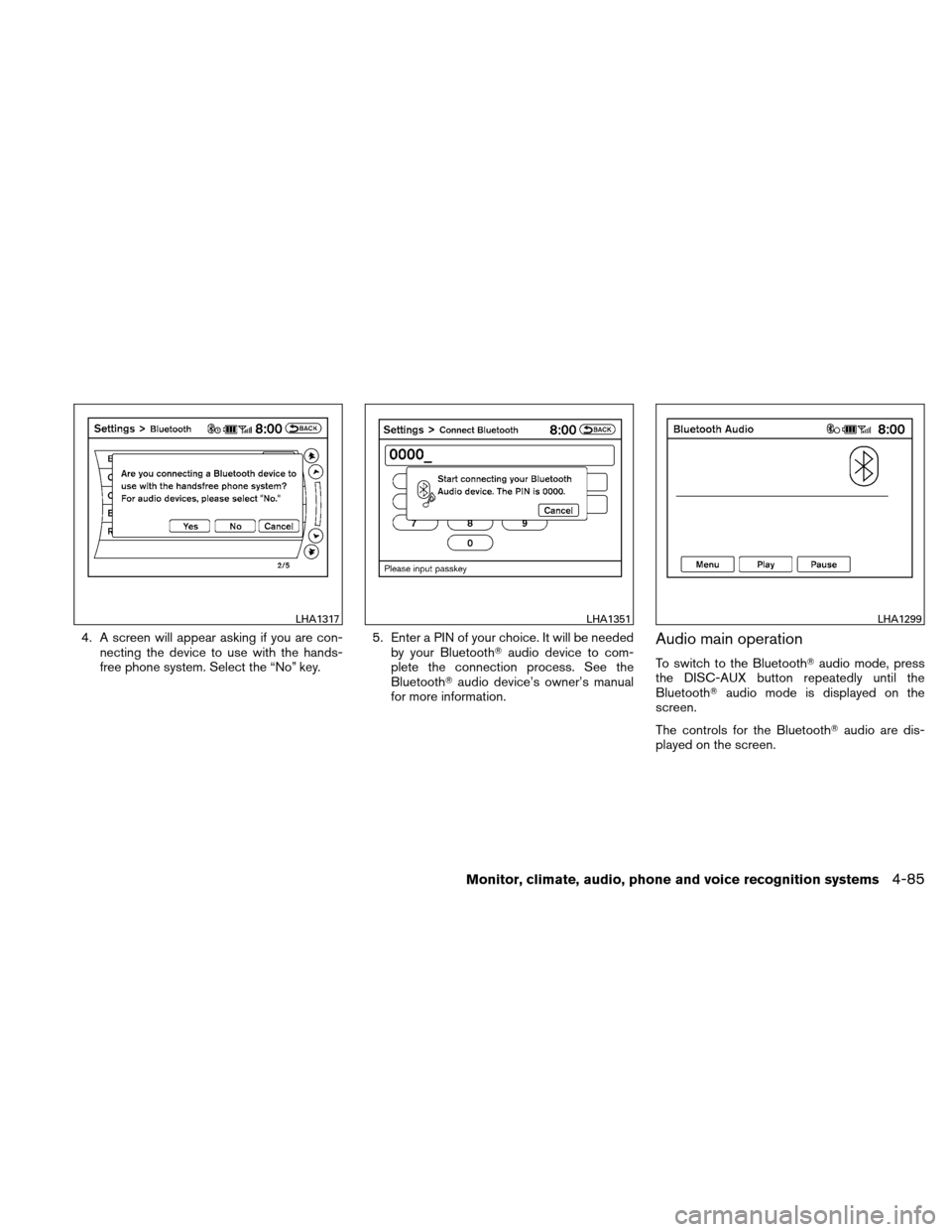
4. A screen will appear asking if you are con-necting the device to use with the hands-
free phone system. Select the “No” key. 5. Enter a PIN of your choice. It will be needed
by your Bluetooth� audio device to com-
plete the connection process. See the
Bluetooth� audio device’s owner’s manual
for more information.Audio main operation
To switch to the Bluetooth� audio mode, press
the DISC-AUX button repeatedly until the
Bluetooth� audio mode is displayed on the
screen.
The controls for the Bluetooth� audio are dis-
played on the screen.
LHA1317LHA1351LHA1299
Monitor, climate, audio, phone and voice recognition systems4-85
Page 253 of 446
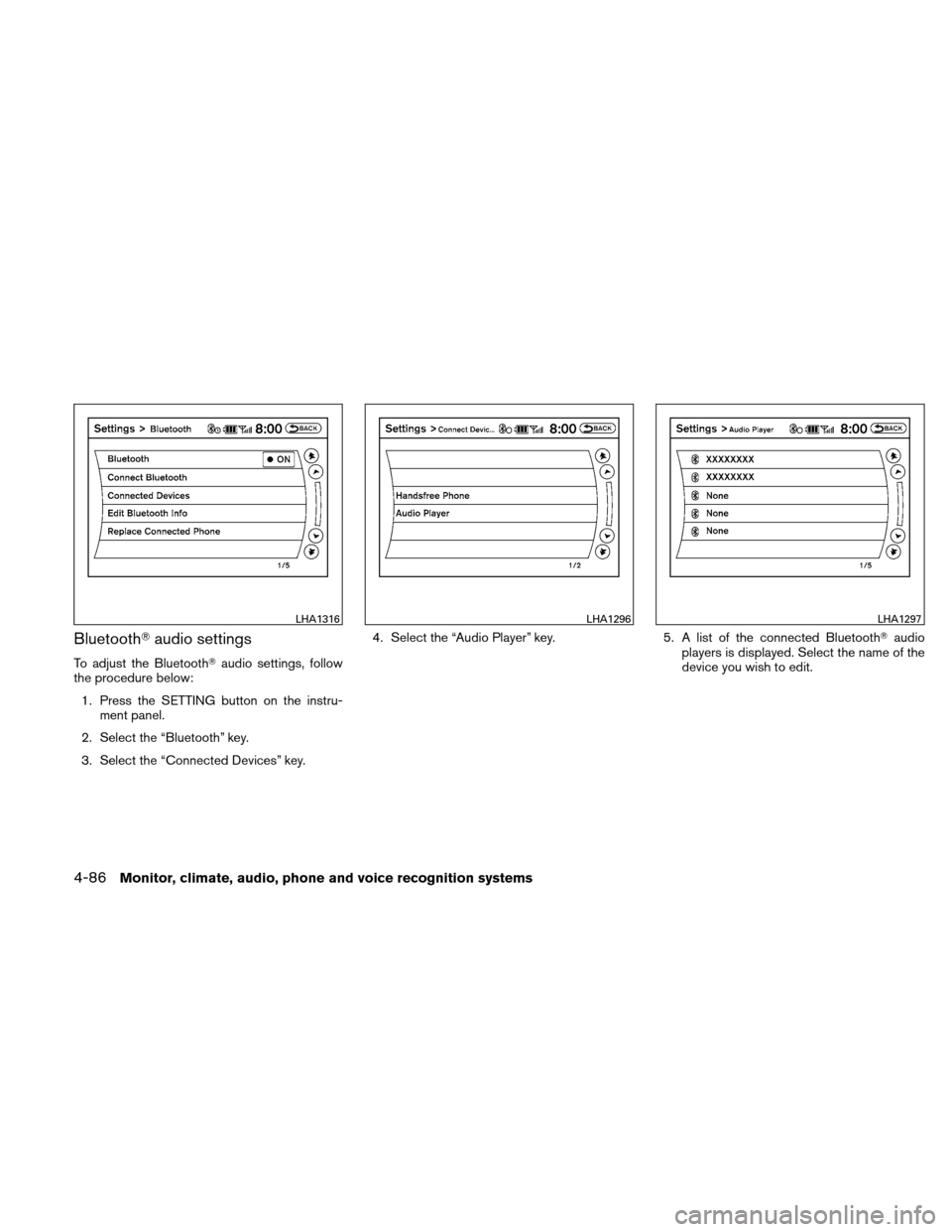
Bluetooth�audio settings
To adjust the Bluetooth� audio settings, follow
the procedure below:
1. Press the SETTING button on the instru- ment panel.
2. Select the “Bluetooth” key.
3. Select the “Connected Devices” key. 4. Select the “Audio Player” key.
5. A list of the connected Bluetooth�audio
players is displayed. Select the name of the
device you wish to edit.
LHA1316LHA1296LHA1297
4-86Monitor, climate, audio, phone and voice recognition systems
Page 254 of 446
6. The Device Name and Device Address aredisplayed on the screen. Select the “Select”
key to make this device the active
Bluetooth� audio player. Select the “Edit”
key to edit the details of the player, such as
Device Name. Select the “Delete” key to
delete the device.CD CARE AND CLEANING
● Handle a CD by its edges. Do not bend the
disc. Never touch the surface of the disc.
● Always place the discs in the storage case
when they are not being used.
● To clean a disc, wipe the surface from the
center to the outer edge using a clean, soft
cloth. Do not wipe the disc using a circular
motion.
● Do not use a conventional record cleaner or
alcohol intended for industrial use. ●
A new disc may be rough on the inner and
outer edges. Remove the rough edges by
rubbing the inner and outer edges with the
side of a pen or pencil as illustrated.
LHA1298LHA0049
Monitor, climate, audio, phone and voice recognition systems4-87
Page 256 of 446
SOURCE select switch
Push the source select switch to change the
mode in the following sequence:
Type A Switch:
PRESET BANK A→PRESET BANK B →PRE-
SET BANK C →CD* →AUX* →PRESET BANK
A.
* These modes are only available when compat-
ible media storage is inserted into the device.
While in one of the preset radio station banks (A,
B or C) , use the tuning switch
orto
select one of the preset radio stations (1 – 6) .
Type B Switch:
AM →FM* →XM* (satellite radio, if so equipped)
→ CD** →USB/iPod** →AUX** →AM
* When using the SOURCE switch, the audio
mode switches to the FM preset bank (FM1 or
FM2) or XM preset bank (XM1 or XM2) that was
last active. To switch between the FM1 and FM2
preset banks or the XM1 and XM2 preset banks,
use the controls on the audio system.
** These modes are only available when compat-
ible media is connected to the system. Type C Switch:
AM
→FM1 →FM2 →XM1 →XM2 →XM3
(satellite radio, if so equipped) →CD/DVD*→
Music Box** →USB/iPod�* →Bluetooth� Au-
dio* →AUX* →AM.
* These modes are only available when compat-
ible media storage is inserted into the device.
** This mode is only available when music has
been downloaded into the Music Box system.
Volume control switch
Push the volume control switch to increase or
decrease the volume.
Tuning (Type A and Type B switches only)
Memory change (radio):
While in one of the preset radio station banks,
push the tuning switch
orfor less
than 1.5 seconds to change to the next preset
station in memory.
Seek tuning (radio):
Push the tuning switch
orfor more
than 1.5 seconds to seek the next or previous
radio station. Next/Previous track (CD):
Push the tuning switch
orfor less
than 1.5 seconds to return to the beginning of the
present track or skip to the next track. Push
several times to skip back or skip through tracks.
Menu control
switch/ENTER button
(Type C switch only)
While the display is showing a map or audio
screen, tilt the Menu Control switch upward or
downward to select a station, track, CD or folder.
For most audio sources, tilting the switch
up/down for more than 1.5 seconds provides a
different function than a tilting up/down for less
than 1.5 seconds.
AM and FM:
● Tilt up/down for less than 1.5 seconds to
increase or decrease the preset station.
● Tilt up/down for more than 1.5 seconds to
seek up or down to the next station.
● Press the ENTER button to show the list of
preset stations.
Monitor, climate, audio, phone and voice recognition systems4-89
Page 257 of 446
XM (if so equipped):● Tilt up/down for less than 1.5 seconds to
increase or decrease the preset station.
● Tilt up/down for more than 1.5 seconds to
go to the next or previous category.
● Press the ENTER button to show the XM
Menu.
iPod�: ● Tilt up/down for less than 1.5 seconds to
increase or decrease the track number.
● Press the ENTER button to show the iPod
Menu.
CD: ● Tilt up/down for less than 1.5 seconds to
increase or decrease the track number.
● Tilt up/down for more than 1.5 seconds to
increase or decrease the folder number (if
playing compressed audio files) .
● Press the ENTER button to show the CD
Menu.
DVD: ● Tilt up/down for less than 1.5 seconds to
increase or decrease the track number. ●
Tilt up/down for more than 1.5 seconds to
increase or decrease the title number.
● Press the ENTER button to select an item
from the DVD display.
● When the transparent operation menu ap-
pears, the switch will control the menu.
USB: ● Tilt up/down for less than 1.5 seconds to
increase or decrease the track number.
● Tilt up/down for more than 1.5 seconds to
increase or decrease the folder number.
● Press the ENTER button to show the USB
Menu.
Music Box: ● Tilt up/down for less than 1.5 seconds to
increase or decrease the track number.
● Tilt up/down for more than 1.5 seconds to
increase or decrease the album (folder)
number (if playing compressed audio files) .
● Press the ENTER button to show the Music
Box Menu.
Bluetooth� Audio:
● Tilt up/down for less than 1.5 seconds to
increase or decrease the track number. AUX:
● Press the ENTER button to show the AUX
Menu.
ANTENNA
Window antenna
The antenna pattern is printed inside the rear
window.
CAUTION
●Do not place metalized film near the
rear window glass or attach any metal
parts to it. This may cause poor recep-
tion or noise.
● When cleaning the inside of the rear
window, be careful not to scratch or
damage the rear window antenna.
Lightly wipe along the antenna with a
dampened soft cloth.
4-90Monitor, climate, audio, phone and voice recognition systems