Page 662 of 714
Vehicle care and maintenance
7-65
7
Front fog lights
(if so equipped)
N00943600633
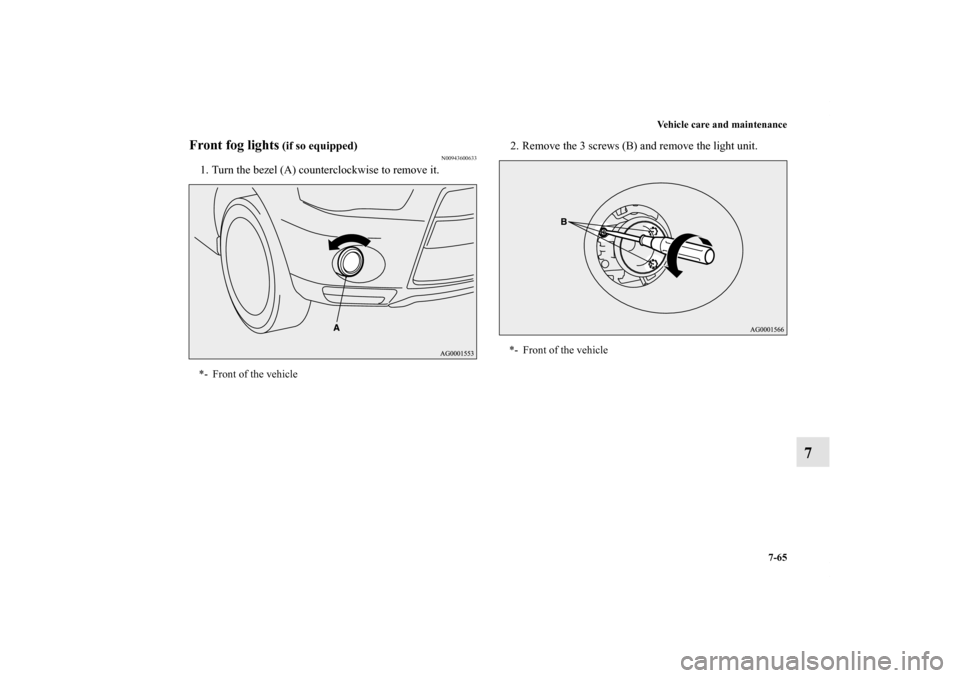
1. Turn the bezel (A) counterclockwise to remove it.2. Remove the 3 screws (B) and remove the light unit.*- Front of the vehicle
*- Front of the vehicle
BK0122500US.book 65 ページ 2010年5月12日 水曜日 午前11時11分
Page 664 of 714
Vehicle care and maintenance
7-67
7
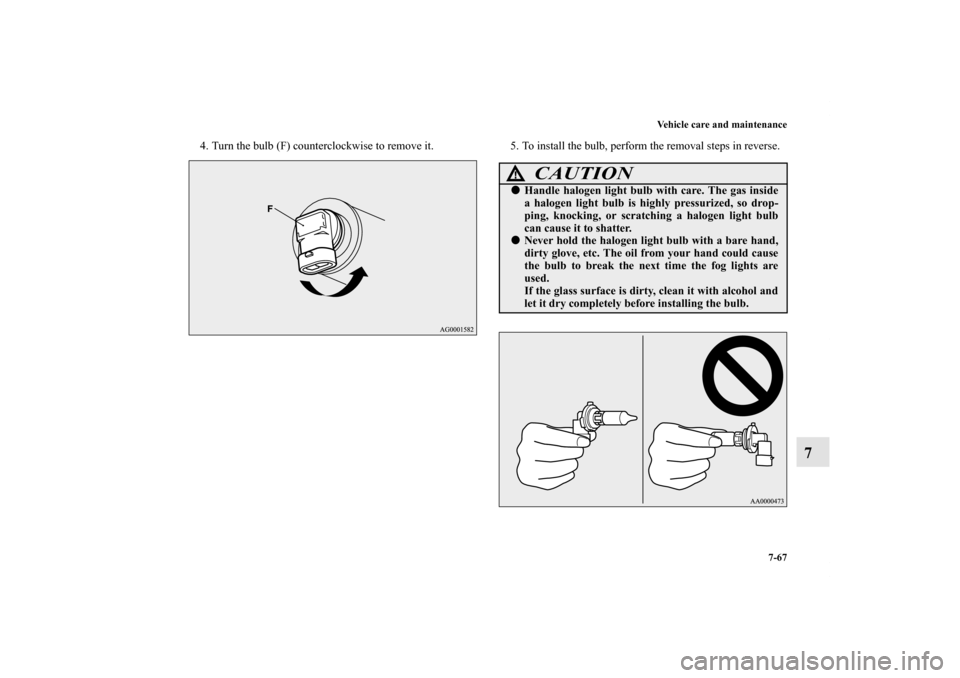
4. Turn the bulb (F) counterclockwise to remove it. 5. To install the bulb, perform the removal steps in reverse.
CAUTION
!�Handle halogen light bulb with care. The gas inside
a halogen light bulb is highly pressurized, so drop-
ping, knocking, or scratching a halogen light bulb
can cause it to shatter.�Never hold the halogen light bulb with a bare hand,
dirty glove, etc. The oil from your hand could cause
the bulb to break the next time the fog lights are
used.
If the glass surface is dirty, clean it with alcohol and
let it dry completely before installing the bulb.
BK0122500US.book 67 ページ 2010年5月12日 水曜日 午前11時11分
Page 665 of 714
7-68 Vehicle care and maintenance
7
Rear combination lights
N00943700432
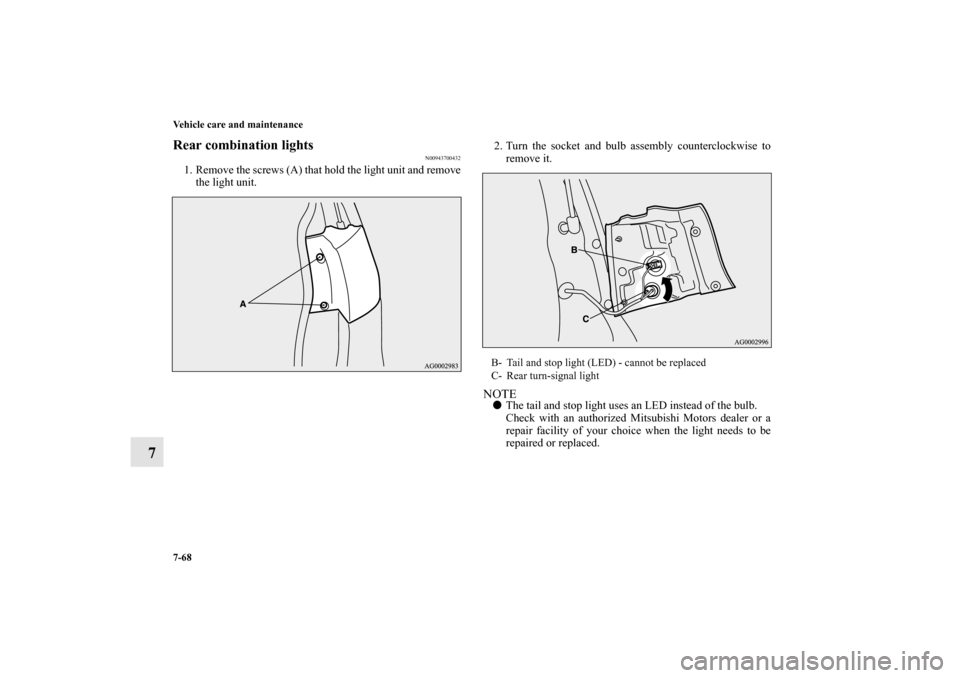
1. Remove the screws (A) that hold the light unit and remove
the light unit.2. Turn the socket and bulb assembly counterclockwise to
remove it.
NOTE�The tail and stop light uses an LED instead of the bulb.
Check with an authorized Mitsubishi Motors dealer or a
repair facility of your choice when the light needs to be
repaired or replaced.B- Tail and stop light (LED) - cannot be replaced
C- Rear turn-signal light
BK0122500US.book 68 ページ 2010年5月12日 水曜日 午前11時11分
Page 667 of 714
7-70 Vehicle care and maintenance
7
Back-up lights
N00929100041
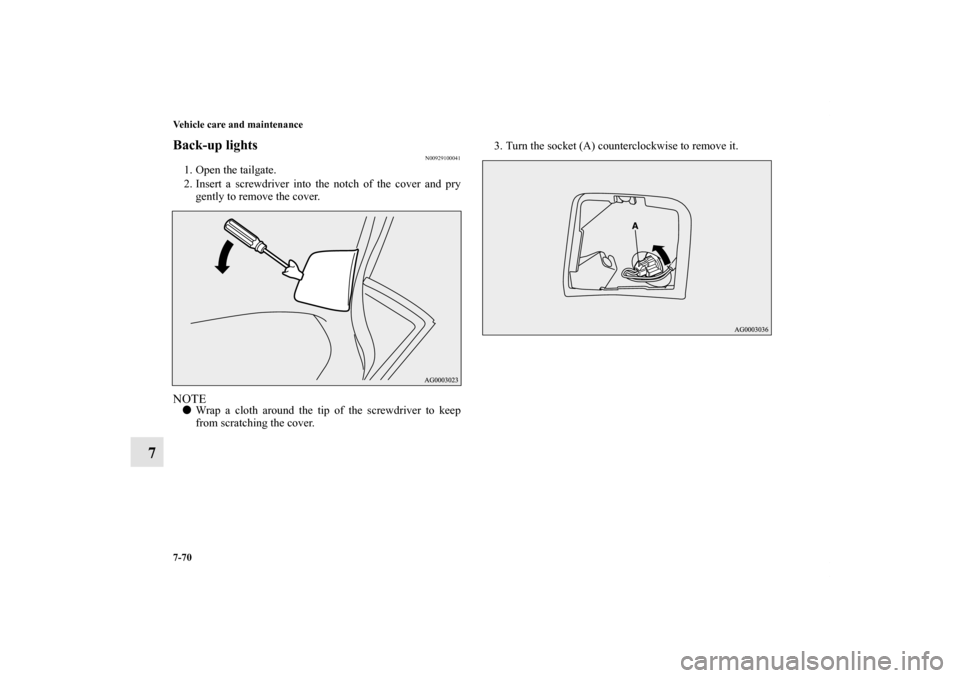
1. Open the tailgate.
2. Insert a screwdriver into the notch of the cover and pry
gently to remove the cover.NOTE�Wrap a cloth around the tip of the screwdriver to keep
from scratching the cover.3. Turn the socket (A) counterclockwise to remove it.
BK0122500US.book 70 ページ 2010年5月12日 水曜日 午前11時11分
Page 668 of 714
Vehicle care and maintenance
7-71
7
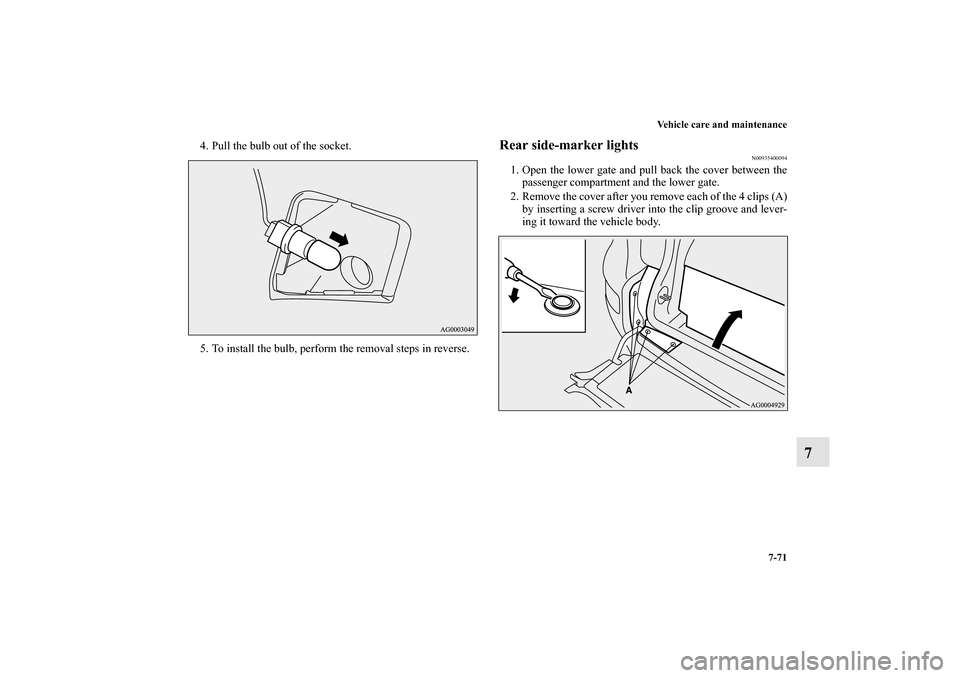
4. Pull the bulb out of the socket.
5. To install the bulb, perform the removal steps in reverse.
Rear side-marker lights
N00935400094
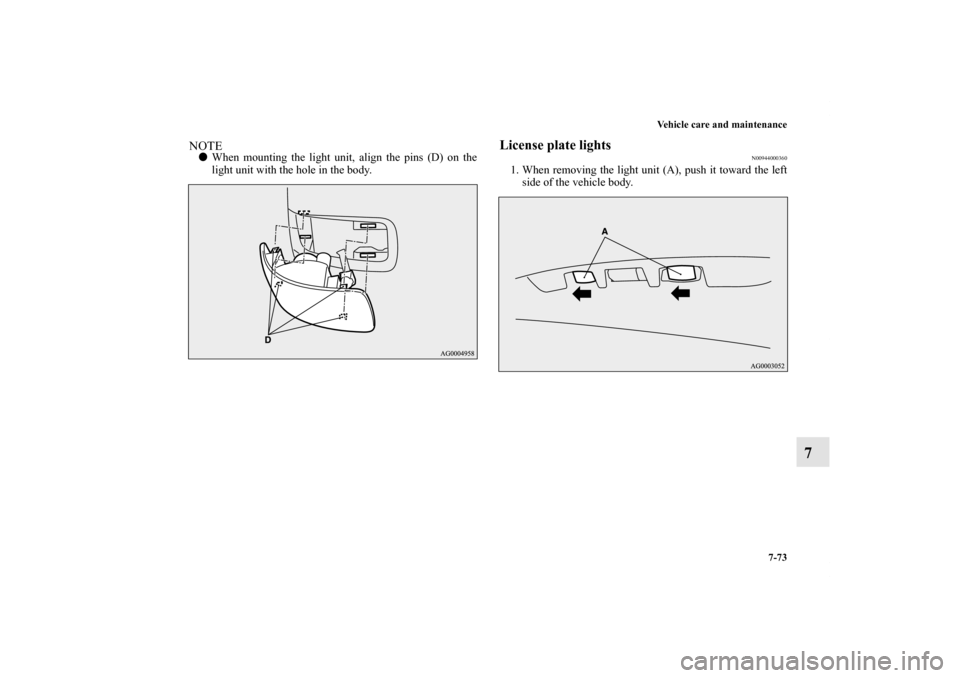
1. Open the lower gate and pull back the cover between the
passenger compartment and the lower gate.
2. Remove the cover after you remove each of the 4 clips (A)
by inserting a screw driver into the clip groove and lever-
ing it toward the vehicle body.
BK0122500US.book 71 ページ 2010年5月12日 水曜日 午前11時11分
Page 670 of 714
Vehicle care and maintenance
7-73
7
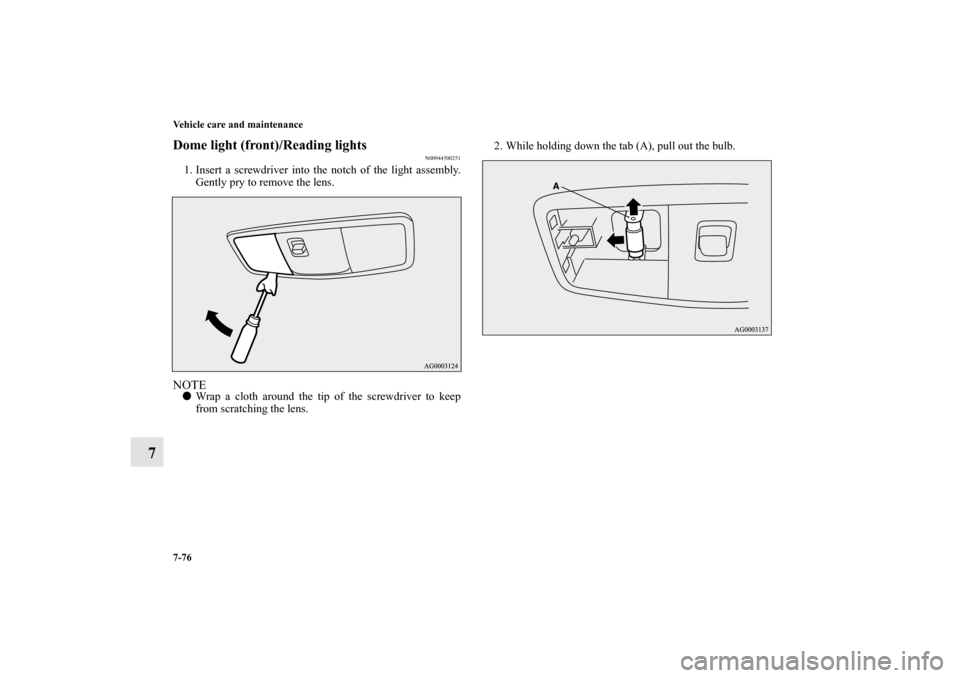
NOTE�When mounting the light unit, align the pins (D) on the
light unit with the hole in the body.
License plate lights
N00944000360
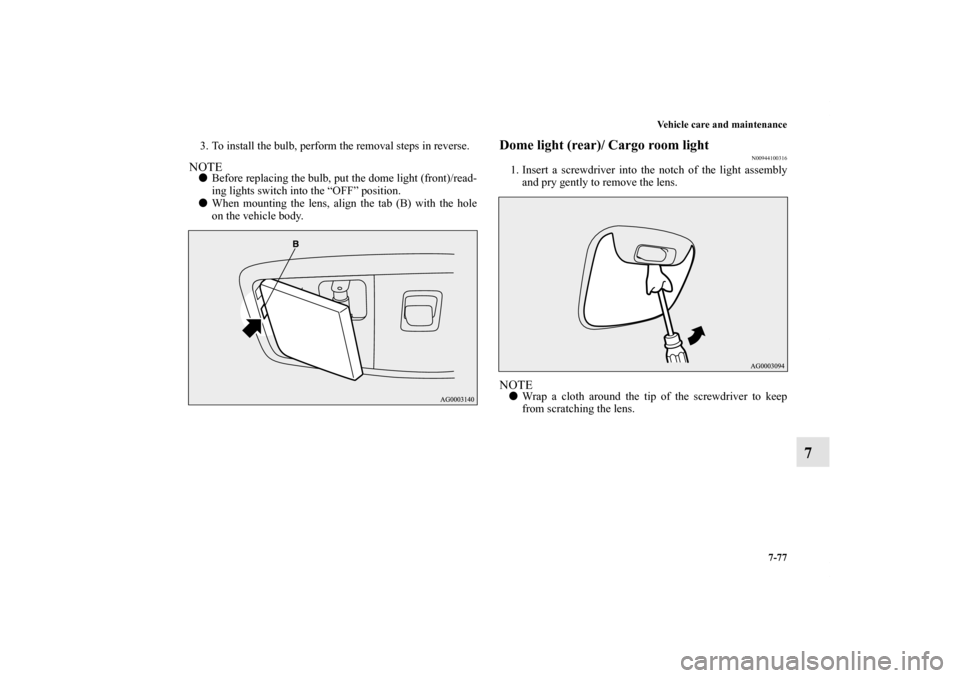
1. When removing the light unit (A), push it toward the left
side of the vehicle body.
BK0122500US.book 73 ページ 2010年5月12日 水曜日 午前11時11分
Page 673 of 714
7-76 Vehicle care and maintenance
7
Dome light (front)/Reading lights
N00944500251
1. Insert a screwdriver into the notch of the light assembly.
Gently pry to remove the lens.NOTE�Wrap a cloth around the tip of the screwdriver to keep
from scratching the lens.2. While holding down the tab (A), pull out the bulb.
BK0122500US.book 76 ページ 2010年5月12日 水曜日 午前11時11分
Page 674 of 714
Vehicle care and maintenance
7-77
7
3. To install the bulb, perform the removal steps in reverse.NOTE�Before replacing the bulb, put the dome light (front)/read-
ing lights switch into the “OFF” position.
�When mounting the lens, align the tab (B) with the hole
on the vehicle body.
Dome light (rear)/ Cargo room light
N00944100316
1. Insert a screwdriver into the notch of the light assembly
and pry gently to remove the lens.NOTE�Wrap a cloth around the tip of the screwdriver to keep
from scratching the lens.
BK0122500US.book 77 ページ 2010年5月12日 水曜日 午前11時11分