Page 544 of 714
Comfort controls
5-117
5
To play tracks in random order (if supported by the
device)
N00766000010
Press the RDM button (6) to show “RDM” in the display.
The system randomly selects and plays tracks from all tracks in
the Bluetooth
® device.
To exit this mode, press the button again.
To find the start of each track for playback (if supported
by the device)
N00766100011
Press the SCAN button (9). “SCAN” is shown in the display
and all tracks in the Bluetooth
® device are played for approxi-
mately 10 seconds from the beginning.
To exit this mode, press the button again.
To switch the display (if supported by the device)
N00766200012
The system can display tag information.
1. Press and hold the DISP button (4) until you hear a beep
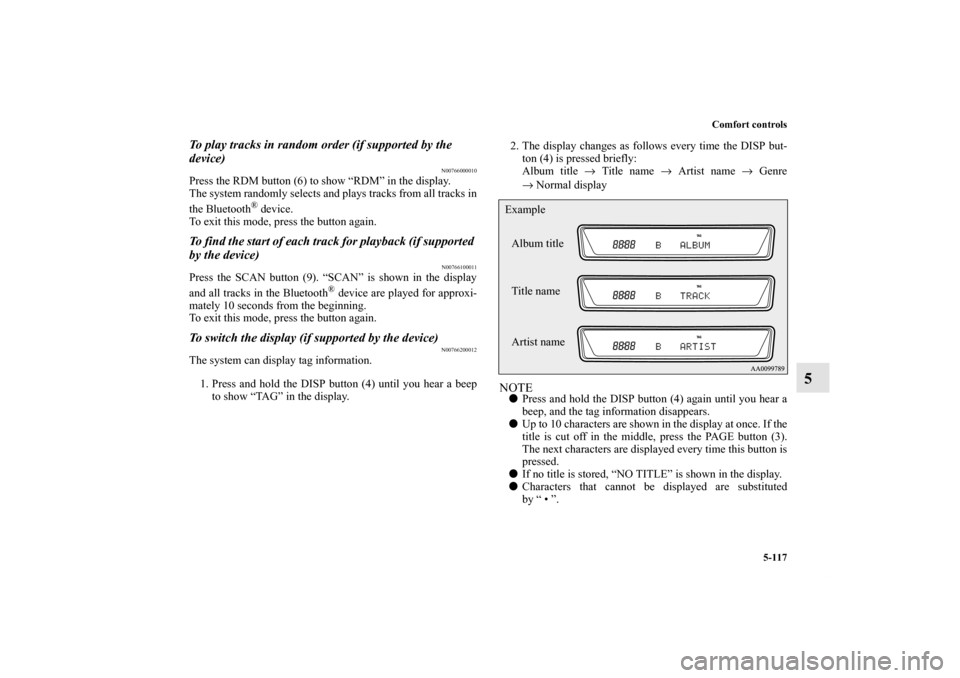
to show “TAG” in the display.2. The display changes as follows every time the DISP but-
ton (4) is pressed briefly:
Album title → Title name → Artist name → Genre
→Normal display
NOTE�Press and hold the DISP button (4) again until you hear a
beep, and the tag information disappears.
�Up to 10 characters are shown in the display at once. If the
title is cut off in the middle, press the PAGE button (3).
The next characters are displayed every time this button is
pressed.
�If no title is stored, “NO TITLE” is shown in the display.
�Characters that cannot be displayed are substituted
by “ • ”.Album title
Title name Example
Artist name
BK0122500US.book 117 ページ 2010年5月12日 水曜日 午前11時11分
Page 554 of 714
Comfort controls
5-127
5 Error codes (iPod)
N00766300013
If an error code (1) appears in the display, take action in accordance with the table below.
Error display
Item
Repair
NO SONG There are no playable music files. Record music files in the iPod.
VER ERROR (Blink) The iPod or its software cannot be recognized. Connect a supported iPod.
USB BUS PWR (Blink)An overcurrent or other power-supply error has
occurred.Remove the iPod.
Have the vehicle inspected at an authorized Mitsubishi
Motors dealer or a repair facility of your choice.
BK0122500US.book 127 ページ 2010年5月12日 水曜日 午前11時11分
Page 556 of 714
Comfort controls
5-129
5 Error codes (USB memory device)
N00766400014
If an error code (1) appears in the display, take action in accordance with the table below.
Error display
Item
Repair
U NO SONG There are no playable music files. Record music files in the format supported by the
USB memory device.
U FILE ERROR (Blink) The file cannot be played. The file is protected by copyrights, etc. An error is
displayed for several seconds, and then the next
playable file is played automatically.
UNSUPPORTED DEVICE (Blink)The USB memory device cannot be recog-
nized. Remove the USB memory device.
UNSUPPORTED FORMAT (Blink)The USB memory device format cannot be
recognized. Remove the USB memory device.
BK0122500US.book 129 ページ 2010年5月12日 水曜日 午前11時11分