Page 531 of 706
5-122 Comfort controls
5
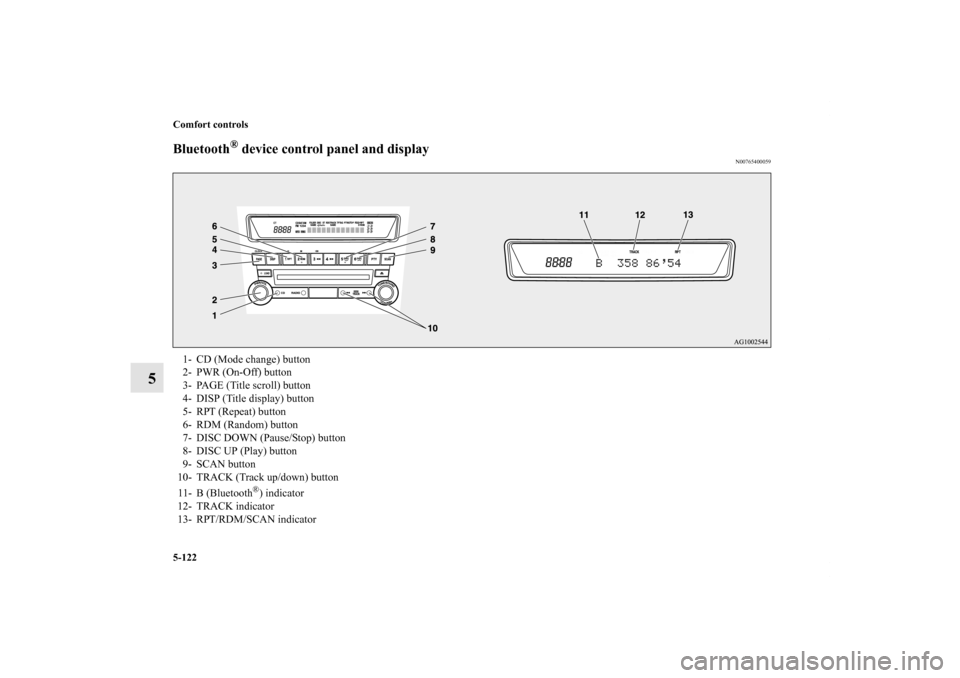
Bluetooth
® device control panel and display
N00765400059
1- CD (Mode change) button
2- PWR (On-Off) button
3- PAGE (Title scroll) button
4- DISP (Title display) button
5- RPT (Repeat) button
6- RDM (Random) button
7- DISC DOWN (Pause/Stop) button
8- DISC UP (Play) button
9- SCAN button
10- TRACK (Track up/down) button
11- B (Bluetooth
®) indicator
12- TRACK indicator
13- RPT/RDM/SCAN indicator
BK0125300US.book 122 ページ 2010年5月18日 火曜日 午後1時53分
Page 532 of 706
Comfort controls
5-123
5
To listen to tracks from a device connected via
Bluetooth
®
N00765500063
1. Press the PWR button (2) to turn on the audio system. The
system turns on in the last mode used.
2. Press the CD button (1) several times to switch to the
B(Bluetooth
®) mode. The input mode changes as follows
every time the CD button is pressed.
CD mode → USB (iPod) mode → Bluetooth
® mode
NOTE�For vehicles equipped with audio/video input RCA termi-
nals, pressing and holding the CD button for 2 seconds or
more switches the system to the AUX mode.
3. Connect your Bluetooth
® device.
Refer to “Connecting the Bluetooth
® 2.0 interface and
Bluetooth
® device” on page 3-251.
4. Playback starts automatically.
NOTE�Depending on the connected device, the playback may not
start automatically.
In this case, operate the connected device to start the play-
back.To stop the playback (if supported by the device)
N00765600019
To stop the playback, press the DISC DOWN button (7).
To restart the playback, press the DISC UP button (8).
To pause the playback (if supported by the device)
N00765700010
To pause the playback, press the DISC DOWN button (7).
To restart the playback, press the DISC UP button (8).To select a track (if supported by the device)
N00765800011
Press the TRACK button (10) to select the desired track num-
ber.
If the side of the button is pressed once while a track is
playing, playback returns to the start of that track.NOTE�Every time the track selection button is pressed, the track
number in the display changes.To play the same track repeatedly (if supported by the
device)
N00765900012
Press the RPT button (5) during playback to show “RPT” in the
display.
To exit this mode, press the button again.Press : The track number increases by one.
Press : The track number decreases by one.
Press for a long
period (approx. 2
seconds or more): The track number increases continu-
ously while the button is pressed.
Press for a long
period (approx. 2
seconds or more): The track number decreases continu-
ously while the button is pressed.
BK0125300US.book 123 ページ 2010年5月18日 火曜日 午後1時53分
Page 533 of 706
5-124 Comfort controls
5
To play tracks in random order (if supported by the
device)
N00766000010
Press the RDM button (6) to show “RDM” in the display.
The system randomly selects and plays tracks from all tracks in
the Bluetooth
® device.
To exit this mode, press the button again.
To find the start of each track for playback (if supported
by the device)
N00766100011
Press the SCAN button (9). “SCAN” is shown in the display
and all tracks in the Bluetooth
® device are played for approxi-
mately 10 seconds from the beginning.
To exit this mode, press the button again.
To switch the display (if supported by the device)
N00766200012
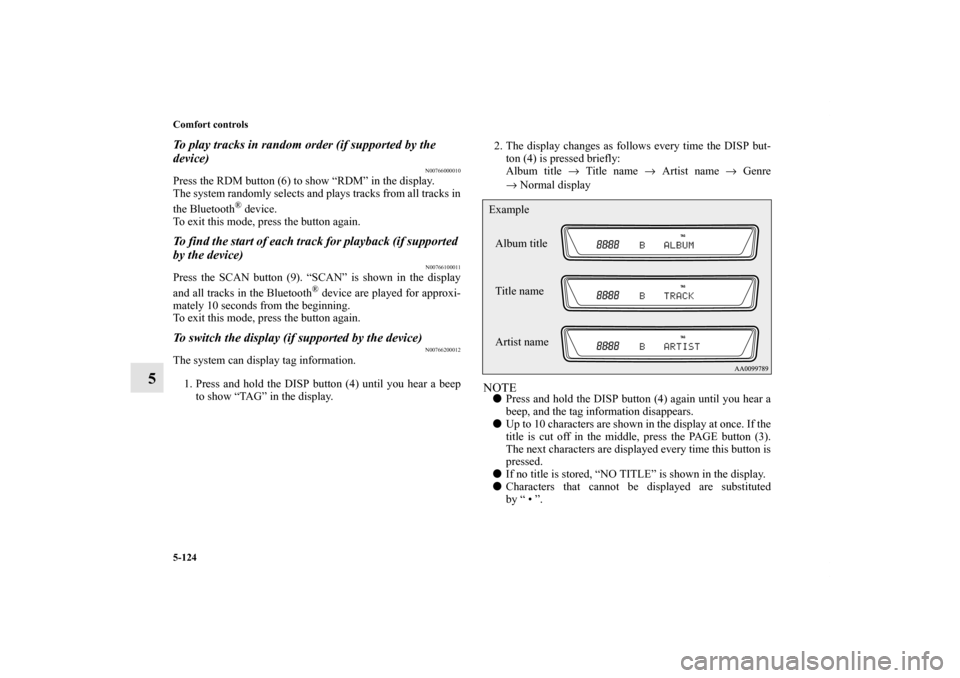
The system can display tag information.
1. Press and hold the DISP button (4) until you hear a beep
to show “TAG” in the display.2. The display changes as follows every time the DISP but-
ton (4) is pressed briefly:
Album title → Title name → Artist name → Genre
→Normal display
NOTE�Press and hold the DISP button (4) again until you hear a
beep, and the tag information disappears.
�Up to 10 characters are shown in the display at once. If the
title is cut off in the middle, press the PAGE button (3).
The next characters are displayed every time this button is
pressed.
�If no title is stored, “NO TITLE” is shown in the display.
�Characters that cannot be displayed are substituted
by “ • ”.Album title
Title name Example
Artist name
BK0125300US.book 124 ページ 2010年5月18日 火曜日 午後1時53分
Page 537 of 706
5-128 Comfort controls
5
Vo l u m e c o n t r o lVolume up button - 1While the button is pressed, the volume will continue to
increase.Volume down button - 2While the button is pressed, the volume will continue to
decrease.Mode selectionPress the mode selector button (3) to select the desired mode.
The mode changes in the following order.
AM → FM1 → FM2 → (SAT1 → SAT2 → SAT3 → SAT4) →
CD → USB or iPod* → Bluetooth
®* → AM
*: If you connect these devices.
To listen to the radioPress the mode selector button (3) and select AM or FM mode.Automatic tuningSeek up button - 4 / Seek down button - 5
After pressing one of these buttons, a receivable station will be
automatically selected and reception of the station will begin.Channel selection / Category selection (Vehicles with
satellite radio)Seek up button - 4 / Seek down button - 5
Press the button to select the desired channel.
Pressing down the button for 2 seconds or longer will change
the system to category selection mode. While the button ispressed, the category will change in order. When you reach the
desired category, release the button.
To listen to a CDPress the mode selector button (3) and select CD mode.To fast forward/reverse the disc (music CDs only)To fast forward or fast reverse the disc, press the fast-forward
button (4) or the fast-reverse button (5).
Fast forward
You can fast forward the disc by holding down the fast-forward
button (4). While the button is kept pressed, the disc will be
fast-forwarded.
Fast reverse
You can fast reverse the disc by holding down the fast-reverse
button (5). While the button is kept pressed, the disc will be
fast-reversed.NOTE�With an MP3 CD, you can fast forward and fast reverse
tracks in the same folder.
BK0125300US.book 128 ページ 2010年5月18日 火曜日 午後1時53分
Page 698 of 706
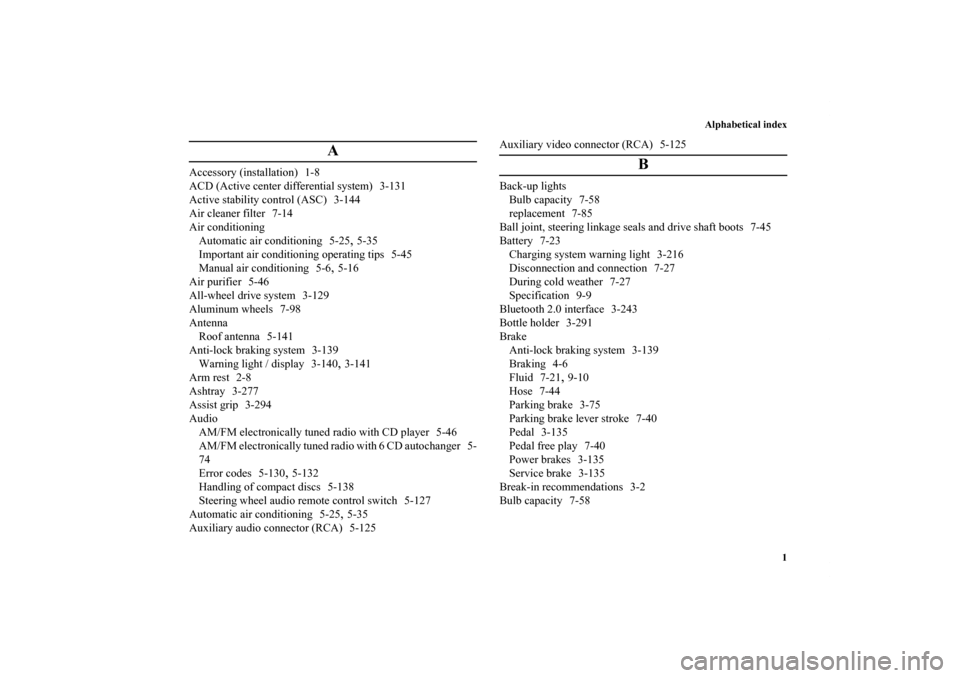
Alphabetical index
1
A
Accessory (installation) 1-8
ACD (Active center differential system) 3-131
Active stability control (ASC) 3-144
Air cleaner filter 7-14
Air conditioning
Automatic air conditioning 5-25
,5-35
Important air conditioning operating tips 5-45
Manual air conditioning 5-6
,5-16
Air purifier 5-46
All-wheel drive system 3-129
Aluminum wheels 7-98
Antenna
Roof antenna 5-141
Anti-lock braking system 3-139
Warning light / display 3-140,3-141
Arm rest 2-8
Ashtray 3-277
Assist grip 3-294
Audio
AM/FM electronically tuned radio with CD player 5-46
AM/FM electronically tuned radio with 6 CD autochanger 5-
74
Error codes 5-130
,5-132
Handling of compact discs 5-138
Steering wheel audio remote control switch 5-127
Automatic air conditioning 5-25
,5-35
Auxiliary audio connector (RCA) 5-125Auxiliary video connector (RCA) 5-125
B
Back-up lights
Bulb capacity 7-58
replacement 7-85
Ball joint, steering linkage seals and drive shaft boots 7-45
Battery 7-23
Charging system warning light 3-216
Disconnection and connection 7-27
During cold weather 7-27
Specification 9-9
Bluetooth 2.0 interface 3-243
Bottle holder 3-291
Brake
Anti-lock braking system 3-139
Braking 4-6
Fluid 7-21
,9-10
Hose 7-44
Parking brake 3-75
Parking brake lever stroke 7-40
Pedal 3-135
Pedal free play 7-40
Power brakes 3-135
Service brake 3-135
Break-in recommendations 3-2
Bulb capacity 7-58
BK0125300US.book 1 ページ 2010年5月18日 火曜日 午後1時53分