Page 213 of 706
3-118 Features and controls
3
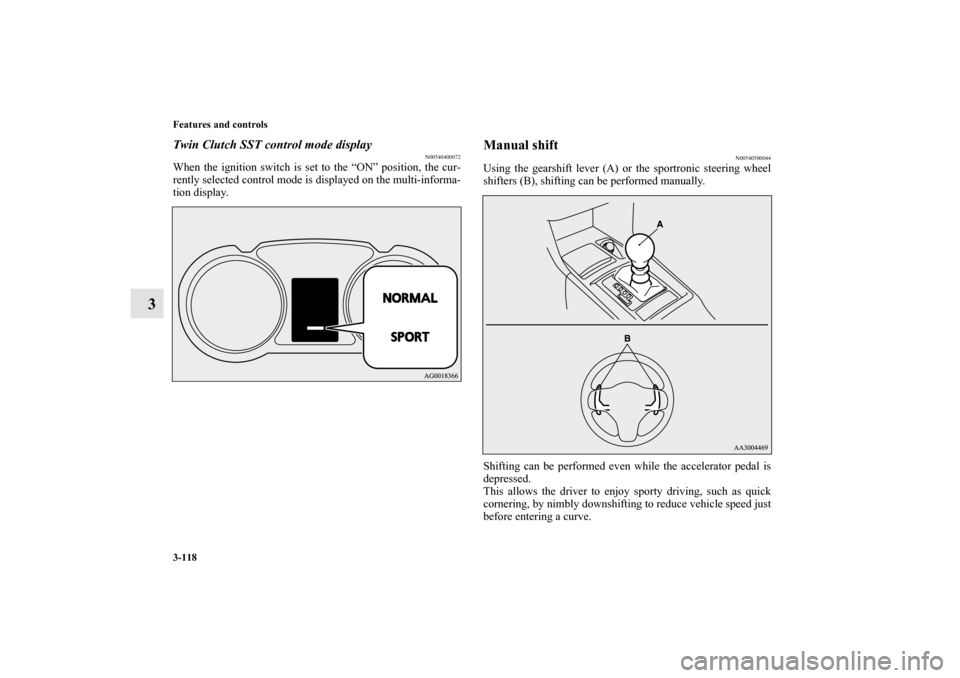
Twin Clutch SST control mode display
N00540400072
When the ignition switch is set to the “ON” position, the cur-
rently selected control mode is displayed on the multi-informa-
tion display.
Manual shift
N00540500044
Using the gearshift lever (A) or the sportronic steering wheel
shifters (B), shifting can be performed manually.
Shifting can be performed even while the accelerator pedal is
depressed.
This allows the driver to enjoy sporty driving, such as quick
cornering, by nimbly downshifting to reduce vehicle speed just
before entering a curve.
BK0125300US.book 118 ページ 2010年5月18日 火曜日 午後1時53分
Page 227 of 706
3-132 Features and controls
3
ACD control mode
N00545400035
Select the control mode from the following three types to suit
the driving conditions.
ACD control mode switch
N00545500036
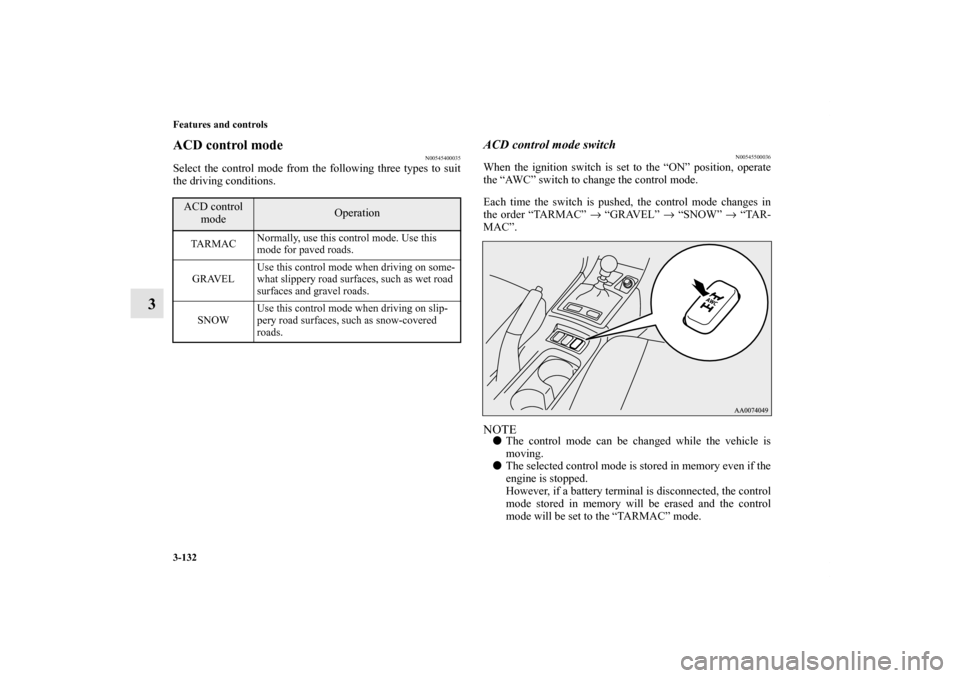
When the ignition switch is set to the “ON” position, operate
the “AWC” switch to change the control mode.
Each time the switch is pushed, the control mode changes in
the order “TARMAC” → “GRAVEL” → “SNOW” → “TAR-
MAC”.NOTE�The control mode can be changed while the vehicle is
moving.
�The selected control mode is stored in memory even if the
engine is stopped.
However, if a battery terminal is disconnected, the control
mode stored in memory will be erased and the control
mode will be set to the “TARMAC” mode.
ACD control
mode
Operation
TA R M A CNormally, use this control mode. Use this
mode for paved roads.
GRAVELUse this control mode when driving on some-
what slippery road surfaces, such as wet road
surfaces and gravel roads.
SNOWUse this control mode when driving on slip-
pery road surfaces, such as snow-covered
roads.
BK0125300US.book 132 ページ 2010年5月18日 火曜日 午後1時53分
Page 231 of 706
3-136 Features and controls
3
Brake pad wear alarm
N00532500087
The disc brakes have an alarm that makes a metallic squeal
when the brake pads have worn down enough to need service.
If you hear this sound, have the brake pads replaced at an
authorized Mitsubishi Motors dealer or a repair facility of your
choice.
Hill start assist (for vehicles equipped with
Twin Clutch SST)
N00562600061
The hill start assist makes it easy to start off on a steep uphill
slope by preventing the vehicle from moving backwards. It
keeps the braking force for about 2 seconds when you move
your foot from the brake pedal to the accelerator pedal.
WA R N I N G
!�Driving with worn brake pads will make it harder to
stop, and can cause an accident.
CAUTION
!�Do not overly rely on the hill start assist to prevent
backwards movement of the vehicle. Under certain
circumstances, even when hill start assist is acti-
vated, the vehicle may move backwards if the brake
pedal is not sufficiently depressed, if the vehicle is
heavily loaded, or if the road is very steep or slip-
pery.�The hill start assist is not designed to keep the vehi-
cle stopped in place on uphill slopes for more than 2
seconds.�When facing uphill, do not rely on using the hill
start assist to maintain a stopped position as an
alternative to depressing the brake pedal.
Doing so could cause an accident.�Do not turn the ignition switch to the “LOCK” or
“ACC” position while the hill start assist is operat-
ing. The hill start assist could stop operating, which
could result in an accident.
BK0125300US.book 136 ページ 2010年5月18日 火曜日 午後1時53分
Page 235 of 706
3-140 Features and controls
3
Anti-lock braking system warning light/display
N00531600616
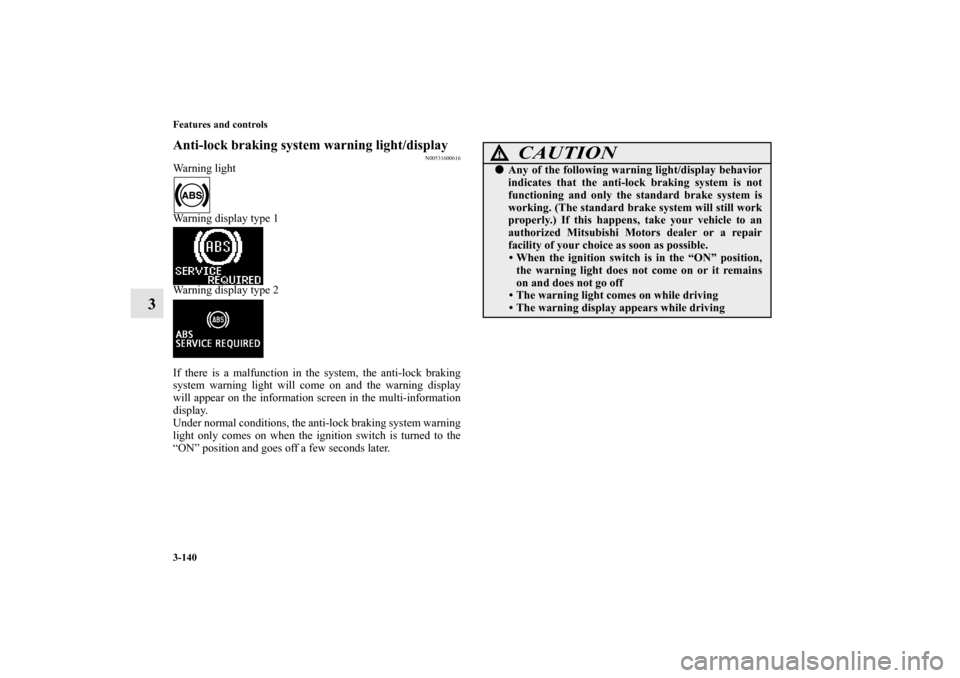
Warning light
Warning display type 1
Warning display type 2
If there is a malfunction in the system, the anti-lock braking
system warning light will come on and the warning display
will appear on the information screen in the multi-information
display.
Under normal conditions, the anti-lock braking system warning
light only comes on when the ignition switch is turned to the
“ON” position and goes off a few seconds later.
CAUTION
!�Any of the following warning light/display behavior
indicates that the anti-lock braking system is not
functioning and only the standard brake system is
working. (The standard brake system will still work
properly.) If this happens, take your vehicle to an
authorized Mitsubishi Motors dealer or a repair
facility of your choice as soon as possible.
• When the ignition switch is in the “ON” position,
the warning light does not come on or it remains
on and does not go off
• The warning light comes on while driving
• The warning display appears while driving
BK0125300US.book 140 ページ 2010年5月18日 火曜日 午後1時53分
Page 240 of 706
Features and controls
3-145
3
NOTE�An operation noise may be emitted from the engine com-
partment in the following situations. The sound is associ-
ated with checking the operations of the ASC. At this
time, you may feel a shock from the brake pedal if you
depress it. These do not indicate a malfunction.
• When the ignition switch is set to the “ON” position.
• When the vehicle is driven for a while after the engine is
turned on.
�When the ASC is activated, you may feel a vibration in
the vehicle body or hear a whining sound from the engine
compartment.
This indicates that the system is operating normally. It
does not indicate a malfunction.
�When the anti-lock braking system warning light is illu-
minated, the ASC is not active.
Traction control function
N00559200047
On slippery surfaces, the traction control function prevents the
drive wheels from spinning excessive, thus helping the vehicle
to start moving from a stopped condition. It also provides suffi-
cient driving force and steering performance as the vehicle
turns while pressing the acceleration pedal.Skid control function
N00546800023
The skid control function is designed to help the driver main-
tain control of the vehicle on slippery roads or during rapid
steering maneuvers. It works by controlling the engine output
and the brake on each wheel.NOTE�The skid control function operates at speeds of about 9
mph (15 km/h) or higher.
CAUTION
!�When driving a vehicle on a snowy or icy road, be
sure to install snow tires and drive the vehicle at
moderate speeds.
BK0125300US.book 145 ページ 2010年5月18日 火曜日 午後1時53分
Page 241 of 706
3-146 Features and controls
3
“ASC OFF” switch
N00559400212
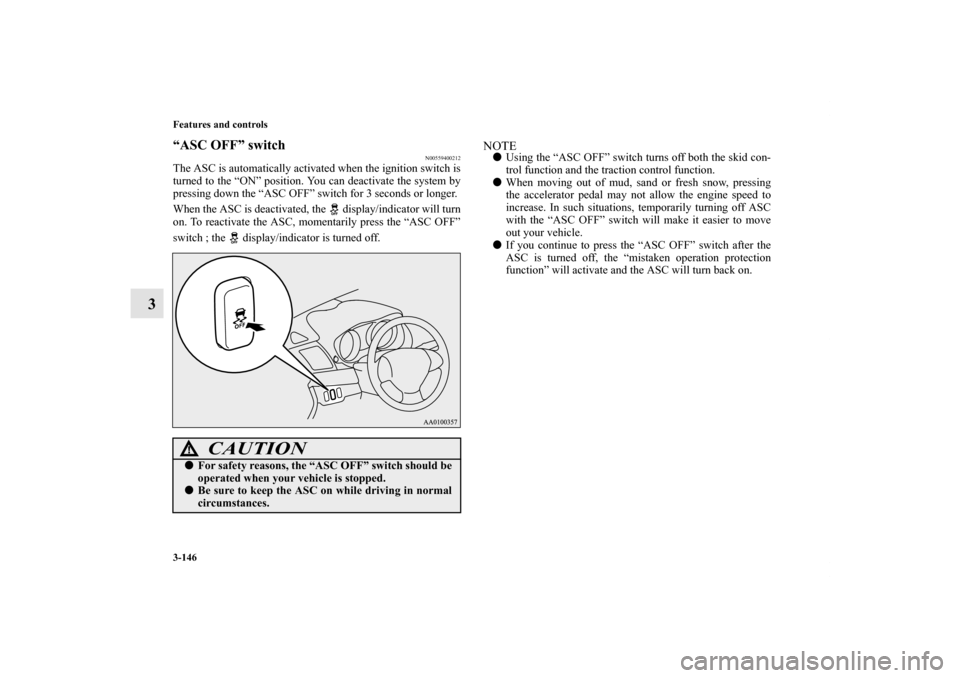
The ASC is automatically activated when the ignition switch is
turned to the “ON” position. You can deactivate the system by
pressing down the “ASC OFF” switch for 3 seconds or longer.
When the ASC is deactivated, the display/indicator will turn
on. To reactivate the ASC, momentarily press the “ASC OFF”
switch ; the display/indicator is turned off.
NOTE�Using the “ASC OFF” switch turns off both the skid con-
trol function and the traction control function.
�When moving out of mud, sand or fresh snow, pressing
the accelerator pedal may not allow the engine speed to
increase. In such situations, temporarily turning off ASC
with the “ASC OFF” switch will make it easier to move
out your vehicle.
�If you continue to press the “ASC OFF” switch after the
ASC is turned off, the “mistaken operation protection
function” will activate and the ASC will turn back on.
CAUTION
!�For safety reasons, the “ASC OFF” switch should be
operated when your vehicle is stopped.�Be sure to keep the ASC on while driving in normal
circumstances.
BK0125300US.book 146 ページ 2010年5月18日 火曜日 午後1時53分
Page 243 of 706
3-148 Features and controls
3
ASC warning display
N00546600106
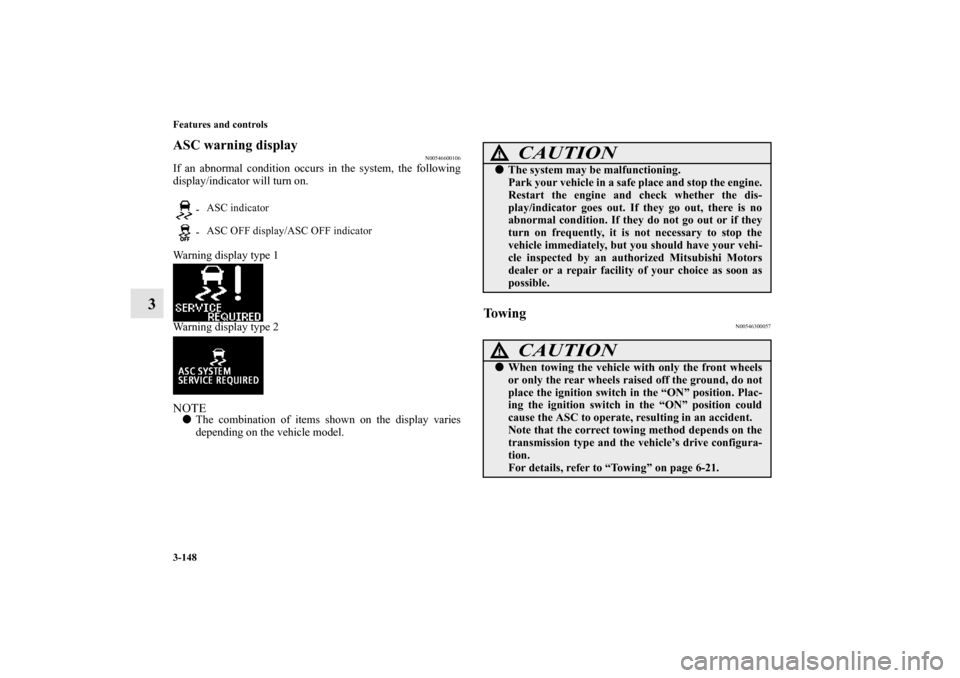
If an abnormal condition occurs in the system, the following
display/indicator will turn on.
Warning display type 1
Warning display type 2 NOTE�The combination of items shown on the display varies
depending on the vehicle model.
To w i n g
N00546300057
-ASC indicator
-ASC OFF display/ASC OFF indicator
CAUTION
!�The system may be malfunctioning.
Park your vehicle in a safe place and stop the engine.
Restart the engine and check whether the dis-
play/indicator goes out. If they go out, there is no
abnormal condition. If they do not go out or if they
turn on frequently, it is not necessary to stop the
vehicle immediately, but you should have your vehi-
cle inspected by an authorized Mitsubishi Motors
dealer or a repair facility of your choice as soon as
possible.
CAUTION
!�When towing the vehicle with only the front wheels
or only the rear wheels raised off the ground, do not
place the ignition switch in the “ON” position. Plac-
ing the ignition switch in the “ON” position could
cause the ASC to operate, resulting in an accident.
Note that the correct towing method depends on the
transmission type and the vehicle’s drive configura-
tion.
For details, refer to “Towing” on page 6-21.
BK0125300US.book 148 ページ 2010年5月18日 火曜日 午後1時53分
Page 245 of 706
3-150 Features and controls
3
A- “ON OFF” switch
Used to turn on and off the cruise control.
B- “COAST SET” switch
Used to reduce the set speed and to set the desired speed.
C- “ACC RES” switch
Used to increase the set speed and to return to the original set
speed.
D- “CANCEL” switch
Used to deactivate the set speed driving.NOTE�When operating the cruise control switches, press the
cruise control switches correctly. The set speed driving
may be deactivated automatically if two or more switches
of the cruise control are pressed at the same time.
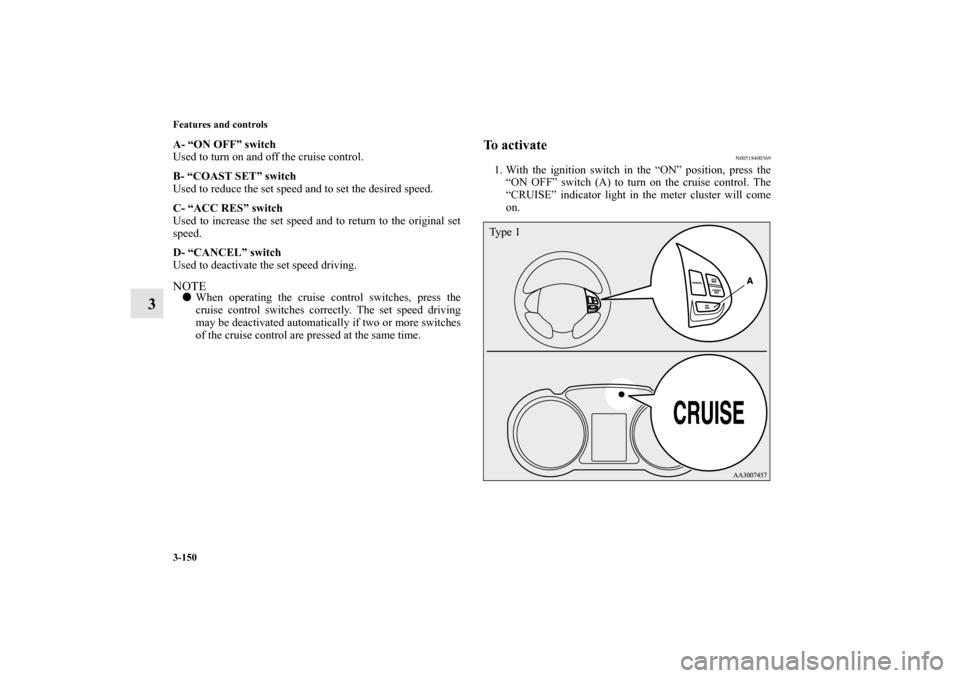
To activate
N00518400369
1. With the ignition switch in the “ON” position, press the
“ON OFF” switch (A) to turn on the cruise control. The
“CRUISE” indicator light in the meter cluster will come
on.Ty p e 1
BK0125300US.book 150 ページ 2010年5月18日 火曜日 午後1時53分