Page 203 of 514
3-114 Features and controls
3
Turn off display
N00533900059
It is possible to set the monitor to give no display.
When the display turns on again, press the “DISP” button. The
display will return to its previous display.
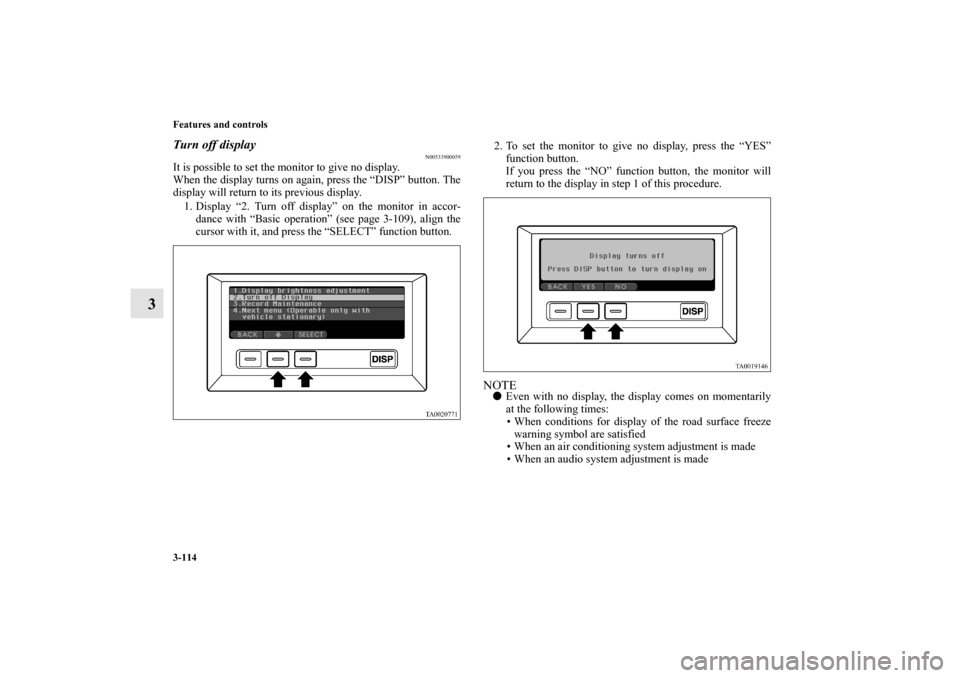
1. Display “2. Turn off display” on the monitor in accor-
dance with “Basic operation” (see page 3-109), align the
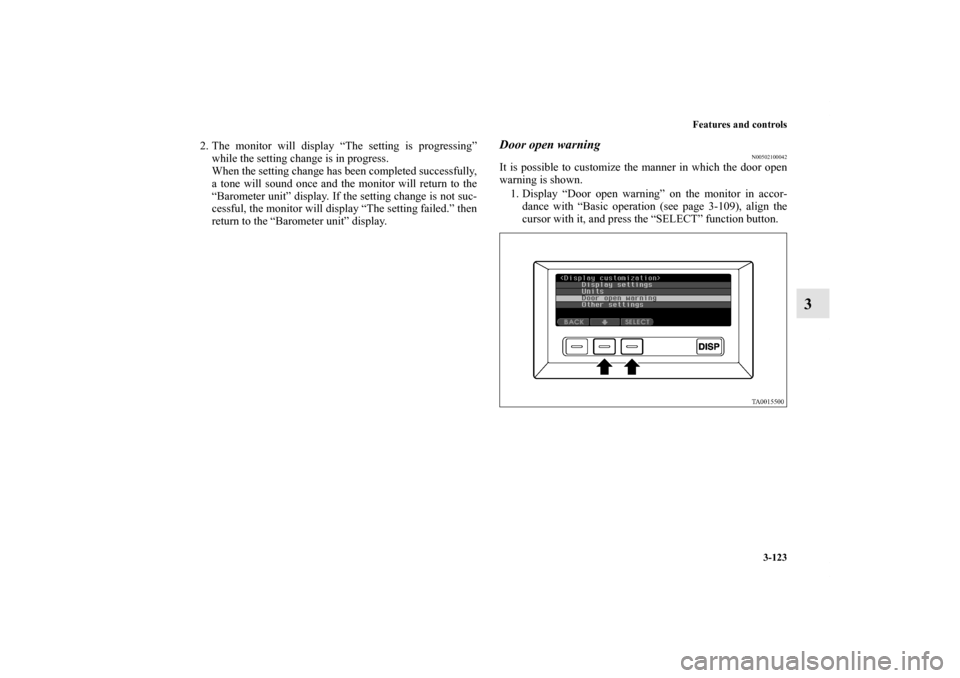
cursor with it, and press the “SELECT” function button.2. To set the monitor to give no display, press the “YES”
function button.
If you press the “NO” function button, the monitor will
return to the display in step 1 of this procedure.
NOTE�Even with no display, the display comes on momentarily
at the following times:
• When conditions for display of the road surface freeze
warning symbol are satisfied
• When an air conditioning system adjustment is made
• When an audio system adjustment is made
BK0121600US.book 114 ページ 2010年4月12日 月曜日 午前10時39分
Page 212 of 514
Features and controls
3-123
3
2. The monitor will display “The setting is progressing”
while the setting change is in progress.
When the setting change has been completed successfully,
a tone will sound once and the monitor will return to the
“Barometer unit” display. If the setting change is not suc-
cessful, the monitor will display “The setting failed.” then
return to the “Barometer unit” display.
Door open warning
N00502100042
It is possible to customize the manner in which the door open
warning is shown.
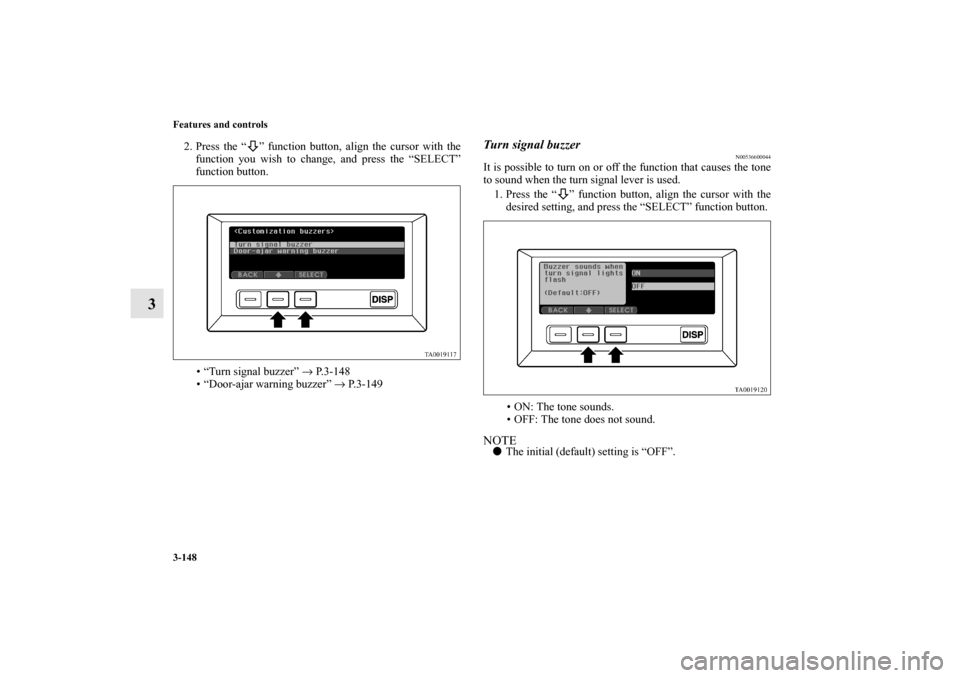
1. Display “Door open warning” on the monitor in accor-
dance with “Basic operation (see page 3-109), align the
cursor with it, and press the “SELECT” function button.
BK0121600US.book 123 ページ 2010年4月12日 月曜日 午前10時39分
Page 213 of 514
3-124 Features and controls
3
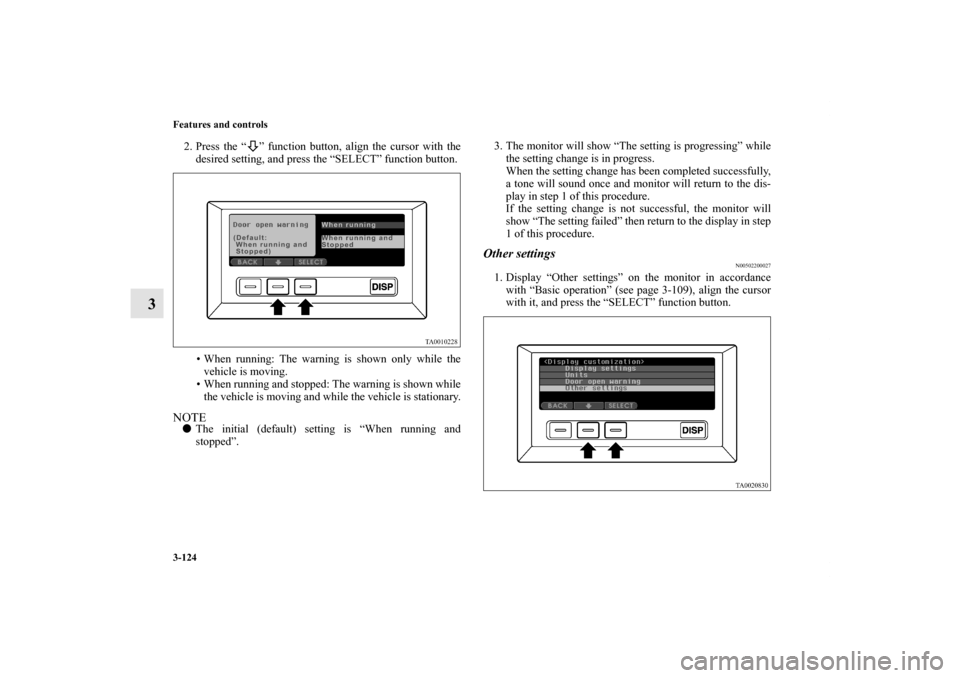
2. Press the “ ” function button, align the cursor with the
desired setting, and press the “SELECT” function button.
• When running: The warning is shown only while the
vehicle is moving.
• When running and stopped: The warning is shown while
the vehicle is moving and while the vehicle is stationary.NOTE�The initial (default) setting is “When running and
stopped”.3. The monitor will show “The setting is progressing” while
the setting change is in progress.
When the setting change has been completed successfully,
a tone will sound once and monitor will return to the dis-
play in step 1 of this procedure.
If the setting change is not successful, the monitor will
show “The setting failed” then return to the display in step
1 of this procedure.
Other settings
N00502200027
1. Display “Other settings” on the monitor in accordance
with “Basic operation” (see page 3-109), align the cursor
with it, and press the “SELECT” function button.
BK0121600US.book 124 ページ 2010年4月12日 月曜日 午前10時39分
Page 237 of 514
3-148 Features and controls
3
2. Press the “ ” function button, align the cursor with the
function you wish to change, and press the “SELECT”
function button.
• “Turn signal buzzer” → P. 3 - 1 4 8
• “Door-ajar warning buzzer” → P. 3 - 1 4 9
Turn signal buzzer
N00536600044
It is possible to turn on or off the function that causes the tone
to sound when the turn signal lever is used.
1. Press the “ ” function button, align the cursor with the
desired setting, and press the “SELECT” function button.
• ON: The tone sounds.
• OFF: The tone does not sound.NOTE�The initial (default) setting is “OFF”.
BK0121600US.book 148 ページ 2010年4月12日 月曜日 午前10時39分
Page 238 of 514
Features and controls
3-149
3
2. The monitor will show “The setting is progressing” while
the setting change is in progress.
When the setting change has been completed successfully,
a tone will sound once and the monitor will return to the
“Turn signal buzzer” display.
If the setting change is not successful, the monitor will
show “The setting failed.” then return to the “Turn signal
buzzer” display.
Door-ajar warning buzzer
N00536700090
It is possible to change the setting for the door-ajar warning
buzzer.
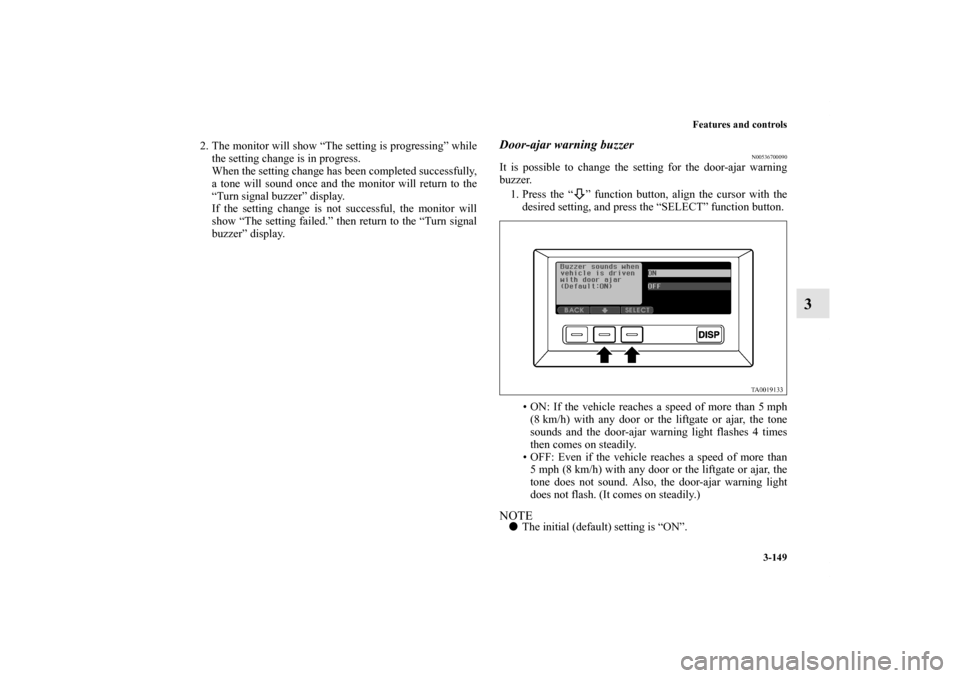
1. Press the “ ” function button, align the cursor with the
desired setting, and press the “SELECT” function button.
• ON: If the vehicle reaches a speed of more than 5 mph
(8 km/h) with any door or the liftgate or ajar, the tone
sounds and the door-ajar warning light flashes 4 times
then comes on steadily.
• OFF: Even if the vehicle reaches a speed of more than
5 mph (8 km/h) with any door or the liftgate or ajar, the
tone does not sound. Also, the door-ajar warning light
does not flash. (It comes on steadily.)NOTE�The initial (default) setting is “ON”.
BK0121600US.book 149 ページ 2010年4月12日 月曜日 午前10時39分
Page 239 of 514
3-150 Features and controls
3
2. The monitor will show “The setting is progressing” while
the setting change is in progress.
When the setting change has been completed successfully,
the tone will sound once and the monitor will return to the
“Door-ajar warning buzzer” display.
If the setting change is not successful, the monitor will
show “The setting failed.” then return to the “Door-ajar
warning buzzer” display.
Number of keyless entry registration
N00535200030
It is possible to confirm the number of registered remote con-
trol transmitters.
1. Display “Number of keyless entry registration” on the
monitor in accordance with “Basic operation” (see page 3-
109), align the cursor with it, and press the “SELECT”
function button.
BK0121600US.book 150 ページ 2010年4月12日 月曜日 午前10時39分
Page 246 of 514

Features and controls
3-157
3 Turn signal lever
N00522600027
When changing lanes, or making a gradual turn, hold the lever
in the “lane change” position (1). It will return to the neutral
position when you let go. Use the full position (2) when mak-
ing a normal turn. The lever will return to the neutral position
when the turn is complete. There may be times when the lever
does not return to the neutral position. This usually happens
when the steering wheel is turned only slightly. You can easily
return the lever by hand.
NOTE�A light in the instrument panel flashes to show when the
front and rear turn signal lights are working properly.
If this light flashes faster than usual, check for a burned
out lamp bulb or malfunctioning connection.
If the panel light does not come on when the lever is
moved, check for a blown fuse or a burned out bulb in the
panel.
Have the vehicle inspected by an authorized Mitsubishi
dealer or a repair facility of your choice.
�In a vehicle with a multi center display, the multi center
display can be used to select whether the tone will sound
or not sound when the hazard warning flashers are acti-
vated. For details, refer to “Setting and customization” on
page 3-108.
BK0121600US.book 157 ページ 2010年4月12日 月曜日 午前10時39分
Page 247 of 514
3-158 Features and controls
3Hazard warning flasher switch
N00522700161
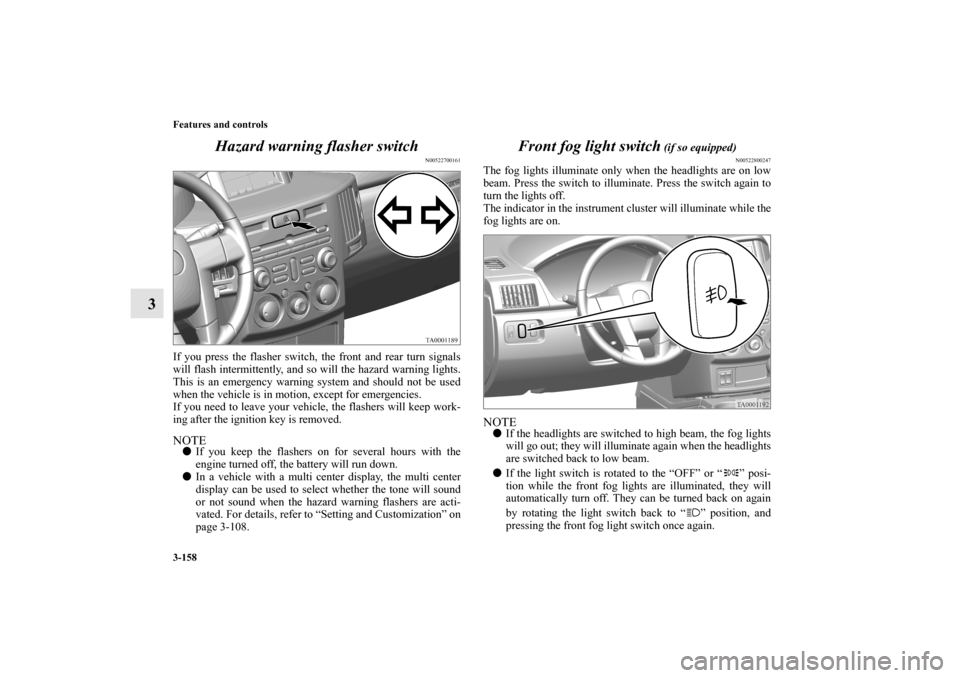
If you press the flasher switch, the front and rear turn signals
will flash intermittently, and so will the hazard warning lights.
This is an emergency warning system and should not be used
when the vehicle is in motion, except for emergencies.
If you need to leave your vehicle, the flashers will keep work-
ing after the ignition key is removed. NOTE�If you keep the flashers on for several hours with the
engine turned off, the battery will run down.
�In a vehicle with a multi center display, the multi center
display can be used to select whether the tone will sound
or not sound when the hazard warning flashers are acti-
vated. For details, refer to “Setting and Customization” on
page 3-108.
Front fog light switch
(if so equipped)
N00522800247
The fog lights illuminate only when the headlights are on low
beam. Press the switch to illuminate. Press the switch again to
turn the lights off.
The indicator in the instrument cluster will illuminate while the
fog lights are on.NOTE�If the headlights are switched to high beam, the fog lights
will go out; they will illuminate again when the headlights
are switched back to low beam.
�If the light switch is rotated to the “OFF” or “ ” posi-
tion while the front fog lights are illuminated, they will
automatically turn off. They can be turned back on again
by rotating the light switch back to “ ” position, and
pressing the front fog light switch once again.
BK0121600US.book 158 ページ 2010年4月12日 月曜日 午前10時39分