2011 MINI Countryman tire pressure
[x] Cancel search: tire pressurePage 146 of 196

MobilityCare
144
Care
Car-care products
Regular cleaning and care helps to maintain the
value of your MINI.
The manufacturer of your MINI recommends
using manufacturer-approved products to clean
and care for your vehicle.
Your MINI dealer would be pleased to advise
you on cleaning and care products and services
for your MINI.The ingredients of original MINI Care Prod-
ucts have been tested, and the products
have been tested in the laboratory and in prac-
tice. They offer optimum care and protection for
your vehicle. <
Do not use any cleansers containing alco-
hol or solvents as these may cause dam-
age. <
Cleaning agents may contain hazardous
or health-damaging substances. Follow
the warning and hazard instructions on the
packaging. For interior cleaning, always open
the doors or windows of the vehicle.
Do not use any products that are not intended
for cleaning the vehicle. <
External care
Washing your vehicle
Especially during the winter months the
vehicle should be frequently washed. Dirt
and road salt can damage the vehicle. <
After washing the vehicle, apply the
brakes briefly to dry them; otherwise,
water can reduce braking efficiency over the
short term and the brake rotors can corrode. <
Car washes
Preference should be given to cloth car washes.
Do not use automatic high-pressure car
washes; otherwise, water may drip into
the vehicle around the windows. <
Before driving in to the car wash, check if the sys-
tem is suitable for your MINI. Observe the fol-
lowing points:
> Vehicle dimensions, page 177
> If necessary: fold in the outside mirrors,
page 36
> Maximum permissible tire width
Avoid car washes with tracks higher than
4 in/10 cm; otherwise, the chassis could
be damaged. <
Preparations for driving into the car wash:
> Unscrew the rod antenna.
> Deactivate the rain sensor
* to prevent unin-
tentional wiping.
> Deactivate rear window wiper and protect it
from damage. Ask the car wash operator
about measures that can be taken to protect
the wipers.
> Remove additional atta chments, e.g. spoil-
ers or telephone antennas, if there is a pos-
sibility that they could be damaged.
> Inserting the remote control into the ignition
lock.
Automatic transmission
Before driving into the car wash, make sure that
the vehicle can roll:
1.Place the remote control, even with Comfort
Access, in the ignition lock.
2. Move the selector le ver to position N.
3. Release the parking brake.
4. Switch off the engine.
Page 154 of 196

MobilityReplacing components
152
3.Disengage the bulb holder by pressing down
on the clamping clip, arrow.
4. Remove bulb holder.
5. Apply gentle pressure to the bulb while turn-
ing it to the left for removal and replace-
ment.
6. Re-engage the bulb holder so that it audibly
clicks into place.
7. Replace the cover panel.
License plate lamps
5 watt bulb, C 5 W
1.Using a screwdriver, push the lamp to the
left in the tab of the lamp housing, arrow 1.
2. Remove the lamp, arrow 2.
3. Replace the bulb.
4. Insert the lamp.
Center brake lamp
This lamp uses LED techno logy for operation. In
the event of a malfunction, contact your MINI
dealer or a workshop th at has specially trained
personnel working in acco rdance with the spec-
ifications of your MINI manufacturer.
Repairing a flat tire
Safety measures in the event of a break-
down:
Park the vehicle as far as possible from moving
traffic and switch on the hazard warning flash-
ers.
Turn the steering wheel until the front wheels
are in the straight-ahead position and engage
the steering wheel lock. Engage the parking
brake and shift into 1st or reverse gear or place
the selector leve r in position P.
All passengers should be outside the vehicle and
in a safe place, e.g. behind a guardrail.
Erect a warning triangle or warning flasher at the
appropriate distance if necessary. Comply with
all safety guidelines and regulations. <
In the event of a flat ti re, different procedures
should be followed depending on the equip-
ment included in your vehicle:
> MINI Mobility System, refer to the following
section
> Run-flat tires, page 136
MINI Mobility System*
The Mobility System is located under the left
front seat.
Preparations
Use of the MINI Mobility System may be ineffec-
tive if the tire puncture measures approx. 1/8 in/
4 mm or more. Contact the nearest MINI dealer
if the tire cannot be made drivable with the
Mobility System.
Do not remove foreign bodies which have pen-
etrated the tire if possible.
Follow the instructions on using the Mobil-
ity System found on the compressor and
the sealant bottle. <
Remove the adhesive label for the speed limit
from the sealant bottle an d affix it to the steer-
ing wheel.
Page 155 of 196

Replacing componentsMobility
153
Sealant and compressor
1Sealant bottle and adhesi ve label with speed
limit
2 Filling hose
Note the use-by date on the sealant bot-
tle. <
3 Holder for the sealant bottle
4 Compressor
5 Plug and cable for the socket in the vehicle
interior, page 86
6 Connection hose to connect the compressor
and sealant bottle or the compressor and
wheel
7 On/off switch
8 Pressure gauge for indi cating the tire infla-
tion pressure
9 Release button for reduci ng the tire inflation
pressure
Connector, cable and connection hose are
stored in the compressor housing.
Using the Mobility System
To repair a tire puncture with the Mobility Sys-
tem, proceed as follows:
> Filling the tire with sealant
> Distributing the sealant
> Correct the tire inflation pressure
Filling the tire with sealant
Proceed in the specified order; otherwise,
sealant may emerge under high pres-
sure. <
1. Shake the sealant bottle.
2. Pull the connecting hose 6 completely out of
the compressor housing and screw it onto
the connector of the sealant bottle. Make
sure that the hose is not kinked.
3. Insert the sealant bottle on the compressor
housing in an upright position.
4. Unscrew the dust cap from the valve of the
defective wheel and screw the filling hose 2
of the sealant bottle onto the valve.
5. Ensure that the compressor is switched off.
6. Insert the plug 5 into the lighter socket/
power socket in the vehicle interior,
page 86.
7. With the engine running:
Switch on the compresso r and let it run for
approx. 3 to 8 minutes to fill the tire with
sealant and achieve a ti re inflation pressure
of approx. 26 psi/180 kPa.
When filling with the sealant, the infla-
tion pressure can briefly rise to
Page 156 of 196

MobilityReplacing components
154
approx. 73 psi/500 kPa. Do not switch off
the compressor during this phase.<
Do not run the comp ressor for longer
than 10 minutes; otherwise, the
device will overheat and possibly be dam-
aged.<
8. Switch off the compressor.
If an air pressure of 26 psi/180 kPa is not
reached:
1. Unscrew the filling hose 2 from the wheel
and drive the vehicle forward and backward
approx. 33 ft/10 m to distribute the liquid
sealant in the tire evenly.
2. Inflate the tire again with the compressor.
If an inflation pressure of 26 psi/180 kPa
still cannot be reache d, the tire is too
heavily damaged. Please contact the nearest
MINI dealer. <
Stowing Mobility System
1.Unscrew filler hose 2 of the sealant bottle
from the wheel.
2. Unscrew connecting hose of the
compressor 6 from the sealant bottle.
3. Connect the filler hose 2 of the sealant bot-
tle to the unoccupied connection on the
sealant bottle.
This prevents the rest of the sealant from
escaping from the bottle.
4. Wrap the empty sealant bottle in suitable
material to avoid dirt ying the cargo area.
5. Stow Mobility System back in the vehicle.
Distributing the sealant
Immediately drive approx. 3 miles/5 km so that
the sealant evenly distributes itself.
Do not exceed speeds of 50 mph/
80 km/h.
If possible, do not drop below 10 mph/
20 km/h. <
Correct the tire inflation pressure
1.After driving approx. 3 miles/5 km or ten
minutes, stop at a suitable location.
2. Screw the connection hose 6 of the com-
pressor directly onto the tire valve.
3. Insert the plug 5 into the power socket in
the vehicle interior.
4. Correct inflation pressu re to 26 psi/180 kPa.
With the engine running:
> To increase the inflatio n pressure: switch on
the compressor. To ch eck the current infla-
tion pressure, switch off the compressor.
Do not run the compressor for longer
than 10 minutes; otherwise, the
device will overheat and possibly be dam-
aged.<
> To decrease the inflat ion pressure: press the
release button 9.
If the tire cannot m aintain the inflation
pressure, drive the vehicle again, refer to
Distributing the sealan t. Then repeat steps
1to4.
If an inflation pressure of 26 psi/180 kPa still
cannot be reached, the tire is too heavily dam-
aged. Contact the nearest MINI dealer. <
Driving on
Do not exceed the permitted maximum
speed of 50 mph/80 km/h; doing so may
result in an accident. <
Replace the defective tire as soon as possible
and have the new wheel/tire assembly bal-
anced.
Have the Mobility System refilled.
Page 170 of 196

MobilityIndicator and warning lamps
168
Dynamic Traction Control DTC is acti-
vated, refer also to page61
The Dynamic Stability Control DSC
and Dynamic Traction Control DTC
are deactivated, refer also to page 59Driving stability limited during accel-
eration and cornering.
Driving style must be adjusted.
The Dynamic Stability Control DSC
and Dynamic Traction Control DTC
systems have failed Driving stability limited during accel-
eration and cornering.
You can continue your journey, but
moderate your speed and exercise
due caution. Have the system
checked as soon as possible.
Indication in US models
The driving stability control systems,
including ABS and the Tire Pressure
Monitor, have failed, refer also to
page 59 Reduced braking and driving stability.
Drive cautiously and think well ahead.
Avoid braking with full force, driving
on rough tracks, and depressing the
accelerator pedal to full throttle or
kickdown position. Have the system
checked immediately.
Indication in US models
The driving stability control systems,
including ABS, ALL4 all-wheel drive,
and the Tire Pressu re Monitor, have
failed, refer also to page 59Reduced braking and driving stability.
Drive cautiously and think well ahead.
Avoid braking with full force, driving
on rough tracks, and depressing the
accelerator pedal to full throttle or
kickdown position. Have the system
checked immediately.
Indication
* in Canadian models
The driving stability control systems,
including ABS and the Flat Tire Moni-
tor or the Tire Pressure Monitor
*,
have failed, refer also to page 59Reduced braking and driving stability.
Drive cautiously and think well ahead.
Avoid braking with full force, driving
on rough tracks, and depressing the
accelerator pedal to full throttle or
kickdown position. Have the system
checked immediately.
12Cause What to do
Page 171 of 196

Indicator and warning lampsMobility
169
Indication* in Canadian models
The driving stabili ty control systems,
including ABS, ALL4 all-wheel drive,
and the Flat Tire Monitor or the Tire
Pressure Monitor
*, have failed, refer
also to page 59 Drive cautiously and think well ahead.
Avoid braking with full force, driving
on rough tracks, and depressing the
accelerator pedal to full throttle or
kickdown position. Have the system
checked immediately.
ALL4 all-wheel drive has failed. Con tinued driving is possible. Drive
cautiously and think well ahead. Avoid
rough track driving, full-throttle oper-
ation, and use of the transmission's
kickdown mode. Have the system
checked immediately.
ALL4 all-wheel drive and DSC have
failed. Continued driving is possible. Drive
cautiously and think well ahead. Avoid
rough track driving, full-throttle oper-
ation, and use of
the transmission's
kickdown mode. Have the system
checked immediately.
Vehicles with Flat Tire Monitor
*
Light up in yellow and red:
> Tire damage Carefully bring the car to a stop.
Observe the information starting on
page
62.
> Flat Tire Monitor not initialized Initialize Flat Tire Monitor, page
63.
Light up in yellow:
Flat Tire Monitor failed. Punctures are
not indicated Have the system checked.
12Cause What to do
Page 172 of 196

MobilityIndicator and warning lamps
170
Vehicles with Tire Pressure Monitor*
Light up in yellow and red:
There is a flat tire or significant tire
pressure loss, e.g. in the front right
tire Carefully bring the car to a stop.
Observe the information starting on
page
64.
Vehicles with Tire Pressure Monitor
*
Light up in yellow:
Tire Pressure Monitor not initialized Check the inflation pressure and reset
the system, page
65.
The small lamp flashes yellow and
then stays on, the large lamp lights
up in yellow:
> Wheel mounted without TPM
electronics Have the system checked.
> The TPM is temporarily malfunc-
tioning due to other systems or
devices using the same radio fre-
quency.
Vehicles with Tire Pressure Monitor
*
The small lamp flashes yellow and
then stays on, the large lamp lights
up in yellow:
> Tire Pressure Monitor failed.
Punctures are not indicated Have the system checked.
> Wheel mounted without TPM
electronics Have the system checked.
12Cause What to do
Page 182 of 196
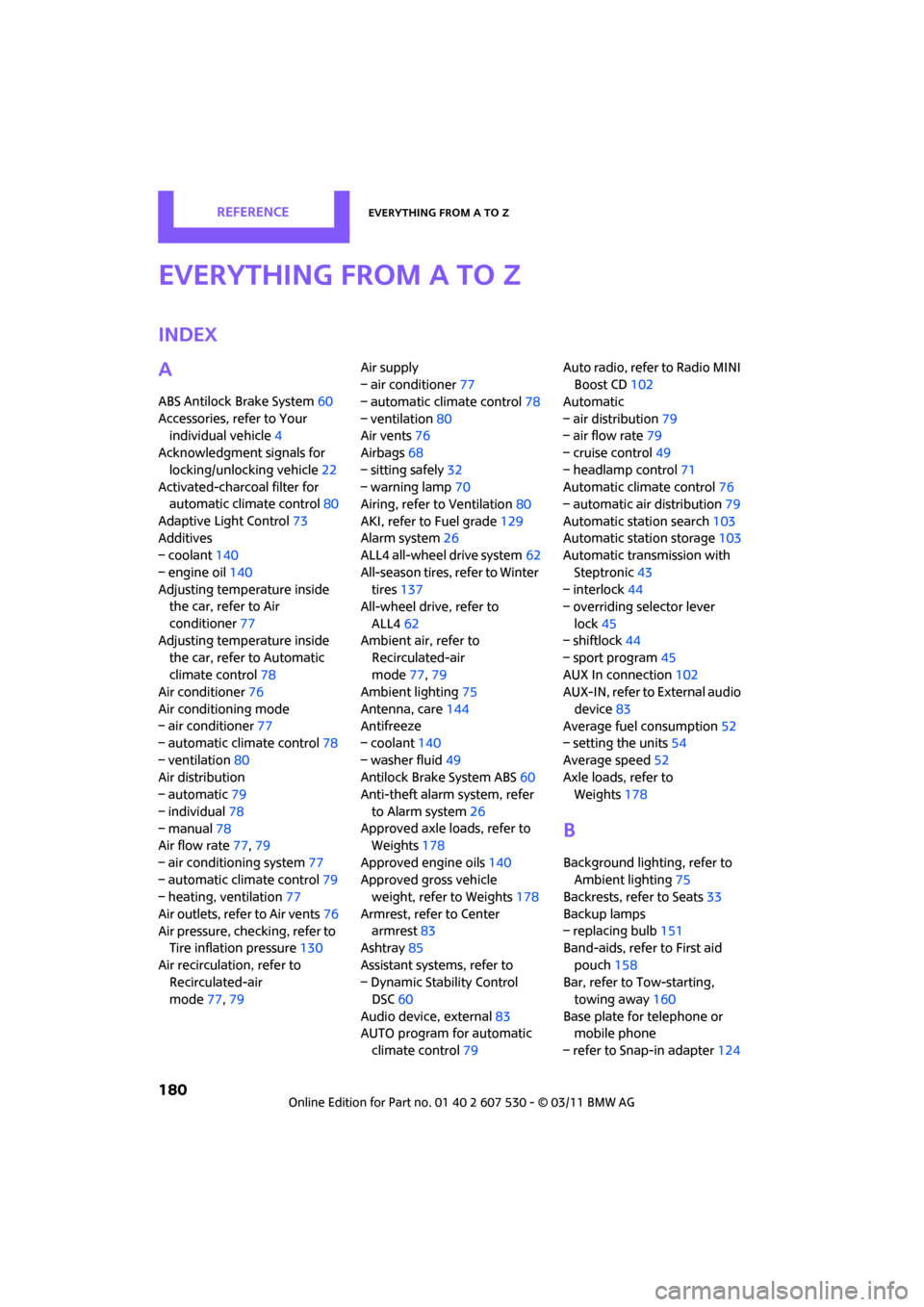
180
ReferenceEverything from A to Z
Everything from A to Z
Index
A
ABS Antilock Brake System60
Accessories, refer to Your individual vehicle 4
Acknowledgment signals for
locking/unlocking vehicle 22
Activated-charcoa l filter for
automatic climate control 80
Adaptive Light Control 73
Additives
– coolant 140
– engine oil 140
Adjusting temperature inside the car, refer to Air
conditioner 77
Adjusting temperature inside the car, refer to Automatic
climate control 78
Air conditioner 76
Air conditioning mode
– air conditioner 77
– automatic cl imate control78
– ventilation 80
Air distribution
– automatic 79
– individual 78
– manual 78
Air flow rate 77,79
– air conditioning system 77
– automatic cl imate control79
– heating, ventilation 77
Air outlets, refer to Air vents 76
Air pressure, checking, refer to Tire inflation pressure 130
Air recirculation, refer to Recirculated-air
mode 77,79 Air supply
– air conditioner
77
– automatic climate control 78
– ventilation 80
Air vents 76
Airbags 68
– sitting safely 32
– warning lamp 70
Airing, refer to Ventilation80
AKI, refer to Fuel grade 129
Alarm system 26
ALL4 all-wheel drive system 62
All-season tires, refer to Winter tires 137
All-wheel drive, refer to
ALL4 62
Ambient air, refer to Recirculated-air
mode 77,79
Ambient lighting 75
Antenna, care 144
An
tifreeze
– coolant 140
– washer fluid 49
Antilock Brake System ABS 60
Anti-theft alarm system, refer
to Alarm system 26
Approved axle loads, refer to Weights 178
Approved engine oils 140
Approved gross vehicle weight, refer to Weights 178
Armrest, refer to Center armrest 83
Ashtray 85
Assistant systems, refer to
– Dynamic Stability Control DSC 60
Audio device, external 83
AUTO program for automatic climate control 79 Auto radio, refer to Radio MINI
Boost CD 102
Automatic
– air distribution 79
– air flow rate 79
– cruise control 49
– headlamp control 71
Automatic climate control 76
– automatic air distribution 79
Automatic station search 103
Automatic station storage 103
Automatic transmission with
Steptronic 43
– interlock 44
– overriding selector lever
lock 45
– shiftlock 44
– sport program 45
AUX In connection 102
AUX-IN, refer to External audio
device 83
Average fuel consumption 52
– setting the units 54
Average speed 52
Axle loads, refer to Weights 178
B
Background lighting, refer to
Ambient lighting 75
Backrests, refer to Seats 33
Backup lamps
– replacing bulb 151
Band-aids, refer to First aid
pouch 158
Bar, refer to Tow-starting, towing away 160
Base plate for telephone or mobile phone
– refer to Snap-in adapter 124