2011 MERCEDES-BENZ SPRINTER instrument cluster
[x] Cancel search: instrument clusterPage 76 of 292

X
Press reset button 0048.
The year display flashes.
X Press 0069 or 006A to set the year.
i If you keep the 0069 or 006A button pressed,
the value will change continuously.
Setting daytime running lamp mode If you have switched daytime running lamp
mode on and the light switch is in the 0027
position, the following light up automatically
when the engine is running: the parking
lamps, the low-beam headlamps, the tail
lamps and the license plate lamps.
For safety reasons, it is only possible to
change this setting when the vehicle is
stationary. The factory setting is ON in
countries in which daytime running lamp
mode is mandatory.
X
Turn the key to position 2 in the ignition
lock.
X Press the 007B menu button repeatedly until
the 0064 indicator lamp in the instrument
cluster flashes and the message ON or
OFF appears in the display.
X Press 0069 or 006A to activate or deactivate
daytime running lamp mode.
i USA only:
If you turn the light switch to 006C or
0064, the corresponding light is switched
on. Daytime running lamp mode remains
activated if the light switch is turned to
005A.
Canada only:
If you turn
the light switch to 0064, the low-
beam headlamps are switched on. Daytime
running lamp mode remains activated if the
light switch is turned to 006C or 005A. On-board computer with steering
wheel buttons
Layout and controls
The on-board computer is activated as soon
as you turn
the key to position 1 in the ignition
lock. G
Warning
Only use the on-board computer when road
and traffic conditions permit. You would
otherwise be distracted and unable to
concentrate properly on driving, and could
cause an accident.
The on-board computer shows vehicle
information and settings in the display.
Steering wheel with buttons You can control the display and the settings
in the
on-board
computer with the buttons on
the steering wheel. 0046
Display
On-board computer operation
0047
005A and 005B
R
Selects submenus
R Changes values
R Adjusts the volume74
On-board computer with steering wheel buttons
Controls
Page 81 of 292

Using the steering wheel buttons
X
Press the 0059 or 0058 button repeatedly
until the Settings menu appears in the
display.
X Press the 0048 reset button for about three
seconds.
You will see a message in the display
prompting you to
press the 0048 reset button
again to confirm.
X Press the 0048 reset button again.
The functions of all submenus are reset to
the factory settings.
i If you do not press the 0048 reset button a
second time to confirm, the settings are
retained. The Settings menu appears
again after approximately five seconds.
For safety reasons, it is not possible to
reset all of the functions while the vehicle
is in motion. For example, the Hdlmp
mode function in the Lighting submenu
remains unchanged.
Resetting the functions of a submenu You can reset the functions of an individual
submenu to the factory settings.
Using the steering wheel buttons
X
Press the 0059 or 0058 button repeatedly
until the Settings menu appears in the
display.
X Press 0029 to switch to the submenu
selection.
X Press 005A or 005B to select a submenu.
X Press the 0048 reset button for about three
seconds.
You will see a message in the display
prompting you
to
press the 0048 reset button
again to confirm.
X Press the 0048 reset button again.
All functions of the submenu are reset to
the factory settings.
i If you do not press the 0048 reset button a
second time to confirm, the settings are retained. The Settings menu appears
again after approximately five seconds.
For safety reasons, it is not possible to
reset all of the functions while the vehicle
is in motion. For example, the Hdlmp
mode function in the
Lighting submenu
remains unchanged.
Submenus in the Settings menu Using the steering wheel buttons
X
Press the 0059 or 0058 button repeatedly
until the Settings menu appears in the
display.
X Press 0029 to switch to the submenu
selection.
You will see the collection of submenus.
There are more submenus than can be
displayed at the same time. X
Press 005A or 005B to select a submenu.
The submenu currently selected is
highlighted.
X Press 0029 to select the function within a
submenu.
X Change the setting by pressing 005A or
005B.
The changed setting is saved.
You can select the following submenus:
R Instrument cluster ( Y
page 80)
- Units and language settings
- Status bar settings
R Clock/Date (Y page 82) On-board computer with steering wheel buttons
79
Controls Z
Page 82 of 292

R
Lighting (Y page 82)
-Activating/deactivating daytime running
lamp
mode and surround lighting (locator
lighting)
- Setting the exterior lighting delayed
switch-off
R Vehicle ( Y page 84)
- Setting the radio station selection
- Setting the windshield wiper sensitivity
R Auxiliary heating( Y page 104)
R Convenience(Y page 85)
-Key-dependent settings
Instrument cluster submenu Selecting the unit for temperature
Using the steering wheel buttons
X
Press the 0059 or 0058 button repeatedly
until the Settings menu appears in the
display.
X Press 0029 to switch to the submenu
selection.
X Press 005A or 005B button to select the
Inst. cluster submenu.
X Press 0029 to select the Temperat.
function.
The selection marker is on the current
setting. X
Press 005A or 005B
to select the unit for all
messages in the display: °C (degrees
Celsius) or °F (degrees Fahrenheit). Selecting the unit for the digital
speedometer
Using the steering wheel buttons
X
Press the 0059 or 0058 button repeatedly
until the Settings menu appears in the
display.
X Press 0029 to switch to the submenu
selection.
X Press 005A or 005B button to select the
Inst. cluster submenu.
X Press 0029 to select the Dig. speedo.
function.
The selection marker is on the current
setting. X
Press 005A or 005B to select the unit for
the digital speedometer: km/h or mph.
Selecting the unit for the odometer
Using the steering wheel buttons
X Press the 0059 or 0058 button repeatedly
until the Settings menu appears in the
display.
X Press 0029 to switch to the submenu
selection.
X Press 005A or 005B button to select the
Inst. cluster submenu.
X Press 0029 to select the Trip function.
The selection marker is on the current
setting. 80
On-board computer with steering wheel buttons
Controls
Page 87 of 292
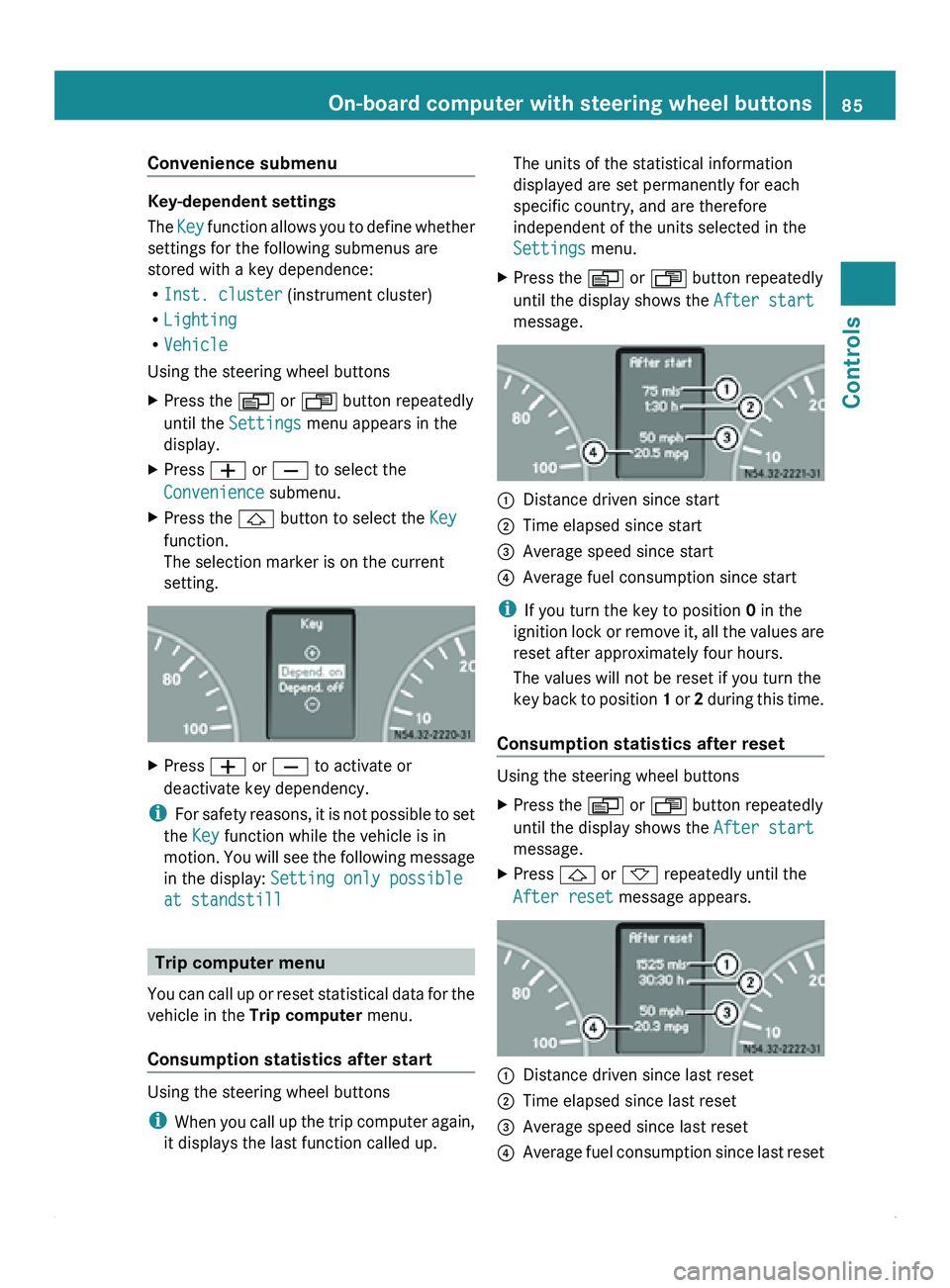
Convenience submenu
Key-dependent settings
The
Key function allows
you to define whether
settings for the following submenus are
stored with a key dependence:
R Inst. cluster (instrument cluster)
R Lighting
R Vehicle
Using the steering wheel buttons
X Press the 0059 or 0058 button repeatedly
until the Settings menu appears in the
display.
X Press 005A or 005B to select the
Convenience submenu.
X Press the 0029 button to select the Key
function.
The selection marker is on the current
setting. X
Press 005A or 005B to activate or
deactivate key dependency.
i For safety
reasons,
it is not possible to set
the Key function while the vehicle is in
motion. You will see the following message
in the display: Setting only possible
at standstill Trip computer menu
You can call
up or reset statistical data for the
vehicle in the Trip computer menu.
Consumption statistics after start Using the steering wheel buttons
i
When you call
up the trip computer again,
it displays the last function called up. The units of the statistical information
displayed are set permanently for each
specific country, and are therefore
independent of the units selected in the
Settings menu.
X Press the 0059 or 0058 button repeatedly
until the display shows the After start
message. 0046
Distance driven since start
0047 Time elapsed since start
008A Average speed since start
0088 Average fuel consumption since start
i If you turn the key to position 0 in the
ignition lock
or
remove it, all the values are
reset after approximately four hours.
The values will not be reset if you turn the
key back to position 1 or 2 during this time.
Consumption statistics after reset Using the steering wheel buttons
X
Press the 0059 or 0058 button repeatedly
until the display shows the After start
message.
X Press 0029 or 002D repeatedly until the
After reset message appears. 0046
Distance driven since last reset
0047 Time elapsed since last reset
008A Average speed since last reset
0088 Average fuel consumption since last reset On-board computer with steering wheel buttons
85
Controls Z
Page 108 of 292

X
To switch off the auxiliary heating: press
the 0086
switch.
or
X Turn the key to position 0 in the ignition
lock.
The red indicator lamp in the switch goes
out.
The auxiliary heating operates for about
another two minutes
and then switches off
automatically.
Selecting a switch-on time You can use the on-board computer to define
up to
three
switch-on times, one of which can
be selected.
On-board computer without steering
wheel buttons
X Turn the SmartKey to position 2 in the
ignition lock.
X Press the 0086 switch.
The 0086 symbol in the display flashes.
or
X Press the 007B menu button on the
instrument cluster repeatedly until the
0086 symbol flashes in the display.
X Use the 0069 or 006A
buttons on the instrument
cluster to select switch-on time 1 to 3
The switch-on time selected is displayed.
X Wait 10 seconds for the standard display to
appear.
The switch-on time is selected. The yellow
indicator lamp in the 0086 switch comes
on.
If you have not preselected a switch-on time
and --:-- is
shown
in the display, this means
that automatic switch-on mode is
deactivated. The yellow indicator lamp in the
0086 switch goes out.
i If you turn the key to position 0 in the
ignition lock, the yellow indicator lamp in
the 0086 switch goes off after 30 minutes. The red indicator lamp in the
0086 switch
comes on when the auxiliary heating
switches on.
On-board computer with steering wheel
buttons
X Turn the SmartKey to position 2 in the
ignition lock.
X Press the 0086 switch.
The Aux. heating submenu is shown in
the display.
The selection marker highlights the
preselected switch-on
time,
or Timer off,
if no switch-on time has been preselected. i
You can also access the Aux. heating
submenu via the Settings(Y page 79)
menu.
X Use the 005A or 005B buttons on the
steering wheel
to
select the desired switch-
on time.
Use the Timer off setting to deactivate
automatic switch on.
X Press the 0059 menu button on the
steering wheel.
The switch-on time is selected. The yellow
indicator lamp in the 0086 switch comes
on.
i If you turn the key to position 0 in the
ignition lock, the yellow indicator lamp in
the 0086 switch goes
off after 30 minutes.
The red indicator lamp in the 0086 switch
comes on when the auxiliary heating
switches on. 106
Climate control
Controls
Page 109 of 292

Setting the switch-on time
On-board computer without steering
wheel buttons
X
Use the same method to select a switch-on
time as described in the "Preselecting a
switch-on time" section.
X Press the 0048 reset button on the
instrument cluster to set the desired
switch-on time.
The hour display flashes.
X Use the 0069 and 006A buttons on the
instrument cluster to set the hours.
X Press the 0048 reset button.
The minute display flashes.
X Use the 0069 and 006A buttons to set the
minutes.
On-board computer with steering wheel
buttons
X Use the same method to select a switch-on
time as described in the "Preselecting a
switch-on time" section.
X Press the 0029 menu button on the
steering wheel.
The Hours submenu is shown in the
display.
X Press the 005A or 005B button on the
steering wheel to set the hours.
X Press the 0029 button.
The Minutes submenu is shown in the
display.
X Press the 005A or 005B button to set the
minutes.
X Press the 0059 button.
The switch-on time is set and selected.
Heater booster function If the outside temperature is lower than
39 ‡ (4 †), the fuel-operated auxiliary
heating heats the vehicle as quickly as
possible when the engine is running. The auxiliary heating automatically switches
to heater booster mode after the engine is
started.
i
If the outside temperature rises above
39 ‡ (4 †),
the auxiliary heating and heater
booster function switch off automatically. Vehicles with auxiliary heating
0046
To switch the auxiliary heating on/off
0047 To switch the heater booster function on/
off
X To switch on/off: press the 006C switch.
The indicator lamp
in the switch lights up if
the heater booster function is switched on.
After switching off, the auxiliary heating
operates for about another two minutes and
then switches off automatically.
If you switch
off the engine without switching
off the heater booster function, the system
will be switched on the next time the engine
is started (memory function). Climate control
107
Controls Z
Page 112 of 292

Starting the engine
X
Turn the key to position 2 in the ignition
lock.
The 0028 preglow indicator lamp in the
instrument cluster lights up.
X When the 0028 preglow indicator lamp
goes out, turn the key to position 3 in the
ignition lock and release it as soon as the
engine is running.
i You can start
the engine without preglow
when the engine is warm.
i Depending on the equipment installed,
the vehicle either automatically locks
centrally after switching on the ignition or
after pulling away. The locking knobs in the
doors drop down.
You can open the doors from the inside at
any time.
Automatic door locking can be deactivated
(Y page 55). Driving off
G
Warning
Do not downshift for additional engine
braking on a
slippery road surface. This could
cause the drive wheels to lose their grip and
the vehicle could skid. You could lose control
of the vehicle and cause an accident.
i After pulling away or switching on the
ignition, the vehicle automatically locks
centrally. The locking knobs in the doors
drop down.
You can open the doors from the inside at
any time.
Automatic door locking can be deactivated
(Y page 55). X
Depress the brake pedal and keep it
depressed.
The selector lever lock is released.
X Release the parking brake ( Y page 112).
The 0066 indicator lamp in the instrument
cluster goes out.
X Move the selector lever to position D or R.
i On vehicles with a reverse warning
feature, a warning signal sounds when
reverse gear is
engaged to alert other road
users.
! Only shift into reverse gear when the
vehicle is stationary. You could otherwise
damage the transmission.
X Release the brake pedal.
X Carefully depress the accelerator pedal. General driving tips
Steering G
Warning
Do not switch off the engine while the vehicle
is in motion.
There is no
power assistance for the steering
or the service brake when the engine is not
running.
Steering and braking require significantly
more effort and you could lose control of the
vehicle and cause an accident as a result.
! Do not hold the steering wheel at full
steering angle for a long time, e.g. when
turning or maneuvering.
The hydraulic pump could be damaged if
the hydraulic fluid temperature increases.
Overrun cut-off If you take your foot off the accelerator pedal,
the diesel fuel supply is cut off in overrun
mode when the
engine speed is out of the idle
speed control range. 110
Driving and parking
Controls
Page 115 of 292

Applying the parking brake
X
Pull brake lever 0046 up as far as the last
possible detent.
The 0066 indicator lamp in the instrument
cluster lights up.
i On vehicles with
a folding brake lever, you
can then press lever 0046 down to the stop.
Releasing the parking brake i
On vehicles with
a folding brake lever, you
must first pull brake lever 0046 up to the stop.
X Raise brake lever 0046 slightly and press
release knob 0047.
X Guide brake lever 0046 down to the stop.
The 0066 indicator lamp in the instrument
cluster goes out.
Emergency braking As a rule, you may only apply the parking
brake when the vehicle is stationary.
In exceptional cases, the parking brake can
be used for emergency braking if the service
brake fails.
X
Keep release knob 0047 pressed and
carefully apply brake lever 0046.G
Warning
If the brake lever is applied abruptly, the rear
wheels could lock. The vehicle could then go
into a skid.
Make sure that you apply the brake lever
carefully to ensure
that braking application is
moderated. Automatic transmission
Overview
The automatic transmission adapts to your
individual driving style by continuously
adjusting its shift points. These shift point
adjustments take into account the current
operating and driving conditions. If the operating or driving conditions change, the
automatic transmission reacts by adjusting
the gearshift program.
The automatic transmission selects the
individual gears automatically. This depends
on:
R
the selector lever position D with shift
ranges 4, 3, 2 and 1(Y page 115)
R the position of the accelerator pedal
R the road speed
The selector lever
position or the current shift
range is shown in the display. Display on
vehicles with steering wheel buttons
(Y page 77) and without steering wheel
buttons ( Y page 73).
When the selector lever is in position D, you
can influence the gearshifts made by the
automatic transmission. You can restrict the
shift range or you can perform gearshifts
yourself. Automatic transmission
113
Controls Z