2011 MERCEDES-BENZ CLS-CLASS fuel
[x] Cancel search: fuelPage 23 of 308

contacting you in a timely manner should the
need arise.
If you sell your Mercedes, please leave all
literature
with the vehicle to make it available
to the next operator.
If you bought this vehicle used, be sure to
send in the “Notice of Purchase of Used Car”
found in the Service and Warranty
Information Booklet, or call the Mercedes-
Benz Customer Assistance Center (in the
USA) at 1-800-FOR-MERCedes, or Customer
Service (in Canada) at 1-800-387-0100. Operating your vehicle outside the
USA or Canada
If you plan to operate your vehicle in foreign
countries, please be aware that:
R Service
facilities or replacement parts may
not be readily available.
R Unleaded gasoline for vehicles with
catalytic converters may not be available;
the use of leaded fuels will damage the
catalysts.
R Gasoline may have a considerably lower
octane rating, and improper fuel can cause
engine damage.
Certain Mercedes-Benz models are available
for delivery in Europe under our European
Delivery Program. For details, consult an
authorized Mercedes-Benz Center or write to:
In the USA:
Mercedes-Benz USA, LLC
European Delivery Department
One Mercedes Drive
Montvale, NJ 07645-0350
In Canada:
Mercedes-Benz Canada, Inc.
European Delivery Department
98 Vanderhoof Avenue
Toronto, Ontario M4G 4C9 Operating safety
G
Warning!
Work improperly carried out on electronic
components and associated software could
cause
them to cease functioning. Because the
vehicle’s electronic components are
interconnected, any modifications made may
produce an undesired effect on other
systems. Electronic malfunctions could
seriously impair the operating safety of your
vehicle.
Contact an authorized Mercedes-Benz Center
for repairs or modifications to electronic
components.
Other improper work or modifications on the
vehicle could also have a negative impact on
the operating safety of the vehicle.
Some safety systems only function while the
engine is running. You should therefore never
turn off the engine while driving. G
Warning!
Heavy blows against the vehicle underbody or
tires/wheels may cause serious damage and
impair the operating safety of your vehicle.
Such blows can be caused, for example, by
running over an obstacle, road debris or a
pothole. If you feel a sudden significant
vibration or ride disturbance, or you suspect
that damage to your vehicle as occurred:
R turn on your hazard warning flashers
R slow down carefully
R drive
with caution to an area which is a safe
distance from the road
Inspect the vehicle underbody and tires/
wheels for possible damage. If the vehicle
appears unsafe, have it towed to the nearest
authorized Mercedes-Benz Center or other
qualified maintenance or repair facility for
further inspection or repairs. Introduction
21219_AKB; 4; 54, en-US
d2ureepe,
Version: 2.11.8.1 2009-05-11T16:21:02+02:00 - Seite 21 Z
ProCarManuals.com
Page 28 of 308

Exterior view
i
This Operator’s Manual describes all features, standard or optional, potentially available
for your vehicle at the time of purchase. Please be aware that your vehicle might not be
equipped with all features described in this manual. Function Page
:
Trunk:
Locking and unlocking 66
Opening and closing 71,
72 Valet locking 75
;
Rear lamps 267
=
Rear window defroster 151
?
Fuel filler flap 176
A
Doors:
Locking and unlocking 66,
261 B
Towing eyes 282
C
Tires and wheels 182 Function Page
Rims and tires 291
D
Front lamps 266
E
Hood 178
F
Wipers 92
Wiper blades, replacing 270
Wiper blades, cleaning 219
G
Windshield:
Wiping with washer fluid 92
Cleaning 219
H
Power tilt/sliding sunroof 152
I
Exterior rear view mirrors 8426
Exterior viewAt a glance
219_AKB; 4; 54, en-US
d2ureepe,
Version: 2.11.8.1 2009-05-11T16:21:02+02:00 - Seite 26
ProCarManuals.com
Page 31 of 308

Function Page
; Engine malfunction
indicator lamp, Canada only
257
h Combination low tire
pressure/TPMS
malfunction telltale, USA
only
188,
259 h Low tire pressure
telltale, Canada only
190,
259 G
Fuel display with:
6 Fuel tank reserve
warning lamp
256
H
Reset button for:
Resetting trip odometer 110
Adjusting instrument
cluster illumination
109 Multifunction steering wheel
Function Page
:
Multifunction display 111
;
Press button 6:
to answer a call 125
to dial
3 125
to redial
3 125
Press button ~:
to end a call 125
to reject an incoming call 125
Press button
W or X: to select submenus in the
Settings menu
119
to set values
to operate the RACETIMER
4 114
to set the volume
=
Press button V or U
to select next/previous
menu 110
3
Function only available in telephone menu.
4 AMG vehicles only. Multifunction steering wheel
29At a glance
219_AKB; 4; 54, en-US
d2ureepe, Version: 2.11.8.1 2009-05-11T16:21:02+02:00 - Seite 29 Z
ProCarManuals.com
Page 68 of 308

Vehicle equipment
i This Operator’s Manual describes all
features, standard or optional, potentially
available for your vehicle at the time of
purchase. Please be aware that your
vehicle might not be equipped with all
features described in this manual. Locking and unlocking
Notes
G
Observe Safety notes, see page 52.
When unlocking or locking the vehicle with
the SmartKey an acoustic signal sounds. The
acoustic signal is activated at the factory. If
you wish to deactivate the feature, or adjust
its signal volume, contact an authorized
Mercedes-Benz Center.
When unlocking the vehicle, all turn signal
lamps flash once. An acoustic signal sounds
once, and the locking knobs in the doors
move up. The anti-theft alarm system is
disarmed.
When locking the vehicle, all turn signal lamps
flash three times. An acoustic signal sounds
three times, and the locking knobs in the
doors move down. The anti-theft alarm
system is armed.
All doors and the trunk must be closed.
If you cannot lock or unlock the vehicle with
the SmartKey, the batteries in the SmartKey
are discharged, the SmartKey is
malfunctioning, or the vehicle battery is
drained.
X Check the batteries in the SmartKey
(Y page 69) and replace them if
necessary.
X Use the mechanical key to unlock the
driver’s door and the trunk (Y page 261). X
Use the mechanical key to lock the vehicle
(Y page 262).
X Have the vehicle battery and the vehicle
battery connections checked at an
authorized Mercedes-Benz Center.
If the SmartKey is malfunctioning, contact
Roadside Assistance or an authorized
Mercedes-Benz Center. SmartKey
Your vehicle comes supplied with two
SmartKeys, each with remote control and a
removable mechanical key.
The SmartKey centrally locks and unlocks
R the doors
R the trunk lid
R the fuel filler flap Example illustration: SmartKey with KEYLESS-GO
: &
Lock button
; F Unlock button for trunk lid
= % Unlock button
When you open a door, the door window on
that side lowers slightly. Once you close the
door, the door window moves up again.
! A door window will not work if it is blocked
with ice or if the vehicle battery is
discharged. If you cannot shut a door, do
not force it or you could damage the door
or the door window. Fix whatever is
affecting the window before trying to shut
the door. 66
Locking and unlockingControls in detail
219_AKB; 4; 54, en-US
d2ureepe,
Version: 2.11.8.1 2009-05-11T16:21:02+02:00 - Seite 66
ProCarManuals.com
Page 69 of 308

i
USA only:
This device complies with Part 15 of the
FCC Rules. Operation is subject to the
following two conditions:
1.
This device may not cause harmfulinterference, and
2. this device must accept any interference received, including
interference that may cause undesired
operation.
Any unauthorized modification to this
device could void the user’s authority to
operate the equipment.
i Canada only:
This device complies with RSS-210 of
Industry Canada. Operation is subject to
the following two conditions:
1. This device may not cause interference, and
2. this device must accept any interference received, including
interference that may cause undesired
operation of the device.
Any unauthorized modification to this
device could void the user’s authority to
operate the equipment.
Factory setting X
Global unlocking: Press button %.
Unless you open a door or the trunk within
approximately 40 seconds after unlocking
the vehicle:
R The vehicle will be locked again.
R The anti-theft alarm system will be
rearmed.
X Global locking: Press button &.
Selective setting If you frequently travel alone, you may wish
to reprogramm the SmartKey. Pressing
button
%
will then only unlock the driver’s door, interior lockable storage
compartments, and the fuel filler flap.
X
Switching on/off:
Press and hold buttons
% and & simultaneously for
approximately 6 seconds until the battery
check lamp (Y page 69) flashes twice.
The SmartKey will then function as follows:
X Unlocking driver’s door and fuel filler
flap: Press button % once.
X Global unlocking: Press button %
twice.
X Global locking: Press button &. KEYLESS-GO
Vehicles equipped with KEYLESS-GO come
with two SmartKeys with KEYLESS-GO, each
with remote control and a removable
mechanical key.
The KEYLESS-GO function is integrated into
the
SmartKey. The validity of the SmartKey is
checked every time you pull an outside door
handle.
When the SmartKey is valid, your vehicle
unlocks
R the doors
R the trunk lid
R the fuel filler flap
When you open a door, the door window on
that side lowers slightly. Once you close the
door, the door window moves up again.
! A door window will not work if it is blocked
with ice or if the vehicle battery is
discharged. If you cannot shut a door, do
not force it or you could damage the door
or the door window. Fix whatever is
affecting the window before trying to shut
the door. Locking and unlocking
67Controls in detail
219_AKB; 4; 54, en-US
d2ureepe, Version: 2.11.8.1 2009-05-11T16:21:02+02:00 - Seite 67 Z
ProCarManuals.com
Page 71 of 308
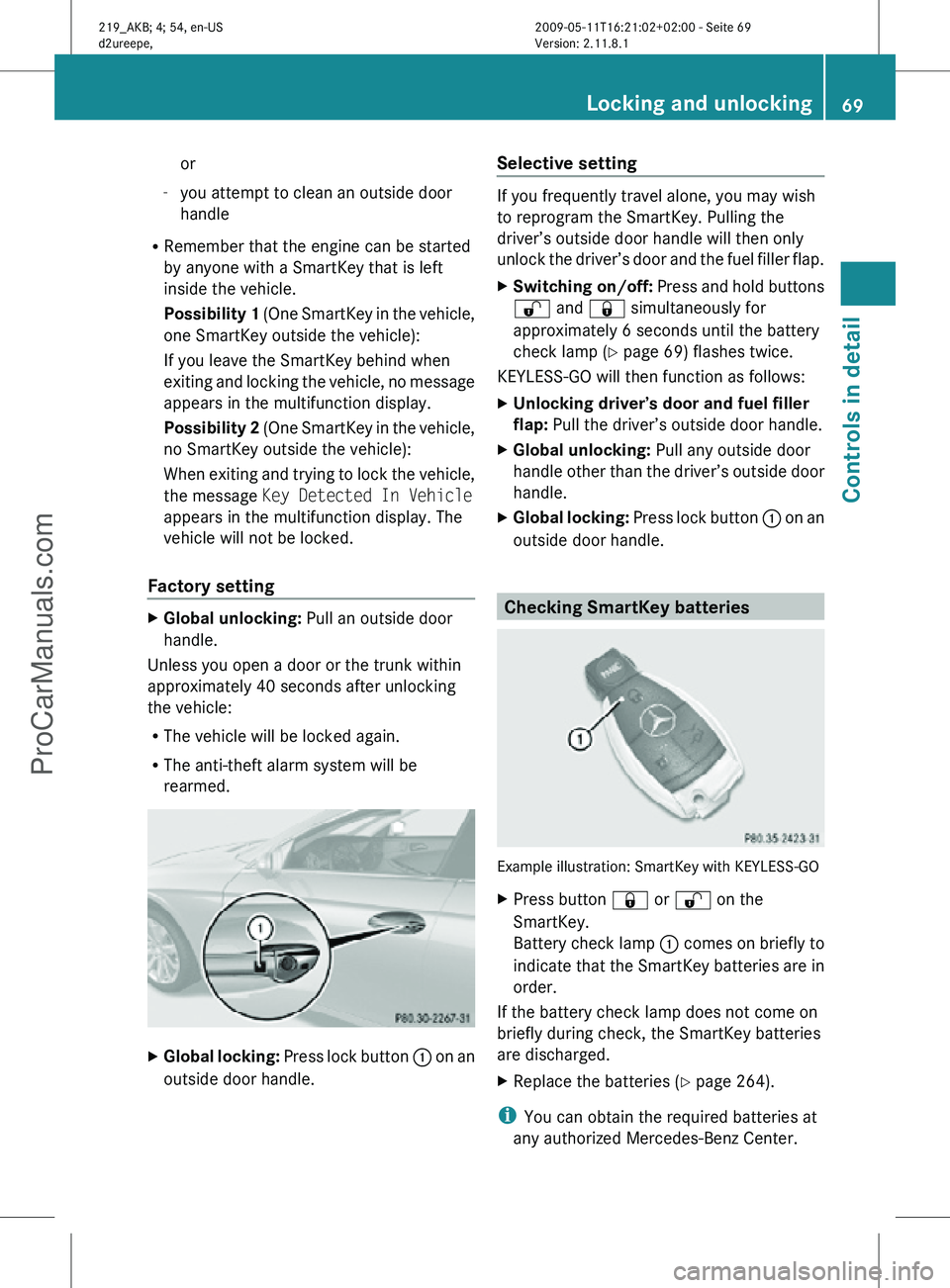
or
- you attempt to clean an outside door
handle
R Remember that the engine can be started
by anyone with a SmartKey that is left
inside the vehicle.
Possibility 1 (One SmartKey in the vehicle,
one SmartKey outside the vehicle):
If you leave the SmartKey behind when
exiting and locking the vehicle, no message
appears in the multifunction display.
Possibility 2 (One SmartKey in the vehicle,
no SmartKey outside the vehicle):
When exiting and trying to lock the vehicle,
the message Key Detected In Vehicle
appears in the multifunction display. The
vehicle will not be locked.
Factory setting X
Global unlocking: Pull an outside door
handle.
Unless you open a door or the trunk within
approximately 40 seconds after unlocking
the vehicle:
R The vehicle will be locked again.
R The anti-theft alarm system will be
rearmed. X
Global locking: Press lock button : on an
outside door handle. Selective setting If you frequently travel alone, you may wish
to reprogram the SmartKey. Pulling the
driver’s outside door handle will then only
unlock the driver’s door and the fuel filler flap.
X
Switching on/off: Press and hold buttons
% and & simultaneously for
approximately 6 seconds until the battery
check lamp (Y page 69) flashes twice.
KEYLESS-GO will then function as follows:
X Unlocking driver’s door and fuel filler
flap: Pull the driver’s outside door handle.
X Global unlocking: Pull any outside door
handle other than the driver’s outside door
handle.
X Global locking: Press lock button : on an
outside door handle. Checking SmartKey batteries
Example illustration: SmartKey with KEYLESS-GO
X
Press button & or % on the
SmartKey.
Battery check lamp : comes on briefly to
indicate that the SmartKey batteries are in
order.
If the battery check lamp does not come on
briefly during check, the SmartKey batteries
are discharged.
X Replace the batteries ( Y page 264).
i You can obtain the required batteries at
any authorized Mercedes-Benz Center. Locking and unlocking
69Controls in detail
219_AKB; 4; 54, en-US
d2ureepe, Version: 2.11.8.1 2009-05-11T16:21:02+02:00 - Seite 69 Z
ProCarManuals.com
Page 73 of 308

affecting the window before trying to shut
the door.
X Rear doors: Pull up locking knob on the
respective rear door to unlock door.
X Pull on the inside door handle on the
respective rear door. Automatic central locking
You can switch the automatic central locking
on or off using the control system
(Y page 123).
The doors and the trunk lock automatically
when the vehicle is set into motion.
You can open a locked front door from the
inside. Open door only when conditions are
safe to do so.
The doors are designed to unlock
automatically after an accident if the force of
the impact exceeds a preset threshold.
The vehicle locks automatically when the
ignition is switched on and the wheels are
turning at a vehicle speed of above 9 mph
(15 km/h). You could therefore lock yourself
out when the vehicle is pushed or towed or is
on a test stand. Locking and unlocking from the inside
G
Observe Safety notes, see page 52.
You can lock or unlock the vehicle from the
inside using the central locking or unlocking
switch. This can be useful, for example, if you
want to lock the vehicle before starting to
drive.
The central locking or unlocking switch does
not lock or unlock the fuel filler flap. X
Locking: Press central locking switch ;.
When all doors are closed, the vehicle
locks.
X Unlocking: Press central unlocking
switch :.
You can open a locked front door from the
inside. Open door only when conditions are
safe to do so.
If the vehicle was previously locked with the
central locking switch
R and the SmartKey is set to factory settings,
the complete vehicle is unlocked when a
front door is opened from the inside
R and the SmartKey is set to selective
settings, only the front door opened from
the inside is unlocked
If the vehicle has been locked centrally with
the SmartKey or with KEYLESS-GO, it will not
unlock using the central unlocking switch. Opening the trunk
G
Warning!
Make sure the trunk is closed when the engine
is running and while driving. Among other
dangers, deadly carbon monoxide (CO) gases
may enter vehicle interior resulting in
unconsciousness and death.
! When you open the trunk, the trunk lid
swings open upwards. Always make sure
there is sufficient overhead clearance. Locking and unlocking
71Controls in detail
219_AKB; 4; 54, en-US
d2ureepe, Version: 2.11.8.1 2009-05-11T16:21:02+02:00 - Seite 71 Z
ProCarManuals.com
Page 100 of 308

You can start your vehicle without the
SmartKey in the starter switch using the
KEYLESS-GO start/stop button.
The SmartKey must be located in the vehicle.
KEYLESS-GO start/stop button
:
USA only
; Canada only
X Depress the brake pedal during the starting
procedure.
X Do not depress the accelerator pedal.
X Press the KEYLESS-GO start/stop button
once.
The engine starts automatically.
Starting difficulties !
Remember that extended starting
attempts can drain the battery.
The engine does not start. You can hear
the starter.
There could be a malfunction in the engine
electronics or in the fuel supply system.
Carry out the following steps:
X If you are starting the engine with the
SmartKey: Turn the SmartKey in the starter switch to position
0 and repeat the starting
procedure.
X If you are starting the engine with KEYLESS-
GO: Close any doors that may be open to
allow for better detection of the SmartKey.
or
X Start the engine with the SmartKey as radio
signals from another source may be
interfering with the KEYLESS-GO function.
X Repeat the starting procedure.
If the engine does not start after several
starting attempts:
X Contact an authorized Mercedes-Benz
Center or call Roadside Assistance.
The engine does not start. You cannot
hear the starter.
The battery may not be charged sufficiently.
X Get a jump start (Y page 280).
If the engine will not start despite a jump
start:
X Contact an authorized Mercedes-Benz
Center or call Roadside Assistance.
The starter has been exposed to excessive
temperatures.
X Let the starter cool for about 2 minutes.
X Repeat the starting procedure.
If the engine does not start after several
starting attempts:
X Contact an authorized Mercedes-Benz
Center or call Roadside Assistance. Driving off
G
Warning!
On slippery road surfaces, never downshift in
order to obtain braking action. This could
result in drive wheel slip and reduced vehicle
control. Your vehicle’s ABS will not prevent
this type of loss of control. 98
Driving and parkingControls in detail
219_AKB; 4; 54, en-US
d2ureepe,
Version: 2.11.8.1 2009-05-11T16:21:02+02:00 - Seite 98
ProCarManuals.com