2011 MAZDA MODEL 3 4-DOOR change time
[x] Cancel search: change timePage 298 of 514

Black plate (298,1)
qBluetooth Audio Preparation
Bluetooth audio device set-up
Bluetooth audio programming, changes,
deletions, and display of programmed
device information can be performed.
1. The mode changes as follows each
time the audio control dial is pressed.
Select “BT SETUP” .
Standard audio-equipped model
*
* *
*
Bose Sound System-equipped model
* *
*
*
*
* Depending on the mode selected, theindication changes.
2. Turn the audio control dial and select a desired mode.
6-66
Interior Comfort
Bluetooth Audio
Mazda3_8BM5-EA-10F_Edition3 Page298
Tuesday, October 5 2010 9:7 AM
Form No.8BM5-EA-10F
Page 301 of 514

Black plate (301,1)
6. When the programming is completed,“
”and “PAIR SUCCESS” are
displayed after about 10-30 seconds,
after which “PAIR SUCCESS”
continues to be displayed for three
seconds, and then the unit returns to the
normal display.
NOTE
lIf pairing cannot be completed, try “1234 ”
instead. Refer to the owner's manual of
your mobile device for the right PIN code.
lSome Bluetooth audio devices need a
certain amount of time before the “
”
symbol is displayed.
lIf the programming failed, “Err ”flashes
for three seconds.
lProgramming cannot be performed while
the vehicle is moving. If you attempt to
perform programming while the vehicle is
moving, “PAIR DISABLE ”is displayed.
lIf seven Bluetooth audio devices have
already been programmed to the vehicle,
programming cannot be performed and
“MEMORY FULL ”is displayed. Delete
one programmed device to program
another one.
Changing the link to a Bluetooth audio
device
If several devices have been programmed,
the Bluetooth unit links the device last
programmed. If you would like to link a
different programmed device, it is
necessary to change the link. The order of
device priority after the link has been
changed is maintained even when the
ignition is switched off.
1. Using the audio control dial, select the link change mode “LINK CHANGE ”
in the “BT SETUP” mode. (Refer to
“ Bluetooth audio device set-up ”for
details.) 2. Press the audio control dial to
determine the mode.
3. The name of the currently linked Bluetooth audio device is displayed.
If no Bluetooth audio device is
currently linked, the name of the first
device among the programmed devices
is displayed.
4. Turn the audio control dial to select the name of the device you would like to
link.
Device name 1
Device name 2
Device name 3
Device name 4
Device name 5
Device name 6
Device name 7
5. Press the audio control dial to select thedevice you would like to link.
The “
”symbol disappears, and
“ PAIRING ”flashes in the display.
NOTE
When “GO BACK ”is selected and the audio
control dial is pressed, the display returns to
“ LINK CHANGE ”.
Interior Comfort
Bluetooth Audio
6-69
Mazda3_8BM5-EA-10F_Edition3 Page301
Tuesday, October 5 2010 9:7 AM
Form No.8BM5-EA-10F
Page 302 of 514

Black plate (302,1)
6. If the link to the desired device issuccessful, the “
”symbol is
displayed again, together with
“ LINK CHANGED ”.
“ LINK CHANGED ”is displayed for
three seconds, then it returns to the
normal display.
NOTE
lSome Bluetooth audio devices need a
certain amount of time before the “
”
symbol is displayed.
lIf a hands-free type mobile phone has been
the most recently programmed device, the
Bluetooth unit links this device. If you
would like to use a Bluetooth audio type
device which has been previously
programmed to the Bluetooth unit, the link
must be changed to this device.
lIf an error occurs while trying to link a
device, “Err ”flashes in the display for
three seconds, and the display returns to
“ LINK CHANGE ”. If this occurs, check the
programming status of the Bluetooth audio
device and the location of the device in the
vehicle (not in the trunk or a metal-type
box), and then try the link operation again.
lDevice selection can also be done using
voice recognition (page 6-89).
How to confirm the device currently
linked
Switch to the link-change mode. (Refer to
“ Changing the link to a Bluetooth audio
device ”)
The device name displayed first is the
device which is currently linked.
Deleting the link to a Bluetooth audio
device
1. Using the audio control dial, select the pairing delete mode “PAIR DELETE ”
in the “BT SETUP” mode. (Refer to
“ Bluetooth audio device set-up ”for
details.)
2. Press the audio control dial to determine the mode.
3. The name of the first device among the programmed devices is displayed.
4. Rotate the audio control dial and select the name of the programmed device
you would like to delete.
Device name 1
Device name 2
Device name 3
Device name 4
Device name 5
Device name 6
Device name 7
NOTE
Only the names of programmed devices can be
displayed. If only one device is programmed,
only the name for this device is displayed.
6-70
Interior Comfort
Bluetooth Audio
Mazda3_8BM5-EA-10F_Edition3 Page302
Tuesday, October 5 2010 9:7 AM
Form No.8BM5-EA-10F
Page 332 of 514

Black plate (332,1)
qClockí
When the ignition is switched to ACC or
ON, the time is displayed.
Time setting
1. Switch the ignition to ACC or ON.
2. Adjust the time using the time setting
buttons (
,).
The hours advance while the time
setting button (
) is pressed.
The minutes advance while the time
setting button (
) is pressed.
Time resetting
1. Switch the ignition to ACC or ON.
2. Press the :00 button.
3. When the button is pressed, the time will be reset as follows:
(Example)
12:01 ―12:29 →12:00
12:30 ―12:59 →1:00
NOTE
When the button is pressed, the seconds will
start at “00 ”.
q Outside Temperature Display
(Fully Automatic Type)
When the ignition is switched ON, the
ambient temperature is displayed.
NOTE
Under the following conditions, the ambient
temperature display may differ from the actual
ambient temperature depending on the
surroundings and vehicle conditions:
lSignificantly cold or hot temperatures.lSudden changes in ambient temperature.lThe vehicle is parked.lThe vehicle is driven at low speeds.
qClimate Control Display
The climate control system status is
displayed. To operate the climate control
system, refer to “Climate Control System ”
(page 6-2).
q Audio Display
The audio system status is displayed. To
operate the audio system, refer to
“Audio System ”(page 6-18).
6-100
Interior Comfort
íSome models.
Interior Equipment
Mazda3_8BM5-EA-10F_Edition3 Page332
Tuesday, October 5 2010 9:7 AM
Form No.8BM5-EA-10F
Page 334 of 514

Black plate (334,1)
SwitchFunction
Enter (up/down) switch Used to select a menu and change numbers. Select up or down and press enter.
Right switch/Left
switch Used to select digits when setting numbers.
Navi switch
(With navigation sys-
tem) Press to switch the system to the navigation system screen.
BACK switch Press during SETTINGS to return to the previous screen.
INFO switch Press to switch to the multi information display. Switches the setting display in the order of Trip computer
(average fuel economy/average vehicle speed) →Trip computer
(current fuel economy/distance-to-empty) →Audio display →Settings
(reset averages/maintenance/preferences). Each time the switch is pressed, the multi
information display cycles through.
q Multi Information Display Functions
Function name DetailsSee page
Clock Constant display of time. 6-103
Outside temperature
display Constant display of ambient temperature.
6-103
Audio display Displays the audio operation status. Displayed when the INFO switch is pressed. 6-104
Trip computer Displays the average fuel economy, average vehicle speed, current fuel economy, and distance-to-empty. Displayed when the INFO switch is
pressed. 6-104
Maintenance monitor Notification of periodic inspection and tire rotation period 6-106
Warning indicator Notification of the need to take caution 6-110
Settings Used to change the multi information display settings. Displayed when the
INFO switch is pressed. 6-110
Navigation system Refer to the separate manual
6-102
Interior Comfort
Interior Equipment
Mazda3_8BM5-EA-10F_Edition3 Page334
Tuesday, October 5 2010 9:7 AM
Form No.8BM5-EA-10F
Page 335 of 514
Black plate (335,1)
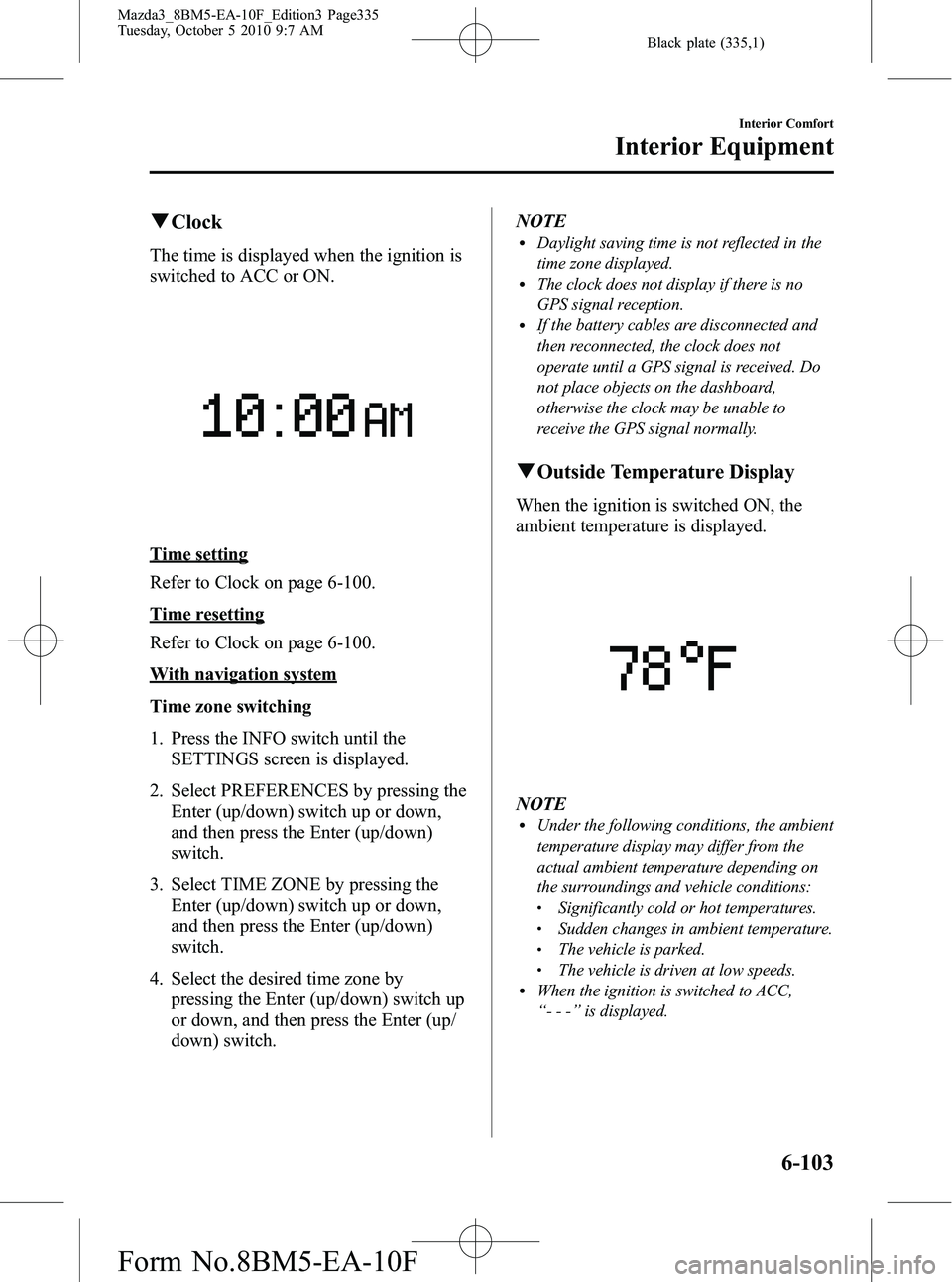
qClock
The time is displayed when the ignition is
switched to ACC or ON.
Time setting
Refer to Clock on page 6-100.
Time resetting
Refer to Clock on page 6-100.
With navigation system
Time zone switching
1. Press the INFO switch until the
SETTINGS screen is displayed.
2. Select PREFERENCES by pressing the Enter (up/down) switch up or down,
and then press the Enter (up/down)
switch.
3. Select TIME ZONE by pressing the Enter (up/down) switch up or down,
and then press the Enter (up/down)
switch.
4. Select the desired time zone by pressing the Enter (up/down) switch up
or down, and then press the Enter (up/
down) switch. NOTE
lDaylight saving time is not reflected in the
time zone displayed.
lThe clock does not display if there is no
GPS signal reception.
lIf the battery cables are disconnected and
then reconnected, the clock does not
operate until a GPS signal is received. Do
not place objects on the dashboard,
otherwise the clock may be unable to
receive the GPS signal normally.
q
Outside Temperature Display
When the ignition is switched ON, the
ambient temperature is displayed.
NOTElUnder the following conditions, the ambient
temperature display may differ from the
actual ambient temperature depending on
the surroundings and vehicle conditions:
lSignificantly cold or hot temperatures.lSudden changes in ambient temperature.lThe vehicle is parked.lThe vehicle is driven at low speeds.lWhen the ignition is switched to ACC,
“--- ”is displayed.
Interior Comfort
Interior Equipment
6-103
Mazda3_8BM5-EA-10F_Edition3 Page335
Tuesday, October 5 2010 9:7 AM
Form No.8BM5-EA-10F
Page 339 of 514

Black plate (339,1)
7. Select a digit using the Right switch/Left switch, and press the Enter (up/
down) switch up or down to change the
value of the digit. If there is no need to
change a digit, leave it as it is and press
the Enter (up/down) switch.
NOTE
The initial setting values are displayed
corresponding to the maintenance schedule
(except Puerto Rico). For each regional
maintenance schedule, Refer to Scheduled
Maintenance on page 8-3.
Message display
When the remaining days or the distance
approaches 0, a message is displayed for 5
seconds each time the ignition is switched
to ACC or ON.
NOTElIf the Enter (up/down) switch is pressed
while a message is displayed, it will no
longer be displayed the next time the engine
is started.
lAfter the vehicle is serviced and the
remaining days/distance is reset, the
message for the next maintenance period
will be displayed when the remaining
distance or days to the next maintenance
period approaches 0 (displays when engine
is started).
lIf there are multiple tire rotation periods or
service due, they are displayed according to
their order.
lIf there is more than one servicing due
deadline with one past due and the other
approaching, only the one which is past due
will be displayed.
Interior Comfort
Interior Equipment
6-107
Mazda3_8BM5-EA-10F_Edition3 Page339
Tuesday, October 5 2010 9:7 AM
Form No.8BM5-EA-10F
Page 342 of 514

Black plate (342,1)
3. Select the item you want to turn off(TIRE ROTATION or SERVICE DUE)
by pressing the Enter (up/down) switch
up or down, and then press the Enter
(up/down) switch.
4. Select OFF and press the Enter (up/
down) switch.
qWarning Indicator
The following warning indicators are
displayed according to necessity. Warning
indicators are displayed regardless of the
multi information display operation.
lDOOR OPEN (including trunk and the
liftgate)
lTIGHTEN FUEL CAP (Displayed
when the check fuel cap warning light
illuminates in the instrument cluster.)
lCHECK TIRE PRESSURE
lRELEASE PARKING BRAKElAdvanced Keyless Entry System
related
lKEY BATTERY IS LOWlADVANCED KEY NOT FOUNDlMOVE SHIFT LEVER TO PlSTEERING WHEEL LOCK NOT
RELEASED TURN WHEEL LEFT
AND RIGHT
lDEPRESS BRAKE PEDAL TO
START ENGINE
lDEPRESS CLUTCH PEDAL TO
START ENGINE
lUSE AUXILIARY KEY
NOTE
When more than two warnings occur at the
same time, indicators are switched at each
specified time.
q Settings
The following settings can be changed:lBuzzer volume (Ignition key reminder,
lights-on reminder)
lTurn indicator soundlDistance unitlTemperature unitlDisplay language
The data for the trip computer average
fuel economy and the average vehicle
speed can also be changed.
To change settings
1. Press the INFO switch until the SETTINGS screen is displayed.
2. Select PREFERENCES by pressing the Enter (up/down) switch up or down,
and then press the Enter (up/down)
switch.
3. Select the setting item you want to change by pressing the Enter (up/
down) switch up or down, and then
press the Enter (up/down) switch.
6-110
Interior Comfort
Interior Equipment
Mazda3_8BM5-EA-10F_Edition3 Page342
Tuesday, October 5 2010 9:7 AM
Form No.8BM5-EA-10F