2011 MAZDA MODEL 3 4-DOOR ignition
[x] Cancel search: ignitionPage 303 of 514

Black plate (303,1)
5. If a selection other than“GO BACK ”
is made and the audio control dial is
pressed, “SURE ? NO ”is displayed.
6. Rotate the audio control dial clockwise and switch the display to “SURE ?
YES ”.
NOTE
The display changes as follows depending on
whether the audio control dial is rotated
clockwise or counterclockwise.
-Clockwise: “SURE ? YES ”displayed
-Counterclockwise: “SURE ? NO ”displayed
7. Press the audio control dial to delete
the selected device. “PAIR DELETE ”
flashes.
NOTE
Select “GO BACK ”and press the audio
control dial to return to the “PAIR DELETE ”
display.
8. “PAIR DELETED ”is displayed for
three seconds after the deletion is
completed, and then it returns to the
normal display.
NOTE
If an error occurs while trying to delete the
programmed device, “Err ”flashes in the
display for three seconds and the display
returns to “LINK DELETE ”.
Bluetooth audio device information
display
1. Using the audio control dial, select the
pair device information display mode
“DEVICE INFO ”in the “BT SETUP”
mode. (Refer to
“ Bluetooth audio device set-up ”for
details.)
2. Press the audio control dial to determine the mode. 3. The name of the Bluetooth unit device
is displayed.
4. Rotate the audio control dial to select the information for the Bluetooth unit
which you would like to view.
Device name
BT address
NOTE
When “GO BACK ”is selected and the audio
control dial is pressed, the display returns to
“ DEVICE INFO ”.
q How to Use the Bluetooth Audio
System
Switching to Bluetooth audio mode
To listen to music or voice audio recorded
to a Bluetooth audio device, switch to the
Bluetooth audio mode to operate the
audio device using the audio system
control panel.
Any Bluetooth audio device must be
programmed to the vehicle's Bluetooth
unit before it can be used. (Refer to
“Bluetooth audio device programming ”)
1. Switch the ignition to ACC or ON.
Interior Comfort
Bluetooth Audio
6-71
Mazda3_8BM5-EA-10F_Edition3 Page303
Tuesday, October 5 2010 9:7 AM
Form No.8BM5-EA-10F
Page 307 of 514

Black plate (307,1)
lA2DP (Advanced Audio Distribution
Profile) Ver. 1.0
lAVRCP (Audio/Video Remote Control
Profile) Ver. 1.0/1.3
lOPP (Object Push Profile) Ver. 1.1
Bluetooth is the registered trademark of
Bluetooth SIG. Inc.
NOTE
lThe Bluetooth Hands-Free system is
operable several seconds after the ignition
is switched to ACC or ON (requires less
than 15 seconds).
lIf the ignition is switched off during a
hands-free call, the line is transferred to the
device (Mobile phone) automatically.
lIf the device (Mobile phone) is in a location
where radio reception is difficult such as a
metal container or in the trunk, the call may
not be connected using Bluetooth. If
communication is not possible, change the
location of the device (Mobile phone).
qComponent Parts
Bluetooth Hands-Free consists of the
following items:
lTalk buttonlPick-up buttonlHang-up buttonlInformation displaylMicrophonelAudio unit
Talk button, Pick-Up button and Hang-
Up button
Basic functions of Bluetooth Hands-Free
can be used for such things as making
calls or hanging up using the talk button,
pick-up button and hang-up button on the
steering wheel.
Talk button
Pick-up buttonTalk button
Hang-up button
Pick-up button
Talk button operations
A short press or a long press of the talk
button is used to operate the system as
follows:
lShort press (Press the button less than
0.7 sec.)
lLong press (Press the button 0.7 sec. or
more.)
Interior Comfort
Bluetooth Hands-Free
6-75
Mazda3_8BM5-EA-10F_Edition3 Page307
Tuesday, October 5 2010 9:7 AM
Form No.8BM5-EA-10F
Page 313 of 514
![MAZDA MODEL 3 4-DOOR 2011 Owners Manual Black plate (313,1)
14.Prompt: “XXXXXX - - - (Ex.
“ Stans device ”) (Device tag). Is this
correct? ”
15. Say: [Beep] “Ye s ”
16. Prompt: “Pairing complete ”
After a device is register](/manual-img/28/41013/w960_41013-312.png "MAZDA MODEL 3 4-DOOR 2011 Owners Manual Black plate (313,1)
14.Prompt: “XXXXXX - - - (Ex.
“ Stans device ”) (Device tag). Is this
correct? ”
15. Say: [Beep] “Ye s ”
16. Prompt: “Pairing complete ”
After a device is register")
Black plate (313,1)
14.Prompt: “XXXXXX - - - (Ex.
“ Stan's device ”) (Device tag). Is this
correct? ”
15. Say: [Beep] “Ye s ”
16. Prompt: “Pairing complete ”
After a device is registered, the system
automatically identifies the device. By
activating Bluetooth Hands-Free again, or
by activating Bluetooth Hands-Free first
after switching the ignition from OFF to
ACC, the system reads out a voice
guidance, “XXXXXX - - - (Ex. “Stan's
device ”) (Device tag) is connected ”.
NOTE
lDevice registration can also be done by
operating the audio unit. Refer to
“ Bluetooth Audio Preparation ”(page
6-66).
lDepending on the device, the registration
status may be lost after a certain period of
time. If this occurs, repeat the entire
process from Step 1.
q Making a Call Using a Telephone
Number
NOTE
Practice this while parked until you are
confident you can do it while driving in a non-
taxing road situation. If you are not completely
comfortable, make all calls from a safe
parking position, and move out only when fully
under control and you can devote your eyes
and mind to driving.
1. Press the pick-up button or talk button
with a short press.
2. Say: [Beep] “Dial ”
3. Prompt: “Number, please ”
4. Say: [Beep] “XXXXXXXXXXX
(Telephone number) ” 5.
Prompt: “XXXXXXXXXXX.
(Telephone number) After the beep,
continue to add numbers, or say Go-
Back to re-enter the last entered
numbers, or press the Pick-Up button
to execute dialing. ”
6. (Dialing)
Press the pick-up button or say “Dial ”,
then go to Step 7.
(Adding/inputting telephone
number)
Say, “XXXX ”(desired telephone
number), then go to Step 5.
(Telephone number correction)
Say, “Go Back ”. The prompt replies,
“ Go Back. The last entered numbers
have been removed. ”. Then go back to
Step 3.
7. Prompt: “Dialing ”
NOTE
The “Dial ”command and a telephone number
can be combined.
Ex. In Step 2, say, “Dial 123-4567 ”, then,
Steps 3 and 4 can be skipped.
Interior Comfort
Bluetooth Hands-Free
6-81
Mazda3_8BM5-EA-10F_Edition3 Page313
Tuesday, October 5 2010 9:7 AM
Form No.8BM5-EA-10F
Page 322 of 514

Black plate (322,1)
Press the talk button with a short press
during the read-out at the desired device,
and then say one of the following voice
commands to execute it.
l“Select phone ”: Selects device (Mobile
phone) when the talk button is short-
pressed.
l“ Select music player ”: Selects device
(Music player) when the talk button is
short-pressed.
l“ Edit ”: Edits device when the talk
button is short-pressed.
l“ Continue ”: Continues the list read-
out.
l“ Delete ”: Deletes the registered device
when the talk button is short-pressed.
l“ Previous ”: Returns to the previous
device in read-out when the talk button
is short-pressed.
8. Prompt: “End of list, would you like
to start from the beginning?”
9. Say: [Beep] “No ”
10. Prompt: “Returning to main menu. ”
Device selection
If several devices have been programmed,
the Bluetooth unit links the device last
connected. If you would like to link a
different programmed device, it is
necessary to change the link. The order of
device priority after the link has been
changed is maintained even when the
ignition is switched off.
Hands-free phone
1. Press the pick-up button or talk button
with a short press.
2. Say: [Beep] “Setup ” 3.
Prompt: “Select one of the following:
Pairing options, confirmation prompts,
language, passcode, select phone or
select music player.”
4. Say: [Beep] “Select phone ”
5. Prompt: “Please say the name of the
device you would like to select.
Available devices are XXXXX... (Ex.
device A), XXXXX... (Ex. device B),
XXXXX... (Ex. device C). Which
device please? ”
6. Say: [Beep] “XXXXX... (Ex. Device
B) ”
7. Prompt: “XXXXX... (Ex. Device B).
Is this correct? ”
8. Say: [Beep] “Ye s ”or “No ”
9. If “Ye s ”, go to Step 10. If “No” , the
procedure returns to Step 5.
10. Prompt: “XXXXX... (Ex. Device B)
selected.”
Music player
1. Press the pick-up button or talk button with a short press.
2. Say: [Beep] “Setup ”
3. Prompt: “Select one of the following:
Pairing options, confirmation prompts,
language, passcode, select phone or
select music player.”
4. Say: [Beep] “Select music player ”
5. Prompt: “Please say the name of the
device you would like to select.
Available devices are XXXXX... (Ex.
device A), XXXXX... (Ex. device B),
XXXXX... (Ex. device C). Which
device please? ”
6-90
Interior Comfort
Bluetooth Hands-Free
Mazda3_8BM5-EA-10F_Edition3 Page322
Tuesday, October 5 2010 9:7 AM
Form No.8BM5-EA-10F
Page 327 of 514

Black plate (327,1)
NOTElThe applicable phrase appears in the
display.
lAfter user voice registration is completed,
voice guidance“Speaker enrollment is
complete, returning to main menu ”is
announced.
Voice recognition learning on/off
1. Press the pick-up button or talk button with a short press.
2. Say: [Beep] “Voice training ”
3. Prompt: “Enrollment is enabled/
disabled. Would you like to disable/
enable or retrain? ”
4. Say: [Beep] “Disable ”or “Enable ”
5. When “Disable ”is spoken, the voice
recognition learning is turned off.
When “Enable ”is spoken, the voice
recognition learning is turned on.
6. Prompt: “Speaker Enrollment is
disabled/enabled, returning to main
menu. ”
When Bluetooth Hands-
Free Cannot be Used
Bluetooth Hands-Free cannot be used
under the following conditions:
lThe device is outside of the
communication area.
lThe device has a malfunction.lThe device is not connected to the
hands-free unit equipped on the
vehicle.
lThe device's battery is weak.lThe device is turned off.lThe device is placed where radio
reception is difficult.
lThe ignition is switched off.
Interior Comfort
Bluetooth Hands-Free
6-95
Mazda3_8BM5-EA-10F_Edition3 Page327
Tuesday, October 5 2010 9:7 AM
Form No.8BM5-EA-10F
Page 329 of 514

Black plate (329,1)
Sunvisors
When you need a sunvisor, lower it for
use in front or swing it to the side.
Sunvisor
qVanity Mirrors
To use the vanity mirror, lower the
sunvisor.
If your vehicle is equipped with a vanity
mirror light, it will illuminate when you
open the cover.
Interior Lights
qIlluminated Entry System
When the illuminated entry system
operates, the overhead light (switch is in
the DOOR position) turns on for:
lAbout 30 seconds after the driver's
door is unlocked and the ignition key is
removed (without advanced key) or the
ignition is switched off (with advanced
key).
lAbout 15 seconds after all doors are
closed.
(With Advanced key)
About 5 seconds after all doors are
closed when the advanced key is
outside of the vehicle.
lAbout 15 seconds after the ignition is
switched off (LOCK) and the ignition
key removed (without advanced key)
with all doors closed.
The light also turns off when:
lThe ignition is switched ON and all
doors are closed.
lThe driver's door is locked.
NOTE
lBattery saver
If any door is left opened, the light turns off
after about 30 minutes to save the battery.
The light turns on again when the ignition
is switched ON, or when any door is
opened after all doors have been closed.
lThe operation of the illuminated entry
system can be changed.
Refer to Personalization Features on page
10-12.
Interior Comfort
Interior Equipment
6-97
Mazda3_8BM5-EA-10F_Edition3 Page329
Tuesday, October 5 2010 9:7 AM
Form No.8BM5-EA-10F
Page 332 of 514

Black plate (332,1)
qClockí
When the ignition is switched to ACC or
ON, the time is displayed.
Time setting
1. Switch the ignition to ACC or ON.
2. Adjust the time using the time setting
buttons (
,).
The hours advance while the time
setting button (
) is pressed.
The minutes advance while the time
setting button (
) is pressed.
Time resetting
1. Switch the ignition to ACC or ON.
2. Press the :00 button.
3. When the button is pressed, the time will be reset as follows:
(Example)
12:01 ―12:29 →12:00
12:30 ―12:59 →1:00
NOTE
When the button is pressed, the seconds will
start at “00 ”.
q Outside Temperature Display
(Fully Automatic Type)
When the ignition is switched ON, the
ambient temperature is displayed.
NOTE
Under the following conditions, the ambient
temperature display may differ from the actual
ambient temperature depending on the
surroundings and vehicle conditions:
lSignificantly cold or hot temperatures.lSudden changes in ambient temperature.lThe vehicle is parked.lThe vehicle is driven at low speeds.
qClimate Control Display
The climate control system status is
displayed. To operate the climate control
system, refer to “Climate Control System ”
(page 6-2).
q Audio Display
The audio system status is displayed. To
operate the audio system, refer to
“Audio System ”(page 6-18).
6-100
Interior Comfort
íSome models.
Interior Equipment
Mazda3_8BM5-EA-10F_Edition3 Page332
Tuesday, October 5 2010 9:7 AM
Form No.8BM5-EA-10F
Page 335 of 514
Black plate (335,1)
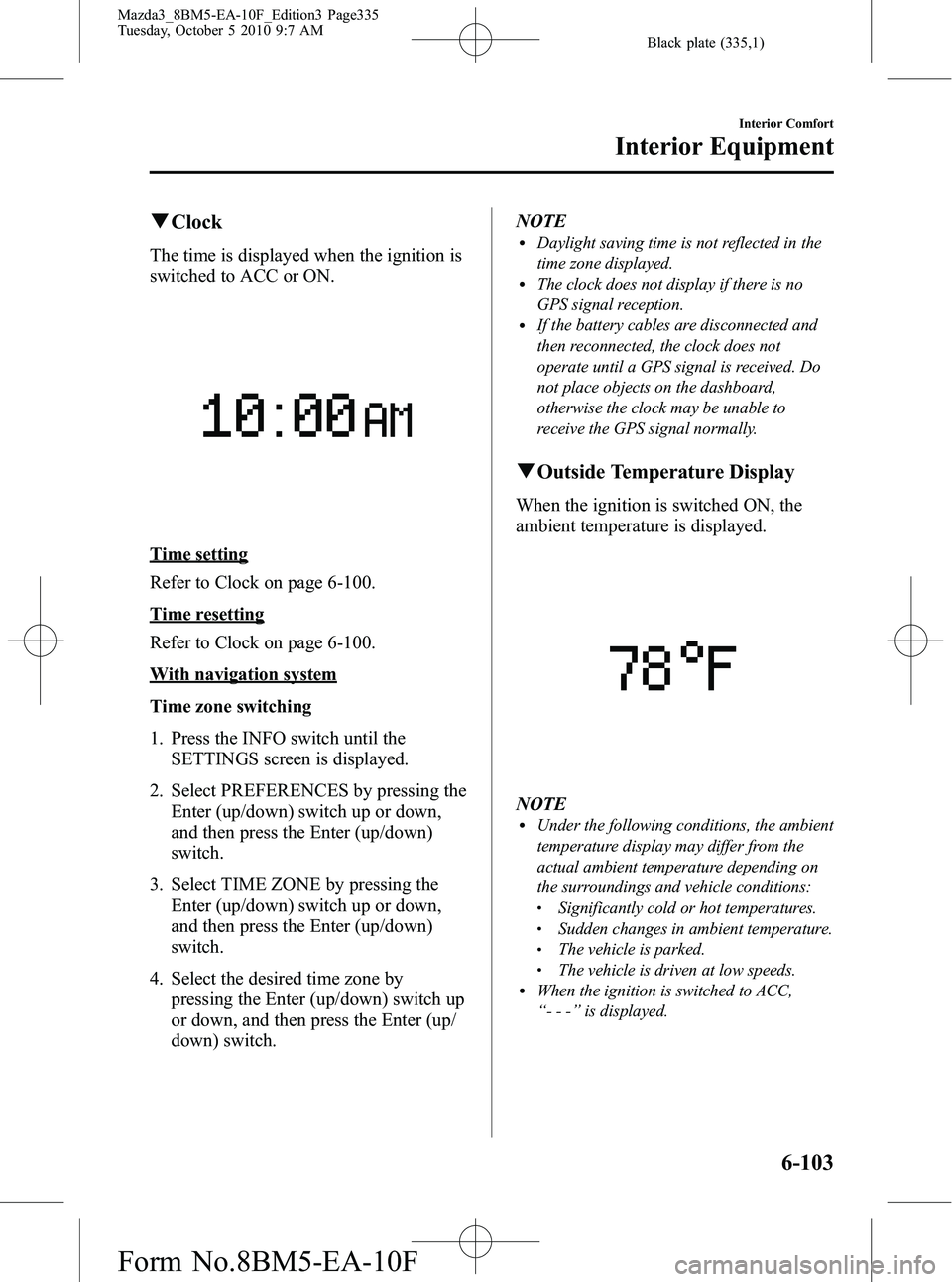
qClock
The time is displayed when the ignition is
switched to ACC or ON.
Time setting
Refer to Clock on page 6-100.
Time resetting
Refer to Clock on page 6-100.
With navigation system
Time zone switching
1. Press the INFO switch until the
SETTINGS screen is displayed.
2. Select PREFERENCES by pressing the Enter (up/down) switch up or down,
and then press the Enter (up/down)
switch.
3. Select TIME ZONE by pressing the Enter (up/down) switch up or down,
and then press the Enter (up/down)
switch.
4. Select the desired time zone by pressing the Enter (up/down) switch up
or down, and then press the Enter (up/
down) switch. NOTE
lDaylight saving time is not reflected in the
time zone displayed.
lThe clock does not display if there is no
GPS signal reception.
lIf the battery cables are disconnected and
then reconnected, the clock does not
operate until a GPS signal is received. Do
not place objects on the dashboard,
otherwise the clock may be unable to
receive the GPS signal normally.
q
Outside Temperature Display
When the ignition is switched ON, the
ambient temperature is displayed.
NOTElUnder the following conditions, the ambient
temperature display may differ from the
actual ambient temperature depending on
the surroundings and vehicle conditions:
lSignificantly cold or hot temperatures.lSudden changes in ambient temperature.lThe vehicle is parked.lThe vehicle is driven at low speeds.lWhen the ignition is switched to ACC,
“--- ”is displayed.
Interior Comfort
Interior Equipment
6-103
Mazda3_8BM5-EA-10F_Edition3 Page335
Tuesday, October 5 2010 9:7 AM
Form No.8BM5-EA-10F