Page 50 of 306
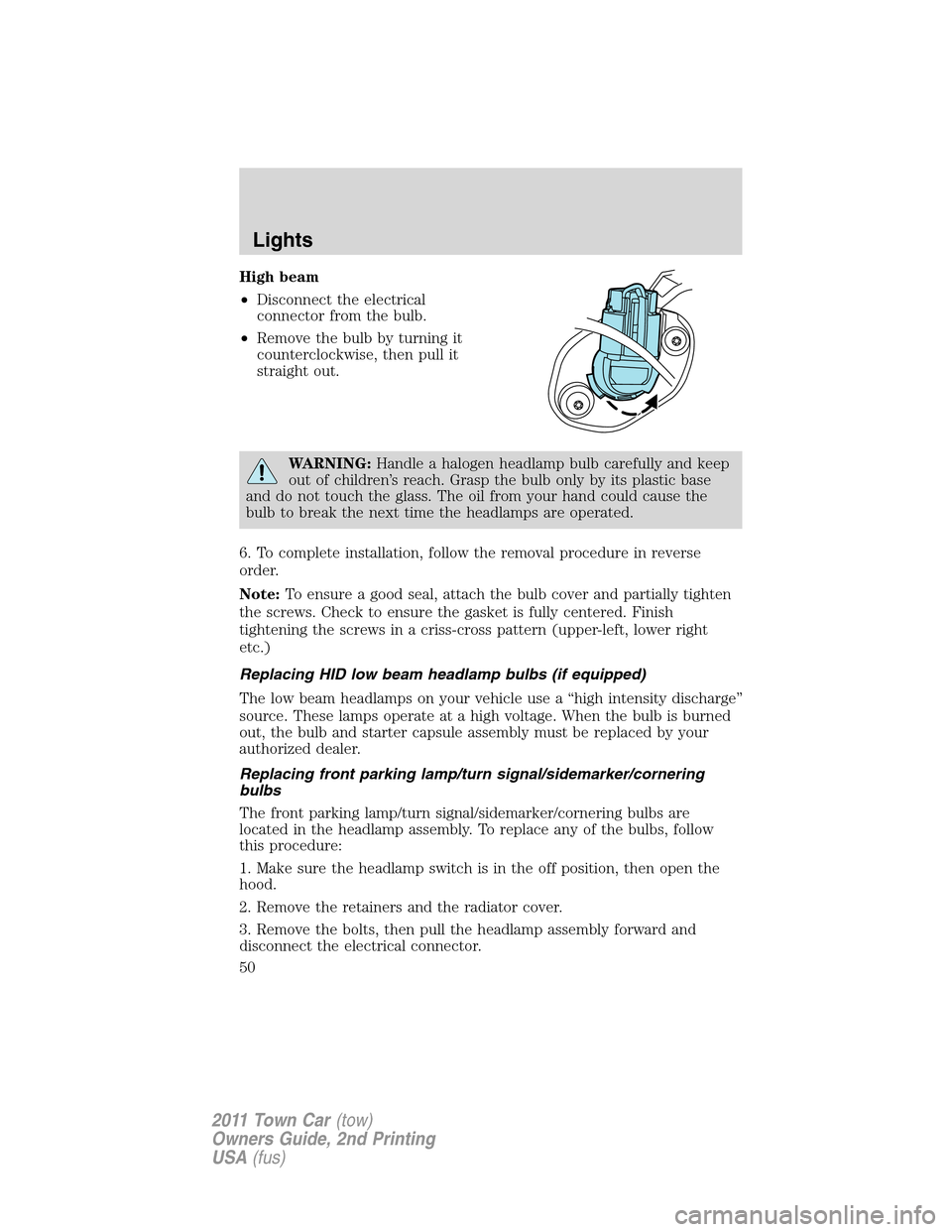
High beam
•Disconnect the electrical
connector from the bulb.
•Remove the bulb by turning it
counterclockwise, then pull it
straight out.
WARNING:Handle a halogen headlamp bulb carefully and keep
out of children’s reach. Grasp the bulb only by its plastic base
and do not touch the glass. The oil from your hand could cause the
bulb to break the next time the headlamps are operated.
6. To complete installation, follow the removal procedure in reverse
order.
Note:To ensure a good seal, attach the bulb cover and partially tighten
the screws. Check to ensure the gasket is fully centered. Finish
tightening the screws in a criss-cross pattern (upper-left, lower right
etc.)
Replacing HID low beam headlamp bulbs (if equipped)
The low beam headlamps on your vehicle use a “high intensity discharge”
source. These lamps operate at a high voltage. When the bulb is burned
out, the bulb and starter capsule assembly must be replaced by your
authorized dealer.
Replacing front parking lamp/turn signal/sidemarker/cornering
bulbs
The front parking lamp/turn signal/sidemarker/cornering bulbs are
located in the headlamp assembly. To replace any of the bulbs, follow
this procedure:
1. Make sure the headlamp switch is in the off position, then open the
hood.
2. Remove the retainers and the radiator cover.
3. Remove the bolts, then pull the headlamp assembly forward and
disconnect the electrical connector.
Lights
50
2011 Town Car(tow)
Owners Guide, 2nd Printing
USA(fus)
Page 56 of 306
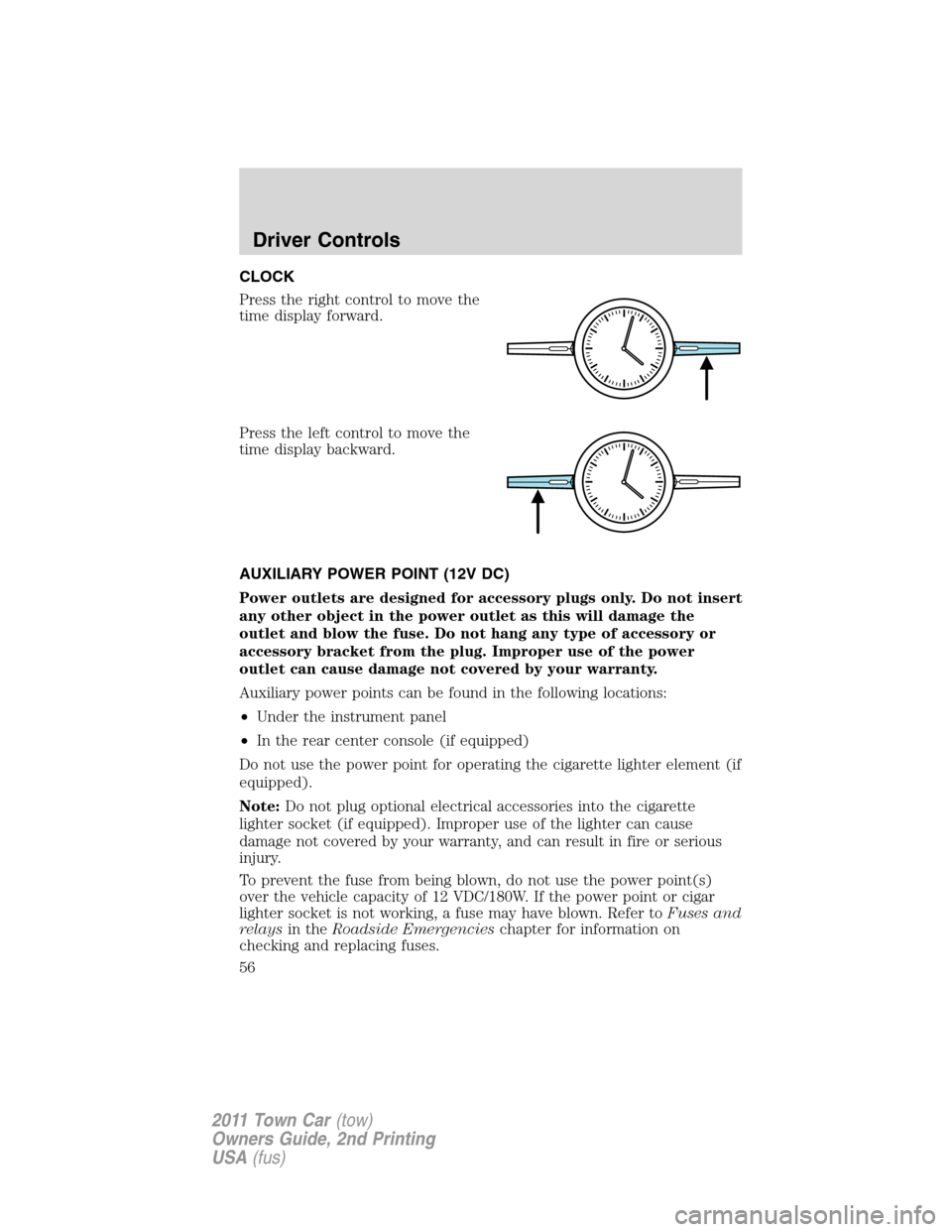
CLOCK
Press the right control to move the
time display forward.
Press the left control to move the
time display backward.
AUXILIARY POWER POINT (12V DC)
Power outlets are designed for accessory plugs only. Do not insert
any other object in the power outlet as this will damage the
outlet and blow the fuse. Do not hang any type of accessory or
accessory bracket from the plug. Improper use of the power
outlet can cause damage not covered by your warranty.
Auxiliary power points can be found in the following locations:
•Under the instrument panel
•In the rear center console (if equipped)
Do not use the power point for operating the cigarette lighter element (if
equipped).
Note:Do not plug optional electrical accessories into the cigarette
lighter socket (if equipped). Improper use of the lighter can cause
damage not covered by your warranty, and can result in fire or serious
injury.
To prevent the fuse from being blown, do not use the power point(s)
over the vehicle capacity of 12 VDC/180W. If the power point or cigar
lighter socket is not working, a fuse may have blown. Refer toFuses and
relaysin theRoadside Emergencieschapter for information on
checking and replacing fuses.
Driver Controls
56
2011 Town Car(tow)
Owners Guide, 2nd Printing
USA(fus)
Page 57 of 306
To have full capacity usage of your power point, the engine is required to
be running to avoid unintentional discharge of the battery. To prevent
the battery from being discharged:
•do not use the power point longer than necessary when the engine is
not running,
•do not leave battery chargers, video game adapters, computers and
other devices plugged in overnight or when the vehicle is parked for
extended periods.
Always keep the power point caps closed when not being used.
REAR CENTER CONSOLE FEATURES (IF EQUIPPED)
The rear center console incorporates the following features:
•Utility compartment
•Auxiliary power point (if equipped)
•Remote radio/climate controls (if equipped)
•Remote seat adjustment (if equipped)
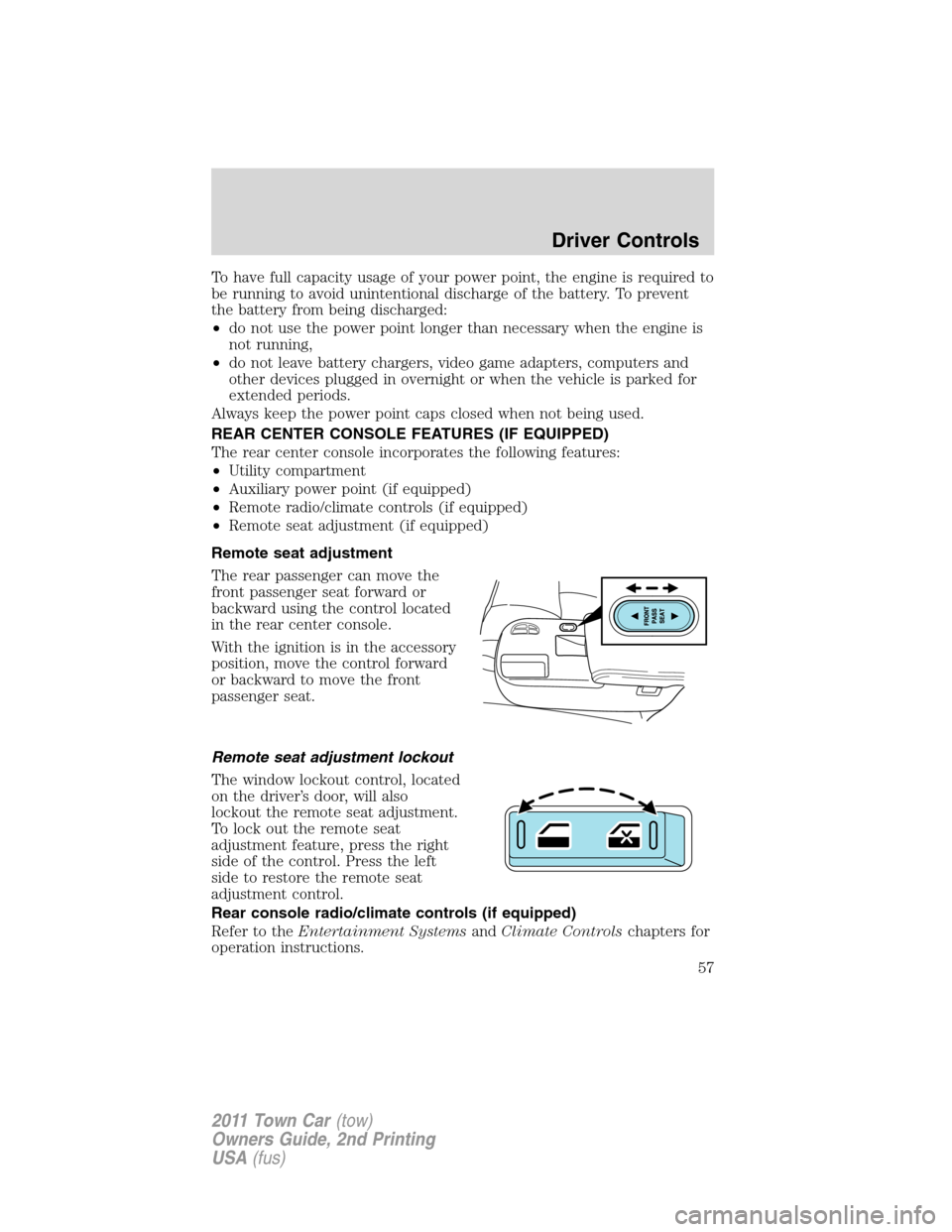
Remote seat adjustment
The rear passenger can move the
front passenger seat forward or
backward using the control located
in the rear center console.
With the ignition is in the accessory
position, move the control forward
or backward to move the front
passenger seat.
Remote seat adjustment lockout
The window lockout control, located
on the driver’s door, will also
lockout the remote seat adjustment.
To lock out the remote seat
adjustment feature, press the right
side of the control. Press the left
side to restore the remote seat
adjustment control.
Rear console radio/climate controls (if equipped)
Refer to theEntertainment SystemsandClimate Controlschapters for
operation instructions.
Driver Controls
57
2011 Town Car(tow)
Owners Guide, 2nd Printing
USA(fus)
Page 58 of 306
POWER WINDOWS
WARNING:Do not leave children unattended in the vehicle and
do not let children play with the power windows. They may
seriously injure themselves.
WARNING:When closing the power windows, you should verify
they are free of obstructions and ensure that children and/or
pets are not in the proximity of the window openings.
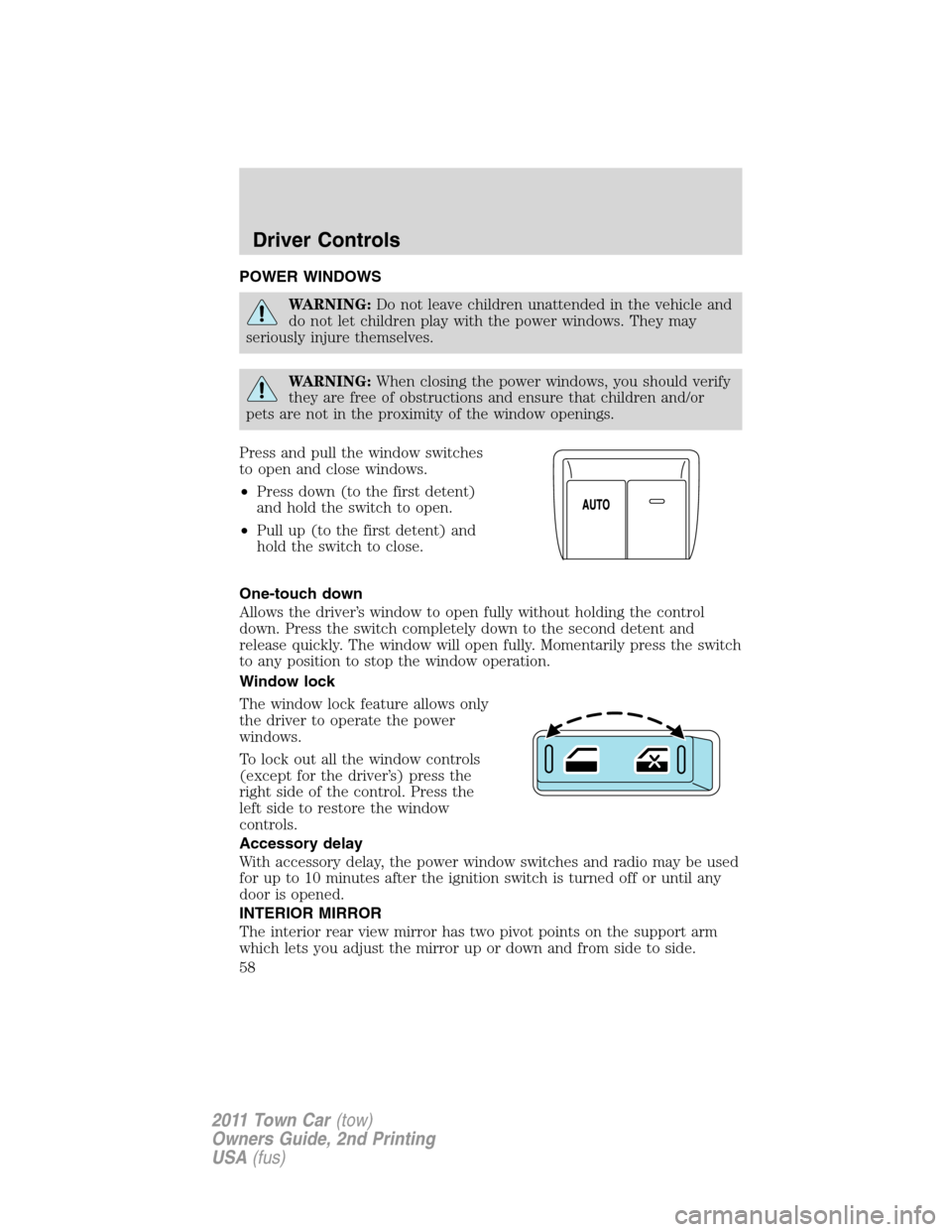
Press and pull the window switches
to open and close windows.
•Press down (to the first detent)
and hold the switch to open.
•Pull up (to the first detent) and
hold the switch to close.
One-touch down
Allows the driver’s window to open fully without holding the control
down. Press the switch completely down to the second detent and
release quickly. The window will open fully. Momentarily press the switch
to any position to stop the window operation.
Window lock
The window lock feature allows only
the driver to operate the power
windows.
To lock out all the window controls
(except for the driver’s) press the
right side of the control. Press the
left side to restore the window
controls.
Accessory delay
With accessory delay, the power window switches and radio may be used
for up to 10 minutes after the ignition switch is turned off or until any
door is opened.
INTERIOR MIRROR
The interior rear view mirror has two pivot points on the support arm
which lets you adjust the mirror up or down and from side to side.
Driver Controls
58
2011 Town Car(tow)
Owners Guide, 2nd Printing
USA(fus)
Page 69 of 306
After successful programming, you will be able to operate your Car2U�
system by pressing the button you programmed to activate the opener.
The indicator light above the selected button will turn on to confirm that
the Car2U�system is responding to the button command.
Erasing the Car2U�Home Automation System buttons
Note:The system allows for three devices to be programmed. If you
need to change or replace any of the three devices after it has been
initially programmed, it will be necessary to erase the current settings
using the procedure below and then reprogramming all of the devices
being used.
To erase programming on the Car2U�system (individual buttons cannot
be erased), use the following procedure:
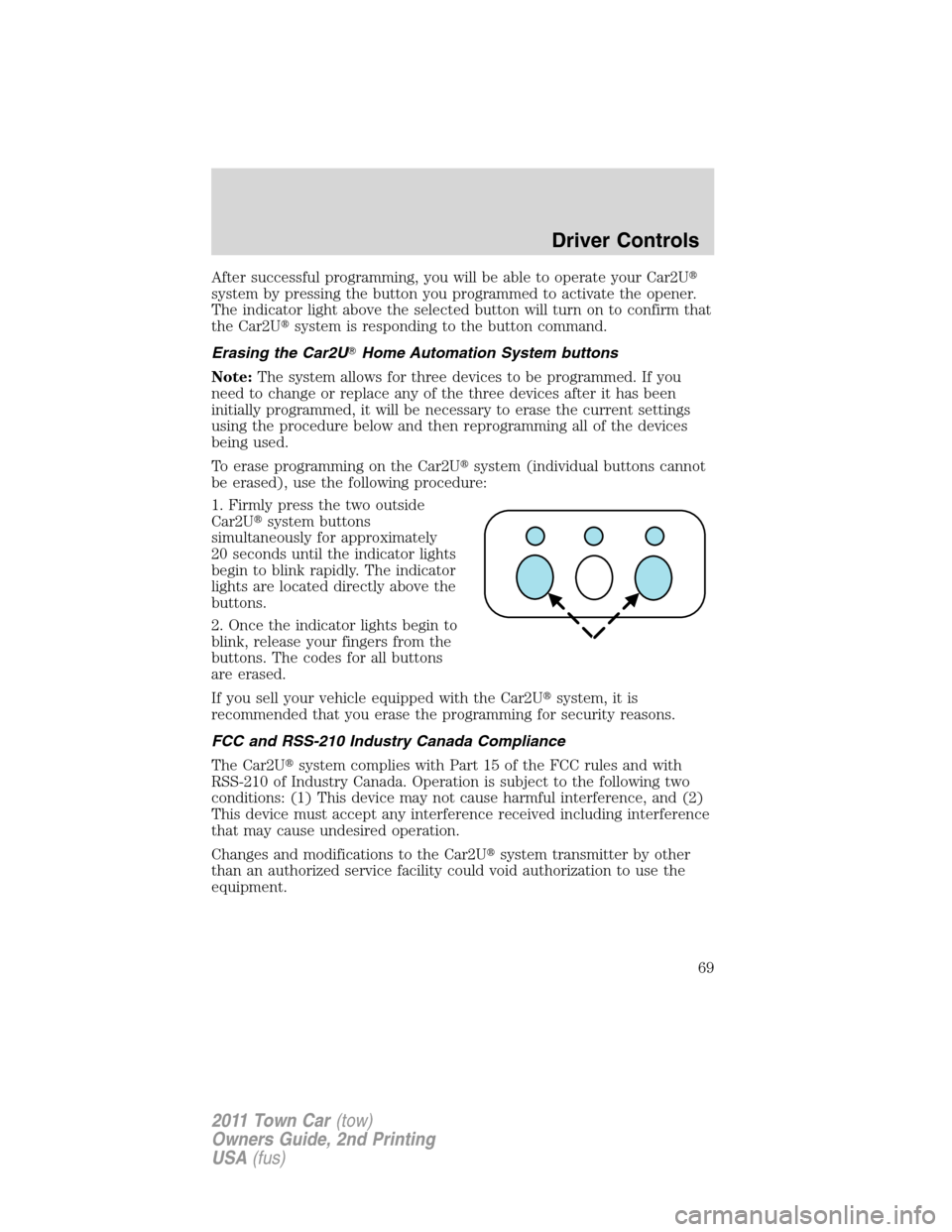
1. Firmly press the two outside
Car2U�system buttons
simultaneously for approximately
20 seconds until the indicator lights
begin to blink rapidly. The indicator
lights are located directly above the
buttons.
2. Once the indicator lights begin to
blink, release your fingers from the
buttons. The codes for all buttons
are erased.
If you sell your vehicle equipped with the Car2U�system, it is
recommended that you erase the programming for security reasons.
FCC and RSS-210 Industry Canada Compliance
The Car2U�system complies with Part 15 of the FCC rules and with
RSS-210 of Industry Canada. Operation is subject to the following two
conditions: (1) This device may not cause harmful interference, and (2)
This device must accept any interference received including interference
that may cause undesired operation.
Changes and modifications to the Car2U�system transmitter by other
than an authorized service facility could void authorization to use the
equipment.
Driver Controls
69
2011 Town Car(tow)
Owners Guide, 2nd Printing
USA(fus)
Page 76 of 306
INTERIOR LUGGAGE COMPARTMENT RELEASE
Your vehicle is equipped with a mechanical interior luggage compartment
release handle that provides a means of escape for children and adults in
the event they become locked inside the luggage compartment.
Adults are advised to familiarize themselves with the operation and
location of the release handle.
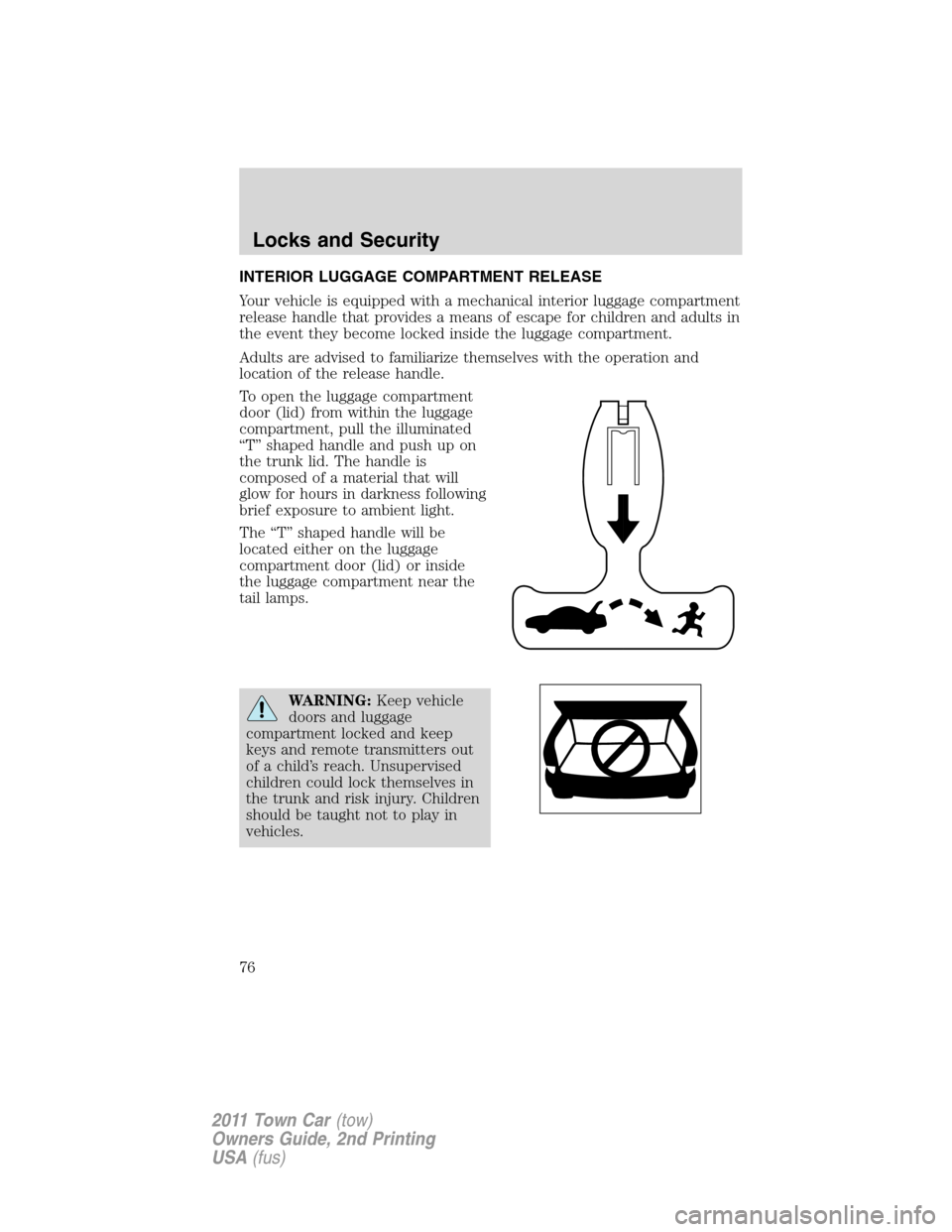
To open the luggage compartment
door (lid) from within the luggage
compartment, pull the illuminated
“T” shaped handle and push up on
the trunk lid. The handle is
composed of a material that will
glow for hours in darkness following
brief exposure to ambient light.
The “T” shaped handle will be
located either on the luggage
compartment door (lid) or inside
the luggage compartment near the
tail lamps.
WARNING:Keep vehicle
doors and luggage
compartment locked and keep
keys and remote transmitters out
of a child’s reach. Unsupervised
children could lock themselves in
the trunk and risk injury. Children
should be taught not to play in
vehicles.
Locks and Security
76
2011 Town Car(tow)
Owners Guide, 2nd Printing
USA(fus)
Page 78 of 306
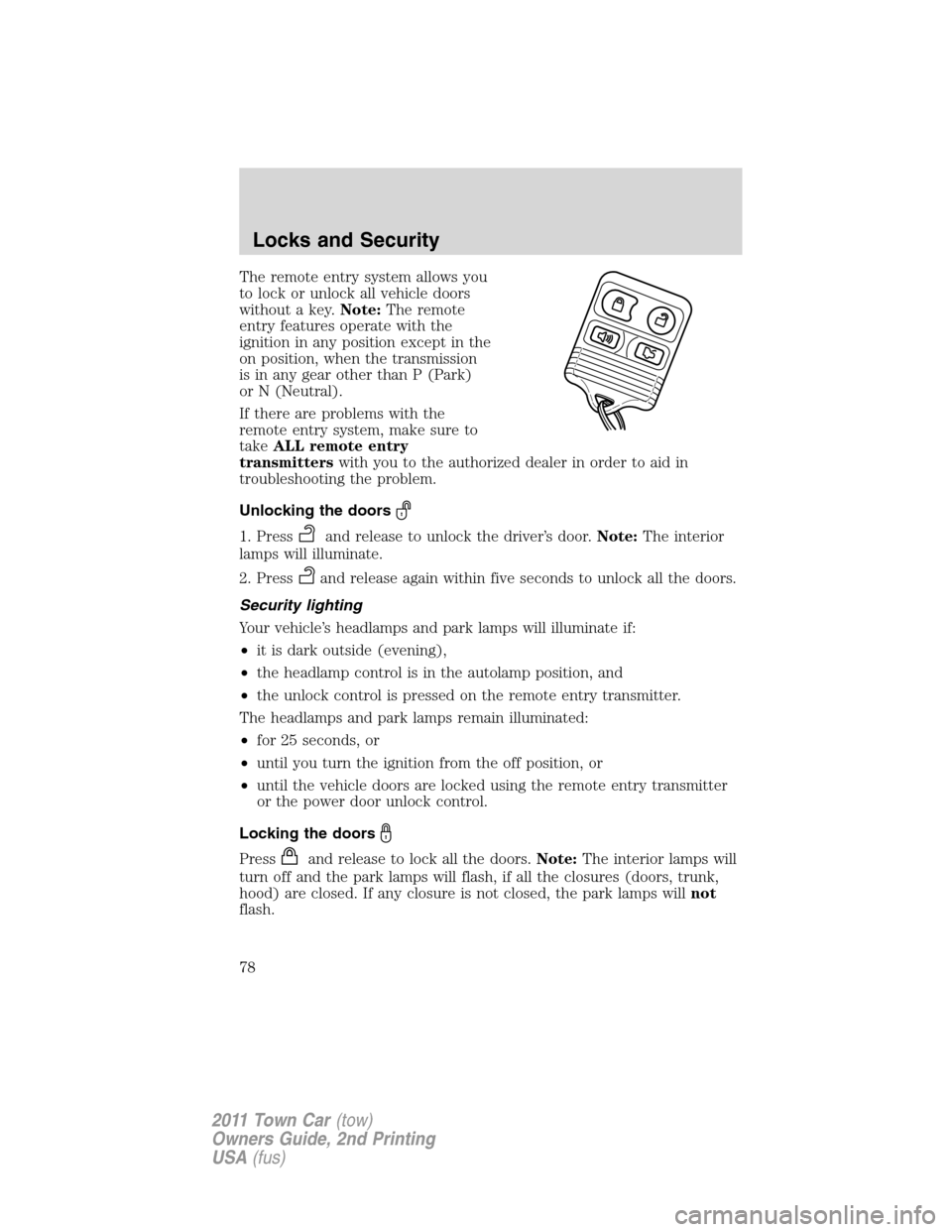
The remote entry system allows you
to lock or unlock all vehicle doors
without a key.Note:The remote
entry features operate with the
ignition in any position except in the
on position, when the transmission
is in any gear other than P (Park)
or N (Neutral).
If there are problems with the
remote entry system, make sure to
takeALL remote entry
transmitterswith you to the authorized dealer in order to aid in
troubleshooting the problem.
Unlocking the doors
1. Pressand release to unlock the driver’s door.Note:The interior
lamps will illuminate.
2. Press
and release again within five seconds to unlock all the doors.
Security lighting
Your vehicle’s headlamps and park lamps will illuminate if:
•it is dark outside (evening),
•the headlamp control is in the autolamp position, and
•the unlock control is pressed on the remote entry transmitter.
The headlamps and park lamps remain illuminated:
•for 25 seconds, or
•until you turn the ignition from the off position, or
•until the vehicle doors are locked using the remote entry transmitter
or the power door unlock control.
Locking the doors
Pressand release to lock all the doors.Note:The interior lamps will
turn off and the park lamps will flash, if all the closures (doors, trunk,
hood) are closed. If any closure is not closed, the park lamps willnot
flash.
Locks and Security
78
2011 Town Car(tow)
Owners Guide, 2nd Printing
USA(fus)
Page 94 of 306
WARNING:Always drive and ride with your seatback upright
and the lap belt snug and low across the hips.
WARNING:Reclining the seatback can cause an occupant to
slide under the seat’s safety belt, resulting in severe personal
injuries in the event of a collision.
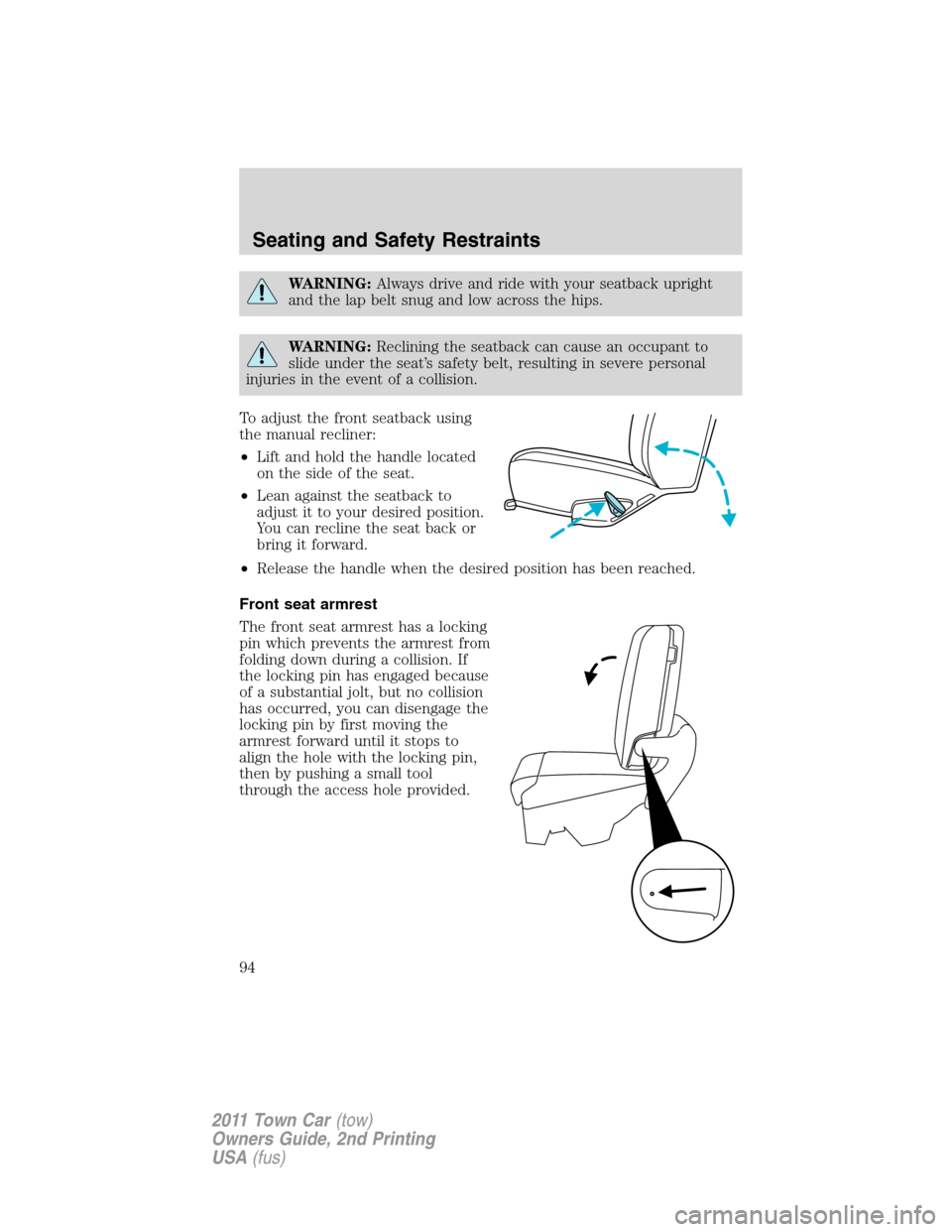
To adjust the front seatback using
the manual recliner:
•Lift and hold the handle located
on the side of the seat.
•Lean against the seatback to
adjust it to your desired position.
You can recline the seat back or
bring it forward.
•Release the handle when the desired position has been reached.
Front seat armrest
The front seat armrest has a locking
pin which prevents the armrest from
folding down during a collision. If
the locking pin has engaged because
of a substantial jolt, but no collision
has occurred, you can disengage the
locking pin by first moving the
armrest forward until it stops to
align the hole with the locking pin,
then by pushing a small tool
through the access hole provided.
Seating and Safety Restraints
94
2011 Town Car(tow)
Owners Guide, 2nd Printing
USA(fus)